
Dell Inspiron 15.6" FHD Touchscreen
4.7Editor score
10-Core Intel i5 Processor
Affordable Price Point
Windows 11 Home System
Finding a laptop with a built-in numeric keypad and responsive touchscreen can significantly boost your productivity for data entry and navigation tasks.
We have carefully evaluated ten leading models based on processor power, memory capacity, display clarity, and overall build quality to help you make an informed decision.
Each pick below highlights specific strengths for different user needs, keeping in mind that prices and availability may change frequently on major retail platforms.
4.7Editor score

4.0Editor score
5.0Editor score
As an Amazon Associate we earn from qualifying purchases.
This side-by-side comparison breaks down the key specifications and features of each model to help you quickly identify the right fit for your workflow.


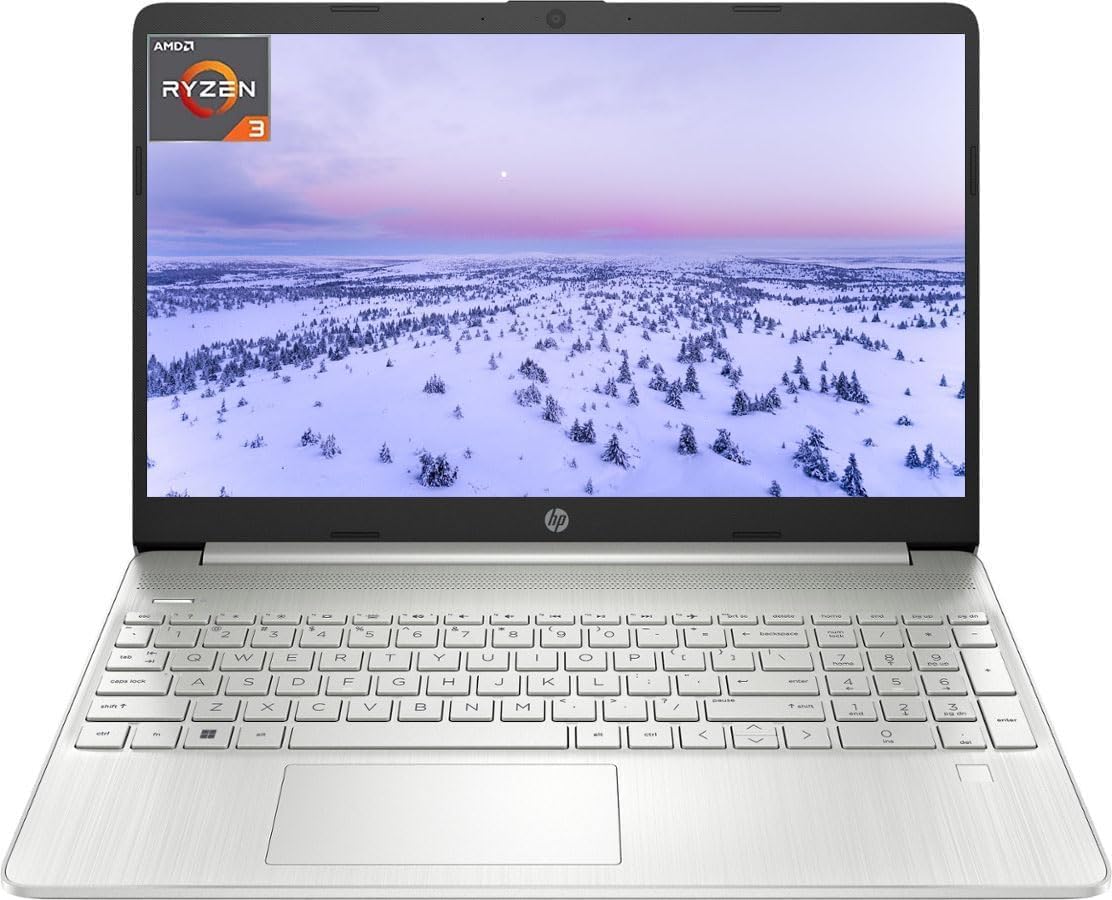


The HP 15.6" FHD Touchscreen Laptop stands out as a robust choice for professionals needing heavy multitasking capabilities. Its 32GB RAM ensures smooth operation across multiple applications without slowdowns.
We may earn a commission when you buy through this link, at no additional cost to you.
Powered by the AMD Ryzen 7 7730U processor, this machine handles demanding tasks like video conferencing and data analysis with ease. The Full HD touchscreen adds intuitive navigation for presentations and creative work.
While the port selection is adequate for daily use, users requiring extensive connectivity might find the limited options restrictive. The lack of a dedicated GPU also means it is not intended for heavy gaming or 3D rendering.
This laptop is ideal for students and remote workers who need reliable performance throughout the day. The inclusion of Windows 11 Pro and a numeric keypad makes it a strong contender for office environments.
With 32GB of RAM and a 1TB SSD, you can keep numerous browser tabs and large files open simultaneously without compromising speed.
The full-size keyboard includes a numeric keypad which is essential for quick data entry in spreadsheets and financial documents.
We may earn a commission when you buy through this link, at no additional cost to you.
This HP model offers a significantly larger workspace with its 17.3-inch touchscreen display making it perfect for complex spreadsheets and multi-window tasks. The Intel Core i7 processor ensures that this larger screen does not compromise performance speed.
We may earn a commission when you buy through this link, at no additional cost to you.
The 32GB of DDR4 RAM allows for seamless transitions between applications ensuring your workflow remains uninterrupted during critical work hours. Users benefit from the AI capabilities built into the processor for optimized task management.
One trade-off is the increased weight compared to 15-inch laptops which might be a consideration for frequent travelers. The HD+ resolution is good but does not offer the sharpness of Full HD panels found in other models.
For those who prioritize screen real estate over portability this laptop delivers an immersive experience suitable for stationary workstations. The inclusion of Copilot adds a modern touch to daily productivity routines.
The expansive 17.3-inch screen provides ample room for side-by-side window viewing which enhances efficiency for content creators and analysts.
The dynamic speeds up to 5.0 GHz ensure that even demanding applications run smoothly without lag or thermal throttling issues.
We may earn a commission when you buy through this link, at no additional cost to you.
The Dell Inspiron 15 3000 is a solid choice for business users who need dependable performance without paying a premium price. The 11th Gen Intel Core i5 processor handles daily office tasks efficiently and boots up quickly.
We may earn a commission when you buy through this link, at no additional cost to you.
With 16GB of RAM and a 1TB PCIe SSD this system offers a balanced configuration for running modern applications and storing large project files. The Full HD IPS touchscreen provides clear visuals from various viewing angles.
The battery features Express Charge capability which allows you to get back to work quickly if you run low on power during the day. However the processor is older than newer models which might limit longevity for heavy multitasking.
This laptop is well suited for office environments where reliability and keyboard input are key. The Windows 11 Pro license adds an extra layer of security and management features beneficial for corporate users.
Express Charge minimizes downtime by replenishing the battery to 80 percent in just 60 minutes when you are plugged into an outlet.
Windows 11 Pro offers enhanced security features and remote desktop capabilities that are essential for business and enterprise environments.
We may earn a commission when you buy through this link, at no additional cost to you.
This HP laptop is designed for casual users who need a large screen for media consumption and basic productivity tasks. The inclusion of Microsoft 365 adds value for those needing Word Excel and Outlook immediately out of the box.
We may earn a commission when you buy through this link, at no additional cost to you.
The 17.3-inch display offers an immersive experience for watching videos or browsing the web with touch controls for added convenience. Fast charge technology ensures the laptop is ready to use quickly after short charging sessions.
Users should be aware that the storage is limited to 128GB which may require external drives for large file collections. The processor is suitable for light tasks but may struggle with resource intensive software.
Ideal for students or home users who prioritize screen size and software bundles over raw performance. The fingerprint reader adds a convenient layer of security for logging into the system quickly.
Microsoft 365 personal premium apps are included which saves the cost of separate subscriptions for essential productivity tools.
A fingerprint reader allows for instant secure login without the need to type passwords repeatedly during the work day.
We may earn a commission when you buy through this link, at no additional cost to you.
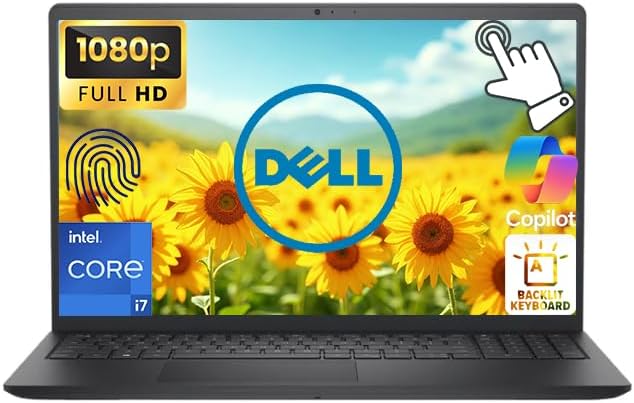
This Dell Inspiron offers an excellent balance of features at a budget-friendly price point making it accessible for students and light users. The 10-core Intel i5 processor provides more processing power than typical entry-level chips in this range.
We may earn a commission when you buy through this link, at no additional cost to you.
The Full HD touchscreen is responsive and clear which is a nice addition at this price level. AI Copilot integration helps streamline common tasks and enhances the overall user experience significantly.
The main limitations are the lower amount of RAM and storage compared to premium models which might necessitate upgrades or cloud storage for some users. However for basic tasks this configuration is quite sufficient.
It is a strong recommendation for anyone needing a reliable laptop for school or basic office work without breaking the bank. The numeric keypad ensures that data entry is comfortable even on a smaller budget device.
The 10-core processor delivers multi-threaded performance that keeps up with modern software demands even at a lower cost.
AI Copilot is included to help automate routine tasks and provide quick answers within the Windows environment.
We may earn a commission when you buy through this link, at no additional cost to you.
This HP model is optimized for security and performance in S Mode which ensures a safe environment by limiting app installations to the Microsoft Store. The processor is designed to handle everyday browsing and document editing efficiently.
We may earn a commission when you buy through this link, at no additional cost to you.
The touchscreen provides intuitive control for navigating applications and the privacy shutter on the camera adds peace of mind during video calls. Connectivity options include Wi-Fi and Bluetooth for wireless freedom around your workspace.
Users should consider that S Mode can be restrictive if you need to install specific desktop applications outside of the app store. The resolution is also lower than Full HD which may affect text sharpness for some.
It is a great choice for users who value security and simplicity over maximum customization. The numeric keypad supports basic data entry needs for those using it for administrative tasks.
Windows 11 Home in S Mode provides enhanced protection against malware by restricting apps to verified sources in the Store.
Integrated dual array digital microphones ensure clear audio during online meetings and calls with friends or colleagues.
We may earn a commission when you buy through this link, at no additional cost to you.
The OmniBook 3 features a stunning 2K display that delivers incredible detail and wide viewing angles for creative work. The Ryzen 5 processor handles everyday tasks and light entertainment smoothly without excessive power consumption.
We may earn a commission when you buy through this link, at no additional cost to you.
AI noise reduction ensures clear conversations during video calls by filtering out background noise which improves professionalism in remote meetings. The device is lightweight and portable making it easy to carry around during the day.
One notable drawback is the lack of a dedicated numeric keypad which might be inconvenient for users who frequently enter numerical data. Battery life is decent but not exceptional for users who need all-day unplugged usage.
This laptop is best suited for creative professionals and students who prioritize display quality and portability. The Windows 11 Pro license adds value for business users needing advanced management features.
The 1920 x 1200 resolution offers more vertical space and sharper details than standard Full HD screens.
Advanced AI noise reduction tracks your voice during calls and filters out ambient sounds for clearer communication.
We may earn a commission when you buy through this link, at no additional cost to you.
This Dell business laptop combines high performance with premium features like a fingerprint reader and backlit keyboard for a polished user experience. The Intel Core i7 processor ensures that even heavy workloads are handled with speed and efficiency.
We may earn a commission when you buy through this link, at no additional cost to you.
The Full HD touchscreen is responsive and vibrant making it suitable for both business presentations and media consumption. Connectivity is well covered with multiple USB ports and HDMI ensuring you can connect to external displays easily.
The premium price reflects the high quality components and build material used which may be justified for professional users. However for casual users this extra cost might not be necessary compared to other models in this roundup.
It is an excellent choice for professionals who need a reliable and fast machine with security features built-in. The numeric keypad supports efficient data entry which is a key requirement for many office roles.
A built-in fingerprint reader allows for quick and secure login using biometric data instead of typing passwords.
The backlit keyboard allows you to type comfortably in low light conditions ensuring productivity does not stop at night.
We may earn a commission when you buy through this link, at no additional cost to you.
This Inspiron model offers a high amount of RAM which is rare for this price segment and makes it great for multitasking students. The 11th Gen Intel Core i5 processor provides reliable performance for coursework and research projects.
We may earn a commission when you buy through this link, at no additional cost to you.
The Full HD IPS display ensures that visual content looks clear and colors are accurate from different angles. Windows 11 Pro adds enterprise level security and management tools that are beneficial for educational institutions.
The processor is slightly older than newer generations which means it may not last as long for future demanding software updates. Battery life is adequate but may require charging during a full day of classes.
It is a strong recommendation for students who need to run multiple virtual machines or heavy research tools. The numeric keypad assists with data entry tasks in math or science applications.
The 32GB of RAM allows students to run complex research tools and many browser tabs without performance drops.
IPS technology ensures that the screen looks great from any angle which is useful when working in groups or classrooms.
We may earn a commission when you buy through this link, at no additional cost to you.
This HP laptop is designed for home and business use with a focus on everyday reliability and modern connectivity features. The Intel Core i3-N305 processor offers a balance of efficiency and performance for daily tasks.
We may earn a commission when you buy through this link, at no additional cost to you.
The Full HD touchscreen provides a clear and responsive interface for navigating applications and consuming media. Wi-Fi 6 and Bluetooth 5.4 ensure stable connections for streaming and peripherals around your workspace.
The storage capacity is on the lower side so users should plan for cloud storage or external drives for large files. It is a solid entry level option for those who need touch input without paying a premium.
Ideal for general home users who need a dependable machine for email browsing and document editing. The numeric keypad adds utility for those who handle spreadsheets or budgets regularly.
Wi-Fi 6 and Bluetooth 5.4 provide faster data transfer speeds and more stable connections than previous wireless standards.
The IPS touchscreen delivers consistent colors and clear visuals from any viewing angle for an enjoyable user experience.
We may earn a commission when you buy through this link, at no additional cost to you.
Selecting the right laptop involves considering several key factors that impact your daily workflow and long term satisfaction.
The processor determines how well the laptop handles demanding tasks like video editing or multitasking. Look for Intel Core i5 or i7 or AMD Ryzen 5 or 7 for a balance of speed and efficiency.
Prioritize newer generations of processors to ensure longevity and compatibility with future software updates.
RAM affects how many applications you can run simultaneously without slowdowns. For heavy multitasking consider models with 16GB or 32GB of RAM.
At least 8GB is sufficient for basic web browsing and office work but more memory offers better future proofing.
SSD storage provides faster boot times and data access compared to traditional hard drives. Aim for at least 256GB or more to store your files and applications comfortably.
NVMe SSDs are faster than SATA SSDs so check the specific type if speed is a priority for your workflow.
Since you are looking for a touchscreen ensure the display supports full HD resolution for clear visuals. IPS panels offer better viewing angles and color accuracy than TN panels.
Touch sensitivity and brightness levels are also important if you plan to use the laptop outdoors or in bright offices.
A numeric keypad is essential for professionals who work with spreadsheets or data entry tasks. Check that the keyboard layout matches your regional needs if buying internationally.
Backlit keys are a useful feature for working in low light environments so consider this if you work late hours.
Ensure the laptop has enough USB ports and HDMI outputs for your peripherals and external monitors. USB-C ports are beneficial for modern connectivity and charging.
A headphone jack and SD card reader add convenience for multimedia consumption and photo transfers.
Look for models that offer all day battery life if you work away from a power source frequently. Fast charging capabilities can reduce downtime significantly.
Battery efficiency often depends on the processor choice so check reviews for real world endurance results.
Windows 11 Pro offers additional security features and remote management tools compared to the Home version. For business use Pro is often more beneficial.
Ensure the system comes preinstalled so you do not have to deal with complicated installation processes.
Keep the touchscreen clean by using a soft microfiber cloth to avoid scratches from dirt or debris. Avoid using harsh chemicals that can damage the protective coating on the screen.
Use the numeric keypad efficiently by practicing the touch typing method to increase your data entry speed and reduce errors over time.
Charge your laptop battery periodically to maintain its health even if you do not use it frequently. Extreme temperatures can degrade battery performance so store your device in a climate controlled environment.
While a numeric keypad does not replace a mouse it allows for quick number entry in spreadsheets. You can also enable number pad navigation features in Windows to use keys as arrow keys when Num Lock is off.
Most modern touchscreens are designed to withstand daily use but you should avoid applying excessive pressure. Use protective cases when transporting your laptop to prevent accidental damage to the display glass.
Some models allow RAM upgrades while others have it soldered to the motherboard. Check the specific product specifications to confirm if you have the option to increase memory later.
Windows 11 Pro includes features like BitLocker encryption and remote desktop which are useful for business users. Home is sufficient for casual users but lacks these advanced security and management tools.
Battery life varies by model but many of these laptops offer between 6 to 10 hours on a single charge. Heavy usage like video editing will reduce this time significantly compared to web browsing.
Intel Core i5 and i7 processors can handle basic video editing tasks efficiently. For professional 4K editing consider models with dedicated graphics cards which are rare in this specific category.
We have reviewed ten excellent laptops that combine the convenience of a numeric keypad with the responsiveness of a touchscreen display.
Prioritize models with at least 16GB of RAM and modern processors to ensure your machine remains fast and useful for several years.
Always verify the current price and availability before making a purchase as these details change frequently on online marketplaces.