
MAIWO Hard Drive Docking Station Cloner for 2.5 3.5 Inch SATA HDD SSD
4.5Editor score
Supports 48TB total capacity
Includes 3X USB 3.0 Hub
Offline clone with LED progress
Finding the right storage solution is essential for modern data management. A Hard Drive Duplicator Cloner Docking Station offers a reliable way to back up files and migrate data efficiently without complex software setups.
We evaluated ten leading models based on cloning speed, compatibility, build quality, and ease of use. Each product was assessed for its ability to handle various drive types and deliver consistent performance during critical data tasks.
Every pick highlights specific strengths like offline cloning or multi-bay support. Keep in mind that availability and pricing can shift frequently, so verifying current stock before purchasing is always a smart move for your budget.
4.5Editor score

4.5Editor score

4.5Editor score
As an Amazon Associate we earn from qualifying purchases.
This section provides a side-by-side look at the key specifications and features of all ten models. Use this table to quickly identify which docking station fits your specific drive types and performance requirements.





The SABRENT USB 3.0 Dual Bay Hard Drive Docking Station & Cloner stands out as a top choice for reliable data management. With a solid 4.5-star rating, this device offers a seamless way to back up and clone drives without needing a computer connection.
We may earn a commission when you buy through this link, at no additional cost to you.
This docking station supports standard desktop 2.5-inch and 3.5-inch SATA hard drives and SSDs. It handles drives up to 10TB in capacity, making it suitable for high storage needs. The offline cloning feature allows you to copy data directly between drives at up to 60Mbps.
While it performs exceptionally well, users should note that fan noise can occur during intensive tasks. The cable length is also somewhat short, which might limit setup flexibility in some cases. These minor drawbacks are outweighed by its performance and ease of use.
This device is ideal for IT professionals or home users needing efficient backups. Whether you are migrating data or creating a duplicate system drive, this SABRENT model delivers consistent results. It remains a highly recommended choice for those prioritizing speed and reliability.
You can clone drives without connecting to a computer, saving time and simplifying the workflow.
Supporting drives up to 10TB ensures compatibility with modern large-storage requirements.
We may earn a commission when you buy through this link, at no additional cost to you.
The SABRENT Dual-Bay USB-C Hard Drive Docking Station & Cloner provides a modern solution for data transfer needs. It features USB-C connectivity which aligns well with newer laptops and desktops. Users appreciate the ability to clone drives offline without needing a computer.
We may earn a commission when you buy through this link, at no additional cost to you.
This model allows you to read and write two drives at once when connected to a PC. It supports both 2.5-inch and 3.5-inch SATA hard drives and SSDs. The tool-free design makes swapping drives quick and hassle-free, while LED indicators show drive access status.
However, the unit does not support IDE/PATA or M.2 NVMe drives, which limits compatibility for some users. Additionally, if your computer lacks a USB-C port, you may need an adapter. Despite these limitations, it remains a strong option for SATA users.
If you need a straightforward way to move data between SATA drives, this docking station is an excellent pick. Its USB-C speed and offline cloning features make it versatile for various tasks. It is well-suited for those who value modern connectivity.
USB-C support ensures compatibility with contemporary devices offering faster data transfer.
You can safely remove and insert drives while the dock is active without interruption.
We may earn a commission when you buy through this link, at no additional cost to you.
The ICY BOX USB-C 10Gbps NVMe Cloner offers a versatile solution for diverse storage setups. With a triple-bay design, it accommodates both M.2 NVMe SSDs and SATA SSDs or HDDs. This flexibility is a key advantage for users managing mixed drive types.
We may earn a commission when you buy through this link, at no additional cost to you.
It supports one-touch offline cloning, meaning you can start the process without software or a PC. The USB 3.2 Gen 2 interface provides speeds up to 10 Gbps. It also works with Windows and macOS, making it a universal choice for different environments.
While powerful, the higher cost may not suit budget-conscious buyers. Additionally, the extra features might be overwhelming for those needing simple SATA cloning. However, the versatility and speed justify the investment for professionals.
This docking station is perfect for users who need to migrate data across different drive technologies. Its robust feature set ensures it handles complex tasks with ease. It stands out as a powerful tool for diverse storage needs.
Easily clone from NVMe to NVMe or SATA to NVMe for maximum flexibility.
The 10Gbps speed ensures rapid data movement across large files and drives.
We may earn a commission when you buy through this link, at no additional cost to you.
The MAIWO Hard Drive Docking Station Cloner offers exceptional value for those seeking affordable data solutions. Supporting up to 48TB of total capacity, it handles large drives with ease. Its 4.5-star rating reflects strong user satisfaction with its performance.
We may earn a commission when you buy through this link, at no additional cost to you.
One of its standout features is the built-in 3X USB 3.0 hub, allowing you to connect additional devices. The offline cloning capability operates without a computer, with LED indicators showing progress. It is tool-free and easy to install for quick access.
The build is primarily plastic, which may feel less sturdy than metal alternatives. It also only supports SATA drives, limiting use for NVMe users. Despite these minor points, the value it provides is hard to match in this category.
For users looking for a reliable and budget-friendly docking station, this MAIWO model is an ideal choice. It balances functionality and price effectively, making it accessible for many. It serves well for basic backup and duplication tasks.
Connect additional USB devices directly to the dock for expanded convenience.
Supports large capacity drives to meet demanding storage requirements.
We may earn a commission when you buy through this link, at no additional cost to you.
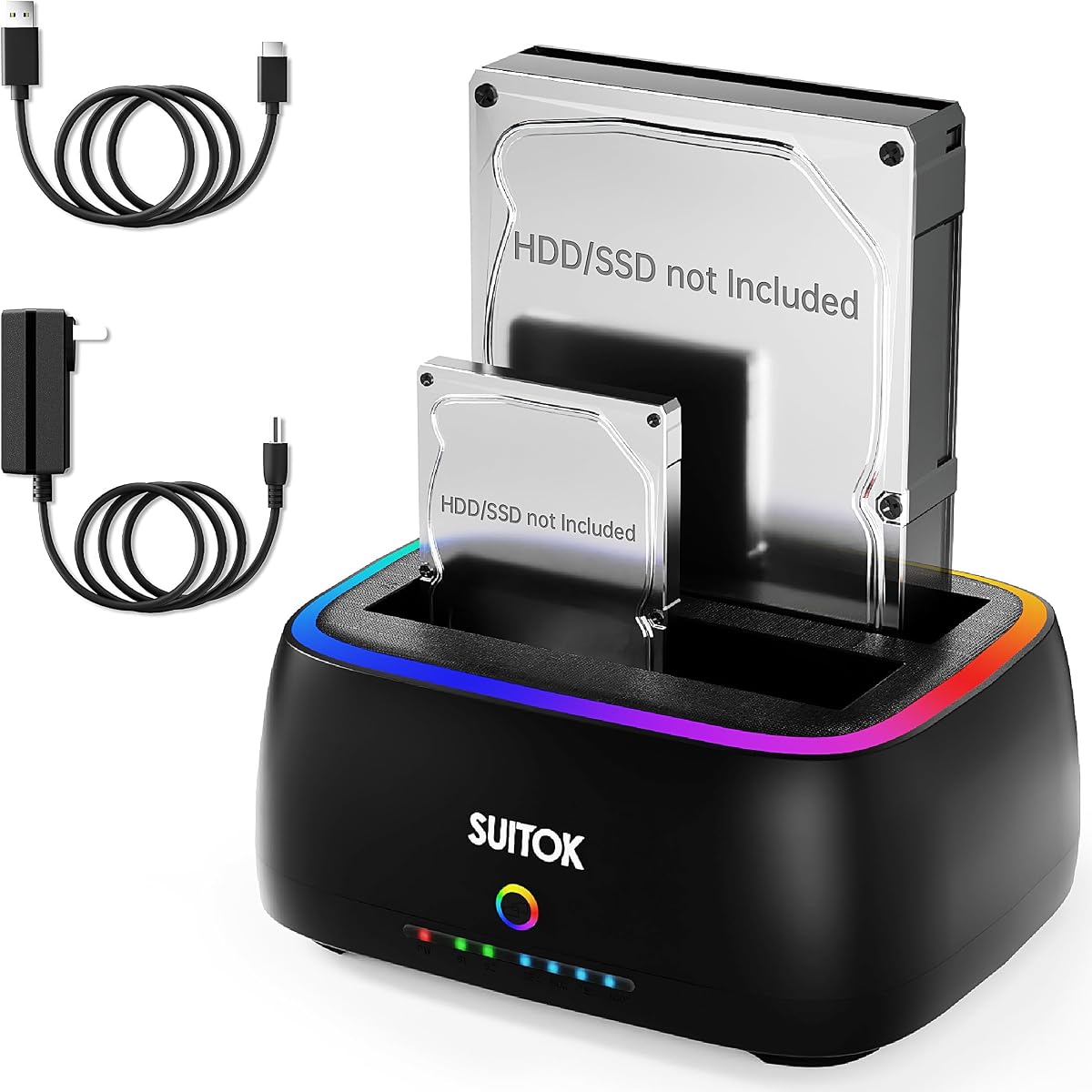
The Dual Bay SATA Hard Drive Cloner Dock provides a robust option for storage management. With a 40TB capacity expansion, it allows users to store extensive data. It utilizes a premium RTL9201DP bridge chip to ensure stable transfers and reduced latency.
We may earn a commission when you buy through this link, at no additional cost to you.
It offers a standalone one-key offline clone function with an integrated LED progress bar. The tool-free vertical insertion design enhances heat dissipation and simplifies drive swaps. It also supports UASP and TRIM for improved drive health and performance.
The RGB lighting can add to the visual appeal but may not fit all workspaces. Packaging is functional but basic. However, these do not impact the core functionality of the device during daily use.
This docking station is suitable for both home office enthusiasts and professionals needing reliable data duplication. Its broad compatibility with Windows, macOS, and Linux makes it versatile. It is a solid choice for efficient storage management.
Duplicate source drives to target disks effortlessly without a host computer.
Supports UASP, TRIM, and S.M.A.R.T. for optimized drive performance.
We may earn a commission when you buy through this link, at no additional cost to you.
The StarTech Dual-Bay 2.5/3.5in SATA Duplicator Dock is built for professional use. With a duplication speed of 28GB/min, it ensures quick data transfers. It is designed for IT professionals who require reliability and performance in a critical environment.
We may earn a commission when you buy through this link, at no additional cost to you.
This dock supports drives with 4Kn sectors and includes TRIM support for SSD longevity. The top-loading design with drive doors helps protect the drives when not in use. It comes with a 2-year warranty and lifetime technical support.
The price is higher than entry-level models, which may not suit casual users. Its bulkier design also takes up more desk space. However, the durability and professional features justify the investment for enterprise use.
If you need a dependable tool for IT operations, this StarTech dock is an excellent option. It offers the robustness needed for enterprise tasks. Its comprehensive support makes it a great long-term choice.
Designed for IT pros with high-speed duplication and robust technical support.
Top-loading doors protect drives from dust and accidental bumps.
We may earn a commission when you buy through this link, at no additional cost to you.
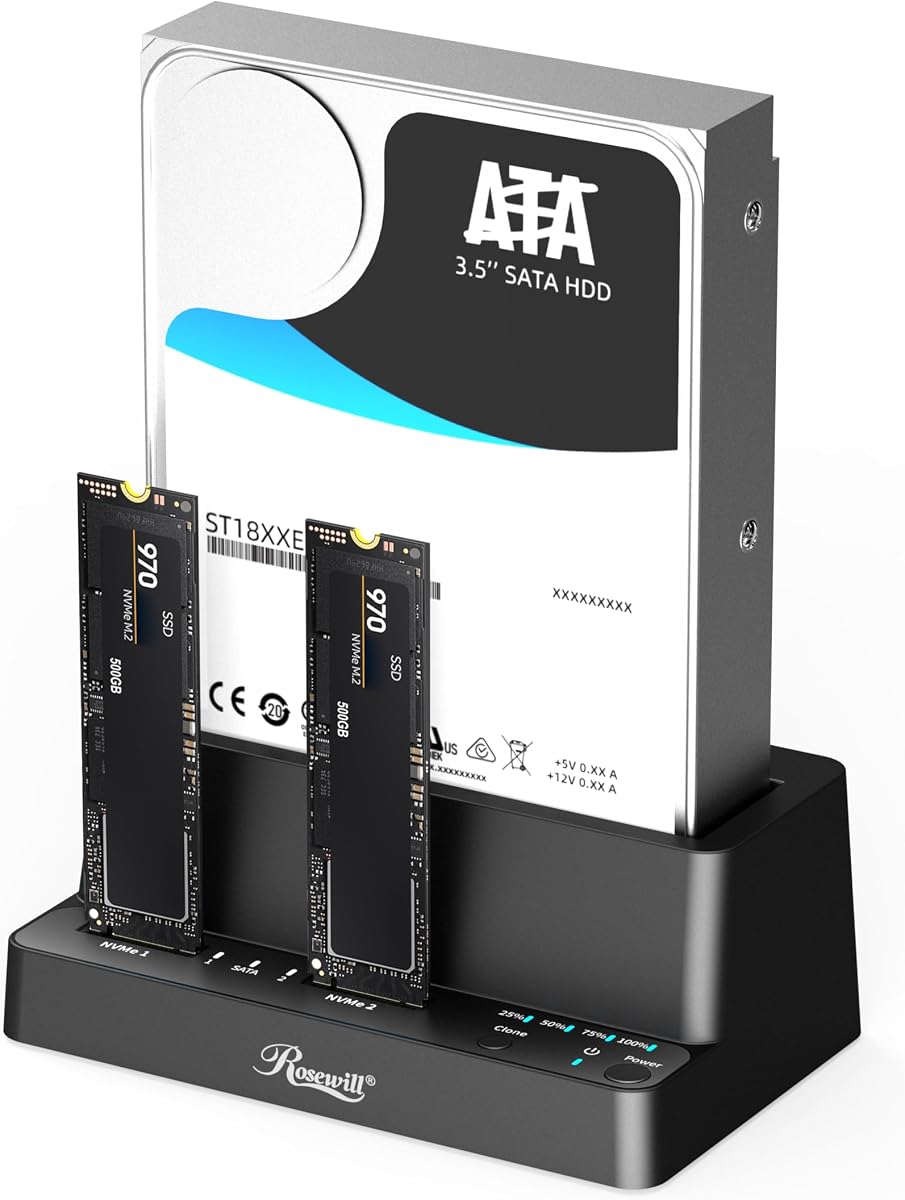
The Rosewill M.2 NVMe & SATA SSD Hard Drive Cloner & Reader Docking Station offers a compact solution for data management. With USB 3.2 Gen 2×1 technology, it achieves transfer speeds up to 10Gbps. It supports both NVMe and SATA drives in a triple-bay layout.
We may earn a commission when you buy through this link, at no additional cost to you.
Its lightweight and compact design makes it easy to carry for on-the-go use. The tool-free operation allows for quick installation of M.2 SSDs and HDDs. Offline cloning adds convenience for duplicating data without a host PC.
Users should consider that cooling may be less effective compared to larger units. The non-detachable cable could limit cable choices. However, its portability and speed make it a versatile option for many.
This dock is ideal for users who need a portable yet powerful cloning tool. It suits those who work with multiple drive types and require high speeds. Its design offers a good balance of performance and convenience.
Achieve lightning-fast speeds with USB 3.2 Gen 2×1 technology.
Lightweight and compact for easy transportation to different workspaces.
We may earn a commission when you buy through this link, at no additional cost to you.
The ORICO USB C 5 Bay Hard Drive Docking Station is designed for users needing massive storage capacity. It supports up to 100TB with five bays. The aluminum alloy construction ensures excellent heat dissipation for long-term reliability.
We may earn a commission when you buy through this link, at no additional cost to you.
Its 1:4 offline duplicator allows simultaneous duplication of four copies from a single source. It also supports S.M.A.R.T. and TRIM functionalities for drive health monitoring. The USB 3.2 Gen 1 interface offers reliable data transfer.
With a 3.9-star rating, some users have reported inconsistencies with specific drives. The setup can also be complex for those new to multi-bay docking. However, for large-scale needs, its capacity is unmatched.
This docking station suits professional users or photographers needing to manage large volumes of files. It provides ample space and efficient duplication. It is a practical choice for high-capacity storage management.
Supports up to 100TB for extensive data storage needs.
Durable aluminum alloy material keeps drives cool during operation.
We may earn a commission when you buy through this link, at no additional cost to you.
The WAVLINK USB 3.0 and USB C to SATA Dual-Bay External Hard Drive Docking Station offers solid performance. With UASP protocol, transfer speeds are up to 20% faster than standard USB 3.0. It supports offline cloning with up to 60Mbps speeds.
We may earn a commission when you buy through this link, at no additional cost to you.
It supports up to 16TB per bay for a total of 32TB. The built-in power control switch helps manage energy consumption. Hot-swapping is supported for easy drive access. It is compatible with Windows and Linux systems.
However, it does not support NVMe drives, limiting it to SATA. The total capacity is less than some high-end options. Still, it provides reliable functionality for common data management tasks.
This dock is suitable for home users and small offices needing efficient SATA drive handling. It balances speed and ease of use. It is a reliable choice for basic duplication needs.
UASP protocol increases transfer speed compared to standard USB connections.
Built-in power control switch reduces energy usage during idle times.
We may earn a commission when you buy through this link, at no additional cost to you.
The StarTech.com 4-Bay Hard Drive Duplicator and Eraser provides enterprise-grade data management. With a 1:3 standalone cloning capability, it can copy to three target drives at once. It supports secure data erasure compliant with NIST standards.
We may earn a commission when you buy through this link, at no additional cost to you.
The LCD menu display allows you to select modes and check drive info easily. It supports both 2.5/3.5-inch SATA and IDE drives. It comes with IDE adapters and supports 4Kn drives for broad compatibility.
The high price may be a barrier for individual users. Its large footprint also requires significant desk space. However, the comprehensive features make it invaluable for professionals.
This dock is ideal for businesses needing efficient duplication and secure data disposal. Its robust support and features make it a long-term investment. It stands as a top premium option for IT departments.
Performs secure erasure compliant with NIST standards for data safety.
Includes IDE adapters and supports SATA and IDE drives of any capacity.
We may earn a commission when you buy through this link, at no additional cost to you.
Selecting the right docking station involves considering several key factors. This guide will help you understand what to look for when purchasing a unit.
Ensure the docking station supports your drive types. Some models support only SATA drives while others also accommodate NVMe or IDE drives. Check the interface type and physical size limits before buying.
Matching your drive type to the dock ensures successful connections and data transfers.
Offline cloning is a crucial feature for those who want to duplicate drives without a computer. Look for models that offer standalone cloning with simple button controls and LED progress indicators.
Offline cloning simplifies backups by removing the need for extra software or a PC.
Transfer speeds affect how quickly you can back up or move data. USB 3.0 offers up to 5Gbps while newer USB-C models may provide 10Gbps. Higher speeds are beneficial for large data sets.
Faster transfer speeds save time during large file backups or migrations.
Check the maximum drive capacity supported per bay. Some docks handle up to 10TB per bay while others support more. Ensure it aligns with your current and future storage needs.
Capacity support determines how large a drive you can safely use with the dock.
Robust materials like aluminum or durable plastic help with heat dissipation. Overheating can affect drive lifespan so look for docks with vents or metal housings.
Good build quality ensures durability and protects drives from heat damage.
Decide between USB-A and USB-C connectivity. USB-C is becoming more standard on modern devices but USB-A remains common. Some docks support both for broader device compatibility.
Choose connectivity that matches the ports available on your computer for easy use.
A tool-free design allows for quick drive swapping without screwdrivers. Clear indicators and simple menus make operation straightforward for non-technical users.
Ease of use improves efficiency when working with multiple drives regularly.
Longer warranty periods indicate manufacturer confidence in product quality. Look for options with technical support to assist with setup or troubleshooting.
Strong warranty and support protect your investment and help resolve issues quickly.
To start using your docking station, ensure it is connected to a stable power source. If your model supports offline cloning, insert the source drive first and then the target drive. Press the designated clone button to begin the process.
For regular use, always safely eject drives before removing them. This prevents data corruption and extends the life of both the dock and the drives. If using online cloning via a PC, ensure you have the latest USB drivers installed.
Keep your docking station in a well-ventilated area to prevent overheating. Regularly check the connectors for dust buildup and clean them gently if needed. Proper care ensures consistent performance and longevity for your equipment.
Most modern docking stations are plug-and-play and do not require driver installations. They use standard USB Mass Storage class protocols recognized by Windows and macOS. However, checking the product page is always recommended.
Only docking stations specifically designed with M.2 slots support NVMe drives. Traditional SATA docking stations will not recognize NVMe interfaces. Always check the compatibility list for drive types.
If the target drive is smaller than the source drive, the cloning process will fail. Most docks require the target to be equal to or larger than the source. This ensures all data fits on the new drive.
Yes, but you should ensure proper ventilation to avoid overheating. Many docks are designed for continuous operation but monitoring drive temperatures is wise. Use models with cooling vents for best results.
No, offline cloning works independently of a computer. You only need to connect power to the dock. This allows cloning anywhere without access to a PC which is convenient for travel.
Cloning time depends on drive size and transfer speed. For example, a 1TB drive at 60Mbps takes around 45 minutes. Larger drives will take longer proportionally.
Most USB docking stations work well with Linux since they follow standard protocols. Linux typically recognizes USB Mass Storage devices automatically. Always verify compatibility on the product specs page.
A duplicator copies data from one drive to another. An eraser permanently removes data from a drive often using multiple passes. Some docks combine both features for versatile data management.
In conclusion, selecting the right Hard Drive Duplicator Cloner Docking Station depends on your specific data needs. Models like the SABRENT and MAIWO offer great value for everyday users. Professional users may prefer the robust StarTech options.
Prioritize features that matter most to you such as offline cloning or high-speed transfers. Compatibility with your existing drive types is essential to avoid any issues. Always consider build quality for long-term reliability.
Remember that product availability and prices change over time. It is wise to check current offers before making a final decision. With the right tool, managing your data becomes efficient and stress free.