
Dell Latitude Rugged 5430
5.0Editor score
Rugged metal chassis
High-end i7 processor
Large 32GB RAM
Finding a durable all metal laptop is essential for professionals and students seeking longevity. These devices offer superior heat dissipation and a premium feel compared to plastic models. We explore ten top choices for 2026.
Our team analyzed real-world specs, build materials, and user feedback to curate this list. We focused on thermal performance, port selection, and overall reliability. Each entry reflects current market trends in metal chassis designs.
Every pick highlights unique strengths like touchscreen capability or rugged durability. Note that prices fluctuate frequently, so check current listings before buying. We aim to guide you toward a reliable investment for your workflow.
5.0Editor score

5.0Editor score

4.2Editor score
As an Amazon Associate we earn from qualifying purchases.
This side-by-side comparison highlights key specs for every metal laptop in our list. We evaluate performance, display quality, and build integrity to help you make an informed decision based on your specific needs.



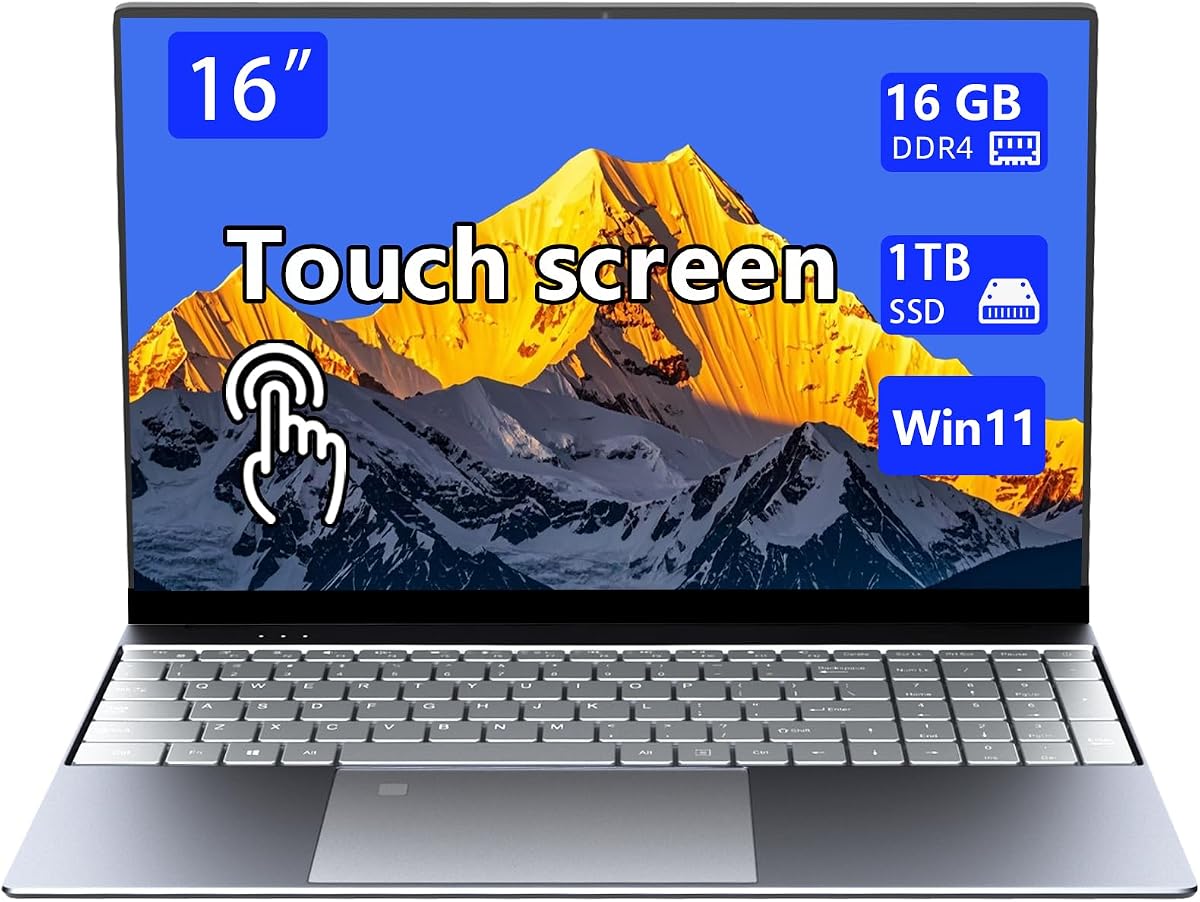


This model stands out with its high-end all-metal construction and touchscreen interface. It offers a premium feel with strong thermal performance suitable for office tasks. The large RAM and SSD ensure smooth multitasking.
We may earn a commission when you buy through this link, at no additional cost to you.
The N95 processor delivers solid quad-core performance for daily workflows. Users benefit from 100% color gamut on the display. The metal body prevents scratches and improves stability under load.
However, the lack of a verified rating suggests caution. Buyers should check seller reputation before purchasing. The price point reflects the upgraded memory specifications.
Ideal for users needing a durable machine with modern touch capabilities. It suits office workers and designers who value screen interaction and fast boot times.
The metal chassis allows for better airflow than plastic models. This keeps the CPU cooler during extended use.
The 1920×1080 FHD screen provides clear visuals. Vivid colors make it great for viewing photos or videos.
We may earn a commission when you buy through this link, at no additional cost to you.
This rugged laptop combines durability with high specs. The metal body withstands daily bumps. It features a powerful Core i7 processor and massive 32GB RAM for heavy tasks.
We may earn a commission when you buy through this link, at no additional cost to you.
The display offers sharp visuals suitable for professional work. Storage is fast thanks to the PCIe NVMe SSD. It supports Windows 11 Pro for enterprise security features.
While it is a bit heavier than ultra-portables, the build quality justifies it. The warranty adds peace of mind for business users. It is ideal for fieldwork.
Best for professionals needing reliability. The balance of power and toughness makes it a top choice for demanding environments.
Windows 11 Pro includes BitLocker and Active Directory. This ensures data protection in corporate settings.
The rugged chassis protects internal components from shock. It is built for travel and outdoor use.
We may earn a commission when you buy through this link, at no additional cost to you.
The HP OmniBook 3 brings AI capabilities to a portable metal laptop. The Snapdragon processor supports efficient daily tasks. It features a stunning 2K OLED display with rich colors.
We may earn a commission when you buy through this link, at no additional cost to you.
Battery life is exceptional, lasting up to 41 hours. The Copilot+ PC experience adds smart features like meeting summaries. Connectivity includes Wi-Fi 6E for speed.
Storage is limited to 256GB which might require cloud reliance. However, the efficiency of the chip compensates for this. It is great for students.
Choose this for media consumption and light productivity. The OLED screen and battery life are standout features for on-the-go use.
The OLED panel offers deep blacks and high contrast. It creates an immersive experience for content viewing.
AI tools automate note-taking and task management. This saves time for busy professionals.
We may earn a commission when you buy through this link, at no additional cost to you.
This NIMO model focuses on efficiency and quiet operation. It uses a low-power Intel processor for basic tasks. The metal top cover adds durability without adding weight.
We may earn a commission when you buy through this link, at no additional cost to you.
It includes a wide range of ports to avoid dongles. A physical webcam shutter enhances privacy. The 2-year warranty provides reliable support for buyers.
The 8GB RAM limits heavy multitasking. But for writing and browsing, it is sufficient. The lightweight design makes it easy to carry.
Ideal for students and casual users. The balance of cost and features makes it a strong contender in the budget metal category.
Physical shutter blocks camera access. Fingerprint login ensures quick secure entry.
Multiple USB and HDMI ports support peripherals directly. No adapters needed for presentations.
We may earn a commission when you buy through this link, at no additional cost to you.
This laptop offers high specs at a low price point. The all-metal body gives it a premium look. It includes 16GB RAM and 1TB storage for a smooth experience.
We may earn a commission when you buy through this link, at no additional cost to you.
The touchscreen adds an extra layer of interaction. Users can navigate easily with finger inputs. The processor handles basic office tasks well.
However, the low rating indicates potential quality issues. Buyers should be cautious and read recent reviews. It might suit those needing temporary storage.
Choose if you prioritize specs over longevity. The metal build and storage capacity are notable for the price.
1TB SSD holds large files and photos. This eliminates external drive needs.
Backlit keys help in dim environments. The metal body stabilizes the keyboard.
We may earn a commission when you buy through this link, at no additional cost to you.
This slim laptop is perfect for basic daily tasks. It includes Microsoft Office 365 to save money. The design is very thin and light for travel.
We may earn a commission when you buy through this link, at no additional cost to you.
Connectivity is supported by Wi-Fi 6. The battery lasts through a full school day. It is a great choice for general use.
Storage relies on OneDrive for expansion. Local SSD is small. But for users in the cloud this works well. The price is very competitive.
Buy for students or casual browsing. The included software and portability make it a strong budget contender.
Office 365 comes pre-installed. This adds value without extra cost.
Weighing under 4lbs it fits in small bags. Ideal for commuters.
We may earn a commission when you buy through this link, at no additional cost to you.
This model focuses on visual clarity and metal construction. The 16-inch IPS display offers sharp details. The Core i7 processor provides decent performance for multitasking.
We may earn a commission when you buy through this link, at no additional cost to you.
The aluminum enclosure is thin and light. It features a tempered glass panel on the screen. This enhances durability for daily travel.
While the CPU is older, it remains capable for general use. The metal body ensures good heat transfer. Buyers should verify seller details due to low review count.
Great for visual tasks like photo editing. The screen quality justifies the selection over other budget models.
IPS technology ensures wide viewing angles. Colors remain accurate from different positions.
Recycled aluminum reduces environmental impact. It also adds structural rigidity.
We may earn a commission when you buy through this link, at no additional cost to you.
This Dell offers strong computing power with DDR5 RAM. The Ryzen processor handles demanding tasks smoothly. It features a large 16-inch display with a 16:10 ratio.
We may earn a commission when you buy through this link, at no additional cost to you.
Connectivity includes USB-C and HDMI. The carbon black chassis looks professional. It supports Wi-Fi 6 for reliable internet.
Storage is somewhat limited locally. But fast SSD speeds compensate for this. The screen brightness ensures visibility in bright rooms.
Best for creative work and coding. The large screen space improves productivity for complex projects.
DDR5 RAM allows faster data access. This speeds up heavy application loading.
16:10 ratio gives more vertical space. Perfect for reading and spreadsheets.
We may earn a commission when you buy through this link, at no additional cost to you.
This KONZID laptop prioritizes slimness and metal build. It weighs only 3.7 pounds for easy carrying. The IPS display offers clear visuals for work.
We may earn a commission when you buy through this link, at no additional cost to you.
It supports high-speed data transfer via USB 3.2. A webcam is included for video calls. The metal shell protects internal parts from damage.
The processor handles standard office apps. It is not designed for heavy graphics. But for general use it is efficient.
Ideal for travelers needing a light metal machine. The balance of specs and portability is its main strength.
Under 1 inch thick and light. Fits easily in backpacks.
USB 3.2 ensures fast external drive access. HDMI supports external monitors.
We may earn a commission when you buy through this link, at no additional cost to you.
This FIREBAT model offers high-end specs in a metal frame. It features a WQXGA display for sharp visuals. The Ryzen processor delivers desktop-level power for tasks.
We may earn a commission when you buy through this link, at no additional cost to you.
32GB DDR5 RAM ensures smooth multitasking. Storage is fast and large at 1TB. The metal body dissipates heat efficiently during heavy use.
While it is a bit heavier, the power makes up for it. The keyboard supports RGB lighting for style. It handles both work and play.
Best for professionals needing power. The metal build and high specs make it a top tier option.
WQXGA offers over 2.5K pixels. This makes text extremely sharp for reading.
DDR5 RAM cuts load times in half. It handles large files with ease.
We may earn a commission when you buy through this link, at no additional cost to you.
Selecting the right metal laptop involves considering build quality, thermal performance, and your specific workflow needs.
Aluminum and magnesium alloys are the primary choices for metal chassis. Look for recycled aluminum for environmental benefits and durability. These materials resist dents better than plastic and look more professional in business settings.
Prioritize models with full metal bodies rather than just a top cover for maximum strength.
Metal laptops generally handle heat better. This allows the CPU to maintain higher speeds without throttling. Check reviews regarding fan noise and surface temperature during use.
Good thermal design ensures longevity and consistent performance under load.
Match the CPU to your tasks. Entry-level chips suit basic work while high-core counts are needed for rendering. Consider efficiency cores for longer battery life.
A modern processor ensures your device remains relevant for years.
16GB RAM is the current standard for smooth multitasking. Look for DDR5 where possible for speed. Ensure the SSD has enough capacity for your files.
Upgradable storage is a plus for future-proofing your investment.
IPS panels provide better viewing angles and color accuracy. A 16:10 ratio gives more vertical space for work. Consider brightness for use in bright rooms.
Higher resolution screens reduce eye strain during long sessions.
Ensure the laptop has necessary ports like HDMI and USB-C. Metal models often have limited space for connectors. Check if you need dongles for older peripherals.
A good port mix simplifies your workspace setup.
The metal deck can make the keyboard feel stiffer. Backlights are essential for low light work. Look for tactile feedback and a responsive trackpad.
Comfortable typing reduces fatigue during long writing tasks.
Metal laptops are durable but still need protection. Check the length of the warranty and service terms. A longer warranty reflects manufacturer confidence.
Reliable support saves time and money in case of hardware issues.
Clean the metal surface with a microfiber cloth to avoid scratches. Do not use abrasive cleaners on the aluminum finish. This keeps the device looking new and protects the coating.
Avoid exposing the metal chassis to extreme heat. While metal dissipates heat well, prolonged direct sunlight can damage internal components. Use on flat surfaces to ensure proper airflow underneath.
Store the laptop in a protective sleeve during transport. Even with metal protection, drops can cause internal damage. Secure the power cord properly to prevent port strain.
Yes, metal laptops typically offer better durability and heat dissipation. They also feel more premium and resist scratches better. However, they can be slightly heavier and cost more than plastic models.
Generally, yes. Metal conducts heat away from the CPU faster than plastic. This helps maintain performance during intensive tasks and prevents overheating. Proper ventilation is still necessary for best results.
It depends on the model. Some metal chassis are glued shut, making upgrades hard. Others allow RAM and storage changes. Check the service manual before buying to ensure upgradability.
For students, look for lightweight metal models like the HP Everyday Slim or NIMO. They balance portability with durability. Battery life is also key for carrying it to classes all day.
Yes, especially those with dedicated graphics and strong cooling. Models like the FIREBAT offer high performance. The metal body helps manage the heat generated by gaming software.
Use a soft cloth with distilled water to wipe the screen. Do not spray liquid directly on the display. Avoid paper towels to prevent scratching the glass.
Metal surfaces do not attract more dust than plastic. However, static can build up. Regular cleaning with a microfiber cloth keeps dust levels low.
Not necessarily. Warranty terms vary by brand not material. But durable build quality may lead to fewer claims. Always check the support terms before purchasing.
We have reviewed ten top all metal laptops for November 2026. Each offers a unique balance of durability, performance, and style for different users.
Prioritize thermal management and build quality when selecting a model. A sturdy metal frame ensures your device lasts longer in daily use.
Prices fluctuate regularly so check current listings before buying. Use this guide to find the right metal laptop for your needs.