
SSK Portable SSD 1TB
4.5Editor score
1050MB/s read speed
Lightweight aluminum case
SLC caching technology
This guide compares the top external SSDs for MacBook Neo focusing on speed durability and compatibility to help you choose the best portable storage drive for
MacBook Neo users need reliable storage solutions that match their high-performance workflows. An external SSD offers the speed and capacity required for professional video editing and data management tasks.
We analyzed ten top-rated drives based on speed ratings and durability features. Our comparison highlights models that integrate seamlessly with macOS systems for optimal user experience.
Each pick shows key specs and real-world performance insights. Please note that availability and pricing change frequently so verify details before purchasing your new storage device.
4.5Editor score

4.6Editor score

4.6Editor score
This side-by-side comparison outlines the key specifications and capabilities of the ten selected drives to help you identify the right model for your MacBook Neo setup.






The Samsung T9 Portable SSD stands out as the top choice for MacBook Neo users seeking high-performance storage. With a rating of 4.6 stars, it delivers sustained speeds up to 2000MB/s which significantly outpaces many competitors in the market.
We may earn a commission when you buy through this link, at no additional cost to you.
Its Dynamic Thermal Guard ensures the drive stays cool during intensive tasks like 4K video editing. The included Magician Software allows you to monitor drive health and keep firmware updated for optimal performance over time.
While it requires a USB 3.2 Gen 2×2 cable to achieve peak speeds, this is a reasonable trade-off for the performance gains. The price is higher than budget options but justified by the speed and reliability.
Professionals who need rapid access to large files will find this drive indispensable. It is the ideal solution for creators who prioritize speed and efficiency in their workflow.
The T9 offers sustained read and write speeds that make file transfers nearly instantaneous for large datasets.
Advanced cooling technology prevents throttling even during heavy use ensuring consistent performance.
We may earn a commission when you buy through this link, at no additional cost to you.
The SSK Portable SSD 1TB offers exceptional value for users who want performance without breaking the bank. Rated at 4.5 stars it delivers read speeds up to 1050MB/s which is sufficient for most daily tasks and creative work.
We may earn a commission when you buy through this link, at no additional cost to you.
Its SLC caching technology ensures steady transfer rates for files within the cache capacity. The aluminum case helps dissipate heat effectively and the included cables make it easy to connect to various devices.
Mac users will appreciate that the drive shows the full 1TB capacity unlike Windows which may show slightly less. The LED activity light is useful but can be turned off if it causes distraction.
This drive is perfect for students or freelancers who need reliable storage on a budget. It provides a balanced mix of speed durability and cost-effectiveness.
You get high-speed performance at a fraction of the cost of premium brands without sacrificing reliability.
Includes both USB-C and USB-A cables ensuring seamless connectivity across different systems.
We may earn a commission when you buy through this link, at no additional cost to you.
The Sandisk 2TB Extreme Portable SSD is a premium choice for those who need vast storage and robust protection. With a 4.6 star rating it combines high capacity with military-grade durability features that make it ideal for field work.
We may earn a commission when you buy through this link, at no additional cost to you.
Its IP65 rating protects against water and dust while the 3-meter drop protection ensures the drive survives accidents. The included password protection with 256-bit AES encryption keeps your sensitive data secure from unauthorized access.
While the price is higher than other options the 2TB capacity and advanced protection features justify the cost. The Memory Zone app helps manage files and free up space automatically for better organization.
Travelers and photographers who need to store large amounts of media safely will find this drive invaluable. It is a top-tier solution for professionals who demand reliability and capacity.
IP65 water resistance and drop protection ensure the drive withstands harsh environmental conditions.
Hardware encryption safeguards your files ensuring privacy even if the drive is lost or stolen.
We may earn a commission when you buy through this link, at no additional cost to you.
The Lexar ES3 1TB Portable SSD is a sleek option for users who value portability and style. With a 4.4 star rating it offers solid performance and a thin profile that fits easily into pockets or bags.
We may earn a commission when you buy through this link, at no additional cost to you.
Its USB 3.2 Gen 2 interface provides read speeds up to 1050MB/s ensuring quick access to files. The Lexar DataShield software adds a layer of security to protect your important documents from unauthorized access.
The drive is compatible with a wide range of devices including iPhones and Android devices. While it does not support MagSafe the slim design makes it easy to carry without adding bulk.
This drive is well-suited for students and office workers who need fast and secure storage. It balances performance with a compact form factor that is ideal for daily commutes.
At just 10.5mm thick this drive is as slim as a credit card making it highly portable.
Built-in encryption software ensures your private files remain secure during transfer and storage.
We may earn a commission when you buy through this link, at no additional cost to you.
The SAMSUNG T7 Portable SSD is a highly reliable drive favored by professionals and gamers alike. With a 4.7 star rating it delivers consistent performance and durable construction that can withstand everyday use and accidents.
We may earn a commission when you buy through this link, at no additional cost to you.
Its PCIe NVMe technology enables read speeds up to 1050MB/s which is nearly twice as fast as previous models. The aluminum unibody construction not only looks premium but also acts as a heatsink to maintain performance.
The drive supports 4K video recording directly from cameras and mobile devices. While it does not come with a cable the included USB-C to USB-A and USB-C to USB-C cables cover most connectivity needs.
This is a versatile choice for anyone who needs a dependable storage solution. It is particularly recommended for users who want a balance of speed durability and brand reputation.
NVMe technology ensures fast read and write speeds ideal for large file transfers and editing.
Shock resistance and fall protection up to 6 feet keep your data safe during travel.
We may earn a commission when you buy through this link, at no additional cost to you.
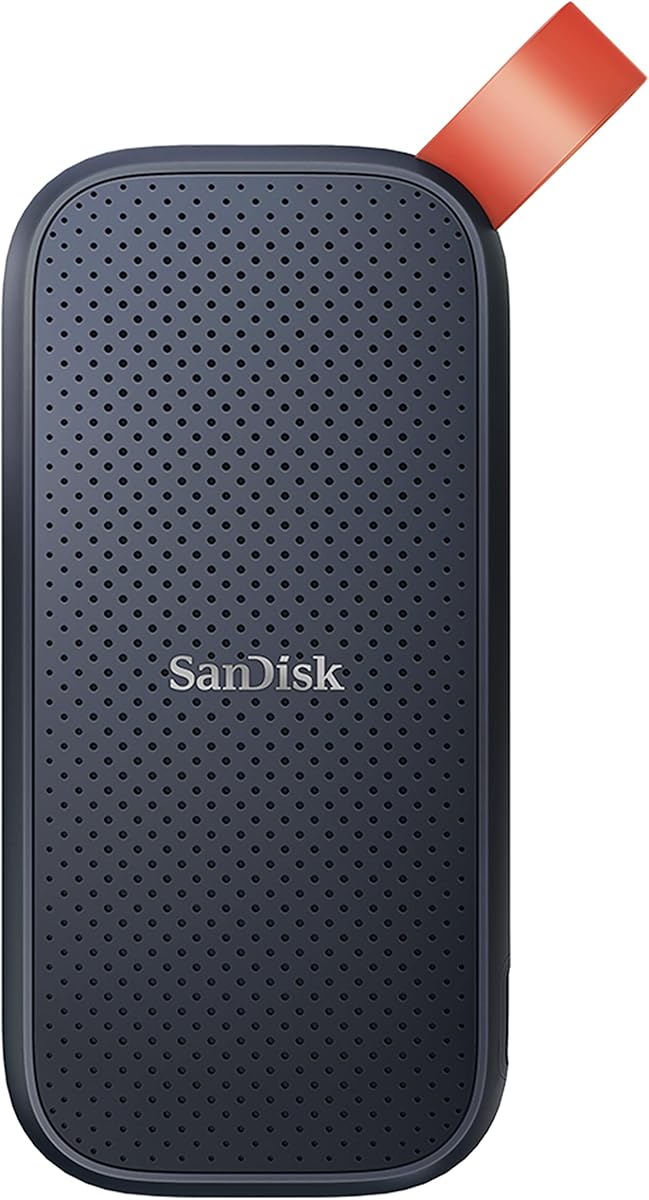
The Sandisk 1TB Portable SSD is a classic model that continues to provide reliable storage for many users. With a 4.5 star rating it offers solid performance and a design that prioritizes portability and ease of use.
We may earn a commission when you buy through this link, at no additional cost to you.
Although it has a lower read speed compared to newer models it still handles daily tasks efficiently. The rubber hook allows you to secure the drive to your backpack for added convenience during travel.
This drive is a good option for users who do not need the fastest speeds but want dependable storage. It is widely compatible and works seamlessly with macOS systems for quick access to files.
Users looking for a budget-friendly option from a trusted brand will appreciate this model. It remains a solid choice for backups and general file storage.
The included carabiner loop makes it easy to attach to bags for hands-free carrying.
Sandisk is a trusted brand known for producing durable and dependable storage solutions.
We may earn a commission when you buy through this link, at no additional cost to you.
The Lexar 2TB ES3 External SSD offers ample storage space for users with large media libraries. Rated at 4.5 stars it combines high capacity with reliable performance making it a strong contender for professional workflows.
We may earn a commission when you buy through this link, at no additional cost to you.
Its graphite heat sheets ensure the drive stays cool during fast transfers preventing thermal throttling. The drop-resistant design provides peace of mind when using the drive in various environments.
The plug-and-play compatibility simplifies setup and allows quick access to files on Mac devices. While the price is higher than smaller drives the extra storage space justifies the investment for heavy users.
This drive is ideal for video editors and designers who need to store large projects locally. It provides a robust solution for expanding your digital workspace without compromising speed.
2TB storage allows you to keep extensive project files accessible without cloud dependency.
Graphite heat sheets efficiently conduct heat away from the drive to maintain consistent speeds.
We may earn a commission when you buy through this link, at no additional cost to you.
The Lexar D70E 1TB Dual Drive stands out with its innovative cable-free design and impressive read speeds. With a 4.7 star rating it offers a convenient way to connect to Mac and PC devices without managing cables.
We may earn a commission when you buy through this link, at no additional cost to you.
Its USB 3.2 Gen 2×2 interface supports read speeds up to 2000MB/s making it one of the fastest drives available. The metal housing protects internal components and adds to the sleek aesthetic of the device.
The integrated lanyard loop adds a layer of security preventing accidental drops during use. While it may not work with all USB ports the performance benefits are significant for supported devices.
This drive is perfect for users who prioritize speed and convenience in their setup. It is an excellent choice for tech-savvy individuals who want cutting-edge connectivity options.
The dual USB-C and USB-A connectors eliminate the need for extra cables during data transfers.
With up to 2000MB/s read speeds this drive handles large data transfers effortlessly.
We may earn a commission when you buy through this link, at no additional cost to you.
The Sandisk 1TB Extreme PRO Portable SSD is an older model that still delivers impressive performance for creative professionals. With a 4.5 star rating it combines fast speeds with rugged protection features that appeal to travelers.
We may earn a commission when you buy through this link, at no additional cost to you.
Its forged aluminum chassis acts as a heatsink to sustain high speeds during heavy use. The IP65 water and dust resistance ensure the drive can withstand harsh conditions without damage.
The drive supports 256-bit AES hardware encryption to keep sensitive data secure. While newer models exist this drive remains a strong option for those who need reliable high-speed storage.
Users who require a balance of speed and protection will find this drive suitable. It is a trusted option for photographers and videographers who work in challenging environments.
Read speeds up to 2000MB/s enable rapid file access and editing capabilities.
Forged aluminum and water resistance provide durability for field work and travel.
We may earn a commission when you buy through this link, at no additional cost to you.
The Western Digital 1TB My Passport SSD offers a reliable storage solution with strong performance and security features. With a 4.5 star rating it delivers fast speeds and durability that meet the needs of everyday users and professionals.
We may earn a commission when you buy through this link, at no additional cost to you.
Its NVMe technology enables read speeds up to 1050MB/s for quick file access. The password-enabled 256-bit AES hardware encryption protects your data from unauthorized access ensuring privacy.
The drive is shock and vibration resistant with drop resistance up to 6.5 feet making it suitable for mobile use. While it may not include specific macOS software it works seamlessly across different operating systems.
This drive is a solid choice for users who want a balance of speed security and durability. It is particularly recommended for those who handle sensitive data and need reliable protection.
Hardware encryption ensures your files remain private and secure from unauthorized access.
Shock and drop resistance protect your data even when the drive is accidentally dropped.
We may earn a commission when you buy through this link, at no additional cost to you.
Selecting the right external SSD involves considering several key factors that impact performance and usability.
Transfer speed determines how quickly you can move files between your MacBook Neo and the drive. Look for drives with USB 3.2 Gen 2 or Gen 2×2 interfaces to ensure you get the fastest possible read and write rates for your workflows.
Higher speeds are essential for video editors and professionals working with large files.
Storage capacity defines how much data you can store on the drive. Consider your current needs and future growth to decide between 1TB and 2TB options. Larger capacities are better for long-term storage and extensive media libraries.
Choose a capacity that fits your data volume without requiring frequent external backups.
Durability features such as drop resistance and water protection are vital for users who travel or work in varying environments. Drives with IP ratings and reinforced casings offer better protection against accidents and environmental hazards.
Prioritize drives with strong protection if you plan to use them on the go.
Security features like hardware encryption protect your sensitive data from unauthorized access. Look for drives that offer AES encryption and password protection to ensure your files remain private.
Encryption is critical for professionals handling confidential or client data.
Compatibility ensures the drive works seamlessly with your MacBook Neo and other devices. Check that the drive supports macOS file systems and includes the necessary cables for USB-C connections.
Universal compatibility reduces setup time and prevents connectivity issues.
Portability factors include the drive's weight and physical dimensions. A slim and lightweight design makes it easier to carry your drive in a bag or pocket without adding bulk.
Compact drives are ideal for users who move between locations frequently.
Software support like drive management apps can help you maintain performance and monitor health. Look for drives that include tools for firmware updates and backup automation.
Good software enhances the longevity and usability of your drive.
Price and value balance your budget with the features you need. More expensive drives often offer higher speeds and better durability but budget models can still provide reliable performance.
Assess your needs to find a drive that offers the best return on investment.
To use your drive connect it to a USB-C port on your MacBook Neo using the included cable. Ensure the drive is properly formatted for macOS if you need to store large files or use Time Machine.
Regularly check for firmware updates from the manufacturer to maintain optimal performance. Use the provided software tools to monitor drive health and manage your files efficiently.
Store your drive in a cool dry place when not in use and avoid exposing it to extreme temperatures. Protect it from physical shocks by keeping it in a padded case during travel.
Yes most drives on this list are compatible with MacBook Neo models that have USB-C ports. However older models might require a USB-C to USB-A adapter depending on the specific drive connections. It is always recommended to check your MacBook Neo specs before purchasing a new drive to ensure seamless connectivity and optimal performance for your workflows.
Most drives come pre-formatted for Windows which may limit functionality on macOS. You can reformat the drive using Disk Utility on your MacBook Neo to make it fully compatible. Always back up any existing data on the drive before formatting to avoid losing important files during the process.
Look for read and write speeds measured in MB/s and the USB interface type. Drives with USB 3.2 Gen 2×2 interfaces offer faster speeds than standard Gen 2 drives. Review the specifications provided in our comparison table to identify the models with the highest performance ratings.
Yes external SSDs are ideal for Time Machine backups due to their speed and reliability. Ensure the drive is formatted correctly for macOS to enable automatic backups. This setup provides quick restore times and keeps your system data secure against hardware failures.
SSDs generally have a long lifespan often exceeding several years with normal use. The specific durability depends on usage patterns and environmental conditions. Most reputable manufacturers offer warranties that cover typical wear and tear to give you peace of mind regarding longevity.
Yes high-speed SSDs like the Samsung T9 and Sandisk Extreme PRO are suitable for professional video editing. They provide the sustained read and write speeds needed for handling 4K video files. Choosing a drive with sufficient capacity ensures you can store large project files without delays.
Our top picks include the Samsung T9 for overall speed and the Sandisk Extreme for durability and capacity. These drives offer the reliability needed for professional workflows and everyday use.
Prioritize speed if you work with large files and durability if you travel frequently. Security features are also essential for protecting sensitive data on the go.
Check current prices and availability before purchasing to ensure you get the best deal for your needs. Investing in a quality SSD will improve your MacBook Neo performance and workflow efficiency.