
Kingwin 80mm Silent Fan
4.5Editor score
Affordable silent cooling solution
Optimized blade for airflow
Durable long life bearing
This guide compares the top 10 exhaust fans for PC cases, servers, and electronics to help you find the best cooling solution for your specific setup needs.
Finding the right exhaust fan for your PC is crucial for maintaining optimal performance and longevity. A good fan ensures proper airflow, prevents overheating, and keeps your system running quietly even under heavy load.
We compared ten top-rated models based on airflow capacity, noise levels, bearing quality, and compatibility. Our selection includes options for standard cases, compact builds, and specialized cooling needs like servers or gaming rigs.
Each pick highlights key strengths and ideal use cases to simplify your decision. Prices and availability change frequently, so check the latest offers before purchasing to ensure you get the best value available today.
4.5Editor score

4.8Editor score

4.7Editor score
Below you will find a detailed side-by-side comparison of all ten selected exhaust fans. This table highlights key specifications and features to help you quickly identify the model that best fits your cooling requirements and budget constraints.




The Noctua NF-P12 redux-1700 PWM stands out as the top choice for users seeking reliable cooling without excessive noise. With a rating of 4.8, it is widely praised for its performance consistency and build quality in demanding environments.
We may earn a commission when you buy through this link, at no additional cost to you.
Its pressure-optimised blade design ensures strong airflow and static pressure, making it ideal for both air-based CPU coolers and water cooling radiators. The 4-pin PWM support allows automatic speed control based on system temperature for optimal efficiency.
While it lacks the colorful LED options found in some competitors, this focus on pure performance and silence is a trade-off many enthusiasts accept. The redux edition offers proven Noctua quality at a more attractive price point than flagship models.
This fan is best suited for builders who prioritize quiet operation and long-term reliability over aesthetics. If you need a dependable exhaust solution for a home office or high-end workstation, this model delivers outstanding results.
The optimized blade design minimizes turbulence and vibration, resulting in whisper-quiet performance even when running at maximum speed for extended periods.
With high static pressure capabilities, this fan excels when mounted on radiators or through dusty filters where airflow resistance is typically a significant challenge for standard fans.
We may earn a commission when you buy through this link, at no additional cost to you.
The Kingwin 80mm Silent Fan provides an excellent budget-friendly solution for users needing reliable cooling in compact spaces. Its 4.5 rating reflects consistent performance in silent operation and airflow delivery for standard computer cases.
We may earn a commission when you buy through this link, at no additional cost to you.
Optimized blade design ensures excellent ventilation and airflow to reduce system heat buildup effectively. It is specifically built to handle high-performance environments like crypto mining rigs while maintaining a low noise profile suitable for offices.
While it may not match the airflow of larger 120mm fans, its size makes it perfect for smaller chassis or specific component cooling where space is at a premium. The long life bearing ensures consistent operation over time without maintenance.
Choose this fan if you are working with a tight budget or need to replace a standard 80mm exhaust without upgrading your case. It is a practical choice for silent office desktops and compact home servers.
Designed specifically for 80mm mounts, this fan delivers the quietest possible operation for small form factor builds where noise is a primary concern.
Built to withstand the heat and dust of mining environments, this model offers exceptional longevity and stable cooling for GPU farms and server setups.
We may earn a commission when you buy through this link, at no additional cost to you.
The Thermalright TL-C12C-S 5 Pack offers exceptional value for builders looking to outfit their entire case with high-performance silent fans. With a 4.7 rating, it balances premium features like ARGB lighting with competitive pricing.
We may earn a commission when you buy through this link, at no additional cost to you.
Each fan features S-FDB bearings that solve blade shaking issues and keep noise to a minimum while providing maximum cooling when needed. The 4-pin PWM interface allows automatic speed control based on motherboard temperature readings.
While the cable length provides flexibility for PWM series control, managing multiple RGB cables may require patience during installation. The 17 light modes and synchronization options make this ideal for users wanting visual flair without sacrificing performance.
This pack is the best premium choice for custom loop enthusiasts and RGB gamers who want consistent airflow across their system. You get five reliable fans at a price that typically covers only two or three in other brands.
The S-FDB bearings eliminate vibration during high-speed rotation, ensuring that even at 1550 RPM the noise level remains whisper quiet and unobtrusive.
High-brightness LED atomizing blades reflect light effectively to create a softer ARGB effect that matches cooler aesthetics and synchronizes through motherboard ports.
We may earn a commission when you buy through this link, at no additional cost to you.
The Computer Fan with AC Plug is a unique solution for those who want powerful cooling without connecting to motherboard headers. Its 4.4 rating highlights the convenience of plug-and-play installation for various devices.
We may earn a commission when you buy through this link, at no additional cost to you.
Featuring a 120mm dual ball bearing design, this fan delivers 95.8 CFM airflow with speeds adjustable via a multi-speed controller from 700 to 2800 RPM. The dual-ball bearings ensure a lifespan of 50,000 hours under continuous operation.
Since it runs directly on AC power, you must have a nearby outlet and manage the extra power cable carefully. This limitation is acceptable for users building server cabinets or retrofits where internal power headers are scarce.
This fan is ideal for replacing older 12V fans in servers, routers, or game consoles. If you need immediate cooling power without modifying your motherboard headers this offers a flexible and strong alternative.
Designed to work with 110V, 120V, and 220V outlets, this fan adapts to different regional power standards making it useful for international builds.
A dedicated speed controller allows you to tune the RPM manually based on ambient temperature rather than relying solely on automatic BIOS settings.
We may earn a commission when you buy through this link, at no additional cost to you.
The be quiet! Pure Wings 3 is engineered for users who prioritize silence above all else. With a 4.7 rating, it delivers maximum airflow while maintaining whisper-quiet operation through optimized frame and blade design.
We may earn a commission when you buy through this link, at no additional cost to you.
Its 7 airflow-optimized blades reduce noise significantly while ensuring performance under demanding configurations. The long-life rifle bearing provides an operating lifetime of 80,000 hours which is above the industry average for this category.
While it lacks flashy RGB LEDs, the focus on pure acoustic performance makes it a staple for silent PC builds. The German engineering ensures consistent quality and reliability even under continuous high-load cooling tasks.
Choose this fan for silent office PCs or home servers where noise pollution is a major concern. If you want your system to disappear acoustically during work or media consumption this model delivers exceptional results.
The frame is designed to minimize vibration transmission while the blade shape reduces aerodynamic noise for the quietest operation possible.
Every component meets strict German quality standards ensuring durability and consistent performance over years of daily use without failure.
We may earn a commission when you buy through this link, at no additional cost to you.
The DARKROCK 3-Pack offers an affordable entry point for users needing to upgrade multiple fan locations in their case. With a 4.6 rating, it balances cost with reliable hydraulic bearing performance and low noise output.
We may earn a commission when you buy through this link, at no additional cost to you.
Each fan features nine blades for maximum speed up to 1200 RPM while maintaining a noise level of only 32.1 dBA. Soft silicone cushions absorb vibration ensuring the case stays relatively quiet during operation.
Installation is straightforward with a 3-pin interface compatible with most standard cases. The PBT environmental protection material provides good insulation and heat resistance for tough quality over long periods.
This pack is best for budget builders or replacements where silent premium features are not needed. You get three reliable fans at a price that allows for full case airflow optimization without breaking the bank.
Soft silicone cushions on every fan absorb vibration at high speeds to prevent noise transmission to the case chassis during operation.
Built from tough PBT material these fans resist heat and maintain structural integrity even during long hours of continuous cooling duty.
We may earn a commission when you buy through this link, at no additional cost to you.
The X1 USB Cooling Fan is designed for portable and external cooling needs rather than traditional internal PC mounts. Its 4.4 rating reflects its success as a compact cooler for routers, gaming consoles, and mini PCs.
We may earn a commission when you buy through this link, at no additional cost to you.
Equipped with a 120mm fan delivering 55.8 CFM airflow and 850 RPM speed, it drops device temperatures quickly without noise. The 18dB rating makes it quieter than library silence ensuring it never interferes with your work.
It connects easily via an integrated USB cable to chargers or power banks making it space-saving and easy to position. The shock-absorbing pads prevent surface scratches while allowing flexible placement on desks or shelves.
Use this fan for cooling external devices or compact mini PCs where standard case fans are impractical. It is perfect for home offices and living rooms where silence and aesthetics matter more than raw airflow.
Operating at just 18dB this fan is quieter than most background noise allowing you to focus on your device without distraction.
The built-in USB cable connects to any standard power source eliminating the need for extra wires or dedicated power adapters.
We may earn a commission when you buy through this link, at no additional cost to you.
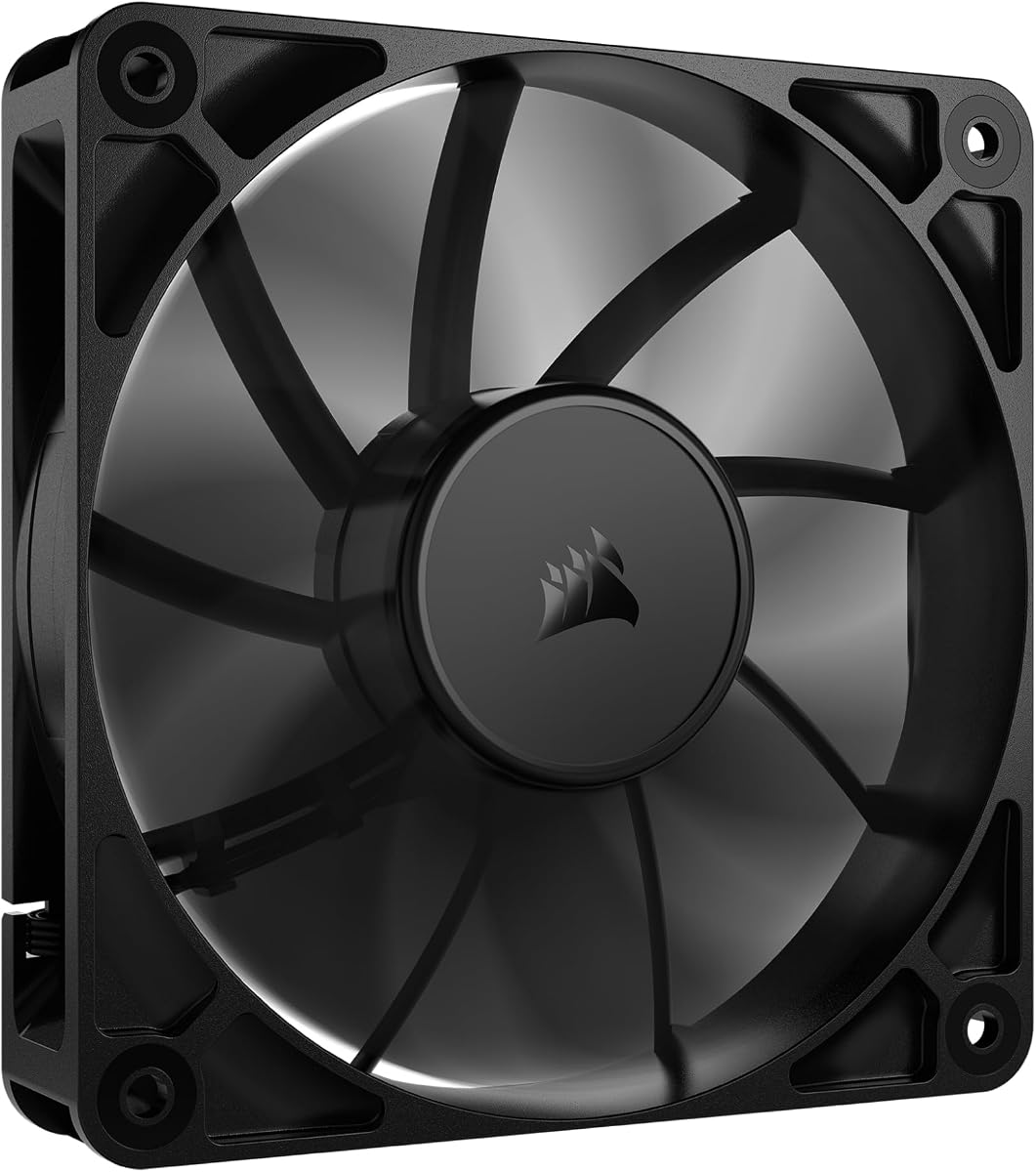
The CORSAIR RS120 simplifies multi-fan setups with its daisy-chain connection allowing multiple units to connect through a single 4-pin PWM connector. With a 4.6 rating it balances quiet operation with high performance for demanding builds.
We may earn a commission when you buy through this link, at no additional cost to you.
CORSAIR AirGuide Technology uses anti-vortex vanes to direct airflow precisely at hot components. This increases static pressure to 4.15mm-H2O which pushes air through obstructions like radiators or dusty filters effectively.
The Magnetic Dome bearing minimizes noise and reduces friction for greater longevity. While you need to buy single packs to fill a case the reduced cabling effort often justifies the additional cost for large builds.
Select this fan if you are using a CORSAIR motherboard or controller and want to minimize cable clutter. It is ideal for radiator mounts or cases with high resistance where static pressure performance is critical.
Daisy-chain technology lets you control multiple fans via one connector significantly reducing cable clutter inside your PC case.
AirGuide vanes focus airflow directly on components that generate the most heat improving overall thermal performance efficiently.
We may earn a commission when you buy through this link, at no additional cost to you.
The Wathai 12038 is built for high-performance cooling where raw airflow is the top priority. With a 4.5 rating, it delivers 230 CFM at 5300 RPM making it one of the strongest airflow options available.
We may earn a commission when you buy through this link, at no additional cost to you.
Its 38mm thickness design allows for increased blade depth and motor power which translates to massive airflow numbers. Dual-ball bearings provide a lifespan of 67,000 hours even under extreme operating conditions.
However this high speed comes with a noise level of 60 dBA at full load which can be overwhelming for quiet setups. It is best suited for mining rigs or industrial cabinets where performance matters more than acoustics.
Use this fan if you need to move massive amounts of air through restricted filters or dense radiators. It is an industrial-grade option for users who prioritize cooling power and durability above all other factors.
Delivering 230 CFM this fan can clear dense heat buildup faster than standard case fans making it ideal for heavy-duty tasks.
The 38mm thickness provides more blade surface area which increases static pressure and total airflow for better cooling efficiency.
We may earn a commission when you buy through this link, at no additional cost to you.
The Thermalright TL-C12C-S X3 is a refined version of the brand's popular model offering high performance in a quiet 3-pack. Its 4.7 rating indicates it is a reliable choice for both CPU coolers and case exhaust fans.
We may earn a commission when you buy through this link, at no additional cost to you.
Each fan features S-FDB bearings to minimize noise and provide maximum cooling performance when needed. The 4-pin PWM interface supports automatic speed control allowing the motherboard to regulate fan RPM based on real-time temperature data.
The ARGB lighting reflects softly through the blades creating a premium look while maintaining low noise levels. With 66.17 CFM airflow it is effective for general cooling without the bulk of thicker industrial fans.
This 3-pack is best for users needing three matching fans for a case radiator build. It offers a strong balance of silence lighting and cooling performance at a competitive price point.
Designed to work with both cases and CPU coolers this fan takes away dry heat effectively to allow for maximum cooling efficiency.
High-brightness LED blades create a softer ARGB effect that matches well with modern PC aesthetics and cooler designs.
We may earn a commission when you buy through this link, at no additional cost to you.
Selecting the right exhaust fan requires balancing several factors to meet your specific cooling needs without compromising noise or budget constraints.
Ensure the fan size matches your case mounts. Common sizes include 80mm 120mm and 140mm. Always check your chassis specifications before purchasing to avoid installation issues.
Match the fan dimensions to your case mounting points for easy installation and proper fit.
Airflow (CFM) measures how much air moves while static pressure (mm-H2O) measures force against resistance. Use high CFM for open cases and high static pressure for radiators or filters.
Prioritize static pressure for restricted spaces and airflow for open setups.
Noise is measured in decibels (dBA). Look for fans under 30dBA for silent environments and 40dBA for gaming rigs where cooling priority matters.
Check decibel ratings to ensure the fan fits your noise tolerance.
Bearing types affect lifespan and noise. S-FDB and hydraulic bearings are quieter and last longer than sleeve bearings. Ball bearings offer durability for high speeds.
Choose hydraulic or S-FDB bearings for the best balance of quiet and long life.
PWM fans adjust speed automatically based on temperature while voltage-controlled fans run manually. PWM offers better efficiency and quiet idle performance for most systems.
Select PWM for automatic speed control and better energy efficiency.
RGB fans add visual flair but require motherboard support. Decide if lighting matters to you since some models offer silent operation without LEDs.
Opt for RGB only if visual customization is a priority for your build.
Buying a pack often reduces cost per fan. Ensure you need the quantity before committing to a multi-pack option for your case.
Multi-packs offer better value for full case replacements.
Install fans so intake blows air in and exhaust blows air out to create positive or negative pressure for optimal airflow.
Use thermal paste on fans where needed and clean dust filters monthly to maintain consistent performance and reduce strain.
Monitor fan speeds in BIOS or software to ensure they ramp up when temperatures rise and spin down when idle.
Intake fans pull cool air from outside into the case while exhaust fans push hot air out. Both are essential for effective airflow and heat removal.
It depends on your case design. Most modern cases support 120mm fans which offer balanced performance. Check your manual for compatible mount sizes.
For quiet builds aim for below 30 decibels. Gaming rigs may tolerate 40 decibels for better cooling. Personal tolerance varies so test before installing.
PWM fans allow automatic speed control based on temperature which improves efficiency and noise. Non-PWM fans run at fixed speeds or voltage control.
Use compressed air or a soft brush to remove dust buildup on blades and filters. Doing this regularly prevents airflow reduction and overheating.
Yes you can mix brands as long as they have compatible connectors and sizes. However matching models ensures consistent noise levels and RPM curves.
S-FDB and hydraulic bearings offer the best silent performance and longevity. They reduce friction and vibration compared to standard sleeve bearings.
Yes proper exhaust helps remove hot air from around the CPU. This improves overall thermal headroom for the cooler to work effectively.
The top picks from our guide offer reliable options for every budget and need. The Noctua NF-P12 remains the silent standard while the Thermalright packs deliver excellent value for RGB enthusiasts.
When choosing prioritize bearing type and noise levels over raw airflow unless you run a mining rig. Matching the fan to your case size and airflow direction is critical for success.
Remember that prices and availability change frequently. Always check the current offers before purchasing to ensure you get the best deal available today.