
Dell Wired Mouse MS116
4.6Editor score
Wired reliability
Simple plug and play
Budget friendly price
This guide compares the top 10 external mouse for Dell laptop options to help you find the perfect wireless or wired companion for your workstation.
Finding the right external mouse for Dell laptop users is essential for productivity and comfort during long work sessions. A quality peripheral enhances cursor control, reduces strain, and provides features tailored to diverse needs.
We evaluated ten top-rated models based on connectivity, battery life, ergonomics, and compatibility with Dell systems. Each option offers unique strengths, whether you prioritize budget, performance, or advanced customization features.
Every pick includes detailed specifications, pros, cons, and usage scenarios to guide your decision. Prices and availability may change, so verify current details before purchasing to ensure you get the best value.
4.6Editor score

4.9Editor score

4.6Editor score
This side by side comparison highlights key specifications and features across all ten selected mice to help you quickly identify the model that best fits your specific workflow and budget requirements.






The Dell Advanced Wireless Compact Mouse stands out as the top choice for Dell laptop owners seeking a reliable and feature-rich peripheral. With a 4.9 rating, it balances performance, battery life, and seamless integration effectively.
We may earn a commission when you buy through this link, at no additional cost to you.
Its dual-mode connectivity supports 2.4GHz wireless and Bluetooth 5.0, enabling flexible pairing via Swift Pair on Windows systems. The 36-month battery life reduces maintenance, while the 1600 DPI sensor ensures precise tracking on high-resolution displays.
While it depends on AA batteries, the long runtime minimizes replacements. The Dell Display and Peripheral Manager adds value for users wanting to optimize their workspace, though basic functionality works without it.
Best for professionals using Dell PCs, this mouse delivers unmatched compatibility and durability. Its combination of convenience and reliability makes it a smart investment for daily productivity tasks.
Microsoft Swift Pair allows instant connection without digging into Windows settings, streamlining the setup process significantly.
The 36-month battery claim and advanced exchange service reflect Dell’s commitment to product durability and customer support.
We may earn a commission when you buy through this link, at no additional cost to you.
The Dell Wired Mouse MS116 offers an inexpensive and dependable solution for users who prioritize simplicity over advanced features. With a 4.6 rating, it meets basic navigation needs effectively.
We may earn a commission when you buy through this link, at no additional cost to you.
Its wired USB connection ensures zero latency and eliminates battery concerns entirely. The compact design fits easily on any desk, making it ideal for travel or small workspaces.
While it lacks wireless convenience, the reliable plug-and-play setup saves time. This makes it a practical choice for shared offices or environments where cables are acceptable.
Ideal for budget-conscious buyers, this mouse delivers core functionality without frills. Its durability and ease of use make it a solid starter option for Dell laptop users.
Since it uses a wired connection, there is no need to replace batteries or worry about charging cycles.
The compact form factor ensures it fits easily into laptop bags for on-the-go use without bulk.
We may earn a commission when you buy through this link, at no additional cost to you.
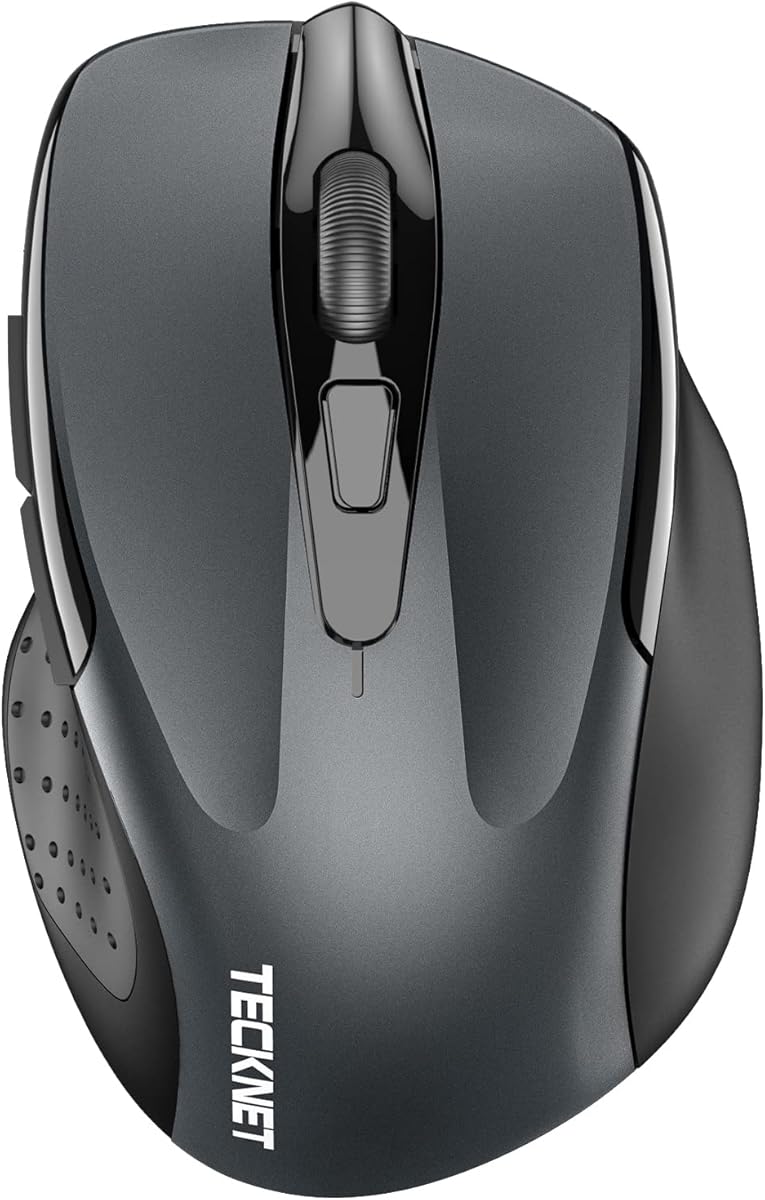
The TECKNET Wireless Mouse BT 5.0 combines modern features with sustainability, earning it a 4.6 rating for premium value. It delivers versatility without the high cost of flagship models.
We may earn a commission when you buy through this link, at no additional cost to you.
Its rechargeable design eliminates battery waste, and Bluetooth 5.0 ensures stable connections. Silent clicks make it suitable for quiet environments like libraries, while six DPI levels offer precision customization.
However, its compact size may not suit larger hands. The included charging cable adds convenience, but users should plan around recharging cycles for uninterrupted use.
Best for tech-savvy users seeking eco-friendly options, this mouse offers premium functionality at a competitive price. Its support and features make it a compelling alternative to expensive brands.
By using a rechargeable battery, this mouse reduces electronic waste and recurring battery purchase costs significantly.
The whisper-quiet click design ensures minimal noise disruption, ideal for shared workspaces or late-night sessions.
We may earn a commission when you buy through this link, at no additional cost to you.
The Dell Wireless Gaming Mouse MS5120W targets users needing speed and precision, delivering a 4.6 rating for performance enthusiasts. Its gaming heritage translates well to productivity tasks.
We may earn a commission when you buy through this link, at no additional cost to you.
Featuring a 4000 DPI sensor and seven buttons, it enables rapid navigation and customizable shortcuts. Dual-mode wireless supports 2.4GHz and Bluetooth, ensuring flexible connection options for any setup.
While its design leans toward gaming, the Dell Peripheral Manager enhances utility for general users. Battery life matches other Dell models, providing months of uninterrupted usage before replacement.
Best for gamers and power users, this mouse blends performance with durability. Its customization capabilities make it a strong choice for those wanting control over input behavior.
A 4000 DPI sensor allows for swift cursor movement and pixel-perfect accuracy in detailed workflows or games.
The Dell Peripheral Manager lets users map buttons and adjust settings, tailoring the mouse to specific application needs.
We may earn a commission when you buy through this link, at no additional cost to you.
The VssoPlor Wireless Mouse is designed for travelers seeking a lightweight, stylish option, earning a 4.5 rating for portability. Its slim profile fits easily into pockets or slim laptop bags.
We may earn a commission when you buy through this link, at no additional cost to you.
With 2.4GHz wireless and a 10m range, it ensures stable connectivity across distances. Auto sleep mode conserves battery, while quiet clicks prevent disturbances in shared environments.
Though lacking Bluetooth, its universal compatibility spans multiple OS versions. The frosted surface improves grip, enhancing comfort despite the minimalist build.
Ideal for commuters and frequent travelers, this mouse prioritizes convenience and style. Its reliable connection and compact form make it a practical companion for mobile work.
The slim design reduces bulk in bags, ensuring it travels easily without taking up valuable space alongside other gear.
Silent clicks ensure minimal disturbance, perfect for working in libraries, cafes, or other public spaces quietly.
We may earn a commission when you buy through this link, at no additional cost to you.
The Logitech M510 Full Size emphasizes comfort for all-day use, achieving a 4.6 rating for ergonomics. Its contoured shape supports natural hand positioning during extended sessions.
We may earn a commission when you buy through this link, at no additional cost to you.
Side-to-side scrolling and zoom features enhance navigation through maps and spreadsheets. The Unifying receiver stays in your laptop, reducing clutter and risk of loss.
While larger, it fits medium to large hands well. Battery life reaches two years, making maintenance nearly unnecessary for casual users.
Best for professionals seeking comfort, this mouse reduces strain with its supportive design. Its advanced scrolling options add efficiency to complex tasks requiring detailed navigation.
Horizontal scrolling makes navigating wide documents or maps easier without switching tools or changing views.
The receiver supports multiple devices, allowing users to connect keyboards and mice to a single USB port seamlessly.
We may earn a commission when you buy through this link, at no additional cost to you.
The Logitech M185 Compact offers straightforward wireless functionality with eco-conscious features, earning a 4.4 rating for reliability. It is ideal for users needing a no-fuss peripheral.
We may earn a commission when you buy through this link, at no additional cost to you.
Made with recycled plastic, it supports sustainability goals. The nano receiver stays plugged in, and the one-year battery life reduces maintenance frequency for regular users.
Its compact form suits tight desks or travel bags. While basic, it provides solid performance for everyday browsing and document editing tasks.
Best for students and casual users, this mouse balances portability with durability. Its environmental focus and simplicity make it a responsible choice for budget shoppers.
Using post-consumer recycled plastic reduces environmental impact while maintaining the durability users expect from Logitech products.
The tiny USB receiver is easy to store inside the mouse, keeping it secure and ready for immediate use.
We may earn a commission when you buy through this link, at no additional cost to you.
The TECKNET Compact Mouse stands out for its unique mint green color and ergonomic fit, earning a 4.6 rating for style and comfort. It is designed for users with smaller hands.
We may earn a commission when you buy through this link, at no additional cost to you.
Its quiet buttons make it suitable for shared offices. The 2.4GHz wireless ensures reliability, while three DPI levels allow sensitivity adjustment for different tasks.
The compact design aids portability, and the 15-month battery life offers long-term convenience. While batteries are excluded, the value remains high.
Best for users wanting personality in peripherals, this mouse blends form and function. Its design supports comfort during long use, making it a pleasant addition to any setup.
The mint green finish provides a distinctive look, helping users express personal style through their workspace accessories.
Designed for small to medium hands, this mouse ensures a natural grip, reducing fatigue during extended sessions.
We may earn a commission when you buy through this link, at no additional cost to you.
The Logitech M330 Silent Plus excels at noise reduction, achieving a 4.5 rating for quiet productivity. It is built for users prioritizing a distraction-free environment.
We may earn a commission when you buy through this link, at no additional cost to you.
SilentTouch Technology reduces click noise by 90%, making it ideal for libraries or shared spaces. The contoured plastic grips ensure comfort during extended usage periods.
With 18 months of battery life and reliable optical tracking, it delivers consistent performance. While right-handed only, it fits standard hand sizes effectively.
Best for quiet office environments, this mouse maintains performance while minimizing noise. Its ergonomic design and battery longevity make it a reliable choice for silent work.
Reducing click sounds by 90% ensures minimal distractions, fostering a calm atmosphere in busy or shared workspaces.
The power-saving sleep mode extends battery life to 18 months, reducing replacement frequency and maintenance effort significantly.
We may earn a commission when you buy through this link, at no additional cost to you.
The TECKNET Wireless BT 5.0 Grey provides seamless multi-device switching, earning a 4.5 rating for versatility. It caters to users managing multiple computers daily.
We may earn a commission when you buy through this link, at no additional cost to you.
Bluetooth and USB connections enable easy device toggling. Silent clicks enhance focus, while six adjustable DPI settings support varied precision needs from browsing to design.
Although side buttons have Mac limitations, overall compatibility is broad. The ergonomic shape ensures comfort, and automatic sleep technology conserves power.
Best for multi-system users, this mouse simplifies workflows through quick switching. Its balanced features and support make it a versatile tool for dynamic work environments.
Switching between devices is as simple as sliding a button, eliminating the need to reconnect manually or swap receivers.
Six DPI levels allow users to fine-tune cursor speed, adapting to different screen resolutions and task requirements easily.
We may earn a commission when you buy through this link, at no additional cost to you.
Choosing the right external mouse involves evaluating connectivity, ergonomics, features, and compatibility with your specific Dell model to ensure optimal performance and comfort.
Decide between wired and wireless options based on your need for mobility versus latency-free performance. Wireless mice often support 2.4GHz or Bluetooth, offering flexibility, while wired models provide consistent connection without batteries.
For Dell laptops, Bluetooth 5.0 is ideal for seamless integration with Swift Pair, whereas 2.4GHz offers better range and stability in noisy wireless environments.
Assess hand size and preferred grip type to prevent discomfort during long work sessions. Compact mice suit smaller hands, while full-size models with contours provide better support for larger users.
Look for soft grips or ambidextrous designs if you switch hands frequently, ensuring the shape aligns with your natural posture to reduce strain.
Check battery duration and whether the mouse uses disposable cells or a rechargeable system. Longer battery life reduces interruptions, while rechargeable models offer cost and environmental benefits over time.
Opt for mice with auto-sleep modes to extend battery life, especially if you frequently forget to turn off your peripherals when not in use.
Higher DPI allows faster cursor movement and precision for detailed tasks, while adjustable DPI lets you switch between browsing and design work. Ensure the sensor performs well on various surfaces.
For Dell laptops with high-resolution screens, at least 1600 DPI is recommended to maintain accurate tracking without excessive physical movement.
Consider programmable buttons for shortcuts or silent clicks for shared spaces. Extra features enhance productivity but may increase complexity or cost depending on your needs.
Evaluate whether side buttons or specialized scrolling align with your workflow, such as horizontal navigation in spreadsheets or quick back and forward navigation.
Some mice offer proprietary software for customization, which may limit use across different operating systems. Verify that required drivers or apps support your Dell system's OS version.
Choose mice that function well without software if you prefer plug-and-play simplicity, as additional installation can hinder quick setup and portability.
Durability ensures longevity, so look for models with reputable warranty terms and exchange policies. Higher ratings often reflect consistent quality and reliable customer support from manufacturers.
Investing in a branded mouse like Dell or Logitech typically provides better warranty coverage, reducing risk if defects or failures occur during regular use.
Set a budget based on essential features versus nice-to-have extras to avoid overspending. Basic models offer core functionality at lower prices, while premium options add customization and longevity.
Balance cost against expected usage frequency; daily users benefit from higher-end models, whereas occasional users can save with reliable budget-friendly alternatives.
Connect your mouse by pairing via Bluetooth or plugging in the USB receiver, ensuring your Dell system recognizes the device in settings. Adjust DPI and button functions through provided software if available.
Keep the sensor clean by wiping it gently with a microfiber cloth to remove dust that may affect tracking. Store the mouse in a protective case when traveling to prevent physical damage to buttons or the body.
Manage battery life by enabling power-saving settings or switching off the mouse when not in use. For rechargeable models, use the provided cable and avoid letting the battery drain completely to maintain long-term health.
Yes, most external mice are compatible with Dell laptops as they use standard USB or Bluetooth protocols. Ensure your Dell system has available USB ports or Bluetooth functionality to support the connection method you choose.
Some wireless mice support Bluetooth 5.0, eliminating the need for a USB receiver. Check the product specifications to confirm Bluetooth support if you want to conserve USB ports on your Dell laptop.
A DPI setting between 1200 and 1600 is ideal for general tasks like browsing and document editing. Higher DPI benefits designers or gamers, but standard work usually requires moderate sensitivity.
Use the dedicated mode switch button on mice that support dual connectivity. You may need to re-pair the device via Bluetooth settings on your Dell laptop before switching successfully.
Yes, compact and ambidextrous models are designed for small to medium hands, offering better comfort and control. Look for products explicitly marketed as slim or portable for this purpose.
Battery life varies, but quality wireless mice last from one to three years on a single charge or battery. Auto-sleep features and rechargeable models help extend this duration significantly.
Absolutely, gaming mice offer high DPI and programmable buttons that benefit productivity tasks. They may be bulkier, but their precision and customization make them versatile for general users.
Some Dell laptops include Dell Display and Peripheral Manager for optimizing connected devices. However, many third-party mice also provide their own software for customization if preferred.
We reviewed ten outstanding external mice tailored for Dell laptop users, from the versatile Dell Advanced Wireless Compact Mouse to the budget-friendly Dell Wired Mouse MS116. Each option brings unique strengths.
Prioritize ergonomics and connectivity based on your workflow needs to ensure long-term comfort and performance. Whether you require silence, gaming precision, or multi-device switching, a suitable model exists.
Prices and availability change frequently, so verify current details before purchasing to secure the best deal. Use this guide to find a reliable mouse that enhances your Dell computing experience today.