
Thermalright TL-B6B
4.6Editor score
Low noise operation
S-FDB V2 bearing
Compact 6025 size
This expert guide compares the top 60mm cooling fans for quiet performance, airflow, and durability across various applications like PCs, printers, and NAS.
Finding the right cooling solution for compact spaces requires careful attention to size, noise, and airflow efficiency. Small 60mm fans are essential for maintaining optimal temperatures in restricted enclosures where larger units simply cannot fit.
We evaluated ten leading models based on real-world performance data, bearing longevity, and acoustic profiles. Our comparison covers diverse voltage options and control methods to help you select the perfect match for your specific setup.
Each pick highlights key strengths and ideal use cases to streamline your decision process. Please note that availability and pricing can fluctuate frequently, so verify current details before finalizing your purchase decision online.
4.6Editor score

4.8Editor score
4.9Editor score
This side-by-side comparison outlines the critical specifications and features of each selected model to help you identify the most suitable option for your thermal management needs.


The Noctua NF-A6x25 PWM stands out as a premier choice for users seeking reliable thermal management in compact 60mm spaces. With a rating, this fan is engineered to deliver exceptional cooling while maintaining near-silent operation levels.
We may earn a commission when you buy through this link, at no additional cost to you.
Its Flow Acceleration Channels and Advanced Acoustic Optimisation frame work together to maximize airflow efficiency without compromising on acoustic comfort. The included Low-Noise Adaptor allows further speed reduction for even quieter performance when full power is not needed.
While the price is higher than generic alternatives, the build quality and included accessories like vibration mounts and extension cables justify the investment for critical applications where reliability is paramount. Some users may find the brown and grey aesthetic less appealing for modern PC builds.
This fan is ideal for network storage devices, DVRs, and quiet workstations where noise floor is a primary concern. We recommend it for anyone prioritizing long-term reliability and acoustic performance over initial cost savings.
The frame design specifically minimizes resonance and turbulence noise to ensure smooth operation even at high speeds.
Included anti-vibration mounts and Y-cables simplify installation and improve mounting stability in sensitive electronic enclosures.
We may earn a commission when you buy through this link, at no additional cost to you.
The Noctua NF-A6x25 FLX offers a unique approach to speed control through its 3-pin connection and included Low-Noise Adaptors. This makes it a fantastic option for users who want manual control over fan speed without complex motherboard wiring.
We may earn a commission when you buy through this link, at no additional cost to you.
With three distinct speed settings available via adaptor connections, you can fine-tune the fan to match your specific cooling needs perfectly. The same award-winning A-series design ensures high airflow efficiency and minimal noise output across all speed levels.
Although it lacks PWM automation, the flexibility of the FLX adaptor system provides practical manual adjustment for stationary cooling setups. The only minor drawback is the potential need for extra cabling when using adaptors compared to direct PWM headers.
Ideal for NAS units or routers where fixed speeds are acceptable, this model delivers the same high performance as its PWM counterpart with added tuning flexibility. Choose this if you prefer manual adjustments over automated software control.
Three speed options via adaptors allow users to prioritize maximum airflow or absolute silence depending on current thermal load.
Consistent build quality with durable materials ensures reliable long-term operation in continuous duty environments.
We may earn a commission when you buy through this link, at no additional cost to you.
The Wathai EC AC Axial fan is designed specifically for projects requiring direct AC power without additional inverters. It delivers high-speed performance suitable for industrial equipment ventilation and specialized cooling setups needing robust airflow.
We may earn a commission when you buy through this link, at no additional cost to you.
Operating at 4800 RPM with dual ball bearings, this fan ensures longevity and consistent performance even in demanding environments. The energy-efficient EC motor design consumes less power than equivalent AC fans while providing superior cooling capacity.
Note that the wires are not pre-connected, requiring some DIY skill to integrate into custom setups. While the noise level is higher than computer fans, it is acceptable for industrial or utility applications where cooling is prioritized over silence.
This is an excellent choice for DIY cooling projects involving small cambers or ventilation needs. Opt for this model if you need direct AC integration and high speed in a compact 60mm form factor.
Eliminates the need for DC power supplies by running directly on standard mains voltage for simplified power setups.
Delivers 4800 RPM for rapid air exchange in applications requiring fast cooling response times.
We may earn a commission when you buy through this link, at no additional cost to you.
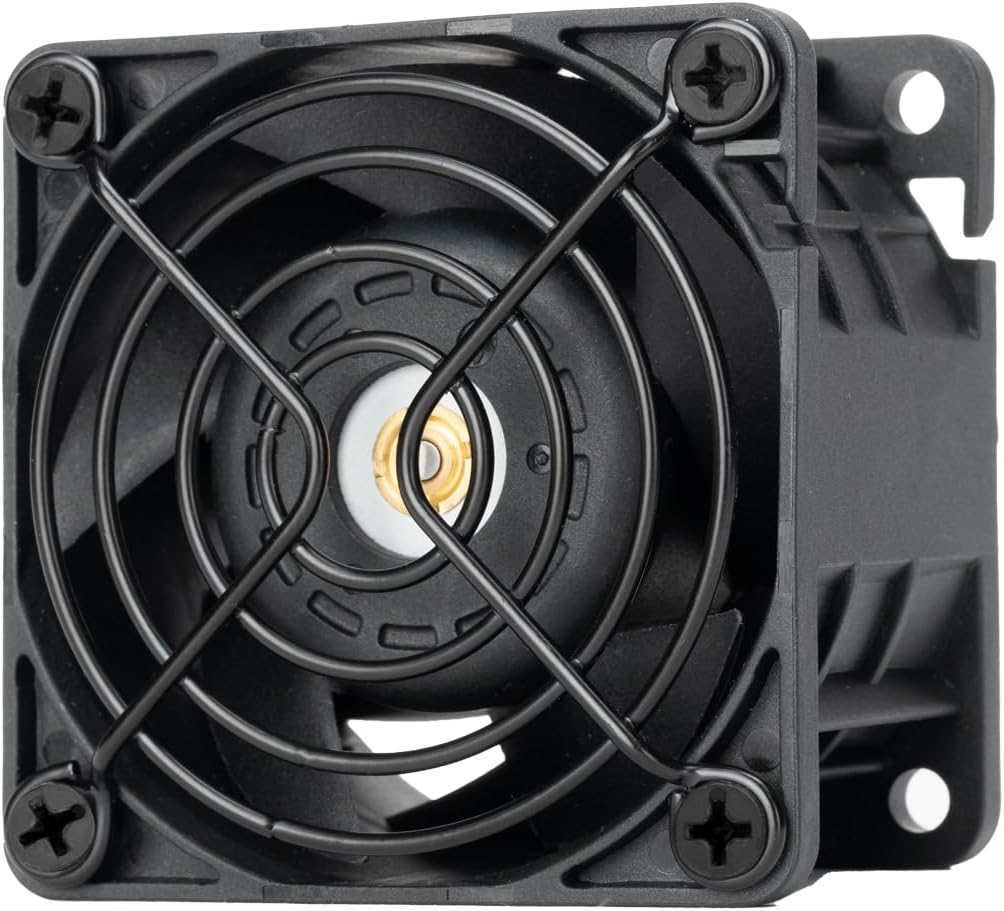
The Thermalright TL-B6B offers an impressive balance of affordability and quiet performance for budget-conscious builders. It features a 4PIN PWM interface allowing automatic speed adjustments based on system temperature loads effectively.
We may earn a commission when you buy through this link, at no additional cost to you.
With S-FDB V2 bearings and silicone shock pads, this fan minimizes vibration and noise transmission to the chassis. The 7-blade design provides solid air volume for case cooling without introducing significant noise into your listening environment.
Installation requires some force as the screw holes are not threaded, which may be tricky for first-time users. Despite this minor handling detail, the overall cooling performance and noise levels make it a strong contender in the budget category.
Best suited for small form factor PCs or office workstations where silence is important. If you need a reliable quiet fan without breaking the bank, this model delivers exceptional value.
S-FDB V2 bearings solve PC fan shake issues and extend service life for consistent quiet operation.
Double-sided silicone pads absorb mechanical vibrations to prevent noise from transmitting to the case metal.
We may earn a commission when you buy through this link, at no additional cost to you.
ANVISION provides a convenient two-pack solution for projects requiring multiple cooling points with limited budget constraints. Each fan operates at 4000 RPM delivering sufficient airflow for standard electronic enclosures and small projects.
We may earn a commission when you buy through this link, at no additional cost to you.
The dual ball bearing design ensures longevity and durability for continuous operation in industrial or server applications. Two-pin connectors simplify wiring for DIY setups where custom cabling is not a requirement for integration.
While noise levels are slightly higher than premium models, the value provided by two fans in one purchase is significant. You might find the thin 15mm profile limits static pressure compared to thicker alternatives in confined spaces.
This pack is ideal for server rack retrofits or multi-zone cooling projects. Choose this when you need reliable cooling solutions for multiple devices simultaneously.
Getting two units reduces cost per fan and streamlines procurement for multi-device cooling deployments.
Dual ball bearings withstand continuous usage demands better than standard sleeve designs in demanding conditions.
We may earn a commission when you buy through this link, at no additional cost to you.
The Antrader 3-Pack offers a cost-effective solution for 3D printers and small appliances needing multiple compact cooling units. These fans are specifically noted for their high airflow relative to their small footprint making them great for nozzle cooling.
We may earn a commission when you buy through this link, at no additional cost to you.
At 3600 RPM these units move a respectable amount of air which is critical for preventing overheating in small extruder zones. The 2-pin connectors match standard hobbyist electronics for easy integration into existing builds.
Sleeve bearing design means these are best for lighter duty cycles rather than 24/7 industrial use. Noise output is noticeable at full throttle but acceptable for workshop environments where performance matters more than silence.
Best for hobbyist 3D printers needing part cooling fans without high costs. If you need multiple cheap reliable fans for small electronics this pack delivers solid utility.
Delivers 22.7 CFM airflow which is substantial for a 60mm fan assisting thermal management effectively.
Designed specifically for printer part cooling and small project electronics ensuring reliable integration.
We may earn a commission when you buy through this link, at no additional cost to you.
UMLIFE delivers a versatile two-pack of EC brushless fans capable of running on various global AC voltages. This makes them ideal for international projects or diverse applications requiring direct power connection without adapters.
We may earn a commission when you buy through this link, at no additional cost to you.
Operating at 4800 RPM these fans provide robust ventilation for cabinets and electronic enclosures efficiently. The dual ball bearings ensure stable operation whether mounted horizontally or vertically in custom DIY setups.
While the noise level is moderate, the performance trade-off is acceptable for utility applications where airflow is the priority. The two-pack value allows simultaneous use for exhaust and intake balancing in small spaces.
Perfect for international server rooms or DIY ventilators needing standard AC voltage compatibility. Choose this for reliable high-speed ventilation across multiple units.
Supports 110V to 240V allowing use anywhere without needing complex power converters for global deployment.
Dual ball bearings allow fans to stand upright or lay flat without compromising performance or bearing life.
We may earn a commission when you buy through this link, at no additional cost to you.
The Noctua NF-A6x15 PWM is engineered for spaces where depth is a strict constraint but performance cannot be compromised. Its slim 15mm frame allows installation in tight compartments where standard 25mm fans simply cannot fit.
We may earn a commission when you buy through this link, at no additional cost to you.
Despite its slimness it achieves up to 3500 RPM for excellent airflow delivery using the same acoustic optimization technology as thicker models. PWM control ensures it adapts speed based on thermal needs without noise disruption.
Due to the thinner blade height static pressure is lower than standard 25mm options which limits effectiveness through restrictive filters. However for open airflow paths this fan offers unmatched clearance in tight enclosures.
Ideal for ultra-slim PC cases and network switches needing low-profile cooling. Select this when clearance is your primary design constraint.
15mm thickness enables integration into extremely compact enclosures where standard fans fail to fit.
Runs up to 3500 RPM providing strong airflow despite the reduced blade depth for effective cooling.
We may earn a commission when you buy through this link, at no additional cost to you.
The Silverstone FHS 60X is a powerhouse designed for industrial and server cooling applications requiring extreme thermal performance. Its 38mm thick frame allows significantly higher airflow compared to standard computer fans.
We may earn a commission when you buy through this link, at no additional cost to you.
Capable of reaching 15000 RPM it delivers massive static pressure and airflow necessary for high-density server racks. PWM control enables wide speed adjustment to balance noise and performance dynamically based on actual heat load.
While noise levels can be high at top speed, the included metal grille ensures safety during high-speed operation. The robust build quality handles continuous heavy-duty operation better than consumer-grade alternatives.
Best for server rooms and industrial cabinets needing maximum cooling density in limited footprint. Choose this when performance overrides acoustic concerns.
Delivers over 65 CFM airflow to handle heavy heat loads in demanding industrial environments.
Protective metal grille ensures safe handling and prevents damage during high-speed operation.
We may earn a commission when you buy through this link, at no additional cost to you.
The Noctua NF-A6x25 5V version is specifically designed for devices operating at 5V logic levels like routers and storage arrays. It includes polarity protection to prevent damage from incorrect connection attempts during installation.
We may earn a commission when you buy through this link, at no additional cost to you.
With the same award-winning design as its 12V counterparts it delivers exceptional quiet performance even at lower voltage. The OmniJoin adaptor set simplifies connecting to proprietary headers often found in network equipment.
This model is perfect for specialized electronics that do not support standard 12V cooling solutions. The only downside is that it is optimized strictly for 5V rails which limits compatibility with standard PC headers.
Best for network switches and routers requiring silent reliable cooling. Choose this if your equipment specifically requires a 5V fan connection.
Built-in polarity protection safeguards electronics against accidental reverse wiring during installation.
Includes OmniJoin adaptor set for seamless integration with proprietary fan headers in network gear.
We may earn a commission when you buy through this link, at no additional cost to you.
Selecting the ideal 60mm cooling fan requires evaluating multiple technical factors to ensure compatibility and efficiency for your specific application.
Always confirm whether your device requires 5V 12V DC or standard AC mains power before purchasing. Using the wrong voltage can damage both the fan and your equipment instantly.
Check your device manual for exact voltage specs to ensure safe electrical connection.
Verify the connector pin count and style such as 2-pin 3-pin or 4-pin PWM to match your motherboard or power supply. Mismatched connectors may prevent the fan from operating or running at full speed.
Ensure you have the right adaptors if switching connector types to avoid connection issues.
60mm fans come in varying thicknesses including 15mm 25mm and 38mm options depending on available space. Ensure your enclosure allows for the chosen thickness without blocking airflow paths.
Measure your available depth carefully before selecting a model to guarantee proper fit.
CFM indicates airflow volume while static pressure determines how well air passes through filters or radiators. Choose higher CFM for open spaces and higher pressure for restricted ducts.
Match airflow needs to your specific thermal requirements for best efficiency.
Dual ball bearings generally offer longer lifespans and better performance in various orientations compared to sleeve bearings. For continuous duty choose models with durable bearing designs.
Look for bearings suited to your expected operating hours and mounting position.
Decibel ratings help predict how loud a fan will sound during operation. If noise is a concern look for fans with dB ratings below 20dB for silent environments.
Balance cooling performance with acoustic tolerance based on where the device sits.
PWM fans allow automatic speed adjustment based on temperature which saves power and reduces noise. Standard non-PWM fans run at fixed speeds regardless of thermal load.
Prioritize PWM control if your system supports it for smarter thermal management.
Reputable brands often provide better quality control warranties and spare parts availability. Investing in trusted brands can reduce long-term maintenance costs.
Research warranty terms to ensure protection against premature failure.
Install your fan in a way that aligns with the airflow direction arrows printed on the frame. Ensure the intake side faces the heat source and exhaust side points outward for maximum efficiency.
Secure the fan using vibration mounts or screws to prevent rattling and reduce noise. Tighten fasteners evenly to avoid bending the frame and creating mechanical friction.
Periodically clean dust from the blades and bearings to maintain optimal performance. Use compressed air gently to avoid damaging internal components or misaligning the rotor.
2-pin fans provide power and ground with no speed feedback. 3-pin fans add a tachometer for speed monitoring but lack PWM control. 4-pin fans include PWM for automatic speed adjustment based on system temperature.
Yes but airflow will be lower compared to larger fans. You may need to run the fan at higher speeds which increases noise and power consumption to compensate for the smaller area.
AC fans typically run at higher RPMs to produce more airflow directly from mains power. This higher speed naturally generates more aerodynamic noise and mechanical vibration.
Yes dual ball bearings generally last longer especially in vertical or variable orientation setups. They handle wear better and maintain performance over extended periods compared to sleeve bearings.
You can use a simple adapter or plug it directly into the header ignoring the PWM pin. The fan will run at full speed unless connected via voltage control if available.
MTTF stands for Mean Time To Failure representing the estimated operational hours before failure. Higher numbers indicate better reliability and longer expected lifespans for the fan unit.
Mounts are highly recommended for sensitive equipment to reduce noise transmission. While not mandatory for all cases they improve stability and reduce rattling significantly.
Most efficient ranges fall between 3000 to 4000 RPM for standard cooling. Higher speeds deliver more airflow but significantly increase noise and energy consumption unnecessarily.
Our top picks highlight the Noctua NF-A6x25 PWM for overall performance and the Thermalright TL-B6B for budget-friendly quiet operation. Each model offers distinct advantages depending on your specific power and space requirements.
Prioritize noise levels if your device sits in living spaces or prioritize airflow if cooling density is critical. Matching the fan to the application ensures optimal thermal management and longevity.
Always check current availability and stock before ordering to ensure you get the exact model you need. Prices and inventory can change quickly across different online retailers and vendors.