
SONOFF TX Gen2 Smart Wall Touch Switch
4.6Editor score
Zero-Live Wire Power
Independent Relay Mode
Dimmable LED Indicator
This guide compares the top Matter compatible double smart switches for seamless home automation, covering features, installation, and platform compatibility.
Finding the right smart switch can transform your home lighting experience. A Matter compatible double smart switch allows you to control two fixtures from one location while integrating seamlessly with major smart home ecosystems. This versatility is essential for modern households seeking efficiency and convenience.
We evaluated ten leading models based on connectivity, ease of installation, and platform support. Each product was analyzed for its ability to work with Alexa, Google Home, and Apple HomeKit through the Matter protocol. Our goal is to help you find the perfect fit for your specific wiring and automation needs.
Each pick highlights unique strengths such as touch panels, no-neutral options, or advanced scheduling. You will see detailed specifications and real-world use cases to guide your decision. Please note that availability and pricing can change frequently, so always verify details before purchasing online.
4.6Editor score

4.0Editor score

4.6Editor score
The following table provides a side-by-side comparison of all ten products we reviewed. It highlights key specifications such as wiring requirements, connectivity options, and unique features to help you quickly identify the best model for your home setup.





This switch leads our list due to its robust Matter protocol support which simplifies multi-platform control. It allows users to manage lights through SmartThings or Homekit without juggling multiple apps. The design is compact enough to replace standard gang switches while maintaining full functionality.
We may earn a commission when you buy through this link, at no additional cost to you.
The shallow body design is a standout feature that saves space inside crowded electrical boxes. Installation is facilitated by outgoing ground and neutral wires which provide extra safety protection. Users can control two fixtures from one location efficiently using voice commands or smartphone remote access.
One limitation is that it does not support dimming or smart bulbs directly. However for most users seeking simple on/off control with smart automation this is not a dealbreaker. The 2.4GHz network requirement is standard for Wi-Fi devices in this category.
We recommend this for homeowners who prioritize ecosystem flexibility and space-saving design. It is ideal for upgrading old switches to modern smart standards without extensive rewiring. The safety features and ease of setup make it a reliable choice for daily use.
The Matter protocol ensures you can switch between Apple Home and Google Home without reconfiguring devices.
Its shallow body fits standard wall boxes allowing control of two fixtures from a single location.
We may earn a commission when you buy through this link, at no additional cost to you.
SONOFF offers a highly affordable entry into Matter smart switching with a sleek touch panel design. Its zero-live wire power option makes it versatile for various wiring setups. The independent relay mode ensures your lights stay online even if you press the physical button accidentally.
We may earn a commission when you buy through this link, at no additional cost to you.
The built-in LED button indicator is dimmable which prevents sleep disturbance while providing nighttime visibility. You can adjust the brightness to match your preferences easily. This feature is particularly useful in bedrooms or hallways where bright lights are unwanted at night.
While the price is low the build quality remains solid with a standard 120-type panel design. It fits most North American junction boxes and supports neutral-wire power setups. The eWeLink app provides robust remote control and scheduling features for automation needs.
This is the top pick for budget-conscious buyers who do not want to compromise on Matter compatibility. It is excellent for users who want a modern look and reliable performance without paying premium prices. The relay mode adds a layer of reliability for smart home automation.
Independent relay mode prevents the smart light from going offline due to physical button presses.
Dimmable LED indicator helps you locate the switch in the dark without disturbing sleep.
We may earn a commission when you buy through this link, at no additional cost to you.
This model simplifies adding smart switches to your existing Google Home or Alexa ecosystem via Matter. It is FCC certified providing peace of mind regarding safety standards. The app remote control allows you to manage lights from anywhere with an internet connection.
We may earn a commission when you buy through this link, at no additional cost to you.
Voice control is free and effortless allowing hands-free operation while cooking or cleaning. You can set schedules and timers to adapt your home to your daily routine. However it does not support HomeKit which limits its use for Apple-centric households.
The 2 gang design handles two fixtures from one location effectively. It is an affordable option for those who prioritize Alexa or Google Home integration over Apple features. The neutral wire requirement is standard for this class of smart switches.
Ideal for users who rely heavily on Google Home or Alexa for voice control. It offers a straightforward way to automate lighting without complex hub setups. Just be aware of the HomeKit limitation if you plan to expand your Apple Home ecosystem later.
Customize switches to fit your lifestyle with scheduled timers and routines.
FCC certified design ensures high safety levels for your family.
We may earn a commission when you buy through this link, at no additional cost to you.
This switch features a sleek 2.5D Acr glass touch panel that offers a modern minimalist look. It supports multi-platform control seamlessly integrating with Apple Home and SmartThings. The high power handling of 10A makes it suitable for standard lighting loads without issues.
We may earn a commission when you buy through this link, at no additional cost to you.
The scratch-resistant surface ensures longevity and daily use without showing wear easily. You can automate lighting based on your routine or use random modes for security when away. Voice control with Alexa and Google Assistant is hands-free and efficient.
Installation notes indicate it is single pole only which means you must check your wiring. It requires a neutral wire and 2.4GHz Wi-Fi to function properly. The premium design aesthetic adds value to any room where style matters.
Recommended for users who want a premium look with solid automation capabilities. It is great for living rooms or bedrooms where the switch face is visible. The random security feature is a nice touch for those who travel frequently.
2.5D glass touch panel blends perfectly with American-style wall plates.
Random on/off modes enhance home security while you are away from home.
We may earn a commission when you buy through this link, at no additional cost to you.
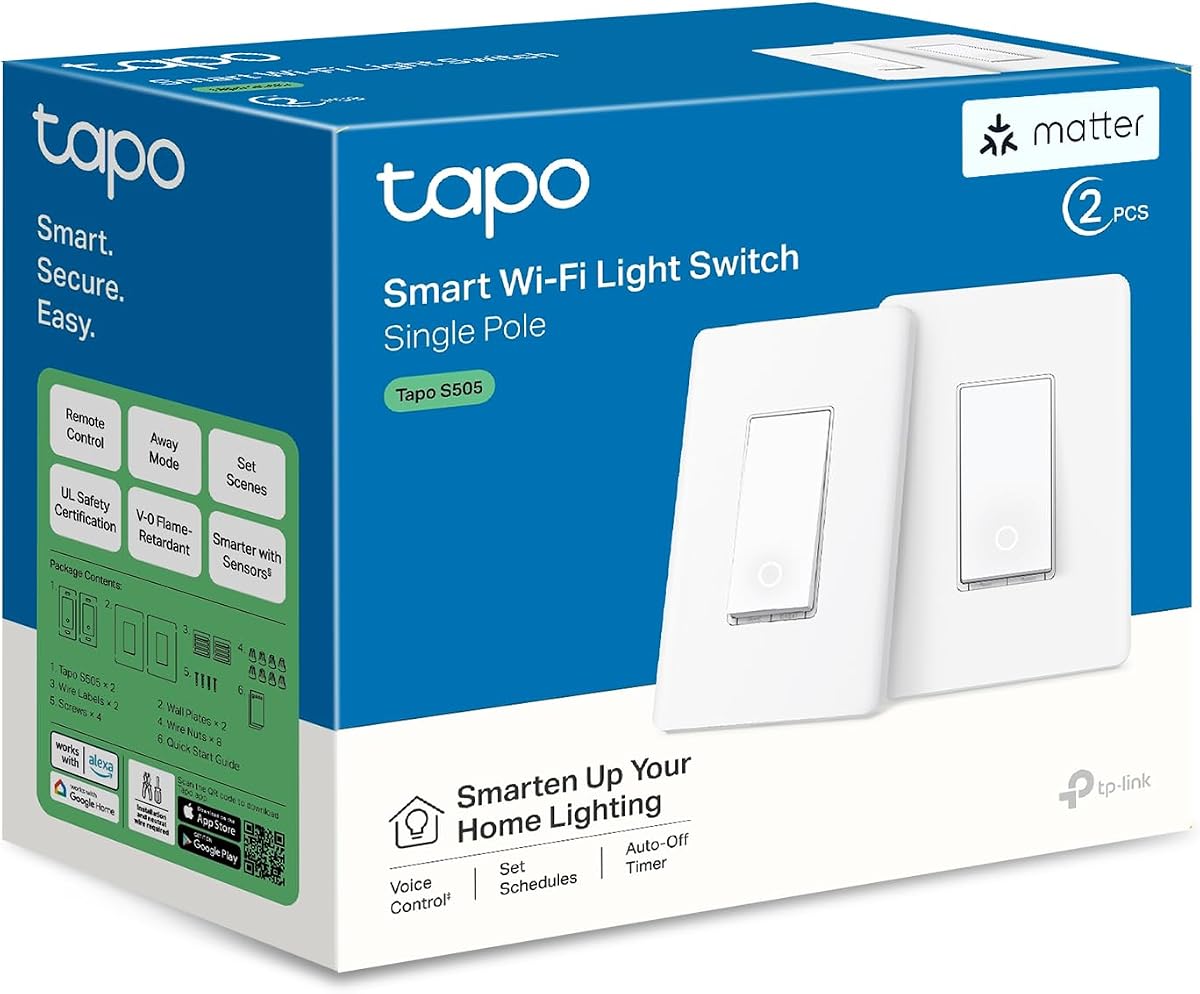
TP-Link Tapo delivers robust connectivity with efficient LAN communication for local control. The multi-admin feature allows control via multiple systems simultaneously for example on and off from a smartphone. UL certification ensures high safety standards for your home wiring.
We may earn a commission when you buy through this link, at no additional cost to you.
Even if your internet goes offline direct device-to-device interaction still works. This is critical for reliability ensuring your automation scenarios function without cloud dependency. The app-guided install process helps users unfamiliar with wiring to set up easily.
It works with all certified smart home platforms like Apple Home and Samsung SmartThings. You can control devices from a single app reducing the need for multiple apps. The two-pack option provides value for those needing switches in multiple rooms.
Best for users who want reliable local control and multi-platform flexibility. It is ideal for homes with complex setups requiring simultaneous access from different ecosystems. The offline support is a major advantage for consistent performance.
Direct device-to-device interaction eliminates the need for forwarding devices.
Control devices via multiple smart home systems at the same time.
We may earn a commission when you buy through this link, at no additional cost to you.
This double combination switch allows you to operate a light and fan from the same location. It works with Amazon Alexa and Google Assistant for hands-free voice control. The Smart Life app provides wireless control and scheduling options from anywhere.
We may earn a commission when you buy through this link, at no additional cost to you.
You can schedule timed events or create custom scenes to fit your routine. It replaces old wall switches seamlessly allowing easy upgrades to smart homes. The three-step installation process is simple and designed for standard wall boxes.
Safety is ensured through FCC approval for quality and reliable performance. It is a solid choice for rooms where both lighting and fan control are needed. The neutral wire requirement is standard for Wi-Fi switches of this type.
Ideal for living rooms or kitchens where dual control is necessary. It offers straightforward functionality without unnecessary complexity. The ability to add a light switch or replace a 2-gang switch makes it versatile.
Simple way to turn two separate light and fan on/off from one location.
Create custom scenes from anywhere using the Smart Life app.
We may earn a commission when you buy through this link, at no additional cost to you.
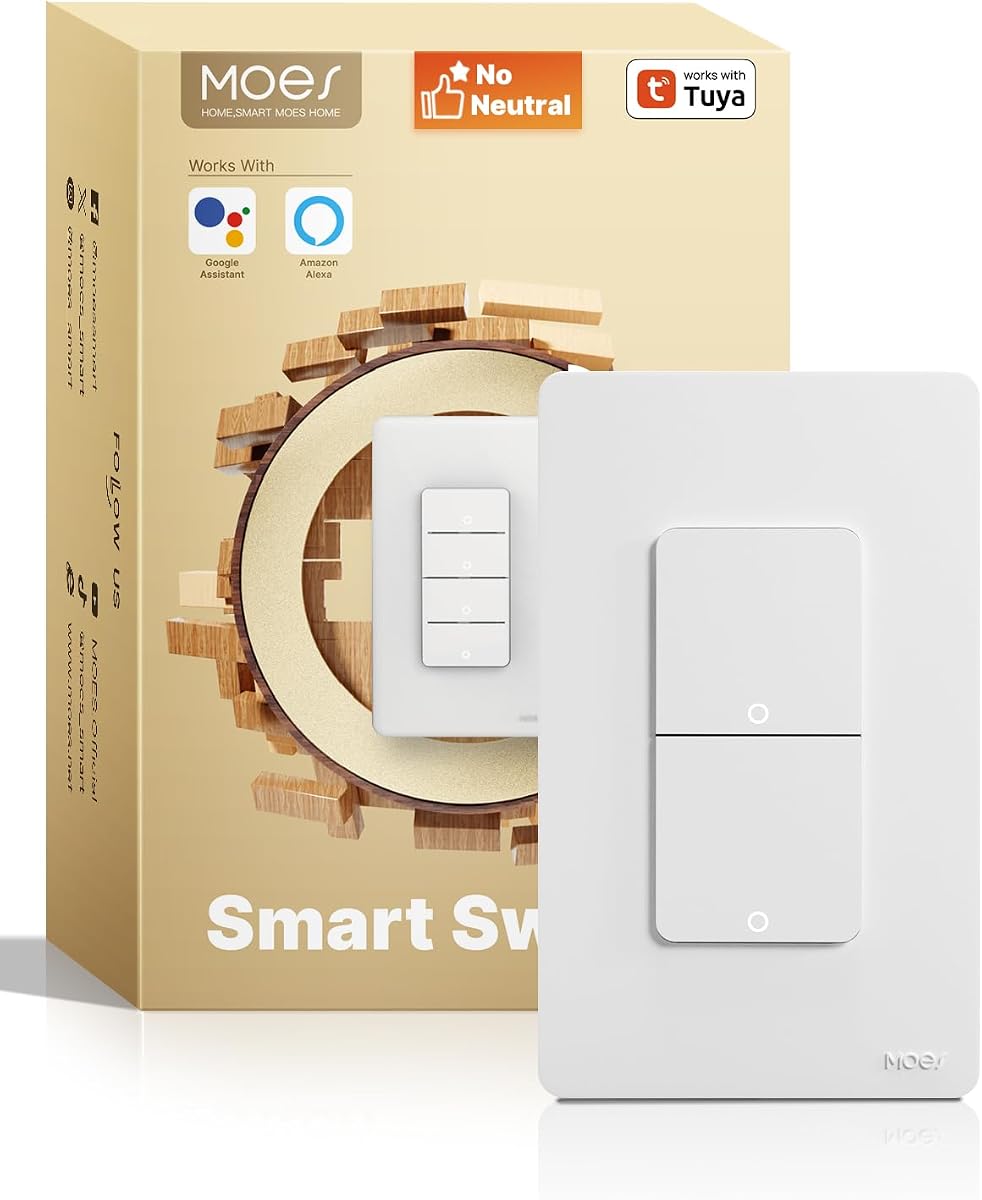
The new version uses outgoing ground and neutral wires for easier installation. The button sensitivity is upgraded making it more responsive for daily use. It fits standard wall boxes and allows control of two fixtures from one location.
We may earn a commission when you buy through this link, at no additional cost to you.
Voice control helps when hands are full or entering a dark room. The MOES Tuya app lets you set timers and scenes for daily life. This is useful for cultivating habits like turning off lights at night for children.
Remote control capability ensures you can manage lights even when away from home. The design is compact saving space inside crowded electrical boxes. It is a reliable option for standard Wi-Fi smart switching needs.
Recommended for families needing remote access and simple automation. The sensitive button ensures reliable feedback. Check wiring compatibility before purchase to ensure smooth installation.
Upgraded button design makes it more sensitive for easier operation.
Remotely control lights anytime anywhere using the app.
We may earn a commission when you buy through this link, at no additional cost to you.
This model supports both no-neutral and with-neutral wiring methods making it highly versatile. Capacitors are included for the no-neutral option to ensure proper function. It features outgoing ground and neutral wires for extra safety protection.
We may earn a commission when you buy through this link, at no additional cost to you.
The design meets wiring requirements for most household switches. You can control lights on or off with Alexa voice commands. Remote control via smartphone is available for timer functions and automation.
It is a rare option that handles older homes without neutral wires easily. The deep body design fits most wall boxes for space-saving control. Just be sure to follow the capacitor instructions if using no-neutral wiring.
Ideal for older homes where running a neutral wire is difficult. It offers flexibility without requiring rewiring. Always confirm your wiring type before purchasing to use the correct method.
Both no-neutral and with-neutral wiring methods are suitable for this switch.
Outgoing ground and neutral wires provide extra protection during use.
We may earn a commission when you buy through this link, at no additional cost to you.
Kasa offers ultimate flexibility with Matter allowing cross-platform compatibility. Offline devices operate smoothly via LAN control ensuring reliability. You can control devices from various systems simultaneously with Multi-Admin features.
We may earn a commission when you buy through this link, at no additional cost to you.
The Kasa app guides you through installation step by step. Away mode randomly switches lights to trick potential intruders for security. Voice control works with Siri Alexa or Google Assistant for hands-free operation.
This switch is efficient for users who want robust automation features. The monitoring allows you to check status from anywhere. It is a premium choice for those who value reliability and app support.
Best for security-focused users needing remote scheduling and control. The LAN support ensures it works even if your internet fails. Check your wiring for neutral requirements before purchase.
Away mode turns lights on and off randomly to mimic occupancy.
Even offline devices operate smoothly via LAN control.
We may earn a commission when you buy through this link, at no additional cost to you.
This switch supports single-pole 3-way and 4-way setups for multiple locations. It allows control of a single light from various points ideal for hallways. Energy monitoring helps track usage to save money on bills.
We may earn a commission when you buy through this link, at no additional cost to you.
Made with flame-retardant materials it reduces fire risks effectively. The app guides you through step-by-step setup which is helpful for beginners. You can group switches with other devices like bulbs for unified control.
It is a robust choice for complex lighting needs requiring multiple switches. UL certification ensures high quality and safety. The firmware updates ensure best performance over time.
Recommended for larger homes needing multi-way lighting control. The energy monitoring adds value for budget-conscious users. Always check wiring compatibility for your specific setup.
Control a single light from multiple locations for living rooms or hallways.
Track energy usage of connected lights to make eco-conscious adjustments.
We may earn a commission when you buy through this link, at no additional cost to you.
Choosing the right smart switch involves checking your wiring and platform needs carefully.
Check if your switch box has a neutral wire before purchasing. Most smart switches require a neutral wire to function correctly. Some models offer no-neutral options with capacitors but these require careful installation.
Always verify wiring before buying to avoid returns or electrical issues.
Matter ensures your switch works across Apple Home Google Home and Alexa. It reduces the need for multiple apps to manage devices. Look for certified Matter devices to guarantee seamless integration.
Matter compatibility simplifies multi-platform control effectively.
Consider the body depth and panel size when replacing old switches. Shallow body designs fit better in crowded electrical boxes. Professional help may be needed if you are unfamiliar with electrical wiring.
Choose a design that fits your wall box and skill level.
Most devices use 2.4GHz Wi-Fi for stable connection. Ensure your network is compatible with this frequency band. LAN support is a plus for offline control and faster response times.
Verify your network supports 2.4GHz Wi-Fi connectivity.
Look for features like scheduling remote control and voice commands. Timer functions help automate your daily lighting routines. Advanced options like random security modes can protect your home when away.
Prioritize features that match your automation needs.
Ensure the switch supports your preferred voice assistant or ecosystem. Some models exclude HomeKit so check compatibility lists. Multi-admin features allow control from multiple apps simultaneously.
Verify compatibility with your current smart home setup.
Safety certifications like UL or FCC indicate reliable build quality. They ensure the switch meets industry safety standards. Always choose certified devices to minimize fire or electrical risks.
Choose switches with valid safety certifications.
Prices vary based on materials and features like glass panels. Evaluate if premium designs are worth the extra cost for your space. Budget options often offer solid reliability for basic needs.
Balance cost with the features you actually need.
To use your new switch install it carefully following the app's step-by-step guide. Connect it to your 2.4GHz Wi-Fi network and pair it with your chosen smart home platform. Ensure all wiring is secure before powering the circuit back on.
Care for the device by keeping it clean and dry to avoid moisture damage. Do not use harsh chemicals on touch panels as they may scratch the surface. Check firmware updates periodically to maintain optimal performance and security.
If you notice connectivity issues restart your router and the switch. Re-pair the device if necessary to restore stable connection. Always turn off power before removing or replacing the switch for safety.
Most models do require a neutral wire to function correctly. Some no-neutral options exist but they often need additional capacitors. Always check the product specifications before purchasing to confirm your home wiring.
Many switches turn smart bulbs off completely cutting power and disabling features. For best results use smart switches with dumb bulbs for control. Verify compatibility in the product details before buying.
Link the switch to your smart home app like Google Home or Alexa. Use the app to add devices and assign them to a room. Voice commands will then work after the setup is complete.
Single pole switches control a light from one location. 3-way switches allow control from two or more points. Choose based on how many switches currently control your lights.
Many matter devices support local LAN control which works offline. However some cloud-dependent features may be limited without internet. Check the product description for offline control support.
Update firmware via the companion app like Kasa or Tapo. Check the device settings in the app for update notifications. Keeping firmware current ensures security and performance stability.
Most models are designed for indoor installation only. Using them outdoors exposes them to moisture and temperature extremes. Check the rating before attempting outdoor installation.
Physical buttons usually still work to turn lights on or off. Smart features like remote access may be unavailable until restored. A reset may be required if the device disconnects permanently.
We reviewed ten top models that offer reliable automation and smart home integration. Options like the MOES Matter-WiFi and Tapo Tapo provide strong performance. Consider the specific needs of your home when making a final choice.
Prioritize compatibility with your existing devices to ensure smooth operation. Features like energy monitoring or multi-way support can add extra value. Your needs may vary so choose wisely.
Remember that prices and availability change frequently online. Verify current details before purchasing to get the best deal. Your smart home upgrade should be smooth and efficient.