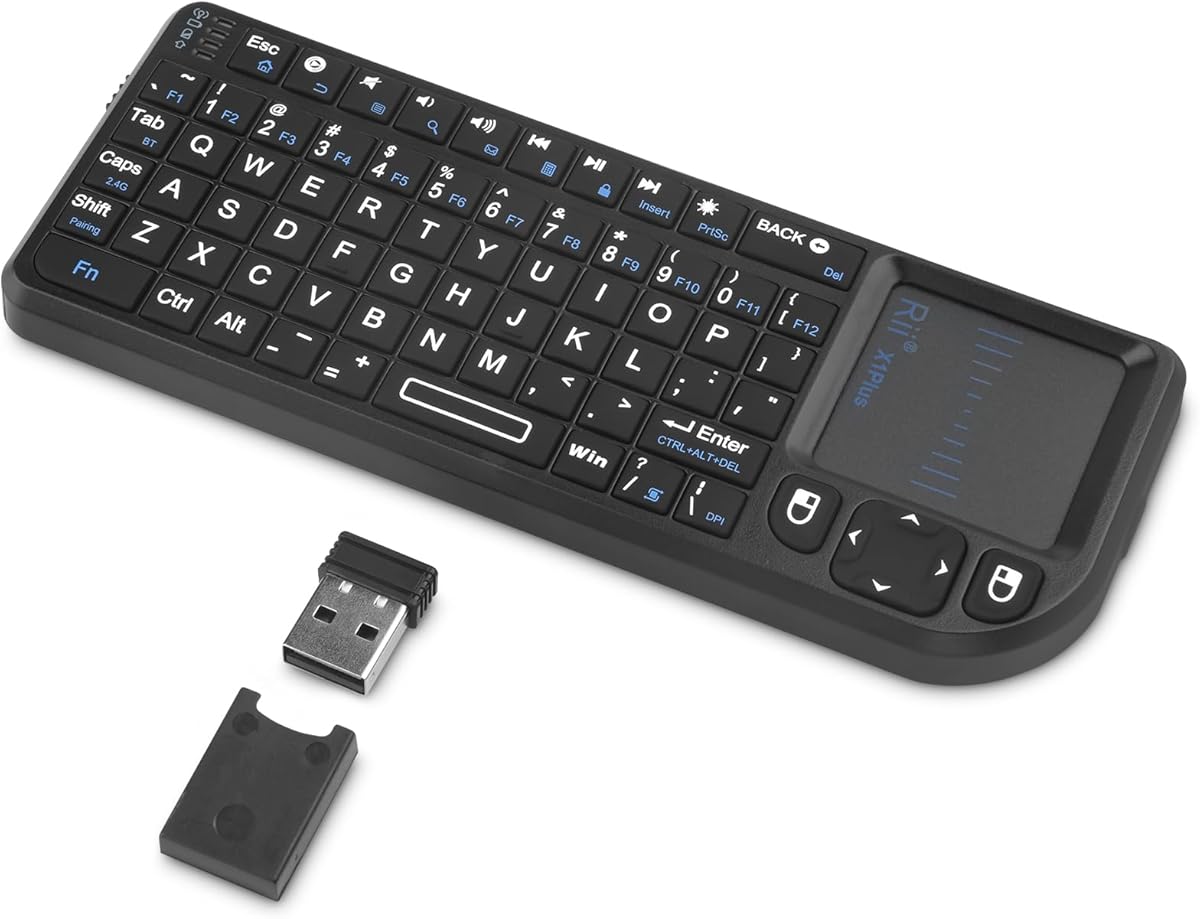
Rii Mini 2.4G Bluetooth Keyboard with Backlit and Touchpad for Smart TV,HTPC
4.4Editor score
Dual mode 2.4G and Bluetooth
USB-C rechargeable battery
Ultra-portable compact size
This guide compares the top Htpc Keyboard options for 2026, evaluating connectivity, build quality, and touchpad performance to help you choose the right model.
Finding the right Htpc Keyboard can transform your living room entertainment setup into a seamless media center experience. These specialized keyboards combine typing functionality with integrated touchpads, allowing you to navigate smart TVs and streaming boxes without needing a separate mouse. The best models offer reliable wireless connectivity, long battery life, and comfortable key layouts designed for couch use.
We have carefully evaluated the leading Htpc Keyboard options available in November 2026 to bring you this comprehensive roundup. Our analysis focuses on connectivity stability, build durability, compatibility with various operating systems, and overall user experience. Each product on this list has been selected based on its ability to deliver consistent performance for home theater PC setups and smart TV navigation.
Each pick in this guide highlights specific strengths such as budget-friendly pricing, premium materials, or advanced multi-device connectivity features. You will find detailed insights into touchpad responsiveness, backlight options, and battery performance for every model reviewed. Please note that product availability and pricing may change frequently, so verify current details before making your final purchase decision.
4.4Editor score

4.4Editor score

4.2Editor score
This side-by-side comparison highlights the key specifications and capabilities of the ten leading Htpc Keyboard models evaluated in this guide to help you make an informed decision based on your specific needs.




The Logitech K400 Plus stands out as the most reliable Htpc Keyboard for home theater setups with its proven track record and user-friendly design. With a rating of 4.4 stars, this keyboard delivers consistent performance for navigating smart TVs and media PCs without requiring a separate mouse. Its integrated touchpad and comfortable key spacing make it ideal for extended couch use.
We may earn a commission when you buy through this link, at no additional cost to you.
This model features a robust wireless connection with a range of up to 33 feet ensuring you can control your device from anywhere in the living room. The battery life is exceptional lasting up to 18 months on a single set of batteries which reduces maintenance headaches. Additionally the spill-resistant design offers peace of mind against accidental liquid spills during movie nights.
While it lacks backlighting which might be a downside for dark room use the functionality outweighs this limitation for most users. The touchpad is responsive enough for web browsing and media control though it may feel slightly large for smaller hands. Overall the reliability and battery efficiency make this a top choice for those prioritizing stability.
Anyone building a PC connected TV setup should consider the K400 Plus for its seamless plug and play experience. It works well with Windows and Android systems making it versatile for various media center configurations. The combination of durability and long-term value solidifies its position as the best overall pick in this category.
Dedicated media keys allow quick access to play pause and volume controls without leaving your content.
The keyboard layout is designed for relaxed typing from the couch with keys spaced to reduce finger fatigue.
We may earn a commission when you buy through this link, at no additional cost to you.
The Rii Mini 2.4G BT offers exceptional value for users seeking a functional Htpc Keyboard without breaking the budget. Rated at 4.4 stars it combines Bluetooth and 2.4G connectivity options to ensure compatibility with almost any device. The backlight feature is a significant advantage for those who use their media center in low light environments.
We may earn a commission when you buy through this link, at no additional cost to you.
This keyboard features a modern USB-C charging port which eliminates the need for disposable batteries and ensures you always have power when needed. The rechargeable battery lasts over 30 days on a single charge providing weeks of use before needing a top up. Its size is roughly that of an iPhone making it highly portable for travel or moving between rooms.
The trade-off for the budget price is a simpler build compared to premium aluminum models but it remains durable enough for daily home use. The touchpad is responsive and supports basic gestures for navigation though it lacks the precision of larger pads. For users prioritizing price and backlighting this model delivers significant utility.
This keyboard is ideal for students or casual users who need a reliable typing and navigation solution for smart TVs or boxes. The dual connectivity options ensure you can use it with devices that lack Bluetooth or vice versa. It remains a top recommendation for anyone looking for affordability without sacrificing essential features.
Supports both Bluetooth and 2.4G connections for maximum compatibility with older and newer devices.
Integrated white LED backlight ensures keys are visible even in pitch dark living room settings.
We may earn a commission when you buy through this link, at no additional cost to you.
The Arteck Multi-Device keyboard caters to users who manage multiple devices from a single couch setup. With a rating of 4.2 stars it offers a premium feature set including the ability to switch between three devices effortlessly. This makes it perfect for households that use Windows Mac and Android devices interchangeably for media consumption.
We may earn a commission when you buy through this link, at no additional cost to you.
This model supports both 2.4G wireless and Bluetooth connectivity ensuring stable connections regardless of your device capabilities. The dedicated media hot keys provide quick access to play pause and volume controls streamlining your interaction with streaming services. A charging cable is included allowing you to power the device without worrying about battery replacements.
While it lacks backlighting the build quality and feature set compensate for this omission in well lit environments. The keyboard layout is full size enough to be comfortable for typing but compact enough to hold on a lap. The touchpad is integrated smoothly allowing for cursor movement without needing a separate mouse.
Power users and multi device owners will appreciate the flexibility and convenience this keyboard provides. The ability to switch devices with a single click saves time and reduces clutter in your entertainment area. It stands out as the best premium option for those who need advanced connectivity without paying a premium price.
Seamless switching between three devices improves productivity and convenience for complex home setups.
Extensive media keys let you manage playback and system functions without navigating menus.
We may earn a commission when you buy through this link, at no additional cost to you.
The Arteck Universal Backlit adds a touch of style to your media setup with its seven unique backlight color options. Rated at 4.1 stars this keyboard is designed for users who want visual customization alongside standard functionality. The Bluetooth connectivity ensures a clean wireless experience without the need for a USB receiver in many cases.
We may earn a commission when you buy through this link, at no additional cost to you.
This model features an auto sleep function that maximizes power usage when the keyboard is not in use. The backlight levels can be adjusted to suit your environment and reduce strain in dark rooms. It is compatible with a wide range of operating systems including Windows macOS and Android making it versatile for diverse ecosystems.
The touchpad provides easy control for your TV connected computer though some users may find it slightly small compared to full size laptops. Battery life is decent but using the backlight will naturally drain it faster so users should manage usage accordingly. The 33 foot range ensures you can control devices from across the room effectively.
This keyboard is perfect for tech enthusiasts who enjoy customizing their gear and need a reliable Htpc Keyboard. The Bluetooth support makes it ideal for devices with limited USB ports such as tablets or thin laptops. It balances style and function well for those prioritizing aesthetics in their home theater setup.
Choose from seven backlight colors to match your room decor or personal preference.
Auto sleep mode helps extend battery life by powering down when not in active use.
We may earn a commission when you buy through this link, at no additional cost to you.
The Arteck 2.4G Wireless distinguishes itself with a solid stainless steel body that offers superior durability compared to plastic models. With a 4.2 star rating it is built to withstand daily use and provide a sturdy typing experience. The full size keyboard layout ensures comfortable typing for longer sessions which is rare in compact Htpc designs.
We may earn a commission when you buy through this link, at no additional cost to you.
This model relies on a stable 2.4G connection via a nano USB receiver ensuring low latency and consistent performance. The touchpad mouse is integrated directly into the chassis allowing for seamless navigation without extra peripherals. It is compatible with various Windows systems and Chrome OS making it a reliable choice for PC based media centers.
While the stainless body adds weight it also provides a premium feel and scratch resistance that plastic cannot match. The lack of Bluetooth limits its use to devices with USB ports but the connection is generally more stable than Bluetooth alternatives. The media hot keys are well placed for quick access to entertainment functions.
Users looking for a keyboard that feels like a full desktop peripheral will appreciate this design. The build quality is its standout feature ensuring longevity in busy household environments. It is an excellent choice for those who prioritize physical robustness and typing comfort over portability.
Stainless steel frame resists wear and tear better than standard plastic materials.
Full size layout reduces finger strain during extended typing or browsing sessions.
We may earn a commission when you buy through this link, at no additional cost to you.
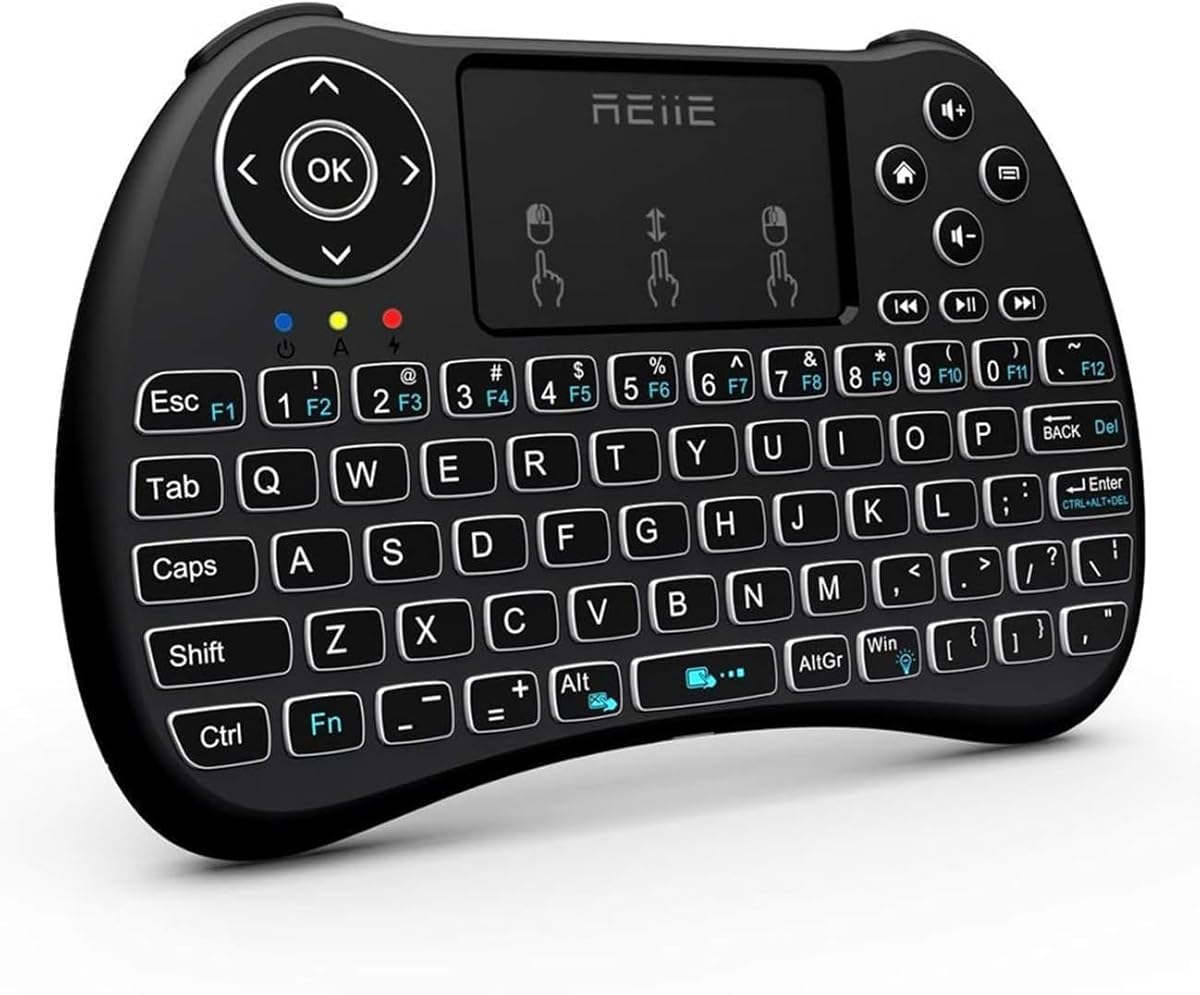
The REIIE H9+ Mini is an ideal choice for users running Raspberry Pi or similar compact computing projects. Rated at 4.3 stars it offers a compact handheld design that fits comfortably in one hand. The white soft backlight ensures you can see keys in the dark without the distraction of multi-color LEDs.
We may earn a commission when you buy through this link, at no additional cost to you.
This keyboard features a multi-finger touchpad that supports left right click and scrolling gestures enhancing usability beyond simple typing. The plug and play setup via 2.4G USB makes it easy to integrate into existing setups without driver installation. It is compatible with Windows Android and TV boxes making it versatile for various single board computers.
One consideration is that the batteries may need to be recharged before first use due to shipping safety protocols. The lack of Bluetooth limits connectivity to devices with USB ports but the 2.4G connection is generally stable. The compact size makes it highly portable and less intrusive on a coffee table or shelf.
This keyboard is particularly suited for enthusiasts building custom media centers or using portable devices. The affordability and functional layout make it a practical choice for entry level Htpc setups. Its design prioritizes utility and portability which aligns well with single board computer projects.
Handheld design allows easy manipulation and storage in tight entertainment spaces.
Multi-finger touchpad provides intuitive cursor control and scrolling options.
We may earn a commission when you buy through this link, at no additional cost to you.
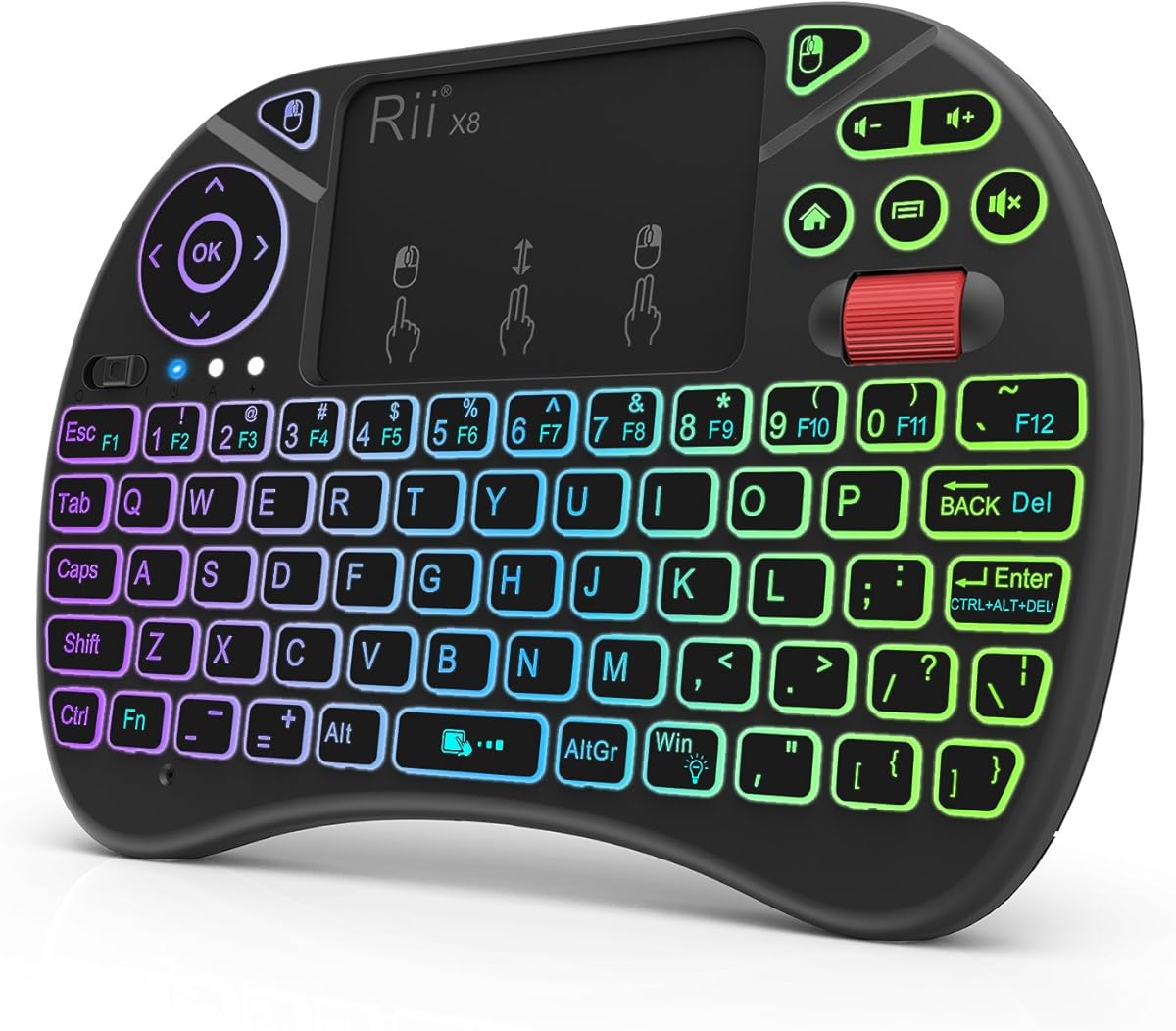
The Rii X8 Mini is designed with Android TV Box users in mind providing a compact solution for navigation and typing. With a 4.2 star rating it features a vibrant 8-color RGB backlight that adds flair to your media center. The included scroll wheel offers an efficient way to browse lists and web pages quickly.
We may earn a commission when you buy through this link, at no additional cost to you.
This keyboard comes with a built-in rechargeable lithium-ion battery which eliminates the need for frequent battery replacements. The mini QWERTY layout is optimized for handheld use while retaining standard key functionality. It supports multi-touch functions allowing for right clicks and copy paste actions directly from the touchpad.
Users with Amazon Fire TV devices may need a specific OTG cable which is a minor hurdle to consider before purchase. The 2.4G wireless connection ensures stable communication with your TV box without interference. The compact design fits well on armrests or tables making it easy to manage while relaxing.
This model is perfect for users who want a feature-rich keyboard at a budget price point. The RGB backlight and scroll wheel set it apart from basic models offering enhanced utility. It remains a strong contender for Android TV enthusiasts looking for a dedicated input device.
Scroll wheel provides quick access to long lists without scrolling with touchpad.
8-color RGB backlight enhances visibility and adds aesthetic appeal to dark rooms.
We may earn a commission when you buy through this link, at no additional cost to you.
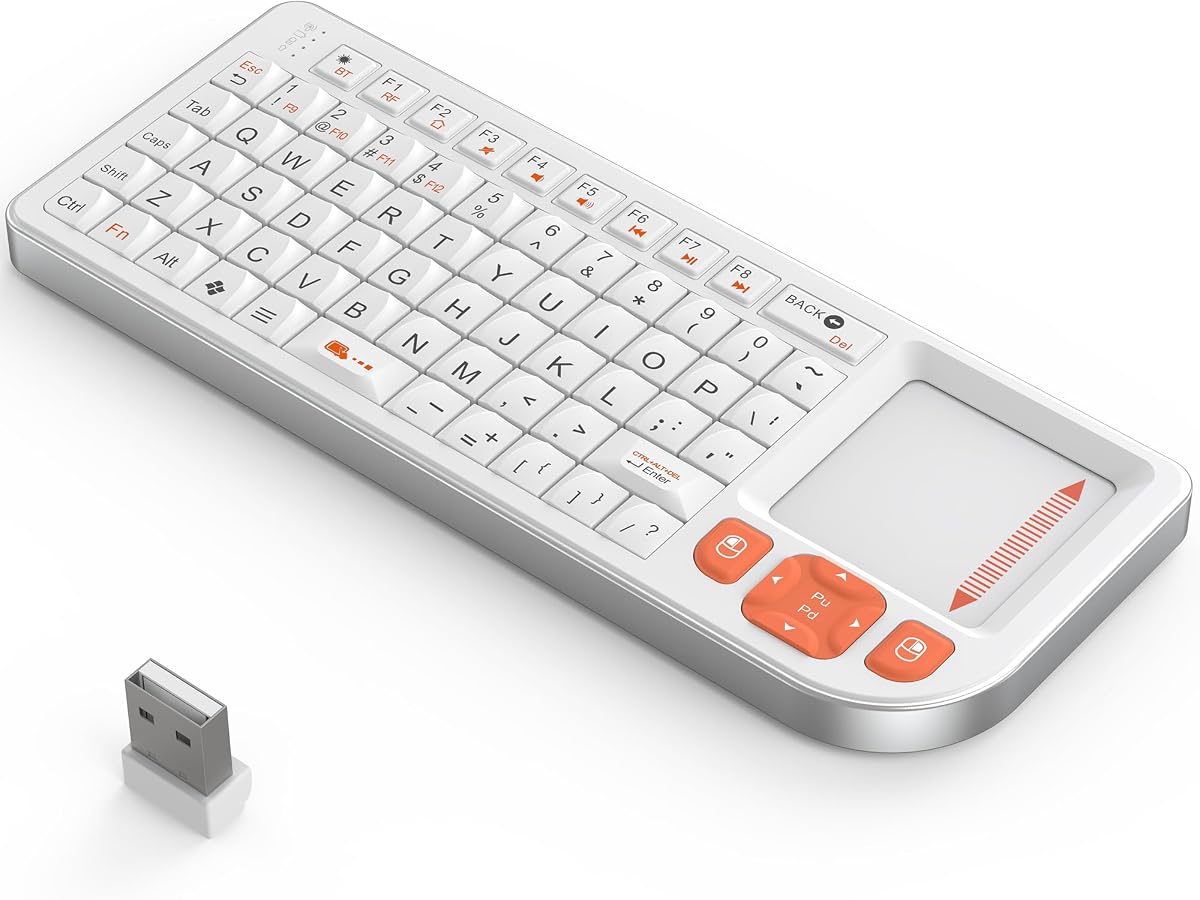
The Rapoo Mini Wireless offers exceptional versatility for users juggling multiple operating systems and devices. Rated at 3.8 stars it allows connection to up to four devices across Windows Mac Android and Chrome OS. The ability to switch modes via function keys makes it adaptable for laptops tablets and desktops alike.
We may earn a commission when you buy through this link, at no additional cost to you.
This keyboard features a tri-mode wireless system including Bluetooth and 2.4G ensuring connectivity across different hardware generations. The ultra-thin design allows it to fit easily into bags and cases making it perfect for travel. It supports multi-finger gestures which enhances navigation for users who rely on touchpad functionality heavily.
The lower average rating suggests some variability in quality control or connection stability compared to top competitors. However the feature set remains impressive for the price and convenience it provides. The dedicated media hotkeys allow quick access to entertainment controls without needing to navigate complex menus.
This is a great option for users who need a portable Htpc Keyboard for multiple environments. Whether working on a Mac at home and a PC on the go it handles the transition smoothly. It is best suited for those who prioritize portability and cross-platform compatibility above all else.
Switch between OS modes effortlessly to match your current device's needs.
Ultra-thin profile fits easily into backpacks for on-the-go productivity.
We may earn a commission when you buy through this link, at no additional cost to you.
The K809 Mini Keyboard stands out for its high-end aluminum alloy frame that offers a premium feel. Rated at 4.2 stars it combines durability with an ultra-slim profile that is lightweight for travel. The scratch-resistant surface helps maintain a clean look over time which is often an issue with plastic keyboards.
We may earn a commission when you buy through this link, at no additional cost to you.
This model features a large 1000mAh rechargeable battery that eliminates battery anxiety during long sessions. Dual mode connectivity via Bluetooth and 2.4G ensures you can use it with virtually any device. The compact size is engineered for maximum portability without sacrificing typing comfort for casual use.
The fingerprint-proof metal surface keeps it looking new but may require occasional wiping if oils build up. The lightweight design makes it easy to slip into a pocket or small bag for immediate access. It supports a wide range of devices including Smart TVs and Android tablets for versatile usage.
Anyone wanting a stylish and durable keyboard for home and travel will appreciate this build. The battery capacity is excellent for users who prefer long charging intervals. It is a strong contender for those who want a premium look without the high price of luxury brands.
Aluminum alloy construction provides a sleek look and sturdy tactile feedback.
High capacity battery ensures weeks of use on a single charge.
We may earn a commission when you buy through this link, at no additional cost to you.
The Fosmon Mini Keyboard leverages Bluetooth 5.2 for fast and reliable wireless connectivity. Rated at 4.0 stars it features a backlit layout that is perfect for use in dark living rooms. The compact design fits comfortably in the palm of your hand while offering full QWERTY functionality.
We may earn a commission when you buy through this link, at no additional cost to you.
This model includes a rechargeable lithium-ion battery that can last up to 10 days on continuous use. The LED indicators let you know the battery status so you never run out unexpectedly. It supports a wide range of devices including Apple TV Google TV and PS4 for versatile home theater control.
Note that it is not compatible with Xbox consoles which limits its use for some gamers. The USB-C charging makes power management easy and modern. The wireless range of 33 feet ensures you can navigate content from anywhere in the room without interruption.
This keyboard is suitable for users who want a modern connection protocol and backlighting. It balances functionality and cost well for general media consumption. It is a reliable choice for smart TV owners looking for an affordable Bluetooth option.
Bluetooth 5.2 ensures stable connection and better power efficiency for compatible devices.
Backlit keys ensure visibility in low light environments without straining your eyes.
We may earn a commission when you buy through this link, at no additional cost to you.
Selecting the right Htpc Keyboard requires considering several key factors to ensure it meets your specific home theater or streaming needs.
Most Htpc Keyboards offer 2.4G wireless via USB dongle or Bluetooth. 2.4G typically provides a stable connection ideal for media centers but uses a USB port. Bluetooth is cleaner but depends on device support. Look for models with dual mode if you want flexibility.
Choose Bluetooth if your device supports it to save USB ports. Opt for 2.4G if you prioritize connection stability over cable clutter.
A built-in touchpad is essential for replacing a mouse on the couch. Look for multi-finger gestures like scrolling and right-click support. The size and responsiveness of the touchpad impact your browsing experience significantly.
Ensure the touchpad supports basic gestures to make navigation intuitive. A larger surface area can be easier to use than a tiny one.
Backlighting helps you find keys in dark rooms where media centers are often located. White LED is standard while RGB adds style. Ensure the brightness levels are adjustable to prevent glare during movies.
Prioritize models with backlight if you watch TV in the evening. Adjustable brightness settings help balance visibility with comfort.
Battery type and capacity vary between disposable and rechargeable options. Rechargeable batteries reduce waste and cost over time but require charging. Disposable batteries offer convenience but need replacement.
Look for USB-C charging on rechargeable models for modern convenience. If using disposables, check the expected lifespan to avoid frequent changes.
Build materials impact durability and typing feel. Aluminum frames feel premium and sturdy while plastic is lighter. A spill-resistant design can save your keyboard from accidental drinks.
Select a build that fits your usage style. Metal is better for long term use while plastic might suffice for casual needs.
Ensure the keyboard works with your operating system whether it is Windows Android macOS or Linux. Some models support specific smart TV OSes. Check for OS switching features if you use multiple platforms.
Verify compatibility lists before buying to avoid connection issues. Multi OS support adds value if you switch devices often.
Mini keyboards are more portable while full size offers typing comfort. Consider how much space you have on your coffee table. Handheld designs are easier to carry around the house.
Choose a compact design if portability matters. A full size layout is better if you type frequently from the couch.
Dedicated media keys allow direct control of volume and playback. This eliminates the need to navigate on-screen menus constantly. Look for buttons that match your common media apps.
Prioritize models with dedicated play and volume keys for convenience. These save time and enhance your viewing experience.
To begin using your Htpc Keyboard, insert the USB dongle into your device or pair via Bluetooth through system settings. Ensure the keyboard is powered on and within range for a stable connection. Test the touchpad and keys to confirm responsiveness before diving into media content.
Maintain the keyboard by keeping it dry and away from liquids. If your model has a metal finish, wipe it with a soft cloth to remove fingerprints. For rechargeable models, charge the battery every few weeks to keep it healthy and functional.
Store the keyboard in a cool place when not in use to extend battery life. If you plan to travel, place it in a protective case or sleeve to avoid damage to the keys. Regular updates to device drivers may improve performance and compatibility over time.
An Htpc Keyboard is designed for controlling home theater PCs and smart TVs from the couch. It combines typing capabilities with a touchpad for navigation, eliminating the need for a separate mouse and keyboard. This makes it ideal for web browsing, media control, and inputting text on large screens.
Most Htpc Keyboards work with Smart TVs via USB ports or Bluetooth. However, some older TVs may lack these ports or support. Check the TV's connectivity options and verify compatibility with the keyboard model before purchasing to ensure smooth setup.
2.4G offers a more stable and consistent connection which is great for media streaming. Bluetooth provides a cleaner setup without dongles but may have occasional latency. Dual mode models offer the best of both worlds depending on your device capabilities.
Battery life varies by model from a few weeks to over a year. Rechargeable options typically last weeks per charge while disposable models can last months. Check the product specifications to choose a battery life that fits your usage habits.
Many models support macOS but some features might differ from Windows. Look for keyboards with Mac mode or OS switching capabilities. Compatibility lists in the product description will confirm if it works with your specific Mac version.
Backlighting is not strictly necessary but helps in dark rooms where lights are dimmed. If you use your media center mostly in daylight, it might not be needed. For evening users, it prevents eye strain and improves usability significantly.
Some premium models allow connection to multiple devices and switching between them with a key press. This feature is useful if you share a living room between PC and TV. Check if the model supports multi-device switching in its specs.
If the touchpad malfunctions, try re-pairing the connection or resetting the device. Ensure it is not in sleep mode or disconnected. Sometimes a simple reboot of the connected device resolves connection issues affecting the touchpad.
The top picks in this guide like the Logitech K400 Plus and Rii Mini offer reliable solutions for various user needs. Each model brings unique strengths whether it is long battery life or customizable backlighting options. Your choice depends on how you plan to use the keyboard daily.
Prioritize features like connectivity stability and touchpad responsiveness when making your decision. Ensure the keyboard supports your operating system to avoid compatibility headaches later. Balancing price with features will help you find the best value for your setup.
Prices and availability change frequently so check current listings before buying. Verify the latest product details to ensure they match your expectations. Investing in the right Htpc Keyboard will enhance your home entertainment experience significantly.