
Learning Resources Code & Go Robot Mouse Activity Set
4.5Editor score
Ideal for ages 4+
Includes maze grids
Teaches sequencing skills
This guide compares the top ten coding toys for kids in 2026, evaluating screen-free options, robotics kits, and educational value for young learners.
Coding toys introduce children to programming logic through hands-on play without needing a screen. These tools help build problem-solving skills, creativity, and confidence in young minds.
We evaluated ten popular robotics and coding kits based on age appropriateness, educational depth, and ease of use. Each product was selected for its ability to teach core concepts effectively.
This list shows our top choices for different budgets and skill levels. Prices fluctuate frequently, so please check the current offer before making a purchase decision for your child.
4.5Editor score

4.1Editor score

4.6Editor score
The following table provides a side-by-side overview of key specifications for each coding toy to help you find the right fit for your child.






The Thames & Kosmos My Robotic Pet is a standout option for children ready to explore robotics. It wins our top pick because it blends physical building with interactive coding without needing a tablet.
We may earn a commission when you buy through this link, at no additional cost to you.
Kids assemble a realistic chameleon that reacts to gestures and colors. The color sensor and physical cards teach coding logic through tangible interactions that keep children engaged for hours.
The build process is detailed and may require patience from younger children. However, this complexity ensures they understand the mechanics of robotics rather than just pushing buttons.
This kit is perfect for curious kids who enjoy building things. We recommend it for anyone looking for a screen-free STEM toy that encourages deep learning.
The articulated joints and sensor technology mimic real robotic behaviors.
Three distinct modes allow for varied play styles and learning depths.
We may earn a commission when you buy through this link, at no additional cost to you.
The Makeblock mBot is an excellent entry point for kids interested in the deeper technical side of robotics. It allows learners to build a robot and then program it using industry-standard tools.
We may earn a commission when you buy through this link, at no additional cost to you.
Its compatibility with LEGO parts makes it highly expandable. Children can customize their robot extensively while learning about sensors, motors, and structural integrity.
Setting up the software environment might take a few minutes. But the comprehensive tutorials ensure that beginners can start coding effectively without frustration.
We suggest this for kids who want to grow into advanced programming. It is a robust platform that supports long-term interest in engineering.
Connects to hundreds of electronic modules for endless creativity.
Guides users from block coding to text-based languages smoothly.
We may earn a commission when you buy through this link, at no additional cost to you.
The Sphero Mini packs a surprising amount of technology into a tiny ball. It serves as a fun introduction to robotics for kids who enjoy gaming and movement.
We may earn a commission when you buy through this link, at no additional cost to you.
Children can drive it using their body movements or code paths with drag-and-drop blocks. The included cones and pins help set up obstacle courses instantly.
The battery life is decent but not infinite. Users need to manage charge times if they plan long play sessions with multiple children.
This robot is ideal for active play. It brings coding to life by making the robot move in ways that feel like magic to young learners.
Use the robot as a controller for built-in arcade style games.
Teach JavaScript for those ready to move beyond block coding.
We may earn a commission when you buy through this link, at no additional cost to you.
This robot mouse is perfect for introducing coding logic to very young children. It teaches sequencing and problem-solving in a way that feels like a fun puzzle game.
We may earn a commission when you buy through this link, at no additional cost to you.
Kids program the mouse by pressing buttons on its back. The mouse then moves through a maze built with the included grids and walls to find the cheese.
The simplicity of the mouse means it cannot do complex tricks. However, this simplicity is exactly why it is so effective for early learners.
We recommend this for preschoolers and kindergarteners. It builds a foundation for coding concepts that will serve them well in the future.
Designed specifically for children starting to understand directions.
Durable design works well for teacher-led small group activities.
We may earn a commission when you buy through this link, at no additional cost to you.
The Mech-5 stands out because it focuses heavily on mechanical principles alongside coding. Kids build a robot that can physically interact with objects like lifting or kicking.
We may earn a commission when you buy through this link, at no additional cost to you.
The assembly process is a major part of the experience. It teaches patience and precision while showing how different parts work together to create motion.
The build time is substantial compared to simpler toys. Some children might get frustrated if they want instant results without putting in the effort.
We suggest this for older kids who enjoy tools and building. It rewards dedication with a robot that performs impressive physical tasks.
The robot is built to perform dynamic actions like drawing and lifting.
Understands how gears and motors translate code into movement.
We may earn a commission when you buy through this link, at no additional cost to you.
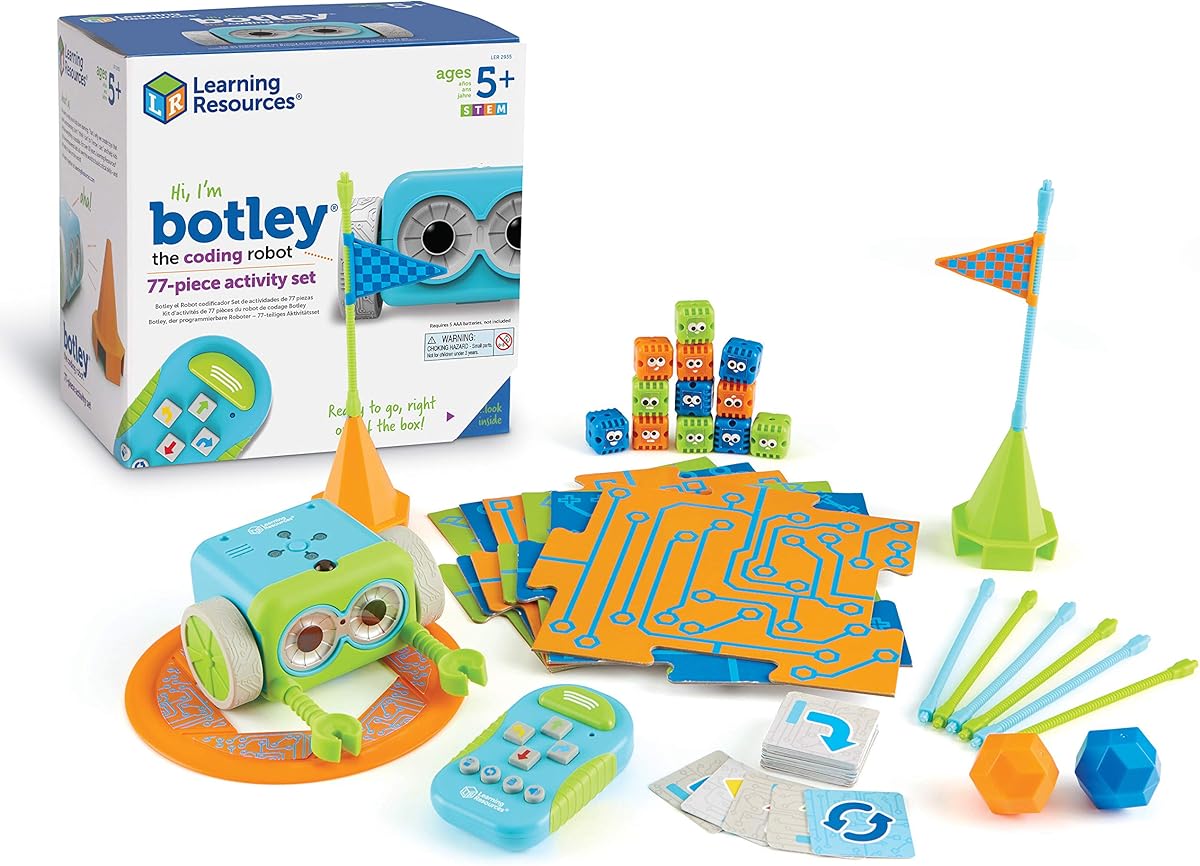
Botley is a classic choice for kids who want to code without using a screen. It uses a remote programmer to send commands that make the robot navigate mazes.
We may earn a commission when you buy through this link, at no additional cost to you.
The robot can detect objects and avoid them automatically. This feature teaches kids about sensors and how robots interact with their environment safely.
The set includes many pieces but requires several batteries to operate. Parents should keep fresh batteries on hand to ensure play is not interrupted.
We recommend this for kids in elementary school. It balances fun with solid educational value that teaches logical sequencing effectively.
Lights and sounds provide immediate feedback on program execution.
Kids can program the robot to repeat sequences of actions.
We may earn a commission when you buy through this link, at no additional cost to you.
The Ozobot Evo is unique because it reads color codes drawn on paper. This allows kids to draw their own mazes and programming paths instantly.
We may earn a commission when you buy through this link, at no additional cost to you.
It offers a progression of skills from basic to advanced. This ensures the toy remains useful as the child learns more complex concepts over time.
The cost is higher than many other options. However, the educational resources and durability justify the investment for schools or serious learners.
We suggest this for teachers and creative kids. It merges art with technology in a way that feels natural and rewarding.
Teaches logic through drawing colors on physical paper paths.
Hundreds of free lessons available for structured learning.
We may earn a commission when you buy through this link, at no additional cost to you.
The Botley 2.0 improves on the original with more movement capabilities. It can now make turns and react to objects in more sophisticated ways.
We may earn a commission when you buy through this link, at no additional cost to you.
Secret codes unlock new behaviors and make play feel like a game. This keeps children interested in exploring the full potential of the robot.
The price is slightly higher but offers better value. The improved mechanics mean the robot can solve more complex puzzles.
We recommend this for kids ready for more challenges. It builds confidence by allowing more intricate program designs.
Music and lights respond to specific commands and situations.
Encourages longer sequences of logical instructions.
We may earn a commission when you buy through this link, at no additional cost to you.
Dash is designed to feel like a friendly companion rather than just a tool. It can sing and dance to music which makes coding feel like play.
We may earn a commission when you buy through this link, at no additional cost to you.
It connects to five different apps that offer varied learning experiences. This flexibility ensures there is always something new to explore with the robot.
The price is higher than basic sets but the experience justifies it. The battery life is excellent allowing for extended sessions without interruption.
We suggest this for kids who want a personal robot. It creates a strong emotional bond that motivates learning.
The robot expresses personality through sound and movement.
Different apps focus on different coding concepts for variety.
We may earn a commission when you buy through this link, at no additional cost to you.
The TaleBot Pro is perfect for the youngest children who are just starting to learn. It focuses on simple sequences that control movement and storytelling.
We may earn a commission when you buy through this link, at no additional cost to you.
Children can record their own voices to create stories. This builds language skills alongside basic logic skills in a fun way.
It is not complex enough for older kids. However, for its target age group, it is the right level of difficulty to succeed.
We recommend this for preschoolers and toddlers. It makes learning about order and sequences easy and engaging.
Recording features help children practice verbal storytelling skills.
Fits with building blocks for added play possibilities.
We may earn a commission when you buy through this link, at no additional cost to you.
Choosing the right coding toy depends on the child's age, interests, and your goals for their learning.
Look for toys designed for the specific age range of your child. Younger kids need simple buttons and screens, while older ones may enjoy complex coding interfaces.
Always check the manufacturer's age recommendations before buying.
Decide if you want a robot that uses a tablet or one that runs on physical buttons. Screen-free toys help reduce device time and focus on tangible skills.
Screen-based options often offer more advanced programming features.
Consider what concepts the toy teaches such as sequencing, loops, or robotics basics. The best toys align with school curriculums or STEM goals.
Look for resources like manuals or online lessons to extend learning.
Some kits require building which adds to the learning experience. Others come pre-assembled so play can start immediately.
Choose build time based on how much patience your child has.
Check if the robot can be upgraded with extra parts. Expandable kits keep children interested for longer periods.
Compatibility with other brands adds value to your purchase.
Ensure the materials are strong enough to handle play. Sturdy robots are less likely to break during active use.
Plastic and metal parts often hold up better than fragile components.
Always insert the correct batteries to avoid damage to the device. Replace them as soon as the light indicators show they are low.
Store the robot in a dry place when not in use to prevent moisture damage. Keep small parts in a safe container to avoid loss.
Follow the instruction manual to learn basic commands before trying advanced coding. This ensures a smooth and frustration-free start.
Yes, most of the toys on this list are designed specifically for beginners. They offer intuitive interfaces and tutorials to help new learners get started easily without prior knowledge.
Most of these products do not include batteries in the box. You will need to purchase AA or AAA batteries separately to power the robots effectively.
Many of these toys are durable enough for school environments. Teachers can use them for STEM centers or structured coding lessons effectively.
Yes, screen-free options teach logical thinking without distraction. They focus entirely on the physical actions and sequencing concepts which are foundational.
Some robots require a tablet to program which needs internet for updates. Others work completely offline with physical cards or buttons without needing Wi-Fi.
This range spans from toddlers to pre-teens. Select the specific model that matches your child's current developmental stage and interest level.
We recommend the Thames & Kosmos Robotic Pet for its balance of build and fun. The Code & Go Mouse is great for younger kids and the Dash for older learners.
Prioritize the features that match your child's interests. If they love building choose a kit and if they love stories choose a narrative-focused robot.
Prices change frequently so please check the current links before buying. This ensures you get the best value for your investment in education.