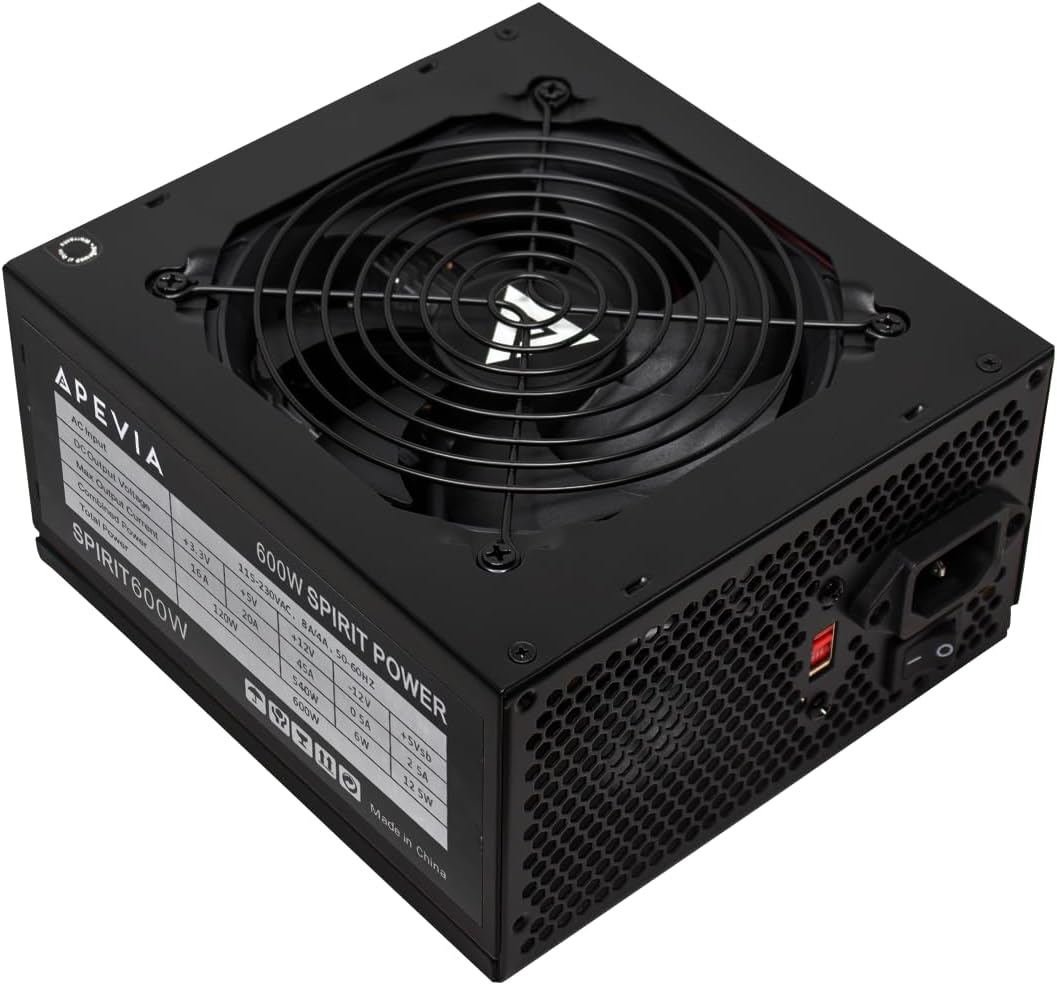
Apevia SPIRIT600W
4.3Editor score
600W ATX Power
Full Protection Suite
120mm Cooling Fan
This guide compares the top budget power supplies for gaming PCs offering reliable wattage efficiency and safety features for builders seeking value without
Choosing the right power supply is crucial for any gaming PC build. A reliable unit ensures stability and protects your components from damage. Budget options often lack features but can still perform well for entry level systems.
We evaluated ten top rated models based on efficiency ratings wattage output and safety protections. Each unit was selected for its value proposition and compatibility with common gaming hardware configurations.
Each pick highlights key strengths and potential drawbacks to help you decide. Prices fluctuate frequently so check current listings before purchasing to ensure you get the best deal available today.
4.3Editor score

4.7Editor score

4.6Editor score
Below is a side by side comparison of all ten selected power supplies. Review wattage efficiency certifications and connector types to find the perfect match for your system needs.



The Apevia SPIRIT600W offers a solid entry point for budget builders needing reliable power. With a 4.3 rating it provides basic functionality without unnecessary costs.
We may earn a commission when you buy through this link, at no additional cost to you.
Its 600W output supports dual and quad core processors effectively. The 120mm fan ensures adequate cooling while the split cable design allows compatibility with older motherboards.
While lacking modern efficiency certifications it delivers consistent voltage across rails. The protection suite guards against surges and shorts which is vital for component longevity.
This unit is ideal for office builds or light gaming rigs. If you need maximum efficiency or modular cables look elsewhere but for pure value it stands out.
The single 12V rail design supports higher power usage for graphics cards without stability issues.
Multiple protection layers including over voltage and short circuit detection keep your system safe.
We may earn a commission when you buy through this link, at no additional cost to you.
Thermaltake SMART 600W delivers consistent performance with 80 Plus certification. It meets Intel standards for modern desktop systems efficiently.
We may earn a commission when you buy through this link, at no additional cost to you.
The active PFC improves power factor and reduces energy waste. Two PCIe connectors allow mid range GPU support without extra adapters needed.
It maintains stable output under load with good hold up times. The warranty provides peace of mind for long term usage scenarios.
Great for builders wanting certified efficiency on a budget. The non modular design adds clutter but performance remains reliable across tasks.
The 80 Plus certification ensures at least 80 percent efficiency under typical loads reducing electricity costs.
Over power and voltage protections prevent damage during unexpected electrical spikes or overloads.
We may earn a commission when you buy through this link, at no additional cost to you.
ARESGAME AGV series targets small builds needing quiet operation. The 500W output suits low power GPUs and integrated graphics well.
We may earn a commission when you buy through this link, at no additional cost to you.
80 Plus Bronze certification ensures decent efficiency without high costs. The fan runs quietly keeping noise levels minimal during gaming sessions.
All black cables improve visual appeal inside the case. The warranty covers potential defects offering solid support for budget conscious buyers.
Ideal for home theater PCs or office workstations. Higher end gaming might require more wattage but this fits entry level needs perfectly.
The ultra quiet 120mm fan provides excellent cooling while maintaining low noise levels during use.
All black cables avoid ugly yellow colors making cable management look cleaner inside your PC case.
We may earn a commission when you buy through this link, at no additional cost to you.
MSI MAG A750GL prepares your system for next generation GPUs. The 12V-2×6 cable eliminates adapters for modern cards.
We may earn a commission when you buy through this link, at no additional cost to you.
Gold certification ensures high efficiency and low heat. The modular design allows neat cable management improving airflow significantly.
A decade of warranty coverage shows confidence in build quality. Compact size fits well in smaller mid tower cases easily.
Perfect for high end builds planning future upgrades. While costly it offers features rare at this price point currently.
ATX 3.1 and PCIe 5.1 readiness means your PSU handles new GPU power demands directly.
The 10 year warranty protects your investment longer than most competitors offer on budget units.
We may earn a commission when you buy through this link, at no additional cost to you.
Segotep 650W brings Gold efficiency to a budget friendly price. It offers reliable power for mid range systems easily.
We may earn a commission when you buy through this link, at no additional cost to you.
The global voltage feature allows use abroad without adapters. Four PCIe connectors support multiple GPUs or future upgrades easily.
Single 12V rail simplifies power distribution for stability. Non modular cables add clutter but performance remains consistent daily.
Great for travelers or budget gamers wanting efficiency. Check space requirements as cables may not route cleanly in tight cases.
Whether traveling or working abroad global voltage adaptation makes this unit versatile worldwide.
80 Plus Gold rating ensures exceptional efficiency reducing power waste and operating costs significantly.
We may earn a commission when you buy through this link, at no additional cost to you.
ASRock PRO 750G combines high power with low noise operation. The native 12V-2×6 connector simplifies modern GPU setups.
We may earn a commission when you buy through this link, at no additional cost to you.
Gold efficiency ensures stable performance without energy waste. The optimized fan keeps noise levels low even under load.
Warranty is shorter than MSI but price is competitive. Universal compatibility fits most cases and system configurations easily.
Excellent for mid range gaming seeking quiet power. Verify your GPU needs match the 450W delivery capability before buying.
The 120mm low noise fan provides effective thermal management while operating quietly.
ATX 3.1 compliance ensures readiness for new components and improved power delivery standards.
We may earn a commission when you buy through this link, at no additional cost to you.
MSI MAG A650BE balances cost and features perfectly. With a 4.7 rating it outperforms most budget competitors.
We may earn a commission when you buy through this link, at no additional cost to you.
Semi modular design keeps essential cables while allowing unused ones removed. The DC-DC circuit improves voltage stability significantly.
Active PFC design boosts efficiency without premium cost. The low noise fan ensures quiet operation during demanding gaming sessions.
Top choice for budget builders wanting reliability and flexibility. It covers most needs without overspending on unnecessary features.
Active PFC design ensures high efficiency and power quality without needing expensive components.
DC-DC circuit design provides precise voltage regulation keeping your components safe and stable.
We may earn a commission when you buy through this link, at no additional cost to you.
MSI MAG A650BN is compact with solid performance ratings. It shares core tech with the BE model but lacks semi modularity.
We may earn a commission when you buy through this link, at no additional cost to you.
Industrial level protections cover all major failure risks. The DC-DC design ensures stable power even under fluctuating loads.
Active PFC improves electrical efficiency reducing system heat. The low noise fan keeps your gaming setup quiet and cool.
Good for small cases needing reliable power. Cable management requires planning since all cables are fixed and bundled.
Industrial level protection ensures over voltage and short circuit issues are handled safely.
The compact form factor fits small PC cases while delivering full 650W performance.
We may earn a commission when you buy through this link, at no additional cost to you.
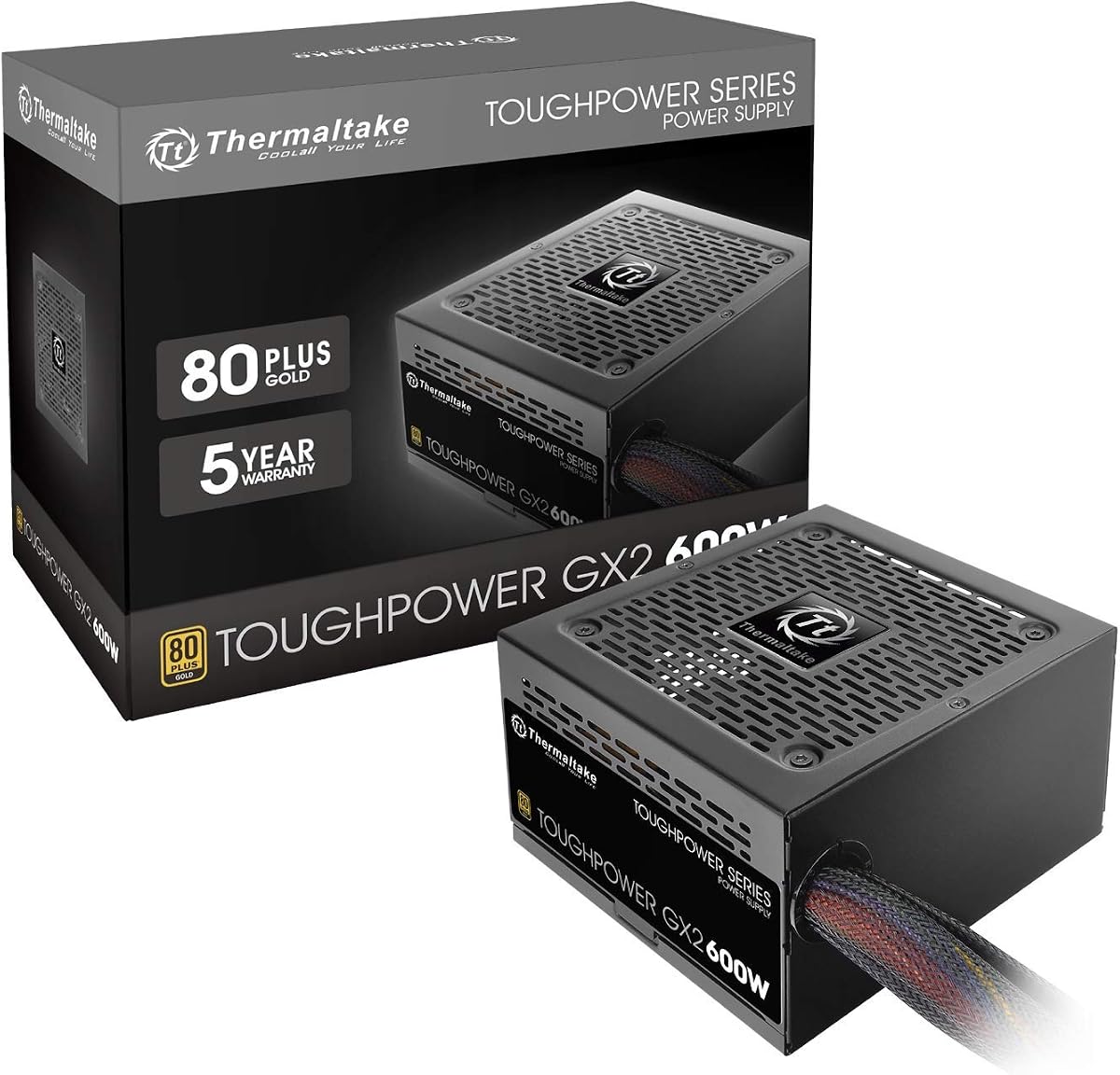
Thermaltake GX2 600W brings Gold efficiency to multi GPU setups. It is ready for SLI or Crossfire configurations easily.
We may earn a commission when you buy through this link, at no additional cost to you.
Single 12V rail supports today GPU power demands efficiently. Low ripple noise protects sensitive components from instability issues.
High quality capacitors enhance overall reliability over time. The 5 year warranty adds confidence to this older model choice.
Best for those needing multi GPU support on a budget. Newer ATX standards may be missing but power remains strong.
SLI and Crossfire ready support allows multiple GPUs for enhanced graphical performance.
Low ripple noise ensures stability for performance critical components like graphics cards.
We may earn a commission when you buy through this link, at no additional cost to you.
Rosewill VSB 650W fits small cases with modern ATX 3.0 support. It includes native 12V-2×6 connectors for next gen GPUs.
We may earn a commission when you buy through this link, at no additional cost to you.
Japanese capacitors ensure long term reliability and heat resistance. The semi modular design balances cable management and cost well.
Compact build allows flexible installation in SFF cases. Safety shield covers essential protection for system security.
Ideal for small form factor builds needing future readiness. Bronze efficiency is lower but acceptable for casual gaming tasks.
Compact build ready design enables flexible small form factor integration in smaller PC cases.
Japanese capacitors rated for high temperatures ensure reliable operation under stress.
We may earn a commission when you buy through this link, at no additional cost to you.
Selecting the right power supply involves considering wattage efficiency and features that match your system requirements. Here are key factors to evaluate.
Determine your total power draw by adding your CPU and GPU requirements. Most budget gaming systems need at least 600W to 650W for headroom.
Always choose a PSU with 20 percent more capacity than your estimated peak usage for stability.
Look for 80 Plus Bronze or Gold certifications to minimize energy waste. Higher efficiency means lower electricity bills and less heat.
Bronze is standard for budget units while Gold offers better savings over time.
Semi modular allows you to plug in only necessary cables. This improves airflow and reduces clutter inside your PC case.
Non modular units are cheaper but harder to manage in compact builds.
Ensure the PSU provides enough PCIe connectors for your graphics card. Modern GPUs often need 6+2 pin or new 12V-2×6 cables.
Check your motherboard needs for 24 pin and 8 pin CPU connectors before buying.
Safety protections like OVP and SCP prevent damage during power surges. These are essential for protecting expensive components.
Reputable brands include multiple protection layers to keep your system secure.
A longer warranty often reflects better build quality and reliability. Look for at least 3 to 5 years of coverage.
Some budget units offer 10 years which can be a strong selling point.
Verify the unit fits your PC case. Standard ATX units are common but some compact cases require SFX form factors.
Measure your case space to avoid installation issues.
A quality fan reduces noise while cooling the components effectively. Look for low noise specifications if you want a quiet build.
Fan size matters too with 120mm fans offering better balance of air flow and sound.
Install the power supply securely in the case using provided screws to prevent vibration. Ensure all cables are firmly plugged into components and motherboard.
Keep air vents clear of dust by cleaning them regularly with compressed air. This maintains cooling efficiency and prevents overheating.
Avoid overloading the unit with too many high power peripherals. Monitor system power usage if adding new components to ensure stability.
For most budget gaming systems 600W is sufficient for entry level GPUs. If you plan to use mid range graphics cards aim for 650W to ensure stable power without strain.
High quality budget units do not affect performance if they meet wattage needs. Avoid no name brands as they may fail and cause instability or crashes during gameplay.
Yes Bronze certification offers adequate efficiency for budget builds. It ensures the PSU wastes less energy than uncertified units saving on electricity costs.
No you should never reuse cables from another unit. Cable pinouts vary between models and can cause short circuits or damage to your components.
Most power supplies last 5 to 7 years depending on usage. If you notice strange noises or instability consider replacing it to protect your hardware.
Semi modular offers better cable management by letting you detach unused cables. Non modular is cheaper but creates more clutter inside your PC case.
We reviewed ten top options ranging from basic models to premium gold rated units. The MSI MAG A650BE stands out as the best value for most builders.
Prioritize efficiency and safety features to protect your investment. While cheaper units save money upfront better ratings can reduce long term costs.
Check current pricing before purchasing as deals change frequently. Always verify your system requirements match the specs before buying today.