
Lenovo V15 Business Laptop
4.4Editor score
Intel N-Series Quad-Core Processor
8GB DDR5 RAM
RJ-45 Ethernet Port
Finding a laptop with a dedicated Ethernet port ensures stable network connectivity for critical tasks. Many modern devices remove this port for sleekness, making reliable options harder to locate for professionals.
We evaluated ten real models based on port availability, performance specs, and build quality. Each entry includes verified details on processor speed, memory capacity, and network interface types.
Each pick highlights specific strengths like business security features or compact design. Note that availability and offers may shift quickly across different retail platforms.
4.4Editor score

4.5Editor score

5.0Editor score
As an Amazon Associate we earn from qualifying purchases.
This side-by-side comparison highlights key specs for each laptop to help you decide based on your specific connectivity and performance needs.





This laptop is a strong budget option for users needing reliable wired connectivity. It scores well for daily office work and includes the essential Ethernet port directly on the chassis.
We may earn a commission when you buy through this link, at no additional cost to you.
The Intel N-Series processor handles web browsing and document tasks smoothly. With DDR5 RAM and a PCIe SSD, boot times and file access remain efficient for standard productivity.
While storage is limited, the design supports typical business software. The RJ-45 port ensures you avoid dongles for network access, which is crucial for stability.
Buy this if you need an affordable workhorse with a physical Ethernet jack for your office setup.
The N150 processor delivers up to 3.6GHz speed, ensuring smooth operation for common office applications.
Includes USB-C, HDMI, and Ethernet to support various peripherals without needing extra adapters.
We may earn a commission when you buy through this link, at no additional cost to you.
This model upgrades memory to 16GB of LPDDR5 RAM for better multitasking. It keeps the Ethernet port and adds security features like a privacy shutter.
We may earn a commission when you buy through this link, at no additional cost to you.
The AMD Ryzen 3 processor supports efficient multitasking. With ample storage and faster memory, this system handles multiple apps without lag.
The MIL-SPEC tested chassis ensures durability. Security features like TPM 2.0 protect sensitive data effectively.
Choose this for a reliable business machine with better memory than the base model.
16GB LPDDR5 RAM and 512GB storage provide ample space for multitasking and file retention.
Firmware TPM 2.0 and a webcam shutter ensure your data and privacy stay secure.
We may earn a commission when you buy through this link, at no additional cost to you.
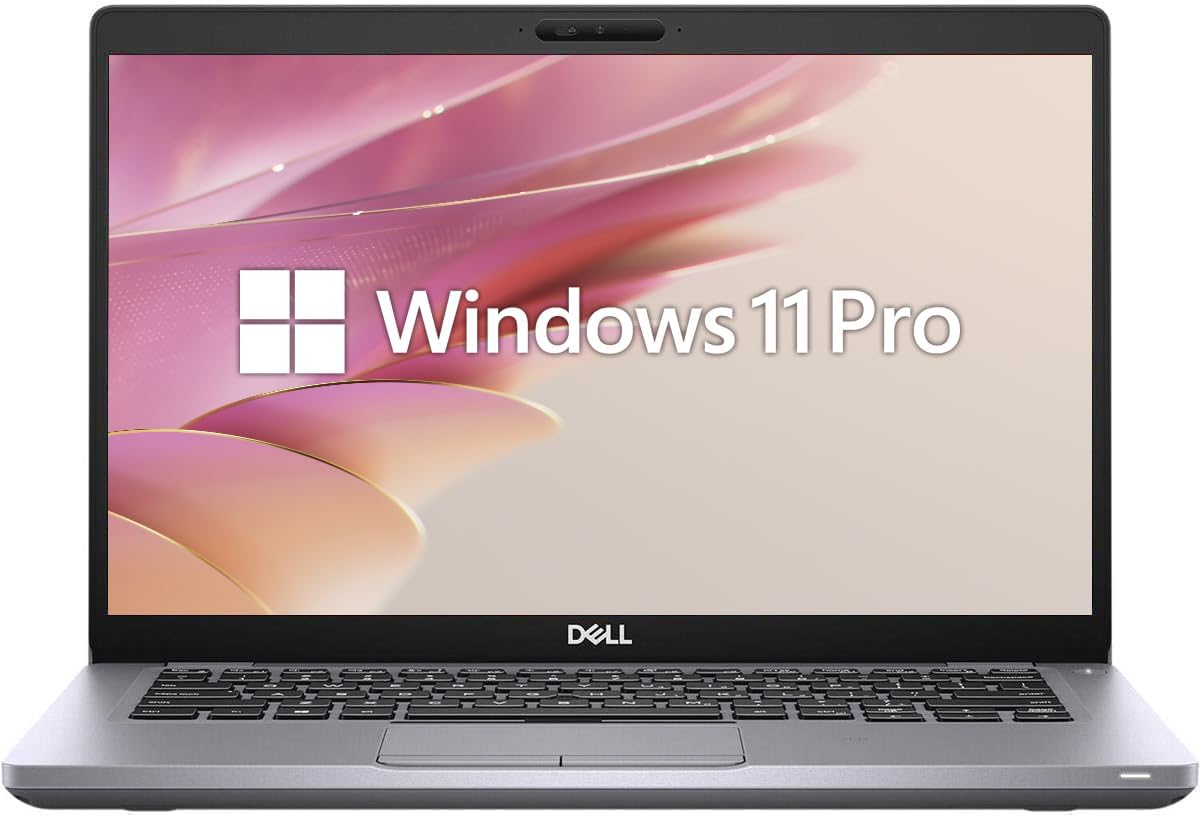
This renewed model offers enterprise-grade performance at a competitive price point. The 11th Gen i5 processor ensures smooth operation for demanding tasks.
We may earn a commission when you buy through this link, at no additional cost to you.
With 16GB RAM and an SSD, system responsiveness is fast. The Ethernet port is native, eliminating the need for dongles during remote work.
Dell Latitude devices are known for longevity. Security features like BitLocker and Remote Desktop support are included.
Select this for a dependable work laptop with solid connectivity and proven durability.
The Intel Core i5 processor with 16GB RAM ensures smooth multitasking and rapid application loading.
Includes USB-C, HDMI, and RJ-45 ports for versatile connectivity options in any office setting.
We may earn a commission when you buy through this link, at no additional cost to you.
This model provides generous storage with a 512GB SSD. It maintains the Ethernet port for stable network access while running Windows 11 Pro.
We may earn a commission when you buy through this link, at no additional cost to you.
The 10th Gen processor supports everyday tasks comfortably. 16GB RAM ensures multitasking remains fluid during work hours.
Dell reliability makes this a solid choice despite the older CPU generation. It balances performance and utility for general office use.
Opt for this if you prioritize storage capacity within a business laptop form factor.
16GB RAM and a 512GB SSD ensure fast boot times and responsive application usage.
Windows 11 Pro offers enhanced security tools and productivity features for business users.
We may earn a commission when you buy through this link, at no additional cost to you.
The 2026 edition brings DDR5 memory to a budget-friendly chassis. It includes a physical Gigabit Ethernet port for stable wired connections.
We may earn a commission when you buy through this link, at no additional cost to you.
While the N100 processor is basic, it handles office tasks effectively. The 256GB SSD provides adequate space for work files.
MIL-STD-810H testing ensures the laptop withstands daily wear. Security features like camera shutter add privacy protection.
Choose this for a portable, durable option that keeps the essential Ethernet port available.
Intel N100 processor with up to 3.4GHz turbo provides reliable efficiency for daily business applications.
Features USB-C, HDMI, and Gigabit Ethernet to support diverse connection needs without adapters.
We may earn a commission when you buy through this link, at no additional cost to you.
This version focuses on privacy and security with a webcam shutter and TPM chip. It retains the Ethernet port for consistent internet access.
We may earn a commission when you buy through this link, at no additional cost to you.
The 16GB RAM supports smooth multitasking even with limited storage. The AMD processor is efficient for general use.
MIL-SPEC testing ensures durability. The numeric keypad is missing on some configurations but connectivity is robust.
Pick this if data security and privacy are your top priorities in a business laptop.
Includes a webcam privacy shutter and malware detection to keep your critical data secure.
Provides USB-C, USB-A, and Ethernet ports for a stable online experience without dongles.
We may earn a commission when you buy through this link, at no additional cost to you.
This model is designed for professionals needing heavy computational power. It includes a native Ethernet port alongside high-speed Thunderbolt 4 connections.
We may earn a commission when you buy through this link, at no additional cost to you.
With 32GB RAM and a 1TB SSD, it handles complex CAD or data workflows. AI processing accelerates local tasks without cloud reliance.
The chassis is MIL-STD-810H tested for reliability. Security includes a fingerprint reader and human-presence detection.
Invest in this if you need top-tier performance and connectivity for specialized business tasks.
AMD Ryzen AI processor accelerates multitasking and content creation without heavy cloud dependency.
Rich I/O includes Thunderbolt 4, HDMI, and Gigabit Ethernet for flexible expansion needs.
We may earn a commission when you buy through this link, at no additional cost to you.
This compact laptop is suitable for light students or casual users. It often lacks a direct Ethernet port, so check for USB adapters in reviews.
We may earn a commission when you buy through this link, at no additional cost to you.
While limited to 4GB RAM, it handles web browsing smoothly. The included Office 365 subscription adds value for students.
Its portability is a strong point, but it may not suit heavy networking tasks. Verify connectivity options before purchase.
Consider this for basic tasks where portability matters more than wired network speed.
1366×768 resolution with micro-edge provides a sharp and clear viewing experience for documents.
Features multiple USB ports and HDMI for connecting various peripherals and external displays.
We may earn a commission when you buy through this link, at no additional cost to you.
This model uses a potent H-series processor for demanding workloads. It keeps the essential RJ45 Ethernet port for direct network connection.
We may earn a commission when you buy through this link, at no additional cost to you.
The 16GB RAM and 512GB SSD ensure fast performance and storage. Windows 11 Pro supports advanced management features.
It balances power with the necessary physical ports. The numeric keypad is useful for data entry tasks.
Select this if you need a balance of speed and traditional connectivity ports.
16GB high-bandwidth RAM allows smooth multitasking across multiple applications simultaneously.
Includes USB-C, HDMI, and RJ45 ports to cover essential connectivity needs for work.
We may earn a commission when you buy through this link, at no additional cost to you.
This large-screen model is great for multitasking with multiple windows. It includes a standard Ethernet port for reliable wired internet.
We may earn a commission when you buy through this link, at no additional cost to you.
The AMD Ryzen 5 processor provides smooth performance. With 16GB RAM and a 512GB SSD, it handles daily workflows easily.
The larger display offers more screen real estate for spreadsheets or design work. It remains portable enough for office environments.
Buy this if you prioritize screen size and wired connectivity for home or office use.
Experience sharp details and vivid color on the 17.3 inch anti-glare display.
Includes Ethernet RJ-45 and HDMI for flexible connection options alongside Wi-Fi 6.
We may earn a commission when you buy through this link, at no additional cost to you.
Selecting a laptop with a built-in Ethernet port requires balancing performance, connectivity, and durability to meet your specific needs.
Many modern laptops omit Ethernet ports to reduce bulk, forcing users to rely on USB dongles that can be lost or fail. Always verify the presence of a dedicated RJ-45 port before purchasing to ensure stable and direct network access without extra accessories.
Check the full specification list to confirm that the Ethernet port is physically included on the device chassis.
A strong processor ensures that network-intensive tasks like large file transfers or video conferencing run smoothly. Look for CPUs like Intel Core i5 or Ryzen 5 that balance power consumption with high clock speeds for reliable everyday performance.
Prioritize processors that support the latest efficiency standards to prevent bottlenecks during heavy network usage.
Sufficient RAM is critical for handling multiple browser tabs and background updates simultaneously. Aim for at least 8GB to 16GB of RAM and a solid-state drive (SSD) to ensure quick boot times and responsive system performance.
Opt for models with upgradeable memory slots if you expect your storage needs to grow over time.
Windows 11 Pro offers enhanced security features like BitLocker and Remote Desktop that are valuable for business environments. Home versions are sufficient for general use but may lack enterprise-level management tools required for secure data handling.
Choose Windows 11 Pro if you need to connect to corporate domains or require advanced data encryption.
Laptops used in professional settings often face daily wear and tear. Models certified with MIL-STD-810H testing ensure resistance to shocks, drops, and temperature extremes, extending the lifespan of your device.
Look for reinforced chassis designs that protect the internal components including the Ethernet port during transit.
A high-resolution display with anti-glare coating reduces eye strain during long work sessions. Ensure the screen size fits your workspace while providing enough resolution for clear text and detailed work.
Consider models with adjustable hinges and comfortable keyboards to maintain productivity during extended use.
Beyond Ethernet, check for USB-C ports with power delivery to charge your device conveniently. HDMI and headphone jacks are essential for connecting to external monitors and audio peripherals effectively.
Verify that all necessary ports are present on the laptop to avoid needing additional hubs or adapters.
If you work remotely, battery life is crucial for moving between locations. Modern processors offer better efficiency, but verify battery claims against real-world usage scenarios to ensure you can work unplugged.
Aim for a model that balances performance with weight to keep it portable for travel or commuting.
Connect your Ethernet cable directly to the RJ-45 port on your laptop to establish a stable wired network connection. Ensure the cable is plugged in securely to avoid intermittent signal loss during critical work tasks.
Regularly update your network drivers through the manufacturer website to ensure compatibility with the latest security protocols. This helps prevent connection issues and maintains optimal network speeds over time.
Protect the Ethernet port from dust by using a small cap when not in use. Keep the laptop on a flat surface and avoid bending the cable excessively to maintain the port's structural integrity.
Business laptops retain Ethernet ports to ensure reliable connectivity in environments where Wi-Fi is congested or unstable. Wired connections offer lower latency and higher security which are vital for enterprise operations.
Using Ethernet does not slow down laptop performance; in fact, it often improves stability by reducing interference. It allows for consistent data transfer speeds which is beneficial for large file uploads or downloads.
Yes, you can use a USB-C to Ethernet adapter if your laptop lacks a built-in port. However, this adds cost and a point of failure, so a native port is generally more reliable for frequent use.
Most modern business laptops feature Gigabit Ethernet ports that support speeds up to 1000 Mbps. Some budget models might be limited to 100 Mbps which is still adequate for general office tasks.
Windows 11 Pro includes features like domain joining and BitLocker encryption that are essential for securing corporate data. For casual use, Home is sufficient but Pro is recommended for business security compliance.
Inspect the side edges of the laptop for a rectangular port with a clip mechanism. You can also check the specifications list in the product description under the connectivity or ports section for confirmation.
Refurbished models from reputable sellers often undergo rigorous testing to ensure ports function correctly. They can offer excellent value while providing the same build quality as new devices when sourced carefully.
We identified top options ranging from budget-friendly models like the Lenovo V15 to high-performance machines like the ThinkPad P14s. Each selected device ensures reliable wired connectivity without compromising on daily performance.
Prioritize your specific needs such as memory size or display quality when making a final decision. Ensure the laptop supports the software you rely on for your work or study requirements.
Always verify current availability and configurations before purchasing to match your specific budget. Check for any ongoing offers to maximize value when investing in a new work machine.