
ELM327 USB Adapter OBD2 Scanner
4.4Editor score
Manual CAN toggle switches
Windows compatibility
Affordable price point
This guide compares the top Forscan USB OBD2 Adapter models for reliable diagnostics, coding, and vehicle customization across Ford, Lincoln, Mazda, and
Choosing the right Forscan USB OBD2 Adapter is essential for vehicle owners who want detailed diagnostic access. These tools connect your laptop to your car port interface enabling deep insights into engine performance and hidden settings.
We evaluated ten top-rated adapters based on stability, speed, compatibility, and ease of use. Each model was assessed for its ability to handle complex coding tasks and maintain a steady connection during extended diagnostic sessions.
Every pick highlights key features, pros, and cons to help you make an informed decision. Keep in mind that availability and pricing can change quickly, so verify details before purchasing your preferred adapter.
4.4Editor score

4.8Editor score

4.7Editor score
This side by side comparison highlights the key specifications and capabilities of the leading Forscan USB OBD2 Adapter options available today for precise vehicle diagnostics.



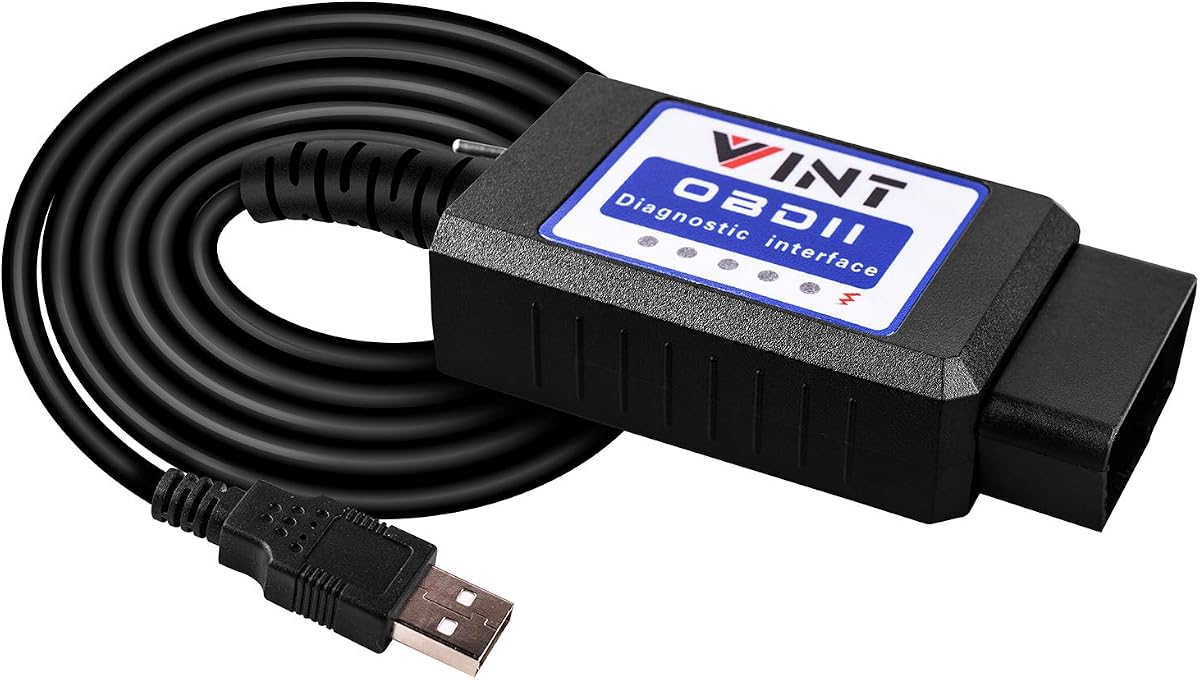
The Vgate vLinker FS OBD2 USB Adapter stands out as a top choice for diagnostics. It offers reliable performance during extended sessions with high-speed data transfer capabilities.
We may earn a commission when you buy through this link, at no additional cost to you.
This adapter supports both 12V and 24V vehicles making it versatile for various vehicle types. Its automatic CAN bus detection ensures seamless access to multiple modules without manual switching.
While it requires separate software installation the compatibility with FORScan and other tools is robust. Users might need to configure COM ports but this is a minor hurdle for advanced users.
Ideal for professionals and enthusiasts needing stable ECU programming and deep diagnostics. It balances cost and performance effectively for Ford and Lincoln vehicle owners.
Designed specifically for FORScan software this adapter reduces lag and crashes during critical operations.
With speeds up to 3 Mbps it handles large data packets without truncation for accurate diagnostics.
We may earn a commission when you buy through this link, at no additional cost to you.
The OBDLink EX offers dealership-level diagnostics specifically for FORScan compatible vehicles. It features an electronic switch that allows simultaneous access to all CAN buses.
We may earn a commission when you buy through this link, at no additional cost to you.
Its maximum throughput is up to 20 times faster than toggle switch adapters providing exceptional speed for data retrieval and programming tasks. The connection avoids data corruption ensuring reliability.
Users should note the higher cost compared to other options but the performance justifies it for heavy users. It is best for those needing advanced features not possible with standard adapters.
Perfect for professionals or serious enthusiasts who require top-tier reliability and speed. It eliminates the need for manual switching during complex diagnostic procedures.
Enables access to all CAN buses simultaneously without manual intervention for smoother operations.
Delivers significantly faster data transfer compared to traditional toggle switch adapters.
We may earn a commission when you buy through this link, at no additional cost to you.
This OHP USB device serves as a reliable ELM327 compatible tool for Ford vehicles. It reads and clears diagnostic trouble codes effectively helping users troubleshoot without visiting a dealer.
We may earn a commission when you buy through this link, at no additional cost to you.
The connection speed reaches up to 500 kbit/s which is sufficient for most coding tasks. It supports a wide range of Ford and Lincoln models from 1996 onwards.
Users must install drivers manually which can be a hurdle for less technical individuals. Also it only works on Windows systems limiting its use for Mac users.
Great for DIYers who need basic to intermediate diagnostics at a lower cost. It empowers owners to perform maintenance confidently without professional help.
Each code includes a description to help identify root causes for quicker repairs.
Compatible with most Ford and Lincoln vehicles from 1996 onwards for broad usability.
We may earn a commission when you buy through this link, at no additional cost to you.
The VGATE vLinker FS USB adapter provides battery saver and protection technology allowing it to stay plugged in safely. It includes auto sleep and wake modes to prevent drain during idle periods.
We may earn a commission when you buy through this link, at no additional cost to you.
With a 3 Mbps transmission rate it handles real-time data streaming efficiently. The connection is rock solid reducing the risk of data corruption during programming tasks.
Users benefit from a 1-year warranty and lifetime firmware updates which adds long-term value. However it does require separate software installation to function properly.
Ideal for owners who want peace of mind regarding battery health while maintaining full diagnostic capabilities. It is a balanced choice for regular use.
Protects vehicle battery by lowering idle current to as low as 3mA.
Ensures no dropped packets or data corruption during extended diagnostic sessions.
We may earn a commission when you buy through this link, at no additional cost to you.
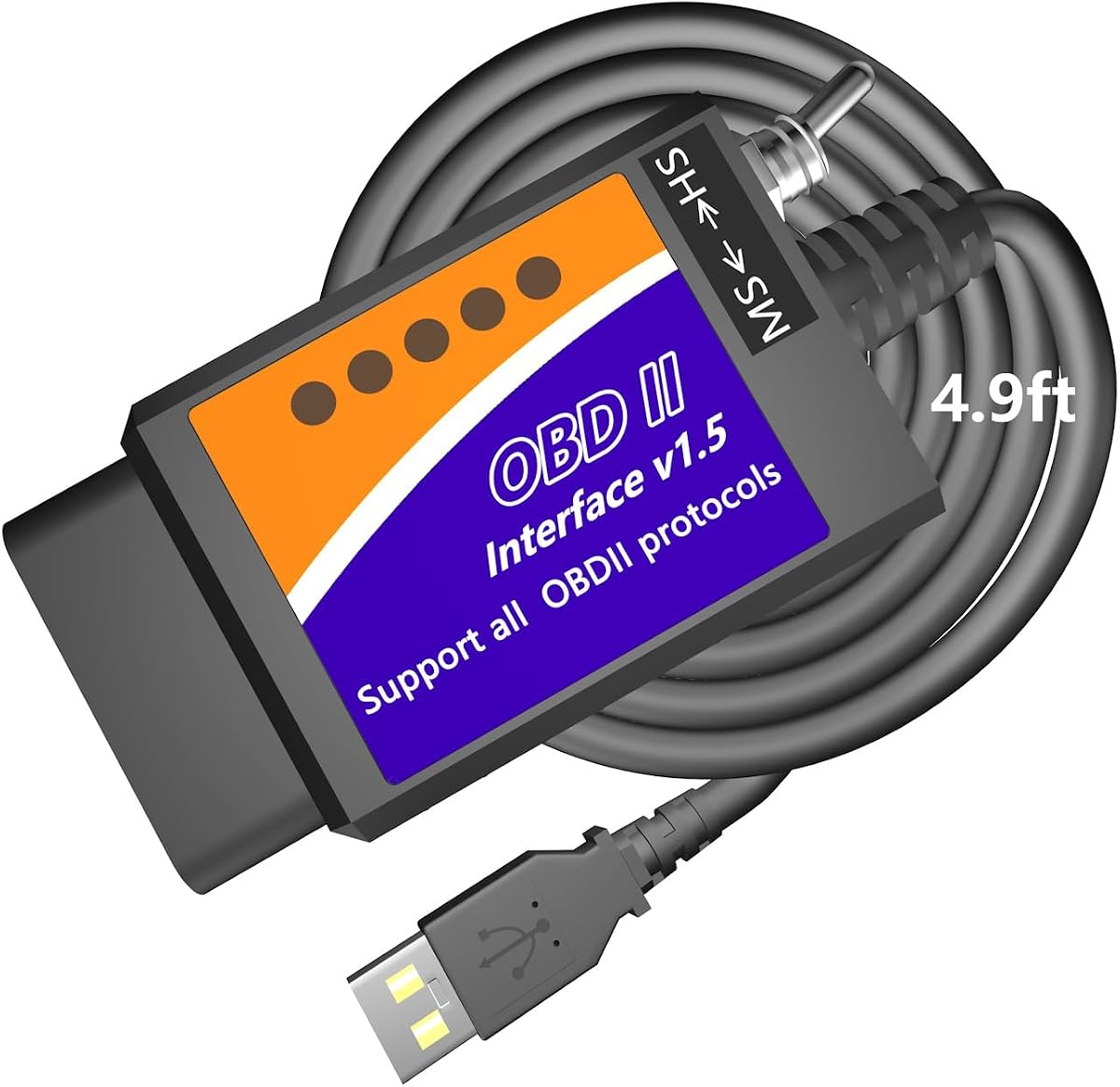
This ELM327 USB Adapter is an affordable entry point for Ford and Lincoln diagnostics. It features manual toggle switches for CAN bus selection making it easy to manage connections.
We may earn a commission when you buy through this link, at no additional cost to you.
It works with multiple software tools like ELMconfig and FoCCCus to unlock hidden vehicle features. The hardware supports all standard OBD2 protocols ensuring broad compatibility across models.
Users must install drivers before use which adds a step to the setup process. It is not truly plug-and-play but the cost savings make it a popular choice.
Best for budget-conscious enthusiasts who want access to coding without spending much. It offers reliable performance for basic to intermediate tasks when configured correctly.
Access global window functions and security idle settings without expensive dealer visits.
Compatible with J1850PWM, HS-CAN, MS-CAN, and more for versatile use.
We may earn a commission when you buy through this link, at no additional cost to you.
This adapter provides a straightforward solution for accessing Ford F150 and other series vehicle data. It allows users to perform tire size corrections and other modifications easily.
We may earn a commission when you buy through this link, at no additional cost to you.
It supports all Windows versions from XP to 10 which ensures compatibility with older laptops. The manual CAN switch helps target specific network lines when needed.
Setup involves installing drivers and software which can be complex for new users. It is not designed for Mac or mobile systems limiting its usage scenarios.
Good for owners who prioritize cost over advanced features. It serves well for basic coding and diagnostics when paired with the right software.
Enable features like Bambi Mode and reverse tilt mirrors with ease.
Covers most models after 2000 and a vast percentage after 1996.
We may earn a commission when you buy through this link, at no additional cost to you.
The MOCATEC USB adapter features an extra long 4.9ft cable allowing comfortable positioning of laptops during diagnostics. This length prevents strain on the port and allows flexibility in the seat.
We may earn a commission when you buy through this link, at no additional cost to you.
It enables deep customization like changing transmission temperature readouts or activating traffic sign recognition. Users can tailor vehicle comfort functions to match personal preferences.
The manual toggle switch requires some attention during use but ensures proper network targeting. It is limited to Windows systems which may restrict mobile or Mac users.
Ideal for those who want to personalize their vehicle and work comfortably. The included tutorials help guide users through module modification safely.
Lets you rest your laptop on your knees without feeling cramped during use.
Enable options like global window control or heated steering wheel settings.
We may earn a commission when you buy through this link, at no additional cost to you.
This adapter uses an FTDI chip which provides a reliable connection for data transfer. It avoids data corruption and dropped packets ensuring consistent performance during diagnostics.
We may earn a commission when you buy through this link, at no additional cost to you.
The manual CAN switch allows users to target HS-CAN or MS-CAN networks as needed. It runs at 500 kbit/s which is adequate for most ECU programming tasks.
Users must install drivers before connecting to the vehicle which is standard for USB adapters. It works with FORScan and other ELM327 based tools effectively.
Best for users who value hardware stability and reliability over automation. It offers a solid foundation for professional grade vehicle diagnostics at a low cost.
Ensures strong hardware connection to avoid data corruption during use.
Provides fast enough speeds for professional grade engine fault light programming.
We may earn a commission when you buy through this link, at no additional cost to you.
The Vgate vLinker FS OBD2 USB Adapter features automatic electronic switching allowing access to all CAN buses simultaneously. This simplifies complex diagnostic tasks significantly.
We may earn a commission when you buy through this link, at no additional cost to you.
It reaches a 3Mbps transmission rate which enables smoother graphics and real-time meters. The connection is rock solid preventing data corruption during critical operations.
Users can utilize FEPS 18V programming voltage output in FORScan for various programming needs. While it is highly rated software installation remains a separate step.
Ideal for those needing high efficiency without manual switching interruptions. It stands out for its reliability and speed in everyday use.
Allow FORScan to access all CAN buses at the same time without toggling.
Reach 3Mbps transmission rate for smoother graphics and real-time meters.
We may earn a commission when you buy through this link, at no additional cost to you.
This adapter is popular among Ford owners for its ability to scan and program modules effectively. It supports a constant speed of 500kbit/s ensuring reliable data retrieval.
We may earn a commission when you buy through this link, at no additional cost to you.
With a manual CAN toggle it provides direct control over network selection during diagnostics. It covers most Ford models from 1996 onwards making it a versatile tool.
It requires users to install drivers and software before starting any vehicle operations. This setup ensures compatibility but adds a step to the process.
Perfect for dedicated Ford enthusiasts who need a reliable and straightforward tool. It delivers consistent performance for basic to advanced tasks with the right setup.
Runs at a constant speed of 500kbit/s for consistent diagnostics.
Toggle switch helps you conveniently access as-built data of your vehicle.
We may earn a commission when you buy through this link, at no additional cost to you.
Selecting the right adapter requires understanding key factors like compatibility and speed. This section explains the critical aspects to consider before making a purchase.
Ensure the adapter works with your preferred diagnostic software such as FORScan. Most options support FORScan but checking specific protocol needs prevents issues.
Choose adapters that explicitly list software support to avoid compatibility hurdles later.
Some adapters have automatic switching while others require manual toggling. Automatic switches save time and reduce errors during complex coding sessions.
If you prefer control manual switches are acceptable but require more user intervention.
Most adapters work best with Windows systems. If you use a Mac or mobile device check compatibility carefully as support may be limited.
Windows support is critical for running diagnostic software effectively on desktop environments.
Higher speeds like 3 Mbps help with large data transfers. Slower speeds around 500 kbit/s work for basic tasks but may lag with complex modules.
Prioritize speed if you plan on doing live data streaming or heavy programming tasks.
A longer cable provides flexibility for laptop placement during diagnostics. Shorter cables might restrict movement and strain the vehicle's port.
Look for lengths of at least 4 feet to ensure comfortable working conditions inside the car.
Reliable chips like FTDI reduce data corruption risks. Cheap chips might work initially but fail over time with heavy use.
Check reviews for mentions of build durability to ensure long-term reliability.
Confirm the adapter supports your specific vehicle make and model. Some options focus on Ford and Lincoln but may lack other brand support.
Verify compatibility lists before buying to ensure your vehicle is included in the supported range.
A warranty provides peace of mind against defects. Good customer support helps resolve driver or connection issues quickly.
Prefer brands that offer clear warranty terms and accessible technical help.
Start by installing the necessary drivers and software on your laptop before connecting the adapter. Ensure your operating system matches the software requirements for seamless communication.
Connect the adapter to your vehicle's OBD2 port typically located under the dashboard near the steering column. Plug the USB end into your computer and wait for the connection indicator to show.
After launching your diagnostic software select the correct COM port to establish the link. Perform your intended tasks carefully and disconnect properly after finishing to protect vehicle electronics.
Most adapters require a Windows environment for full functionality. Some may work with emulators but native support is usually not available. Check product specs to confirm macOS compatibility before buying.
While some ELM327 adapters support mobile apps the specific models listed are optimized for Windows laptops. Mobile use may need Bluetooth versions instead of USB. Verify app requirements for your phone.
No software is typically included with these adapters. You must download tools like FORScan separately from their official sites. Check for trial periods or licensing requirements on the software website.
Automatic switching allows the adapter to detect and switch networks on its own. Manual switching requires you to flip a physical toggle for the correct network. Automatic is easier but manual offers more control.
A free trial is available but an extended license is needed for certain advanced features. The license can be purchased or obtained through the FORScan team for full functionality. Check their site for details.
Adapters without battery saver technology may drain the battery if left plugged in. Look for models with auto sleep modes to prevent drain. Unplug after use if you plan to leave the car for days.
Some adapters support ECU programming but it depends on the vehicle and software. Not all tools allow flashing firmware safely. Always consult service documentation before attempting complex programming tasks.
Try lowering the COM port number in Device Manager or reinstalling drivers. Ensure the vehicle is on but not running for some tasks. Check for USB port issues or cable damage if problems persist.
We reviewed ten top Forscan USB OBD2 Adapters highlighting their unique strengths and limitations. Each offers reliable connectivity and deep vehicle access for various user needs.
Prioritize factors like software support and CAN switching style to match your workflow. Advanced users might prefer automatic switches while budget buyers may lean on manual options.
Remember to check current prices and availability before purchasing. Always verify compatibility with your specific vehicle to ensure a smooth experience with your chosen tool.