
Logitech B100 Ambidextrous Wired Mouse
4.6Editor score
Zero setup plug play
Flexible USB connectivity
Recycled plastic parts
This guide compares the most durable computer mouse options available in October 2026 to help you find a long-lasting device for any workspace need.
Finding a reliable pointing device is essential for productivity and comfort during long work sessions. A durable computer mouse withstands daily wear while delivering precise tracking and ergonomic support for your hand.
We evaluated ten top-rated models based on build quality, battery life, and user feedback to create this comprehensive list. Each selection offers unique features tailored to different preferences and usage scenarios.
Every product below highlights specific strengths such as warranty coverage, materials used, and compatibility with various operating systems. Please note that pricing and availability are subject to change over time.
4.6Editor score

4.4Editor score

4.5Editor score
The following table provides a side-by-side overview of key specifications for each model to help you quickly identify the right fit for your needs.





The Logitech M185 stands out as a reliable choice for users seeking a durable computer mouse without unnecessary complexity. With a 4.4-star rating, it delivers consistent performance across Windows and Mac systems.
We may earn a commission when you buy through this link, at no additional cost to you.
Its compact ambidextrous shape ensures comfort regardless of which hand you use, while the nano USB receiver keeps the connection stable up to 33 feet. The smart sleep mode function extends battery life to a full year with a single AA cell.
While it lacks programmable buttons or advanced scrolling, this simplicity ensures robustness and ease of use. The plastic parts incorporate certified recycled materials, aligning with modern sustainability standards without sacrificing build quality.
This model is ideal for office workers, students, or travelers who prioritize dependability over extra features. It remains a top recommendation for anyone needing a straightforward, long-lasting pointing device.
Simply plug the nano receiver into your USB port and start using the mouse instantly without downloading any drivers or software.
The contoured shape feels great in either hand and fits easily into laptop bags or tight workspaces for all-day comfort.
We may earn a commission when you buy through this link, at no additional cost to you.
The Logitech M510 offers a full-size ergonomic design that reduces hand strain during extended work sessions. With a high 4.6-star rating, users appreciate its comfort and versatile control features.
We may earn a commission when you buy through this link, at no additional cost to you.
Its contoured shape with soft rubber grips supports the palm naturally, while side-to-side scrolling and zoom capabilities enhance productivity in spreadsheets and web browsing. The two-year battery life practically eliminates the need for frequent replacements.
Although the mouse is larger and benefits from optional software for full customization, these factors contribute to a premium experience. The Unifying receiver allows you to connect multiple compatible devices to one port.
This model suits professionals who spend long hours at a computer and value comfort alongside functionality. It is a robust choice for those needing enhanced navigation capabilities.
Programmable back and forward buttons along with horizontal scrolling streamline navigation through files and web pages efficiently.
Smart sleep mode and an on off switch help conserve power for a reliable two-year battery life between replacements.
We may earn a commission when you buy through this link, at no additional cost to you.
The Logitech B100 delivers exceptional value for those seeking a simple and dependable wired solution. With a 4.6-star rating, it proves that high quality does not require a high price tag.
We may earn a commission when you buy through this link, at no additional cost to you.
Its ambidextrous design provides comfort for both left and right-handed users, while the flexible USB connectivity works seamlessly with PCs and laptops. The 800 DPI ensures precise cursor control for everyday tasks.
While it lacks wireless freedom or adjustable sensitivity, these omissions keep the device reliable and cost-effective. The use of certified recycled plastic aligns with environmental goals without impacting durability.
This mouse is perfect for schools, offices, or home setups where budget and reliability are top priorities. It remains a staple for anyone needing a no-frills pointing device.
Connect the mouse via USB or PS/2 port and it works right out of the box without any installation steps.
Backed by Logitech expertise and more than a billion units sold, this model offers consistent performance and longevity.
We may earn a commission when you buy through this link, at no additional cost to you.
The TECKNET USB Wired Mouse stands out for its high precision Tru-Wave technology that tracks well even on glass surfaces. With a 4.5-star rating, it combines durability with productivity-focused features.
We may earn a commission when you buy through this link, at no additional cost to you.
Users can choose from four adjustable DPI settings to suit different tasks, while six buttons including forward and backward keys enhance navigation speed. The soft rubber grips and ergonomic shape ensure comfort during extended use.
Despite limited software support on Mac devices for side buttons, the core functionality remains robust. The five-foot cable provides ample reach for most desktop setups without tangling.
This model is ideal for designers or power users who need adjustable sensitivity and quick access shortcuts. It offers a reliable wired alternative with premium features at an affordable price.
Tru-Wave technology ensures precise cursor control on smooth or glass surfaces where standard mice often fail.
Four levels of DPI ranging from 1000 to 6400 allow you to tailor cursor speed to your specific needs.
We may earn a commission when you buy through this link, at no additional cost to you.
The Logitech Signature M550 L is tailored for users with larger hands seeking comfort and a quiet clicking experience. With a 4.5-star rating, it excels in shared office environments where noise is a concern.
We may earn a commission when you buy through this link, at no additional cost to you.
Its full-size design features a contoured shape with soft thumb grips, while SilentTouch technology reduces click noise by 90 percent. You can connect via Bluetooth Low Energy or a Logi Bolt receiver for flexibility.
Although it comes at a slightly higher price point, the extended battery life and premium build quality justify the investment. The model works seamlessly across Windows, macOS, Linux, and Android platforms.
This mouse is perfect for large-handed professionals working in quiet spaces who value comfort and connectivity options. It delivers a polished experience that balances performance with ergonomics.
Enjoy 90 percent less click noise with SilentTouch technology making it ideal for libraries or open offices.
Switch between line-by-line precision and super-fast scrolling with a flick of the SmartWheel to navigate long docs.
We may earn a commission when you buy through this link, at no additional cost to you.
The Logitech M705 Marathon delivers legendary battery life and advanced tracking performance for demanding users. With a 4.5-star rating, it remains a top choice for those who want a wireless mouse that lasts.
We may earn a commission when you buy through this link, at no additional cost to you.
Its hyper-fast metal scroll wheel lets you fly through long documents effortlessly, while laser grade tracking ensures smooth control on polished or wood-grain tables. The sculpted right-hand shape guides your hand to a comfortable position.
While some may find the design dated or heavier than modern compact options, the durability and battery longevity are unmatched. Two thumb buttons provide quick navigation between web pages without changing hand position.
This mouse is perfect for power users who need a reliable long-term wireless solution with premium features. It is a robust investment for anyone who values performance and endurance.
Go up to three full years between battery changes thanks to advanced power efficiency design.
Laser grade tracking delivers smooth cursor control on surfaces that cause problems for standard optical mice.
We may earn a commission when you buy through this link, at no additional cost to you.
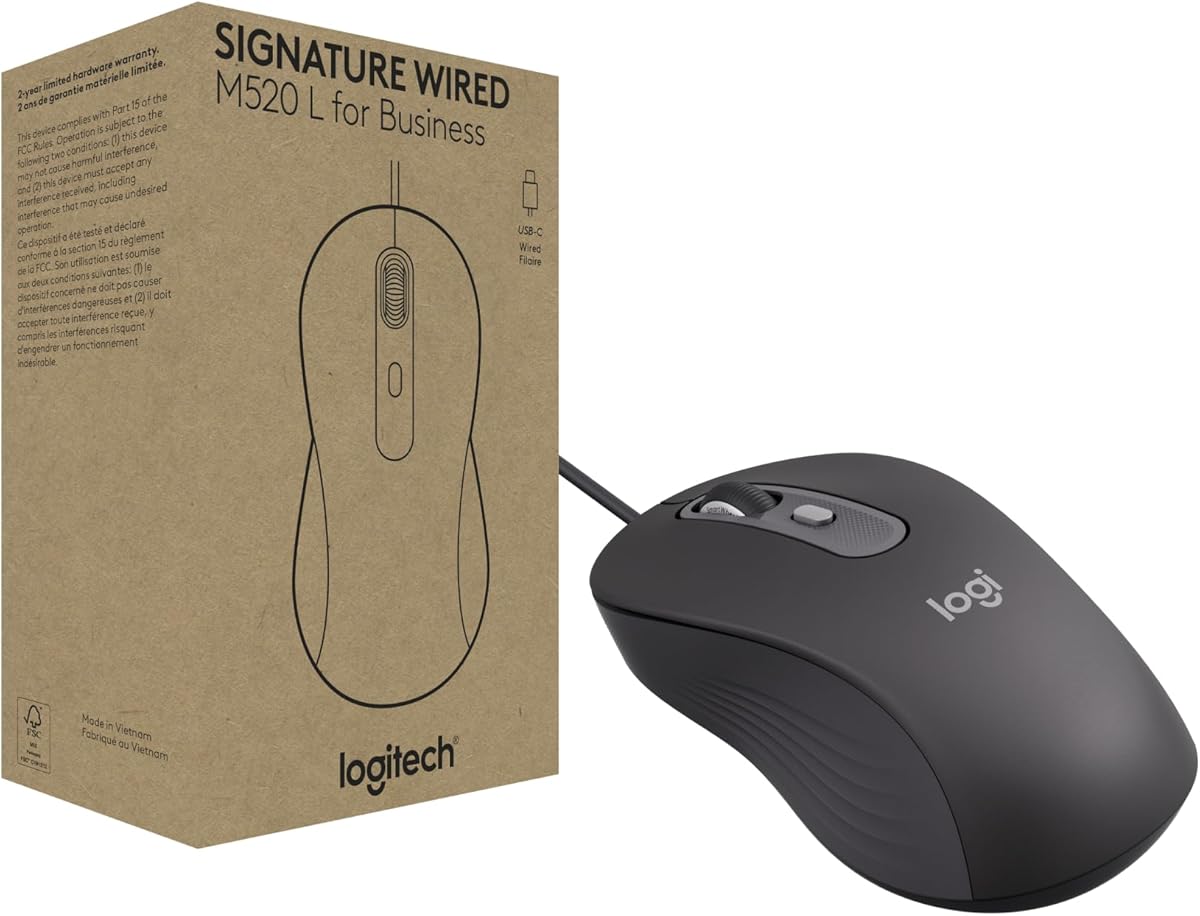
The Logitech Signature M520 L is designed specifically for organizations requiring a secure and versatile wired solution. With a 4.3-star rating, it offers professional features like USB-C connectivity and power efficiency.
We may earn a commission when you buy through this link, at no additional cost to you.
Its ambidextrous shape fits both left and right-handed users well, while SilentTouch technology reduces clicking noise by 90 percent to promote focus. The multi-OS layout ensures easy deployment across different computer systems.
Though it is a wired model which may limit mobility, the reliability and compatibility make it ideal for office environments. The power-saving model consumes significantly less energy than standard wired mice.
This mouse is perfect for businesses or industries like banking and medical that prioritize security and sustainability. It provides a clean professional look with essential ergonomic features.
USB-C wired connection ensures stable performance and security for sensitive environments where wireless may be restricted.
Plastic parts include at least 73 percent post-consumer recycled material reflecting a commitment to environmental responsibility.
We may earn a commission when you buy through this link, at no additional cost to you.
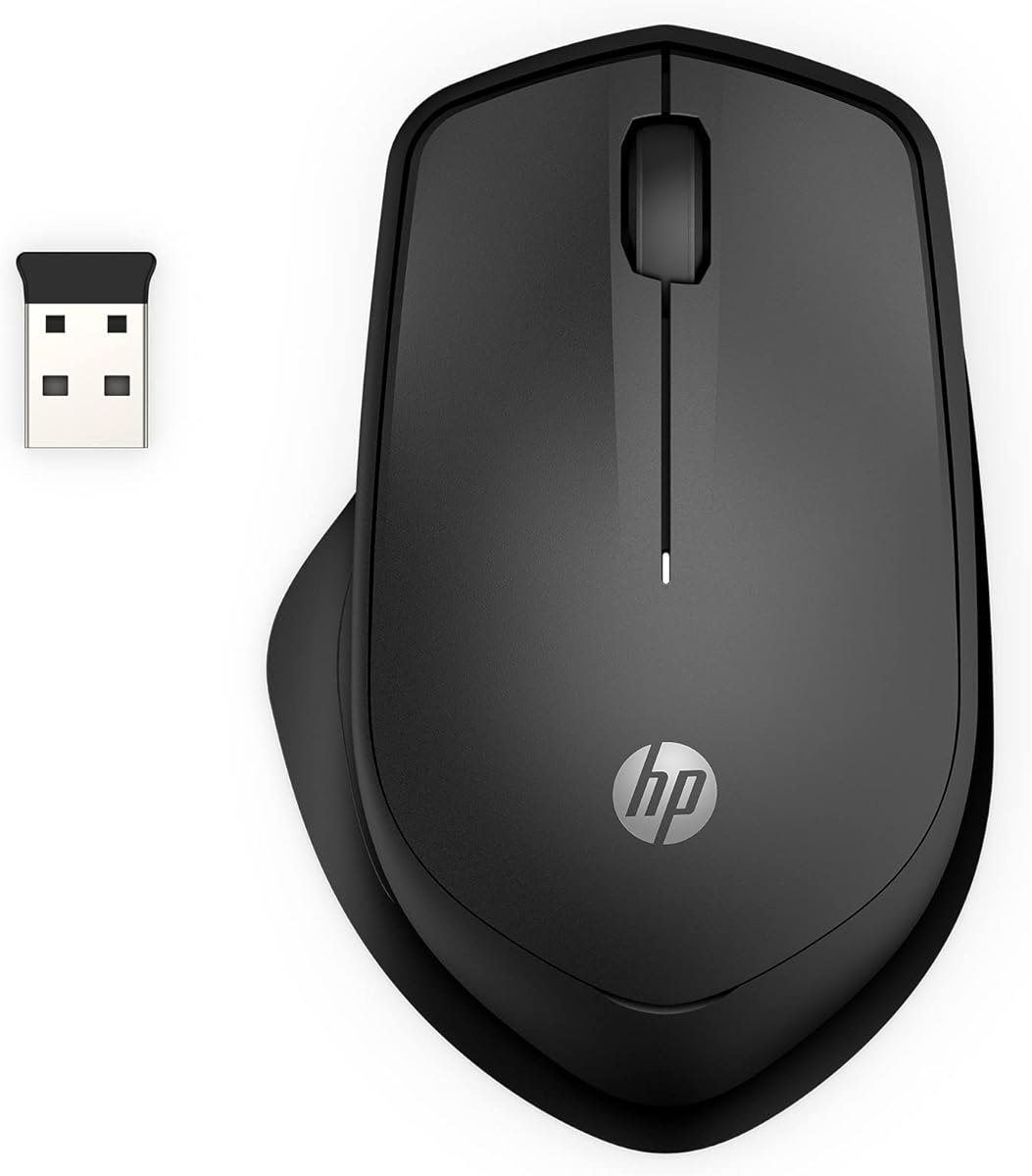
The HP 280 Silent Wireless Mouse offers quiet operation and reliable tracking at an accessible price point. With a 4.5-star rating, it is a strong contender for those needing a silent wireless option.
We may earn a commission when you buy through this link, at no additional cost to you.
Its ergonomic right-handed design provides comfort for all-day use, while the silent click buttons reduce noise without sacrificing tactile feedback. Multi-surface technology ensures smooth movement on virtually any surface without a mouse pad.
Although the DPI is fixed and it is right-handed only, the model delivers consistent performance for general tasks. The nano receiver stores inside the mouse for easy portability and secure storage.
This mouse is perfect for home offices or classrooms where noise levels need to be minimized. It combines functionality with comfort and convenience for everyday computing.
Up to 90 percent noise reduction gives you a satisfying click feel without distracting sounds around you.
Designed to push limits, this mouse runs up to 18 months on a single AA battery for dependable power.
We may earn a commission when you buy through this link, at no additional cost to you.
The Logitech Signature M650 L combines a large ergonomic design with advanced customization features for power users. With a 4.5-star rating, it excels in comfort and flexibility across multiple operating systems.
We may earn a commission when you buy through this link, at no additional cost to you.
Its customizable side buttons can be mapped to shortcuts like back and forward via Logitech Options+, while SilentTouch technology keeps click noise to a minimum. The 24-month battery life ensures long-term performance on a single AA battery.
Although setting up custom functions requires installing software, the added convenience outweighs this minor hurdle. The model is Works with Chromebook certified and supports Linux and Android too.
This mouse is ideal for professionals who need personalized shortcuts and comfort for large hands. It delivers a premium experience with versatile connectivity and battery longevity.
Customize side buttons with Logitech Options+ to create shortcuts that speed up your daily computer tasks.
Switch between precision and hyper-fast scrolling modes instantly with the flick of the SmartWheel.
We may earn a commission when you buy through this link, at no additional cost to you.
The Acer Wireless Mouse offers versatility with adjustable DPI and clear visual indicators for settings and battery status. With a 4.3-star rating, it provides reliable performance for laptops and desktops.
We may earn a commission when you buy through this link, at no additional cost to you.
Its five-level adjustable DPI lets you choose the right sensitivity for design work or browsing, while the visible indicator light confirms current settings instantly. Forward and backward buttons help navigate files and web pages efficiently.
Though the battery is not included and build materials are standard, the model offers a rated lifespan of 10 million clicks. Power-saving features help extend battery life during periods of inactivity.
This mouse is perfect for students or travelers needing a lightweight yet feature-rich option. It delivers solid utility at an accessible price point for everyday computing needs.
Five DPI levels ranging from 800 to 4000 allow you to match cursor speed to any specific task requirement.
A visible indicator shows both current DPI setting and low battery warnings for convenient status monitoring.
We may earn a commission when you buy through this link, at no additional cost to you.
Selecting a durable computer mouse involves considering several key factors to ensure long-term performance and comfort.
Look for mice constructed with high-quality plastics or rubberized grips that resist wear and tear from daily use. Many modern models incorporate recycled materials without compromising structural integrity or comfort during extended typing sessions.
Prioritize products that mention durability testing such as click lifespan ratings or scratch-resistant surfaces to ensure longevity.
Decide whether you need a wired or wireless mouse based on your mobility requirements and setup constraints. Wired mice eliminate battery concerns while wireless options offer cleaner desks and flexibility up to 33 feet away.
Check compatibility of wireless receivers with your system ports and consider Bluetooth options for laptops lacking USB slots.
Choose a shape that matches your hand size and grip style to prevent strain and improve precision. Ambidextrous models work well for users who switch hands or have small hands while right-handed ergonomic designs offer palm support.
Ensure the device fits comfortably in your palm without requiring excessive reaching or awkward wrist angles during long work.
For wireless models, battery duration can range from months to years depending on power-saving features like sleep mode. Models claiming two to three years of life reduce maintenance and environmental impact significantly.
Consider rechargeable options or those with AA batteries that are easy to replace for consistent performance without downtime.
Evaluate scroll wheel quality by checking for hyper-fast or frictionless mechanisms that aid navigation through long documents. Some models include switches between line-by-line precision and free-spin modes for versatility across tasks.
A metal scroll wheel often indicates better build quality and smoother operation compared to plastic alternatives in premium mice.
Higher DPI settings offer greater cursor sensitivity for detailed work while adjustable options allow quick switching between browsing and editing modes. Laser grade tracking ensures smooth performance on various surfaces including wood or glass.
Standard optical sensors are sufficient for general use but higher-end models provide more consistency on reflective or textured surfaces.
Advanced users may appreciate customizable buttons that can be mapped to shortcuts or macros via dedicated software. Features like back forward navigation or zoom enhance workflow efficiency in spreadsheets or web environments.
Ensure the companion software is compatible with your operating system and offers intuitive configuration for best results.
Invest in a model that balances cost with a warranty period that reflects manufacturer confidence in durability. A three-year hardware warranty suggests higher quality control and support for long-term reliability.
Budget-friendly models can still offer excellent value if they provide essential features without unnecessary software bloat.
Keep your mouse surface clean by wiping it occasionally with a dry cloth to remove dust and oils that can affect tracking. Avoid harsh chemicals that might degrade the rubber grips or plastic housing over time.
For wireless models, store the USB receiver inside the mouse or a designated spot when not in use to prevent loss. Replace batteries proactively based on indicators rather than waiting for them to die completely.
Ensure your hands are dry when using the mouse to maintain grip and prevent moisture from seeping into internal components. Adjust DPI settings to match your workflow so you don't need to move the mouse excessively across the desk.
A durable computer mouse features high-quality materials like reinforced plastics or rubberized grips that resist wear. Many models undergo testing for click endurance ratings reaching millions of clicks to ensure longevity. Design elements like internal switches and stable scroll wheels also contribute to long-term reliability.
Modern wireless mice are designed to be as durable as wired counterparts with internal components sealed against dust and moisture. Battery life and receiver stability are key factors that affect their longevity and performance over time.
High-quality durable mice often last several years with regular use depending on build quality and user habits. Click mechanisms rated for 10 million or more clicks suggest a lifespan of three to five years under typical conditions.
DPI settings themselves do not impact physical durability but adjustable sensors may involve more internal parts. Higher-end sensors often come with better calibration and build standards to maintain accuracy over time.
Yes most durable mice can be cleaned with a dry soft cloth to remove surface dust without damaging internal electronics. For deeper cleaning refer to manufacturer guidelines to avoid moisture exposure or disassembly.
A three-year limited hardware warranty is common for premium models indicating strong confidence in build quality and durability. This coverage helps protect against defects and ensures long-term performance assurance.
Ergonomic designs reduce hand strain which can indirectly extend usability life by preventing user fatigue. However physical durability depends more on material choices and build quality than shape alone.
Choose a mouse size based on your hand dimensions and grip style to ensure comfort and prevent strain. Large hands benefit from full-size models while small to medium hands may prefer compact options for better control.
The top picks in this guide include the Logitech M185 for overall reliability, the Logitech B100 for budget-conscious buyers, and the Logitech M705 for premium performance. Each offers unique strengths catering to different needs and preferences.
When selecting a durable computer mouse prioritize ergonomics, battery life, and build quality to ensure comfort and longevity. Consider your specific workflow requirements such as scroll features or connectivity options to find the perfect match.
Prices and availability may fluctuate so check current listings before purchasing to confirm the best deal. This guide aims to simplify your search for a dependable pointing device that enhances productivity without frequent replacements.