
HDMI KVM Switch 3 Monitors 2 Computers 4K@60Hz
4.5Editor score
Supports 4K@60Hz video output
Includes 4 USB 3.0 ports
Offers panel and remote switching
Powered by 12V DC adapter
This guide compares the best KVM switch for triple monitors to help you share displays and peripherals across multiple computers efficiently.
Finding the right KVM switch for triple monitors is essential for professionals who need to manage multiple systems without clutter. These devices let you control several computers with one set of peripherals while maintaining high-quality video output across all screens.
We evaluated top models based on resolution support, port count, switching methods, and compatibility with modern graphics standards. Each product was analyzed for its ability to handle three displays simultaneously while supporting USB 3.0 connectivity for efficient data transfer.
Each pick below highlights key strengths and limitations to help you match a switch to your specific setup. Keep in mind that specifications and availability can change, so verify details before purchasing your next dual computer workstation solution.
4.5Editor score

4.9Editor score

3.9Editor score
The following table provides a side-by-side comparison of all ten reviewed KVM switches. Each entry highlights core specifications like video resolution support, USB port count, and connectivity options to help you quickly identify the model that fits your workflow needs.





This AV Access KVM docking station stands out as the most versatile solution for professionals managing dual computers with triple monitors. It supports up to 8K@60Hz resolution on the desktop side while offering 4K@60Hz for USB C laptops, ensuring crisp visuals across all displays.
We may earn a commission when you buy through this link, at no additional cost to you.
Beyond basic switching, it functions as a full docking station with 10Gbps USB 3.2 ports, SD card access, audio jacks, and 100W Power Delivery. This means you can connect high-speed storage, charge your laptop, and access media without additional hubs.
One notable trade-off is that it requires separate HDMI and DisplayPort cables for video connections on the desktop side, which are not included in the package. Additionally, the premium price point may not suit users with simpler setups who do not need docking features.
If you need a single device to replace a separate KVM switch, hub, and dock while maintaining high-resolution display support, this model is an excellent investment. It is ideal for users seeking maximum connectivity and streamlined desk management.
The 10Gbps USB ports allow for rapid file transfers between connected computers while supporting keyboards, mice, and high-power devices like external hard drives.
Unlike many switches that disconnect the unselected computer from the network, this unit keeps the 1Gb Ethernet connection active on both systems for uninterrupted downloads and cloud sync.
We may earn a commission when you buy through this link, at no additional cost to you.
This HDMI KVM switch provides a cost-effective way to manage two computers across three monitors with support for 4K@60Hz resolution. It includes four USB 3.0 ports that allow you to share keyboards, mice, and other peripherals without extra cost.
We may earn a commission when you buy through this link, at no additional cost to you.
The unit supports both extended and copy display modes, giving you flexibility in how you arrange your workspace. Switching between computers can be done via the front panel button or a wired remote, helping keep your desk tidy.
While it is an affordable option, it does not support 8K resolution and is limited to HDMI connections only, which may not suit users with DisplayPort monitors. Additionally, the unit requires an external power adapter for stable performance.
For users who need reliable triple-monitor support without advanced docking features or 8K capabilities, this switch offers excellent value. It is well-suited for home offices or entry-level professional setups.
The four USB 3.0 ports support data transfer speeds up to 5Gbps, allowing you to connect and share a range of devices efficiently.
With both a panel button and wired remote controller, you can choose the switching method that best fits your workspace layout.
We may earn a commission when you buy through this link, at no additional cost to you.
This UGREEN KVM switch delivers premium video performance with support for up to 8K@60Hz across DisplayPort and HDMI inputs. It comes with four DP cables and two HDMI cables in the package, reducing the need to purchase additional accessories.
We may earn a commission when you buy through this link, at no additional cost to you.
The unit supports HDR10+, VRR, FreeSync, and G-Sync, which helps eliminate screen tearing during high frame rate tasks like gaming or video editing. Its aluminum housing also contributes to better heat dissipation and overall durability.
One limitation is that to achieve maximum 8K resolution, your computers and monitors must both support 8K@60Hz, and cables must be within 2 meters of length. Additionally, it does not support EDID emulation, which may cause compatibility issues with some setups.
For users seeking top-tier video fidelity and included high-quality cables, this model offers a premium experience. It is ideal for creators and gamers who demand the highest visual standards.
The inclusion of four DP cables and two HDMI cables simplifies setup and ensures you have the necessary connections for triple-monitor configurations.
Support for VRR, FreeSync, and G-Sync ensures smooth visuals during fast-paced activities, making it suitable for both professional and gaming workflows.
We may earn a commission when you buy through this link, at no additional cost to you.
This KVM switch allows four computers to share three monitors with support for up to 8K@60Hz on the HDMI input and 4K@144Hz on DisplayPort. It includes four USB 3.0 cables, a wired remote, and a power adapter, making setup straightforward.
We may earn a commission when you buy through this link, at no additional cost to you.
The unit supports extended and copy modes, giving you flexibility in how you arrange your displays across different computers. It is particularly useful for environments where multiple workstations need to access the same display setup.
However, each computer requires two DisplayPort ports and one HDMI port to utilize all three monitors simultaneously, which may limit compatibility with some systems. Additionally, you must use HDMI 2.1 and DP 1.4 cables to achieve maximum resolution.
If you need to connect up to four computers to a single triple-monitor setup, this switch offers a rare and practical solution. It is well-suited for labs, shared offices, or testing environments.
Unlike most switches that support only two computers, this model accommodates up to four systems, expanding its utility for shared or testing environments.
The package includes four USB 3.0 cables and a wired remote controller, reducing the need to purchase additional accessories for setup.
We may earn a commission when you buy through this link, at no additional cost to you.
This KVM switch supports up to 8K@60Hz resolution via HDMI and 4K@144Hz via DisplayPort, making it suitable for high-resolution work and gaming. It includes four USB 3.0 ports for sharing peripherals across two computers.
We may earn a commission when you buy through this link, at no additional cost to you.
The unit offers both physical button and wired remote switching options, allowing you to place the switch conveniently on your desk or elsewhere. A separate power switch lets you restart the KVM without unplugging cables.
One drawback is that video cables are not included, so you will need to provide your own HDMI and DisplayPort cables for connections. Also, it is limited to two computers, which may not suit users needing more inputs.
For users who want 8K HDMI support and a separate power switch for easy troubleshooting, this model offers solid value. It works well for home offices and multimedia setups.
The separate power switch allows you to reboot the KVM without unplugging cables, simplifying troubleshooting when signals are not recognized.
With 8K@60Hz HDMI support and 4K@144Hz DP support, this switch accommodates both high-resolution and high-refresh-rate display needs.
We may earn a commission when you buy through this link, at no additional cost to you.
This AV Access KVM docking station combines switching and docking in one unit, supporting up to 8K@60Hz on the desktop side and 4K@60Hz for USB C laptops. It includes 100W Power Delivery, 10Gbps USB ports, and an SD card reader.
We may earn a commission when you buy through this link, at no additional cost to you.
The unit lets you share peripherals, audio, and network connections across two computers while keeping both connected to the internet. It is an excellent choice for professionals who need a compact, all-in-one solution.
Similar to the first AV Access model, this one also requires separate HDMI and DisplayPort cables for video connections and is priced higher than basic switches. Users must ensure their USB C port supports video output.
If you want a compact docking solution that simplifies a dual-computer desk without sacrificing performance, this model delivers. It is particularly useful for laptop users who also run a desktop PC.
By combining a KVM switch, docking station, and USB hub, this unit reduces the number of devices on your desk while maintaining high connectivity.
The 1Gb Ethernet connection remains active on both computers, allowing background tasks to continue on the unselected system without interruption.
We may earn a commission when you buy through this link, at no additional cost to you.
This KVM switch offers 8K@60Hz and 4K@120Hz support via HDMI, making it ideal for high-resolution and high-refresh-rate displays. It includes four USB 3.0 ports, a wired controller, and a power adapter for complete setup.
We may earn a commission when you buy through this link, at no additional cost to you.
The unit supports extended and copy display modes, giving you flexibility in how you manage your workspace across two computers. Its plug-and-play design requires no software drivers for quick installation.
A limitation is that it only supports HDMI connections, which means it may not work with monitors that require DisplayPort inputs. Additionally, it is limited to two computers, which may not suit users needing more inputs.
For users who have HDMI-only monitors and want 8K resolution support, this switch provides a practical and affordable solution. It is well-suited for multimedia and entertainment setups.
With 4K@120Hz support, this switch enables smoother motion for gaming or fast-paced content while maintaining high resolution.
The inclusion of a wired controller and power adapter ensures you have everything needed to set up the KVM switch quickly.
We may earn a commission when you buy through this link, at no additional cost to you.
This KVM switch allows three computers to share three monitors with support for 8K@60Hz via HDMI and 4K@144Hz via DisplayPort. It includes four USB 3.0 ports, a wired remote, and a power adapter for complete setup.
We may earn a commission when you buy through this link, at no additional cost to you.
The unit supports extended and copy modes, giving you flexibility in how you arrange your displays across different computers. It is particularly useful for environments where multiple workstations need to access the same display setup.
However, each computer requires two DisplayPort ports and one HDMI port to utilize all three monitors simultaneously, which may limit compatibility with some systems. Additionally, you must use HDMI 2.1 and DP 1.4 cables for maximum resolution.
If you need to connect three computers to a single triple-monitor setup, this switch offers a rare and practical solution. It is well-suited for labs, shared offices, or testing environments.
Unlike most switches that support only two computers, this model accommodates up to three systems, expanding its utility for shared or testing environments.
The package includes a wired remote controller and power adapter, reducing the need to purchase additional accessories for setup.
We may earn a commission when you buy through this link, at no additional cost to you.
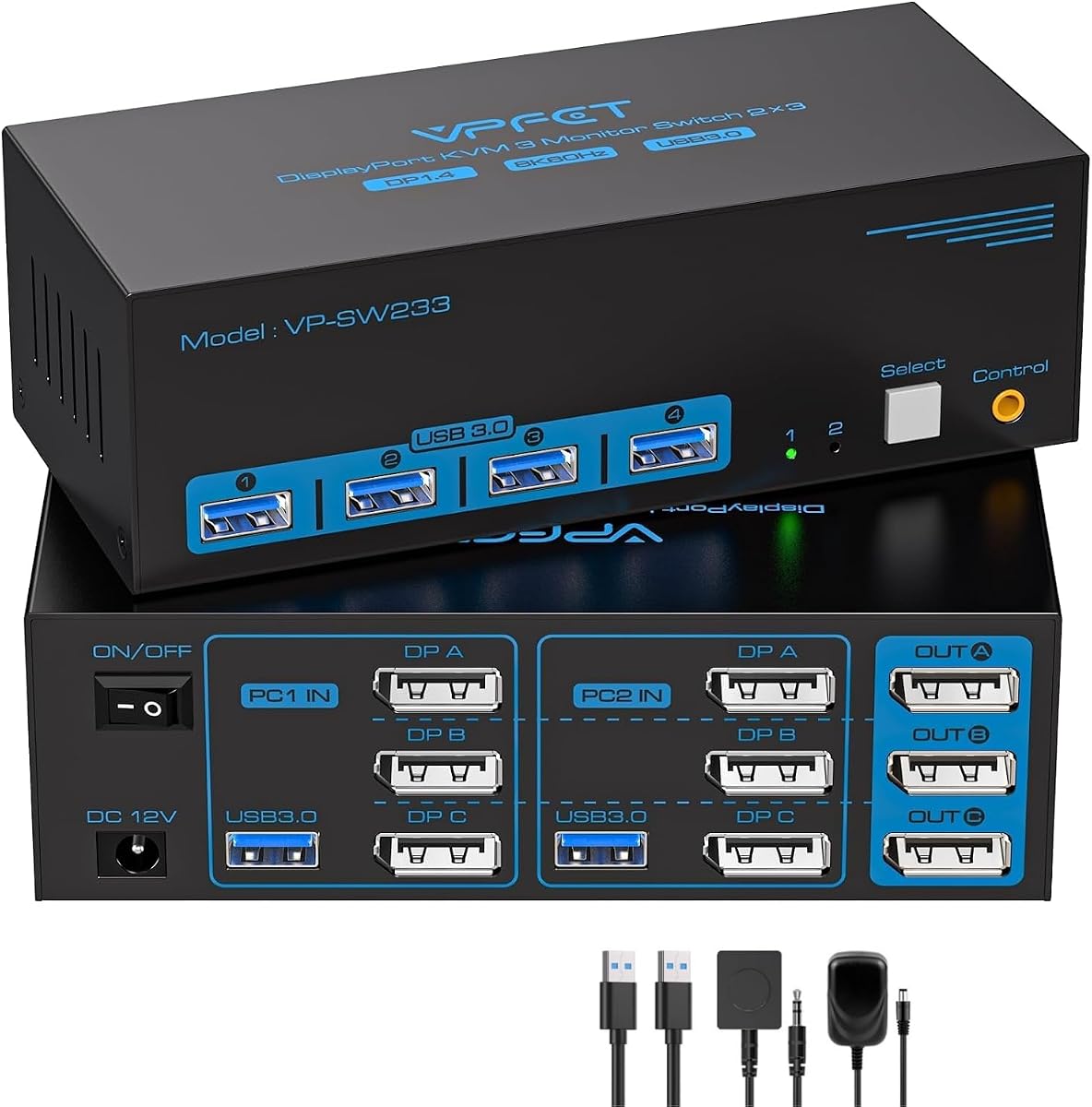
This DisplayPort KVM switch supports up to 4K@144Hz, making it suitable for high-resolution work and fast-motion applications like gaming or video editing. It includes four USB 3.0 ports for sharing peripherals across two computers.
We may earn a commission when you buy through this link, at no additional cost to you.
The unit features a plug-and-play design with wired controller switching, eliminating the need to unplug cables repeatedly. It supports extended and copy modes, giving you flexibility in how you arrange your workspace.
A limitation is that it requires each computer to have three DisplayPort outputs to support three monitors, which may not be available on all graphics cards. Additionally, it is limited to DisplayPort connections only.
If you have DisplayPort monitors and want 4K@144Hz support, this switch offers a stable and high-performance solution. It is well-suited for workstation and professional setups.
With 4K@144Hz support, this switch delivers smooth motion and detailed visuals ideal for video editing, graphic design, and gaming.
The unit is designed for demanding desktop environments, providing reliable signal transmission for daily work and professional workflows.
We may earn a commission when you buy through this link, at no additional cost to you.
This KVM switch supports up to 8K@60Hz via HDMI and 4K@144Hz via DisplayPort, offering flexibility for mixed connectivity setups. It includes one HDMI cable, two DP cables, and four USB 3.0 ports for shared peripherals.
We may earn a commission when you buy through this link, at no additional cost to you.
The unit supports extended and copy display modes, and switching can be done via the panel button or included wired remote. It also comes with a 12V power adapter for stable operation.
However, each computer requires two DisplayPort ports and one HDMI port to utilize all three monitors simultaneously. Additionally, you must use HDMI 2.1 and DP 1.4 cables to achieve maximum resolution.
For users who need both HDMI and DisplayPort support with included cables, this switch provides a convenient solution. It is well-suited for professional workstations with mixed monitor connections.
The inclusion of one HDMI and two DP cables simplifies setup and ensures you have the necessary connections for a triple-monitor configuration.
With both a panel button and wired remote controller, you can choose the switching method that best fits your workspace layout.
We may earn a commission when you buy through this link, at no additional cost to you.
Selecting the right KVM switch involves evaluating several factors that affect performance, compatibility, and ease of use. Below are the key considerations to keep in mind.
Ensure the KVM switch supports the maximum resolution and refresh rate your monitors can display. Many models support 8K@60Hz via HDMI and 4K@144Hz via DisplayPort, but some are limited to 4K@60Hz only. For gaming or video editing, higher refresh rates are essential for smooth visuals.
Verify your computers' graphics cards support these outputs and that you use the correct cable types, such as HDMI 2.1 or DP 1.4, to achieve maximum performance.
Most KVM switches support two computers, but some models accommodate three or even four systems. If you need to share peripherals across more than two machines, check the switch's input capacity before purchasing.
Remember that each additional input requires more ports on your computers, which may affect compatibility depending on your hardware configuration.
Some switches use only HDMI or only DisplayPort, while others support mixed connectivity. Ensure your computers have the necessary video outputs for the switch you choose, or plan to use adapters if needed.
Also, confirm whether cables are included. Many units require you to purchase HDMI and DisplayPort cables separately, which can increase total cost.
A good KVM switch should offer at least four USB 3.0 ports to share keyboards, mice, printers, and other peripherals. USB 3.0 provides data transfer speeds up to 5Gbps, which is significantly faster than USB 2.0.
If you plan to connect high-speed storage devices, look for switches with USB 3.2 or 10Gbps support to maximize transfer efficiency.
KVM switches typically offer panel buttons and/or wired remote controllers for switching between computers. Some models also support hotkeys via the keyboard, though this varies by product.
Choose a switching method that fits your workspace layout. A remote controller allows you to place the switch outside your desk for a cleaner setup.
Many KVM switches require an external power adapter to maintain stable operation, especially when sharing high-power USB devices like external hard drives. Check whether the unit includes a power adapter or if you need to source one separately.
A reliable power source prevents signal drops and ensures USB devices remain recognized during use.
Verify that the KVM switch supports extended and copy (mirror) display modes. This flexibility allows you to choose how your displays are arranged across different computers.
Some units require you to configure display settings on the computer itself using operating system tools like Windows+P.
Some higher-end KVM switches double as docking stations, offering additional features like SD card readers, audio jacks, Ethernet ports, and laptop charging. These features can consolidate multiple devices into a single unit.
If you need these capabilities, ensure the switch supports the required connectivity, such as USB C with Power Delivery for laptop charging.
To begin, connect your computers to the KVM switch using the appropriate HDMI or DisplayPort cables. Ensure each computer has the required video outputs to support three displays simultaneously.
Next, plug in your USB peripherals to the switch's USB ports and connect your keyboard and mouse to any of those ports for shared use. Then connect the switch's USB upstream cables to each computer for data communication.
Finally, connect the power adapter to the KVM switch and plug it into a wall outlet. Use the panel button or wired remote to switch between computers, and adjust display settings on each system as needed.
A KVM switch for triple monitors allows two or more computers to share three monitors and a set of USB peripherals. It simplifies your workspace by reducing the need to unplug cables when switching between systems.
Yes, most KVM switches require HDMI or DisplayPort cables that support the desired resolution. For 8K or high refresh rates, use HDMI 2.1 or DP 1.4 cables to ensure proper signal transmission.
Yes, but your laptop must have the necessary video output ports or support USB C with video output. Some docking KVM switches allow laptops to connect via USB C with Power Delivery for charging.
You can switch between computers using the panel button on the KVM switch or a wired remote controller. Some models also support keyboard hotkeys, but this varies by product.
Most KVM switches support both extended and copy display modes. You may need to configure these settings on your computer using operating system tools like Windows+P.
If your computer does not support three displays, you will only be able to use one or two monitors with the KVM switch. Ensure your system can output to three displays before purchasing.
The best KVM switch for triple monitors depends on your specific needs, whether you prioritize resolution, computer count, or docking features. The AV Access docking models lead in versatility, while budget HDMI options offer value for simpler setups.
When choosing, focus on resolution support, port configuration, and whether cables are included. Consider how many computers you need to connect and whether additional features like Ethernet or SD card readers are important.
Remember that specifications and availability can change, so always verify details and current pricing before making your purchase. With the right KVM switch, you can streamline your multi-computer workstation efficiently.