
UGREEN NAS DH4300 Plus
4.2Editor score
Entry-level home storage
AI-powered photo backup
Cost-effective private cloud
This guide compares the top 4 Bay NAS units for 2026, evaluating performance, storage capacity, and features to help you choose the right private cloud
Choosing the right network attached storage device is essential for protecting your digital assets and ensuring seamless access to your files from anywhere in the world.
We evaluated ten leading 4 Bay NAS models based on processing power, storage scalability, software ecosystems, and real-world performance to bring you the most reliable options available.
Each pick highlights specific strengths for different users, from home media enthusiasts to professional teams, while noting that specific pricing and availability may fluctuate over time.
4.2Editor score

4.6Editor score

4.4Editor score
This side-by-side comparison highlights the key specifications and capabilities of the top 4 Bay NAS units available this year to help you make an informed decision.


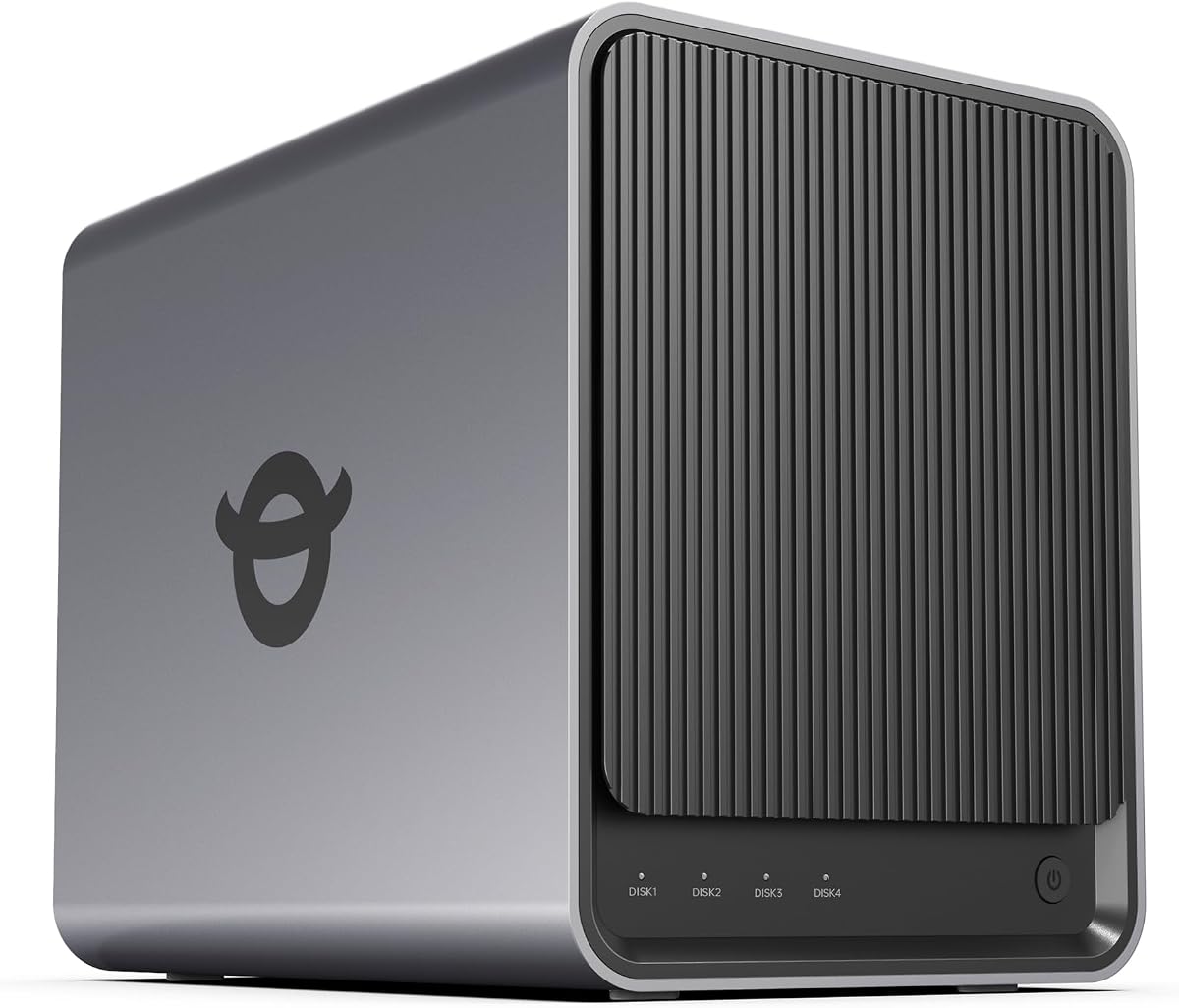


This high-performance NAS offers a powerful combination of speed and usability for families and small teams seeking reliable data management solutions.
We may earn a commission when you buy through this link, at no additional cost to you.
Its processor handles Docker and virtual machines effortlessly while the app provides intuitive file sharing across Windows, macOS, iOS, and Android devices seamlessly.
While the initial cost is higher than entry-level options the extensive feature set and massive storage potential make it a worthwhile investment for power users.
Ideal for creators needing fast transfers and centralized storage it delivers a premium private cloud experience without relying on third-party subscription services.
With support for up to 144TB and 10GbE networking this device ensures your media library remains accessible and transfers are completed in seconds.
The smart photo album recognizes faces and objects automatically helping you find specific memories without manual tagging or time-consuming sorting.
We may earn a commission when you buy through this link, at no additional cost to you.
Engineered for demanding workflows this NAS provides the raw power needed for virtualization and heavy multitasking in professional or developer environments.
We may earn a commission when you buy through this link, at no additional cost to you.
The Core i3 processor combined with DDR5 RAM ensures smooth operation even when running multiple containers or handling large 4K video editing projects.
Although it comes with a premium price tag the enterprise-grade security features and expandability justify the cost for those needing a personal private workstation.
Highly recommended for IT professionals and power users who require maximum flexibility and performance without compromising on data privacy and control.
With up to 4.5GHz turbo speeds and multiple network ports this unit handles complex tasks faster than most consumer-grade alternatives available today.
Support for Docker and virtual machines allows you to run custom environments smart home hubs or private development servers all on one device.
We may earn a commission when you buy through this link, at no additional cost to you.
This entry-level NAS is perfect for home users transitioning from cloud storage to a private solution without breaking the bank on hardware.
We may earn a commission when you buy through this link, at no additional cost to you.
It handles photo backups and Docker apps smoothly while offering an intuitive app that makes sharing files across devices simple for everyone in the family.
While it lacks some advanced features like virtual machines its performance is more than enough for daily media streaming and file backup needs.
Best suited for beginners seeking a cost-effective storage solution it saves money over time compared to recurring monthly cloud subscription fees.
Automatic backup and AI organization ensure your family photos are safe and searchable without needing technical skills or complex setup procedures.
Setup is guided and quick via mobile app allowing you to start securing your data immediately upon connecting to your home network.
We may earn a commission when you buy through this link, at no additional cost to you.
Tailored for creators and tech enthusiasts this NAS provides the high throughput needed for direct video editing and fast multi-user workloads in small offices.
We may earn a commission when you buy through this link, at no additional cost to you.
The dual 10GbE ports allow for rapid file transfers making it ideal for teams collaborating on large media assets without latency or bottlenecks.
Although some apps like Plex require manual setup via Docker the robust hardware and local privacy features make it a strong contender for media production.
Recommended for users who need professional-grade network speeds and a built-in surveillance system to secure their physical and digital assets effectively.
Powered by AMD Ryzen with up to 64GB RAM support it handles backups media processing and Docker apps simultaneously without slowing down.
Connect compatible IP cameras directly to manage home or small business security from one centralized platform without relying on separate cloud apps.
We may earn a commission when you buy through this link, at no additional cost to you.
This model stands out for its ability to handle high-speed file sharing and media streaming across office environments with excellent data protection features.
We may earn a commission when you buy through this link, at no additional cost to you.
Granular access controls and audit logs ensure that sensitive company documents remain secure while allowing multiple users to collaborate efficiently on files.
While it carries a higher price point the professional support and enterprise-grade RAID redundancy make it a reliable choice for business-critical data.
Best for teams needing a centralized repository with robust protection this Synology unit balances performance and security for modern workspaces effectively.
With support for concurrent access from over ten users the DS425+ ensures that large file transfers and media streaming remain smooth.
Combine RAID redundancy with automated backups and snapshot technology to prevent data loss from any cause including accidental deletion or malware.
We may earn a commission when you buy through this link, at no additional cost to you.
This DiskStation model offers a balanced mix of high throughput and versatile software tools for managing files photos and media in home or small office settings.
We may earn a commission when you buy through this link, at no additional cost to you.
The dual 2.5GbE ports provide fast network transfer speeds while the built-in file and photo management apps simplify daily organization tasks.
Although it is one of the more expensive options the reliability and comprehensive feature set including virtualization make it a solid long-term investment.
Ideal for users seeking a dependable all-in-one solution this NAS delivers stable data transfers and comprehensive protection backed by Synology support.
Up to 522MB/s sequential throughput ensures that large media files transfer quickly and backups complete without unnecessary delays or interruptions.
Leverage file management photo tools surveillance and virtualization options within a single system to streamline your digital workflow effectively.
We may earn a commission when you buy through this link, at no additional cost to you.
Focusing on security this NAS allows you to safely access and share files while protecting against ransomware with advanced snapshot and backup strategies.
We may earn a commission when you buy through this link, at no additional cost to you.
Versioned files and immutable snapshots ensure that even if data is compromised you can restore previous states quickly and without losing critical information.
While some camera licenses must be purchased separately the integrated surveillance tools provide a convenient and secure way to monitor your home or business.
Recommended for families and businesses prioritizing data safety this unit offers a robust private cloud solution with reliable protection against online threats.
Protect against malware with immutable snapshots and multi-destination backups ensuring your data remains safe even during cyber attacks or failures.
Monitor up to thirty IP cameras using intuitive tools that archieve and analyze footage locally without requiring external cloud storage subscriptions.
We may earn a commission when you buy through this link, at no additional cost to you.
Equipped with a potent Intel processor and 2.5GbE port this NAS handles 4K transcoding and fast file transfers effortlessly for home multimedia use.
We may earn a commission when you buy through this link, at no additional cost to you.
Its quiet 21dB operation makes it suitable for bedrooms or living rooms while tool-free drive trays allow for quick installation without specialized tools.
While the interface is less polished than some competitors the flexible TRAID arrays provide more storage space than traditional RAID configurations for your budget.
Best for users needing reliable performance at a fair price this model supports cloud sync and multiple user accounts for versatile household data management.
Hardware-level 4K decoding supports smooth HD video playback with Plex and Emby ensuring your streaming experience remains uninterrupted and high quality.
Push-lock drive trays and a mobile app make setup and maintenance simple allowing you to manage storage without needing a desktop computer.
We may earn a commission when you buy through this link, at no additional cost to you.
This home NAS simplifies setup with a guided mobile app making it accessible for families needing shared storage for photos school files and documents.
We may earn a commission when you buy through this link, at no additional cost to you.
The Intel N100 processor handles everyday tasks well and supports Docker apps allowing room to explore Plex or Home Assistant for customized functionality.
While it is limited to 4K HDMI output for media playback the aluminum housing and dual-fan cooling keep the system running smoothly during transfers.
Ideal for first-time users this device provides a secure private cloud with smart photo albums and shared media libraries without technical headaches.
Guided mobile app registration and setup allow first-time users to get started quickly without needing to configure custom operating systems manually.
Dual network ports support link aggregation ensuring multiple household members can access shared files and movies without performance drops.
We may earn a commission when you buy through this link, at no additional cost to you.
As an affordable entry point this NAS provides smooth multitasking and faster transfers than traditional gigabit systems making it ideal for basic home cloud needs.
We may earn a commission when you buy through this link, at no additional cost to you.
Support for Btrfs snapshots protects your data from accidental deletion and ransomware ensuring your critical documents and memories remain safe and recoverable.
Although it has limited RAM and fewer advanced features it handles 4K streaming and remote access efficiently for small offices or budget conscious users.
Best for users seeking a reliable and inexpensive private cloud this unit offers enterprise-grade protection and flexible storage expansion at an entry level price.
The upgraded Quad-Core processor combined with 2.5GbE networking delivers lightning-fast processing for daily storage tasks and data management.
Btrfs snapshots and WORM technology protect your files against ransomware and accidental deletion keeping sensitive business documents and family photos safe.
We may earn a commission when you buy through this link, at no additional cost to you.
Selecting the right 4 Bay NAS requires understanding key factors that influence performance security and long-term usability.
The processor determines how well your NAS handles multitasking media transcoding and Docker containers while adequate RAM ensures smooth operation.
Look for at least 4GB of RAM for basic file storage and more for heavy workloads like virtualization or large database applications.
Higher speed Ethernet ports such as 2.5GbE or 10GbE allow for faster file transfers which is crucial for editing videos directly from the NAS.
Ensure your router and network switches support these speeds to fully utilize the hardware capabilities without bottlenecks.
Estimate your current data needs and future growth to choose the right number and size of drives since 4 Bay units support multiple hard disks.
Consider RAID configurations to balance storage space with data redundancy to protect against hardware failure.
The operating system should be intuitive and offer apps for file sharing backups photo management and media streaming to simplify daily tasks.
Check for compatibility with your devices including Windows macOS iOS and Android to ensure seamless access from anywhere.
Advanced security like encryption immutable snapshots and two-factor authentication protects your data from cyber threats and unauthorized access.
Prioritize models with regular security updates and a reputation for reliability to keep your private cloud secure.
Some models offer additional slots for SSDs M.2 drives or USB ports which can improve performance or allow easy backup connections.
Choose a NAS with future proof features if you plan to upgrade storage or connectivity needs down the line.
Ensure the device supports easy remote access via apps or web browsers so you can reach your files from outside your home network securely.
Good remote solutions reduce reliance on public cloud services and give you complete control over your data.
A strong warranty and responsive customer support team are vital in case of hardware failures or software issues to minimize downtime.
Look for brands that provide clear documentation and community forums for additional troubleshooting help when needed.
Begin by installing compatible hard drives into the bays and connecting the NAS to your router using Ethernet cables for stable performance.
Follow the mobile app or web interface setup wizard to initialize the system create user accounts and configure your preferred storage arrays.
Regularly update the firmware and check drive health to prevent issues and maintain optimal speeds for data transfers and backups over time.
A 4 Bay NAS is used for centralized storage allowing multiple users to access and share files across devices. It supports media streaming backups and surveillance making it ideal for homes and small offices needing a private cloud.
Most 4 Bay NAS units are sold diskless meaning you must purchase and install hard drives separately. Check the product specifications to ensure compatibility with drive sizes and capacities.
Yes most modern 4 Bay NAS devices offer secure remote access through dedicated mobile apps or web browsers. This allows you to manage and download files from anywhere with an internet connection.
RAID stands for Redundant Array of Independent Disks and it helps protect your data by storing copies across multiple drives. Common types include RAID 1 and 5 which balance capacity with safety against drive failures.
Most consumer 4 Bay NAS units support dozens of concurrent connections depending on the model and network speed. High end models handle more simultaneous users efficiently for team collaboration.
No one of the main benefits of owning a 4 Bay NAS is that you do not need monthly subscriptions for storage. You own your data and pay only once for hardware and drives.
The top picks like the UGREEN DXP4800 series and Synology models offer exceptional performance and features for various user needs ranging from beginners to power professionals.
Prioritize factors such as network speed security features and software usability to find a device that aligns with your specific storage goals and budget constraints.
Remember to verify current availability and pricing as these details may change ensuring you get the best value for your investment today.