
Toshiba Canvio Gaming 2TB
4.7Editor score
Designed for gaming consoles
Up to 50 games storage
Two-year warranty included
Explore our expert guide comparing the best external PS5 storage options for seamless game storage, fast loading, and reliable expansion across budget and
Finding the right external PS5 storage options is crucial for gamers who want to expand their library without sacrificing performance or convenience. This guide evaluates top-rated drives designed to work seamlessly with your console, offering ample space for your favorite titles. Each product has been carefully reviewed to ensure compatibility, speed, and reliability for an enhanced gaming experience.
We compared ten leading external storage solutions based on capacity, interface speed, build quality, and official licensing status. Our analysis includes both portable hard drives and high-performance SSDs to cater to different needs and budgets. By focusing on real-world performance and user feedback, we highlight the most practical choices for PS5 owners looking to optimize their setup effectively.
Each pick in this list showcases specific strengths such as transfer speeds, durability, or value for money. You will find detailed breakdowns of pros, cons, and key specifications to help you make an informed decision. Please note that prices and availability may change over time, so verify current details before purchasing your next storage solution.
4.7Editor score

4.8Editor score

4.7Editor score
This side-by-side comparison highlights the key specifications and features of each top-rated external storage solution for the PlayStation 5. Use this table to quickly identify capacity, interface type, and official licensing status across all ten models featured in our guide.



The WD_BLACK 1TB SN850P stands out as the top choice for gamers seeking maximum performance with their PlayStation 5 console. With an official license from Sony, this drive ensures full compatibility and reliable operation without any compatibility concerns. Its high-speed NVMe technology delivers seamless gameplay experiences that match internal storage capabilities effectively.
We may earn a commission when you buy through this link, at no additional cost to you.
This drive offers exceptional read speeds up to 7300MB/s, which translates to nearly instant load times for modern AAA titles. The included optimized heatsink is specifically designed to fit the PS5 M.2 slot without requiring additional modifications or third-party components. This makes installation straightforward for users comfortable with opening their console hardware safely.
While this is an internal expansion option rather than a purely external USB drive, its performance justifies the consideration for serious gamers who want the best experience. The price point is higher than standard external hard drives, but the speed and reliability provide long-term value for frequent players. Some users may prefer external USB solutions if they do not want to open their console.
Gamers who prioritize speed and seamless performance should strongly consider this SSD as their primary storage expansion method. It is ideal for those who play large, modern games frequently and cannot afford to wait for loading screens or data transfers. For most users, this represents the gold standard in PS5 storage enhancement today.
The high-speed NVMe technology ensures that game loading happens almost instantly, eliminating long wait times during sessions.
Being officially licensed means there are no compatibility issues or firmware warnings when using this drive with PS5 consoles.
We may earn a commission when you buy through this link, at no additional cost to you.
The Toshiba Canvio Gaming 2TB is an excellent entry point for gamers looking to expand their storage without breaking the bank. It offers a substantial 2TB of space, which is enough for dozens of PS5 games when storing them externally. The drive is designed specifically for gaming consoles, featuring firmware that optimizes performance for responsive gaming experiences.
We may earn a commission when you buy through this link, at no additional cost to you.
Its compatibility with both PlayStation 5 and Xbox Series X|S makes it a versatile choice for multi-console households. Users can store PS5 games and transfer them back to the internal SSD when ready to play, saving significant time compared to re-downloading titles. The compact form factor ensures it is easy to carry between locations or store neatly on a shelf.
While it uses traditional hard drive technology which is slower than SSDs, it provides sufficient speed for storing and archiving games efficiently. The included two-year manufacturer warranty offers peace of mind regarding longevity and reliability. Some users might wish for higher capacity at this price point, but the value remains strong for budget-conscious gamers.
This drive is perfect for gamers who need extra space for archiving older titles or storing PS4 games directly. It balances cost and capacity well, making it an accessible solution for anyone wanting to keep their console storage free for the latest releases. For those on a tight budget, this is a highly recommended option.
Support for both PlayStation and Xbox allows users to manage their library across different platforms easily.
Customized Always-On mode ensures the drive is ready for action whenever the console requests data access.
We may earn a commission when you buy through this link, at no additional cost to you.
The WD_Black 6TB P10 Game Drive offers massive storage capacity that allows gamers to keep their entire library at their fingertips. With enough space for up to 150 games, users no longer need to constantly delete or download titles when space runs low. This drive represents a premium solution for those who want to build a comprehensive digital game vault.
We may earn a commission when you buy through this link, at no additional cost to you.
Its portable form factor and sleek metal top covering provide a durable and stylish accessory that fits well with modern console setups. The drive works seamlessly with PS5 to store PS4 games and archive PS5 titles for later play. This flexibility ensures that your favorite games remain accessible even when not actively played on the console.
While the price point is higher than smaller drives, the cost per gigabyte is reasonable given the substantial 6TB capacity available. The speed is typical for an external hard drive, which is sufficient for storage and transfer tasks but not for direct PS5 game play. Those who prioritize space above all else will find this drive highly satisfying for long-term use.
Gamers with extensive libraries who want to avoid the hassle of constant storage management should consider this premium option. It is especially useful for those who switch between different consoles or want a centralized backup for all their digital titles. For maximum capacity in a portable package, this drive is a top-tier choice.
The 6TB capacity eliminates the need for frequent deletions, allowing you to keep hundreds of games ready to play.
The metal top covering provides a robust build that withstands daily travel and usage in various environments.
We may earn a commission when you buy through this link, at no additional cost to you.
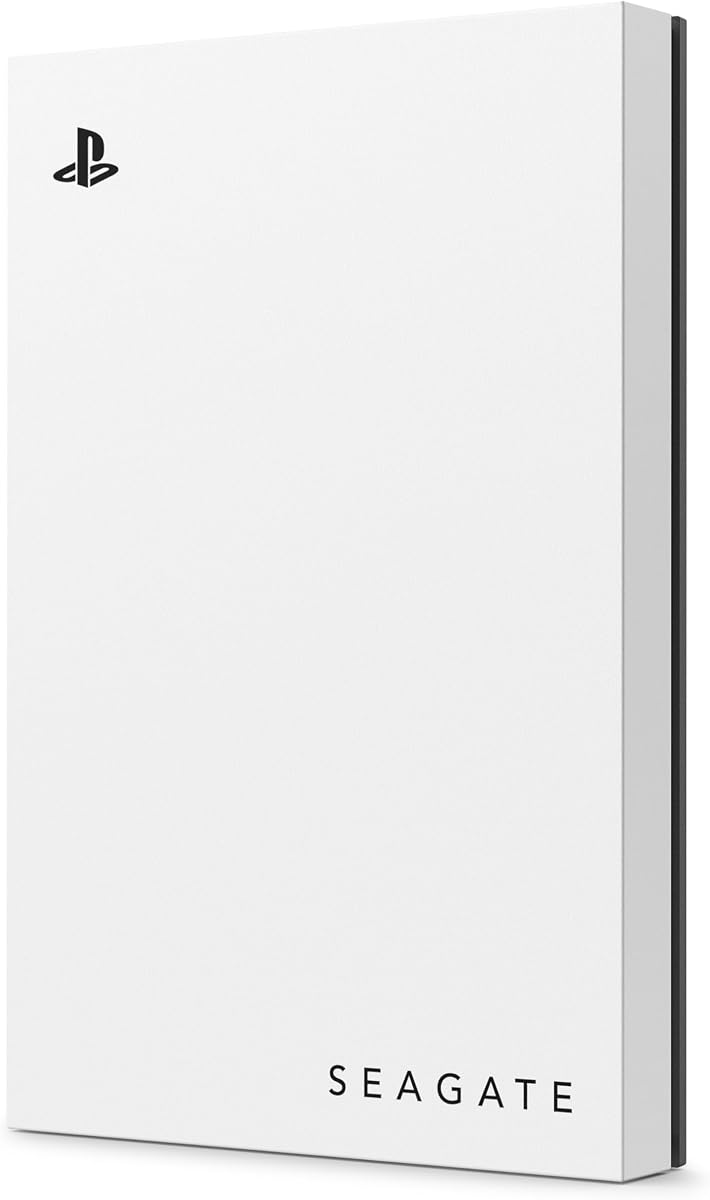
The Seagate Game Drive for PS5 is explicitly built to work seamlessly with PlayStation 5 consoles thanks to its officially licensed status. The matching firmware ensures that the drive is recognized immediately upon connection without any need for additional configuration or drivers. This reliability makes it a safe choice for gamers who want guaranteed performance.
We may earn a commission when you buy through this link, at no additional cost to you.
Its 5TB capacity provides ample room for storing a large collection of games without the constant need to manage space aggressively. The blue LED lighting adds a visual flair that complements the modern aesthetic of the PS5 console setup. This design element is appreciated by users who value both functionality and style in their accessories.
Being a traditional hard drive, it offers standard speeds suitable for storage but not for running games directly from the drive. Users will need to copy PS5 games back to internal storage before playing, which adds a step but still saves time versus re-downloading. The lightweight design makes it easy to transport if you need to move games between systems.
This drive is an ideal balance of capacity and official compatibility for PS5 owners looking for an external solution. It works particularly well for storing PS4 games which can be played directly, and archiving PS5 titles for quick access later. For those wanting a branded console match, this is a strong recommendation.
Official licensing guarantees immediate recognition and optimized firmware tailored specifically for PlayStation systems.
The blue LED lighting enhances the gaming setup look, matching the console's color scheme perfectly.
We may earn a commission when you buy through this link, at no additional cost to you.
The Seagate Portable 4TB drive is a versatile storage solution that works well for both general data and gaming needs. It offers straightforward plug and play functionality that requires no software installation, making setup incredibly simple for all users. This simplicity ensures that anyone can start using the drive immediately after connecting it to their console or PC.
We may earn a commission when you buy through this link, at no additional cost to you.
With 4TB of storage space, users can store a significant number of games and media files without worrying about running out of room. The inclusion of a 1-Year Rescue Data Recovery Service adds a layer of protection for valuable data stored on the drive. This safety net provides peace of mind for users who keep important backups on the external device.
While not specifically branded for consoles, it works with PS5 for storing games after formatting, though without the visual cues of licensed models. The available storage capacity may vary slightly based on formatting, but it remains a robust option for expanding overall digital library size. It is a reliable workhorse for those prioritizing utility over aesthetics.
Gamers who need extra space and appreciate data protection features will find this drive to be a solid investment. It is particularly suitable for users who also use the drive for computer backups, providing dual-purpose utility. For a dependable and straightforward storage expansion, this model stands out in its category.
Connect the drive and start transferring files immediately without installing drivers or configuration software.
The included rescue service helps recover data if issues arise, ensuring your files stay safe.
We may earn a commission when you buy through this link, at no additional cost to you.
The Seagate Game Drive PS5 5TB White is designed to blend perfectly with the iconic white aesthetic of the PlayStation 5 console. This seamless visual integration makes it an attractive option for users who want their accessories to match their setup style. The white casing with blue LED lighting adds a polished look to any gaming area.
We may earn a commission when you buy through this link, at no additional cost to you.
It features 5TB of storage capacity, which is ample for storing a vast game library without constant management. As an officially licensed product, the firmware ensures that the drive works smoothly with all models of the PS5 system. This means no compatibility headaches or unexpected recognition issues during regular gameplay sessions.
The lightweight design makes it easy to take your entire game collection on-the-go to friends' houses or LAN parties. However, white surfaces may show fingerprints or dust more visibly than black alternatives, so keeping it clean requires occasional attention. This trade-off is minor for those who prioritize a unified look in their entertainment center.
This drive is ideal for PS5 owners who want a branded solution that looks good while providing massive storage space. It is particularly useful for storing PS4 games to play directly and archiving PS5 titles efficiently. For style-conscious gamers, this model offers a compelling combination of looks and functionality.
The white finish matches the console's design language, creating a cohesive and clean setup appearance.
The slim profile makes it easy to transport your game library without adding bulk to your backpack.
We may earn a commission when you buy through this link, at no additional cost to you.
The Sandisk 1TB Extreme Portable SSD delivers fast transfer speeds that make moving games between internal storage and external drives much quicker. It is designed, tested, and approved for PlayStation consoles, ensuring compatibility and reliable performance during gaming sessions. This makes it a practical choice for those who need speed without opening the console.
We may earn a commission when you buy through this link, at no additional cost to you.
Its IP65 rating and 3-meter drop protection mean it is built to withstand tough conditions, making it ideal for travelers or users who frequently move their gear. The compact size allows for easy carrying in a bag without adding significant weight or bulk. These durability features extend the lifespan of the drive beyond typical external storage options.
While the capacity is lower than larger hard drives, the speed compensates by reducing wait times when transferring data. Users can quickly transfer games from the external SSD archive to internal storage, minimizing interruptions to gameplay. However, the price is higher per gigabyte compared to traditional mechanical hard drives.
This SSD is perfect for gamers who value speed and durability over massive storage capacity. It is especially useful for frequent travelers or those who need a robust backup solution that can handle daily wear. For quick access and reliable performance, this drive is an excellent portable option.
The rugged design withstands drops and water exposure, making it suitable for on-the-go gaming.
High read speeds reduce the time needed to move games between storage locations effectively.
We may earn a commission when you buy through this link, at no additional cost to you.
The BUFFALO External SSD stands out with its unique compact stick design that eliminates the need for extra cables. This sleek form factor allows for easy connection with the console without taking up much space on the desk or shelf. The cable-free nature makes it exceptionally tidy and convenient for users with limited desk real estate.
We may earn a commission when you buy through this link, at no additional cost to you.
It is officially licensed to work with PS5 consoles, ensuring compatibility and reliability when storing and archiving games. The SSD technology helps reduce loading times compared to standard hard drives, offering a smoother transition when retrieving games from external storage. This performance boost is beneficial for players who dislike long wait times.
The drive stores PS5 game data and PS4 titles, helping to expand free space on your system efficiently. However, the stick design might be slightly harder to handle due to its small size. Despite this, the convenience and performance make it a standout choice for those who prioritize sleek minimalism.
This drive is an ideal pick for gamers who want a modern, compact storage solution that doesn't clutter their setup. It is particularly useful for users who frequently attach and detach storage without dealing with cables. For style and simplicity, this SSD offers a unique advantage in the market.
The stick format removes cables and takes up minimal space, keeping your area clean and organized.
Official licensing ensures the drive operates at optimal speeds for PlayStation systems without issues.
We may earn a commission when you buy through this link, at no additional cost to you.
The Ezekers Portable 500GB drive is an affordable entry-level option for users looking to expand storage on a tight budget. It offers versatile compatibility with PC, Mac, PS5, and Android phones via USB-C or USB-A interfaces. This multi-platform support makes it a versatile tool for those who use multiple devices for media and gaming.
We may earn a commission when you buy through this link, at no additional cost to you.
With 500GB of storage, it can hold a small collection of games or large files without requiring an external power source. The compact design allows for easy portability, fitting easily into a pocket or bag. Users can create backups of important files or store games to free up internal console space effectively.
While 500GB is limited compared to larger drives, it is sufficient for occasional archiving or storing lighter titles. The high-speed data transfer ensures that moving files is reasonably quick for an HDD. However, heavy gamers may need to manage space frequently due to the smaller capacity.
This drive is best suited for users who need a cheap, versatile solution for basic storage needs across devices. It is ideal for students or casual gamers who do not require massive libraries. For budget-friendly expansion across multiple platforms, this drive offers practical utility.
Supports both USB-A and USB-C ports, making it easy to connect to phones and laptops alike.
It draws power directly from the connected device, so no extra cables or outlets are required.
We may earn a commission when you buy through this link, at no additional cost to you.
The Avolusion PRO-5X Series 8TB drive offers the largest storage capacity available in our roundup, ideal for massive game libraries. With 8TB of space, users can store hundreds of titles without ever needing to delete older games. The enterprise-grade internal components are designed for 24/7 operation, ensuring high reliability over time.
We may earn a commission when you buy through this link, at no additional cost to you.
While not officially branded for consoles, it is fully researched for compatibility with PS5 systems for storing and archiving games. Users must copy PS5 games from the drive back to internal SSD to play, which is faster than re-downloading. This process allows you to free up internal space for active gameplay seamlessly.
The physical size is larger than portable drives, which may require more dedicated shelf space at home. However, the performance and durability justify the trade-off for those who prioritize storage space above portability. The premium casing and refurbished top-tier HDD contribute to its robust build quality.
This drive is perfect for power users who want to keep their entire history of digital games accessible at all times. It is particularly useful for collectors who download games constantly but want to keep their internal SSD free. For maximum capacity, this is the ultimate external solution.
Designed for 24/7 use, the drive offers exceptional durability and consistency for heavy daily usage.
Eight terabytes provide nearly unlimited space for modern game collections without compromise.
We may earn a commission when you buy through this link, at no additional cost to you.
Choosing the right external storage for your PlayStation 5 requires understanding your needs regarding speed, capacity, and budget. This section covers the key factors that will help you identify the perfect drive for your gaming setup.
Capacity is one of the most critical factors when selecting an external drive. Modern PS5 games can take up significant space, often exceeding 100GB per title. If you have a large library or plan to keep many games installed, consider drives with 4TB or more. This ensures you can store your favorites without constant management.
For casual gamers who play one or two titles at a time, smaller capacities like 1TB or 2TB may be sufficient. Evaluate your habits to determine how much space you realistically need. Over-buying capacity wastes money, while under-buying leads to frustration when the drive fills up quickly.
The type of drive you choose significantly impacts how quickly games load and how fast data transfers. Solid State Drives (SSDs) offer much faster speeds than traditional Hard Disk Drives (HDDs). If you prioritize quick access to games and fast transfers, an SSD is the better choice despite the higher cost per gigabyte.
Hard Drives are generally more affordable and offer massive storage capacities. While they are slower, they are sufficient for archiving games that you do not play frequently. USB 3.0 or newer interfaces ensure that your drive communicates efficiently with the PS5 console. Always check the interface rating to confirm transfer speeds.
Officially licensed drives are tested and approved to work with PlayStation consoles. These drives often come with optimized firmware that ensures seamless recognition by the system. While non-licensed drives can often work after formatting, licensed models reduce the risk of compatibility issues and provide peace of mind.
Choosing a licensed drive also means you get branding that matches the console aesthetic. This can be important if you care about the visual look of your setup. It also often implies a certain level of support from the manufacturer regarding console-specific features. Look for logos indicating official console compatibility before purchasing.
If you plan to travel with your games or move your console between locations, a portable drive is essential. Look for drives that are compact, lightweight, and rugged. Many drives feature durable casings and shock resistance, which protects your data during transit. A sleek design can also enhance the look of your gaming desk or shelf.
Stationary drives are larger and heavier but may offer more storage. Consider whether you need a desktop enclosure or a handheld option. Also, note if the drive requires external power, as this adds another cable to your setup. Self-powered drives that draw energy from the USB port are generally more convenient.
Durability ensures that your storage solution lasts through years of gaming. Look for drives with good build quality, such as metal casings or shock resistance. A solid warranty also provides protection against defects, giving you confidence in your purchase. Some manufacturers offer specific guarantees for gaming use, which can be beneficial.
Check the warranty period carefully; standard warranties range from one to five years. Higher-end drives often come with longer warranties, indicating manufacturer confidence in the product. If you plan to use the drive for critical backups or a large library, investing in a model with a strong warranty is wise.
Price should be weighed against the value you receive. Sometimes a slightly more expensive SSD is worth the extra speed and reliability compared to a cheaper HDD. Calculate the cost per gigabyte to understand what you are paying for storage space. This helps in making an objective decision rather than just looking at the total price tag.
Sales and promotions can make premium drives more accessible. Keep an eye out for deals that offer high capacity at a lower cost. However, avoid extremely cheap drives that may compromise on quality or longevity. A balanced view of cost and performance will ensure you get the best value for your gaming needs.
Many gamers own multiple devices such as PCs, laptops, or smartphones alongside their consoles. A drive that works seamlessly with these devices adds versatility. USB-C and USB-A connectivity options ensure that you can use the drive across different platforms without needing adapters.
This multi-device compatibility is especially useful if you use the drive for general file storage or media backups. It maximizes the utility of your purchase beyond just gaming. Always verify the file system compatibility if you plan to use the drive across Mac and Windows systems as well.
External drives can generate heat during prolonged use, which affects their lifespan and performance. Look for drives that feature adequate ventilation or heat dissipation design. Some SSDs include heatsinks to manage temperature during data transfers, ensuring they stay cool under heavy workloads.
Proper cooling prevents thermal throttling, where the drive slows down to protect itself from overheating. If you plan to use the drive intensively, such as during long gaming sessions, this factor becomes more important. A well-ventilated case ensures consistent performance and extends the life of the device.
To start using your external storage, connect it to a free USB port on the back of your PS5 console. The system will automatically recognize the drive and prompt you to format it if it is new. Follow the on-screen instructions to set it up for game storage. This process prepares the drive to store PS4 and PS5 games seamlessly.
Once formatted, you can choose which games to move to the external drive. Go to your Game Library and select Move Games to External Storage. This allows you to keep your internal SSD free for high-performance titles while archiving others outside. To play a stored game, simply select it and let the console copy it back to the internal SSD.
Proper care will extend the life of your drive. Always safely eject the drive through the console settings before unplugging it to prevent data corruption. Avoid placing the drive near heat sources or in enclosed spaces where airflow is restricted. Regular cleaning of the casing helps maintain proper ventilation and prevents dust buildup.
No, you cannot play PS5 games directly from an external hard drive. The system requires these games to be on the internal SSD or a compatible M.2 NVMe SSD for the necessary speed. However, you can store PS5 games on external drives and copy them back to internal storage to play. PS4 games can be played directly from most external USB drives.
Yes, if the drive is new or previously used on another device, you must format it as Extended Storage on the PS5. This process erases all data on the drive, so back up any important files first. If you only want to store files for backup, you can format it as Media Utility, but that does not support game storage.
Modern PS5 games often require between 50GB and 100GB of space, with some titles exceeding 150GB. If you want to keep a library of about 20 games ready, a 2TB drive is a good minimum. For larger libraries, consider 4TB or 5TB options to avoid constant deletion and re-downloading.
SSDs are significantly faster than HDDs, offering quicker load times and data transfers. HDDs offer more storage per dollar and are ideal for archiving games you do not play often. For active gameplay, SSDs are preferred, but HDDs are great for saving space on your internal SSD. Both work for storage, but SSDs reduce wait times.
The PS5 uses USB-A ports for external storage connections. If your drive has a USB-C connector, you will need a USB-C to USB-A adapter to connect it to the console. Most modern drives come with both cable types or adapters included. Ensure the drive supports the necessary speed to avoid performance bottlenecks.
It is generally safe to leave an external drive connected permanently, but the PS5 will disconnect it during Rest Mode unless configured otherwise. Constant connection can generate heat, so ensure good ventilation around the drive. For maximum lifespan, consider unplugging it when not in use or using the console's settings to manage its status.
If the external drive fails, you may lose access to any data stored on it. Always back up important files on a separate drive to protect against failure. The console will stop accessing the drive immediately, and you will need to replace it if the data is lost. Regular backups are essential for safety.
Most external drives come with the necessary USB cable for connection. Ensure the cable is compatible with USB 3.0 or higher speeds for optimal performance. If you replace the cable, use a high-quality one to avoid connection drops. Special cables are not required beyond the standard USB cable provided with the drive.
This guide has highlighted the top ten external storage options available for PlayStation 5 owners looking to expand their capacity. Each product offers unique benefits ranging from massive storage space to high-speed performance and official compatibility. Whether you prioritize speed, capacity, or budget, there is a solution in this list to suit your needs.
When choosing, consider whether you need speed for active gameplay or space for archiving. SSDs are superior for performance while HDDs offer better value for capacity. Official licensing ensures smooth operation without compatibility issues. By balancing these factors, you can find the perfect match for your console setup effectively.
Remember that prices and availability may change over time, so verify current details before purchasing. We encourage you to check the latest offers on Amazon for the best deals. Investing in reliable storage today ensures a smooth gaming experience without running out of space tomorrow.