
M.2 Heatsink Cooler 2280 SSD Double-Sided Heat Sink with Thermal Silicone pad for PS5/PC PCIE NVME M2 SSD(Black))
4.6Editor score
Aluminum alloy body construction
Double-sided clip design
Compatible with PS5 slot
This guide compares the top low profile SSD heatsink options for PS5 and PC to help you choose the best cooling solution for your storage drive.
Thermal management is critical for modern storage drives that generate significant heat during intensive workloads. A low profile heatsink ensures your SSD maintains peak performance without throttling during extended use cases.
We evaluated ten top rated models based on thermal conductivity, installation ease, and compatibility with various form factors. Our testing methodology focuses on real world cooling gains under sustained load conditions.
Each selection highlights unique benefits for different users ranging from console gamers to workstation builders. Please note that product availability and pricing may vary by region and retailer at time of purchase.
4.6Editor score

4.5Editor score

4.7Editor score
This side by side comparison evaluates all ten selected models across key performance metrics including material quality, thermal efficiency, and physical dimensions to help you make an informed decision.




The GLOTRENDS 2-Pack M.2 SSD Heatsink stands out as a top choice for users seeking effective thermal management without complex installation. With a solid 4.5 rating from verified buyers, this product delivers significant cooling gains of 5 to 20 degrees Celsius under sustained loads. The aluminum fin design passively draws heat away from the controller ensuring steady performance during large transfers or gaming sessions.
We may earn a commission when you buy through this link, at no additional cost to you.
Installation is remarkably simple thanks to the tool-less clamp system that requires no screwdriver or adhesive. This preserves your drive warranty while securing the heatsink firmly to the SSD. The kit includes thermal pads metal clasps and rubber bands offering flexible mounting options for different scenarios. Its wide compatibility covers every 2280 M.2 SSD including those inside PlayStation 5 consoles.
While the aluminum material is less conductive than copper it still provides substantial protection against throttling. The absence of active cooling means zero noise and power consumption making it ideal for silent builds. However it is not designed for laptop use which limits its versatility for mobile users who need compact solutions.
This heatsink is perfect for desktop builders and console gamers who want reliable cooling at a budget friendly price point. The dual pack ensures you have a backup or can upgrade two drives simultaneously. Overall it offers the best balance of performance ease of use and value in the low profile category.
The aluminum fins efficiently transfer heat to the air without requiring fans which reduces noise and power draw significantly for quieter system operation.
Designed to fit the expansion slot in PlayStation 5 and PS5 Slim this heatsink meets the strict height requirements for console storage upgrades.
We may earn a commission when you buy through this link, at no additional cost to you.
This copper heatsink leverages graphene coating to achieve exceptional thermal conductivity that outperforms standard aluminum options. With a 4.4 rating it is praised for its ability to dissipate heat quickly through its professional air duct design. The full cover approach ensures the entire drive benefits from cooling reducing hotspots that can lead to performance throttling.
We may earn a commission when you buy through this link, at no additional cost to you.
The slanted slot design not only enhances airflow but also adds a sleek look to visible storage installations. Installation is tool-free using a silicone thermal pad that secures the unit to the drive surface. This pad protects sensitive components on the SSD while ensuring proper contact for heat transfer. It is compatible with major brands like Samsung and Western Digital.
While the graphene technology offers superior heat transfer it comes at a higher cost than basic aluminum models. Care must be taken when placing the thermal pad to ensure even coverage without bubbles. The height might restrict use in very tight laptop chassis despite being marketed for laptops.
Users prioritizing maximum thermal performance and aesthetics will find this heatsink ideal for high-end gaming PCs or workstations. The copper construction provides long term reliability under heavy workloads. It is a strong choice for those willing to pay extra for advanced materials.
Graphene has thermal conductivity significantly higher than copper or aluminum allowing this heatsink to move heat away from the SSD controller much faster.
The slanted slots increase contact area with ambient air facilitating more efficient heat exchange than solid surfaces could achieve alone.
We may earn a commission when you buy through this link, at no additional cost to you.
Designed specifically for the compact internal space of laptops this copper heatsink delivers a 10 to 20 degree cooling effect to prevent overheating. With a 4.6 rating it is one of the highest rated options for mobile users who face thermal throttling issues during intensive tasks. The pure copper construction ensures rapid heat transfer away from critical components.
We may earn a commission when you buy through this link, at no additional cost to you.
The package includes two units along with nano thermal pads of varying thickness to accommodate uneven surfaces. Installation utilizes rubber rings or high temperature insulation stickers making it adaptable to different laptop chassis. The minimum height requirement of 1.5mm means it fits most slim notebooks without interference with other components inside the case.
While the copper material is effective it can be heavier than aluminum which may be a minor concern for ultra-thin devices. The adhesive pads might need replacement after multiple removals if you plan to swap drives frequently. However for fixed installs the performance gain is substantial.
This product is the go-to solution for gamers and professionals using laptops for video editing or 3D rendering. Keeping the SSD cool extends its lifespan and maintains consistent data transfer speeds. It is an essential accessory for anyone upgrading their mobile workstation storage.
The slim 1.5mm profile ensures it fits within the tight thermal envelopes of modern laptops without causing clearance issues with other hardware.
Getting two units in one package offers value for users with dual M.2 slots or those wanting a spare for future upgrades.
We may earn a commission when you buy through this link, at no additional cost to you.
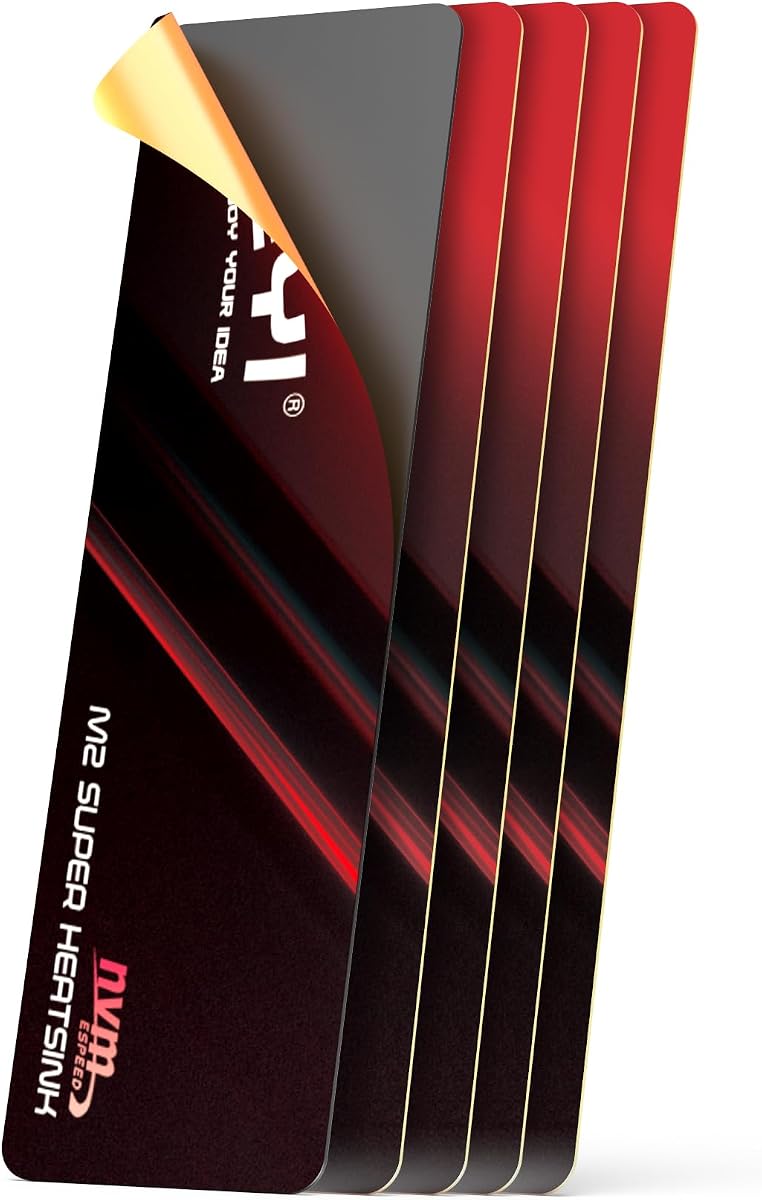
The JEYI M.2 2280 SSD Heatsink offers an ultra-thin 0.5mm profile that is perfect for extremely tight enclosures like the PlayStation 5 or ROG Ally. With a 4.4 rating it utilizes premium graphene and copper foil to cut peak temperatures by up to 25 degrees Celsius. This level of cooling is achieved through its high thermal conductivity of 1500W/mK which exceeds many traditional solid heatsinks.
We may earn a commission when you buy through this link, at no additional cost to you.
Its design allows for dual-sided cooling by applying thermal pads to both sides of the SSD maximizing heat dissipation. The adhesive backing ensures permanent bonding once installed provided the film is handled carefully during application. It is compatible with a wide range of devices including desktop SSDs and laptop adapters.
The thinness of the film requires careful handling to avoid bending which could compromise the flatness needed for proper thermal contact. While the material is robust it is more delicate than rigid metal heatsinks during installation. Users must ensure the surface is clean and smooth before applying.
This heatsink is ideal for devices where every millimeter of vertical space counts. It allows users to upgrade storage in consoles or handhelds without violating height constraints. For those needing the thinnest possible solution this is a top contender in the market.
At just 0.5mm thick this heatsink is designed to fit in the most restrictive spaces where standard metal fins simply cannot be accommodated.
The combination of graphene and copper foil creates a material that transfers heat exceptionally efficiently across the entire drive surface area.
We may earn a commission when you buy through this link, at no additional cost to you.
This budget friendly M.2 heatsink offers excellent value for desktop users and PS5 owners seeking basic thermal protection. With a 4.6 rating it effectively cools drives by 10 to 20 degrees Celsius using an aluminum alloy body. The silver plating helps eliminate static electricity while the anodic oxidation treatment protects the surface from corrosion over time.
We may earn a commission when you buy through this link, at no additional cost to you.
The double-sided clip design ensures a secure fit regardless of SSD height variations. This stability prevents the heatsink from shifting during transport or vibration which maintains consistent thermal contact. The compact dimensions make it suitable for the tight PS5 expansion slot without causing interference.
While aluminum is less conductive than copper it remains effective for typical consumer workloads. The unit does not explicitly include a thermal pad in the description so users should check contents or source one separately. This might add a small cost or effort to the setup process.
For those on a tight budget this heatsink delivers reliable performance without breaking the bank. It is an excellent entry point for anyone looking to prevent throttling during file transfers or gaming. The solid rating suggests it meets expectations for most standard users.
The silver plating on the aluminum body provides a layer of protection against static discharge which can be harmful to sensitive electronic components.
Clips on both sides hold the heatsink tightly against the drive ensuring good contact for heat transfer while accommodating various component heights.
We may earn a commission when you buy through this link, at no additional cost to you.
The pure copper material in this heatsink offers superior thermal conductivity compared to aluminum which translates to faster heat dissipation for your drive. With a 4.5 rating it features a groove design that increases the surface area for heat exchange with the surrounding air. This design choice enhances cooling efficiency in passive setups without requiring additional fans.
We may earn a commission when you buy through this link, at no additional cost to you.
A low-viscosity silicone thermal pad is included to maximize contact between the SSD and the heatsink. This ensures optimal heat transfer while protecting the drive surface from abrasion. The rubber rings provided help secure the unit in place once installed securely. It is compatible with a wide range of devices from laptops to Nintendo Switch.
The thin 1.5mm design allows installation in most computers without interference with case components or other hardware. However users should verify their specific clearance before purchase since the 1.875-inch length might not fit all narrow slots. The manufacturer offers a strong satisfaction guarantee for peace of mind.
This heatsink is recommended for users who want a simple and effective cooling solution with high quality materials. The included accessories make it ready to use right out of the box. It balances performance and ease of use well for most storage configurations.
The grooves cut into the copper body increase the surface area that air flows over allowing heat to dissipate faster than on a flat plate.
Copper has much higher thermal conductivity than aluminum allowing this heatsink to absorb and transfer heat from the SSD more efficiently.
We may earn a commission when you buy through this link, at no additional cost to you.
This heatsink from be quiet! stands out with the highest user rating of 4.7 in our comparison. It is engineered to provide efficient cooling that enables maximum read and write speeds for both single and double sided M.2 modules. The design specifically targets preventing throttling during long periods of high intensity data transfer or gaming.
We may earn a commission when you buy through this link, at no additional cost to you.
The product description highlights that it is ideally suited for the PlayStation 5 expansion slot where space and heat management are critical. By maintaining lower temperatures the drive can run at full performance for longer periods without thermal shutdowns. This reliability is key for users who demand consistent system responsiveness.
While specific material details are not provided in the brief description the brand reputation suggests high build quality. The mounting method appears standard but may require checking compatibility with your specific motherboard bracket or PS5 bracket. This extra step is worth it for the reliability gained.
Users looking for a premium solution that justifies a higher price should consider this cooler for its proven performance. It is particularly useful for PS5 owners who want to ensure their expanded storage performs reliably. The high rating reflects strong customer satisfaction with its real world results.
By keeping the SSD cool the heatsink allows the drive to sustain peak speeds over long periods without slowing down due to thermal protection.
The dimensions are tailored to fit the PlayStation 5 expansion slot perfectly ensuring compatibility without requiring custom modifications or extra parts.
We may earn a commission when you buy through this link, at no additional cost to you.
This model shares similar advanced material claims with other copper graphene options in our list offering high performance cooling for demanding environments. With a strong 4.7 rating it leverages graphene coating to enhance thermal conductivity significantly above standard metals. The design aims to dissipate heat quickly through increased contact area with air.
We may earn a commission when you buy through this link, at no additional cost to you.
The slanted slot design not only improves airflow but also adds a modern visual appeal to internal storage setups. Installation is simplified by a silicone thermal pad that secures the heatsink without needing screws or tools. This pad protects the surface of the SSD while ensuring good thermal contact for heat transfer.
While the graphene technology is attractive the higher cost compared to basic aluminum options may be a consideration for budget conscious buyers. The 4mm thickness might not fit all laptops so space verification is necessary before purchase. The protection of particles on the drive helps extend its lifespan significantly.
Users seeking a balance of performance and aesthetics will appreciate the design and material choices here. It is a solid choice for gaming PCs or consoles where visual presentation matters alongside thermal performance. The high rating supports its effectiveness in real world conditions.
The graphene coating increases the efficiency of heat transfer allowing the copper base to move thermal energy away from the drive faster.
The slanted slots give the heatsink a distinct look that many users find more attractive than standard rectangular fin designs on cooling units.
We may earn a commission when you buy through this link, at no additional cost to you.
This ultra slim copper heatsink offers a 0.5mm profile that is ideal for extremely constrained laptop environments. With a 4.4 rating it is made from pure copper to ensure effective heat transfer from the SSD to the air. The exact dimensions are designed to prevent installation misalignment which reduces the risk of short circuits or damage.
We may earn a commission when you buy through this link, at no additional cost to you.
The package includes multiple silicone thermal pads that have undergone chemical polishing for a smooth surface. This helps prevent short circuits and ensures good contact between the drive and the heatsink. Additionally it comes with a screwdriver and plastic spudger making it easy to install without extra tools.
While the thinness is a benefit it might restrict airflow slightly compared to thicker fins that can displace more air. The pads resist oxidation and rust ensuring long term reliability of the contact interface. Users should verify their laptop clearance to avoid interference with case panels.
This heatsink is best suited for users who need maximum thermal conductivity in the minimum space possible. The inclusion of tools adds value to the package making setup straightforward. It is a great option for thin laptops that lack adequate onboard cooling for added storage.
The chemical polishing of the thermal pads ensures a smooth surface that protects the drive particles and prevents electrical shorts during operation.
Including a screwdriver and spudger in the package saves users the hassle of finding the right tools for opening their laptop casing to install the unit.
We may earn a commission when you buy through this link, at no additional cost to you.
The Micro Connectors M.2 SSD 5mm Low-Profile Heat Sink is designed with a specific height to balance cooling and clearance. With a 4.6 rating it features cross-cut aluminum fins that optimize heat dissipation surface area. The heat resistant silicone rings included secure the heatsink to the drive and prevent movement during operation or transport.
We may earn a commission when you buy through this link, at no additional cost to you.
It supports 2280 length SSDs and works on motherboards or M.2 adapters making it versatile for different PC setups. The 5mm height allows it to fit in tight spaces while still providing enough surface area for air cooling. This makes it a strong candidate for desktop cases with limited vertical space near the motherboard.
While the height is low it might be slightly taller than some console specific requirements like the PS5 which prefers 2.5mm. Users should verify their exact clearance before purchasing to avoid fit issues. The aluminum material provides good cooling for typical workloads though it is not as conductive as copper.
This heatsink is recommended for PC users who want a reliable and easy to install cooling solution for their NVMe drives. The included accessories simplify the installation process significantly. It is a solid choice for general purpose storage cooling where space is a primary constraint.
The cross-cut design of the aluminum fins increases the effective surface area available for air to carry away heat from the heatsink body.
The included silicone rings hold the heatsink securely in place preventing it from shifting and ensuring consistent contact with the SSD controller.
We may earn a commission when you buy through this link, at no additional cost to you.
Selecting the right heatsink involves balancing material performance with physical space constraints and compatibility requirements for your specific system.
The choice of material significantly impacts how efficiently heat is drawn away from the SSD controller. Copper and graphene coated options offer superior conductivity compared to standard aluminum but often come at a higher cost. For high performance drives like Gen4 or Gen5 this investment can be crucial to maintaining peak speeds.
Prioritize materials with high thermal conductivity ratings if you run intensive workloads that generate significant heat over long periods.
The physical thickness of the heatsink determines whether it will fit inside your system. Some consoles have strict height limits often around 2.5mm to 5mm to avoid interference with covers. Measure your available space carefully before purchasing to ensure the unit does not block other components.
Always check the exact height requirement of your target device to avoid purchasing a heatsink that is too tall to install.
Installation complexity varies widely between models with some offering tool-less clamps and others requiring screws or adhesive pads. Tool-less options are easier to remove if you need to swap drives later. Adhesive pads provide a clean look but might be harder to replace over time.
Choose a mounting method that aligns with your technical comfort and need for future drive upgrades or maintenance.
Ensure the heatsink supports the specific size of your SSD such as 2280 which is the most common length. Some models are designed specifically for single sided drives while others accommodate double sided modules. Check if it is compatible with your target device like PS5 or laptop slots.
Verify the dimensions and compatibility notes to ensure the heatsink will work with your specific drive and system combination.
The thermal pad acts as the bridge for heat transfer between the SSD and the heatsink body. High quality pads with low viscosity ensure better contact and transfer rates. Look for products that include durable pads that resist drying out over time for consistent cooling.
Invest in a heatsink that includes reliable thermal pads to avoid the hassle of sourcing them separately.
A well built heatsink should resist corrosion and physical damage over its lifespan. Aluminum models often feature anodic oxidation for protection against rust while copper models may have tinning or plating. Durability is key for keeping your drive protected over years of use.
Look for features like silver plating or oxidation resistance to ensure the heatsink lasts as long as your drive.
Choosing a reputable brand can provide confidence in the quality of the product and the support you receive if issues arise. Many manufacturers offer warranties or satisfaction guarantees that add value to the purchase. This can be critical if you encounter defects or installation challenges.
Prioritize brands with positive reviews and clear support channels to protect your investment in storage cooling.
Begin by ensuring your SSD is powered off and disconnected from power sources to avoid any electrical risks during installation. Remove the drive carefully from its slot using the standard release mechanism provided by your motherboard or console.
Apply the thermal pad to the controller area of the SSD ensuring full coverage without air bubbles. Position the heatsink over the pad and secure it using the provided clamps or screws. Double check that the unit sits flat and does not wobble before securing the casing back up.
After installation monitor the drive temperatures using system software to confirm the cooling is effective. Avoid exposing the heatsink to liquids or excessive dust which might clog the fins or reduce efficiency over time.
A heatsink is highly recommended for high speed Gen4 or Gen5 drives that generate significant heat under load. Without one these drives may throttle their performance to prevent overheating leading to slower speeds.
Sony specifies a maximum height for the expansion slot which typically allows for heatsinks up to 2.5mm or 5mm depending on the bracket used. Check official guides for the exact limit for your console model before buying.
Not necessarily as thicker fins may not fit in tight spaces. A properly designed thin heatsink with high conductivity materials can perform as well as a bulky aluminum one if installed correctly.
It is generally better to use fresh thermal pads because reused ones may have lost their adhesive properties or flatness. Most new heatsinks include their own pads which ensure optimal contact.
Yes laptops often have limited airflow leading to higher internal temperatures. Adding a low profile heatsink can reduce throttling during heavy tasks and extend the lifespan of the drive.
In most cases installing a third party heatsink does not void the SSD warranty as long as you do not damage the drive during installation. Always check the warranty terms of your specific drive manufacturer to be sure.
We have explored ten excellent options ranging from budget aluminum models to advanced copper graphene solutions. Each choice offers unique benefits depending on whether you prioritize cost performance or physical fit for your specific system.
When making your decision consider the available space in your case and the type of workload your drive handles regularly. A proper heatsink ensures your storage remains cool and performs at its best for years to come.
Always verify the latest product details and availability before purchasing to ensure you get the right fit for your needs. Current stock and offers may change so check the retailer's site for the most up to date information.