
A-Tech 8GB DDR4
4.7Editor score
Affordable Single Module
Lifetime Warranty Included
2400MHz Standard Speed
This guide compares the top DDR4 Sodimm Laptop RAM modules for speed, capacity, and reliability to help you choose the right memory upgrade for your device.
Upgrading your laptop memory can significantly enhance performance for multitasking and demanding applications. Choosing the right DDR4 Sodimm Laptop RAM ensures compatibility and speed improvements without breaking the bank.
We evaluated ten leading memory modules based on speed, capacity, and brand reliability. Each product was reviewed for compatibility with modern laptops and value proposition for different user needs.
Each pick highlights key features and performance metrics to guide your decision. Prices and availability change frequently, so verify current listings before purchasing to secure the best deal.
4.7Editor score
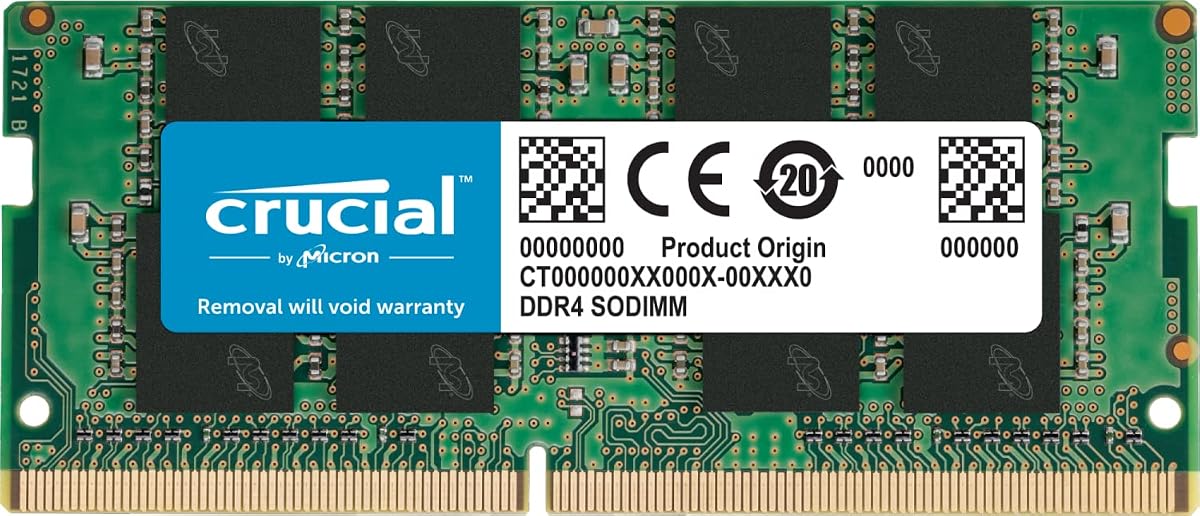
4.8Editor score
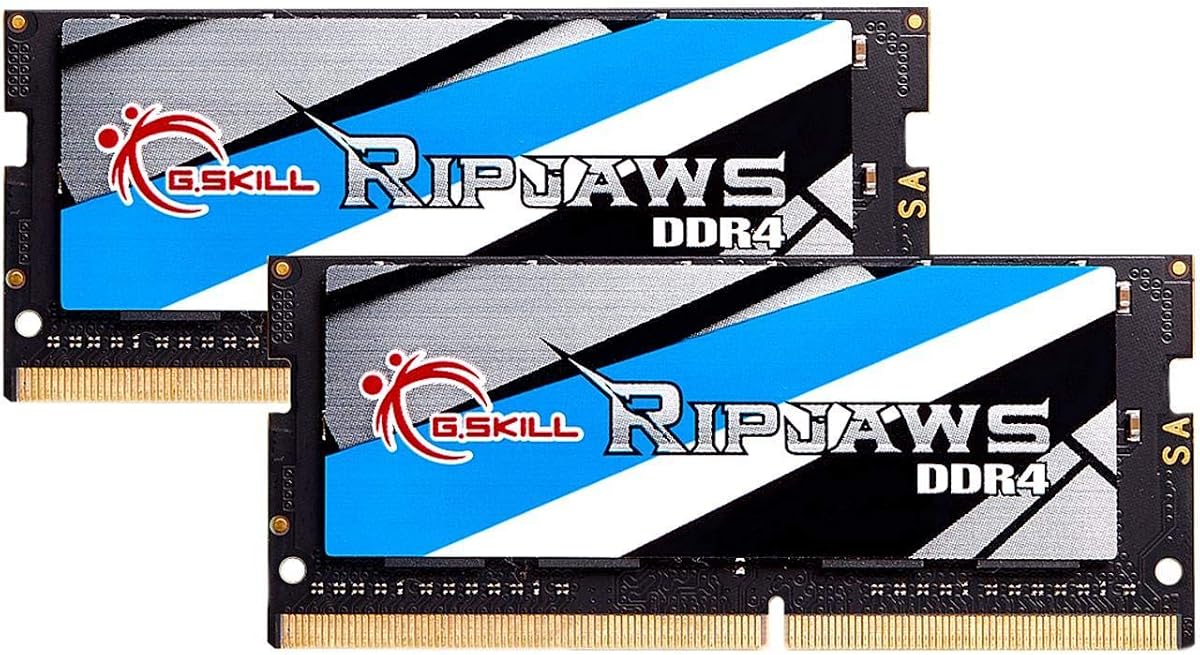
4.7Editor score
The following table provides a side-by-side comparison of all ten selected DDR4 Sodimm Laptop RAM modules to help you quickly identify specifications that match your requirements.


This Crucial 16GB DDR4 RAM module stands out as a top choice for users seeking reliability and speed. With a high rating and proven performance, it delivers smooth multitasking capabilities for modern laptops and notebooks.
We may earn a commission when you buy through this link, at no additional cost to you.
Its operating speed of 3200MHz ensures quick data access and improved system responsiveness. The module is rigorously tested at component and module levels to ensure top performance and reliability for your system.
While the price point is slightly higher than budget options, the quality and compatibility guarantees justify the investment. Users appreciate the easy installation process supported by detailed step-by-step guides.
Ideal for professionals and students needing a robust memory upgrade, this module offers seamless compatibility with recent Intel and AMD processors. It remains a highly recommended choice for stable performance.
The 3200MHz speed improves multitasking and system responsiveness for smoother performance across demanding applications.
Upgrade your laptop RAM with ease using available step-by-step how-to guides designed for a worry-free experience.
We may earn a commission when you buy through this link, at no additional cost to you.
Samsung offers a robust 16GB DDR4 3200MHz module designed to boost system performance significantly. This RAM upgrade is compatible with select DDR4 laptops, notebooks, and all-in-one computers for enhanced speed.
We may earn a commission when you buy through this link, at no additional cost to you.
The high performance RAM module speeds up loading times and improves system responsiveness. It increases your system's ability to handle greater workloads efficiently for productivity tasks.
Quality assurance testing ensures dependable and reliable performance for everyday computing. However, users must verify compatibility with their specific device before purchase to avoid issues.
This module is perfect for users needing a reliable single stick upgrade for their laptop. Samsung's reputation for quality makes this a solid option for performance seekers.
Boosts performance by speeding up loading times and improving system responsiveness for better user experience.
All modules undergo rigorous testing to ensure dependable and reliable performance in various computing environments.
We may earn a commission when you buy through this link, at no additional cost to you.
For users seeking a balance between cost and performance, this 8GB DDR4 RAM is an excellent choice. It operates at 3200MHz and can downclock to 2933 or 2666MHz for broader compatibility.
We may earn a commission when you buy through this link, at no additional cost to you.
The module improves multitasking and system responsiveness for smoother performance across various tasks. Backed by 42 years of memory expertise, it ensures top reliability for your system needs.
While 8GB may be lower than modern standards, it serves as a good entry point for budget users. The easy installation process makes it accessible to those without technical skills.
Ideal for light users or those adding a second stick, this Crucial module provides consistent performance. Verify your laptop specs to ensure it meets your current memory requirements.
Operates at 3200MHz but can downclock to 2933 or 2666MHz for compatibility with older systems.
Backed by 42 years of memory expertise ensuring top performance and reliability for your system.
We may earn a commission when you buy through this link, at no additional cost to you.
This G.SKILL Ripjaws kit offers 32GB of memory in a dual kit configuration for significant performance gains. It supports speeds up to 3200MT/s but requires BIOS adjustments for maximum potential.
We may earn a commission when you buy through this link, at no additional cost to you.
Memory kits are designed to run together as a set ensuring stability. Mixing memory kits may result in system instability so it is important to use matched modules.
For heavy multitasking and professional workflows, the 32GB capacity ensures smooth operation. The JEDEC default profile ensures stability out of the box with compatible hardware.
Recommend this kit for power users needing ample memory for virtual machines or editing. Check the QVL tool for validated motherboard and hardware compatibility.
Dual kit configuration allows for dual channel memory operation which enhances data throughput.
Memory kits are sold in matched pairs designed to run together as a set for stability.
We may earn a commission when you buy through this link, at no additional cost to you.
TEAMGROUP offers this 32GB kit as a high value option for users needing significant memory. It supports 3200MHz but may operate at lower speeds depending on system compatibility.
We may earn a commission when you buy through this link, at no additional cost to you.
Adherence to JEDEC standards and RoHS compliance ensures environmental protection. All products undergo strict test and verification procedures to ensure quality and reliability.
The lifetime warranty and free technical support add significant value to the purchase. Installation videos are available online to help with setup.
Ideal for users looking for a reliable dual channel upgrade without breaking the bank. Verify device specifications before purchasing to ensure speed compatibility.
Includes a lifetime warranty and free technical support for peace of mind after purchase.
Installation videos are attached in product images to guide users through the setup process.
We may earn a commission when you buy through this link, at no additional cost to you.
For budget conscious users, this A-Tech 8GB module provides reliable performance at a lower speed. It is compatible with select DDR4 laptops and notebooks for essential upgrades.
We may earn a commission when you buy through this link, at no additional cost to you.
Easy to install at home, it maximizes system performance and boosts loading speeds. The friendly tech support team is available to help before and after purchase.
Backed by a lifetime warranty, it offers peace of mind for long term use. The module adheres to JEDEC standards for standard voltage and rank configurations.
Best for older laptops or light users who need a simple memory boost. Verify your laptop supports 2400MHz before purchasing.
Maximize system performance and multitask with ease at an affordable price point.
Friendly tech support team available to help before and after your purchase.
We may earn a commission when you buy through this link, at no additional cost to you.
GIGASTONE provides this 32GB kit for laptops and all-in-one computers needing a significant memory boost. It supports 3200MHz but is flexible with lower speeds.
We may earn a commission when you buy through this link, at no additional cost to you.
Compatible with a wide range of devices commonly found on laptops and notebooks. This ensures versatile use across multiple systems without compatibility issues.
The unbuffered Non ECC design follows standard JEDEC specifications for reliability. It is a good choice for general computing and light professional tasks.
Ideal for users needing more than 16GB for multitasking. Check your device specs to ensure the memory is supported for optimal performance.
Compatible with a wide range of devices commonly found on laptops, notebooks, and all-in-one computers.
Offers high performance notebook memory upgrade for versatile use across multiple systems.
We may earn a commission when you buy through this link, at no additional cost to you.
Samsung delivers this genuine DDR4 memory module with 3200MHz speed for modern systems. It is designed for select laptops and notebooks requiring a reliable memory upgrade.
We may earn a commission when you buy through this link, at no additional cost to you.
The 1Rx16 single rank design allows for compatibility with systems needing lower density RAM. Expands your system's available memory resource improving performance and reducing bottlenecks.
Adheres to JEDEC standards and standard voltage requirements for safe operation. Quality assurance testing ensures dependable performance for everyday tasks.
Best for users needing a compact 8GB stick to reach 16GB total. Verify your system requirements for rank and density before purchasing.
Genuine Samsung DDR4 memory RAM with identical specifications and performance.
Expands your system's available memory resource increasing workload capacity.
We may earn a commission when you buy through this link, at no additional cost to you.
This single 32GB module offers high density for systems needing significant memory without dual slots. It operates at 3200Mbps with 2Rx8 rank configuration for stability.
We may earn a commission when you buy through this link, at no additional cost to you.
Newest version speed ensures compatibility with recent hardware requirements. Component composition uses advanced chips for reliable performance and efficiency.
Ideal for laptops with limited slots but need for high capacity. Ensure your motherboard supports high density modules before installation.
A robust choice for professional workstations requiring maximum memory in a single stick. Verify your laptop specifications for high density support.
Offers 32GB capacity in a single module for laptops with limited RAM slots.
Newest version with 3200 speed for modern hardware compatibility.
We may earn a commission when you buy through this link, at no additional cost to you.
CORSAIR Vengeance offers a reliable 16GB module designed for laptops and notebooks. It supports speeds up to 3200MHz with auto-overclocking features for compatible systems.
We may earn a commission when you buy through this link, at no additional cost to you.
Each module is built using carefully selected DRAM for excellent stability. The slim design ensures physical compatibility with newer processors.
Maximum speed may require BIOS adjustments depending on hardware. Verify compatibility before purchase to ensure optimal performance.
Ideal for users needing a branded upgrade for a modern laptop. Check your device specifications for speed and slot requirements.
Auto-overclocking with compatible laptops requires no BIOS configuration.
Slim and attractive design ensures physical compatibility with modern processors.
We may earn a commission when you buy through this link, at no additional cost to you.
Choosing the right memory module requires understanding key factors like speed, capacity, and compatibility. This guide explains the most important elements to consider before purchasing.
Capacity determines how many applications you can run simultaneously. For general use, 8GB may suffice, but 16GB or more is recommended for heavy multitasking.
Consider your current usage patterns. If you run multiple apps or need more headroom for the future, 32GB is ideal.
Speed measured in MHz or MT/s affects data transfer rates. Higher speeds like 3200MHz improve system responsiveness significantly.
Always check your laptop supports the maximum speed. Some systems may downclock RAM to match supported speeds.
Compatibility ensures the RAM fits your laptop motherboard. Most laptops use SODIMM 260-pin modules for DDR4.
Use system scanners or check manufacturer specs to verify support. Mismatched rank or voltage can cause instability.
Rank refers to how many chips are accessed at once. Single rank and dual rank modules differ in density.
Check your laptop supports the specific rank. Some older systems only support single rank for stability.
DDR4 modules typically use 1.2V standard voltage. Ensure your system supports this voltage for safe operation.
Using incorrect voltage can damage components. Always match the voltage specifications of your current modules.
Reputable brands offer better quality assurance and customer support. Brands like Crucial and Samsung have established track records.
Look for warranties and testing guarantees. A good warranty provides peace of mind for your investment.
Price varies by capacity and brand. Balance cost with performance needs to get the best value.
Sometimes slightly higher costs bring better support and quality. Consider total value rather than just initial price.
RAM upgrades are straightforward but require careful handling. Use proper tools and avoid static electricity during installation.
Follow guides for your specific laptop model. Some devices have hidden compartments for RAM access.
To install your new RAM, power down the laptop and remove the battery if possible. Open the access panel and insert the module into the slot at a 30 degree angle until it clicks.
After installation, power on the system and enter BIOS to verify the RAM is recognized. Check that the speed and capacity match the specifications on the module.
Keep your laptop clean and avoid physical shocks to maintain stability. Regular updates to your BIOS can help ensure maximum compatibility and performance.
Check your laptop's user manual or system specs for supported memory types. Most modern laptops use 260-pin SODIMM modules. Using a system scanner tool can also confirm compatibility before purchase.
While mixing is possible, it may reduce stability. It is best to use matched kits. Mixing different speeds can cause both sticks to run at the slower speed.
For most users 16GB is sufficient. If you perform heavy tasks like video editing or virtualization, 32GB is better. Consider your typical workload to decide.
You can check speed using Task Manager or System Information on Windows. The specs tab will show the rated speed and installed capacity of your modules.
Dual channel performance benefits from pairs, but single modules work. If you have two slots, adding a second stick improves speed compared to one large module.
Incompatible RAM may not boot or could cause crashes. If the system does not start, remove the new module and recheck compatibility before reinstalling.
Selecting the right memory module can significantly enhance your laptop's performance. The top picks offer reliable upgrades for various needs and budgets.
Focus on compatibility and speed when making your choice. Higher capacity and speed improve multitasking and system responsiveness.
Prices fluctuate frequently so check current listings before buying. Ensure you get the best value for your specific device requirements.