
Dell Latitude 5450
4.6Editor score
Intel Core Ultra 7
400 nits brightness
Three 4K display support
Dell Latitude laptops are renowned for their durability, security, and performance in business environments. They offer robust builds and enterprise-grade features that cater to professionals who need reliable devices for daily workflows and critical tasks.
We evaluated ten top models based on processor power, memory capacity, display quality, connectivity options, and overall value. Each product was selected to represent different needs, from portable ultrabooks to powerful workstations for demanding applications.
Each pick highlights key strengths and ideal use cases to help you find the right fit. Prices and availability can change frequently, so verify details before purchasing to ensure you get the best deal for your specific requirements.
4.6Editor score

4.9Editor score

4.1Editor score
As an Amazon Associate we earn from qualifying purchases.
This comparison table provides a side by side overview of all ten selected Latitude models. It highlights key specifications like processor type, memory, storage, and display size to help you quickly identify the most suitable option for your needs.



The Dell Latitude 5350 stands out as the top choice for hybrid professionals needing mobility and power. With a 4.9 star rating, it delivers intelligent productivity through AI driven features and an ultra portable design.
We may earn a commission when you buy through this link, at no additional cost to you.
Its Intel 12-Core Ultra 5 125U processor paired with 16GB of fast DDR5 RAM ensures smooth multitasking for business applications. The 8% battery life improvement over previous generations means you can work longer without searching for an outlet.
While the 250 nit display is sufficient for indoor use, it might struggle in bright sunlight. The 16GB RAM limit is fixed, but for most office workflows this is ample for seamless performance and quick app loads.
This model is ideal for frequent travelers and remote workers who prioritize portability without sacrificing performance. Its combination of security features, AI tools, and reliable connectivity makes it a top recommendation for modern business needs.
Windows Studio Effects provide automatic framing and noise suppression to keep video meetings professional and distraction free.
Fast charging capabilities reduce downtime by quickly replenishing battery power during short breaks or between meetings.
We may earn a commission when you buy through this link, at no additional cost to you.
The Dell Latitude 5450 earns its premium badge with top tier specs and a stunning display. Its 4.6 rating reflects strong performance for demanding workflows and superior build quality for enterprise environments.
We may earn a commission when you buy through this link, at no additional cost to you.
Powered by Intel Ultra 7 155U with 32GB RAM and 1TB storage, it handles heavy multitasking with ease. The 400 nit screen ensures clarity even in bright offices and supports up to three 4K external displays without a dock.
While it costs more than standard models, the extra power and screen quality justify the investment for power users. The integrated AI capabilities enhance productivity, making it a smart choice for professionals who need reliable tools.
Buy this if you need a balance of portability and high end performance for office or remote work. It is best suited for those who value display quality and extra RAM for future proofing their daily tasks.
Support for three external 4K monitors allows for expansive workspaces ideal for developers and designers.
100% sRGB coverage delivers accurate colors for content creation and detailed visual review tasks.
We may earn a commission when you buy through this link, at no additional cost to you.
The Dell Latitude 5520 offers exceptional value for users who need high memory and storage without a premium price. With a 4.1 rating, it serves as a robust budget friendly option for small businesses or students.
We may earn a commission when you buy through this link, at no additional cost to you.
The 32GB RAM and 1TB SSD configuration is rare at this price point and allows for heavy multitasking and large file storage. Thunderbolt support ensures you can connect to modern peripherals and docking stations efficiently.
As a renewed model, physical condition may vary but core specs remain strong. The older processor is less efficient than newer chips but still capable for standard office workloads and productivity tasks.
This laptop is best for those seeking raw specs on a budget or needing storage for specific workflows. It is a solid choice for businesses that need multiple units with consistent memory capacity at lower costs.
The 1TB NVMe drive provides ample space for large databases and extensive media file storage needs.
32GB of RAM enables running virtual machines and memory intensive applications without slowdowns.
We may earn a commission when you buy through this link, at no additional cost to you.
The Dell Pro 16 replaces the Latitude 3550 with a larger screen and modern AI features. Its perfect 5.0 rating highlights exceptional build quality and reliability for professional use cases.
We may earn a commission when you buy through this link, at no additional cost to you.
The 16 inch WUXGA display offers more vertical space for work without needing external screens. With a 55Wh battery, you get extended usage times and rapid charging to keep you productive throughout busy days.
While bigger than ultrabooks, it remains portable enough for travel and field work. The rugged design meets MIL STD standards, ensuring it can withstand demanding environments better than standard consumer laptops.
Choose this model if you need screen real estate for coding, spreadsheets, or design work. It is ideal for professionals who value durability and battery life while needing a larger workspace for daily tasks.
The 55Wh battery supports all day work without frequent plugging in during meetings or travel.
MIL STD 810H testing ensures reliability in rough conditions and frequent handling scenarios.
We may earn a commission when you buy through this link, at no additional cost to you.
The Dell Latitude 5550 serves as a direct successor to the 3550 with upgraded components and design. Its 4.3 rating reflects strong performance and practical features for diverse professional tasks.
We may earn a commission when you buy through this link, at no additional cost to you.
Equipped with 32GB DDR5 RAM and dual 512GB SSDs, it separates system and storage drives for better stability and speed. The Intel Ultra 5 processor ensures efficient performance for daily workloads without overheating.
The privacy shutter on the webcam adds a layer of security for remote workers sharing home environments. While slightly heavier, the 11 hour battery life ensures you can work remotely without constant power access.
This laptop is perfect for users who need balance between power and portability. It suits small business owners and developers who require ample memory and storage for multitasking and file management tasks.
Separate SSDs for system and data improve file management and overall system stability over time.
FHD HDR webcam with privacy shutter allows secure video calls and protects privacy when not in use.
We may earn a commission when you buy through this link, at no additional cost to you.
The Dell Pro 16 3550 offers an affordable entry point into business computing with modern specifications. With a 4.1 rating, it provides reliable performance for standard business and education workflows.
We may earn a commission when you buy through this link, at no additional cost to you.
Its 10 core processor and DDR5 memory ensure responsive performance and quick boot times. The 16 inch display offers more workspace than 15 inch models for a competitive price in the market.
While it does not have the highest storage or RAM options, it is sufficient for general use and web browsing. The inclusion of WiFi 6E ensures stable wireless connections in crowded environments.
Select this model if you need a large screen and reliable performance without spending too much. It is well suited for students and office workers needing a capable machine for daily productivity tasks.
WiFi 6E support provides faster wireless speeds and reduced latency for cloud work and video calls.
The 16 inch FHD+ panel delivers ample screen real estate for multitasking and content creation.
We may earn a commission when you buy through this link, at no additional cost to you.
The Dell Latitude 5350 Touch combines premium power with interactive features for versatile use cases. With a perfect 5.0 rating, it stands out as a high end portable option for modern professionals.
We may earn a commission when you buy through this link, at no additional cost to you.
Its Core Ultra 7 processor and 32GB RAM handle demanding tasks efficiently while the touchscreen adds fluidity to navigation. The 1TB SSD ensures ample space for files and fast data access for daily productivity.
Touchscreens can drain battery faster and may be reflective in bright light but the interaction benefits are significant. It is ideal for users who prefer finger input for diagrams or notes during presentations.
Choose this if you need the highest performance in an ultra portable form factor with touch. It suits executives and presenters who want a responsive device for meetings and detailed content review on the go.
Full HD Touchscreen allows intuitive navigation and interaction with content during presentations or design tasks.
Intel Core Ultra 7 ensures the fastest processing speeds for heavy multitasking and AI workflows.
We may earn a commission when you buy through this link, at no additional cost to you.
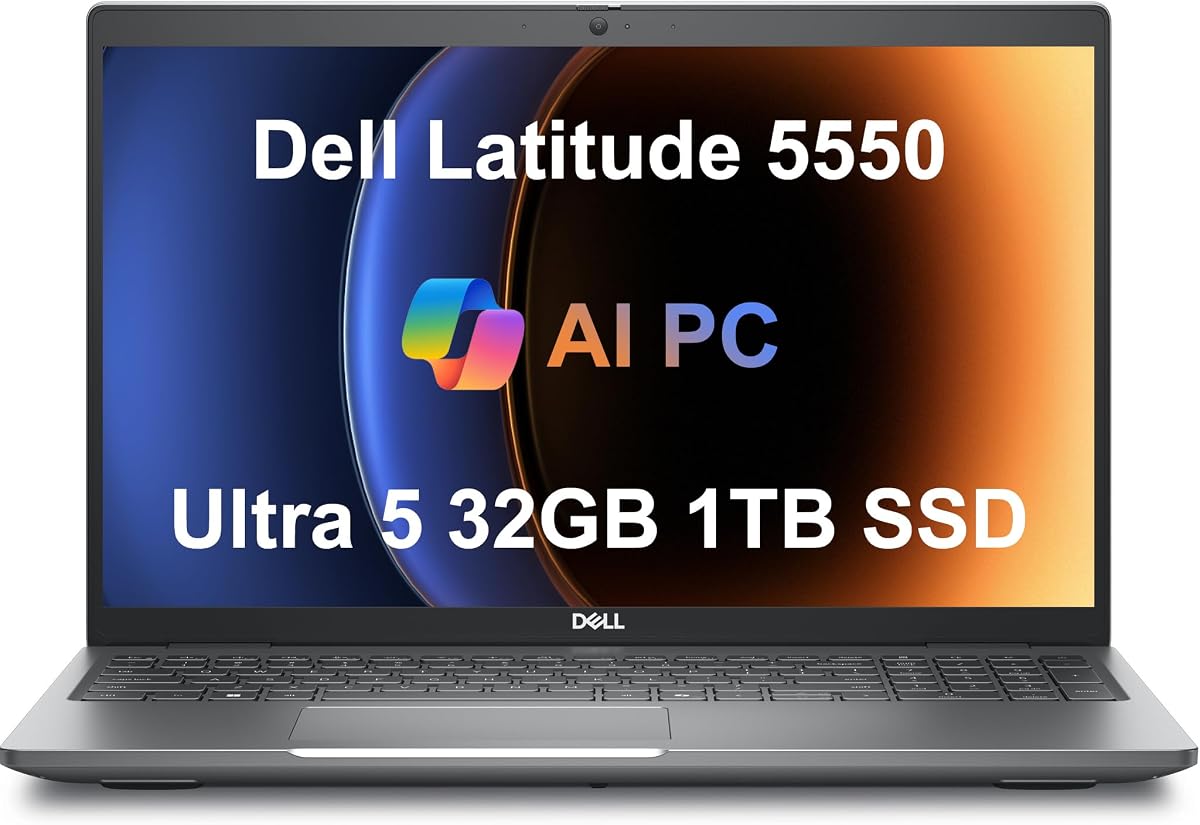
The Dell Latitude 5550 AI Business Notebook offers powerful processing in a reliable chassis. While specific ratings vary, the specs indicate strong capability for professional workloads and business applications.
We may earn a commission when you buy through this link, at no additional cost to you.
Its Intel Ultra 7 processor outperforms older generations ensuring efficiency for daily tasks. The 15.6 inch screen provides a comfortable viewing area for document work and video conferencing sessions.
With 16GB RAM and 512GB storage, it is suitable for general business use but may need upgrades for heavy data analysis. The backlit keyboard aids productivity in low light environments like travel or night work.
Select this model for reliable performance in a familiar 15 inch form factor. It is a practical choice for businesses standardizing on a versatile machine that handles standard office software well.
Intel Ultra 7 delivers faster speeds than older i7 chips for smoother multitasking and AI assistance.
Backlit keyboard ensures comfortable typing during long sessions in dimly lit hotel rooms or offices.
We may earn a commission when you buy through this link, at no additional cost to you.
The Dell Latitude 3550 brings robust specs to an entry level business line for reliable everyday performance. While specific ratings vary, the hardware suggests solid capability for corporate environments and education.
We may earn a commission when you buy through this link, at no additional cost to you.
Its Intel Ultra 7 155U processor provides powerful processing for modern applications. The 1TB SSD ensures you have ample space for files without immediate external storage needs.
A fingerprint reader adds essential security for login and file protection. The standard RJ-45 port ensures reliable wired connectivity in office networks without relying solely on Wi-Fi.
This model is best for budget conscious businesses needing powerful internals without paying for premium extras. It is a great option for standard office staff who need reliable tools for daily work and data access.
Fingerprint reader provides quick and secure login access for protecting sensitive company data.
1TB SSD capacity allows for extensive document and media storage without needing external drives often.
We may earn a commission when you buy through this link, at no additional cost to you.
The Dell Latitude 3450 offers a compact and durable option for everyday business use. With a 4.5 rating, it is built to withstand daily handling while providing essential features for productivity.
We may earn a commission when you buy through this link, at no additional cost to you.
Its Intel i3-1315U processor handles standard office tasks efficiently. The 16GB RAM ensures smooth web browsing and document editing even with multiple tabs open simultaneously.
The 14 inch screen strikes a balance between portability and usable workspace. The fingerprint reader and backlit keyboard enhance security and comfort in various environments.
Choose this if you need a lightweight device for commuting and basic tasks. It is ideal for administrative staff and students who need a reliable machine without needing high end processing power.
MIL STD 810H testing ensures reliability for daily commuting and frequent handling in travel.
14 inch form factor is easy to carry and fits comfortably in smaller bags or briefcases.
We may earn a commission when you buy through this link, at no additional cost to you.
Selecting the right Dell Latitude model requires understanding your workflow needs and budget. This guide outlines key factors to help you make an informed decision for your business or personal use.
The processor is the heart of your laptop and determines how fast it handles tasks. Look for Intel Core Ultra or Core i7 for demanding workloads like data analysis or virtualization. For basic office tasks, i3 or i5 models are often sufficient.
Prioritize newer generations like the Ultra series for better AI capabilities and power efficiency. Ensure the processor matches your software requirements to avoid bottlenecks during critical work hours.
Memory (RAM) dictates how many applications you can run simultaneously without slowdowns. 16GB is a safe baseline for most professionals while 32GB is recommended for developers or those using virtual machines. Storage speed matters more than just capacity.
Choose SSDs over HDDs for fast boot times and responsive performance. NVMe SSDs are significantly faster than SATA SSDs. If your storage needs grow consider models that support dual drive configurations for expansion.
A high quality display reduces eye strain during long work sessions. Look for at least 1080p resolution and anti-glare coatings. Brightness of 300 nits or higher ensures visibility in bright environments or near windows.
Consider screen size based on portability needs. 14 inch models are more portable while 15 or 16 inch screens offer more real estate. Touchscreens add versatility but may impact battery life.
Battery life is crucial for professionals who work away from power sources for extended periods. Models with 8 to 11 hours of usage allow you to work through meetings without searching for an outlet.
Look for rapid charging technologies like ExpressCharge which quickly replenish power during short breaks. Check reviews for real world battery performance rather than just manufacturer claims.
Durability ensures your laptop withstands daily handling and travel. Models with MIL-STD-810H certification have passed rigorous tests for drops and extreme conditions. This is especially important for field work or travel.
Investing in a rugged model can save costs on repairs and replacements in the long run. Consider a laptop with a sturdy hinge and durable chassis if you plan to move it frequently.
Connectivity determines how easily you can connect peripherals and external displays. Look for Thunderbolt 4 ports for fast data transfer and docking capabilities. USB-A ports remain useful for older accessories.
Ensure Wi-Fi 6E support for fast and reliable wireless connections in crowded networks. An Ethernet port is valuable for stable internet in offices. Bluetooth 5.3 improves connection stability for wireless mice and headphones.
Windows 11 Pro offers enterprise features like BitLocker encryption and Remote Desktop. These tools are essential for business security and remote management. Standard Windows 10 or 11 Home may lack these specific features.
Verify the included version meets your organizational compliance standards. Additional AI tools like Copilot are integrated into modern Windows versions and can enhance productivity workflows.
Security features protect sensitive business data and prevent unauthorized access. Hardware based security like TPM chips and fingerprint readers add layers of protection. Cameras with privacy shutters prevent spying when not in use.
Choose models with IR cameras for Windows Hello facial recognition for secure and convenient login. These features are standard in most Latitude business models and are crucial for enterprise environments.
To maintain optimal performance, keep your system updated with the latest Windows updates and BIOS patches. This ensures security vulnerabilities are patched and hardware drivers work efficiently. Regularly restart your device to clear temporary files and refresh system resources.
Physical care is essential for longevity. Use a soft cloth to clean the screen and keyboard to avoid scratches. Store the laptop in a padded bag during travel to prevent dents or drops. Avoid exposing it to extreme temperatures or humidity.
Manage battery health by avoiding deep discharges regularly. Use ExpressCharge features when available to speed up charging. If you use the laptop mostly plugged in consider enabling battery saver modes to reduce wear on the battery cells.
The Latitude 5000 series is generally the sweet spot for business users offering a balance of performance and portability. The 7000 series is best for premium needs while the 3000 series offers budget friendly options for basic tasks.
Yes most modern Latitude models support multiple external displays via Thunderbolt and HDMI ports. You can often connect up to three 4K monitors using appropriate docks or direct connections depending on the model.
Many Latitude models allow upgrades but it depends on the specific chassis. The 5000 and 7000 series often have accessible slots while newer ultra-portable models might have soldered components. Check your specific model's manual for upgrade options.
Most business focused Latitude models ship with Windows 11 Pro by default. This ensures you have access to enterprise features like BitLocker and remote management tools. Consumer models might come with Home editions.
Battery life varies by model and usage but you can expect between 8 to 11 hours on typical business workloads. Higher resolution screens and more powerful processors may reduce this duration depending on your workload intensity.
The Latitude series is designed specifically for enterprise users with enhanced security and durability. It includes features like TPM chips and MIL-STD testing which are not always available on consumer Inspiron laptops.
The Dell Latitude lineup offers a wide range of options suitable for every type of professional. From the ultra-portable Latitude 5350 to the powerful Latitude 5450 there is a model that fits your specific workflow requirements.
Prioritize factors like processor speed and RAM capacity based on your daily tasks. If you need mobility choose a lighter model while power users should opt for higher specs. Security and durability are also key advantages of this line.
Remember to check current prices and availability before making your final decision as deals can vary significantly. Investing in the right Latitude laptop ensures you have a reliable tool for productivity and business success.