
Inwa Computer Speakers Mini
4.2Editor score
Affordable Price Point
Simple Button Controls
Compact Design
This guide compares the top ten clip on speakers for laptop users seeking superior audio without clutter. We analyze sound quality, connectivity, and mounting
Finding the right audio solution for your laptop can be challenging. Clip on speakers offer a compact way to enhance sound without taking up desk space.
We evaluated ten leading models based on sound quality, ease of use, and mounting stability. Our comparison highlights key features to help you choose wisely.
Each pick shows specific strengths and weaknesses found in real-world usage. Please note that product availability and pricing may change over time.
4.2Editor score

4.5Editor score

4.2Editor score
This side-by-side comparison details the specifications and unique selling points of all ten models. Use this table to quickly identify which features matter most to your setup.


This unit stands out with its adaptive channel-switching technology that uses a G-sensor to ensure left and right audio remain correct regardless of mounting position.
We may earn a commission when you buy through this link, at no additional cost to you.
The dual ultra-magnetic drivers and passive radiators deliver loud sound with deep bass that is rare for such a compact device. It supports Windows, macOS, ChromeOS, and Linux seamlessly.
Users should ensure their audio drivers are current and the USB interface functions properly. The touch controls are intuitive but may take a moment to get used to.
Ideal for professionals needing reliable audio without clutter. Its unique mounting flexibility and sound quality make it a top contender for any workspace.
This feature uses a G-sensor to detect orientation and correct audio channels instantly. It ensures stereo imaging remains accurate whether mounted on top or bottom of the monitor.
Despite its small form, the passive radiators deliver surprising bass depth. It provides an immersive experience for media consumption and video calls alike.
We may earn a commission when you buy through this link, at no additional cost to you.
This model combines versatility with style. Its built-in G-sensor ensures precise audio channel placement. It also supports Bluetooth 5.3 for wireless streaming alongside wired USB connections.
We may earn a commission when you buy through this link, at no additional cost to you.
The 16W output delivers loud, clear sound suitable for gaming and music. The RGB lighting modes add a dynamic touch to your desk setup without affecting sound quality.
While the microphone is clear for meetings, the unit requires USB power even in Bluetooth mode. Ensure your monitor has enough clearance for the clamp mechanism.
A top choice for users wanting both functionality and aesthetics. It bridges the gap between traditional speakers and modern connectivity needs.
Switch seamlessly between wired USB and Bluetooth 5.3. This dual-mode capability ensures you can connect to a PC or mobile device effortlessly.
Five customizable lighting modes sync with audio or system notifications. This adds visual flair to your workspace with minimal power consumption.
We may earn a commission when you buy through this link, at no additional cost to you.
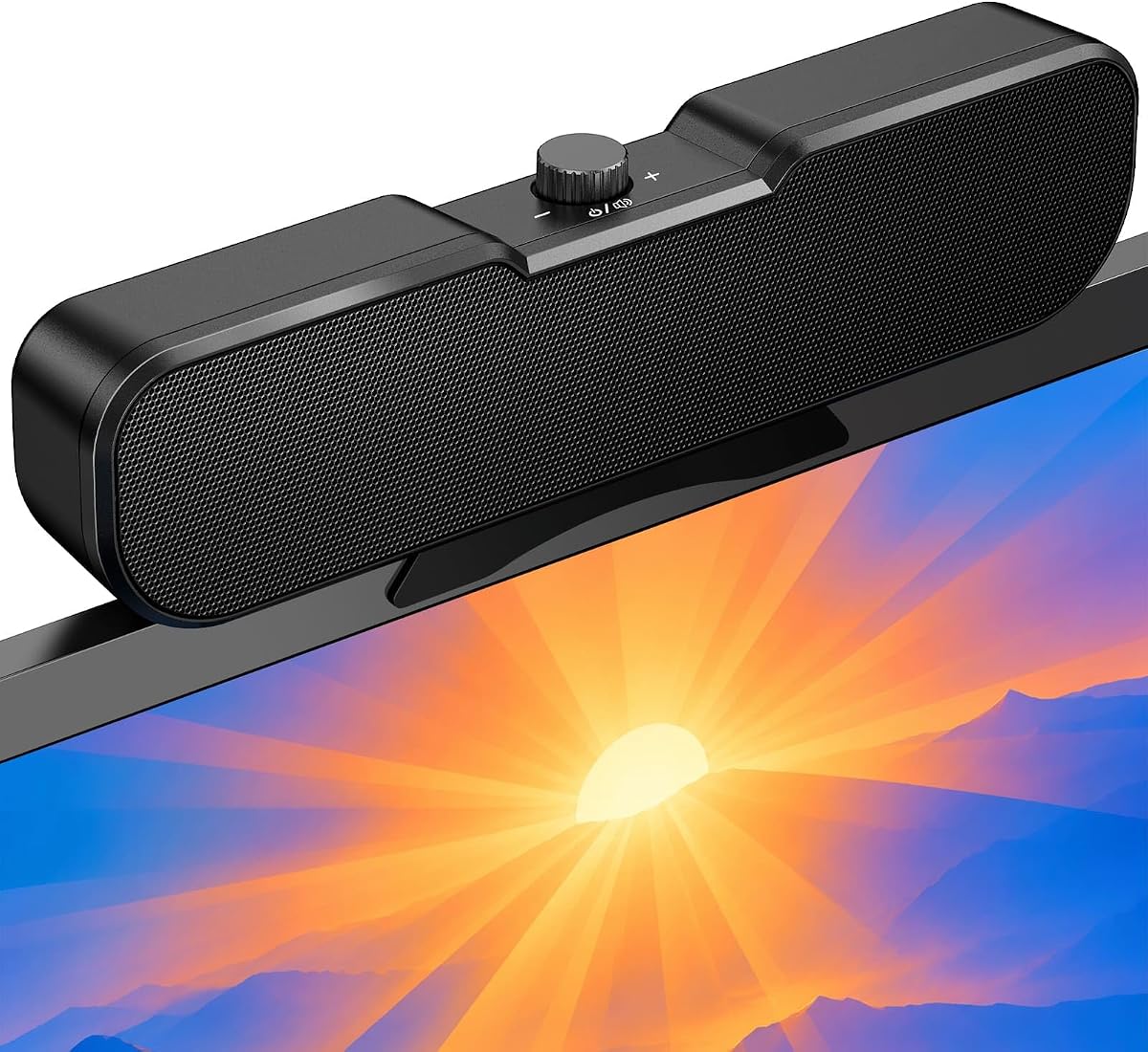
Simplicity is the key here. The single volume knob handles power and adjustment, making it incredibly easy to use. It fits securely on monitors ranging from 0.1 to 0.98 inches.
We may earn a commission when you buy through this link, at no additional cost to you.
Sound is clear and loud enough for daily office tasks. The included USB-C adapter extends compatibility to newer devices like MacBooks and iPads without needing extra dongles.
Ensure your monitor's USB port supports audio output. While it lacks fancy lights, it focuses on delivering reliable performance at a low cost.
Perfect for students or professionals on a budget. It provides essential audio enhancement without complicating your desk setup.
The single knob simplifies interaction. It reduces clutter and makes adjusting audio levels intuitive from any mounted position.
The upgraded non-slip clamp ensures stability. It grips monitors firmly without damaging the surface, providing a secure fit for daily use.
We may earn a commission when you buy through this link, at no additional cost to you.
This speaker is designed for users who prefer a clean desk. It has no extra buttons, meaning you control volume directly from your computer settings. This eliminates clutter completely.
We may earn a commission when you buy through this link, at no additional cost to you.
The dual drivers provide impressive loudness and bass. It works with Windows, macOS, and Linux systems. The USB-C adapter ensures it fits modern laptops without issues.
Because it lacks physical volume controls, you must use software settings. This can be a trade-off but streamlines the user experience for many.
An excellent choice for minimalists. It delivers powerful audio while maintaining a sleek, organized workspace.
Removing physical buttons simplifies the device. Users control audio entirely via system settings, reducing visual noise on the desk.
The patented clamp allows placement on top, bottom, or side of monitors. It also sits smoothly on a desk when needed.
We may earn a commission when you buy through this link, at no additional cost to you.
This speaker is built for versatility. It includes both USB and Type-C cables for wide device support. The one-touch mute button is particularly useful during video calls.
We may earn a commission when you buy through this link, at no additional cost to you.
The immersive stereo sound and enhanced bass make it great for gaming and movies. The volume wheel provides smooth adjustments without multiple clicks.
Setup is quick with plug-and-play technology. However, you need to ensure the USB port is functioning properly to avoid connection issues.
Recommended for gamers and media consumers. Its control layout and sound quality cater well to entertainment needs.
The tactile volume wheel offers a better experience than buttons. It allows for subtle adjustments that are faster to execute during gameplay.
Dual cables ensure you can connect to almost any device. Compatibility with Mac, Windows, and mobile devices adds significant value.
We may earn a commission when you buy through this link, at no additional cost to you.
For those seeking a low-cost solution, this mini sound bar fits the bill. It uses three buttons for volume and mute, making it straightforward for everyone to use.
We may earn a commission when you buy through this link, at no additional cost to you.
The speaker projects sound forward for a stereo experience. It connects via a single USB cable which provides both power and audio signals without extra drivers.
It is best for basic office needs rather than high-fidelity music. The lifetime technical support offers peace of mind for budget-conscious buyers.
A solid entry-level choice for home or office. It gets the job done without breaking the bank or adding complexity.
This unit offers essential audio enhancement at a low cost. It is ideal for users who do not need advanced features or lighting effects.
The top buttons allow for quick adjustments. Volume up and down and mute are intuitive and accessible from any angle.
We may earn a commission when you buy through this link, at no additional cost to you.
This speaker focuses on clarity and usability. Its slim profile sits out of the way of your screen while delivering balanced audio. The adjustable angle helps direct sound toward you.
We may earn a commission when you buy through this link, at no additional cost to you.
The high-sensitive drivers ensure clear voice reproduction for meetings. It works with a wide range of systems including Windows and Mac without needing extra software.
Power, volume, and mute are all easily accessible on the top. However, it lacks the bass depth of larger units which might be a limitation for music lovers.
Great for office workers needing clear audio. It prioritizes functionality and ease of use for everyday tasks.
The 5W drivers prioritize clarity. This ensures that voices in meetings and calls come through without distortion or muffled sounds.
The clip allows for various mounting positions. You can also angle the sound to suit your seating position for better audio.
We may earn a commission when you buy through this link, at no additional cost to you.
This model represents a standard option for basic needs. It provides a simple way to get extra sound without investing in advanced features or high-fidelity components.
We may earn a commission when you buy through this link, at no additional cost to you.
The setup is straightforward. You plug it into a USB port and it works immediately. This makes it suitable for temporary or basic office setups.
Sound quality is adequate for alerts and simple audio. Do not expect rich bass or stereo separation from this unit compared to higher-end models.
Good for users who need audio on a strict budget. It fulfills the minimum requirement for external sound.
It offers a simple connection and power solution. The focus is on getting sound out without complex configurations.
For the lowest price, you get essential audio. It is a viable choice when financial constraints are the primary driver.
We may earn a commission when you buy through this link, at no additional cost to you.
This unit is a legacy option that still serves basic purposes. It relies on wired connections which can be more stable than wireless in some environments.
We may earn a commission when you buy through this link, at no additional cost to you.
The design allows it to sit on a desk or clip if the mount supports it. It does not require batteries and works as long as power is available.
Sound quality is functional for general use. It lacks modern features like USB-C support or smart controls found in newer devices.
A practical choice for older systems or simple tasks. It delivers consistent performance without technical complications.
Wired connections reduce potential interference. This makes the audio stream more consistent during extended use.
The standalone base offers flexibility. You can move it around the desk as needed without attaching to a monitor.
We may earn a commission when you buy through this link, at no additional cost to you.
This speaker aims to bring newer technology to the desk. It includes enhanced connectivity and improved drivers designed for better sound output over older models.
We may earn a commission when you buy through this link, at no additional cost to you.
The build quality suggests a focus on durability and design. It likely integrates well with modern operating systems and hardware interfaces.
While specific details may vary by batch, it generally promises an upgraded experience. It is worth checking current listings for exact capabilities.
Recommended for those wanting modern standards. It represents a step forward from entry-level audio options.
This unit likely supports newer ports and protocols. It bridges the gap between legacy and current hardware standards effectively.
A premium finish suggests attention to detail. This makes it not just functional but also visually pleasing on your desk.
We may earn a commission when you buy through this link, at no additional cost to you.
Selecting the right speaker requires considering several technical and physical factors. This section breaks down what to look for to ensure satisfaction.
Most clip on speakers use USB for both power and audio. Ensure your laptop has a standard USB-A port or a USB-C adapter included. Some models support Bluetooth for wireless use but still require USB power.
Check your laptop ports before buying to confirm compatibility with the speaker's connector type.
The clip must fit your monitor or laptop bezel securely. Most models support thicknesses between 0.1 and 1.2 inches. If you have an ultra-thin device, check the specifications carefully.
Select a model with a clamp range that matches your device thickness to avoid instability.
Sound performance varies by driver size and wattage. Look for passive radiators or dual drivers if you want deep bass. Basic units may lack richness but serve office tasks well.
Prioritize models with drivers that fit your volume and quality expectations.
Controls can range from a simple volume knob to buttons for mute and power. Some models allow system control without physical buttons. Choose based on how much control you want directly on the device.
Decide between physical buttons or software control based on your workflow.
Some speakers only clip to monitors while others can stand on a desk. If you want flexibility, choose a model that supports both mounting and standalone placement.
Look for versatility in mounting if your workspace changes often.
A sturdy clamp with silicone pads prevents scratches and slipping. Lightweight units add less burden to your screen. Avoid very heavy models on thin screens to prevent tipping.
Check reviews for stability to ensure the speaker stays secure during use.
Budget models offer basic sound while premium ones add features like RGB or Bluetooth. Consider what you need rather than paying for extras you won't use. A good balance is usually available in the mid-range.
Evaluate cost against features to find the best value for your needs.
Connect the USB cable to your laptop or PC. If using USB-C, attach the adapter included with the speaker. Ensure your system recognizes the audio device automatically.
Clip the speaker onto the top or bottom of your monitor using the provided clamp. Adjust the angle so the sound directs toward your ears. Ensure the clip is tight enough to stay put.
Keep the speaker clean by wiping it with a dry cloth. Avoid exposing the USB port to moisture. Regularly check the clamp for dust to maintain a secure grip.
No, most models draw power directly from the USB port. You do not need a separate power outlet. The USB connection provides both power and audio.
Yes, most speakers are compatible with macOS without drivers. Just plug them into a USB port. Ensure your system settings recognize the audio device.
Most models clamp to monitor bezels up to 1 inch thick. Do not attach them directly to thin laptop screens to avoid damage. It is safer to place them on a desk.
Some models offer dual mode with Bluetooth 5.3. You can switch between wireless and wired. However, USB power is often still required even in wireless mode.
Volume can be adjusted via buttons on the speaker or system settings. Look for a knob, wheel, or touch controls on the device. Some models rely entirely on software control.
Many units deliver clear sound for general use. Models with passive radiators offer deeper bass for music. Check the wattage if you need high volume for large rooms.
We have reviewed ten options ranging from budget-friendly to feature-rich models. The OHAYO and Cirqon speakers stand out for their balance of utility and value.
Prioritize connectivity and clamp fit when making your decision. Ensure the speaker works with your specific monitor or laptop setup for the best experience.
Check current prices and availability before buying as these change regularly. We hope this guide helps you find the perfect audio solution for your workspace.