
Beelink Mini PC SER9 Pro AMD Ryzen 7 255
4.0Editor score
Ubuntu with OpenClaw Built-in
Radeon 780M Graphics
AI Voice Processing Chip
This guide compares the best Desktop PC with Ubuntu Pre Installed for developers and professionals seeking open-source performance and reliable workstation
Finding a reliable Desktop PC with Ubuntu Pre Installed simplifies setup for developers and professionals who value open-source efficiency. These systems eliminate the need for manual installation, providing immediate access to powerful tools and streamlined workflows right out of the box.
We evaluated ten top-rated models based on processor power, memory capacity, storage speed, and pre-installed OS integrity. Our comparison highlights systems that balance performance with stability, ensuring they meet demanding tasks like coding, virtualization, and multimedia production without compromise.
Each pick showcases distinct strengths, from compact mini PCs to robust business desktops tailored for Linux environments. While prices fluctuate due to market demand, these selections represent the current best value for those seeking a seamless Ubuntu experience on dedicated hardware today.
4.0Editor score
5.0Editor score

1.0Editor score
This side-by-side comparison reviews all ten desktop systems to help you identify the right fit for your specific Linux workflow requirements and performance needs.






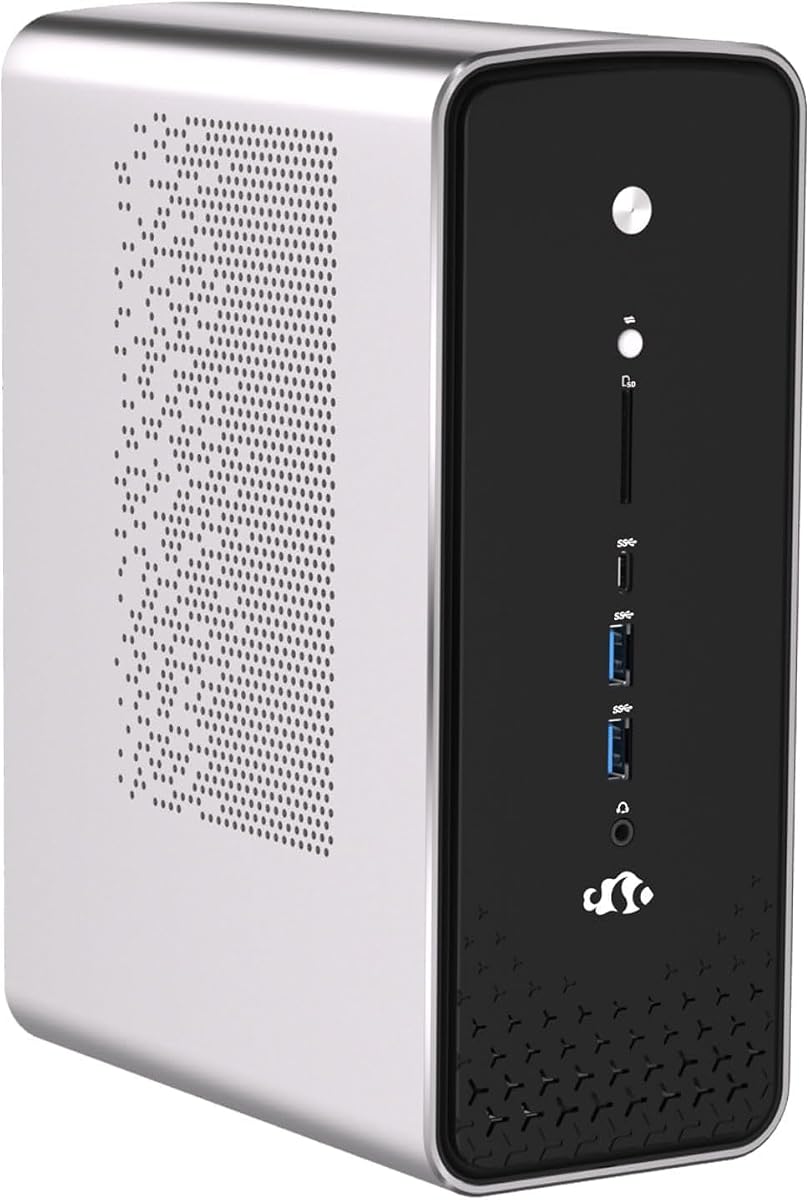
The NIMO Mini PC stands out as a premier choice for developers needing immediate access to Ubuntu alongside Windows. Its perfect rating reflects the seamless experience of switching between operating systems without manual configuration, saving setup time significantly.
We may earn a commission when you buy through this link, at no additional cost to you.
Powered by the AMD Ryzen AI Max+ 395 processor, this machine offers next-generation Zen 5 architecture optimized for heavy multitasking and machine learning workloads. The dedicated NPU accelerates local LLM execution and code completion tasks, ensuring high efficiency without relying on cloud servers.
While the price is steep, the value lies in the pre-configured environment that supports complex computational tasks out of the box. The compact VESA-mountable design ensures it fits neatly behind any monitor, freeing up valuable desk space for other peripherals.
This system is ideal for professionals who require maximum power in a small footprint. Whether you are training models or managing virtual machines, the robust hardware and pre-installed Ubuntu provide a reliable foundation for demanding workflows.
The dual OS setup allows instant switching between productivity and development environments. This flexibility eliminates compatibility issues and ensures you have the right tools ready for any task.
Integrated high-performance NPU significantly boosts local AI workflows. This feature is crucial for developers working with generative AI or complex data modeling locally.
We may earn a commission when you buy through this link, at no additional cost to you.
The Beelink SER9 Pro delivers a unique blend of performance and pre-installed AI tools tailored for Ubuntu users. Its strong 4.0 rating highlights the balance between raw power and specialized software integration that enhances productivity immediately.
We may earn a commission when you buy through this link, at no additional cost to you.
With an 8-core processor and 24GB of fast LPDDR5X memory, this mini PC handles multimedia and development tasks smoothly. The Radeon 780M graphics allow for impressive visual performance, supporting triple displays up to 4K at high refresh rates.
The built-in AI voice processing features offer hands-free control options that are rare in standard desktops. While the proprietary software adds value, users should be aware of potential compatibility nuances when running standard Linux applications alongside it.
This model is perfect for users who want a modern, feature-rich desktop that feels futuristic. The combination of high refresh rate support and voice interaction makes it a standout for creative professionals and tech enthusiasts.
Triple display support with 4K 240Hz capability provides smooth visuals for gaming and video editing. This setup allows extensive workspace real estate for multitasking.
Built-in microphone and voice recognition enable hands-free operation. This feature streamlines daily tasks and enhances accessibility for professional workstations.
We may earn a commission when you buy through this link, at no additional cost to you.
The ASUS NUC 14 Pro offers a reliable entry point for those seeking a lightweight, secure, and developer-friendly environment. While it carries a lower rating, its specs suggest solid potential for specific Linux-based workflows requiring stable open-source tools.
We may earn a commission when you buy through this link, at no additional cost to you.
Powered by the Intel Core Ultra 7 processor, this mini PC handles development tasks with efficiency. The pre-installed Linux Mint ensures a clutter-free experience, ideal for users focused on coding and virtualization without unnecessary bloatware.
Its advanced cooling design supports 24/7 operation, making it suitable for server-like duties or continuous rendering tasks. The Thunderbolt 4 connectivity allows for high-speed data transfer and external GPU support, expanding its versatility significantly.
This desktop is best for professionals who prioritize open-source security and efficiency. Despite the rating concerns, the hardware specifications provide a strong foundation for those willing to manage the system's setup independently.
Linux Mint provides a stable and easy-to-use interface for programming. This OS choice ensures privacy and reduces overhead for development environments.
Thunderbolt 4 ports support massive data transfers and external peripherals. This feature is essential for users working with large files or external storage.
We may earn a commission when you buy through this link, at no additional cost to you.
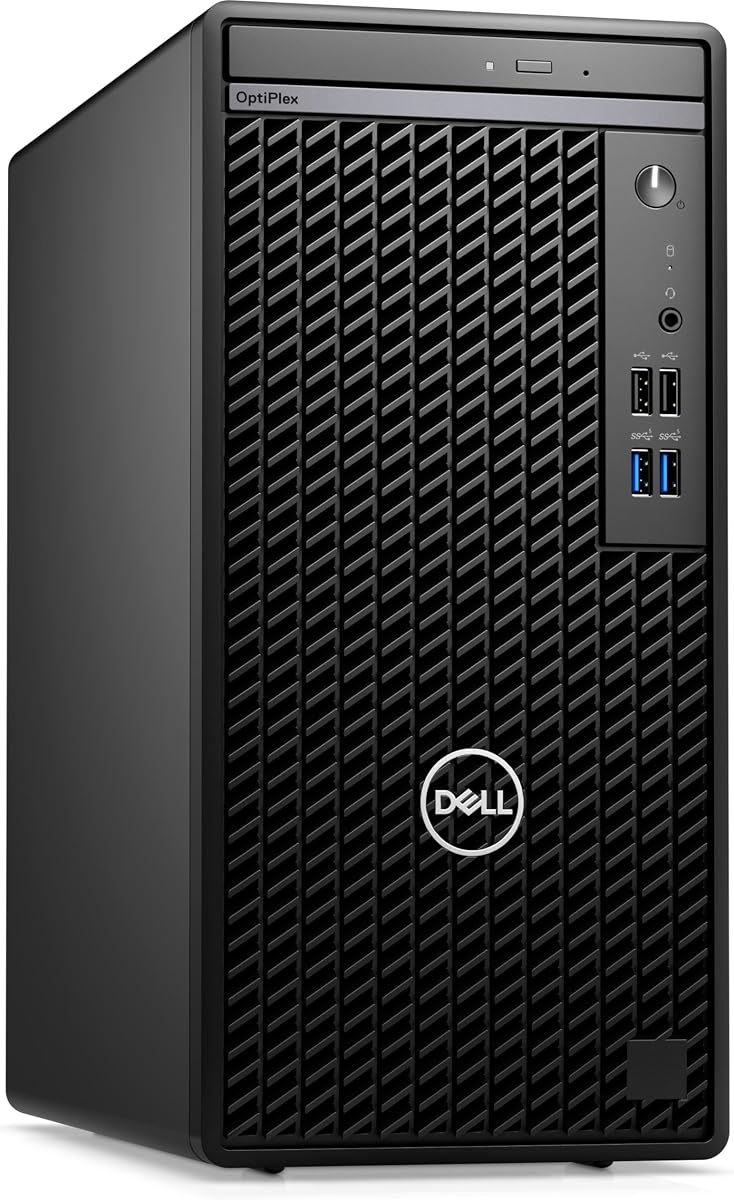
The Dell OptiPlex 7010 brings modern enterprise hardware to the Linux workspace with Ubuntu 22.04 pre-installed. This model offers a reliable desktop tower option for businesses looking to standardize on open-source software without sacrificing hardware quality.
We may earn a commission when you buy through this link, at no additional cost to you.
The 13th Gen i5 processor provides substantial multi-threading capability, making it capable of handling standard office and development tasks. The pre-installed OS means you can deploy it immediately without the hassle of configuring drivers or system settings.
While the base RAM and storage are modest, the tower format allows for future upgrades. This flexibility is crucial for businesses that need to scale their workstations over time to meet changing operational demands.
This PC is suitable for small businesses needing a stable, Linux-ready workstation. The combination of Dell reliability and pre-loaded Ubuntu ensures a professional and functional environment for daily business tasks.
The tower form factor allows for easy expansion of RAM and storage. This is vital for businesses planning long-term infrastructure growth.
Dell provides enterprise-grade support for these business machines. Ensures longevity and reduces downtime in professional settings.
We may earn a commission when you buy through this link, at no additional cost to you.
This renewed Dell OptiPlex 7050 offers a robust configuration with 32GB of RAM and a 1TB SSD, making it a capable workhorse for various computing needs. While it ships with Windows, its strong hardware base supports Linux well if users decide to switch later.
We may earn a commission when you buy through this link, at no additional cost to you.
The Small Form Factor design saves desk space while maintaining connectivity options like HDMI and DisplayPort for dual monitors. The renewed status ensures it has been tested, providing a cost-effective solution for budget-conscious buyers.
The older processor generation might limit performance in heavy multi-threaded tasks compared to newer models. However, for standard office work or lighter development tasks, the generous RAM and storage provide a smooth experience.
This unit is best for buyers looking for high specs at a lower price point. It offers a practical balance of memory and storage that can support demanding applications even with the older CPU architecture.
32GB of RAM handles heavy multitasking effortlessly. The 1TB SSD ensures fast load times for large applications and files.
Renewed units offer significant savings on enterprise hardware. Testing and certification provide confidence in reliability without the new price tag.
We may earn a commission when you buy through this link, at no additional cost to you.
The Dell OptiPlex 7060 SFF provides a solid 6-core processing experience with ample RAM and fast NVMe storage. Its 4.0 rating indicates reliable performance for everyday tasks, making it a trustworthy option for professional workstations.
We may earn a commission when you buy through this link, at no additional cost to you.
With 32GB of DDR4 RAM, this machine excels at running multiple applications simultaneously without slowdowns. The renewed condition ensures it has undergone quality checks, offering a dependable system for office environments or home offices.
While it comes with Windows, the hardware is versatile enough to support Ubuntu installations if preferred. The compact design keeps desk clutter low while providing enough ports for necessary peripherals and dual monitor setups.
This desktop is an excellent choice for those who need reliable performance and modern connectivity. The inclusion of wireless accessories adds convenience to the setup, streamlining the user experience significantly.
The 6-core processor balances power and efficiency well. Ideal for handling everyday productivity tasks without unnecessary overhead.
Built-in WiFi and Bluetooth ensure seamless connection to peripherals. This reduces cable clutter and enhances workspace organization.
We may earn a commission when you buy through this link, at no additional cost to you.
The Dell OptiPlex 5050 is a reliable SFF desktop that balances performance with a small footprint. With a 4.2 rating, users consistently find it to be a dependable machine for standard office and light development tasks.
We may earn a commission when you buy through this link, at no additional cost to you.
The 512GB NVMe SSD ensures fast boot times and quick application loading. Although it comes with Windows, the solid hardware foundation means it can support other operating systems efficiently if reinstallation is desired.
Its slim design fits easily on any desk without consuming much space. The included wired keyboard and mouse add value to the renewed package, providing everything needed to start working immediately.
This model is best for general business use where space is limited. The reliable performance and compact form make it a practical solution for various professional environments.
The slim profile keeps desks organized and spacious. Perfect for environments where desk real estate is at a premium.
Designed for enterprise use, ensuring durability. The renewed option makes this reliable hardware accessible for smaller budgets.
We may earn a commission when you buy through this link, at no additional cost to you.
The Dell Pro Micro QCM1250 introduces the latest Intel Ultra 5 processor with DDR5 memory support in a tiny micro form factor. It comes with Ubuntu 18.04, providing a modern hardware base for users interested in AI and business applications.
We may earn a commission when you buy through this link, at no additional cost to you.
The ultra-low power design and powerful AI-ready processor make it efficient for tasks that benefit from modern CPU features. Its small size makes it easy to integrate into any workspace without taking up much room.
However, the base 8GB of RAM might limit heavy multitasking capabilities. Users may need to consider upgrades if they plan to run resource-intensive virtual machines or complex software simultaneously.
This system is best for users who want the latest hardware in a compact package. The inclusion of Ubuntu provides a good starting point for Linux users looking for efficient and modern hardware.
The Ultra 5 processor is designed to handle AI tasks efficiently. This ensures better performance for modern software applications.
DDR5 technology offers faster speeds and efficiency. This provides a solid performance boost for everyday computing tasks.
We may earn a commission when you buy through this link, at no additional cost to you.
The ASUS NUC 14 Pro targets developers with its focus on Linux Mint and powerful modern hardware. Its design emphasizes stability and privacy, which are crucial for professional environments requiring secure and efficient workflows.
We may earn a commission when you buy through this link, at no additional cost to you.
Equipped with the Ultra 7 processor and DDR5 RAM, this mini PC handles demanding computing tasks with ease. The Thunderbolt 4 support allows for high-speed peripherals, making it versatile for those needing extensive connectivity.
Despite some mixed reviews, the hardware remains top-tier for a compact system. Users looking for a robust development environment will find the pre-installed OS and powerful CPU combination very useful for their daily work.
This model is suitable for professionals prioritizing open-source tools and efficiency. The strong specifications ensure it can handle virtualization and development workloads effectively over time.
Linux Mint offers a streamlined experience for coding. It avoids bloatware, ensuring the system runs clean and fast.
Thunderbolt 4 ensures compatibility with modern high-speed devices. This feature is vital for users working with large data sets.
We may earn a commission when you buy through this link, at no additional cost to you.
The ASUS PB64 represents the cutting edge of mini PC design with its powerful Ultra 7 processor and DDR5 memory. While it ships with Windows, its robust hardware ensures compatibility with Linux distributions for those needing open-source flexibility.
We may earn a commission when you buy through this link, at no additional cost to you.
The toolless chassis allows easy upgrades to storage or memory without special tools. This feature is essential for professionals who need to adapt their systems quickly as needs change over time.
Advanced security features like hardware TPM provide peace of mind for business data. Combined with the small form factor, this makes it a secure and compact option for professional environments requiring high performance.
This desktop is ideal for users seeking the latest hardware in a compact size. The strong security and upgradeability make it a smart choice for long-term use in professional settings.
Toolless design simplifies upgrades and maintenance. Reduces downtime and makes it easy to refresh hardware components.
Hardware TPM ensures robust data security. This is critical for protecting sensitive business information and credentials.
We may earn a commission when you buy through this link, at no additional cost to you.
Selecting a desktop computer requires careful consideration of hardware capabilities and software compatibility to ensure a smooth workflow.
The processor is the core of your system, determining how fast tasks are completed. Look for multi-core processors like the Ryzen 7 or Intel Ultra series for handling complex development or virtualization workloads efficiently.
Choose a processor with sufficient core counts to support parallel processing and multitasking without lag.
RAM dictates how many applications you can run simultaneously. At least 16GB is recommended for development environments, while 32GB provides room for heavy multitasking and running virtual machines.
Higher memory capacity ensures smoother performance when working with multiple large applications.
NVMe SSDs offer significantly faster boot and load times compared to traditional drives. Aim for at least 512GB of storage to accommodate the operating system and your files comfortably.
Fast storage prevents bottlenecks during file transfers and system operations.
Pre-installed OS versions vary from older LTS versions like 18.04 to newer releases like 22.04. Ensure the version supports the software you need without requiring immediate manual updates.
Verify the OS version matches your project requirements for stability and support.
Modern peripherals require modern ports. Look for HDMI, DisplayPort, and USB-C with high-speed capabilities to ensure your monitors and devices connect seamlessly.
Sufficient ports prevent the need for expensive hubs and keep your desk tidy.
Consider the physical size of the PC based on your workspace. Mini PCs save space but may offer less upgradeability than traditional tower desktops.
Select a size that balances your desk space needs with your performance requirements.
Check if the chassis allows for future RAM or storage upgrades. Toolless designs make it easier to extend the life of your system without professional help.
A system that can be upgraded protects your investment as your needs grow over time.
Reliable manufacturer support ensures you have help if issues arise. Check for warranties and the reputation of the seller or brand for technical assistance.
Good support provides peace of mind and reduces downtime during critical work.
Start by connecting all necessary peripherals like monitors, keyboards, and network cables before powering on the system. This ensures a smooth boot sequence without hardware conflicts or driver errors that could cause initial setup issues.
Regularly update your Ubuntu system using the terminal or software center to install security patches and performance improvements. Keeping the OS current ensures stability and access to the latest features and drivers provided by manufacturers.
Maintain the hardware by keeping the intake vents clean and dust-free to prevent overheating. If the unit is stationary, avoid placing it in enclosed spaces that trap heat and reduce the lifespan of internal components.
While possible, pre-installed models save time and ensure driver compatibility. Many Dell and ASUS systems support Linux but may require manual driver configuration or BIOS tweaks. Buying a pre-installed system ensures everything works out of the box.
Yes, many models like the Beelink SER9 Pro and NIMO Mini PC support triple displays. This allows you to keep code, terminals, and documentation visible simultaneously for better productivity.
Most vendors use Long Term Support versions like Ubuntu 22.04 which are highly stable. These versions receive security updates for years, making them reliable for professional use without constant changes.
Ubuntu is generally lighter and faster on hardware, leading to quicker boot times and better multitasking. It also allows for better resource management, which helps in virtualization and containerized application environments.
Some mini PCs offer extra slots or support SD cards, but others are limited to the internal drive. Check for M.2 slots before purchasing if you need to add more storage later.
Aim for at least 16GB of RAM and an SSD to handle virtual machines and large codebases. Multi-core processors like the Intel Core Ultra or AMD Ryzen series are also beneficial for compiling code efficiently.
The NIMO Mini PC and Beelink SER9 Pro lead our list due to their powerful hardware and seamless integration of open-source software. They offer the best balance of performance and ease of use for those needing immediate access to a Linux environment.
Prioritize models that support future upgrades like SSD and RAM expansion to ensure your system remains useful for years. A toolless chassis and modern connectivity options like Thunderbolt 4 are essential for long-term flexibility.
Always verify current prices and availability before making a purchase as market conditions can change. Ensuring the specific configuration meets your needs today will save you time and money in the long run.