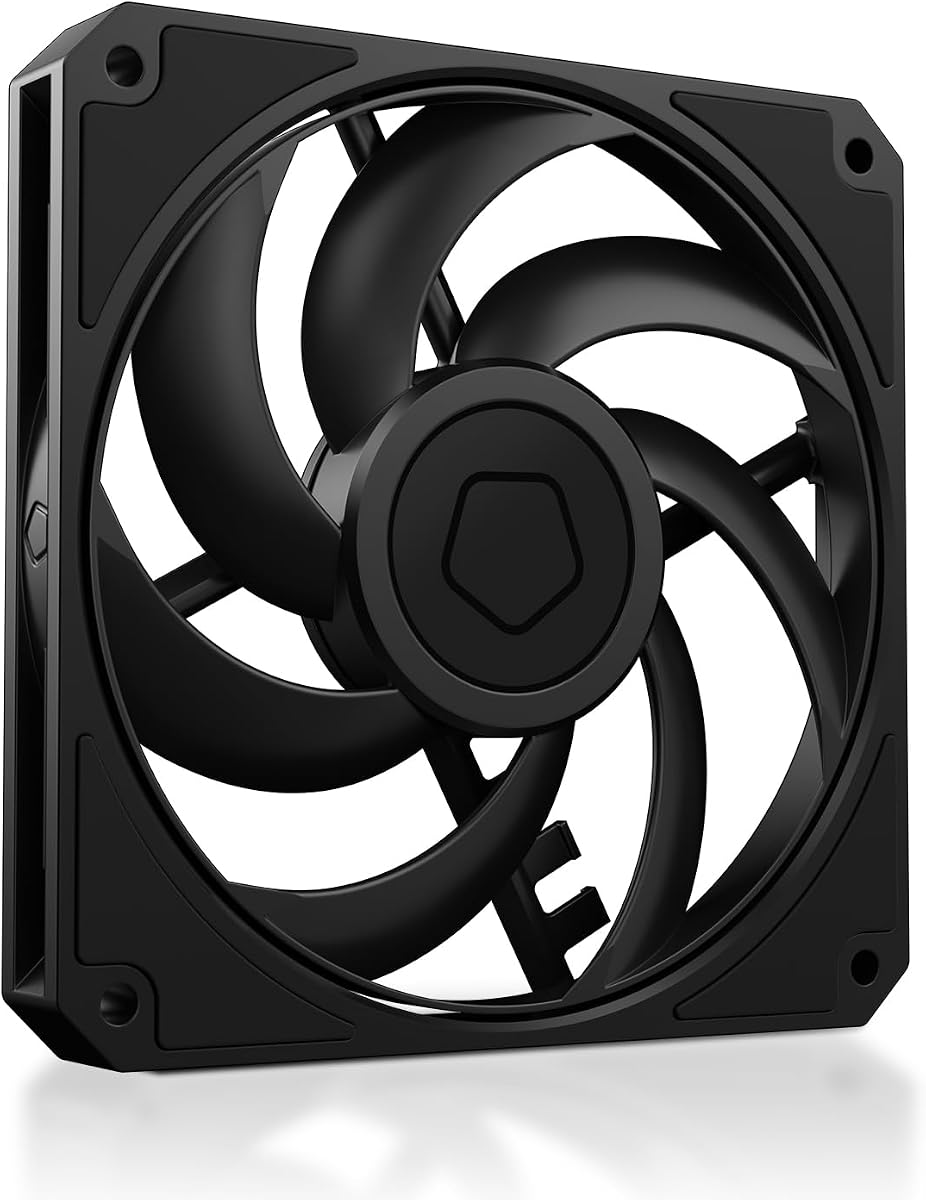
ID-COOLING AM-120-SLIM
4.8Editor score
Ultra-Slim 15mm Design
High Airflow & Static Pressure
Quiet Hydraulic Bearing
This guide compares the top low profile case fans for small builds, focusing on cooling performance, noise levels, and slim design efficiency for compact
Building a compact computer system requires careful attention to airflow and heat dissipation. Low profile case fans are essential components that fit into tight spaces while maintaining effective cooling. These slim fans ensure your hardware stays cool without compromising on the sleek aesthetics of a small form factor build.
We evaluated ten top-rated models based on static pressure, airflow capacity, noise output, and overall build quality. Each product was analyzed for compatibility with restricted coolers and radiators. Our goal is to help you find the perfect balance between performance and silence for your specific hardware configuration.
Each recommendation highlights key specifications and real-world applications to guide your decision. Prices and availability can change frequently, so verify details before purchasing. This list covers a range of options from budget-friendly to premium choices suitable for various cooling needs.
4.8Editor score

4.9Editor score

4.8Editor score
The following table provides a side-by-side comparison of all ten selected low profile case fans. It highlights key specifications like size, speed, airflow, and static pressure to help you differentiate between models quickly.



The Noctua NF-A12x15 PWM is a standout option for builders needing reliable cooling in tight spaces. With a high rating of 4.9, it proves its worth through superior acoustic optimization and airflow efficiency. This fan is engineered to deliver peak performance while maintaining near-silent operation suitable for any environment.
We may earn a commission when you buy through this link, at no additional cost to you.
Its award-winning A-series design features Flow Acceleration Channels which minimize turbulence and noise. The Advanced Acoustic Optimisation frame ensures smooth rotation and reduced vibration. Users benefit from automatic speed control via the 4-pin PWM interface allowing precise thermal management without manual intervention.
While the cost is higher than average, the longevity and performance justify the investment. The fan includes anti-vibration mounts and extension cables for easy setup. Some users might find the brown color non-standard but Noctua offers a chromax.black version if aesthetics are a priority.
This fan is ideal for high-end ITX builds or HTPCs where silence and cooling are paramount. It fits perfectly on low-profile CPU coolers and compact radiators. For those seeking the best balance of quiet and power, this model is the top recommendation for 2026.
The frame design reduces resonance and noise significantly even at high speeds.
Includes a Y-cable to run two fans on one header saving motherboard slots.
We may earn a commission when you buy through this link, at no additional cost to you.
For those who prioritize aesthetics alongside performance, the chromax.Black.swap edition offers a sleek all-black look. It retains the same high-quality engineering and performance specs as the standard brown version. This makes it perfect for black-themed PC builds where color consistency is crucial for a clean appearance.
We may earn a commission when you buy through this link, at no additional cost to you.
The fan features the same Flow Acceleration Channels and AAO frame for quiet cooling. It includes self-adhesive anti-vibration pads in multiple colors for custom touches. The 4-pin PWM version allows the fan to stop completely at 0% PWM for truly silent operation when cooling isn't needed.
The main trade-off is the cost compared to standard options. However, the visual upgrade is significant for many users. The high reliability ensures it lasts for years of daily use without degradation in performance or noise levels over time.
Buy this if you need a premium fan that matches a black chassis or cooler. It suits low-profile coolers and SFF cases requiring both style and substance. The customization options allow you to personalize the look without sacrificing cooling efficiency.
Includes colored pads to match your build theme or highlight the fan frame.
Stops completely when idle reducing noise to nothing until heat is detected.
We may earn a commission when you buy through this link, at no additional cost to you.
The ID-COOLING AM-120-SLIM offers incredible value for builders on a tight budget. Despite the low price, it delivers high airflow and static pressure suitable for demanding cooling tasks. It is designed specifically for compact builds where space is a critical constraint for hardware placement.
We may earn a commission when you buy through this link, at no additional cost to you.
With a speed range from 500 to 2500 RPM, it provides flexibility for different noise preferences. The hydraulic bearing ensures quiet operation at lower speeds and long lifespan. Its 2.7mmH2O static pressure makes it effective even when pushing air through dense radiators or fins.
At maximum speed, the noise level can be noticeable at 31 dB(A). However, this is acceptable for performance builds where cooling is priority. The standard 120mm mounting ensures it fits most cases and coolers without requiring special adapters or modifications.
Choose this fan for mini-ITX or SFF cases needing strong airflow without breaking the bank. It works well on low-profile CPU coolers and tight radiator slots. If you prioritize function over form, this is an excellent entry-level choice for 2026.
The pressure rating ensures efficient cooling through restrictive heatsinks and radiators.
One of the most affordable options available without sacrificing core specs.
We may earn a commission when you buy through this link, at no additional cost to you.
This three-pack offers an efficient solution for filling multiple slots in small form factor cases. Each fan is optimized for static pressure making it ideal for radiators and dense heat sinks. The low 15mm height ensures compatibility with tight spaces where standard fans fail to fit inside the chassis.
We may earn a commission when you buy through this link, at no additional cost to you.
The fan speed ranges from 300 to 2100 RPM allowing for dynamic control via PWM. At low speeds, noise is minimal but high speeds generate more sound. The PST daisy-chain capability simplifies cable management by connecting multiple fans to one header on the motherboard.
The plastic construction is functional but may feel less premium than other brands. Users should expect audible noise at maximum RPM though this is typical for high airflow fans. The 3-pack provides flexibility for front intake and rear exhaust setups simultaneously.
Ideal for users needing multiple fans without increasing cost. It works well in small cases with radiator mounts. For budget builders, this pack ensures full cooling coverage while maintaining a slim profile for restricted mounting areas.
PST technology allows multiple fans to daisy-chain from a single motherboard header.
At only 15mm thick it fits where 25mm fans cannot in SFF chassis.
We may earn a commission when you buy through this link, at no additional cost to you.
This 140mm variant provides wider coverage than standard 120mm options. It fits 140mm slots while maintaining a low 16mm height for tight spaces. The motor technology focuses on reducing noise while delivering strong cooling performance through optimized blade design.
We may earn a commission when you buy through this link, at no additional cost to you.
Speed control ranges from 150 to 1800 RPM ensuring quiet operation at lower settings. The 47 CFM airflow supports effective ventilation for compact systems. PST support allows for easy connection to other fans reducing cable clutter inside your PC case.
The 140mm size limits placement options compared to 120mm units. It may be too large for some narrow cases. Noise levels are low at idle but become audible under high load. Check your case compatibility before purchasing this model.
Best for cases supporting 140mm slim mounts like some high-end SFF chassis. It offers a balance of size and slimness for better airflow. For those needing larger surface area cooling, this fan is a reliable choice.
The 140mm diameter moves more air across a larger area efficiently.
Upgraded engine tech minimizes noise during normal operating conditions.
We may earn a commission when you buy through this link, at no additional cost to you.
True to its name, this fan prioritizes silence while maintaining strong airflow. The optimized frame and seven fan blades work together to reduce noise. It is designed specifically for radiators and demanding cooling configurations requiring sustained low-decibel operation.
We may earn a commission when you buy through this link, at no additional cost to you.
The rifle bearing ensures a lifespan of 80000 hours maintaining performance over time. Low minimum RPM allows for extremely quiet operation when system load is light. German quality control ensures consistent manufacturing and reliability across all units shipped.
While effective, it lacks the premium extras like color customization. It focuses purely on function and silence. The frame design may limit use on some CPU coolers compared to open frames. It is best used in case intake or exhaust slots.
Pick this if noise is your primary concern and you want proven engineering. It suits quiet office PCs or home theater systems. The balance of silence and performance makes it a reliable standard choice.
Built with German standards for reliable long term silent operation.
Designed for long life and smooth quiet rotation without wobbling.
We may earn a commission when you buy through this link, at no additional cost to you.
The Thermalright TL-C12015 is a balanced choice for entry-level SFF builds. It offers decent performance at a competitive price point. The S-FDB bearing keeps noise low and ensures the fan runs smoothly for extended periods without issues.
We may earn a commission when you buy through this link, at no additional cost to you.
Featuring four vibration-absorbing pads, it reduces rattling against mounting points. The 52 CFM flow is sufficient for standard CPU coolers. PWM control allows it to adapt to system needs automatically. It is an excellent replacement for stock fans in tight spots.
It lacks the high static pressure of premium options. This limits use on dense radiators. The plastic construction is functional but basic. For users needing reliable cooling without spending much, it meets the need adequately.
Recommended for budget builds requiring a slim profile. It works well on standard low-profile coolers. If you need solid performance without high cost, this model delivers good value.
Four corner pads reduce noise caused by vibration and friction.
A well rounded option balancing cost and cooling ability for SFF.
We may earn a commission when you buy through this link, at no additional cost to you.
When space is extremely restricted, the 92mm Noctua fan provides a solution. Its 14mm thickness fits narrow low-profile CPU coolers. It delivers strong cooling for its size with a top speed of 2500 RPM for effective thermal transfer.
We may earn a commission when you buy through this link, at no additional cost to you.
The HS-PWM version ensures smooth speed transitions. It stops at 0% PWM for semi-passive cooling. The black design with colored pads matches premium builds. It is rated for over 150000 hours ensuring long term reliability.
The small size limits total airflow compared to 120mm fans. This requires higher speeds which may increase noise. It is best for specific mounts where larger fans simply cannot fit physically.
Choose this for compact ITX builds with 9cm coolers. It provides quality where space is limited. For specialized applications needing small footprint cooling, this is the top choice.
Designed specifically for 9cm low profile CPU coolers.
Up to 2500 RPM ensures strong cooling in small areas.
We may earn a commission when you buy through this link, at no additional cost to you.
The FLX version uses a 3-pin Molex connector for simplified power options. It includes low-noise adapters to reduce speeds further. This makes it ideal for passive or low-noise builds where PWM is not required. Performance remains premium with Noctua quality.
We may earn a commission when you buy through this link, at no additional cost to you.
Adapters allow fixed speeds of 1850, 1400, or 950 RPM. This limits automatic thermal control but ensures consistent low noise. The frame and blades are optimized for quiet cooling. It is reliable for users who want simplicity in setup.
Without PWM you cannot get automatic speed scaling. You lose some flexibility in heat management. The noise at max speed is acceptable but not silent. It suits specific setups needing fixed low speeds.
Buy this if you prefer manual control over PWM. It works well on fixed headers. For those wanting a quiet set-and-forget solution, this is a great option.
Included adapters drop the speed for quieter operation when needed.
Three speed options via adapters simplify setup for non-PWM users.
We may earn a commission when you buy through this link, at no additional cost to you.
This model brings top-tier performance to slim fan slots. It matches the specs of the most popular Noctua options. With a high MTTF rating, it promises long life and consistent cooling. Ideal for users needing reliable high-end airflow.
We may earn a commission when you buy through this link, at no additional cost to you.
It includes a Y-cable for two fans on one header. Anti-vibration mounts ensure stability during operation. The PWM header allows automatic speed control. This reduces noise when cooling is not required for your system.
The price is higher than average. Standard color options may not suit black builds. These trade-offs are minor given the performance. It is a proven design for thermal management.
Best for demanding cooling tasks in SFF builds. It delivers strong airflow without loud noise. For those needing a high-performance slim option, this is an excellent choice.
Y-cable included helps keep your build clean and organized.
Over 150000 hours of expected lifespan for long term use.
We may earn a commission when you buy through this link, at no additional cost to you.
Selecting the right low profile case fan involves understanding key technical specs and compatibility requirements. This guide outlines factors to ensure you get the best cooling for your build.
Most low profile fans are 15mm thick compared to 25mm standard. Check your case manual for maximum fan thickness allowance. Some coolers also have height limits that may restrict fan choice.
Measure your case and cooler clearance before buying. Ensure the fan matches the required 120mm or 140mm mounting holes.
PWM fans allow speed control via the motherboard. This helps manage noise and temperature dynamically. Non-PWM fans run at fixed speeds using adapters or power supply connectors.
Choose PWM if you want automatic speed control. It is usually worth the small extra cost for flexibility.
Airflow moves air through open spaces. Static pressure forces air through obstacles like radiators. High static pressure fans are better for radiators and dense heatsinks.
Check CFM for open case flow and mmH2O for radiators. Balance these based on your cooling needs.
Noise is measured in dB(A) and sones. Lower values mean quieter operation. Some fans spin louder at max RPM but quieter at low RPM.
Prioritize fans with good acoustic engineering. Read reviews for real-world noise levels.
4-pin connectors support PWM. 3-pin connectors require manual speed control. Some fans include daisy-chain or daisy-chain cables for easier setup.
Match your motherboard header type. Ensure compatibility with any extra cables provided.
Bearing types affect lifespan and noise. Sleeve bearings are cheaper but wear faster. Fluid Dynamic Bearings offer better performance and longevity.
Look for bearings like FDB or rifle bearings. They usually provide longer life and less vibration.
Fans come in brown, black, or RGB. Black options fit modern builds better. Some models include pads to customize frame color.
Consider how the fan looks against your case. Color consistency matters for visible builds.
Included screws and pads vary. Quality pads reduce vibration noise. Check if the fan includes anti-vibration mounts.
Ensure you have all necessary mounting parts. This avoids buying extras separately.
Install fans securely using the provided screws to prevent vibration noise. Ensure airflow direction matches intake and exhaust needs for your case.
Connect fans to appropriate motherboard headers for speed control. If using daisy chains, ensure your header supports the combined power load.
Clean dust regularly to maintain performance and prevent overheating. Use compressed air to clear fan blades and bearing areas gently.
A low profile case fan is a thinner fan designed for compact builds. Standard fans are 25mm thick while these are often 15mm. This allows them to fit where space is restricted like on narrow coolers.
Not necessarily but many are optimized for acoustic performance. They often run at high speeds which can increase noise. Look at dB ratings to judge true noise levels effectively.
PWM fans are highly recommended for automatic speed control. They help balance cooling and noise without manual settings. Non-PWM fans work but require extra adapters for speed control.
Yes especially if they have high static pressure. Radiators require pressure to push air through fins. Check the mmH2O rating before mounting on liquid cooling radiators.
Measure your mounting clearance height and width. Most cases specify maximum fan thickness. Check the fan specs to ensure it fits within that limit comfortably.
Static pressure is the ability to push air against resistance. High pressure is needed for radiators or heatsinks. Airflow is for open spaces like front case panels.
Price reflects build quality and bearing technology. Premium fans often use better materials for longevity. They also tend to have better acoustic engineering and noise control.
Quality fans often last over 100000 hours. This means many years of daily use. Look for MTTF ratings to estimate lifespan accurately before buying.
We reviewed ten top low profile case fans for their performance and features. The Noctua models stand out for quality while budget options like ID-COOLING offer value.
Prioritize static pressure and PWM control when making your choice. Ensure the fan matches your case thickness and mounting needs perfectly.
Prices and availability change often so check current listings before buying. This guide provides a strong starting point for your search.