
5 in 1 Protective Cover Set
4.7Editor score
Includes screen protectors
EVA carrying case
Full body protection
This guide compares the top Flipper Zero accessories including Wi-Fi boards, cases, antennas, and modules to help you expand your device capabilities safely.
Enhancing your Flipper Zero with the right accessories can transform it from a simple gadget into a powerful development tool. Whether you need better range wireless connectivity or robust protection, the market offers diverse options tailored to developers and enthusiasts.
We evaluated ten top-rated products based on compatibility build quality and user feedback to bring you this curated list. Each item was selected for its ability to integrate seamlessly with the standard Flipper Zero interface while delivering reliable performance.
Every pick includes detailed specifications pros and cons to help you make an informed decision for your specific needs. Please note that product availability and pricing may change over time so check current listings before purchasing.
4.7Editor score

4.6Editor score

3.6Editor score
The following table provides a side-by-side overview of all ten selected accessories highlighting their core specifications and intended use cases for quick reference.


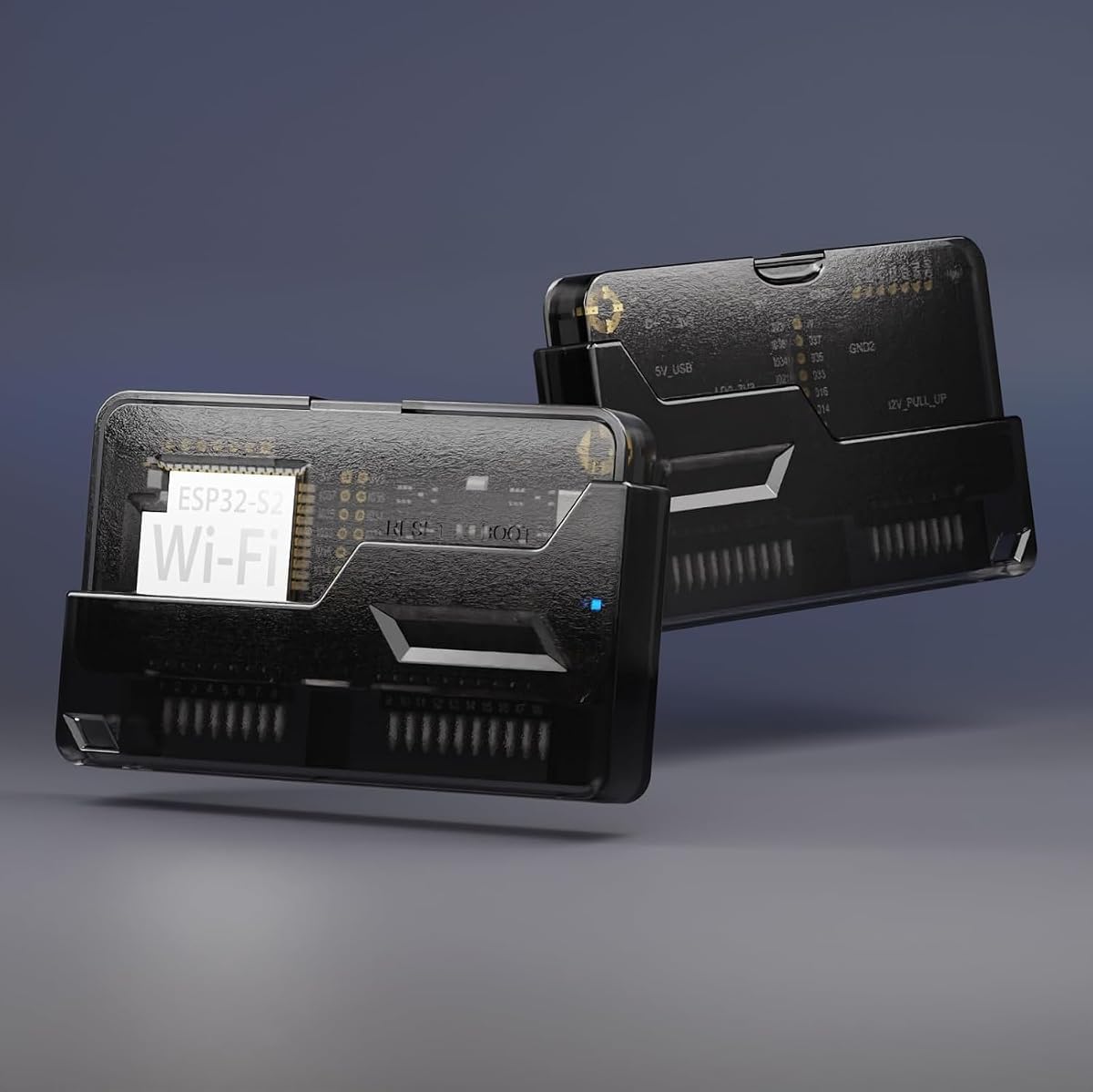



This all-in-one expansion module stands out as the top choice for users seeking maximum functionality. It features an integrated OLED display Wi-Fi connectivity 433MHz RF and GPS capabilities making it a powerhouse for developers and tinkerers.
We may earn a commission when you buy through this link, at no additional cost to you.
The complete accessory set ensures you have everything needed for transport and protection. The hard carry case keeps gear safe while the soft PU pouch and silicone case add layers of defense against scratches and dust during daily use.
While the module offers extensive features it may feel bulky compared to standard accessories. The external power requirement is also a consideration for extended field use though the trade-off justifies the added versatility.
This product is ideal for serious developers who need robust testing environments. If you prioritize functionality and protection over minimalism this kit provides the comprehensive solution your Flipper Zero deserves.
The integrated OLED and Wi-Fi allow for real-time debugging without needing a separate screen.
The hard carry case ensures your device survives transit without damage to pins or casing.
We may earn a commission when you buy through this link, at no additional cost to you.
This kit simplifies the process of adding wireless capabilities to your device. It combines the Wi-Fi developer board with full protection options ensuring your device is ready for projects right out of the box.
We may earn a commission when you buy through this link, at no additional cost to you.
The tool-free assembly design makes setup quick and hassle-free. The precise snap-fit ensures the board stays secure while the silicone cover protects every corner including the difficult-to-reach iButton area.
Some users might find the added bulk from the protective case affects grip during long sessions. Firmware adjustments may also be needed to unlock full potential which can be a hurdle for beginners.
Ideal for users wanting an all-inclusive starting point this kit balances features with protection. It removes the guesswork of mixing and matching components for a cohesive upgrade experience.
You get the board screen protectors and carrying case in one purchase saving time and effort.
The silicone case covers the entire device including ports for maximum physical protection.
We may earn a commission when you buy through this link, at no additional cost to you.
Protecting the display is crucial for any handheld device and these tempered glass protectors deliver reliable defense. They offer high transparency and hardness ensuring your screen remains clear and scratch-free during intense usage.
We may earn a commission when you buy through this link, at no additional cost to you.
The precision-cut design fits the screen perfectly without blocking buttons or sensors. The self-adhesive silicone layer ensures a smooth application process that prevents bubbles and residue from forming on the display.
While they protect the glass surface they do not cover the edges which can leave them vulnerable to impact. Handling during installation requires care to avoid cracking before application.
This is an essential accessory for anyone using their device in harsh environments. The three-pack ensures you always have a spare ready if one gets damaged or scratched over time.
The ultra-thin glass maintains the original contrast and readability of the display.
Having multiple units lets you replace them easily without searching for replacements later.
We may earn a commission when you buy through this link, at no additional cost to you.
This accessory offers a streamlined way to protect your Wi-Fi board while keeping it accessible. The translucent black case provides a sleek look while ensuring the board is shielded from dust and accidental drops.
We may earn a commission when you buy through this link, at no additional cost to you.
The tool-free assembly is a major plus for users who frequently swap components. The snap-fit design holds the board securely without the need for screws which simplifies maintenance and troubleshooting tasks.
It is tailored specifically for the Wi-Fi board so it may not fit other module configurations. Some users might prefer more color variety to match their device aesthetic preferences.
Perfect for developers who value simplicity and accessibility this case protects your investment without adding bulk. It allows you to experiment with firmware while keeping your hardware safe and organized.
Easy access to GPIO pins enables quick connections for testing without removing the case.
The case holds the board firmly in place preventing movement during transport or use.
We may earn a commission when you buy through this link, at no additional cost to you.
This set delivers exceptional value by including almost every essential accessory in one package. It features a silicone case screen protectors and an EVA carrying case ensuring your device is protected inside and out.
We may earn a commission when you buy through this link, at no additional cost to you.
The design prioritizes usability with precise cutouts that allow easy access to all buttons and ports. The silicone material provides a comfortable grip while shielding the device from scratches and impacts during daily handling.
While the materials are functional they may not offer the same premium feel as higher-end cases. The hand strap could be sturdier for users who need extra security during active use.
Ideal for budget-conscious users this set covers all the basics without requiring multiple purchases. It is perfect for new owners looking for immediate protection and convenience in a single bundle.
You receive screen protection a case and carrying bag eliminating the need for separate orders.
The case works seamlessly with the video game module ensuring smooth gameplay access.
We may earn a commission when you buy through this link, at no additional cost to you.
This case focuses on practicality and portability making it easy to keep your device secure on the go. The high-quality silicone provides reliable protection while the metal carabiner allows you to clip it directly to your bag or belt.
We may earn a commission when you buy through this link, at no additional cost to you.
The precise cutouts ensure that you never have to remove the case to access controls or charging ports. This design maintains functionality while keeping the device safe from everyday wear and tear.
The black color may attract lint or dust over time requiring occasional cleaning. It prioritizes function over style so users looking for a unique look might want to explore other options.
This is a great choice for commuters or field testers who need quick access to their device. The carabiner ensures it stays attached to your gear reducing the risk of loss during travel.
The metal carabiner provides a strong attachment point for bags or belts during transit.
Silicone material acts as a shield keeping the surface pristine from daily use.
We may earn a commission when you buy through this link, at no additional cost to you.
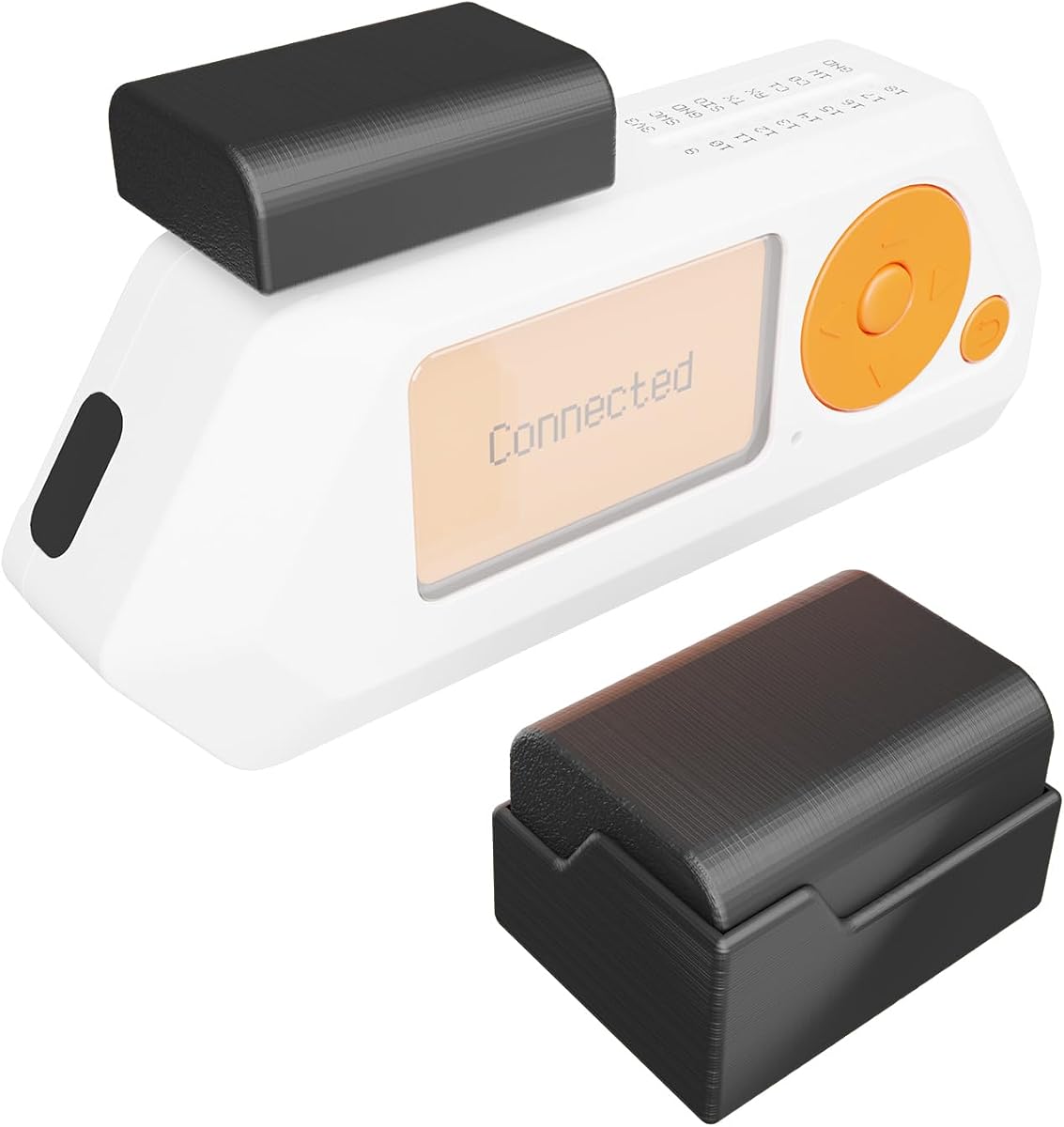
For users focused on signal strength this antenna offers significant range improvements over standard modules. The 12DB OMNI antenna enhances both transmission and reception making it ideal for long-distance experiments.
We may earn a commission when you buy through this link, at no additional cost to you.
The design includes a portable stand to protect pins and provide stability during use. The high-density 3D printing ensures durability while the chamfered body offers a secure grip for handling.
Despite the premium features user feedback suggests mixed experiences which may relate to firmware compatibility or handling. The antenna's protrusion can also be a risk for snagging in crowded environments.
This accessory is best suited for advanced users who need maximum RF performance. If range is your priority this antenna provides the hardware support to achieve better connectivity results.
The high-gain antenna allows signals to travel further than built-in modules typically achieve.
The built-in stand protects the pins and keeps the antenna upright during testing sessions.
We may earn a commission when you buy through this link, at no additional cost to you.
This version of the CC1101 antenna hides the external hardware for a cleaner look while retaining functionality. It comes with a silicone case and carrying case providing a complete solution for mobility and protection.
We may earn a commission when you buy through this link, at no additional cost to you.
The plug and play design ensures seamless integration with the GPIO ports. The portable stand helps protect pins from bending while offering a convenient way to set up the device for testing.
While the hidden antenna reduces visibility it also reduces range compared to the standard high-gain version. Users seeking maximum distance may find this setup slightly limiting for outdoor applications.
Perfect for users who prefer a discreet profile this set balances utility with a sleek appearance. It is a solid choice for those who value style alongside functional performance in their setup.
The hidden antenna keeps the profile clean and reduces the risk of snagging on objects.
Including a silicone case and carrying bag makes it ready for daily transport.
We may earn a commission when you buy through this link, at no additional cost to you.
This hard case offers a unique way to customize your device by revealing its internal design. The transparent material allows you to showcase the unique aesthetic while still providing a layer of protection against daily wear.
We may earn a commission when you buy through this link, at no additional cost to you.
The fit is precise ensuring a snug close that mimics the original device feel. It is designed for easy installation so you can quickly swap into this new look without complex tools.
Clear plastic tends to show fingerprints and scratches more than opaque cases which may require frequent cleaning. Over time the transparency may cloud if not handled with care.
Ideal for style-conscious users this case turns your device into a conversation starter. If you want your device to stand out in a crowd this transparent look delivers a distinct advantage.
The clear design lets you appreciate the engineering and unique look of your device.
High-quality materials ensure the case fits securely and protects effectively.
We may earn a commission when you buy through this link, at no additional cost to you.
This module significantly expands location capabilities by supporting multiple global satellite systems. It includes an active GNSS antenna and built-in noise reduction components to ensure reliable signal acquisition even in challenging environments.
We may earn a commission when you buy through this link, at no additional cost to you.
The plug-and-play design simplifies connection but users may need to configure firmware settings to utilize it fully. The high-performance antenna ensures better reception sensitivity compared to standard internal options.
Technical setup can be a barrier for less experienced users who might find the UART configuration daunting. The specialized nature of the accessory means it is best for specific tracking or location-based projects.
For geospatial enthusiasts this module provides the tools needed for accurate position tracking. If your work requires precise multi-system GPS data this accessory is a valuable addition to your toolkit.
Support for multiple satellite systems ensures reliable location tracking worldwide.
The built-in filter reduces noise for a cleaner and more accurate data stream.
We may earn a commission when you buy through this link, at no additional cost to you.
Selecting the right accessories depends on your specific use case whether that is development security research or daily protection.
Ensure the accessory is explicitly designed for your Flipper Zero model. Check if it supports the GPIO pins or USB-C interface correctly to avoid hardware conflicts or connection issues.
Always verify product descriptions confirm compatibility with your device version before purchasing.
Decide between Wi-Fi Bluetooth or sub-GHz modules based on your project needs. Wi-Fi is ideal for remote control while sub-GHz is better for radio frequency communication.
Choose the module that aligns with your primary use cases to avoid unnecessary hardware costs.
Assess how much physical protection your device needs. Cases range from soft silicone for basic scratch resistance to hard EVA cases for travel and impact protection.
Select a case that offers full body coverage including the screen and ports.
Look for plug-and-play or tool-free designs if you plan to swap components frequently. Some modules require soldering or complex firmware flashing which can be difficult for beginners.
Prioritize accessories with clear assembly guides to simplify setup.
Check materials like silicone or 3D printed plastic for durability. Higher quality materials last longer and better protect your device during regular use.
Read reviews to confirm that the product withstands daily wear and tear.
Compare what is included in the package rather than just the sticker price. Kits with cases cables and screen protectors often offer better value than buying items separately.
Balance your budget with the features you genuinely need for your workflow.
Choose accessories that are popular among the developer community. Well-supported products often have available firmware updates and troubleshooting resources.
Research if the accessory has active online support for technical issues.
Consider the size and weight if you travel often. Compact accessories ensure your device remains pocket-friendly and easy to transport.
Look for carrying cases with straps or clips for better mobility.
When installing new modules ensure the device is powered off to prevent electrical shorts. Align the pins carefully and press down evenly to secure the connection without bending any contact points.
Clean your accessories regularly with a soft dry cloth to remove dust and debris. Avoid using harsh chemicals on silicone or plastic cases as they may cause discoloration or degradation over time.
Store your device and accessories in a protective case when not in use to prevent accidental damage. Keep the firmware updated to ensure compatibility with new accessories and optimal performance.
Most accessories listed are designed for the standard Flipper Zero hardware but it is essential to check product details. Some specialized modules may require specific firmware versions or board revisions to function correctly.
Yes some developer boards and Wi-Fi modules require specific firmware to work seamlessly. You will need to follow the manufacturer's guide to update your device with compatible software.
Most silicone and hard cases provide water resistance but are not fully waterproof. Always keep your device dry to avoid water damage to internal electronics regardless of the casing used.
Use the included microfiber cloth to wipe the screen protector gently. Avoid abrasive materials or solvents that might scratch the oleophobic coating on the glass surface.
Range varies based on the environment but high-gain antennas can reach over 2000 feet in open areas. Obstacles like buildings reduce signal strength so expect shorter distances indoors.
The module connects directly to the GPIO but initial setup often requires a computer. Once configured you can use it standalone on the device for tracking and logging tasks.
We have explored a wide range of options from protective cases to powerful developer boards to suit every user need. The best choice depends on whether you prioritize protection range or functionality.
Focus on compatibility and build quality to ensure your investment lasts. Accessories that integrate smoothly with your workflow offer the best value for your time and money.
Remember to verify current pricing and availability before purchasing as stock levels change frequently. Check the provided links for the most up-to-date information on these essential devices.