
Redragon K617 HE Wired Hall-Effect Rapid Trigger Magnetic Gaming Keyboard
4.3Editor score
8000Hz Hyper-Polling
Adjustable Actuation Profiles
60% Compact Layout
This guide compares the top keyboards for CS2 featuring Hall Effect switches, rapid trigger technology, and adjustable actuation to help you find the perfect
Finding the right keyboard for CS2 can significantly impact your performance in competitive matches. The right device offers precise inputs, rapid response times, and durability for intense gaming sessions.
We evaluated ten top-rated keyboards based on switch technology, polling rates, build quality, and customization options. Each model was analyzed to determine how well it supports fast-paced FPS gameplay.
Our picks highlight key features like rapid trigger and adjustable actuation to help you decide. Note that availability and pricing may vary over time, so check current listings before purchasing.
4.3Editor score
4.4Editor score
4.5Editor score
Below is a detailed comparison of all ten keyboards, highlighting their core specifications and unique features to help you make an informed decision.



The Redragon K617 HE offers an affordable entry into Hall Effect technology. With a rating of 4.3 stars, it is favored for its speed and adjustability at a low cost.
We may earn a commission when you buy through this link, at no additional cost to you.
Its rapid trigger function resets keys instantly when released, which is crucial for strafing in CS2. The 8000Hz polling rate ensures inputs are registered faster than standard keyboards.
The 60% layout saves desk space, though the build quality is plasticky. Actuation adjustment requires software, which can be slightly complex for new users.
Players on a budget who want performance features will find this keyboard ideal. It brings competitive tech to a wider audience effectively.
The Hall Effect switches detect input without physical contact, reducing wear and latency significantly.
Removing the numpad allows for larger mouse movements essential for low-sensitivity aim training.
We may earn a commission when you buy through this link, at no additional cost to you.
The K686 HE builds on the K617 with better build quality and a media knob. Users appreciate the softer sound and the ease of controlling volume during games.
We may earn a commission when you buy through this link, at no additional cost to you.
Its floating structure design reduces wobble and noise, making it quieter than many budget mechanical boards. Rapid trigger works well for CS2 movement.
While the knob is convenient, the overall build feels lighter than premium options. It remains a strong contender for budget-conscious gamers.
Ideal for those needing quick volume control without alt-tabbing. The audio feedback is pleasant for long sessions.
The single control knob simplifies media playback and brightness adjustments without complex key combos.
The independent switch-plate design offers a bouncy, Hi-Fi feel compared to rigid clacky boards.
We may earn a commission when you buy through this link, at no additional cost to you.
The K673 HE provides a reliable mid-range option for CS2 players. It shares key features like rapid trigger and Hall Effect switches with other models in the lineup.
We may earn a commission when you buy through this link, at no additional cost to you.
Its dual-module floating structure helps dampen noise and improve typing stability. This makes it suitable for both gaming and typing sessions.
The rating of 4.1 suggests some mixed feedback on build consistency. However, the features remain competitive for the price point.
Best for users who want a dedicated media knob and rapid trigger without overspending. It balances cost and performance well.
Dampening layers paired with the floating structure create a softer, Hi-Fi bounce.
Software allows saving multiple actuation profiles between 0.1mm and 3.4mm.
We may earn a commission when you buy through this link, at no additional cost to you.
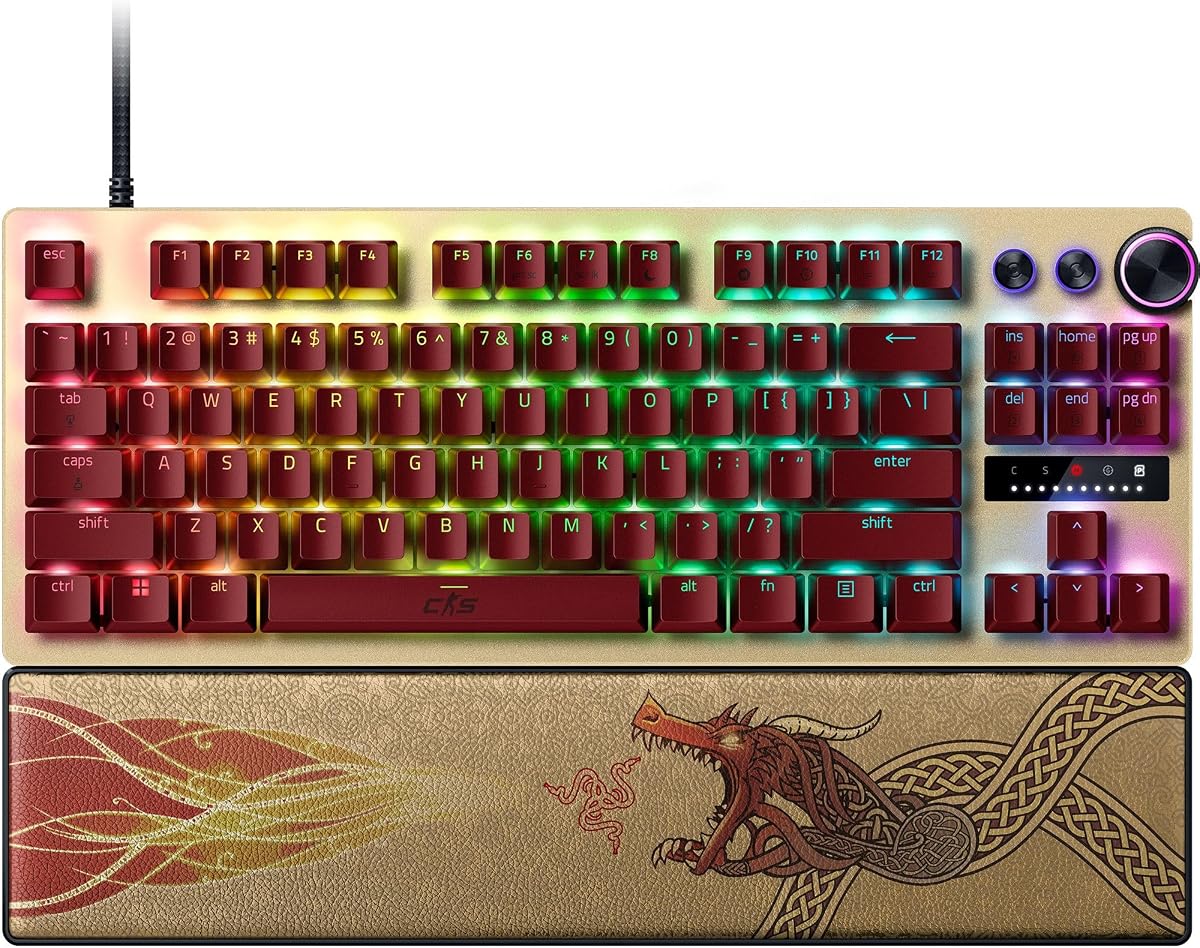
The Razer Huntsman V3 Pro TKL is engineered for elite competitive play. With a 4.4 rating, it offers analog optical switches and rapid trigger for precise FPS movements.
We may earn a commission when you buy through this link, at no additional cost to you.
Snap Tap mode allows near-instant directional changes without releasing the previous key, a massive advantage in CS2. Onboard LED adjustments save settings without software.
The price is steep compared to budget models, but the features justify the cost for serious players. The wrist rest and PBT keycaps add durability.
This keyboard is the top choice for those seeking professional-grade tools. It sets a high standard for speed and reliability.
Reset keys at the slightest lift of a finger for an advantage in speed during competitive matches.
Prioritize the latest input between two keys for near-instant directional changes in FPS games.
We may earn a commission when you buy through this link, at no additional cost to you.
The Corsair Clipper PRO MINI 60 maximizes mouse space for low-sensitivity aiming. Its 4.4 rating reflects strong performance and durability in competitive environments.
We may earn a commission when you buy through this link, at no additional cost to you.
FlashTap SOCD ensures cleaner directional inputs and sharper counter-strafing. The 8000Hz polling rate delivers near-instant input registration.
Built with water resistance and durable PBT keycaps, it withstands long sessions. The compact layout is efficient but may require learning curve.
Recommended for FPS players prioritizing desk space and speed. It is a robust choice for those who value durability.
FlashTap SOCD enables cleaner directional inputs for sharper movement control in game.
IP57-rated protection guards against water and dust during intense gameplay.
We may earn a commission when you buy through this link, at no additional cost to you.
The Redragon K745 HE delivers budget rapid trigger performance with layered sound dampening. It offers 8000Hz polling for quick inputs in FPS games.
We may earn a commission when you buy through this link, at no additional cost to you.
Its floating structure design creates a softer bounce than rigid boards. However, the rating suggests some inconsistency in build quality.
For those seeking rapid trigger without a high price tag, it is a viable option. The RGB lighting adds a good visual appeal.
Best for casual players or those building a secondary setup. It balances cost with competitive features effectively.
Five layers of dampening paired with anti-wobble design provide a Hi-Fi bounce.
Dynamic key activation cuts redundant keystrokes during quick direction changes.
We may earn a commission when you buy through this link, at no additional cost to you.
The Keychron C0 HE 8K is a specialized one-handed keypad designed for high-level FPS and streaming. It features 8K polling and rapid trigger switches.
We may earn a commission when you buy through this link, at no additional cost to you.
Its web-based configurator simplifies setup across Windows and macOS. Users can map complex commands and shortcuts efficiently.
While not a standalone board, it complements a main keyboard well. It offers quick access to macros or streaming controls.
Ideal for streamers or power users needing extra key mapping. It expands control options significantly.
Trigger OBS scenes or manage push-to-talk with one hand easily.
Compatible with Windows and macOS via web-based configurator.
We may earn a commission when you buy through this link, at no additional cost to you.
The renewed Huntsman V3 Pro TKL offers premium Razer features at a reduced cost. It retains the analog optical switches and rapid trigger capabilities.
We may earn a commission when you buy through this link, at no additional cost to you.
Snap Tap mode prioritizes latest input for instant directional changes. The tenkeyless design provides ample space for mouse movement.
The rating of 3.5 reflects potential variability in condition. However, it offers significant savings for those comfortable with refurbished tech.
Best for users seeking high-end performance on a budget. Check condition details before purchasing.
Save significantly while retaining elite features like rapid trigger and snap tap.
The aluminum top plate ensures durability and stability during play.
We may earn a commission when you buy through this link, at no additional cost to you.
The Corsair K55 RGB PRO is an affordable membrane keyboard that still offers macro customization. It has a high rating of 4.4 for its price range.
We may earn a commission when you buy through this link, at no additional cost to you.
Six macro keys allow instant access to functions, useful for gaming setups. IP42 dust resistance protects against accidents.
While it lacks rapid trigger, it remains a reliable option for casual play. The palm rest adds comfort for long sessions.
Best for casual gamers or those starting out. It offers solid features at an entry-level cost.
Assign functions or shortcuts to dedicated keys for streamlined gameplay.
Detachable soft rubber palm rest reduces hand stress during play.
We may earn a commission when you buy through this link, at no additional cost to you.
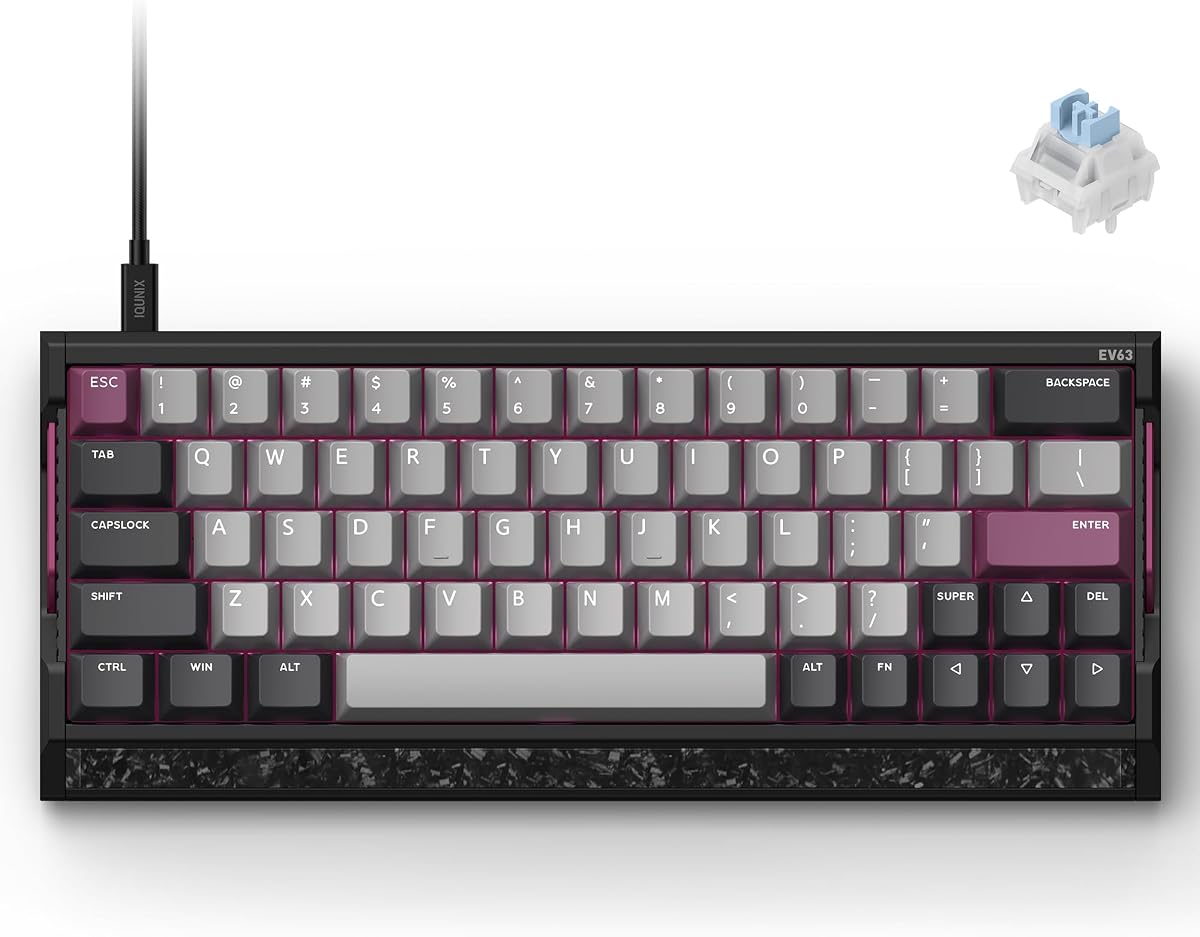
The IQUNIX EV63 stands out for its aircraft-grade aluminum and forged carbon plate. It features the M.A.T. 2.0 algorithm to reduce missed inputs during rapid movement.
We may earn a commission when you buy through this link, at no additional cost to you.
Its 64-key layout maximizes mouse space while keeping essential keys accessible. The magnetic switches offer smooth travel and high durability.
The driver software provides pro-tuned FPS presets, simplifying setup. It is a premium option for those wanting customization.
Recommended for users who value build quality and advanced tuning. It delivers high-end performance.
The aluminum chassis with forged carbon plate provides a solid, custom-like feel.
Driver 3.0 offers pro-tuned FPS presets based on champion player settings.
We may earn a commission when you buy through this link, at no additional cost to you.
Choosing the right keyboard involves evaluating switch type, polling rate, and layout to match your playstyle and budget.
Hall Effect and optical switches are preferred for CS2 because they eliminate physical contact points. This reduces latency and increases lifespan significantly compared to mechanical switches.
Look for rapid trigger support to reset keys instantly upon release.
A higher polling rate like 8000Hz ensures your inputs are registered faster by the computer. This gives a competitive edge in fast-paced movement.
Standard 1000Hz may feel slower during quick direction changes.
Compact layouts like 60% or TKL save desk space for larger mouse movements. This is critical for low-sensitivity players aiming for precise shots.
Ensure the layout retains essential keys needed for your playstyle.
Adjustable actuation lets you set how deep a keypress must be to register. This allows customization for typing versus gaming scenarios.
Deep ranges like 0.1mm to 3.4mm offer maximum flexibility.
Durable materials like aluminum or forged carbon add stability and reduce vibration. This ensures the keyboard does not move during intense gameplay.
PBT keycaps resist wear and shine better than plastic alternatives.
Software allows saving profiles and remapping keys. Web-based configurators are convenient as they save storage space on your PC.
Check if settings can be saved onboard to avoid needing drivers constantly.
Entry-level models offer rapid trigger at lower prices but may lack premium build quality. High-end models provide advanced features and durability for serious competitors.
Balance features with what you need for competitive play.
Media knobs, wrist rests, and water resistance add convenience. These features improve comfort during long sessions.
Consider what accessories matter most to your personal comfort.
Proper setup includes positioning the keyboard directly under your hand to reduce strain. Ensure the desk surface is smooth to avoid friction.
Regularly clean dust with compressed air to maintain key responsiveness. Wipe down keycaps with a damp cloth occasionally to remove oils.
Update firmware and software periodically to ensure compatibility. Reset to factory defaults if you encounter unexpected behavior.
Rapid trigger resets a key immediately upon release rather than waiting for a physical bottom-out. This allows for faster counter-strafing and movement adjustments crucial in CS2 gameplay.
Higher polling rates like 8000Hz register inputs faster, reducing latency. However, system compatibility and CPU load should be considered before upgrading.
Most keyboards require software to configure and save profiles. Some high-end models allow onboard adjustments via buttons or dial controls without software.
Compact layouts like 60% or TKL are preferred as they free up space for mouse movement. Ensure they retain necessary function keys for gameplay.
Hall Effect switches have no physical contact, leading to longer lifespan and faster reset times. They are optimized for gaming performance over traditional mechanical switches.
Most keyboards work on consoles if the game supports external input. Check specific console compatibility to ensure full functionality without adapters.
The Redragon K617 HE offers the best value for budget gamers seeking rapid trigger performance. It provides competitive tech at an affordable price point.
For elite performance, the Razer Huntsman V3 Pro TKL stands out with Snap Tap mode and premium build quality. It is the top choice for serious competitors.
Always check current product availability and features before purchasing to ensure compatibility with your setup. A good keyboard can significantly improve your in-game precision.