
CyberPower CP1500PFCLCD
4.5Editor score
1500VA capacity
Pure sine wave
USB charging ports
Compare the top 10 battery backup solutions for workstation PCs. This guide reviews CyberPower and GoldenMate models for uptime, protection, and reliability.
A reliable battery backup ensures your workstation stays online during power outages. These uninterruptible power supplies protect hardware from surges and provide time to save data safely.
We compared ten leading models based on capacity, waveform type, and outlet configuration. Each selection offers distinct features tailored to professional computing environments and varying budget needs.
Each pick below highlights key specs and real-world performance traits. Prices fluctuate often, so verify current costs before purchasing to ensure you get the best value available today.
4.5Editor score

4.4Editor score

4.7Editor score
The following table compares all ten models side by side. Review each specification to determine which unit aligns best with your specific workstation power requirements.




This model stands out as a top choice for workstations needing pure sine wave power. Its high capacity supports active PFC power supplies effectively.
We may earn a commission when you buy through this link, at no additional cost to you.
The unit provides 1500VA capacity with a clean waveform suitable for sensitive electronics. It features a clear LCD panel that shows power status clearly.
While it costs more than basic units, the performance justifies the investment. The included software allows for easy management and automated shutdowns.
Users needing reliable power for critical workstations should consider this model. It balances performance and features well for professional environments.
The pure sine wave output ensures compatibility with all power supply types without risking damage or instability.
The PowerPanel software allows you to monitor battery health and configure automatic shutdown procedures remotely.
We may earn a commission when you buy through this link, at no additional cost to you.
This unit features advanced lithium iron phosphate batteries for superior longevity. It delivers substantial power for demanding workstation setups.
We may earn a commission when you buy through this link, at no additional cost to you.
The battery lasts over ten years with thousands of charge cycles. This reduces long-term replacement costs significantly compared to traditional units.
While the unit is heavier due to the transformer, the benefits outweigh the weight. It offers a truly maintenance-free experience for users.
Ideal for those prioritizing long-term value and high power capacity. It provides a robust solution for modern professional computing needs.
The long cycle life of the battery minimizes replacement costs over the life of the unit.
With 1600W output, this unit can support high-performance workstations during outages without strain.
We may earn a commission when you buy through this link, at no additional cost to you.
This model offers the highest customer satisfaction among similar units. Its premium features include a long warranty and advanced display options.
We may earn a commission when you buy through this link, at no additional cost to you.
The five-year warranty provides significant peace of mind for investment protection. The color LCD panel offers detailed real-time monitoring of power conditions.
Remote management is possible with optional cards. This makes it ideal for managed environments needing centralized control over power units.
Buyers seeking top-tier reliability and support should choose this option. It balances premium features with solid performance and extensive protection.
The five-year coverage ensures that you are protected against defects for a long period.
The color screen alerts you to potential issues before they affect your critical equipment.
We may earn a commission when you buy through this link, at no additional cost to you.
This unit offers substantial capacity for powering multiple devices. It features a color display for clear visibility of power conditions.
We may earn a commission when you buy through this link, at no additional cost to you.
The simulated sine wave technology is sufficient for most non-sensitive loads. It provides enough outlets for a full workstation setup easily.
While it costs a bit more, the value comes in capacity and display features. It is a solid mid to high-range option for general use.
It suits users needing more outlets and capacity than standard units offer. The color screen adds a premium touch to the monitoring experience.
With 1500VA capacity, this model supports extended runtimes for essential computing tasks.
The color display ensures you can see voltage and battery levels clearly at a glance.
We may earn a commission when you buy through this link, at no additional cost to you.
Designed specifically for systems with active PFC power supplies. It delivers a clean sine wave that prevents shutdowns or instability.
We may earn a commission when you buy through this link, at no additional cost to you.
This unit is a great entry point for pure sine wave protection. It covers essential devices without costing as much as larger models.
The 600W capacity limits it to smaller workstations. Users with very high power draws should look at higher wattage options instead.
It is ideal for standard office setups needing reliable PFC support. The balance of wave quality and cost makes it a strong contender.
This model ensures that modern power supplies with active PFC receive the correct waveform.
Users get reliable sine wave protection at a price point accessible to most budgets.
We may earn a commission when you buy through this link, at no additional cost to you.
This unit stands out for its data line protection feature. It protects telephone lines from surges that could damage connected modems or faxes.
We may earn a commission when you buy through this link, at no additional cost to you.
It offers a high customer satisfaction score relative to its price point. The layout includes enough outlets for a standard desktop and peripherals.
The wattage is lower than top-tier models. It is best suited for lighter workloads rather than heavy-duty professional computing tasks.
Buyers needing telephone line protection should consider this model. It provides a solid balance of features and affordability for general use.
Data line protection ensures that your communication hardware is safe from electrical surges.
Automatic voltage regulation helps maintain stable power for your connected devices.
We may earn a commission when you buy through this link, at no additional cost to you.
This unit delivers a good mix of capacity and features for the price. It supports standard workstations with a reliable power backup system.
We may earn a commission when you buy through this link, at no additional cost to you.
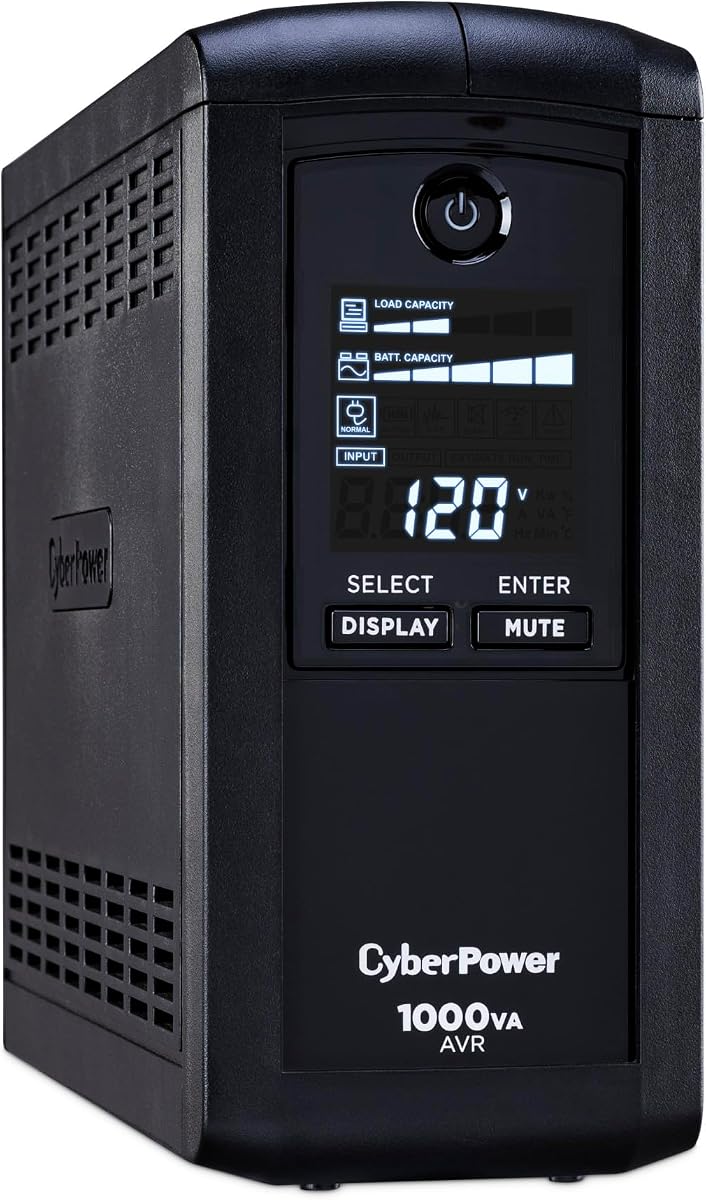
The LCD panel provides useful status updates at all times. Automatic voltage regulation helps extend battery life by avoiding unnecessary switching.
While it uses a simulated wave, it works for most devices. It is a practical choice for general office environments needing backup power.
Ideal for users wanting standard features without extra cost. It offers a dependable safety net for computers and network equipment.
AVR technology ensures the battery is only used when absolutely necessary for stability.
The LCD screen allows you to monitor load and battery status effectively.
We may earn a commission when you buy through this link, at no additional cost to you.
This unit is designed to fit into tight spaces easily. Its slim profile makes it ideal for under-desk mounting in crowded setups.
We may earn a commission when you buy through this link, at no additional cost to you.
The energy efficiency reduces power consumption even when the unit is idle. It offers enough outlets for a basic home or office setup.
It lacks advanced monitoring features compared to higher-end models. For basic protection and space savings, it performs well and saves floor space.
Those with limited desk space will appreciate the form factor. It is a reliable choice for entry-level needs and compact workstations.
The slim vertical footprint allows this unit to fit easily into small spaces.
High efficiency design ensures minimal energy waste during normal operation.
We may earn a commission when you buy through this link, at no additional cost to you.
This model focuses on energy efficiency for eco-conscious users. Its ECO mode cuts power to peripherals when the computer sleeps to save energy.
We may earn a commission when you buy through this link, at no additional cost to you.
It provides a good number of outlets for the price. The battery backup ensures your main system stays safe during power drops.
The wattage limits its use to smaller loads. It is ideal for basic office setups where energy costs are a concern.
Buyers looking to reduce power consumption should consider this model. It offers a smart way to manage peripheral power automatically.
The ECO mode shuts off unused outlets to lower overall energy consumption significantly.
It provides essential backup protection at a very competitive price point.
We may earn a commission when you buy through this link, at no additional cost to you.
This model is an accessible entry point for basic protection. It offers a display and battery backup at a very low cost.
We may earn a commission when you buy through this link, at no additional cost to you.
It works well for small computers or routers. The automatic voltage regulation helps smooth out minor fluctuations in power supply.
The capacity is quite low for heavy loads. It is best used for saving a system rather than long-term operation during outages.
Ideal for tight budgets needing basic safety. It provides a simple layer of protection for essential home or office devices.
This unit provides the essentials needed for basic surge and power outage protection.
For those on a strict budget, this offers essential protection without high costs.
We may earn a commission when you buy through this link, at no additional cost to you.
Selecting the right UPS depends on your specific power needs and budget. Below are key factors to consider when comparing models.
Capacity is measured in VA and wattage in Watts. Ensure the VA rating exceeds your workstation's total load for adequate runtime. Wattage determines how much power the unit can sustain continuously.
Choose a unit with at least 20% more capacity than your load requirements.
Pure sine wave output is essential for computers with active PFC power supplies. Simulated sine wave works for most other devices but may cause issues with sensitive electronics.
Always opt for pure sine wave for workstations to guarantee compatibility.
Lead-acid batteries are standard but need replacement every few years. Lithium batteries last longer and require less maintenance but cost more upfront.
Consider long-term costs when comparing lead-acid versus lithium options.
Ensure the unit has enough outlets for your PC, monitor, and peripherals. Check that backup outlets match the devices needing protection.
Look for models with at least six backup and surge outlets.
An LCD panel helps you monitor battery status and load in real time. Color displays often offer clearer alerts than monochrome ones.
Prioritize units with clear displays for easy maintenance.
Warranties typically cover three years. Premium models may offer longer coverage. Check the equipment guarantee policy for accidental damage.
A longer warranty reduces long-term ownership risk.
Tower units save floor space. Slim designs are easier to mount in tight spots. Consider your workspace layout when selecting size.
Choose a design that fits your physical environment.
Free software allows automated shutdowns during outages. This prevents data loss and protects hardware from corruption.
Look for models that include management software.
Plug the UPS into a grounded wall outlet first. Then connect your computer and peripherals to the battery backup outlets. Ensure all connections are secure before use.
Test the unit regularly to confirm it works during an outage. Unplug it briefly to see if it switches to battery power. This verifies reliability.
Replace batteries as recommended or when performance drops. Avoid placing the unit in direct sunlight or humid areas. This extends its lifespan significantly.
Yes, all units listed include surge protection. They divert excess voltage away from connected equipment. This safeguards your hardware from damage during spikes.
Runtime depends on load and battery capacity. Small units may last minutes while high-capacity ones last longer. Check runtime charts on the product page for details.
If your PC uses active PFC, yes. For standard power supplies, a simulated wave works. Pure sine wave offers the safest option for all electronics.
No, printers draw too much power and drain batteries fast. Connect printers to surge-only outlets instead. This preserves battery life for essential devices.
Lead-acid batteries typically last three to five years. Replace when runtime decreases significantly. Follow the manufacturer's maintenance guidelines for best results.
AVR means Automatic Voltage Regulation. It corrects minor voltage fluctuations without draining the battery. This helps extend battery life during brownouts.
Most CyberPower models include free PowerPanel software. It allows you to monitor the battery and automate shutdowns. Download it from the manufacturer's website.
The top picks offer a range of options for different needs. From the versatile CP1500PFCLCD to the long-lasting GoldenMate unit.
Prioritize capacity and waveform type for your specific workstation. Proper selection ensures your hardware remains safe during power issues.
Always check current prices and warranty terms before buying. Models may update over time, so verify the latest specifications.