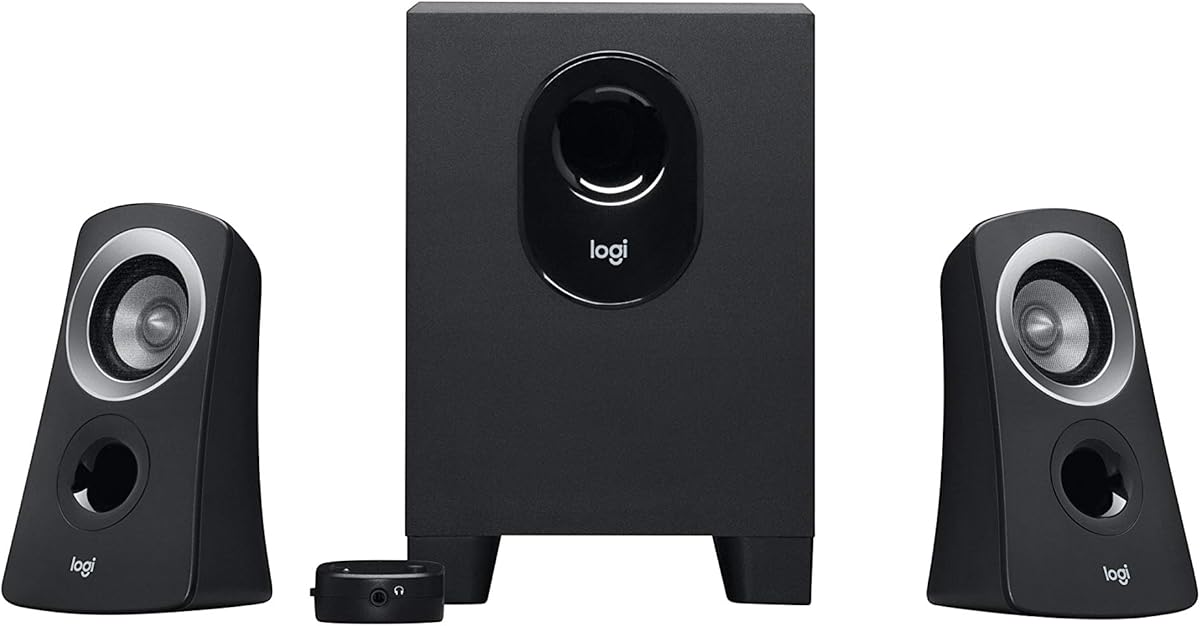
Logitech Z313 2.1 Multimedia Speaker System with Subwoofer – Black
4.4Editor score
25 Watts RMS Output
Compact Subwoofer Design
Convenient Control Pod
Discover the top 2.1 Channel Desktop Speakers for immersive audio. This guide compares power, bass, and connectivity for your desktop setup in 2026.
Finding the right audio setup is essential for any modern workstation. A 2.1 Channel Desktop Speakers system offers a balanced blend of clear mids and deep bass without taking up too much space. These systems are designed to enhance your listening experience whether you are working, gaming, or enjoying media.
We evaluated ten top-rated models based on sound quality, build durability, and connectivity options. Our analysis focuses on real-world performance metrics like power output, driver size, and frequency response. Each product was selected for its ability to deliver consistent audio across various tasks and environments.
Every entry in this list provides detailed insights into features, pros, and cons to help you decide. We highlight key specifications and user feedback to ensure you find a match for your needs. Please note that pricing and availability can fluctuate, so check current listings before purchasing.
4.4Editor score

4.5Editor score
4.2Editor score
This side-by-side comparison highlights the key specifications and features of the top ten models available today. Use this table to quickly identify which system offers the right balance of power, connectivity, and design for your specific desktop setup.


The Klipsch ProMedia 2.1 THX Certified system stands out as a top performer in the desktop audio category. With a 4.5 star rating from thousands of users it delivers legendary sound that fills the room. This system pairs Klipsch audio excellence with THX certification for an immersive experience.
We may earn a commission when you buy through this link, at no additional cost to you.
Its MicroTractrix horn technology ensures efficient sound dispersion and crisp highs. The 6.5 inch side firing subwoofer provides deep bass you can feel during movies or gaming. The 200 watts peak power output ensures consistent volume even in larger spaces without distortion.
While the subwoofer is substantial it integrates well into most setups. The control pod allows for precise adjustments of volume and subwoofer gain. Some users may find the price higher than budget options but the sound quality justifies the investment.
This system is ideal for audiophiles and gamers seeking premium performance. It connects easily via 3.5mm inputs to computers and consoles. If you prioritize sound fidelity and reliability the ProMedia 2.1 is a strong recommendation for your desk setup.
THX certification ensures the speakers meet high standards for audio quality and consistency across different listening environments.
This technology improves sound clarity by controlling dispersion and ensuring more energy reaches your ears efficiently.
We may earn a commission when you buy through this link, at no additional cost to you.
The Logitech Z313 offers an accessible entry point for users seeking a dedicated 2.1 system. With a 4.4 star rating it is popular among budget conscious buyers. It provides solid performance for everyday tasks like browsing and casual music listening.
We may earn a commission when you buy through this link, at no additional cost to you.
Its compact subwoofer fits easily under desks without taking up too much space. The 25 watts RMS output delivers clear mids and highs suitable for speech and light entertainment. The control pod makes volume adjustments simple and intuitive.
While it lacks the power of premium models it remains consistent at lower volumes. The design is straightforward with no extra features like RGB or Bluetooth. This simplicity keeps costs down while ensuring reliable daily performance.
Ideal for students or home offices where space and budget are concerns. It connects directly via 3.5mm jack to most devices. For those needing a no fuss upgrade from built-in speakers the Z313 is a practical choice.
The small footprint allows placement in tight spaces without compromising the dedicated subwoofer benefits.
No software installation is required allowing immediate use with any device featuring a headphone jack.
We may earn a commission when you buy through this link, at no additional cost to you.
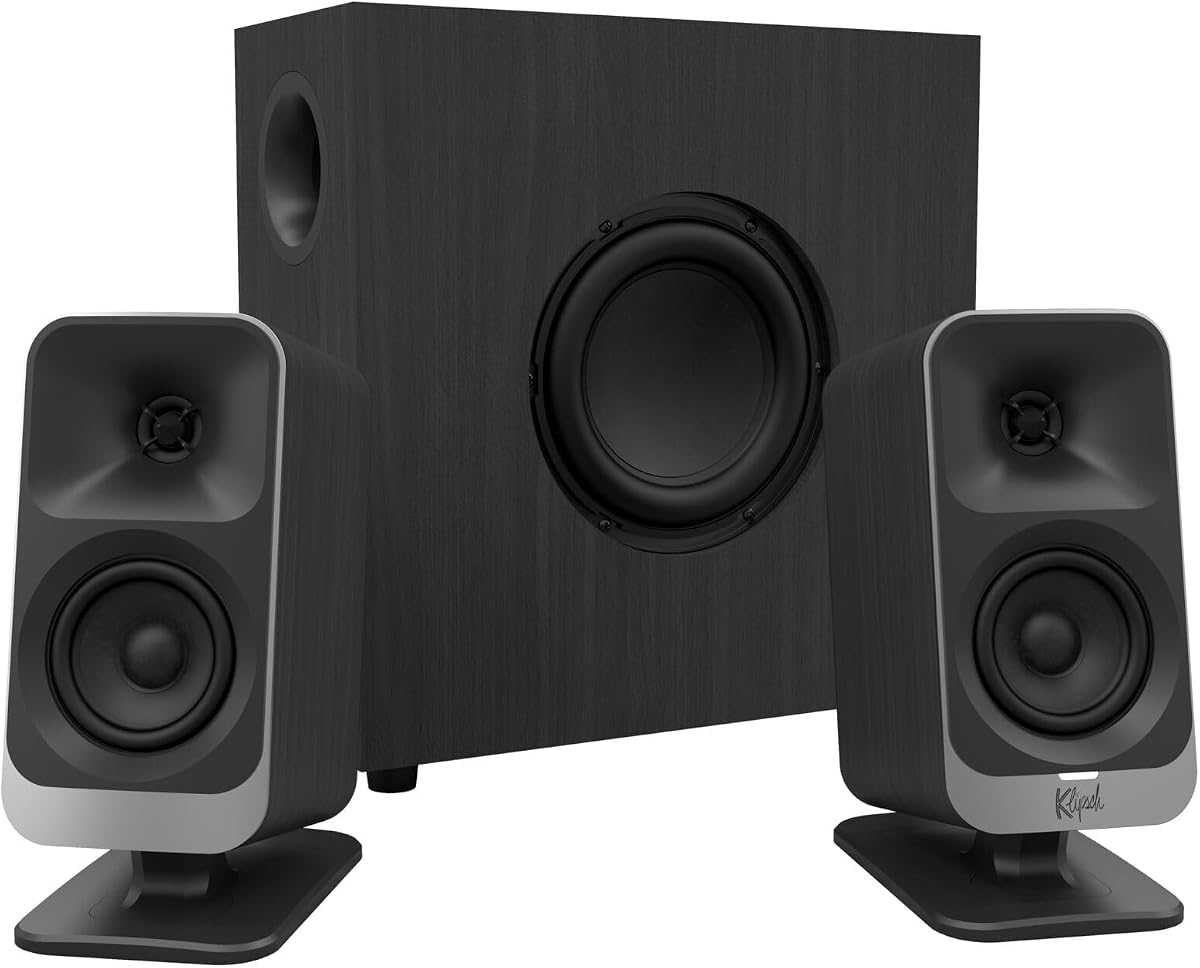
The Klipsch ProMedia Lumina brings a fresh design to a classic legacy with modern connectivity. It scores a 4.2 star rating and appeals to users wanting style and substance. This system integrates seamlessly with contemporary workstations.
We may earn a commission when you buy through this link, at no additional cost to you.
It features a low profile subwoofer with adjustable gain for deep bass in small spaces. Connectivity includes USB-C, AUX, and Bluetooth 5.3 for versatile device pairing. The control app offers precise command over EQ and lighting settings.
The RGB lighting adds a visual element that can match your workspace theme. Some users might need to install the app to access all features. However this adds a layer of personalization not found in standard models.
Best for gamers and creatives who value both sound and aesthetics. The updated controls and tiltable stands enhance ergonomics. If you want a premium experience with modern tech the Lumina is a standout option.
Customizable lighting effects allow you to match the speakers with your PC setup theme effortlessly.
The desktop app lets you tweak frequencies and features like night mode for tailored audio.
We may earn a commission when you buy through this link, at no additional cost to you.
The Logitech Z623 is a powerhouse delivering 400 watts peak power for immersive sound. With a 4.6 star rating it is praised for its volume and clarity. It excels in large rooms or for users who prefer loud audio.
We may earn a commission when you buy through this link, at no additional cost to you.
Its THX certification ensures quality performance across music and movies. RCA and 3.5mm inputs allow connections to multiple devices like consoles and PCs. The 200 watts RMS provides stable performance without clipping.
While powerful the system requires significant desk space for the subwoofer. It lacks wireless connectivity which might be a drawback for some. However the wired reliability ensures consistent audio delivery.
Perfect for home theater setups or gaming rooms with space. It handles dynamic content well without distortion. If you need room filling sound the Z623 remains a top contender.
High wattage ensures the speakers can fill large rooms with sound without losing clarity.
RCA and 3.5mm jacks allow easy switching between gaming consoles and computers.
We may earn a commission when you buy through this link, at no additional cost to you.
The Creative Pebble X Plus updates the classic Pebble design with modern connectivity. It holds a 4.2 star rating and offers a fresh look for desks. The system combines USB-C and Bluetooth for flexible setup.
We may earn a commission when you buy through this link, at no additional cost to you.
Its 2.75 inch drivers deliver balanced sound with enhanced bass. The RGB lighting adds a touch of style with customizable colors. You can amplify the volume further with a higher wattage adapter.
While it is not the loudest it is well suited for close listening. The USB-C connection simplifies cabling for modern laptops. Some may find the power limited compared to AC powered systems.
Best for style conscious users with modern setups. It fits well in small spaces without looking outdated. If you value design and connectivity the Pebble X Plus is a strong choice.
USB-C input supports digital audio and charging for simpler desk cable management.
Upgraded 2.75 inch drivers provide richer sound and better bass response.
We may earn a commission when you buy through this link, at no additional cost to you.
Bluedee offers a versatile speaker system with modern Bluetooth 5.4. It has a 4.4 star rating and focuses on convenience. The DSP tuning ensures clear audio even at higher volumes.
We may earn a commission when you buy through this link, at no additional cost to you.
It supports USB-C and 3.5mm inputs for broad compatibility. A single control knob manages volume and lighting which simplifies use. The RGB lighting adds a modern touch to any desk.
As a newer brand it offers competitive features at a lower price. Some users might prefer established brands for long term reliability. However the performance is solid for everyday tasks.
Great for users needing flexible connections. It works well with laptops and phones via Bluetooth. If you want tech features without a premium price Bluedee is worth considering.
Latest Bluetooth version ensures stable wireless connections with minimal latency.
Digital Signal Processing reduces distortion for smoother sound during calls or music.
We may earn a commission when you buy through this link, at no additional cost to you.
The Cyber Acoustics CA-3090 is designed for basic audio needs. With a 3.9 star rating it is a budget option for essential sound. It provides a step up from internal speakers without complexity.
We may earn a commission when you buy through this link, at no additional cost to you.
It delivers 18 watts peak power with a ported subwoofer. The control pod allows volume adjustment. The design is flat panel suitable for small desks. It includes all necessary cables for immediate use.
While performance is limited it serves well for casual listening. Users should expect less depth than higher wattage models. The price point makes it accessible for many users.
Best for temporary setups or strict budgets. It connects easily to computers and devices. If you need a cheap upgrade the CA-3090 offers decent value.
Easy access volume controls make adjusting audio straightforward without software.
The ported design helps enhance bass response within the compact unit.
We may earn a commission when you buy through this link, at no additional cost to you.
Creative Pebble Plus focuses on simplicity with USB power. It has a 4.3 star rating and is popular for laptops. The 45 degree drivers direct sound towards the user for clarity.
We may earn a commission when you buy through this link, at no additional cost to you.
It features a down-firing subwoofer for enhanced bass. High Gain Mode allows higher volume with a better adapter. The USB cable simplifies setup without needing wall outlets.
While limited to 8 watts RMS it is sufficient for desks. The design is small and fits anywhere. Some users prefer higher power but this is a great portable choice.
Ideal for laptop users and small desks. It offers a clean setup without extra cables. If you want a simple upgrade the Pebble Plus is reliable.
Angled speakers aim sound directly at your ears for better clarity without turning.
Single cable power means no extra outlets needed for your desktop setup.
We may earn a commission when you buy through this link, at no additional cost to you.
Cyber Acoustics CA-3610 offers strong performance for the price. It has a 4.2 star rating and is praised for its bass. The 62 watts peak ensures decent volume for most rooms.
We may earn a commission when you buy through this link, at no additional cost to you.
Each satellite has dual 2 inch titanium drivers for clarity. A headphone jack allows private listening. The control pod adjusts volume easily. The subwoofer fits under desks well.
While it lacks modern wireless features it delivers solid audio. The design is sleek and suits offices. It provides a good balance of features and cost.
Best for users wanting power without high cost. It works well for music and gaming. If you need a reliable wired system this model is a great pick.
Dual drivers per satellite offer wider stereo sound and better detail.
Private listening option is built directly into the speaker system.
We may earn a commission when you buy through this link, at no additional cost to you.
Logitech Z407 brings wireless convenience with its control dial. It has a 4.3 star rating and is loved for its control. The system supports Bluetooth and wired inputs for flexibility.
We may earn a commission when you buy through this link, at no additional cost to you.
The dial lets you control volume and bass from across the room. The bass is deep due to digital signal processing. You can position speakers vertically or horizontally as needed.
While you need batteries for the dial the convenience is worth it. The audio quality is rich for desktop use. Some may prefer a wired-only system for reliability.
Ideal for users who want easy remote adjustments. It fits well in setups with multiple devices. If you value control and connectivity the Z407 is a smart choice.
Adjust volume and bass without touching the speakers or using software.
Oval speakers can be placed vertically or horizontally to match your desk style.
We may earn a commission when you buy through this link, at no additional cost to you.
Choosing the right system involves considering power, connectivity, and design. This guide outlines key factors to help you find a match for your needs.
Power output determines how loud and clear the speakers can get. Look for RMS ratings over 20 watts for desktop use. Higher peak power ensures headroom for dynamic content.
Check for inputs like USB-C, 3.5mm, and Bluetooth. Bluetooth allows wireless connections to phones and tablets. Wired inputs ensure stable audio for computers.
A larger subwoofer provides deeper bass. Measure your desk space to ensure it fits. Side-firing or down-firing designs impact sound dispersion.
Materials affect durability and sound clarity. Metal grilles and quality plastics last longer. Avoid cheap plastic that may vibrate at high volumes.
Reputable brands offer better support and quality. Check warranty terms before buying. Good customer service helps with technical issues.
Features like RGB lighting and control apps add customization. Ensure these fit your needs. Simple controls often work better than complex apps.
Some speakers emphasize bass while others focus on clarity. Choose based on your listening style. Balanced sound works well for multiple tasks.
Set a budget based on your priorities. Higher prices don't always mean better sound. Read reviews to verify real-world performance.
Place the speakers at ear level for best sound. Keep them away from walls to reduce distortion. Ensure the subwoofer has ventilation.
For desktop use, a system with 20 watts RMS or more is recommended. This ensures clear sound without distortion at typical volumes.
Many models support Bluetooth for wireless connections. Check the product details to confirm Bluetooth availability.
Connect via 3.5mm jack or USB-C. Some models support Bluetooth pairing for wireless access.
Subwoofers add depth and bass response. They are ideal for movies and music.
Yes, if your TV has a 3.5mm or RCA audio output. Connect via the appropriate cable for sound.
Most work as plug-and-play with default drivers. Special features may need an app.
High-quality models can last several years with proper care. Protect them from moisture and physical damage.
Most include power and audio cables. Check the contents before purchasing.
The top picks range from budget to premium options. Choose based on your power and connectivity needs.
Prioritize sound quality and durability for long-term use.
Always check current prices and reviews before making a purchase.