
ASUS ROG XG27ACS
4.4Editor score
180Hz refresh rate
1ms response time
FreeSync Premium support
AI Ready Monitors transform your workspace with intelligent features that enhance productivity and visual clarity. These displays integrate advanced processors to optimize content in real time, ensuring sharp visuals whether you are gaming or working on detailed projects.
We evaluated ten top models based on resolution, refresh rates, connectivity options, and embedded AI capabilities. Our analysis highlights how each monitor handles dynamic image adjustment, voice control integration, and seamless device synchronization for modern computing needs.
Each selection showcases unique strengths from smart home control to ultra-wide panoramic views. Prices fluctuate frequently so check current listings before purchasing. This guide helps you match specific AI features to your daily workflow requirements.
4.4Editor score

4.5Editor score

4.3Editor score
As an Amazon Associate we earn from qualifying purchases.
The following table provides a side-by-side overview of key specifications across all ten selected monitors. Compare resolution, refresh rates, and AI features to find the ideal match for your setup.




The Dell S2725QS stands out as a top choice for users prioritizing visual fidelity. With a 4K UHD resolution and IPS panel, it delivers vibrant colors and sharp text ideal for creative work.
We may earn a commission when you buy through this link, at no additional cost to you.
Its 120Hz refresh rate ensures smooth motion rendering which benefits both gaming and video playback. The ComfortView Plus technology reduces blue light emissions allowing extended usage without fatigue.
While it lacks some AI-driven smart features, its hardware optimization provides consistent performance. The built-in speakers offer surprisingly deep frequency response compared to standard monitors.
This monitor is perfect for professionals needing reliable display quality without unnecessary complexity. It balances performance and ergonomics effectively for daily office tasks.
ComfortView Plus adjusts blue light levels dynamically based on content type ensuring long sessions remain comfortable.
Upgraded speaker drivers provide clear dialogue and immersive sound effects eliminating the need for external audio devices.
We may earn a commission when you buy through this link, at no additional cost to you.
The LG 27UP850K-W offers exceptional value with its high-end color performance. It covers 95% of the DCI-P3 color space making it ideal for media editing and design.
We may earn a commission when you buy through this link, at no additional cost to you.
USB Type-C connectivity simplifies setups by delivering power and data through one cable. This reduces desk clutter significantly for laptop users needing a secondary display.
While response times are not the fastest available the Black Stabilizer feature helps visibility in dark gaming scenes. This adds utility without requiring external tuning tools.
Buyers seeking a reliable all-in-one solution for work and entertainment will find this model compelling. Its balance of specs and price makes it a strong contender.
Multiple USB ports and HDMI inputs allow multiple device connections simultaneously without needing extra hubs.
The Switch App enables intuitive screen layout adjustments and quick switching between connected devices easily.
We may earn a commission when you buy through this link, at no additional cost to you.
The Samsung ViewFinity S8 redefines productivity with its 5K2K resolution and curved design. This setup allows multiple windows side by side comfortably without external docking stations.
We may earn a commission when you buy through this link, at no additional cost to you.
Thunderbolt 5 ensures rapid data transfers and power delivery up to 140W. This makes it suitable for high-end laptops needing both display and charging capabilities.
Built-in KVM switching lets you control two computers with one keyboard and mouse. It is a significant time saver for developers or multi-platform users.
Investors looking for a long-term premium setup will appreciate the clarity and speed. It justifies the cost through advanced integration and sheer screen real estate.
The high resolution ensures text and graphics remain crisp even at extreme scaling levels.
Curvature enhances focus and reduces eye strain when viewing wide content spans.
We may earn a commission when you buy through this link, at no additional cost to you.
The Samsung M7 Smart Monitor functions as a complete entertainment hub without a PC. It accesses apps directly via an integrated operating system reducing hardware requirements.
We may earn a commission when you buy through this link, at no additional cost to you.
Vision AI adjusts visuals based on content ensuring documents look sharp and games appear rich. This automatic tuning saves manual calibration time for users.
Active Voice Amplifier analyzes background noise to boost dialogue volume. This is particularly helpful in noisy environments where audio clarity matters.
For casual users and home office setups this monitor simplifies entertainment and work. It combines smart features with reliable display performance effectively.
The monitor connects to smart home devices offering a 3D map view for easy management.
Streaming content is available immediately without needing an external media player or cable box.
We may earn a commission when you buy through this link, at no additional cost to you.
LG brings its webOS experience to monitors with the 27U730SA-W. This platform offers familiar app navigation and seamless streaming capabilities directly on the screen.
We may earn a commission when you buy through this link, at no additional cost to you.
AI Dynamic Tone Mapping enhances contrast and brightness for better visual depth. This ensures content looks consistent regardless of ambient lighting conditions.
Remote PC access allows you to control your desktop from anywhere via the monitor. It is a useful feature for hybrid workers needing flexibility.
This model bridges the gap between a traditional monitor and a smart TV. It provides convenience without sacrificing display quality or color accuracy.
Brightness Control detects room lighting and adjusts screen levels automatically for optimal viewing comfort.
AirPlay 2 and Screen Share allow easy content sharing from phones and tablets to the monitor.
We may earn a commission when you buy through this link, at no additional cost to you.
The Samsung M8 combines smart features with a sleek design that fits modern interiors. Its AI Processor upgrades streaming content to near 4K quality enhancing visual clarity.
We may earn a commission when you buy through this link, at no additional cost to you.
A SolarCell Remote charges via ambient light removing the need for disposable batteries. This eco-friendly detail aligns with sustainable home technology trends.
Accessibility tools like screen magnification and audio descriptions support diverse users. Such inclusivity ensures everyone can use the monitor comfortably.
This device is perfect for spaces where aesthetics and smart functionality are paramount. It serves as a high-quality display and media center simultaneously.
One remote manages multiple devices reducing clutter and simplifying user interaction.
AI Upscaling boosts lower resolution content so it looks sharper on the 4K screen.
We may earn a commission when you buy through this link, at no additional cost to you.
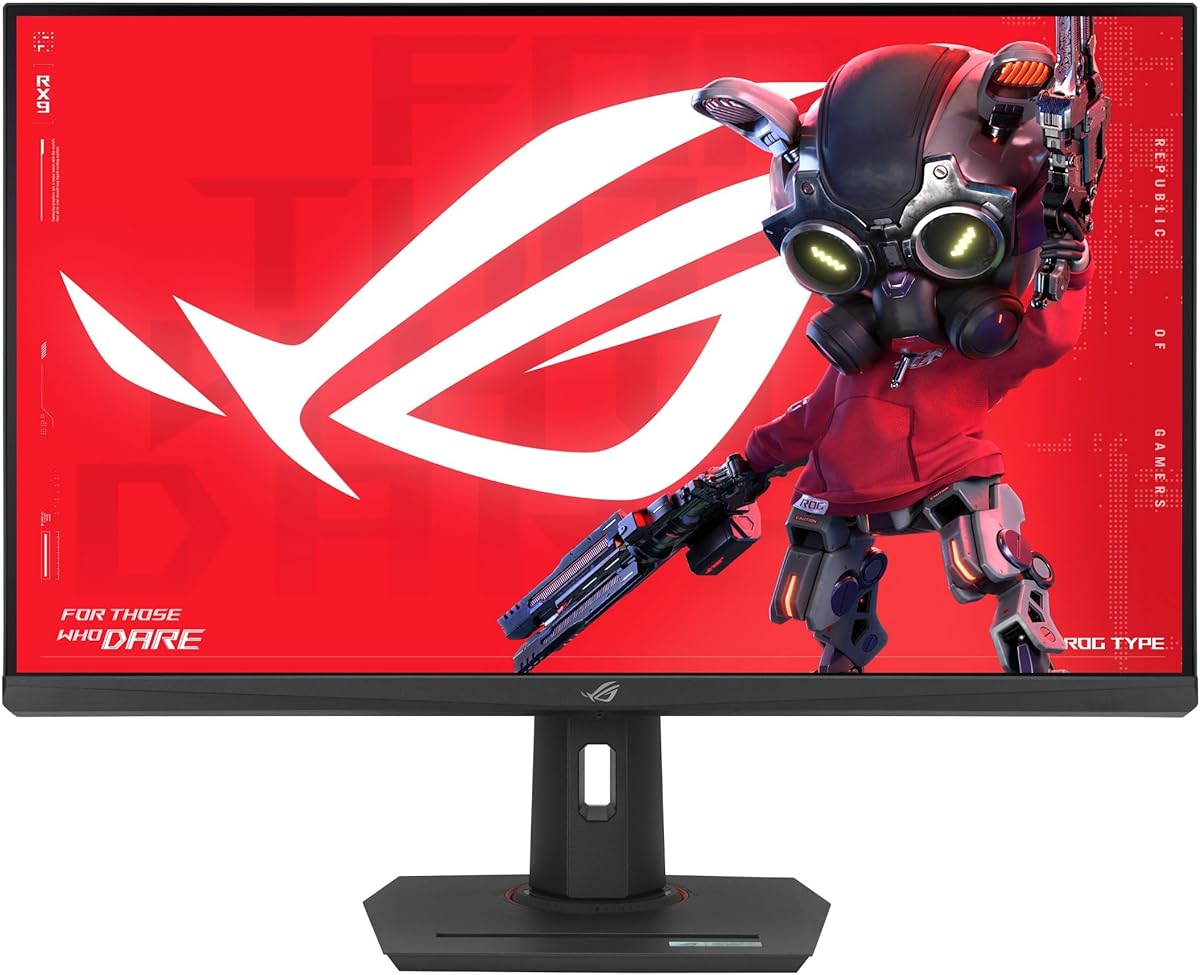
The ASUS ROG XG27ACS delivers high-speed performance essential for competitive gaming. Its Fast IPS panel maintains color consistency while providing rapid pixel response.
We may earn a commission when you buy through this link, at no additional cost to you.
ELMB SYNC combines motion blur reduction with variable refresh rates. This eliminates ghosting and tearing ensuring fluid visuals during intense gameplay.
DisplayWidget Center simplifies OSD adjustments via mouse input saving time during sessions. This ergonomic touch improves usability significantly.
Gaming enthusiasts will find this monitor a reliable partner for FPS and action titles. It prioritizes speed and clarity over smart features.
ELMB SYNC technology ensures sharp images even during fast-paced movement without sacrificing refresh rates.
Three months of Adobe Creative Cloud subscription are included adding value for content creators.
We may earn a commission when you buy through this link, at no additional cost to you.
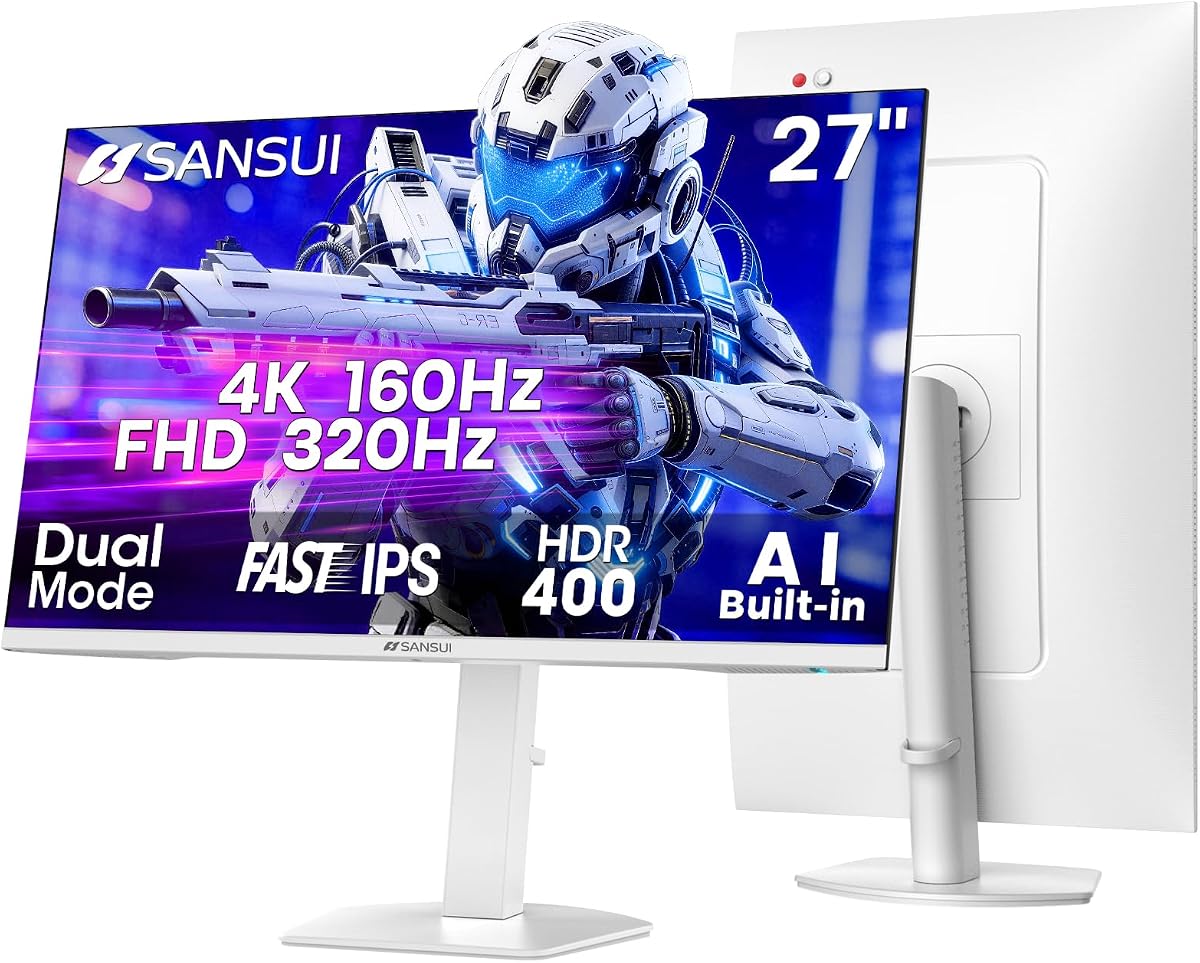
The SANSUI 27 offers a unique dual mode switching between 4K and FHD resolutions. This flexibility allows users to prioritize speed or detail based on the task.
We may earn a commission when you buy through this link, at no additional cost to you.
AI Crosshair assists aiming by overlaying precision markers on games. This adds a tactical advantage for competitive players needing quick targeting.
Fast IPS technology ensures colors remain vibrant across wide viewing angles. Combined with 320Hz in FHD mode it delivers smooth performance.
Gamer looking for adaptable specs at a competitive price will appreciate this model. It balances resolution and refresh rate options effectively.
Switching between 4K and FHD modes optimizes the monitor for either clarity or speed instantly.
AI PQ ensures consistent color output maintaining vibrancy even during high contrast scenes.
We may earn a commission when you buy through this link, at no additional cost to you.
The ASUS ROG XG32UCG pushes boundaries with its dual mode 4K and FHD capabilities. It offers a 4K experience with refresh rates suitable for smooth gameplay.
We may earn a commission when you buy through this link, at no additional cost to you.
ROG Gaming A.I technology enhances user experience through optimized settings. This ensures consistent performance across different game genres without manual tweaking.
Superior color accuracy with 95% DCI-P3 ensures visuals are true to life. This makes it excellent for both gaming and creative work.
Enthusiasts wanting top-tier specs and reliability will find this monitor unmatched. Its build quality and feature set justify the investment.
A 0.3ms response time ensures virtually no lag between input and visual output.
Color tracking technology delivers uniform shades and smooth transitions across the entire screen.
We may earn a commission when you buy through this link, at no additional cost to you.
The SANSUI 34 offers an expansive workspace with its curved 21:9 ultrawide display. It enhances multitasking and immersion for gaming and content consumption.
We may earn a commission when you buy through this link, at no additional cost to you.
AI Blue Light reduction protects eyes during long sessions reducing fatigue significantly. This feature ensures comfortable usage throughout the day.
200Hz refresh rate ensures rapid motion handling for fast-paced titles. It delivers a competitive edge in gaming environments.
Users seeking a wide view without breaking the bank should consider this option. It provides essential high-performance features efficiently.
The curvature and aspect ratio wrap around the user creating a focused environment.
Automated blue light filters reduce strain without compromising color quality significantly.
We may earn a commission when you buy through this link, at no additional cost to you.
Selecting the right AI Ready Monitor requires evaluating several technical and functional factors to match your specific needs.
Resolution dictates how sharp images and text appear on the screen. Higher resolutions like 4K or 5K2K are essential for detailed work and modern gaming.
Prioritize at least 4K resolution if your tasks involve editing or multitasking to ensure fine details remain legible.
Refresh rates determine how smoothly motion appears on the display. A refresh rate of 120Hz or higher is recommended for gaming and video consumption.
Look for response times under 5ms to minimize motion blur and ensure crisp visuals during fast-paced activities.
Modern AI Monitors often include USB-C with power delivery to simplify laptop connections. HDMI 2.1 is necessary for next-gen consoles to unlock high resolutions and refresh rates.
Ensure the monitor has enough ports to connect all your devices without needing extra hubs.
AI Ready Monitors may offer upscaling, eye care, or voice assistants. These features can enhance comfort and simplify user interaction significantly.
Choose a model with AI tools that solve your specific pain points such as eye strain or content quality.
IPS panels offer superior color accuracy while VA panels provide deeper blacks. The choice depends on whether you prioritize color fidelity or contrast.
For creative work, IPS is generally the safer bet; for media consumption, VA offers more immersion.
An adjustable stand allows you to position the monitor for comfort during long sessions. Features like tilt, swivel, and height adjustment prevent posture issues.
Check for VESA mount compatibility if you plan to use an aftermarket arm for flexibility.
Built-in speakers reduce cable clutter and simplify setups for casual use. While not a replacement for dedicated audio, they add convenience.
If sound quality is critical, consider models with enhanced audio processing or plan for external speakers.
Monitors with webOS or Tizen allow streaming apps directly on the screen. This functionality replaces the need for external media players.
Ensure the OS supports the streaming services you use most frequently for a seamless experience.
Position your monitor at arm's length and adjust the height so the top of the screen is slightly below eye level. This reduces neck strain and maintains proper posture during extended work periods.
Utilize the AI features like automatic brightness and blue light filters to minimize eye fatigue. Adjust these settings in the OSD menu to match your room lighting conditions accurately.
Clean the screen regularly using a microfiber cloth to avoid scratches. Avoid using harsh chemicals or spraying liquids directly on the panel to preserve the coating and longevity.
An AI Ready Monitor integrates an internal processor that optimizes visuals and settings automatically. This includes features like upscaling resolution, reducing blue light, or adjusting brightness based on ambient light.
While smart features do not require a PC, high resolutions and refresh rates benefit from powerful hardware. Ensure your graphics card supports 4K at 60Hz or higher for the best experience.
Yes, many models support high refresh rates and adaptive sync technologies. Look for features like G-SYNC or FreeSync Premium to eliminate tearing during gaming sessions.
Use built-in AirPlay 2 or Screen Share options found on compatible models. Some monitors also support Miracast for seamless wireless content projection.
AI brightness control adjusts screen output based on content which can reduce power consumption. Smart monitoring modes often track energy usage to help you manage costs effectively.
Some models include Knox security or remote access controls to protect data. These features prevent unauthorized access and ensure safe remote management capabilities.
The 10 Best AI Ready Monitors offer diverse features ranging from smart streaming to high-speed gaming. The LG 27UP850K-W leads in value while the Samsung ViewFinity S8 dominates premium performance.
Prioritize resolution and refresh rate based on whether you focus on creativity or entertainment. Integration of AI tools significantly enhances comfort and usability without extra hardware.
Remember to check current pricing as market conditions change often. Selecting the right model ensures a seamless and productive digital experience in 2026.