
KAIGERR Gaming Laptop
5.0Editor score
AMD Ryzen 7430U Processor
16GB DDR4 RAM
16 Inch FHD Display
Finding the right laptop for light gaming and productivity requires balancing power with portability. The Amd Ryzen 7430U processor offers efficient performance for everyday tasks and casual gaming without breaking the bank.
We have evaluated ten top models featuring this specific processor to help you make an informed decision. Our analysis focuses on real-world usability, display quality, and overall build quality across different price points.
Each pick highlights specific strengths like battery life or screen size to match different user needs. Please note that availability and deals can change quickly so check current listings before purchasing.
5.0Editor score

4.8Editor score

4.2Editor score
As an Amazon Associate we earn from qualifying purchases.
The following table provides a side-by-side look at the key specifications for each laptop. This helps you quickly compare screen sizes memory and storage options across the top ten models.


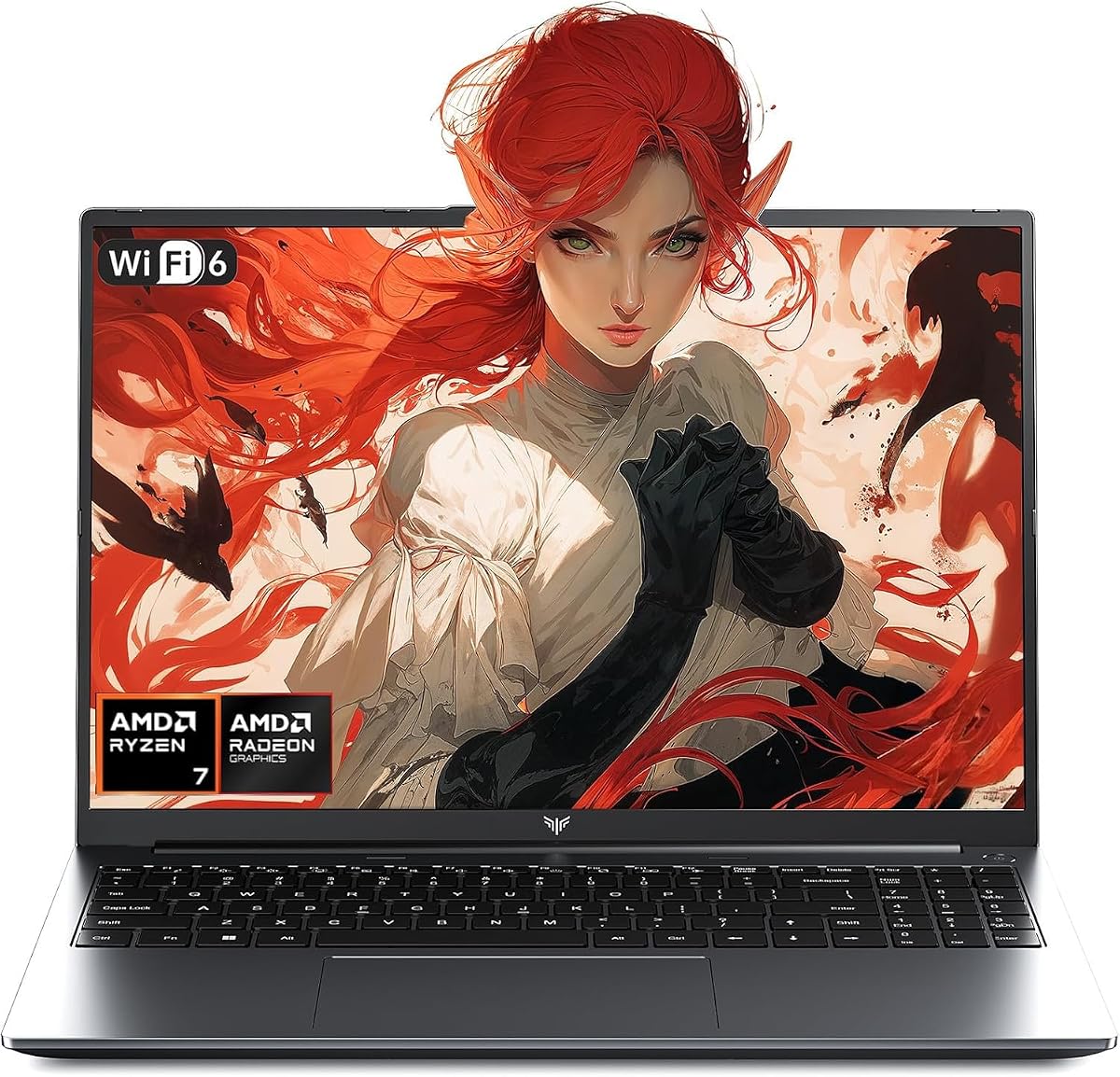


This KAIGERR laptop offers a compelling entry point for users seeking a light gaming laptop with the AMD Ryzen 7430U. Its high rating reflects strong performance for everyday tasks and casual gaming titles.
We may earn a commission when you buy through this link, at no additional cost to you.
The 16GB DDR4 RAM ensures smooth multitasking while the 512GB SSD provides fast boot times. The 16-inch display delivers clear visuals suitable for both work and entertainment.
While it may lack premium materials, the included webcam cover and robust port selection add practical value. Users should close background apps to maximize gaming performance.
Ideal for students or budget-conscious buyers needing a reliable machine for schoolwork and light gaming without overspending on unnecessary features.
The 7430U processor delivers efficient power for daily use without overheating or excessive power draw.
USB 3.2 and Type-C ports allow easy connection to external monitors and peripherals for a flexible workspace.
We may earn a commission when you buy through this link, at no additional cost to you.
This model stands out with its expansive 18.5-inch screen and massive 7000mAh battery, making it perfect for extended work or media sessions.
We may earn a commission when you buy through this link, at no additional cost to you.
The IPS panel offers accurate color reproduction for detailed editing work and sharp rendering of dynamic scenes for gaming enjoyment.
Stable connectivity via RJ45 ensures uninterrupted video calls while dual speakers provide immersive audio without needing headphones.
It is a top pick for those prioritizing screen real estate and battery endurance over ultra-portability.
The larger screen provides ample workspace for multitasking and enhances movie watching experiences significantly.
Intelligent power management allows full-day remote work sessions without constantly seeking a power outlet.
We may earn a commission when you buy through this link, at no additional cost to you.
This version of the KAIGERR laptop mirrors the efficient performance of its siblings with a focus on privacy and convenience.
We may earn a commission when you buy through this link, at no additional cost to you.
The integrated UHD graphics card clocked up to 1200MHz handles light gaming and video playback smoothly for general users.
Users can expand storage via TF card slots or upgrade the SSD to 2TB for extensive file storage needs.
Best for individuals who value hardware privacy features and flexible storage options on a budget.
The physical webcam cover slide provides a simple and effective way to secure your privacy during downtime.
Support for up to 2TB SSD replacement ensures your laptop grows with your storage requirements over time.
We may earn a commission when you buy through this link, at no additional cost to you.
This 18.5-inch model emphasizes speed with its M.2 NVMe SSD and robust connectivity options for seamless data transfer.
We may earn a commission when you buy through this link, at no additional cost to you.
The thin-bezel design maximizes screen real estate while the centered webcam ensures a clean look during video calls.
Users benefit from rapid boot speeds and ample storage space for all files and applications.
It suits professionals needing a desktop replacement with superior multitasking power in a portable form.
The NVMe SSD ensures lightning-fast boot speeds and rapid application loading for a responsive workflow.
WiFi 6 and Bluetooth 5.2 offer strong wireless signals and fast connections to peripherals reliably.
We may earn a commission when you buy through this link, at no additional cost to you.
This lightweight unit is designed for easy carrying while maintaining a powerful processor for smooth operation.
We may earn a commission when you buy through this link, at no additional cost to you.
The integrated Radeon Graphics deliver detailed image processing that enhances creative projects and casual games.
Rich interfaces like HDMI and Type-C allow you to connect external displays and accessories effortlessly.
Perfect for travelers who need a reliable machine that balances portability with performance.
The compact design makes it easy to carry with you wherever you go without the bulk.
Brilliant FHD display with thin bezels maximizes screen space for immersive viewing experiences.
We may earn a commission when you buy through this link, at no additional cost to you.
A classic 15.6-inch option that brings together performance and portability in a familiar package for users.
We may earn a commission when you buy through this link, at no additional cost to you.
With Windows 11 pre-installed, it offers immediate usability for work and personal entertainment right out of the box.
The battery life supports around eight hours of work or play which is convenient for daily commuting.
Ideal for users who prefer a standard laptop size without sacrificing essential processing power.
Pre-installed operating system saves setup time so you can start working or playing immediately.
Long battery life gives you the flexibility to work or play anywhere without constant charging.
We may earn a commission when you buy through this link, at no additional cost to you.
Priced competitively this model provides the essential specs needed for efficient performance without extra costs.
We may earn a commission when you buy through this link, at no additional cost to you.
The 12 months of repair support provides peace of mind for users who need reliability for work or study.
Users can expand storage easily and enjoy a seamless system operation with ample personal file space.
A strong contender for students looking for a balance between cost and performance.
Unlimited technical support and repair services help resolve issues quickly for minimal downtime.
High performance at a lower price point makes this accessible to budget-conscious buyers.
We may earn a commission when you buy through this link, at no additional cost to you.
This model stands out for users who need a numeric keypad for data entry and financial tasks.
We may earn a commission when you buy through this link, at no additional cost to you.
The backlit keyboard helps with immersion in the game world during low-light gaming sessions.
Dual channel memory support allows for significant upgrades to 64GB for heavy multitasking needs.
Best suited for data analysts or accountants who require specific input features in a gaming form.
The numeric keypad allows for quick data entry which is essential for spreadsheets and accounting.
Support for up to 64GB memory allows you to expand capacity as your needs grow.
We may earn a commission when you buy through this link, at no additional cost to you.
Built on the ZEN 3 architecture this laptop delivers a smooth experience for home entertainment and light gaming.
We may earn a commission when you buy through this link, at no additional cost to you.
The integrated Radeon graphics provide powerful processing for lifelike visuals and incredibly fast performance.
Future-proof connectivity meets all your needs with USB3.2 and Type-C ports for easy peripheral connection.
A robust choice for users needing more processing power for creative work alongside gaming.
The 6 cores and 12 threads provide enough power for complex multitasking without lag.
Capable of handling photo and video editing software smoothly for content creators.
We may earn a commission when you buy through this link, at no additional cost to you.
This premium option stands out with faster DDR5 memory and a superior GPU for smoother creative workflows.
We may earn a commission when you buy through this link, at no additional cost to you.
The 180-degree lay-flat hinge and fingerprint sensor add modern conveniences for secure and flexible use.
Radeon 680M graphics deliver stunning visual precision for content creators and casual gamers alike.
Ideal for professionals willing to invest in top-tier hardware for long-term performance and reliability.
DDR5 RAM ensures ultra-fast data access and faster boot times for any heavy workload.
The industry-leading 2-year warranty and US support offer significant protection for your investment.
We may earn a commission when you buy through this link, at no additional cost to you.
Selecting the right laptop requires careful consideration of specific features that align with your workflow and budget.
The AMD Ryzen 7430U uses Zen 3 architecture which delivers strong single-thread performance crucial for games and responsive apps. This processor handles multitasking well with 6 cores and 12 threads ensuring you can browse and game without lag. Prioritize this chip for its balance of efficiency and speed.
Look for the specific 7430U model to ensure you get the best performance per watt available.
16GB of DDR4 RAM is standard for light gaming and ensures you can keep multiple apps open smoothly. DDR5 models offer faster speeds but at a higher cost so consider if your tasks really need the extra bandwidth. Upgradability to 32GB or 64GB is a plus for future-proofing your machine. Check if your chosen model allows easy RAM upgrades later on. Ensure you have enough capacity for your intended workflow without bottlenecks.
An M.2 NVMe SSD is essential for quick boot times and fast application loading. 512GB is the baseline but 1TB drives are preferable if you store many games or large files. Speeds of 2TB are possible on some models so check expansion slots before buying. A slow hard drive can bottleneck even a fast CPU so SSD is non-negotiable. Solid state drives also consume less battery and run cooler.
IPS panels offer better viewing angles and color accuracy which are vital for creative work and gaming immersion. Screen sizes range from 15.6 to 18.5 inches so choose based on portability needs versus workspace. Full HD resolution ensures sharp text and clean graphics for general tasks and play. High refresh rates are rare in this category so expect standard 60Hz panels. Good brightness helps in brightly lit environments.
Battery capacity varies significantly with models ranging from 38Wh to 7000mAh. Higher capacity means more freedom from power outlets during travel or long work sessions. Look for fast charging features if you often need a quick boost of power. Real-world usage depends heavily on brightness and task intensity but expect 6 to 9 hours. Battery life directly impacts how portable and convenient the laptop feels.
Modern USB Type-C ports allow for data transfer video output and charging all in one cable. HDMI outputs are essential for connecting to external monitors or TVs for larger screen experiences. WiFi 6 ensures stable high-speed connections for cloud gaming and large downloads. Ethernet ports like RJ45 are a bonus for users who need stable wired connections. Always check the port count to ensure you have enough for your peripherals.
While most models in this range use plastic chassis some feel more sturdy than others. Check for flex in the keyboard deck and screen lid to ensure durability over time. Weight is a key factor if you plan to carry the device daily. Thinner designs are sleeker but might compromise battery life or cooling efficiency. A durable build ensures your investment lasts longer.
Warranty terms vary from one year to two years depending on the brand and model. Reliable customer support can save you time if you encounter hardware issues after purchase. Always verify the warranty conditions before buying especially for online purchases. A longer warranty offers peace of mind and protects your investment against defects. Good support adds value to the overall package you are buying.
To keep your laptop running smoothly close unnecessary background programs before launching games or heavy applications. This ensures your processor and RAM have enough resources to handle the workload without stuttering. Using resource manager tools helps identify which apps are consuming too much power or memory.
Protect your battery by avoiding extreme temperatures and unplugging the charger once the device is fully charged for long periods. Most modern systems handle power management well but leaving it plugged in constantly can stress the battery over time. If storing the laptop for a while keep the charge around 50 percent to preserve battery health.
Clean the screen and keyboard regularly with a soft microfiber cloth to remove dust and oils that can damage surfaces over time. Avoid using harsh chemicals on the screen as they can strip anti-glare coatings. Keeping vents clear of debris ensures proper airflow which prevents overheating during intense gaming sessions.
Yes the AMD Ryzen 7430U is capable of light gaming and handles titles like CS:GO or League of Legends well. While it is not a dedicated gaming GPU it offers enough power for casual gaming without breaking the bank. For AAA titles you may need to lower settings but it delivers a solid experience for indie games.
Many models feature SO-DIMM slots which allow you to upgrade the RAM from 16GB to 32GB or even 64GB. Always check the specific product details or manual to confirm upgradeability before purchasing. Some soldered models exist so verify the memory type before attempting any hardware changes.
DDR5 RAM offers higher data transfer speeds and efficiency compared to DDR4 which results in faster boot times. It is typically found in newer premium laptops and costs more due to its advanced technology. For most casual users DDR4 is sufficient but DDR5 provides a noticeable edge in demanding tasks.
Most of these laptops come pre-installed with Windows 11 which allows you to start using the device immediately after unboxing. Some budget models might require you to install the operating system yourself so check the product description carefully. Always ensure the license is valid to avoid future activation issues.
Battery life varies significantly by model but most offer between six to nine hours for normal office tasks. Gaming or video editing will drain the battery much faster so expect around three to four hours under heavy load. Look for models with larger watt-hour ratings if you need longer usage away from a wall outlet.
Some models like the 18.5 inch gaming laptop include an RJ45 Ethernet port for stable wired connections. Most others rely on WiFi 6 which is fast and reliable but an Ethernet port is better for low latency gaming. Check the specs list to confirm if this port is included before buying.
Screen size and weight are the main factors to consider when portability is a priority for you. A 15.6 inch laptop is generally lighter and easier to fit in a backpack than an 18.5 inch model. Ensure the device is thin enough to carry daily if you commute frequently.
Yes they are ideal for students who need to run productivity apps and do light gaming for leisure. The long battery life allows you to study throughout the day without carrying a charger everywhere. Affordable pricing makes them accessible for those with limited budgets looking for reliable tech.
The AMD Ryzen 7430U offers a compelling balance of performance and efficiency for those seeking a versatile laptop. Our top picks provide options for every budget ranging from compact 15 inch models to larger 18 inch screens. Whether you need a machine for school work or casual gaming these models cover the bases well.
Prioritize features that matter most to you such as battery life or screen size before making your final choice. Do not forget to check the warranty and support options as these add significant value to your purchase. The right laptop should fit your workflow without requiring extra adjustments.
Prices and deals fluctuate frequently so check current listings before purchasing to get the best value. Use the comparison data to ensure you are getting the exact specs you need for your tasks. Investing wisely now ensures a satisfying experience for years of use ahead.