
Thermalright TL-C14C-S X3
4.7Editor score
Silent operation at low noise
High airflow for cooling
17 light modes available
This guide compares the top ARGB 140mm fans for 2026, evaluating airflow, noise levels, build quality, and lighting sync features for PC builds.
Finding the right cooling solution is essential for any modern PC build. ARGB 140mm fans offer a perfect balance of performance and aesthetics. They keep your system cool while adding vibrant lighting effects that enhance your setup.
We analyzed ten top-rated models based on airflow capacity, noise output, bearing type, and lighting compatibility. Each fan was evaluated for its ability to handle different case configurations and radiator setups efficiently.
Each pick highlights unique strengths like silent operation or high static pressure. Prices and availability change frequently so check current listings before purchasing to ensure you get the best value for your specific needs.
4.7Editor score

4.6Editor score
4.6Editor score
The following table provides a side-by-side comparison of all ten fans. It highlights key specifications like airflow, noise levels, and bearing types to help you find the ideal match for your system.



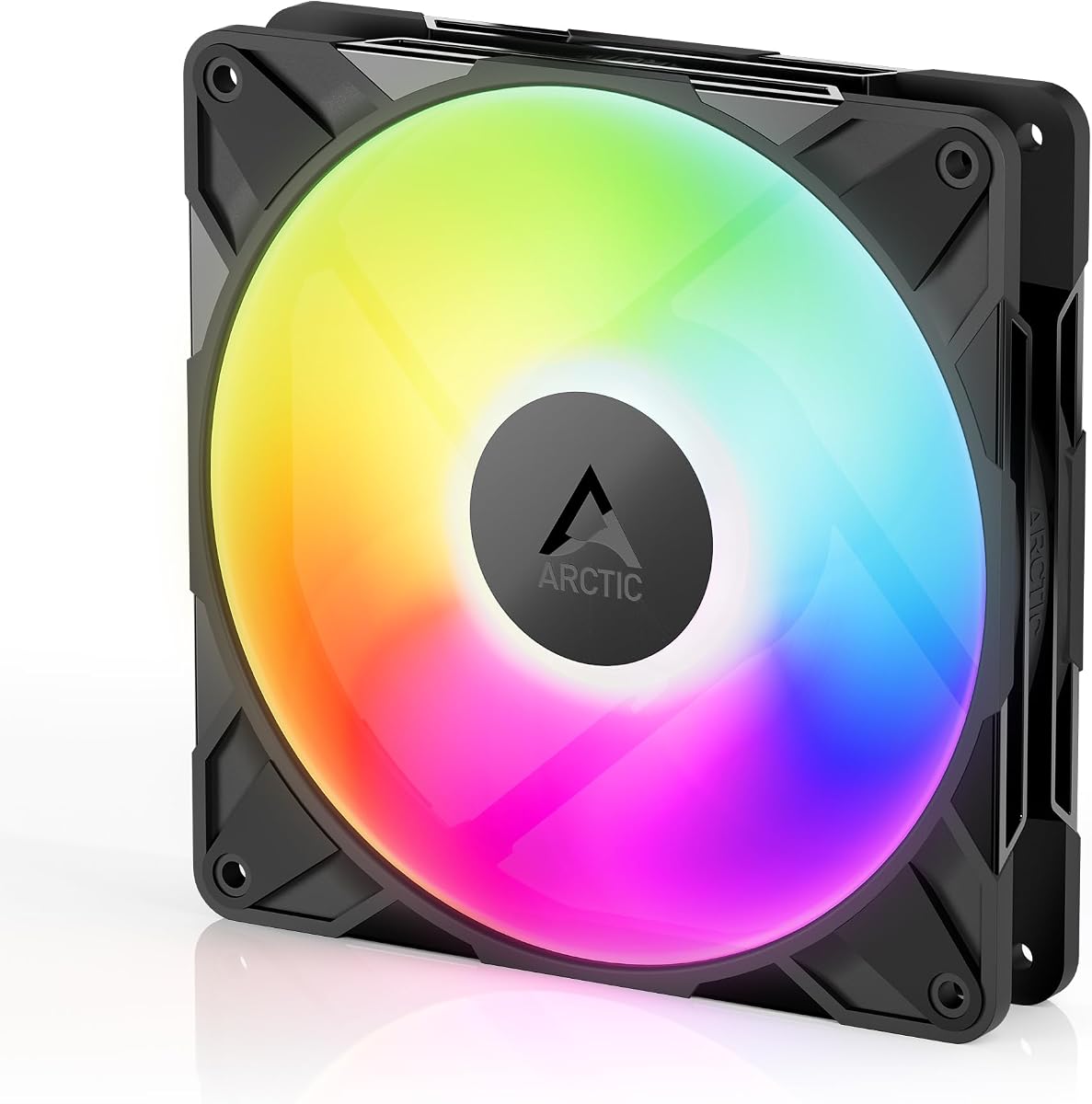


This Thermalright pack offers exceptional value for users seeking reliable cooling without breaking the bank. With a high rating of 4.7 stars, it stands out as a top contender for budget-conscious builders. The fan delivers consistent performance while maintaining a low noise profile suitable for daily use.
We may earn a commission when you buy through this link, at no additional cost to you.
The S-FDB bearing ensures smooth operation over time reducing wear and tear significantly. Airflow reaches 75.8 CFM which is impressive for this price point. The ARGB lighting is soft and blends well with most case aesthetics due to the atomizing blade design.
While the build materials are basic PBT plastic they are durable enough for standard cases. The cables are around 55cm which might require extension for larger towers. Overall the trade-off between cost and performance makes this a smart choice for entry-level builds.
Buyers looking for a cost-effective solution that does not compromise on essential cooling metrics will find this ideal. It suits those who prioritize silence and value over extreme performance metrics. We recommend it for general gaming rigs or office workstations needing extra airflow.
The fan operates at under 27 dB making it barely audible even under load.
Works well as case fans or on radiators for liquid cooling systems.
We may earn a commission when you buy through this link, at no additional cost to you.
The CORSAIR RS140 ARGB fans are a standout choice for builders prioritizing clean cable management and strong airflow. Rated 4.6 stars they bring premium features like daisy-chaining to the table. This allows you to control multiple fans with single connectors reducing clutter inside your PC case.
We may earn a commission when you buy through this link, at no additional cost to you.
Airflow is a major strength here reaching 95.5 CFM which is excellent for 140mm fans. The AirGuide technology directs air precisely where needed improving cooling efficiency on radiators or vents. The Magnetic Dome bearing ensures durability and quiet operation over long periods.
Setup is straightforward with just one PWM and one ARGB connector needed per chain. However the higher cost compared to generic options might deter some buyers. Additionally you need a compatible motherboard to fully utilize the lighting control features effectively.
Ideal for enthusiasts who want a polished look without excessive wiring. The performance justifies the investment for mid to high-end systems. We suggest this for users building new rigs where cable management is a priority alongside cooling power.
Daisy-chain design reduces cable clutter by using one connector for multiple fans.
Anti-vortex vanes push air in specific directions for better component cooling.
We may earn a commission when you buy through this link, at no additional cost to you.
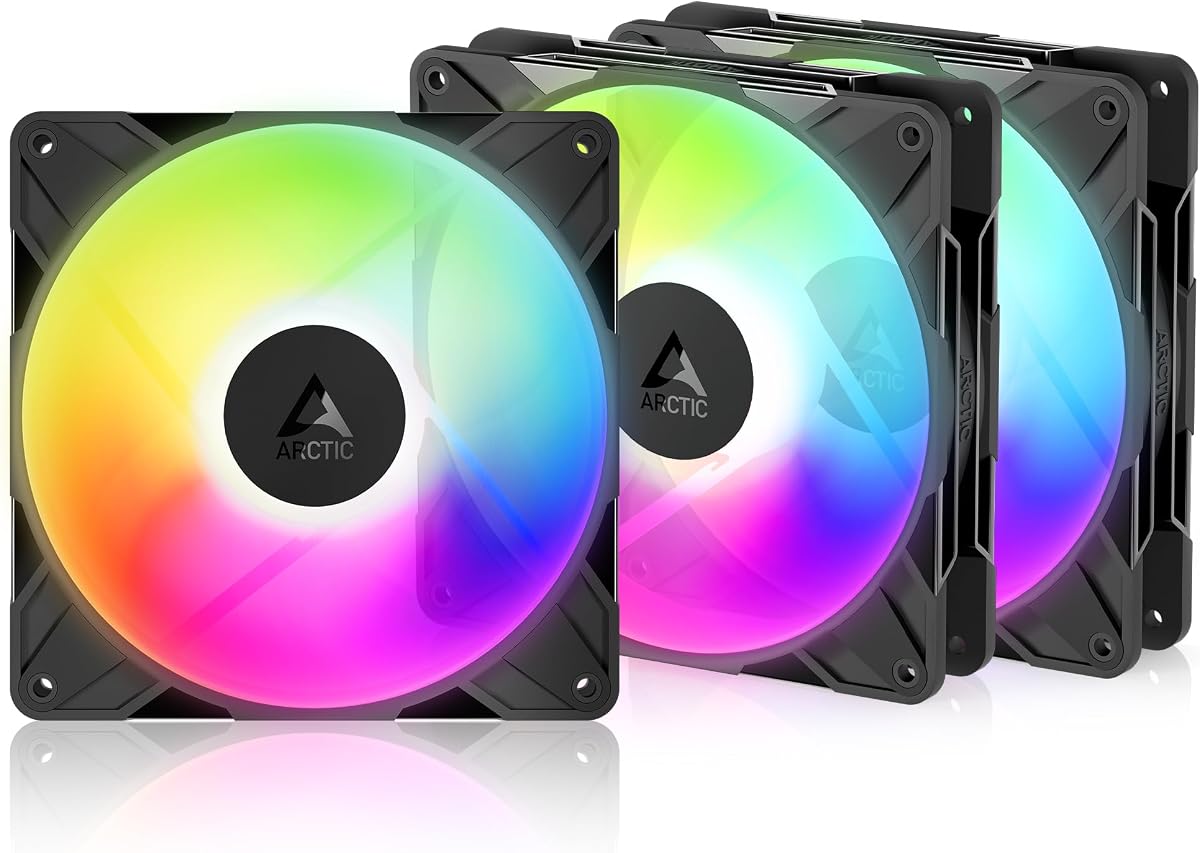
The ARCTIC P14 Pro Reverse fans offer a specialized solution for modern case designs with glass fronts. Rated 4.6 stars these fans pull air from the back to avoid obscuring the view. This design is perfect for users who want a clean aesthetic without blocking the fan logo.
We may earn a commission when you buy through this link, at no additional cost to you.
Performance is robust with speeds reaching up to 2650 RPM under PWM control. The hydrodynamic bearing minimizes vibration and noise ensuring smooth operation even at high speeds. The 3-pack includes a Y-cable splitter making it easier to connect to motherboard headers.
Build quality reflects the premium status with tight tolerances and balanced blades. The reverse airflow can be tricky for cases not designed for it though. You must ensure your case supports this specific airflow direction to avoid turbulence or hot spots.
Recommended for high-end builds where looks matter as much as cooling efficiency. The speed range allows precise control over noise and performance. Consider this if you have a glass-front case and want to maintain a seamless visual appearance.
Reverse blades keep the front of the case clear for better visual impact.
Wide speed range allows fine-tuning of RPM based on system temperature needs.
We may earn a commission when you buy through this link, at no additional cost to you.
Thermaltake offers a solid set of fans with magnetic connectors for quick installation. The 3-pack supports 5V motherboard sync which works well with many modern boards. The addressable LEDs provide 16.8 million colors for vibrant lighting effects throughout your system.
We may earn a commission when you buy through this link, at no additional cost to you.
The MagForce 2.0 design simplifies cable management by allowing fans to snap together magnetically. This reduces the need for extra cables to chain power and signals. Hydraulic bearings ensure long life and consistent performance without excessive noise over time.
While magnetic connections are convenient they can sometimes require extra care during removal. The software control for lighting is robust but requires setup on your PC. Users comfortable with system software will find the customization options rewarding.
A good choice for those who value ease of installation and bright lighting. The 3-pack value makes it suitable for full case swaps. Look for this if you want a balance of performance and aesthetic control without complex wiring.
Magnetic design allows fans to connect quickly without extra cables.
9 addressable LEDs per fan ensure strong color output and visibility.
We may earn a commission when you buy through this link, at no additional cost to you.
AsiaHorse delivers a fan focused on durability with a 50000-hour lifespan rating. The HDB bearing technology reduces wear ensuring long-term reliability for daily use. It supports major sync protocols like Aura SYNC and Mystic Light for wide compatibility.
We may earn a commission when you buy through this link, at no additional cost to you.
The airflow reaches nearly 90 CFM which is strong for a fan this size. An infinity mirror effect adds a unique visual touch that enhances case aesthetics. Noise levels stay low even at higher speeds due to balancing adjustments.
While the brand is less established than giants like Corsair the specs compete well. The wired daisy-chain setup is standard but requires careful routing. This is a solid option for users seeking value and longevity without major trade-offs.
Consider this fan for systems that run for many hours daily. The lifespan claim suggests reduced need for replacements. It is a smart pick for those wanting good lighting and airflow with long-term stability in mind.
50000-hour rating ensures years of reliable performance without replacement.
Infinity mirror LEDs create a unique look compared to standard rings.
We may earn a commission when you buy through this link, at no additional cost to you.
The Cooler Master MF140 Halo earns a high 4.8 rating for its balanced design. It features Duo-Ring lighting that creates a stunning visual effect visible from multiple angles. Sound absorbing materials keep noise levels manageable during operation.
We may earn a commission when you buy through this link, at no additional cost to you.
Static pressure is optimized for liquid coolers and dense mesh cases. The speed range is moderate ensuring quiet operation at lower loads. A header extender is included helping manage connections in tight spaces easily.
The hybrid blade design tackles resistance well without compromising airflow too much. While it comes as a single fan the quality is high. It fits well in premium builds where noise control is a top priority.
Buyers needing a reliable single fan for a specific spot will appreciate this. The lighting is versatile and the noise control is effective. We suggest it for users upgrading one spot in a case for better cooling or style.
Built-in sound absorbing materials reduce operational noise significantly.
Header extender helps route cables when space inside the case is tight.
We may earn a commission when you buy through this link, at no additional cost to you.
The ARCTIC P14 Pro pushes performance with a maximum speed of 3000 RPM. This makes it ideal for pushing air through dense radiators or blocked vents. The fluid dynamic bearing ensures minimal friction and long service life.
We may earn a commission when you buy through this link, at no additional cost to you.
The redesigned blades offer a better balance of performance and low noise. Static pressure is high enough to overcome resistance efficiently. It is a strong candidate for custom loops or cases with heavy filtration.
At full speed the fan can get louder so use PWM to control levels. The build quality supports consistent output over time. This fan excels where you need raw power to move air effectively.
Choose this if you need a high-performance fan for a specific hard spot. The speed range allows for aggressive cooling when needed. It is best suited for users who prioritize cooling power over absolute silence.
Up to 3000 RPM allows pushing air through difficult cooling paths.
Fluid dynamic bearing reduces wear and extends the fan's life.
We may earn a commission when you buy through this link, at no additional cost to you.
This Thermalright 3-pack focuses on silent operation for quiet environments. With noise under 27 dB it remains unobtrusive even during use. The PBT+PC material ensures the blades are strong and resistant to damage.
We may earn a commission when you buy through this link, at no additional cost to you.
Airflow is maintained at 75.8 CFM providing solid cooling capability. The soft silicone feet absorb vibration reducing rattling on case mounts. PWM control allows the fan to spin down when cooling needs are low.
The design is straightforward without complex lighting features which some may prefer. Cables are 55cm which works for most but not large cases. This is a great choice for those prioritizing silence and reliability over style.
Consider this for office PCs or quiet gaming builds. The value of three fans makes it versatile for multiple slots. It is a reliable solution for users needing consistent cooling with minimal noise.
Under 27 dB ensures the fan does not disturb daily tasks.
Silicone feet prevent vibration noise on case mounting points.
We may earn a commission when you buy through this link, at no additional cost to you.
The single ARCTIC P14 Pro Reverse holds a rare 4.9 rating for quality. Its reverse airflow design prevents blades from blocking the view on glass cases. This makes it a top choice for builders who value a clean front panel.
We may earn a commission when you buy through this link, at no additional cost to you.
Speed reaches 2650 RPM with smooth control via PWM. The fluid dynamic bearing ensures reliability and quiet performance. Static pressure is high enough to handle radiator resistance well.
The packaging includes a Y-cable splitter for easier connection to headers. While it is sold individually the quality is top tier. It is ideal for those needing a specific look without sacrificing performance.
Buy this if you are upgrading a case fan on a glass front. The rating reflects consistent performance and user satisfaction. It is a premium pick for those willing to pay for better aesthetics.
Reverse airflow allows the fan to sit behind the glass without hiding logos.
A 4.9 rating indicates consistent satisfaction among user reviews.
We may earn a commission when you buy through this link, at no additional cost to you.
The Thermalright TL-C14C-S offers a single fan with a 4.7 rating. It features a 7-blade design optimized for silence and airflow balance. The S-FDB bearing ensures smooth operation for many years.
We may earn a commission when you buy through this link, at no additional cost to you.
Lighting modes reach up to 17 colors via motherboard control. It matches well with most coolers and cases for a cohesive look. The speed is capped at 1500 RPM to keep noise levels low.
While it lacks advanced features like daisy-chaining it works well as a standalone unit. The price point is low making it easy to add multiple units. It is a dependable option for standard PC cooling needs.
Users wanting a simple fan without extra complexity will find it suitable. It adds visual flair with soft lighting without being distracting. Recommended for budget builds needing a single case fan replacement.
Designed for easy installation without requiring extra control hardware.
Atomizing blades reflect light softly for better aesthetics.
We may earn a commission when you buy through this link, at no additional cost to you.
Choosing the right fan requires balancing airflow noise and lighting features. This section breaks down the key factors to consider for your specific case and cooling needs.
Airflow measures how much air the fan moves in CFM while static pressure indicates how well it pushes air through obstructions. If you need to cool a radiator pick a fan with high static pressure like the CORSAIR RS140. For general case ventilation look for high airflow such as the AsiaHorse Amici.
Check if your case needs open ventilation or forced airflow through dense filters to choose the right specs.
Noise is measured in decibels and determines how quiet the fan operates. Lower numbers are better for silent builds. The Thermalright models are excellent here with noise under 27 dB. If you prioritize silence always check the dBA rating before buying.
Ensure the fan stays below 30 dB for a truly silent PC experience.
Bearings affect durability and smoothness. FDB or Hydrodynamic bearings are long-lasting and quiet. The ARCTIC P14 Pro uses fluid dynamic bearings which minimize friction. Avoid cheap sleeve bearings if you need years of reliable operation.
Always choose FDB or magnetic dome bearings for better longevity and less noise.
Your motherboard must support 5V 3-pin ARGB headers for correct lighting control. Fans like the Thermaltake CT140 EX sync well with major boards. Check if your board has Aura Sync or Mystic Light support to utilize the full lighting features effectively.
Verify your motherboard has a 5V 3-pin header before purchasing ARGB fans.
PWM fans adjust speed based on temperature which helps balance cooling and noise. Fans with wide PWM ranges like the ARCTIC P14 Pro offer better control. This allows the fan to stop completely at low load for zero noise.
Pick a PWM fan to automate speed changes and reduce unnecessary noise.
Some fans have special designs like reverse airflow for glass cases. The ARCTIC P14 Pro Reverse avoids blade obstruction on front panels. Also consider cable lengths and mounting hardware to ensure fit in your specific chassis.
Measure your case and check mounting options before buying to avoid fitment issues.
Clean builds need simple wiring. Daisy-chain options like on the CORSAIR RS140 reduce extra cables. Some fans include magnetic connectors to snap together easily. Look for these features to keep your interior neat and organized.
Choose fans with daisy-chain or magnetic connections to reduce cable clutter.
Buying packs often offers better value than single units. The Thermalright 3-packs give you multiple fans for a great price. Ensure you need the quantity before buying. Compare price per unit across brands to find the best deal.
Consider 3-packs if you need to replace multiple case fans at once.
Connect the PWM cable to the CPU or SYS_FAN header on your motherboard to enable speed control. Plug the 3-pin ARGB cable into the 5V ARGB header ensuring correct pin orientation to avoid damage.
Mount the fan using the included screws but add rubber pads if provided to dampen vibration. Ensure the airflow direction matches your case layout by checking the arrow on the frame.
Install RGB software on your PC to customize lighting colors and effects. Dust the fans every few months to maintain airflow and performance levels effectively.
Yes they work as standard fans but lighting may be off or static. You need a 5V 3-pin header for dynamic lighting. A fan hub can help if your board lacks headers.
PWM fans use a 4-pin connector to adjust speed via pulses which is more precise. DC fans use 3 pins and voltage adjustment. PWM is better for modern motherboards and cooling efficiency.
Yes as long as they use 5V 3-pin connectors. However lighting sync requires compatible software. You may need a controller hub to unify colors across different brands.
Most headers support up to 3 amps which is usually 3 to 5 fans. Using daisy-chain cables helps manage connections. Check your motherboard manual for exact limits.
This usually means the ARGB cable is not connected correctly. Ensure the 5V 3-pin header is used and the pin layout matches. Check if you need a connector adapter.
Yes they keep blades out of the view on front panels. This improves aesthetics by hiding the fan frame. Standard fans may look less clean from the outside.
We reviewed ten models ranging from budget-friendly to premium options. The Thermalright TL-C14C-S X3 stands out as a top budget pick while the CORSAIR RS140 ARGB leads in performance features.
Prioritize noise levels and airflow based on your case type. If you have a glass front consider a reverse fan like the ARCTIC P14 Pro Reverse for a better look.
Prices change often so always check current listings for the best deal. Select the fan that matches your specific needs for cooling and style to ensure a successful PC build.