
ASUS ExpertBook B3
4.5Editor score
Intel Core Ultra 5 225H
32GB RAM plus 2TB storage
Military Grade durability standards
Business professionals need reliable machines that handle multitasking, security, and mobility. ASUS offers a wide range of laptops tailored for enterprise and small business use with robust specs.
We compared ten current models based on processor power, memory capacity, display quality, and security features. Each pick balances performance with portability for modern work environments.
Every entry details key strengths, weaknesses, and ideal use cases. Prices fluctuate frequently, so check current listings before purchasing to ensure you get the best deal available.
4.5Editor score

5.0Editor score

4.8Editor score
As an Amazon Associate we earn from qualifying purchases.
The following table provides a side-by-side overview of every model selected for this guide. Compare processors, memory, storage, and key features to find the right fit for your workflow.




The ASUS ExpertBook B9 OLED stands out as a top choice for professionals prioritizing portability and visual fidelity. With a perfect 5.0 rating, it delivers exceptional performance in a featherlight chassis.
We may earn a commission when you buy through this link, at no additional cost to you.
Weighing just 2.18 pounds, this laptop is arguably the lightest 14-inch OLED business model available. The Intel Core 7 processor ensures smooth multitasking while the dedicated Copilot key accelerates AI workflows.
While storage is limited to 512GB, the speed of the PCIe 4.0 SSD compensates well. The OLED screen provides deep blacks and vibrant colors, making document review and data analysis visually comfortable.
This model is ideal for executives and frequent travelers who need a premium machine that fits easily in a backpack. Its sustainable build and robust security make it a smart long-term investment.
At just 2.18 pounds, the B9 OLED redefines mobile computing for professionals who move between offices, airports, and client sites daily.
The dedicated Copilot key offers instant access to AI tools, streamlining productivity tasks like summarizing emails or generating content without leaving your workflow.
We may earn a commission when you buy through this link, at no additional cost to you.
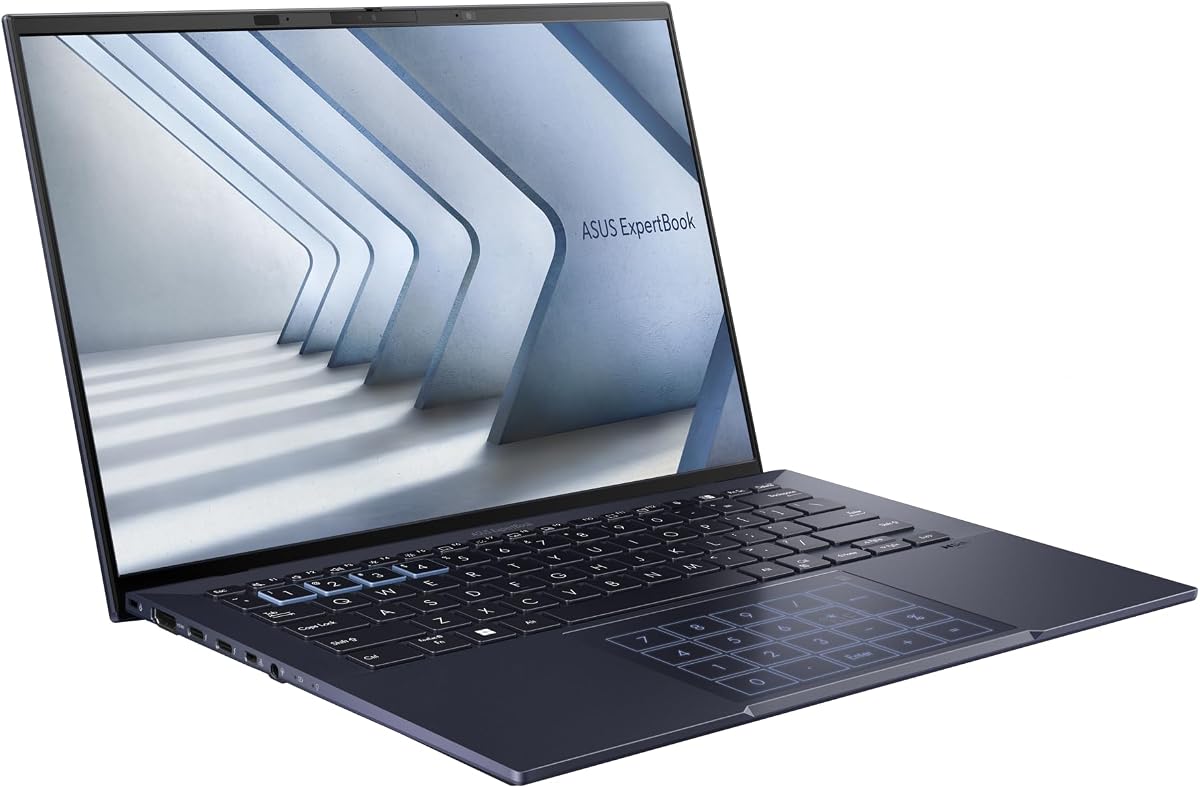
The ExpertBook B3 targets power users needing substantial resources for heavy multitasking and data storage. Its combination of 32GB RAM and 2TB SSD makes it a workstation-grade device.
We may earn a commission when you buy through this link, at no additional cost to you.
Powered by the Intel Core Ultra 5 225H, this model features an AI Boost NPU for efficient workloads. The Dirac-tuned audio and large display enhance collaboration and media consumption during long work sessions.
Security is robust with TPM 2.0 and power-key fingerprint readers. However, the 16-inch form factor adds weight, making it less ideal for daily commuting compared to smaller 14-inch options.
Ideal for stationary professionals or teams needing reliable local storage and memory. The military-grade build ensures longevity in demanding environments where equipment durability is non-negotiable.
Built with TPM 2.0 and Windows Secured-core PC support, the B3 safeguards confidential business data against unauthorized access effectively.
The built-in Intel AI Boost NPU handles AI workloads efficiently, supporting features like ExpertMeet for intelligent conference optimization.
We may earn a commission when you buy through this link, at no additional cost to you.
This model offers exceptional value with a potent 13th Gen Intel i7 processor and 16GB RAM. The bundle includes a docking station and external drive, making it ready for work out of the box.
We may earn a commission when you buy through this link, at no additional cost to you.
The 16-inch FHD+ display provides a comfortable workspace for spreadsheets and documents. SonicMaster tuned speakers ensure clear audio for virtual meetings without external peripherals.
While the physical bulk is slightly higher than smaller ultrabooks, the added screen real estate and included peripherals justify the trade-off for office-based or hybrid workers.
Perfect for small businesses or individuals needing a versatile machine without premium costs. The lifetime Office license and included accessories significantly lower the total cost of ownership.
The package includes a USB-C docking station, wireless mouse, and external drive, reducing the need for separate purchases immediately.
With a 10-Core i7-1355U processor, this laptop handles multitasking, video editing, and heavy browser usage smoothly.
We may earn a commission when you buy through this link, at no additional cost to you.
This Vivobook balances affordability with high memory capacity. The 24GB RAM allows for heavy multitasking while the 512GB SSD combined with an external drive offers ample space for files.
We may earn a commission when you buy through this link, at no additional cost to you.
The NanoEdge display provides a modern look with slim bezels. Privacy features like the webcam shield are essential for professionals concerned about security during remote work calls.
The inclusion of lifetime Microsoft Office adds significant value for budget-conscious buyers. However, the i5 processor may struggle with very demanding creative workloads compared to i7 models.
Best suited for administrative roles or students needing reliability without excessive cost. The accessory bundle ensures you have everything needed for a productive setup immediately.
The integrated privacy shield slides over the webcam for instant privacy, enhancing security for remote workers and video conferencing.
With 24GB of DDR4 RAM, you can run numerous applications and browser tabs simultaneously without slowdowns.
We may earn a commission when you buy through this link, at no additional cost to you.
The B1 focuses on durability and performance. With 32GB RAM and ExpertCool thermal management, it maintains steady performance during prolonged business operations without overheating.
We may earn a commission when you buy through this link, at no additional cost to you.
Its I/O selection is extensive, including USB-C, HDMI, and Ethernet. This versatility makes it a strong docking candidate for office setups where external peripherals are common.
While it lacks a fingerprint reader, BIOS and drive password protections remain strong. The military-grade certification ensures it can withstand the rigors of daily business travel and handling.
Suitable for field workers needing a robust machine. The 15.6-inch screen offers comfort for extended use, balancing portability with a more immersive viewing experience.
Built with ExpertCool technology, the laptop avoids overheating issues, supporting continuous business work without thermal throttling.
Retains a full set of ports including dual USB-C and HDMI for flexible business expansion without needing extra adapters.
We may earn a commission when you buy through this link, at no additional cost to you.
This model stands out with its 2.8K OLED display. The deep contrast and vibrant colors make it a joy for visual professionals reviewing high-resolution content or design assets.
We may earn a commission when you buy through this link, at no additional cost to you.
Weighing only 2.18 pounds, the magnesium-lithium alloy chassis ensures durability without weight. Smart cooling technology keeps the system quiet even under load.
While the port selection is modest, the fast NVMe SSD and ample RAM handle daily tasks efficiently. The 16:10 aspect ratio provides extra vertical space for productivity apps.
Best for creatives and executives who prioritize screen quality. The balance of high-end specs and ultralight design makes it a compelling choice for mobile professionals.
The 14-inch 2.8K OLED HDR display offers deep blacks and vibrant colors, ideal for media and design work.
Constructed from magnesium-lithium alloy, it remains durable yet incredibly light at just 2.18 pounds for easy transport.
We may earn a commission when you buy through this link, at no additional cost to you.
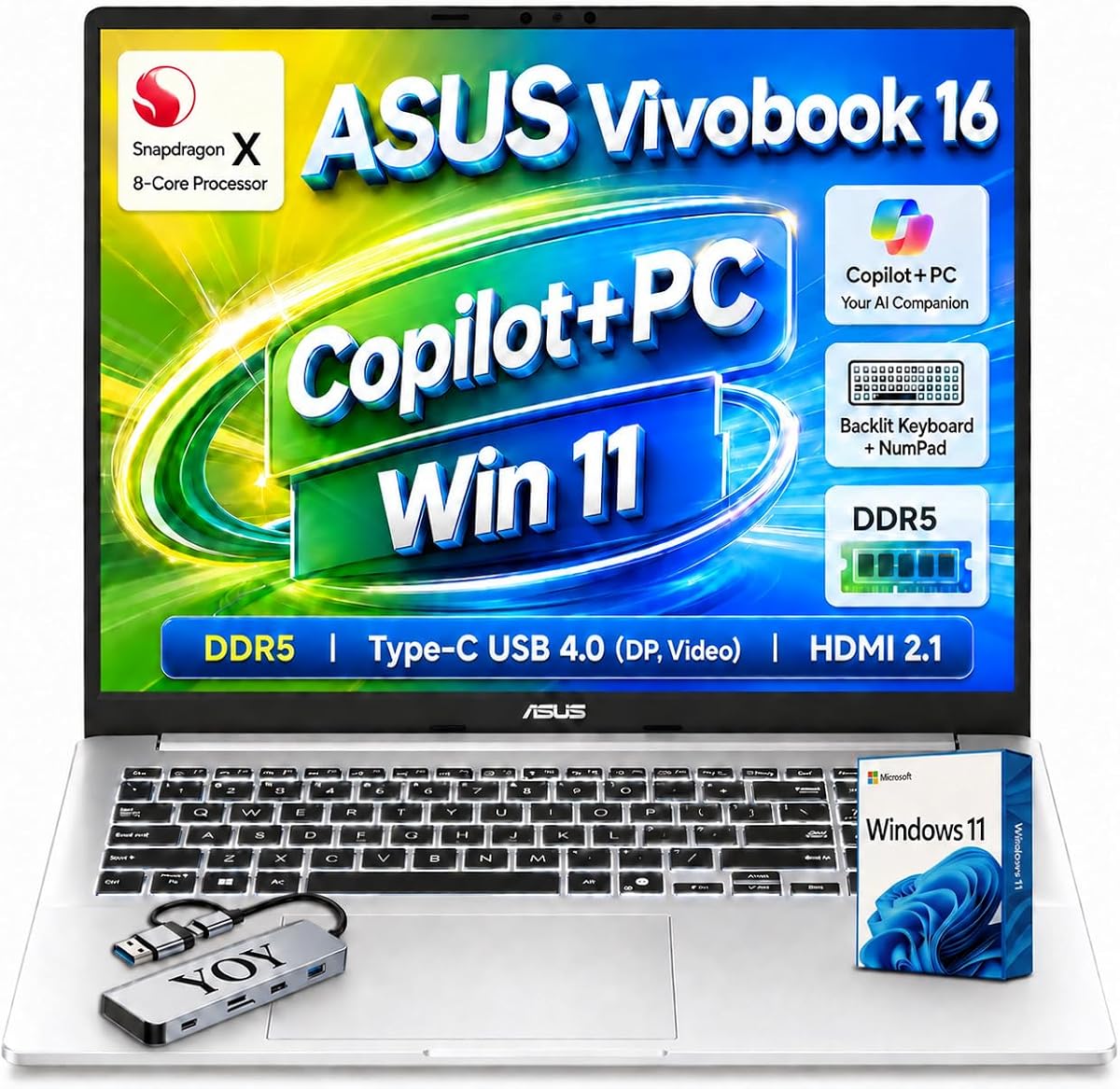
Powered by the Snapdragon X processor, this laptop offers next-gen AI capabilities. The Hexagon NPU supports up to 45 TOPS, enabling powerful local AI tasks without cloud reliance.
We may earn a commission when you buy through this link, at no additional cost to you.
The 16-inch WUXGA IPS display provides a spacious workspace. With 16GB LPDDR5X RAM, multitasking remains smooth while the 42 Whr battery supports all-day productivity.
While traditional Windows apps run well, compatibility should be checked for specialized legacy software. The IR camera ensures convenient and secure Windows Hello facial login.
Ideal for modern users embracing AI tools and cloud workflows. The seamless integration of Windows 11 and Copilot+ features makes it a forward-looking choice.
Powered by the Snapdragon X X1 processor, it supports next-generation AI capabilities with up to 45 TOPS for local workloads.
The Full HD IR camera with privacy shutter supports Windows Hello for convenient facial sign-in to the system.
We may earn a commission when you buy through this link, at no additional cost to you.
This model delivers reliable performance with an AMD Ryzen 7 7730U processor. The 16GB DDR4 RAM and 1TB PCIe SSD ensure quick application loading and smooth multitasking.
We may earn a commission when you buy through this link, at no additional cost to you.
The 16-inch WUXGA display offers clear visuals for documents and media. Bluetooth 5.3 and Wi-Fi 6E ensure fast and stable connectivity for wireless peripherals and networks.
A significant 1-year manufacturer warranty and a specialized USB hub are included. However, users should verify the exact memory configuration for potential upgradeability needs.
Great for users preferring AMD architecture and budget-friendly high performance. The included accessories and warranty offer added peace of mind for daily business use.
Powered by the Zen 3 Gen Ryzen 7 7730U, it delivers reliable computing power for diverse business tasks.
Features Bluetooth 5.3 and Wi-Fi 6E for stable wireless connections to peripherals and networks during travel.
We may earn a commission when you buy through this link, at no additional cost to you.
Similar to the previous model, this unit emphasizes a hardware upgrade for enhanced performance. The Ryzen 7 processor paired with 16GB RAM supports heavy multitasking efficiently.
We may earn a commission when you buy through this link, at no additional cost to you.
The 16-inch display offers a wide workspace for professional work. The specialized portable hub included allows for flexible connectivity without cluttering the workspace with cables.
Users should note that upgrades are handled by third parties which may affect warranty specifics. The core specs remain strong for daily productivity and media consumption.
Best for those seeking an affordable AMD solution with extra capacity. The included accessories add value for users needing extra storage connectivity.
The seal is opened for hardware upgrades to enhance performance significantly without increasing the base cost.
Includes a specialized portable hub that supports super speedy data sync rates up to 5Gbps for efficient transfers.
We may earn a commission when you buy through this link, at no additional cost to you.
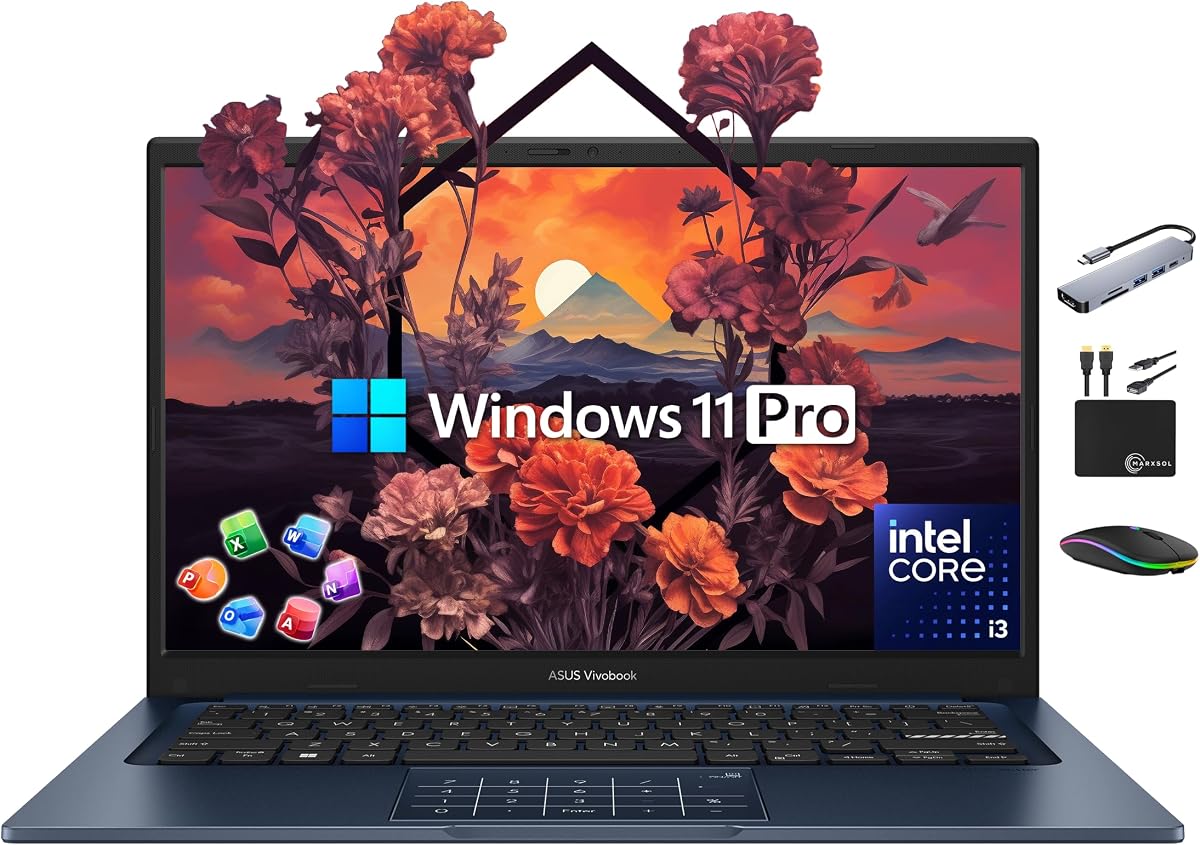
Designed for entry-level business needs, this laptop offers surprising value with 24GB RAM and lifetime Office. The i3 processor handles standard productivity tasks well.
We may earn a commission when you buy through this link, at no additional cost to you.
The NanoEdge display ensures a clear view while the privacy shield adds security. Including a docking station and external drive makes it ready for office setups immediately.
While not suitable for heavy gaming or rendering, it is perfect for email, web browsing, and document editing. The 14-inch form factor ensures easy transport.
Best for startups or small teams needing affordable, ready-to-go systems. The bundle of accessories adds significant utility without extra cost to the buyer.
The bundle includes a docking station, mouse, and external drive, ensuring you have everything needed for daily work.
Despite the lower processor tier, the 24GB RAM allows for significant multitasking capabilities without slowdowns.
We may earn a commission when you buy through this link, at no additional cost to you.
Choosing the right business laptop depends on your specific workflow and mobility needs. Consider these key factors to narrow down the options effectively.
For demanding business workloads like data analysis or video editing, aim for processors with at least 10 cores. The Intel Core Ultra and Ryzen 7 models in this list provide robust speeds for multitasking.
Prioritize models with higher core counts if you run multiple applications simultaneously. This ensures smooth performance even during heavy usage.
16GB of RAM is the sweet spot for most business tasks. However, models with 32GB or even 24GB provide extra headroom for virtual machines or heavy browser tabs.
Ensure the RAM is DDR5 or LPDDR5X for faster data access speeds which significantly impacts overall system responsiveness.
NVMe SSDs are essential for fast boot times and application loading. A 1TB capacity is recommended for storing large files without relying on cloud storage.
Some bundles include external drives which add value but check if you need internal expandability for future upgrades.
A 14-inch display balances portability with readability. For detailed spreadsheets or design work, a 16-inch screen or higher resolution OLED panel is beneficial.
Look for IPS or OLED panels to ensure accurate colors and wide viewing angles during presentations.
Business laptops should include TPM 2.0 chips and privacy shutters to protect sensitive data. Fingerprint readers and Windows Hello compatibility simplify secure logins.
Choose models with physical webcams and hardware encryption to prevent unauthorized access to corporate data.
If you travel frequently, prioritize ultralight models under 3 pounds. MIL-STD-810H certification indicates the device can withstand drops and temperature changes.
Consider the build quality materials like magnesium alloys for a balance of strength and lightness.
Check for USB-C with Thunderbolt support for fast data transfer and charging. HDMI and Ethernet ports are vital for connecting to monitors and secure networks.
Ensure wireless standards like Wi-Fi 6E are present for stable internet speeds in crowded offices.
Windows 11 Pro is essential for business users needing domain joining and advanced security features. Verify that the license is included in the purchase price.
Some bundles include lifetime Office licenses which can save significant costs compared to subscriptions.
Always update the BIOS and drivers through the MyASUS app to ensure compatibility with new security patches and performance improvements. This keeps your system running at peak efficiency.
Use a cooling pad during intensive tasks to prevent overheating. The internal thermal systems are robust but external airflow extends the lifespan of the CPU and battery.
Store the laptop in a padded sleeve when transporting it. Avoid bending the screen excessively to prevent hinge damage and ensure the keyboard is kept clean from debris.
Yes, many ExpertBook models like the B9 OLED are designed specifically for travel with lightweight chassis and military-grade durability to withstand transport.
Many bundles include a lifetime license for Microsoft Office Professional Plus. Always check the product description to confirm the specific license included.
Most business-focused models in this roundup come pre-installed with Windows 11 Pro to support enterprise security and management features.
Some models have soldered RAM while others have SODIMM slots. Check the specific model specs to determine upgradeability before purchasing.
Battery life varies by model but most business laptops in this list support 6 to 8 hours of standard work usage depending on screen brightness and workload.
Many models include fingerprint readers integrated into the power button for quick login. Some budget models may rely on facial recognition via the webcam.
We highlighted the ExpertBook B9 OLED for its unmatched portability and premium display. The ExpertBook B3 serves well for power users needing massive storage and memory.
For budget-conscious buyers the Vivobook 16 Business offers incredible value with included accessories. Prioritize your workflow needs to match the right specs.
Always verify current pricing and availability before purchasing. Deals change often and checking the latest listings ensures you secure the best possible deal.