
ASUS ROG Raikiri II Pro PC Controller
4.0Editor score
8K Sampling Rate
Hot-Swappable Sticks
Full Color Display
This guide compares the top ASUS ROG Ally Controllers for PC and Xbox gaming, evaluating features like connectivity, drift resistance, and customization
Finding the right controller for your handheld or PC setup is crucial for immersive gaming. The market offers many options, but not all deliver the precision and comfort needed for long sessions. We explore the latest models designed to elevate your experience.
Our team analyzed ten top contenders based on connectivity, build quality, and customization. We examined real-world performance data and user feedback to ensure each recommendation meets high standards. This list covers various needs from budget-friendly to premium professional setups.
Each pick highlights key strengths and potential trade-offs to help you decide. We focus on how each model performs with the ASUS ROG ecosystem and other platforms. Please note that availability and pricing may change over time as new models emerge.
4.0Editor score

3.9Editor score

3.9Editor score
This section provides a side-by-side overview of all ten controllers to highlight their unique specifications and capabilities. Use this table to quickly identify which model aligns best with your specific gaming preferences and hardware setup.


This controller stands out as a top choice for PC and Xbox gamers seeking precision and versatility. Its 3.9 rating reflects solid performance across various gaming scenarios. The combination of TMR joysticks and tri-mode connectivity makes it a reliable companion for both competitive and casual play.
We may earn a commission when you buy through this link, at no additional cost to you.
Key strengths include the anti-drift TMR joysticks which offer accuracy while consuming less power than Hall Effect alternatives. The 1000Hz polling rate ensures ultra-low latency in wired and 2.4GHz wireless modes. Additionally, the dual-mode triggers allow seamless switching between micro-switch and TMR sensor triggers for varied gameplay experiences.
While the battery life is impressive at 30 hours in wireless mode, RGB lighting and audio can drain it faster. The price point is higher than some alternatives, but the included accessories like the charging stand and protective case add value. These trade-offs are acceptable given the performance and build quality.
This controller is ideal for gamers who want a versatile tool that works seamlessly with their ROG ecosystem and Xbox. It is particularly suitable for those who prioritize responsive controls and customization. We recommend it for users seeking a high-end wireless experience without compromising on reliability.
The TMR joysticks provide precise movement with less power consumption. They are designed to prevent drift over time ensuring consistent performance.
Users can choose between 2.4GHz RF, Bluetooth, or wired USB-C. This ensures compatibility with various devices and gaming environments.
We may earn a commission when you buy through this link, at no additional cost to you.
The ROG Raikiri II Pro offers competition-level performance with an 8K sampling rate for minimal latency. It earned a 4.0 rating for its high-end features and build quality. This model is designed for serious gamers who demand the utmost responsiveness and customization from their controller.
We may earn a commission when you buy through this link, at no additional cost to you.
Its hot-swappable TMR joysticks allow users to change joystick modules without tools. The full color display enables profile changes and calibration on the fly. With up to 79 hours of wireless battery life, this controller supports extended gaming sessions without frequent recharging.
The high price point is a consideration for casual users but justified for enthusiasts. The advanced features like the display and 8K rate might require some learning to maximize utility. These factors are balanced by the exceptional performance and durability offered by this premium device.
This controller is best suited for competitive gamers who need precise control and long battery life. It complements high-performance PCs and gaming setups where every millisecond counts. We recommend it for users ready to invest in top-tier gaming hardware.
The 8K sampling rate provides an edge in fast-paced games. It ensures that inputs are registered almost instantly for smoother gameplay.
Users can remap buttons and adjust triggers easily. The display allows quick access to settings without needing a separate app.
We may earn a commission when you buy through this link, at no additional cost to you.
The ROG Raikiri Pro brings premium features like an OLED display at a competitive price. It holds a 3.9 rating reflecting its balance of features and performance. This controller is great for those who want visual customization and robust connectivity options for PC and Xbox gaming.
We may earn a commission when you buy through this link, at no additional cost to you.
The built-in OLED display allows for animations and profile switching directly on the controller. Tri-mode connectivity ensures flexibility across devices. The selectable step triggers provide customization for different genres of games. Additionally, the ESS DAC delivers immersive audio quality through the 3.5mm jack.
Connectivity can sometimes require troubleshooting depending on the setup. The Armoury Crate software is powerful but has a learning curve for new users. These issues are minor compared to the value offered by the display and customization features included.
This model is ideal for gamers who appreciate visual flair and audio quality. It works well with PC setups that support Armoury Crate customization. We recommend it for users seeking a feature-rich controller without the highest premium price tag.
The OLED screen adds a unique look to your controller. You can create animations and view status indicators easily.
The ESS DAC enhances sound quality significantly. It allows for clear audio through headphones connected to the jack.
We may earn a commission when you buy through this link, at no additional cost to you.
The ROG Tessen is designed specifically for mobile gaming on Android phones. Its 4.1 rating highlights user satisfaction with its portability and control. This controller transforms your phone into a console-like device with its secure clamping and responsive buttons.
We may earn a commission when you buy through this link, at no additional cost to you.
Its foldable design makes it easy to carry in a pocket. The controller features a 500Hz polling rate for responsive wired gameplay. Programmable aluminum paddles add a competitive edge for mobile titles. Pass-through charging ensures you can play while the device charges.
The limitation to Android phones means it is not universal across all mobile platforms. R wired USB-C connection means you cannot game wirelessly with this device. These constraints are acceptable given the focus on optimized mobile gaming experiences.
This controller is perfect for mobile gamers who want console-grade input on their phones. It is ideal for playing popular titles like Call of Duty and Minecraft on the go. We recommend it for Android users seeking a dedicated handheld gaming setup.
The controller folds small enough to fit in a pocket. It offers secure grip even when holding a phone tightly.
It supports over 350 mobile games with ease. The triggers and sticks are tuned for touch-optimized games.
We may earn a commission when you buy through this link, at no additional cost to you.
This version of the Raikiri Pro offers a robust feature set including an OLED display. It has a 3.4 rating which suggests some variability in user experiences. The controller focuses on versatility for PC and Xbox users who want visual customization.
We may earn a commission when you buy through this link, at no additional cost to you.
The OLED display allows for animations and status indicators. Tri-mode connectivity ensures compatibility with various devices. The selectable step triggers provide flexibility for different game types. It also features an ESS DAC for immersive audio experiences.
The lower rating may stem from connectivity or software compatibility issues in some setups. Users may need to troubleshoot with Armoury Crate for optimal performance. These issues are manageable for those willing to invest time in setup.
This controller is suitable for users who prioritize visual features and audio quality. It fits well into setups where customization is valued over out-of-box simplicity. We recommend it for those who enjoy tweaking their gaming hardware settings.
The OLED screen allows for personal touches. You can switch profiles directly on the controller display.
With up to 48 hours of battery life you can game for days. It supports nonstop gaming sessions effectively.
We may earn a commission when you buy through this link, at no additional cost to you.
This renewed model offers the benefits of the Raikiri Pro at a lower cost. While it has no specific rating listed it is certified to look and work like new. It is a smart choice for budget-conscious gamers who still want premium features.
We may earn a commission when you buy through this link, at no additional cost to you.
The OLED 1.3 inch display allows for customization. It includes the same connectivity options as new units. The 90-day warranty provides peace of mind for refurbished electronics. Battery life remains solid at up to 48 hours on a single charge.
Renewed products may show minimal signs of wear upon arrival. The warranty period is shorter than for brand new items. These factors are typical for refurbished gear and do not impact functionality.
This controller is ideal for those seeking value without sacrificing core features. It works well for PC and Xbox gaming scenarios. We recommend it for users who want to try high-end hardware at a reduced price.
The product is tested and certified for performance. Refurbishing includes inspection and repackaging to ensure quality.
A 90-day warranty is included with the purchase. This covers functionality issues during the initial period.
We may earn a commission when you buy through this link, at no additional cost to you.
The ROG Xbox Ally combines handheld convenience with console gaming features. It has a strong 4.3 rating for its performance and user experience. This device includes the Xbox Game Pass and a high refresh rate screen for smooth visuals.
We may earn a commission when you buy through this link, at no additional cost to you.
The 7-inch 120Hz display offers smooth motion and zero tearing. It runs on Windows 11 providing access to full PC game libraries. The AMD Ryzen Z2 A processor ensures console-caliber performance on the go. Dual USB Type-C ports allow easy connectivity.
While it is a handheld device it cannot replace a full desktop setup for all tasks. The price is higher than standard controllers but you get a full system. These trade-offs are acceptable for those prioritizing portable Xbox gaming.
This device is perfect for gamers who want a dedicated Xbox handheld experience. It is ideal for travel and home use alike. We recommend it for fans of the Xbox ecosystem looking for high-quality hardware.
The device boots straight into the Xbox experience seamlessly. Game Bar integration allows easy access to favorite titles.
Fast charging tech ensures long battery life with usage. The 120Hz screen keeps games smooth even during fast action.
We may earn a commission when you buy through this link, at no additional cost to you.
This renewed controller offers the key features of the Raikiri II at a reduced cost. Although specific data is minimal it shares the same core design as the new model. It is a practical option for users seeking affordability without losing performance.
We may earn a commission when you buy through this link, at no additional cost to you.
It features TMR joysticks for drift resistance and accuracy. The travel case ensures protection during transport. Web-based configuration simplifies setup for many users. Battery life is rated up to 50 hours for extended use.
As a renewed item it may show minimal signs of use. The lack of specific description requires checking product images. These factors are minor given the potential cost savings.
This controller is suitable for budget buyers looking for reliable wireless gaming. It works with Xbox and PC platforms. We recommend it for users wanting proven tech at a lower price.
The renewed condition makes it accessible for more gamers. It retains the core benefits of the original model.
The included travel case protects your device well. This makes it easy to take gaming on the go.
We may earn a commission when you buy through this link, at no additional cost to you.
The CRKD NEO S stands out with its collectible design and versatile connectivity. It holds a 4.3 rating for its build quality and user experience. This controller is great for those who appreciate retro aesthetics and customization.
We may earn a commission when you buy through this link, at no additional cost to you.
It features Hall Effect thumbsticks to prevent stick drift. Back buttons are re-mappable for added speed and versatility. The swappable stick tops allow for easy customization. Adjustable trigger sensitivity ensures you can fine-tune the feel.
The app connectivity requires a mobile device for full customization features. Not all designs may be available for purchase. These are minor constraints for a product focused on aesthetics and fun.
This controller is ideal for collectors and gamers who want a unique look. It works with a wide range of devices including PCs and Switch. We recommend it for users seeking style and functionality in equal measure.
Each design is limited and collectible with unique rankings. You can tap your device to reveal your product number.
It supports multiple platforms from Switch to PC. This ensures flexibility across different gaming setups.
We may earn a commission when you buy through this link, at no additional cost to you.
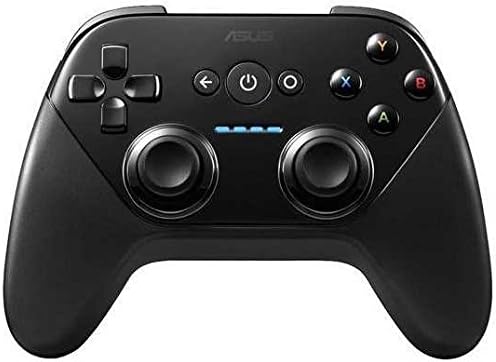
The ASUS TV500BG provides a straightforward wireless gaming solution for Android TV. It has a 4.2 rating for its ease of use and control. This controller is a reliable choice for casual gaming on your television.
We may earn a commission when you buy through this link, at no additional cost to you.
It works seamlessly with Android TV for life-like visuals. The wireless connection ensures a clean setup. It is also compatible with Windows for PC gaming. Google Play Games integration allows tracking progress across devices.
The design is older compared to modern high-end models. Features are basic which may not appeal to hardcore gamers. These factors are acceptable for users seeking simplicity over advanced features.
This controller is ideal for casual players on Android TV. It works well for simple games and media navigation. We recommend it for users who want an easy and functional wireless setup.
The controller is designed for TV screen gaming. It offers accurate input for console-like experiences.
It supports both Android and Windows systems. Progress tracking allows you to play on multiple devices.
We may earn a commission when you buy through this link, at no additional cost to you.
Choosing the right controller involves evaluating features that match your gaming style and device setup. This guide outlines key factors to consider before making a purchase decision.
Look for controllers that offer multiple connectivity options such as wired USB-C, 2.4GHz wireless, and Bluetooth. This ensures you can connect to various devices like PC, Xbox, and mobile phones with ease. Versatility is key if you use more than one platform for gaming.
Prioritize models with low-latency wireless modes if you play competitive games. Wired connections often provide the fastest response times for serious titles.
Hall Effect or TMR joysticks are preferable for long-term durability and accuracy. These technologies prevent stick drift which can ruin gameplay over time. Ensure the controller uses advanced sensors for precise movement.
Check if the sticks are hot-swappable to replace them easily if needed. This feature extends the lifespan of your controller significantly.
Controllers with selectable step triggers allow you to switch between short and full travel modes. This flexibility helps in games that require rapid inputs versus those needing analog control. Adjustable dead zones further refine your control experience.
Consider models with micro-switch triggers for instant actuation. This feature improves responsiveness in fast-paced gaming scenarios.
Long battery life is essential for extended gaming sessions without interruption. Look for models offering 30 hours or more on a single charge. Factors like RGB lighting and audio can reduce battery life so check real-world stats.
Ensure the controller supports pass-through charging if you play while connected. This ensures you never run out of power during a game.
Ergonomic designs with anti-slip grips provide comfort during long sessions. Skin-friendly materials reduce fatigue and improve control. A durable chassis ensures the controller withstands regular use.
Check for removable grips or customizable covers. This allows you to adjust the feel of the controller to your preference.
Robust software like Armoury Crate enables deep customization of buttons and profiles. Look for controllers that allow you to remap inputs and adjust sensitivity easily. Web-based configuration options add convenience for quick setup.
Customization should be intuitive for quick access during gameplay. Features like onboard memory allow you to save profiles without needing software open.
Controllers with OLED displays allow for visual customization and status indicators. This adds a personal touch to your setup. Audio features like ESS DAC improve sound quality for immersive experiences.
A 3.5mm headphone jack is useful for private audio listening. Ensure the controller supports high-quality audio output for a better gaming atmosphere.
Consider the cost relative to the features offered. High-end models provide premium features but may cost more than necessary. Budget options may lack some customization but deliver reliable core performance.
Renewed models can offer significant savings without compromising quality. Check warranty coverage before purchasing refurbished items for peace of mind.
To begin, connect your controller to your device using the preferred method. For wired connections use a high-quality USB-C cable. For wireless, pair via Bluetooth or the 2.4GHz dongle depending on your device compatibility.
Customize your settings using the dedicated software on your PC. Adjust stick sensitivity, trigger zones, and button mappings to suit your style. Save profiles to the controller if supported for quick access during gameplay.
Maintain your controller by keeping it clean and dry. Store it in a protective case when not in use to prevent damage. Avoid exposing it to extreme temperatures to preserve battery health and internal components.
TMR joysticks use tunneling magnetoresistance to detect movement while Hall Effect uses magnetic sensors. Both prevent drift but TMR often consumes less power. Choosing between them depends on your preference for power efficiency versus availability.
Many models support Bluetooth which allows connection to mobile phones. However, some specialized mobile controllers are designed only for Android. Check the specific connectivity options to ensure compatibility with your phone.
Firmware updates are typically done through the Armoury Crate software on PC. Connect the controller via USB to ensure a stable connection. Follow the in-app instructions to install the latest updates.
Yes, most advanced models like the Raikiri Pro allow rear button remapping. These buttons can be assigned to any action for faster inputs. Use the software to customize their function to your liking.
The controllers themselves do not include Game Pass but are compatible with it. They work with the ROG Xbox Ally which includes Game Pass Premium. Any standard PC or Xbox controller supports Game Pass when logged in.
Use the included charging stand or connect via USB-C. Avoid letting the battery drain completely often to preserve its life. Many models support pass-through charging so you can play while plugged in.
Most ASUS controllers require Armoury Crate for full customization. This software allows you to remap buttons and adjust settings. Some models also offer web-based configuration tools.
Some models like the Raikiri II Pro have hot-swappable joystick modules. This makes it easy to replace parts without tools. Check the specific product details for replaceable components.
The ASUS ROG Raikiri II series leads as the top choice for most gamers. The Pro model offers the best features for competitive play while the standard version balances value and performance. These controllers deliver excellent connectivity and customization.
Prioritize features like joystick technology and connectivity based on your platform needs. If you play on mobile, consider the Tessen. For PC or Xbox, the Raikiri series is the go-to option. Ensure the battery life meets your session habits.
Remember to check the latest prices and availability before purchasing. Renewed options can offer savings for those on a budget. Ultimately the right controller enhances your gaming experience significantly.