
CRUA 34 Inch 165Hz
4.2Editor score
165Hz Refresh Rate
IPS Panel Technology
Built-in Speakers
Finding a cheap ultrawide monitor that delivers solid performance without breaking the bank can be challenging. Whether you are a gamer seeking higher refresh rates or a professional needing more screen real estate, there are excellent options available today.
We compared ten top-rated models based on resolution, refresh rate, panel type, and connectivity. Our analysis focuses on value for money, ensuring you get the most features possible while staying within a budget-friendly price range.
Each pick in this list highlights specific strengths like color accuracy, gaming speed, or ergonomic design. Keep in mind that prices fluctuate frequently, so check current deals before making your final purchase decision.
4.2Editor score

4.4Editor score

4.6Editor score
As an Amazon Associate we earn from qualifying purchases.
This table provides a side-by-side view of all ten monitors, highlighting key specifications like resolution, refresh rate, and panel type to help you decide quickly.


The SANSUI 34-Inch Curved Gaming Monitor stands out as a top contender for budget-conscious gamers. With a 4.4 rating and a 200Hz refresh rate, it offers high-speed performance without a premium price tag.
We may earn a commission when you buy through this link, at no additional cost to you.
Its UWQHD resolution provides sharp visuals, and the Fast VA panel ensures deep blacks. Features like AI Blue light reduction and 1ms response time enhance comfort and gameplay smoothness significantly.
While it lacks speakers and advanced stand adjustments, these trade-offs are acceptable given the cost. The 30-day money-back warranty adds peace of mind for new buyers.
This monitor is perfect for gamers needing high refresh rates on a budget. It delivers a strong balance of speed, clarity, and affordability.
The 200Hz refresh rate ensures fluid motion in fast-paced games, reducing blur and tearing for a competitive edge.
AI Blue light reduction and a curved design help minimize eye strain during long gaming or work sessions.
We may earn a commission when you buy through this link, at no additional cost to you.
The CRUA 34 Inch 165Hz monitor offers excellent value for money. Rated 4.2, it combines a high refresh rate with IPS technology, making it versatile for gaming and general use.
We may earn a commission when you buy through this link, at no additional cost to you.
Its IPS panel ensures consistent colors from different angles, and the built-in speakers reduce cable clutter. PIP/PBP modes allow you to multitask efficiently without a second screen.
Although the stand lacks height adjustment and brightness is modest, these are minor issues for the price. It is a practical choice for users prioritizing refresh rate over premium features.
Ideal for students or casual gamers, this monitor delivers smooth visuals and solid performance at a very competitive cost point.
A 165Hz refresh rate combined with AMD FreeSync provides smooth gameplay without the high cost of premium gaming monitors.
Multiple HDMI and DisplayPort inputs let you connect consoles and PCs simultaneously for easy switching.
We may earn a commission when you buy through this link, at no additional cost to you.
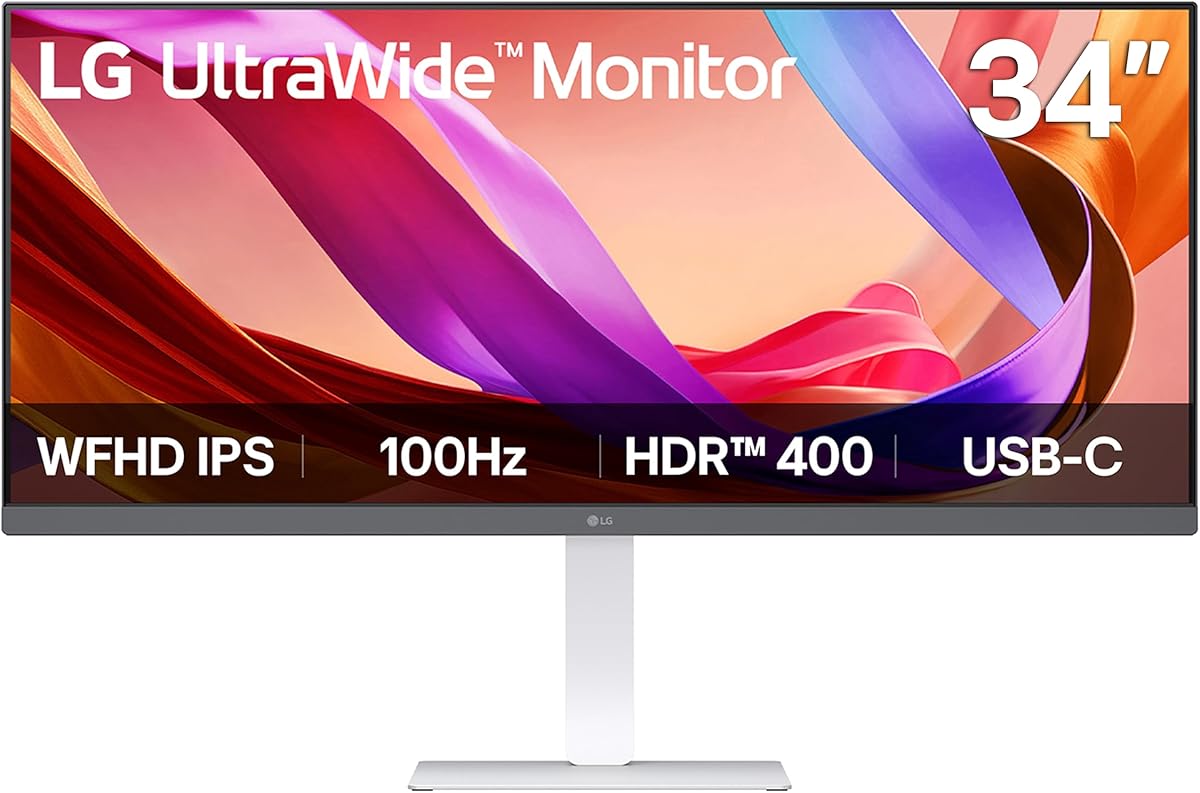
The LG 34WR55QK-B earns the highest rating of 4.6 for its premium features. It excels in connectivity and ergonomics, making it a top choice for professionals and hybrid users.
We may earn a commission when you buy through this link, at no additional cost to you.
USB-C power delivery simplifies your setup by charging your laptop while connecting. The stand allows height and tilt adjustments, improving posture during long work hours.
While the refresh rate is lower at 100Hz, the HDR10 support enhances visual quality for media consumption. It is ideal if you value clarity and desk organization over extreme gaming speeds.
This monitor is perfect for professionals who need a reliable, feature-rich display. Its build quality and connectivity options justify the slightly higher cost.
USB-C power delivery reduces cable clutter by combining video and charging into a single connection for laptops.
HDR10 support improves brightness and contrast, making movies and games look more vivid and detailed.
We may earn a commission when you buy through this link, at no additional cost to you.
The LG 34U530A-W brings a sleek white design to the ultrawide category. With a 4.3 rating, it focuses on versatility and aesthetics, making it a standout for modern desks.
We may earn a commission when you buy through this link, at no additional cost to you.
Its IPS panel offers wide viewing angles, and the stand supports height, tilt, and swivel adjustments. The included USB-C port and speakers make it a complete package for daily use.
Resolution is limited to 1080p, which might not satisfy high-fidelity gamers. However, for general productivity and media, the color accuracy and ergonomics are solid.
Recommended for users who prioritize design and desk ergonomics. It is a great fit for those wanting a clean look with reliable everyday performance.
The white bezel and stand offer a fresh look that complements light-colored desks and modern office setups.
Built-in Waves MaxxAudio speakers provide rich sound, eliminating the need for external audio devices.
We may earn a commission when you buy through this link, at no additional cost to you.
The MSI PRO MP341CQ emphasizes eye comfort with TÜV certification. Rated 4.2, it is designed for users spending long hours in front of the screen without discomfort.
We may earn a commission when you buy through this link, at no additional cost to you.
The UWQHD resolution provides clear text and images, while the 120Hz rate ensures smooth motion. Eye-Q Check tools help optimize settings for healthier viewing habits.
Stand options are limited to tilt, but VESA compatibility allows for better arm mounts. This makes it a strong option for home offices where health is a priority.
Suitable for professionals and students needing reduced eye strain. It balances resolution and comfort features effectively for daily workloads.
Low blue light and flicker-free technologies reduce fatigue, making long work sessions more comfortable.
The 21:9 aspect ratio gives more horizontal space, allowing for better multitasking and window organization.
We may earn a commission when you buy through this link, at no additional cost to you.
The LG 34U650A-B targets users who need precise colors. With 99% sRGB coverage and a 4.4 rating, it serves creatives and designers well on a budget.
We may earn a commission when you buy through this link, at no additional cost to you.
Its USB-C port supports up to 96W charging, powering most laptops through one cable. The IPS panel ensures consistent visuals from any angle, crucial for design work.
The curved screen enhances immersion, though some may prefer flat panels for precise straight-line editing. HDR10 adds depth to media consumption experiences.
Recommended for designers and hybrid users needing color precision. It offers professional features without the enterprise-level cost.
Wide color gamut coverage ensures that designs look as intended across different media and prints.
Up to 96W USB-C power delivery allows you to charge high-performance laptops while using the monitor.
We may earn a commission when you buy through this link, at no additional cost to you.
The SAMSUNG ViewFinity S50GC features a stunning borderless design. Rated 4.4, it maximizes screen area, making multi-monitor setups look seamless and professional.
We may earn a commission when you buy through this link, at no additional cost to you.
Ambient light sensors adjust brightness automatically, enhancing comfort in changing lighting conditions. Eye Saver Mode and Flicker Free technologies reduce strain during long sessions.
Lack of USB-C and moderate response time may limit gaming enthusiasts. However, for office work and media, the visual quality is impressive.
Ideal for professionals needing a clean look. It suits desk setups where aesthetics and eye comfort are high priorities.
Minimal bezels create a seamless viewing experience that draws you into the content without distraction.
Automatic brightness adjustment saves energy and maintains visibility in different room lighting.
We may earn a commission when you buy through this link, at no additional cost to you.
The Samsung ViewFinity S50GC focuses on productivity with dual-input support. With a 4.4 rating, it lets you view two sources side-by-side easily for efficient workflows.
We may earn a commission when you buy through this link, at no additional cost to you.
PIP and PBP modes allow you to compare documents or run multiple programs simultaneously. Thin bezels reduce distraction, keeping your attention on the task at hand.
It lacks advanced ergonomic adjustments and USB-C, which might be a downside for laptop users. Still, the multitasking features are robust for office environments.
Suitable for users managing multiple projects. It is a strong choice for professionals who need visual flexibility.
Picture-by-Picture mode allows simultaneous display from two inputs for efficient cross-referencing.
HDR10 ensures that content pops with vibrant colors and high contrast for better detail.
We may earn a commission when you buy through this link, at no additional cost to you.
The Acer Nitro ED300C X1 delivers high-speed gaming on a budget. Rated 4.3, it prioritizes refresh rate and response time for competitive players.
We may earn a commission when you buy through this link, at no additional cost to you.
The 200Hz refresh rate and 1ms response time minimize blur and lag. AMD FreeSync Premium ensures smooth visuals without tearing during intense gaming sessions.
The smaller 29.5-inch screen and 1080p resolution may limit multitasking. However, the cost efficiency makes it a great entry-level gaming option.
Perfect for budget gamers needing speed. It offers the essential features for competitive play without extra costs.
200Hz refresh rate ensures every frame is delivered quickly for a responsive competitive advantage.
FreeSync Premium syncs the frame rate with your GPU to eliminate stuttering and screen tearing.
We may earn a commission when you buy through this link, at no additional cost to you.
The KTC 34 Inch Ultrawide offers high refresh rates with solid build quality. With a 4.5 rating, it balances performance and ergonomics effectively for gaming and work.
We may earn a commission when you buy through this link, at no additional cost to you.
Its HVA panel provides high contrast, ensuring deep blacks. The stand supports full height adjustment, which is rare in this price range.
While USB-C is absent, DP 1.4 supports the full 180Hz refresh rate. The three-year warranty adds significant value and reliability.
Great for users needing high refresh rates and ergonomic support. It is a strong value for gamers seeking performance features.
180Hz refresh rate ensures fluid gaming and smooth motion for a competitive edge.
HVA panel provides deeper blacks and better contrast than standard IPS panels.
We may earn a commission when you buy through this link, at no additional cost to you.
Selecting the right ultrawide monitor requires balancing cost with your specific needs. This guide breaks down the key factors to consider before you buy.
Resolution defines how sharp your images and text appear. For ultrawide monitors, UWQHD (3440 x 1440) offers excellent sharpness compared to WFHD (2560 x 1080). UWQHD is ideal for productivity and gaming clarity.
If budget allows, prioritize UWQHD. It reduces pixelation and provides more space for windows. WFHD is acceptable for general use but may look less sharp on larger screens.
Refresh rate measures how many times the screen updates per second. Higher rates like 165Hz or 200Hz make motion smoother, especially in gaming. 100Hz to 120Hz is good for general use.
Gamers should aim for at least 144Hz. Higher refresh rates reduce motion blur. For office work, 60Hz to 100Hz is sufficient and saves money.
Panel types like IPS and VA affect color and contrast. IPS panels offer better viewing angles and color accuracy, while VA panels have deeper blacks and higher contrast ratios.
Choose IPS for color-critical work and VA for movie watching or darker rooms. Each has trade-offs in response time and viewing angles. Understand your priority before deciding.
Connectivity determines how you attach devices. HDMI and DisplayPort are standard for video. USB-C adds versatility by allowing data and power transfer through one cable.
Check if your laptop needs USB-C for simplicity. If you only use a PC, HDMI and DisplayPort are enough. More ports give you flexibility for multiple setups.
An ergonomic stand helps maintain good posture. Look for stands that offer height, tilt, and swivel adjustments. If the stand is limited, VESA mounting allows you to use a monitor arm.
Height adjustment is crucial for reducing neck strain. Always check stand capabilities. If not included, factor in the cost of a VESA-compatible arm for better comfort.
Eye care tech like low blue light and flicker-free modes reduce fatigue. This is vital if you spend hours in front of the screen. Many budget monitors now include these features.
Prioritize monitors with TÜV certification for eye comfort. It minimizes strain and headaches. These features cost little but add significant health value over time.
Built-in speakers can replace external audio devices for basic tasks. While not audiophile quality, they are useful for video calls and system alerts. Check if the model includes dual speakers.
If audio quality is key, plan for external speakers. Built-in options save desk space. Decide based on whether you need sound for work or just system notifications.
A solid warranty protects your investment. Look for at least a one-year warranty, with three years being preferable. Good support helps if you encounter defective units early.
Read user feedback on brand support. Cheap monitors can have higher failure rates. A longer warranty reduces risk and adds value to the total purchase cost.
Start by connecting your device using the highest quality cable available, such as DisplayPort 1.4 for high refresh rates. Adjust the stand height so the top of the screen is at eye level to prevent neck strain.
Calibrate your display settings using built-in tools or software. Adjust brightness and blue light filters to match your environment. This ensures comfortable viewing during different times of the day.
Clean the screen gently with a microfiber cloth to avoid scratches. Avoid harsh chemicals and ensure the monitor is cool before cleaning. Proper care extends the lifespan of your investment significantly.
Yes, many budget ultrawide monitors offer high refresh rates like 165Hz or 200Hz. They provide smooth gameplay and wide field of view. Just check for adaptive sync support to reduce screen tearing.
IPS panels have better color and viewing angles, while VA panels have higher contrast and deeper blacks. IPS is better for general use and color work, while VA suits media consumption in dark rooms.
For basic productivity, any modern computer works. For gaming at UWQHD resolution with high refresh rates, a powerful GPU is needed. Lower resolution options are easier on older hardware.
Yes, especially models with 99% sRGB coverage and UWQHD resolution. However, ensure the color accuracy is calibrated properly. Budget models may not be perfect for professional color grading.
USB-C is better if you need charging and data transfer along with video. HDMI is sufficient for standard video. Check your device needs before choosing the connection type.
UWQHD (3440 x 1440) is ideal for 34-inch screens. It offers sharp text and enough space for multitasking. Lower resolutions may appear pixelated on larger displays.
We reviewed ten top options that balance performance and affordability. From the SANSUI 34-Inch Curved to the CRUA 34 Inch 165Hz, there is a choice for every budget.
Prioritize refresh rate for gaming and resolution for productivity. Features like USB-C and ergonomic stands add significant value to your daily workflow and comfort levels.
Prices change frequently, so check current deals before buying. Our list provides a strong starting point to find a reliable monitor that fits your needs perfectly.