
Tapo 1080p Pan/Tilt Security Camera
4.5Editor score
Affordable entry price
360 degree coverage
Local or cloud storage
This guide compares the top 10 cloud IP cameras of October 2026, evaluating video quality, storage options, and smart features for home security.
Securing your home has never been more important, and cloud IP cameras offer a modern solution for remote monitoring. These devices allow you to view live feeds from anywhere using your smartphone or computer. Understanding the right features ensures you get reliable protection without unnecessary complexity or cost.
We evaluated ten leading cloud IP cameras based on video resolution, storage flexibility, and smart detection capabilities. Each model was assessed for ease of setup, night vision performance, and compatibility with voice assistants. Our goal is to help you find a camera that fits your specific security needs and budget.
Each pick highlights unique strengths, from budget-friendly options to premium systems with advanced analytics. Prices and availability change frequently, so verify current details before purchasing. Read on to discover which cloud IP camera delivers the best value and performance for your home in November 2026.
4.5Editor score
4.3Editor score
4.4Editor score
Compare the top ten cloud IP cameras side by side to find the perfect match for your security setup. This table highlights key specifications like resolution, storage type, and connectivity options to streamline your decision process.




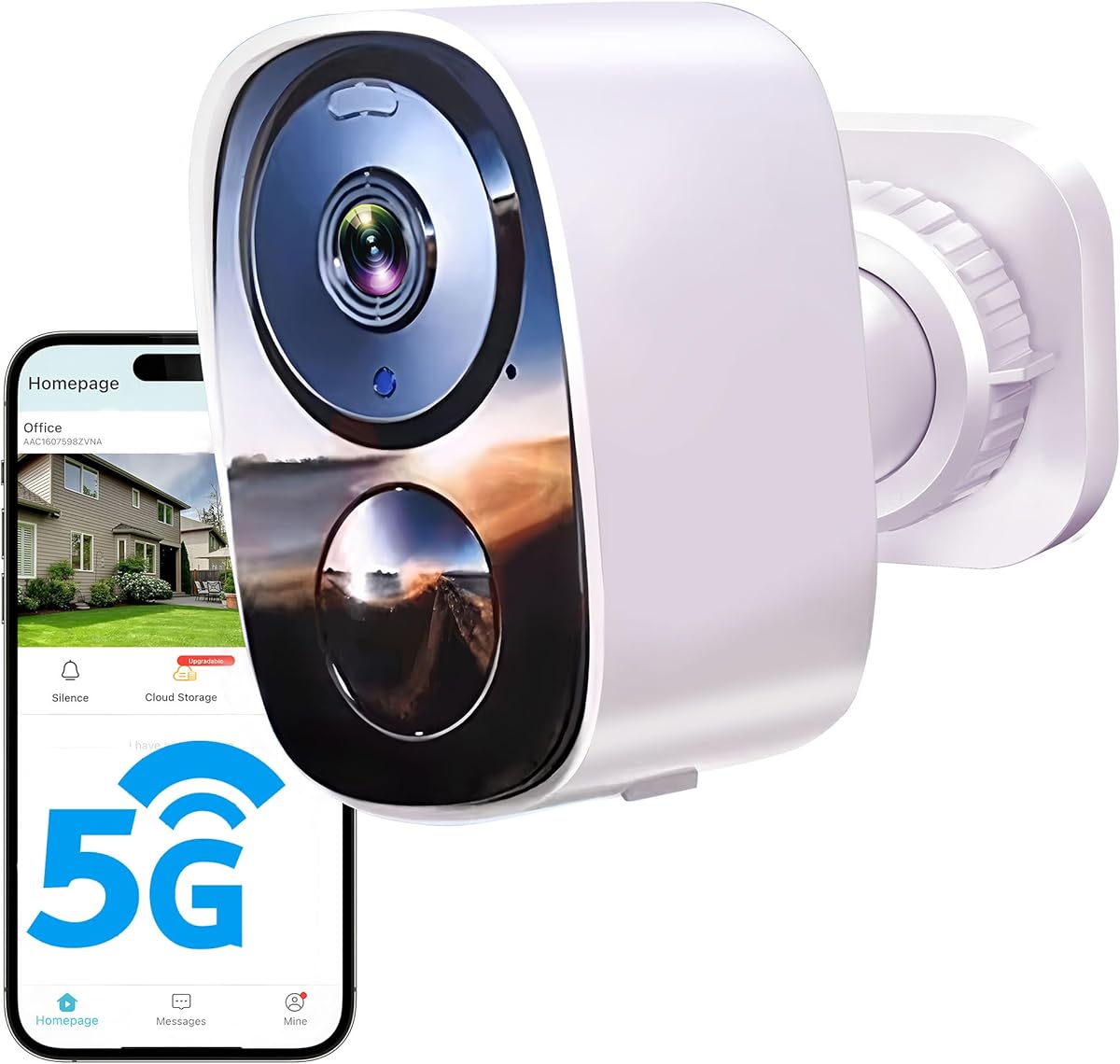
This camera ranks highly for its balance of performance and cost. It offers 2K resolution and free cloud storage without mandatory subscriptions. Its battery life promises months of operation between charges.
We may earn a commission when you buy through this link, at no additional cost to you.
The standout feature is the full color night vision. This ensures you see details even in total darkness. Two way audio allows communication with visitors. Motion detection is accurate and sends instant alerts.
Some users may find battery life varies with usage frequency. The SD card is sold separately if you prefer local storage. These are minor trade offs for the price.
Buy this if you want high quality video without monthly fees. It fits well in most home security setups.
See vivid details even in complete darkness using the built in LED lights.
Enjoy up to six months of power on a single charge with smart saving modes.
We may earn a commission when you buy through this link, at no additional cost to you.
This model is ideal for budget conscious buyers needing indoor monitoring. It provides 360 degree coverage and full HD video quality. It works well as a baby or pet monitor.
We may earn a commission when you buy through this link, at no additional cost to you.
The pan tilt function allows you to scan a whole room remotely. Motion alerts are instant and distinguish between people and general movement. The app is user friendly for beginners.
Cloud storage requires a subscription for full benefits. It is not designed for outdoor weather conditions. These limits are expected at this price.
Choose this for reliable indoor security on a budget. It is simple to use and effective.
Pan and tilt to monitor entire rooms or walkways without blind spots.
Receive specific alerts for people or crying sounds to avoid false alarms.
We may earn a commission when you buy through this link, at no additional cost to you.
This camera targets professional and advanced home users. It delivers 5MP resolution and edge AI for accurate analytics. It is built to withstand harsh conditions and meets compliance standards.
We may earn a commission when you buy through this link, at no additional cost to you.
The high resolution ensures clear identification of people and vehicles. Failover recording keeps data safe even if the network fails. Peer to peer access works without internet.
It is more expensive than consumer options. Setup might require technical knowledge. These costs reflect its enterprise grade features.
Invest in this if you need high reliability and quality. It is suitable for critical applications.
Built with IP67 rating to resist dust, water, and physical impact.
Process people and vehicle detection locally for faster and smarter alerts.
We may earn a commission when you buy through this link, at no additional cost to you.
This outdoor model offers strong connectivity and smart features. It provides full horizontal coverage and tracks people automatically. A physical privacy mode protects your indoor view.
We may earn a commission when you buy through this link, at no additional cost to you.
Motion tracking rotates the camera to follow subjects. Two way audio lets you warn intruders. Night vision reaches up to 98 feet for clear visibility.
It needs a wired connection for power. This limits placement options compared to battery models. The performance is solid for fixed locations.
Perfect for covered areas needing constant monitoring. It balances features and ease of use.
Physically block the lens to ensure privacy when you are home.
Record your own sound as an alarm to deter unwanted visitors.
We may earn a commission when you buy through this link, at no additional cost to you.
This camera brings color night vision to outdoor settings. It tracks movement horizontally and resists rain. The dual band WiFi helps stability.
We may earn a commission when you buy through this link, at no additional cost to you.
Smart motion detection sends alerts when activity is seen. It supports cloud and local storage for flexibility. The design is durable for outside use.
Setup may take a few minutes initially. It relies on WiFi which could have weak spots. The features are strong for the cost.
Consider this if you value color at night. It is a versatile addition to any home.
White light LEDs provide vivid video in dark conditions.
Follow moving objects automatically to capture every detail.
We may earn a commission when you buy through this link, at no additional cost to you.
This model uses Power over Ethernet for simple installation. It provides 4K resolution for sharp detail. Smart detection reduces false alerts effectively.
We may earn a commission when you buy through this link, at no additional cost to you.
Audio recording captures ambient sounds for context. You can record to SD, NVR, or FTP. Alerts are instant and reliable.
Needs a specific power setup which might limit DIY. It is wired which restricts moving it later. Quality is high for professional use.
Best for users wanting stable, high definition feeds. It is great for detailed monitoring.
Get 1.6x clearer video than 5MP for identifying details.
Transmit data and power over one cable for easier setup.
We may earn a commission when you buy through this link, at no additional cost to you.
Kasa provides a reliable indoor security option. It moves to cover all angles and tracks motion. It is great for baby or pet watching.
We may earn a commission when you buy through this link, at no additional cost to you.
Two way audio comforts pets remotely. Alerts notify you of specific people or sounds. The night vision is adequate for small rooms.
Cloud plans cost extra for advanced features. It does not work outside. These are standard limitations for indoor units.
Ideal for checking on home interior easily. It is efficient and simple to operate.
Set regions to monitor automatically at set intervals.
View live streams on Echo or Chromecast with voice commands.
We may earn a commission when you buy through this link, at no additional cost to you.
This camera offers solid video quality and security. It uses advanced compression for better file sizes. Cloud backups keep footage safe off site.
We may earn a commission when you buy through this link, at no additional cost to you.
Two way audio connects you with home. Night vision reaches over 30 feet. It works with popular browsers and apps.
It only supports 2.4GHz WiFi which may limit speed. Zoom is limited on some devices. The features are good for indoor use.
Good for those needing secure local and cloud access. It is a robust indoor solution.
Reduces file size and bandwidth while maintaining high quality.
SSL and encryption protect your data and video streams.
We may earn a commission when you buy through this link, at no additional cost to you.
This wireless camera supports high resolution and brightness. It has floodlights for clear night color. It works with NVR systems for larger setups.
We may earn a commission when you buy through this link, at no additional cost to you.
Two way audio deters unwanted guests. It connects easily to WiFi via the app. Alerts are quick and accurate.
Setup involves some code steps. You need a power adapter. It is flexible for various needs.
Choose this if you need system integration. It is great for expanded security.
Use bright lights to see clearly in total darkness.
Integrate into existing wireless systems seamlessly.
We may earn a commission when you buy through this link, at no additional cost to you.
This camera provides wide coverage and flexible storage. It supports standard protocols for easy integration. It is a great option for budget packs.
We may earn a commission when you buy through this link, at no additional cost to you.
It has auto tracking and sound alarms. You can access live feeds via many apps. Night vision uses spotlights for clarity.
Some reports of connection issues. It is rated lower than others. It works well if setup correctly.
Use if you need a budget friendly pack. It offers good value for basic needs.
Connect with third party tools using standard protocols.
Use bright lights to see color footage at night.
We may earn a commission when you buy through this link, at no additional cost to you.
Selecting the right cloud IP camera depends on understanding your specific needs. This section covers key factors to consider.
Resolution determines how much detail you can see on screen. Higher numbers like 4K or 5MP capture clearer images than 720p or 1080p. This is critical for identifying faces or license plates.
Aim for at least 2K resolution for clear security footage.
Cloud cameras store data on remote servers or local cards. Cloud storage allows access from anywhere but may cost a monthly fee. Local storage saves money but requires physical security.
Look for models supporting both SD cards and cloud subscriptions.
Cameras can be battery powered, wired, or use PoE. Batteries offer flexibility but need charging. Wired units are reliable but require installation. PoE is simple for outdoor setups.
Choose battery for easy placement or PoE for stability.
Most cameras use infrared for black and white night vision. Some include color night vision using lights. This is essential for 24/7 monitoring.
Check the range and color capabilities before buying.
AI features filter alerts by detecting people or vehicles. This reduces false alarms from leaves or pets. Look for human or vehicle specific detection.
Prioritize models with accurate motion AI.
WiFi bands affect speed and stability. Dual band cameras use 2.4GHz and 5GHz. This helps prevent lag during live streaming.
Ensure your router supports the required WiFi standards.
This feature lets you talk and listen through the camera. It is useful for greeting visitors or warning strangers. Quality varies by model.
Select cameras with clear microphones and speakers.
Check if the camera works with Alexa or Google Home. Some support ONVIF for integration with NVRs. This matters if you have existing systems.
Verify platform support before finalizing your purchase.
Install the camera using the manufacturer's app. Follow on screen instructions to connect to WiFi or power. Ensure the mount is secure.
Adjust settings to match your needs. Set motion zones to avoid false alerts. Update firmware regularly for security.
Clean lenses with a soft cloth to maintain clarity. Protect outdoor units from direct impact. Monitor battery levels if wireless.
A cloud IP camera records video and sends it to remote servers via the internet. This allows you to view footage anytime from any device. It provides secure storage separate from your local hardware.
Not all cameras require one. Some offer free cloud storage with basic features. Others need paid plans for advanced history. Always check storage terms before buying.
Battery life depends on usage and settings. Some models last months with motion detection. High activity drains power faster. Look for long life models if not wired.
Many cloud cameras are designed for outdoor use. Look for waterproof ratings like IP66. Indoor models will not withstand rain or extreme weather.
Some cameras keep recording locally to an SD card. They can upload footage once connectivity returns. Check for failover recording options for reliability.
Secure models use encryption and password protection. Look for SSL and secure cloud backups. Regular updates also help protect against vulnerabilities.
Yes most apps allow you to view multiple feeds. Some let you set up custom grids. This is helpful for larger homes or properties.
Standard home routers work with most cameras. Ensure they support 2.4GHz or 5GHz bands. Strong WiFi coverage is key for smooth streaming.
This guide reviewed ten top cloud IP cameras. Each offers unique strengths in video quality and features. The best choice depends on your specific needs.
Prioritize resolution and storage type first. Decide if you prefer cloud or local saving. Smart detection helps reduce false alerts.
Prices and stock change often. Check current deals to get the best value. Secure your home with a reliable cloud camera today.