
Dell Optiplex 3050 SFF
4.2Editor score
16GB DDR4 RAM
256GB SSD Storage
Windows 11 Pro Ready
Discover the top rated desktop computers for students exploring performance and price value and essential features for teen users in our comprehensive
Finding the right desktop pc for teens means balancing power cost and durability. Whether for school work creative projects or casual gaming the ideal machine supports growth without breaking the budget.
We compared ten real options based on processor speed storage capacity memory and connectivity. Each selection offers distinct advantages for different needs ranging from budget friendly office PCs to versatile all rounders.
Every pick includes detailed specs pros and cons to help you decide confidently. Prices change often so check current listings before buying. This guide keeps you informed on what matters most for teen computing today.
4.2Editor score
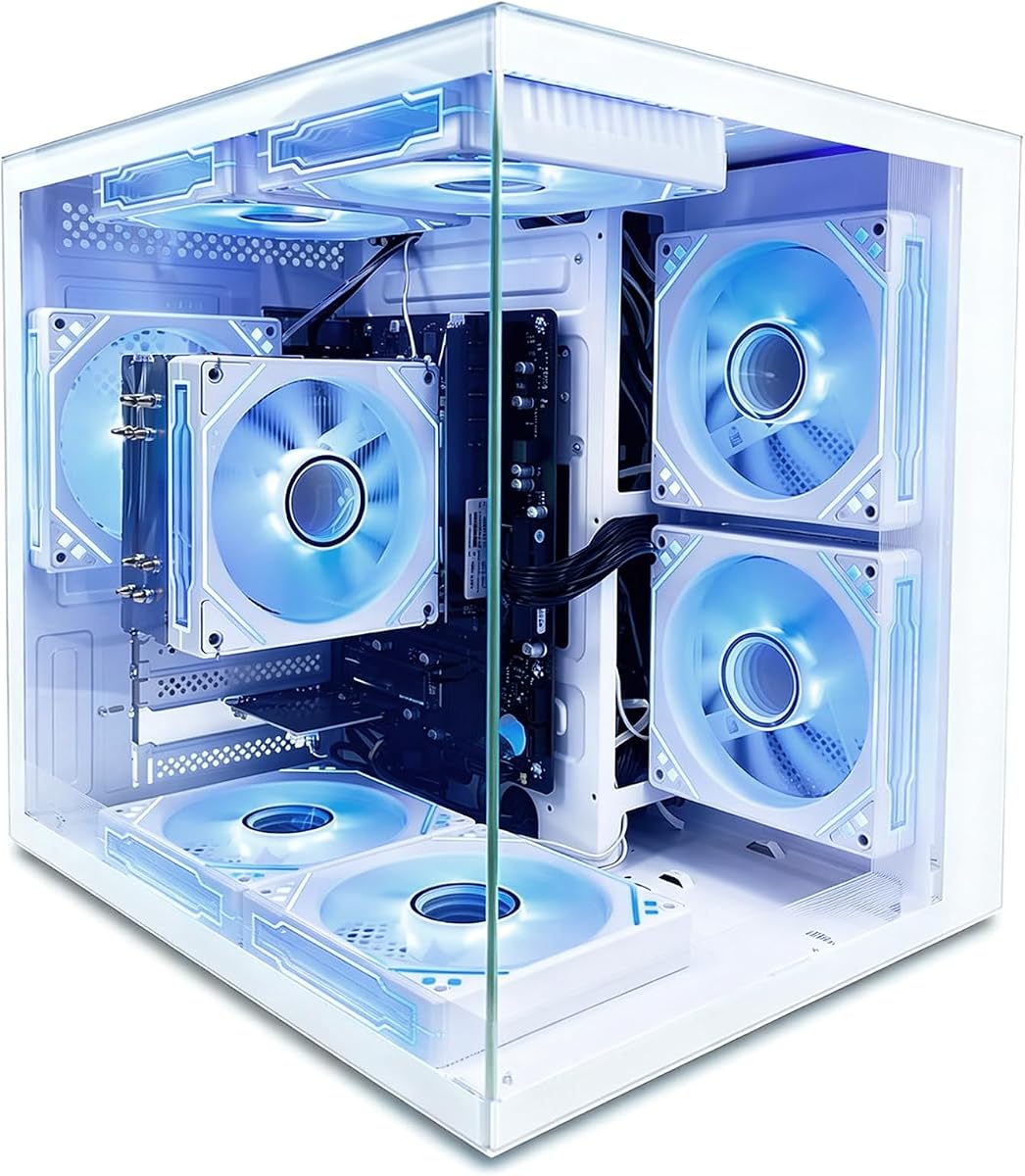
4.3Editor score

4.1Editor score
This side-by-side comparison highlights key specifications across all ten models. From storage capacity to processor generations these details help you match hardware power with specific teenage demands like school work gaming and content creation.





This Dell desktop offers strong performance for demanding tasks. Its rating shows reliable operation after refurbishment. The standout quality lies in the 32GB RAM and fast SSD storage for multitasking.
We may earn a commission when you buy through this link, at no additional cost to you.
The 8th Gen i7 processor handles school projects web browsing and media streaming with ease. Thirty two gigabytes of RAM ensure multiple tabs and apps run smoothly without slowdowns. The NVMe SSD cuts boot times to seconds improving daily efficiency.
Trade-offs include the renewed status which means cosmetic variations may exist. There is no dedicated graphics card limiting heavy gaming. However the integrated graphics suffice for most student needs and the system stays quiet under load.
Buy this if you need a desktop that balances performance and expandability for teen use. It is perfect for students who prioritize speed and storage capacity over flashy gaming graphics. The included wireless keyboard and mouse add immediate value.
The combination of 32GB RAM and a fast SSD ensures seamless switching between homework gaming and media without lag.
Multiple USB ports and display outputs allow easy connection to peripherals and dual monitors for an organized study setup.
We may earn a commission when you buy through this link, at no additional cost to you.
This model brings an affordable desktop with a monitor bundle ideal for teens needing a ready to use setup. The refurbished nature keeps costs low while offering essential computing features.
We may earn a commission when you buy through this link, at no additional cost to you.
The quad core i5 processor handles everyday tasks like web browsing and document editing efficiently. The included monitor saves extra costs for new hardware. Windows 11 Pro provides access to modern productivity tools and security features.
However the older DDR3 RAM and mechanical hard drive limit speed compared to newer SSD based systems. Boot times and app launches take longer. For heavy multitasking this might feel sluggish over time.
Consider this for entry level teens who need a full setup quickly on a tight budget. It is suitable for basic homework and streaming where raw speed matters less than immediate usability. The bundle value stands out here.
The included monitor and productivity bundle mean users can start working or studying immediately after unboxing the system.
As a renewed product it offers cost savings while maintaining core functionality for standard student computing needs.
We may earn a commission when you buy through this link, at no additional cost to you.
This prebuilt tower combines decent power with modern connectivity. Its high rating reflects stable performance for daily tasks. The Ryzen APU delivers integrated graphics suitable for casual gaming without a separate card.
We may earn a commission when you buy through this link, at no additional cost to you.
The quad core Ryzen 5 processor supports multitasking well with 16GB RAM. Wi-Fi 6 ensures fast wireless speeds for streaming and downloading. The sleek design includes RGB lighting that appeals to teen aesthetics while remaining functional.
The 256GB SSD may fill up quickly if many games or large files are stored. Upgrading storage is possible but requires some technical knowledge. Graphics performance is limited to lighter titles rather than high end gaming.
Choose this if you want a modern looking PC that balances budget and flexibility. It fits students who need reliable performance for classes and light entertainment. The upgrade path allows future improvements as needs grow.
The Radeon RX Vega 11 graphics allow casual gaming and video editing without adding extra hardware costs.
Built-in Wi-Fi 6 provides faster speeds and better range for reliable online classes and streaming.
We may earn a commission when you buy through this link, at no additional cost to you.
This small form factor PC fits easily in tight spaces. The renewed quality ensures it works like new. Its performance focuses on speed through NVMe storage and a capable i7 processor.
We may earn a commission when you buy through this link, at no additional cost to you.
The 7th Gen i7 processor supports smooth multitasking for homework and research. Sixteen GB of RAM keeps apps running fast. The NVMe SSD drastically reduces boot and load times compared to traditional hard drives.
Wi-Fi is not included so a wired connection or adapter may be needed. The small case limits future expansion like adding a large graphics card. However for office or school work these limits rarely matter.
Buy this for teens needing a compact desktop that does not consume desk space. It is ideal for home offices where aesthetics and size matter. The included wired keyboard and mouse simplify immediate use.
The small form factor fits neatly on desks or shelves freeing up room for other study materials and accessories.
NVMe SSD technology ensures rapid system boot and application loads enhancing daily productivity and convenience.
We may earn a commission when you buy through this link, at no additional cost to you.
This desktop shines with a full accessory bundle including a monitor and gaming style peripherals. The RGB lighting adds a fun touch for teens. It runs Windows 11 Pro for modern features.
We may earn a commission when you buy through this link, at no additional cost to you.
The i7 processor handles standard tasks smoothly with 16GB RAM. The 24 inch HDMI monitor provides clear visuals for streaming and projects. Headset and RGB peripherals are included making it ready for calls or light gaming.
The lack of a dedicated graphics card means it cannot handle heavy AAA games well. Renewed units may show cosmetic signs but function well. The bundle saves money but individual parts may not match high-end specs.
Select this if you want a complete gaming style setup in one box. It suits teens who value aesthetics and bundled value over raw gaming performance. The monitor and headset save extra buying.
RGB accessories and a monitor make this bundle ready for entertainment and communication immediately.
The included peripherals reduce the need for additional purchases saving time and money on initial setup.
We may earn a commission when you buy through this link, at no additional cost to you.
This model offers great value for teens needing a functional desktop. Its affordable price point does not sacrifice essential specs like RAM and SSD. It is certified refurbished for reliable performance.
We may earn a commission when you buy through this link, at no additional cost to you.
The 6th Gen i5 handles school work and web browsing well. Sixteen GB RAM keeps multitasking smooth. The 256GB SSD ensures quick boot times. 4K support allows connection to modern monitors for crisp visuals.
The older CPU may struggle with intensive video editing. Storage is small so external drives might be needed for large files. However for standard daily use it is efficient and dependable.
Buy this if you need a capable budget machine for basic tasks. It is perfect for students who do not need high-end gaming power. The dual display support adds versatility for homework and research.
Sixteen GB RAM and a SSD provide essential speed at a cost that fits tight budgets easily.
4K support and multiple ports allow flexible monitor and peripheral connections for diverse work styles.
We may earn a commission when you buy through this link, at no additional cost to you.
This desktop stands out with a huge 1TB SSD and 32GB RAM. It provides ample space for projects and smooth multitasking. The renewed unit comes with a warranty for confidence.
We may earn a commission when you buy through this link, at no additional cost to you.
The hexa-core i5 processor supports media streaming and photo editing well. One terabyte SSD means plenty of room for movies and games. Bluetooth allows easy connection to headphones and wireless peripherals.
The processor is slightly older than top tier options but still capable for most tasks. It is not designed for heavy professional gaming. The RAM and storage combo is the main draw here.
Choose this if storage space and memory are your priorities. It suits students storing lots of photos or files locally. The wireless features add convenience for home use without extra dongles.
One terabyte SSD storage eliminates frequent space issues for students with large media libraries or projects.
Built-in Bluetooth simplifies pairing with headphones and other wireless accessories for a cleaner desk setup.
We may earn a commission when you buy through this link, at no additional cost to you.
This unit targets gaming teens with a dedicated graphics card. The RGB panel adds visual flair. It includes a monitor and headset for immediate entertainment use.
We may earn a commission when you buy through this link, at no additional cost to you.
The i7 processor supports general tasks smoothly. The GT 1030 allows playable performance in games like CS GO and GTA V at lower settings. Fifteen GB RAM maintains stability.
Graphics performance is entry level so it will not run modern AAA titles at high settings. Renewed units vary in cosmetic condition. However for casual gaming this is a solid starting point.
Buy this if teens want to play popular online games on a budget. It bridges the gap between office PCs and dedicated rigs. The bundle value makes it a convenient choice.
The GT 1030 enables light gaming capabilities that integrated graphics cannot match for teen entertainment.
RGB lighting and a dedicated monitor setup create a fun and engaging desktop experience.
We may earn a commission when you buy through this link, at no additional cost to you.
This model represents the premium end with top specs for students. Its 9th Gen i7 processor is powerful. The 32GB RAM and 1TB NVMe ensure long term performance and plenty of storage.
We may earn a commission when you buy through this link, at no additional cost to you.
The eight core CPU excels at multitasking and content creation. WiFi 6E delivers fastest wireless speeds available today. The wireless keyboard and mouse enhance comfort and usability out of the box.
Price is higher than average but you get better components. The small case limits GPU upgrades though many do not need them. It is built for productivity rather than gaming.
Select this if you want the best performance possible in a compact desktop. It suits creative teens doing video editing or complex research. The wireless features add a premium touch.
Eight core processor and 32GB RAM provide headroom for demanding school projects and future proofing.
WiFi 6E ensures the fastest possible internet connection for streaming and online collaboration without lag.
We may earn a commission when you buy through this link, at no additional cost to you.
This desktop balances cost and features effectively. It includes Wi-Fi and Bluetooth for easy connectivity. The renewed process ensures clean cosmetic looks with stable operation.
We may earn a commission when you buy through this link, at no additional cost to you.
The i5 processor supports standard school tasks well. Sixteen GB RAM keeps tabs running smoothly. The 512GB SSD offers good space. 4K support enables sharp displays for media consumption.
A limitation in TPM version may affect some security updates. Graphics are integrated so gaming is limited. For daily computing it is reliable and efficient.
Buy this for a balanced desktop that fits most needs. It is good for teens who need solid performance without excess. The wireless features keep the desk organized and efficient.
The combination of SSD and 16GB RAM provides consistent speed for homework and entertainment.
Integrated Wi-Fi and Bluetooth simplify device pairing and reduce cable clutter on your desk.
We may earn a commission when you buy through this link, at no additional cost to you.
Selecting a desktop PC for teens requires weighing performance cost and future needs. This guide outlines the key factors to consider before purchasing.
The processor is the brain of your desktop. For teens who multitask between school apps and streaming an Intel Core i5 or AMD Ryzen 5 with at least four cores is recommended.
Look for 8th gen or newer to ensure support for modern software and security features.
RAM determines how many programs you can run at once. Eight GB is minimum for basic use but sixteen GB offers smoother multitasking for research and media.
For video editing or heavy browsing consider 32GB to avoid slowdowns over time.
SSDs are much faster than HDDs. Aim for at least 512GB SSD to ensure quick boot times and space for files and apps.
If possible choose 1TB to reduce the need for external drives as media libraries grow.
Integrated graphics are fine for school and streaming. For gaming look for a dedicated GPU like GT 1030 or higher.
Note many desktops do not include one so verify specs if gaming is a priority.
Wi-Fi and Bluetooth are essential for modern setups. Ensure the desktop supports Wi-Fi 6 for faster speeds.
Check ports for USB and HDMI to connect monitors and peripherals easily.
Windows 11 Pro provides access to latest tools and security. Verify the model supports it fully including TPM requirements.
Avoid older Windows versions to stay updated on safety features.
Desktop PCs should allow upgrades. Check if RAM and storage can be increased later.
Small form factors may limit expansion but business desktops often keep this flexibility.
Refurbished desktops typically come with 90-day warranties. Ensure there is technical support included.
Reputable refurbishers test thoroughly which reduces risk compared to used private sales.
Start by connecting your monitor and peripherals securely. Use the provided cables for power and USB to link keyboard mouse and headset.
Keep the desk clean and free of dust. Place the desktop tower on a flat surface with ventilation space to prevent overheating.
Install only trusted software and update regularly to maintain security. Teach teens to log off when not in use and back up important files.
Desktops offer more power and easier upgrades which suits stationary study spots. Laptops are portable but may cost more for similar specs. Choose based on where your teen studies most.
Most models in this list include Windows 11 Pro. Renewed units are often preloaded but check the product page for OS details before purchasing to ensure compatibility.
Yes many business desktops allow extra SSDs or HDDs via SATA ports. Check the specific case model to confirm available internal drive bays for future expansion.
Certified refurbished units undergo strict testing and cleaning. They often include warranties so they perform like new. Reputable sellers ensure quality for long term use.
Most listed desktops rely on integrated graphics or entry level GPUs. For high end gaming you may need a discrete GPU upgrade or a dedicated gaming PC build.
Some bundles include a monitor but most list the desktop alone. Always check the product description to confirm what accessories are included in the purchase price.
Eight GB is enough for basic tasks. Sixteen GB is ideal for multitasking and moderate creative work. Thirty two GB suits heavy users but may cost extra.
Yes all models support web browsing and video conferencing. Built-in or add-on Wi-Fi ensures stable connections for virtual classes and research projects.
This guide reviewed ten desktop PCs balancing budget power and features for teens. Top picks like the suevery Prebuilt and Dell 7070 offer strong value and performance.
Prioritize specs that match your teen's activities. School work needs RAM and storage while gaming requires better graphics. Consider expandability for future growth.
Prices fluctuate often so check current listings before buying. Use this comparison to find a reliable desktop that fits your needs today.