
EZ AD Digital Signage Display Player
4.1Editor score
4K content support
Free cloud CMS plan
Template builder included
Digital menu displays transform how businesses present information to customers through dynamic screens instead of static signs. Choosing the right model depends on viewing distance, lighting conditions, and content management needs for effective communication.
We evaluated ten leading digital menu displays based on brightness, resolution, operating system, and content management capabilities. Each product was assessed for commercial durability, ease of setup, and flexibility in updating promotional materials remotely.
Every pick highlights unique strengths like touch interaction, high brightness for sunny areas, or cloud-based control systems. Prices and availability change frequently, so verify current details before making your final purchasing decision for your business.
4.1Editor score

3.8Editor score

3.4Editor score
As an Amazon Associate we earn from qualifying purchases.
This side-by-side comparison outlines key specifications for each model to help you match technical capabilities with your specific venue requirements and operational demands.


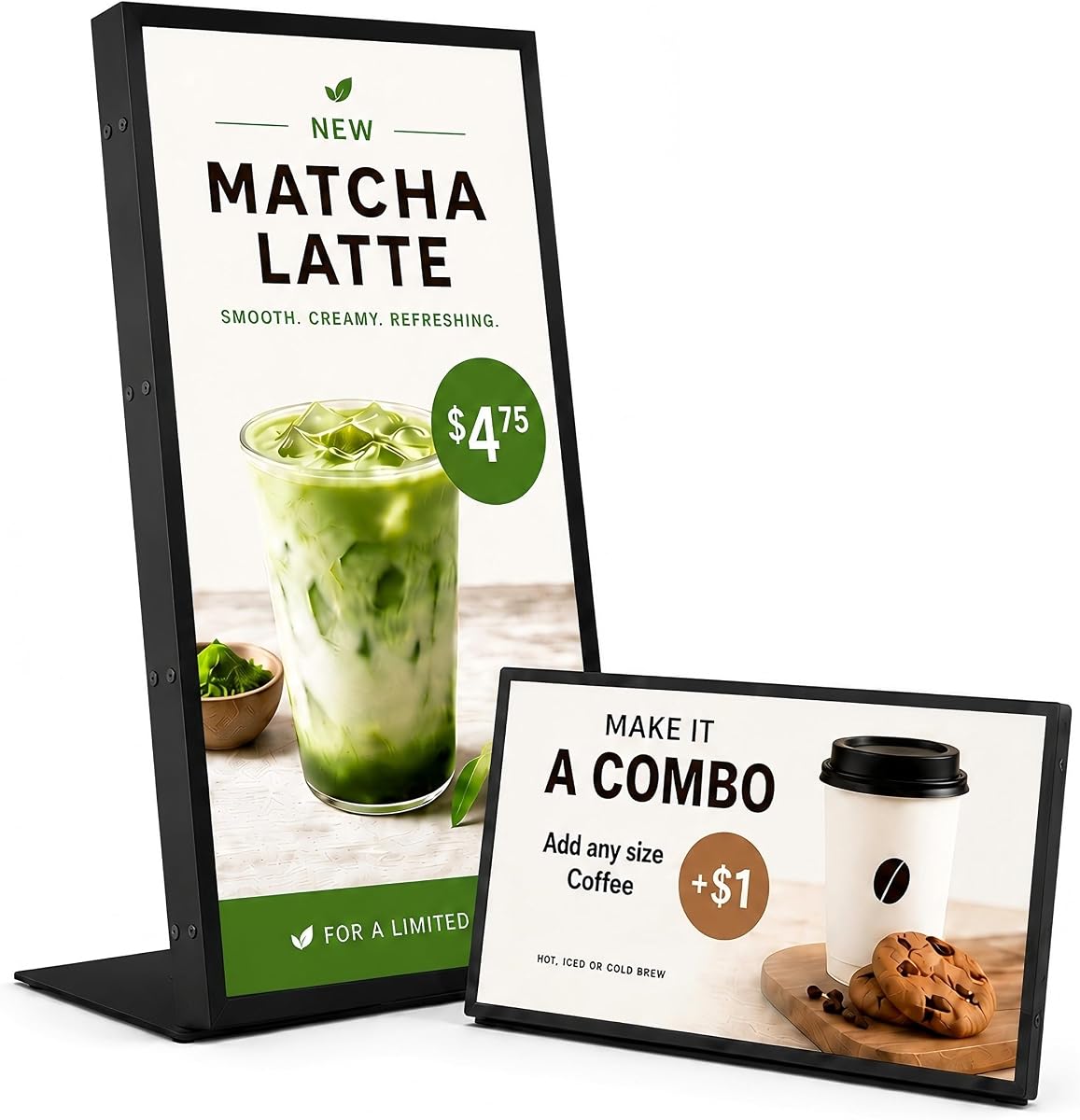


This 18.5 inch display stands out for businesses needing a reliable countertop solution with high brightness. It features 700 nits of brightness ensuring clear visibility even in well lit retail spaces or coffee shop counters.
We may earn a commission when you buy through this link, at no additional cost to you.
The Android 12 system paired with a free lifetime cloud CMS makes content updates simple without needing a PC. You can schedule playlists manage split screens and upload files remotely via tablet or smartphone seamlessly.
While the resolution is limited to 720p HD which may lack crispness for fine text, the wide viewing angle compensates for this in close range interactions. The hardware durability and three year warranty add confidence for daily commercial operation.
Ideal for cafes bakeries or hotel receptions this unit delivers strong value for its price point. Prioritize this if you need reliable remote content management without subscription fees and a compact footprint.
The free lifetime CMS removes ongoing subscription costs which significantly lowers the total cost of ownership over several years of operation.
With included stands for both landscape and portrait orientations you can adapt the display to fit various counter layouts without buying extra mounting hardware.
We may earn a commission when you buy through this link, at no additional cost to you.
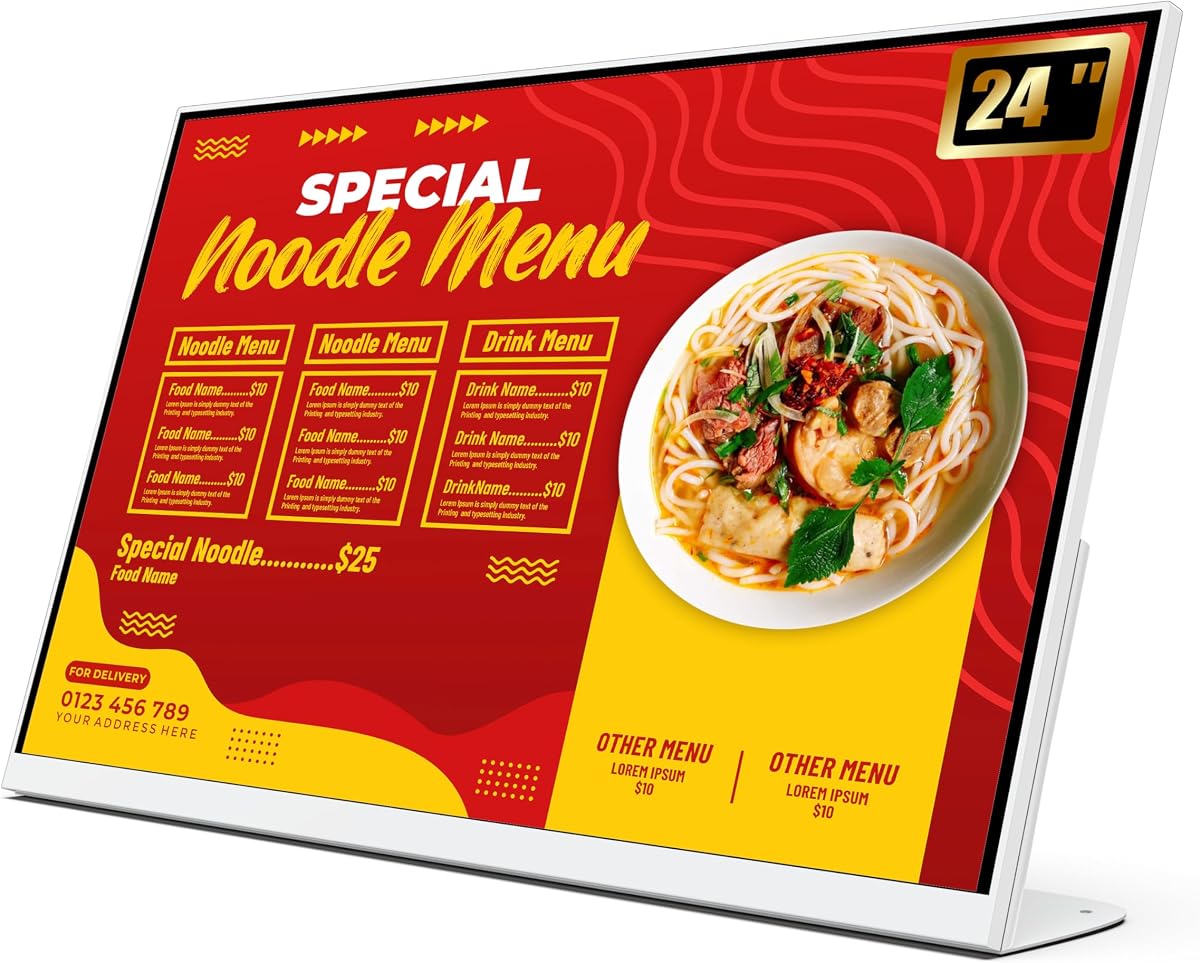
The 24 inch model offers a perfect balance of screen real estate and countertop efficiency for milk tea shops or retail counters. It delivers full HD 1080p visuals which ensures menu items look crisp and appetizing to customers standing nearby.
We may earn a commission when you buy through this link, at no additional cost to you.
Content management is handled through a stable Android system supporting remote updates via app PC or USB. The ability to schedule content and use split screens allows dynamic advertising alongside static menu information easily.
While it carries a higher shipping weight than smaller units the robust packaging ensures safe delivery. The lack of extensive documentation might require patience but the intuitive interface compensates for this minor inconvenience.
This unit is ideal for small businesses wanting professional presentation without enterprise costs. Choose this for clear visuals and easy content control in high traffic counter areas.
The FHD 1920 by 1080 resolution ensures vibrant true color restoration which is critical for food imagery and brand logos in retail settings.
Commercial grade durability supports 24 by 7 continuous operation reducing maintenance costs and extending the service life of the display hardware.
We may earn a commission when you buy through this link, at no additional cost to you.
This MWE 32 inch display is designed for larger viewing distances and portable needs. Its IPS screen ensures wide viewing angles making it suitable for busy environments where customers approach from different directions.
We may earn a commission when you buy through this link, at no additional cost to you.
The auto loop playback feature ensures content runs continuously without manual intervention. Timed power settings help save energy by matching display hours with business operating schedules automatically.
Built with wheels and a foldable design this kiosk can be moved between locations effortlessly. While it lacks touch functionality the large size and portability make it an effective tool for temporary events.
Ideal for trade shows or lobby information this unit balances size and mobility well. Select this when you need a large visible screen that can be relocated frequently.
The IPS display technology provides a consistent 178 degree viewing angle ensuring clear visuals from almost any position in a crowded space.
Timed power on and off settings allow businesses to manage energy consumption by aligning display operation with specific business hours automatically.
We may earn a commission when you buy through this link, at no additional cost to you.
The EZ AD player is a versatile media device that turns any HDMI screen into a digital menu board. It supports 4K content and offers a free plan that covers most basic content needs for small businesses.
We may earn a commission when you buy through this link, at no additional cost to you.
Users benefit from a template builder and video studio tools that simplify content creation. The mobile app allows managing content remotely making it convenient to update menus on the go without a computer.
While the free plan supports up to 50 slides the premium features offer unlimited capacity and advanced automation. This makes it scalable for businesses expecting to grow their marketing needs over time.
This player is ideal for businesses existing TVs to save costs. Choose this if you want a cloud managed solution with easy content creation tools.
The integrated template builder and video studio tools allow users to create professional slides without needing external design software or advanced technical skills.
Content updates wirelessly from a cloud based website enabling managers to change menu prices or promotions instantly from anywhere using a phone or computer.
We may earn a commission when you buy through this link, at no additional cost to you.
This compact 10.1 inch touchscreen is perfect for close range interactions on reception desks or cafe tables. The touch panel supports simple tap and swipe controls allowing customers to browse information independently.
We may earn a commission when you buy through this link, at no additional cost to you.
The display handles text and images with clean detail suitable for indoor business use. Its compact structure saves valuable counter space while still delivering essential information clearly to customers.
While the screen is small for wide viewing it excels at providing quick information access. The Android system allows basic file transfer via WiFi or USB making updates straightforward.
Ideal for salons or clinics this unit offers a professional touch interface. Choose this if you need a personal information device for close range customer engagement.
The touchscreen panel supports tap and swipe controls allowing customers to browse information on their own without needing staff assistance or pointing.
The tabletop structure keeps the screen easy to view at close range while occupying minimal counter space for crowded reception or service desks.
We may earn a commission when you buy through this link, at no additional cost to you.
This 18.5 inch countertop display is built for durability in high traffic counter environments. The metal housing and tempered glass front panel provide strong protection against daily wear and accidental impacts.
We may earn a commission when you buy through this link, at no additional cost to you.
It supports remote content publishing via a CMS platform enabling easy updates from anywhere. USB playback allows offline content management for scenarios where internet access might be intermittent.
The 1080p resolution delivers crisp text and images for close range viewing. Scheduling content to display at specific times helps target messages effectively throughout the business day.
Ideal for retail or clinics this unit prioritizes reliability. Choose this for a sturdy commercial display with comprehensive content management tools.
The durable metal housing with tempered glass front panel ensures the device withstands daily commercial use in high traffic counter environments effectively.
Remote publishing via CMS allows easy updates from any location while USB playback supports offline management for scenarios without reliable internet access.
We may earn a commission when you buy through this link, at no additional cost to you.
This massive 50 inch display offers a premium viewing experience for large venues or walls. Its 1000 nits brightness ensures visibility even in brightly lit commercial spaces or areas with direct sunlight.
We may earn a commission when you buy through this link, at no additional cost to you.
The 4K UHD resolution provides crystal clear visuals and lossless quality for detailed graphics. Multi-zone functionality allows dividing the screen into multiple interactive zones to display diverse content simultaneously.
Ultra-narrow bezels enable gap-free wall mounting which is ideal for tiling multiple screens together. The all metal chassis ensures stable operation with intelligent heat dissipation technology.
Ideal for large retail or hotel lobbies this unit delivers impressive visual quality. Choose this for high impact visuals in large open spaces.
1000 nits of brightness ensures optimal viewing quality even in bright environments allowing clear visibility of menus and advertisements throughout the day.
The display can be divided into up to six interactive zones simultaneously allowing you to show videos countdowns and QR codes in one unified interface.
We may earn a commission when you buy through this link, at no additional cost to you.
This 29 inch display provides a balanced mid-size option for various commercial settings. The 700 nits brightness ensures clear visibility indoors and the Android system supports seamless connectivity with diverse devices.
We may earn a commission when you buy through this link, at no additional cost to you.
Equipped with 2GB RAM this screen switches applications twice as fast as 1GB models. The 32GB storage capacity holds thousands of images locally ensuring smooth multitasking without lag during operation.
The multi-zone design allows presenting videos and countdowns simultaneously for dynamic content delivery. Ultra-narrow bezels enable gap-free mounting options for professional wall installations.
Ideal for mall navigation or office bulletin boards this unit balances size and performance. Choose this for flexible content display in medium sized spaces.
The 2GB RAM ensures applications switch twice as fast as lower models and 32GB storage holds over 25000 images for smooth multitasking without lag.
Ultra-narrow bezels and a slim profile enable gap-free wall mounting making it easy to tile multiple screens together for a seamless visual experience.
We may earn a commission when you buy through this link, at no additional cost to you.
This player emphasizes ease of design with a built-in canvas menu designer and AI enhancer tools. It allows businesses to create visually appealing menus without needing graphic design skills or extra software.
We may earn a commission when you buy through this link, at no additional cost to you.
Content management is handled via a cloud controlled system enabling remote updates easily. It supports PowerPoint uploads and AI image tools to optimize quality for display resolution.
The plug and play setup connects via HDMI and WiFi in minutes. While ratings vary the design tools offer significant value for businesses needing to customize menus frequently.
Ideal for businesses without design staff this unit simplifies content creation. Choose this if you need an AI tool to enhance images easily.
The built-in canvas designer and AI image enhancer allow you to create and optimize menu visuals without needing external design skills or software.
Remote content management allows you to upload content schedule menu changes and promote events with just a few clicks from anywhere.
We may earn a commission when you buy through this link, at no additional cost to you.
This media player stands out for its powerful hardware including a Hexa Core CPU and 4GB RAM. It ensures smooth playback and supports both vertical and horizontal screen modes for flexible mounting.
We may earn a commission when you buy through this link, at no additional cost to you.
It integrates with a popular free digital signage cloud service enabling reliable remote management. The custom built-in watchdog ensures the device never stops playing content due to system freezes.
The 16GB storage provides local cache to prevent any playback interruptions. With WiFi Ethernet HDMI it offers robust connectivity options for diverse business environments.
Ideal for heavy usage scenarios this unit prioritizes performance. Choose this if you need high hardware power for complex or large scale content playback.
The Hexa Core ARM Cortex CPU combined with 4GB RAM ensures smooth playback and rapid application switching without performance lags.
A custom built-in watchdog ensures continuous playback by protecting against system freezes preventing interruption of important business messages.
We may earn a commission when you buy through this link, at no additional cost to you.
Selecting the right digital menu display requires evaluating several technical factors to ensure it meets your specific operational and visual needs effectively.
Brightness measured in nits determines how well the screen is visible in different lighting conditions. For indoor counters 700 nits is typically sufficient, but bright window areas may need 1000+ nits to prevent washed out images.
Always check the nit rating relative to your environment's lighting to ensure your menu remains legible and vibrant throughout the day.
Resolution defines how sharp text and images appear. Full HD 1080p is standard for clear readability, while 4K offers premium crispness for large screens or detailed graphics.
Choose higher resolutions for larger screens to maintain text clarity and avoid pixelation when viewed from close distances.
Android-based displays offer flexibility to install apps and manage content directly. Dedicated players often require cloud or PC connections but provide more stable and centralized control.
Select Android if you prefer standalone operation or cloud players if you want centralized management across multiple locations.
Look for systems that allow remote updates via cloud, app, or USB. A good CMS should let you schedule content, split screens, and edit files without physical access to the unit.
Prioritize cloud-based management to save time and enable real-time updates during busy operations.
HDMI, LAN, USB, and WiFi are essential for flexible content delivery. Ensure the unit supports both wired and wireless options to adapt to different network environments.
Check for enough ports to connect peripherals like USB drives or external sensors if needed.
Commercial displays are built to run 24/7 without overheating. Look for metal housings, tempered glass, and high-hour lifespans to ensure longevity in busy settings.
Verify warranty terms like three-year coverage to protect against early hardware failures.
Screen size impacts readability distance and counter space. Small 10-inch touchscreens suit close interaction, while 50-inch displays are better for walls or large rooms.
Measure your available space and viewing distance before selecting a size to avoid cramped or overwhelming visuals.
Prices range from budget players under $100 to premium displays nearing $1000. Consider total cost including subscription fees for CMS tools to avoid hidden long-term expenses.
Match your investment to expected ROI from increased customer engagement and reduced printing costs.
Set up the unit on a stable flat surface to prevent accidental tipping. Connect power and HDMI first, then link to your Wi-Fi network to enable remote content management features.
Upload your initial menu files via USB or the cloud CMS app. Use the scheduling tool to set specific on and off times to align with your business hours.
Clean the screen regularly with a microfiber cloth to remove fingerprints and dust. Avoid chemical cleaners that might damage the anti-glare coating on the display surface.
Most indoor commercial spaces require at least 700 nits to ensure clear visibility. Brighter locations like stores with large windows may benefit from 1000 nits to prevent glare issues.
Most modern displays offer remote updates via cloud CMS apps. Some budget models may require USB transfers instead, so check the features list if cloud access is a priority for your workflow.
Yes, a regular TV can work if paired with a digital signage media player. However, commercial displays offer longer lifespans and higher brightness for continuous 24/7 operation.
Daily or weekly updates keep menus fresh and engaging. Most systems support scheduling to automate changes for breakfast, lunch, and dinner periods without manual intervention.
Most units have local storage to play cached content offline. However, you may not be able to update new files remotely until the connection is restored.
Modern LED displays are efficient but still consume power. Use timed power settings to turn the screen off after business hours to reduce electricity usage.
Our top picks range from the budget-friendly EZ AD player to the premium 50-inch display for large venues. Each option delivers reliability and clear visuals tailored to different counter sizes and brightness needs.
Prioritize brightness and content management tools to ensure your display communicates effectively. A robust CMS and high nits rating will make the biggest difference in daily customer interactions.
Always check current prices and availability before ordering since costs fluctuate regularly. Investing in the right model today will streamline your operations and enhance your brand presentation.