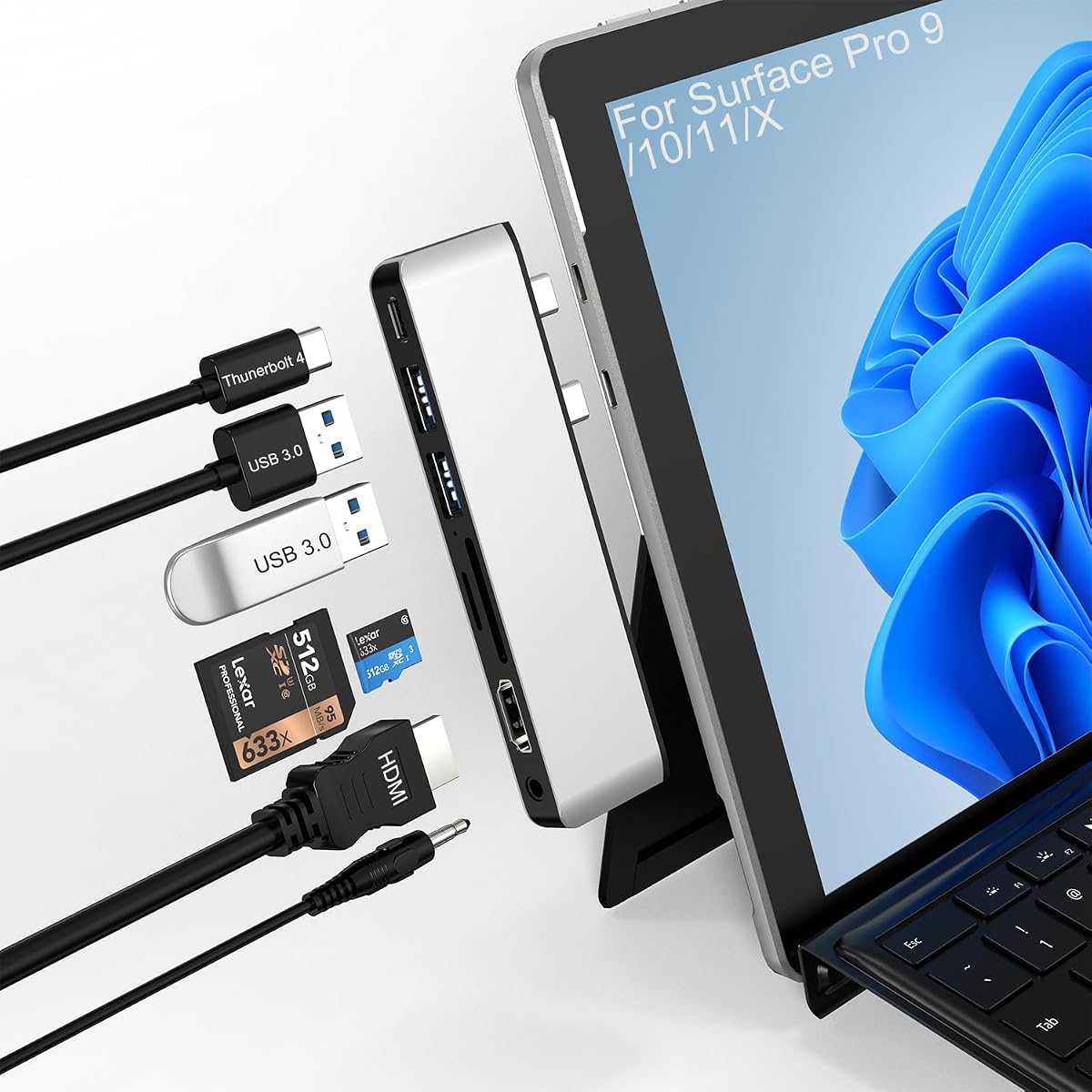
Surface Pro 11 USB Hub with Thunderbolt 4
4.2Editor score
Thunderbolt 4 Data Transfer
Compact Aluminum Design
Triple Display Mode
Explore the top docking stations for Surface Pro 11 in October 2026. This guide compares 10 models for connectivity, performance, and reliability for your
Finding the right docking station for your Surface Pro 11 is essential for transforming your tablet into a powerful desktop workstation. A good dock expands connectivity options with multiple video outputs, USB ports, and network interfaces to support your productivity needs.
We evaluated ten leading docking solutions based on port variety, video resolution support, charging capabilities, and build quality. Our comparison focuses on models compatible with the latest Surface devices to ensure seamless integration and reliable performance.
Each product in this list offers unique advantages for different workflows, whether you need triple display support or compact portability. Prices and availability can change frequently, so verify the latest details before making your final purchase decision today.
4.2Editor score
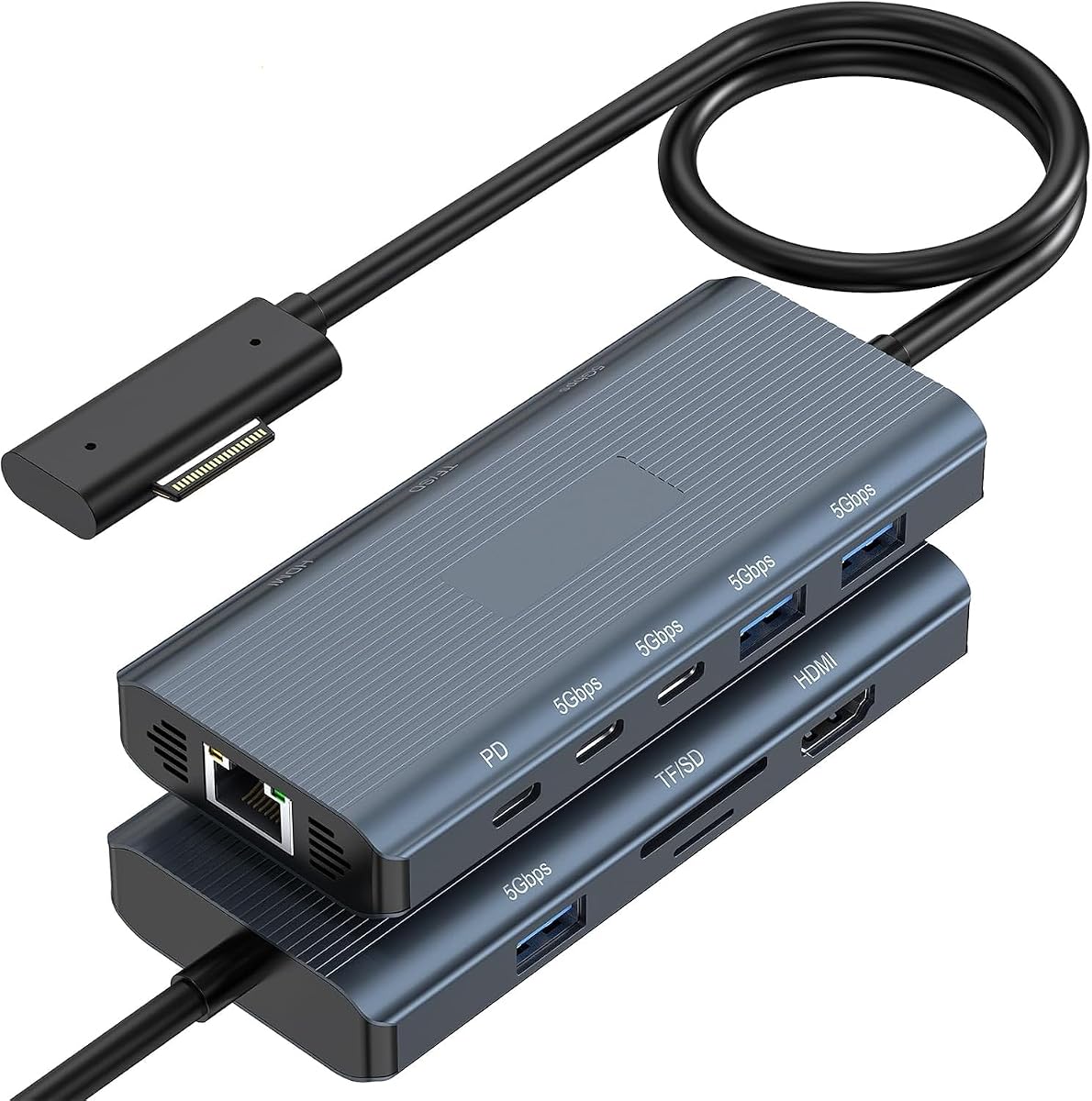
4.8Editor score

4.3Editor score
This side-by-side comparison highlights the key specifications and capabilities of the top ten docking stations available for Surface Pro 11 users in November 2026.



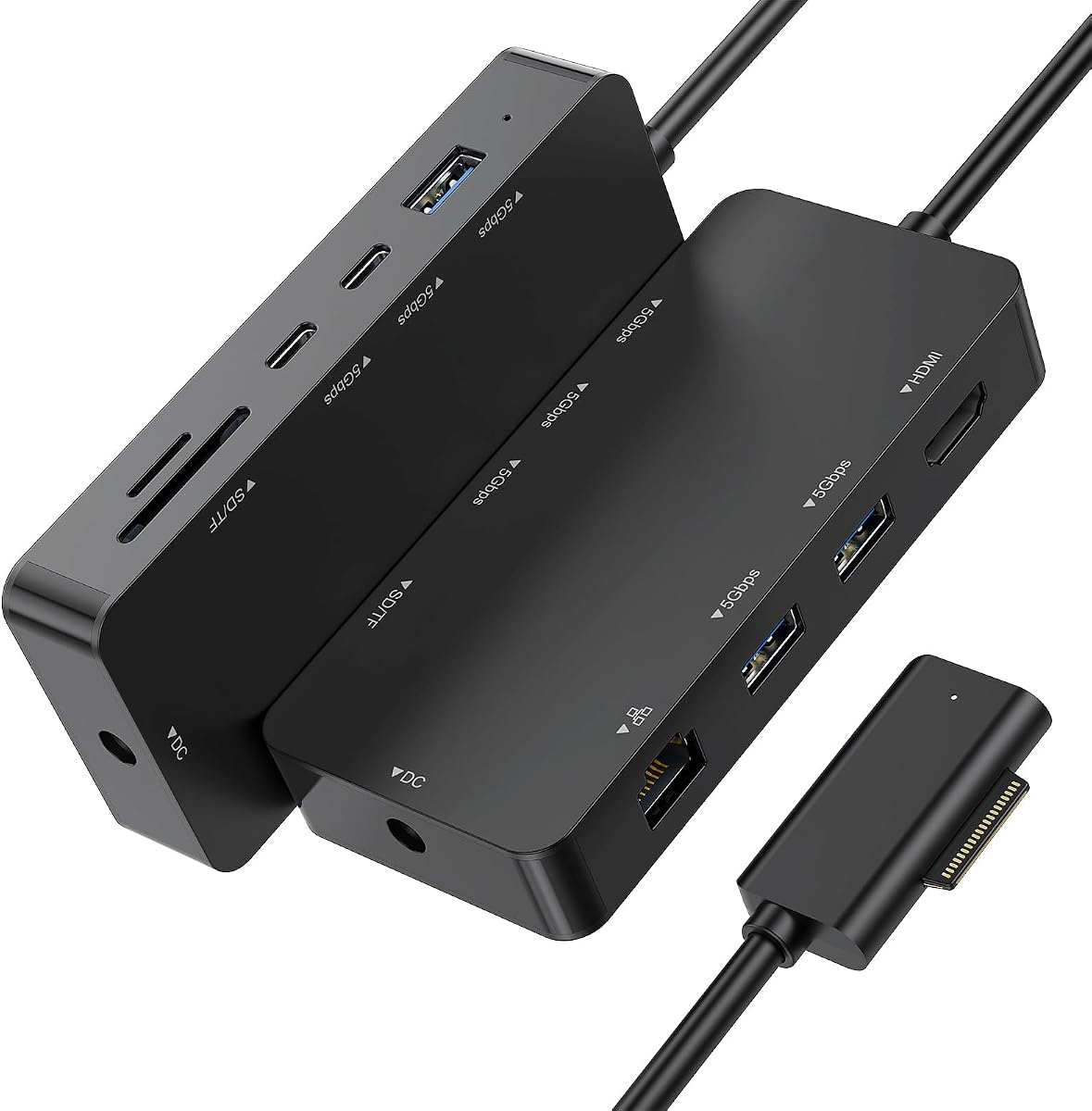
This 11-in-1 docking station stands out as the top choice for Surface Pro 11 users needing robust connectivity. It features 4K HDMI output at 60Hz, providing crisp visuals for work and entertainment. With a rating of 4.8, it reflects high customer satisfaction with its performance and reliability.
We may earn a commission when you buy through this link, at no additional cost to you.
The hub offers extensive port selection including two USB C data ports, three USB 3.0 ports, and a Gigabit Ethernet port. This ensures fast data transfer speeds up to 5Gbps for files and stable network connectivity. The 100W PD power input allows for efficient charging while using connected peripherals.
While it requires an external power adapter which adds to the desk footprint, the performance benefits outweigh this trade-off. The plug and play functionality means no drivers are needed for immediate use with compatible Surface devices.
This dock is ideal for professionals who need multiple peripheral connections and high-speed internet. We recommend it for anyone looking to transform their Surface Pro 11 into a full desktop workstation.
The Gigabit Ethernet port ensures low latency gaming and stable video conferencing. USB 3.0 ports allow quick access to external drives and backup devices.
Supports 4K 60Hz HDMI for extended displays. Includes SD and TF card slots for easy media access from cameras and mobile devices.
We may earn a commission when you buy through this link, at no additional cost to you.
This 12-in-1 docking station is designed for users who require multiple screen real estate for productivity. It supports triple displays through dual HDMI and a VGA port, enabling complex multitasking setups. The rating of 4.1 indicates solid performance for general office use.
We may earn a commission when you buy through this link, at no additional cost to you.
The hub includes essential ports like USB C data ports, USB 3.0, and an SD TF card slot for file transfers. The 3.5mm headphone jack allows direct audio connection for users without wireless headsets. Plug and play connectivity makes setup quick and easy.
The Ethernet port supports up to 100Mbps which may be slower than Gigabit options for large downloads. Additionally, the HDMI output is capped at 30Hz which could impact motion clarity for some users.
It is a good option for those prioritizing screen count over highest refresh rates. This dock suits office workers needing to manage multiple documents and applications simultaneously on different screens.
Turns your Surface into a multi-monitor workstation. Supports both mirror and extend modes for flexible display arrangements.
USB ports enable connecting keyboards and mice. Card slots provide quick access to photos and media files.
We may earn a commission when you buy through this link, at no additional cost to you.
This USB hub offers Thunderbolt 4 connectivity at a budget-friendly price point for compatible Surface devices. It supports video output up to 8K and provides 100W power delivery for efficient charging. Its compact aluminum design makes it highly portable for travelers and commuters.
We may earn a commission when you buy through this link, at no additional cost to you.
The Thunderbolt 4 port allows for ultra-fast data transfer up to 40Gbps ensuring quick file syncing. It includes 4K HDMI output and USB 3.0 ports for standard peripherals. The SD and TF card readers support SDXC and UHS-I cards up to 2TB.
The device is specifically designed for Surface Pro 9 10 and 11 models and may not fit well with protective cases. Users should ensure their device matches the compatible models listed for proper connection.
This hub is a great choice for budget-conscious users who still need high-speed Thunderbolt connectivity. It is recommended for students or professionals who need a portable solution for their Surface Pro.
Thunderbolt 4 delivers 40Gbps speeds for rapid file transfers. USB 3.0 ports support 5Gbps for general peripherals.
Aluminum case helps with heat dissipation. Compact size ensures it fits easily in laptop bags.
We may earn a commission when you buy through this link, at no additional cost to you.
This 12-in-1 Surface dock is a strong contender for users needing dual HDMI and VGA triple display options. It has a high rating of 4.8 indicating user satisfaction with its stability and performance. The 72W power adapter helps maintain performance during heavy workloads.
We may earn a commission when you buy through this link, at no additional cost to you.
The dock includes two USB-C data ports that do not support video output which limits their utility for external drives. USB-A 3.0 ports are available for standard peripherals at 5Gbps speeds. SD and TF card slots allow simultaneous access for file transfers.
The Ethernet port is limited to 100Mbps which is slower than Gigabit options for large file downloads. This may be a consideration for users who rely heavily on network transfers.
It is well-suited for office environments where screen real estate is a priority. This dock is recommended for coding spreadsheets and multitasking workflows requiring multiple monitors.
Supports three external monitors via dual HDMI and VGA. Ideal for extended desktop setups.
USB-A ports support 5Gbps transfer. SD TF slots allow direct media card access.
We may earn a commission when you buy through this link, at no additional cost to you.
This docking station is designed for hybrid workers who move between home and office environments. It features a 72W power supply that ensures stable charging while connected to peripherals. The 4.8 rating highlights its reliability for daily professional use.
We may earn a commission when you buy through this link, at no additional cost to you.
The dual HDMI and VGA ports support triple displays enabling complex workflows like coding or financial trading. USB-C data ports and USB 3.0 allow fast file transfers at 5Gbps speeds. Audio jack provides direct headphone connectivity for calls.
The Ethernet port is limited to 100Mbps which might not suit power users requiring high-speed internet. It is essential to connect the power port for proper operation.
This dock is a solid choice for professionals needing reliable connectivity. It is recommended for those who prioritize high power output and screen flexibility.
72W adapter ensures device stays charged during use. Supports running peripherals without draining battery.
Triple display support boosts multitasking. Plug and play setup saves time.
We may earn a commission when you buy through this link, at no additional cost to you.
This premium docking station delivers dual 4K HDMI outputs at 60Hz providing the best visual quality for video editors and designers. The 4.3 rating reflects solid performance in high demanding scenarios. It includes a dedicated 100W DC adapter for stable power.
We may earn a commission when you buy through this link, at no additional cost to you.
The Gigabit Ethernet port ensures low-latency internet for smooth video conferencing. It supports 5Gbps data transfers via USB-C and USB 3.0 ports. SD TF card slots allow rapid photo and video offloading up to 104MB/s.
The higher price point and external adapter requirement increase the total setup cost. These are acceptable trade-offs for professionals needing top-tier video performance.
It is ideal for traders and creative professionals requiring superior screen real estate. We recommend this dock for users who need fast networking and high refresh rates.
60Hz 4K outputs offer smooth motion. MST support enables triple screen setups.
Gigabit networking handles large data. USB 3.0 supports fast external drives.
We may earn a commission when you buy through this link, at no additional cost to you.
This 10-in-1 docking station offers a balanced mix of features for everyday productivity. It supports 4K HDMI at 30Hz and includes a 65W PD power port for reliable charging. The 4.4 rating suggests a good balance of reliability and value.
We may earn a commission when you buy through this link, at no additional cost to you.
The 1000Mbps Ethernet ensures stable wired network for video calls and streaming. It includes 3 USB-A 3.0 and 2 USB-C ports for fast data transfer. SD TF card slots support access to up to 2TB but cannot be read simultaneously.
Video output is limited to 30Hz which may not be ideal for motion-heavy tasks. The inability to read SD and TF cards simultaneously is a minor limitation for some users.
It is a great option for general office work and entertainment. Recommended for users who need reliable network connectivity and sufficient USB ports.
1000Mbps Ethernet ensures reliable internet. 65W PD keeps device powered during use.
Multiple USB-A and USB-C ports. Supports flash drives and external keyboards.
We may earn a commission when you buy through this link, at no additional cost to you.
This dock supports triple displays for users who need multiple screens for gaming or multitasking. The 72W fast charging ensures your device stays powered during intensive sessions. With a rating of 4.5, it is known for reliable connectivity and build quality.
We may earn a commission when you buy through this link, at no additional cost to you.
USB 3.0 ports provide 5Gbps speeds for external drives. The 3.5mm audio jack supports 3-pin and 4-pin headphones for immersive sound. MST functionality allows efficient multitasking across three screens.
The Ethernet port is limited to 100Mbps which is slower than Gigabit options. USB-C ports do not support video output limiting display configuration options.
It is well-suited for office environments and gaming setups. Recommended for users who prioritize screen count and fast charging.
Supports up to three screens via HDMI and VGA. Ideal for expanded workspace.
72W charging keeps device powered. Ensures stable performance during use.
We may earn a commission when you buy through this link, at no additional cost to you.
This docking station features a 120W power adapter which is higher than standard models ensuring fast charging for heavy workloads. It supports HDMI DP and Thunderbolt 4 for triple display setups. The 4.3 rating confirms its reliability for demanding workflows.
We may earn a commission when you buy through this link, at no additional cost to you.
The Gigabit Ethernet port ensures low-latency internet for smooth streaming. It includes USB 3.0 and USB-C data ports for fast file transfers. SD Micro SD slots allow access to media cards at 480Mbps speeds.
It requires a specific 2025 connector design which may limit compatibility with older cases. The external adapter is necessary for proper operation.
It is ideal for professionals needing high power and network speeds. Recommended for users who require fast charging and multiple video outputs.
120W adapter ensures full charge in 2.5 hours. Supports running heavy peripherals.
HDMI DP and Thunderbolt support 3 screens. Ideal for expanded workflow.
We may earn a commission when you buy through this link, at no additional cost to you.
This docking station features a magnetic Surface Connect interface ensuring a stable and secure connection. It supports 4K HDMI at 60Hz and includes a 50cm cable for flexible positioning. The 4.7 rating indicates high satisfaction with its convenience and performance.
We may earn a commission when you buy through this link, at no additional cost to you.
The Gigabit Ethernet port ensures fast and stable network connectivity. USB-C and USB 3.0 ports support 5Gbps transfers. SD TF card readers allow access to media up to 480Mbps.
The included cable length may limit desk positioning options for some users. External power adapter is required for full charging capabilities.
It is ideal for users prioritizing ease of connection. Recommended for those who want a secure plug and play setup.
Magnetic surface ensures secure attachment. Easy to attach and detach.
4K 60Hz output supports crisp visuals. Gigabit Ethernet supports fast network.
We may earn a commission when you buy through this link, at no additional cost to you.
Choosing the right docking station depends on your specific connectivity needs and workflow requirements. This section covers essential factors to consider before making a purchase.
Most docks support 4K resolution but differ in refresh rates. Some offer 60Hz which is smoother for motion while others are limited to 30Hz. Ensure the dock matches your display requirements for video editing or gaming.
Look for HDMI or DisplayPort versions that support your monitor's refresh rate.
Gigabit Ethernet ports provide faster data transfer for large files compared to 100Mbps ports. High-speed networks are essential for streaming and cloud uploads.
Choose a dock with Gigabit Ethernet for reliable and fast internet connections.
Docks with higher wattage adapters ensure your Surface charges efficiently while in use. Some provide 72W or more while others are limited to lower outputs.
Select a dock with sufficient wattage to power both the device and connected peripherals.
Consider the number of USB ports and card slots you need. Docks range from 10 to 12 ports offering flexibility for various peripherals.
Ensure the dock includes enough ports to connect your keyboard mouse and external drives simultaneously.
If you need multiple screens verify if the dock supports triple displays. Look for HDMI plus VGA or Thunderbolt options.
Check the manual to confirm if the device screen must be turned off for multi-monitor setups.
SD and TF card slots vary in speed and support. Some allow simultaneous reading while others do not.
Check if the reader supports SDXC or UHS-I cards if you use high capacity memory.
Compact aluminum docks are easier to carry while larger docks have more ports. Consider the weight and size for travel.
Look for a design that fits your desk space and travel bag comfortably.
A solid warranty like 24 months protects your investment. Responsive customer service helps resolve issues quickly.
Verify the warranty period and support contact details before purchasing.
Connect the power adapter to the dock before attaching your Surface device to ensure stable charging. Use the magnetic connector to attach the cable securely without forcing it.
Plug in external peripherals like monitors or drives to the designated ports to avoid data loss. Ensure cables are seated firmly to maintain signal integrity.
Store the dock in a dry place away from direct heat to preserve port longevity. Avoid bending the cable sharply to prevent internal damage.
Some models like the 11-in-1 Surface Pro Docking Station support 4K 60Hz HDMI. Others may be limited to 30Hz which is suitable for static office work. Check product specifications carefully for refresh rate details before buying.
Yes most docks include a power adapter that supports charging during use. Ensure the dock provides sufficient wattage to charge your Surface while powering peripherals.
Some compact models may not fit with thick cases. It is best to remove the case or use a thin one to ensure a secure connection to the Surface port.
Some USB-C ports are for data transfer only while others support video output. Check the specs to ensure the ports match your needs for displays and peripherals.
Most are plug and play requiring no drivers for basic functions. However some advanced features may require software for optimal performance on Windows.
Some models allow simultaneous SD and TF card access while others do not. Verify this feature if you need to transfer files from multiple cards at the same time.
No many docks offer 100Mbps Ethernet. If you need fast internet speeds ensure the model specifically lists Gigabit Ethernet support.
Most docks support up to three external monitors using HDMI and VGA. Check if your Surface model supports triple display mode for full functionality.
The top picks for November 2026 offer excellent connectivity options for different users. The 11-in-1 Dock is best for overall versatility while the Thunderbolt 4 models provide speed for professionals.
Prioritize video resolution and network speed based on your specific workflow needs. Consider charging power and physical design if portability is a key factor for your daily use.
Always check the latest product specifications and availability as prices and features can change. Selecting the right dock will significantly enhance your Surface Pro 11 performance and productivity.