
Redragon M612 Wired RGB Optical Gaming Mouse
4.6Editor score
5 redefinable DPI levels
9 programmable buttons
Frosted ergonomic coating
This guide compares the top ten drag click mice for gaming and productivity, evaluating sensor accuracy, button durability, ergonomics, and customization
Finding the right drag click mouse can transform your gaming experience or productivity workflow significantly. These specialized devices offer precise control and customizable features that cater to specific user needs and preferences.
We evaluated ten top-rated models based on sensor performance, build quality, ergonomic design, and software capabilities. Our comparison ensures you find a mouse that matches your unique requirements and budget constraints effectively.
Each pick highlights key strengths and potential limitations to help you make an informed decision. Keep in mind that product availability and pricing may change, so verify details before purchasing your ideal device today.
4.6Editor score

4.6Editor score

4.6Editor score
The following table provides a side-by-side overview of the top ten drag click mice available this month. Compare essential specifications like DPI range, connectivity options, weight, and programmable buttons to identify the best fit.




The Redragon M612 stands out as an excellent budget-friendly option for gamers and professionals seeking a drag click mouse. With a strong 4.6 rating, it offers solid performance without breaking the bank. Its ergonomic design and frosted coating ensure comfort during long sessions.
We may earn a commission when you buy through this link, at no additional cost to you.
Key strengths include its 8000 DPI sensor which allows for precise movements across various surfaces. The nine programmable buttons provide ample customization for macros and quick actions. Users appreciate the dedicated DPI switch for instant sensitivity changes during gameplay or tasks.
While it lacks wireless connectivity, the wired design ensures stable latency free performance. The software is functional but may lack advanced features found in premium models. These trade-offs are acceptable given its competitive pricing and reliable functionality.
This mouse is ideal for users prioritizing value and ergonomic comfort. Whether you are new to gaming or need a secondary work mouse, the M612 delivers consistent performance. It remains a top recommendation for budget conscious buyers in November 2026.
The frosted coating and claw grip shape reduce hand fatigue during extended use. This design ensures a secure hold preventing slips during intense moments.
Nine programmable buttons allow users to assign specific functions or macros. This flexibility enhances productivity and gaming efficiency significantly.
We may earn a commission when you buy through this link, at no additional cost to you.
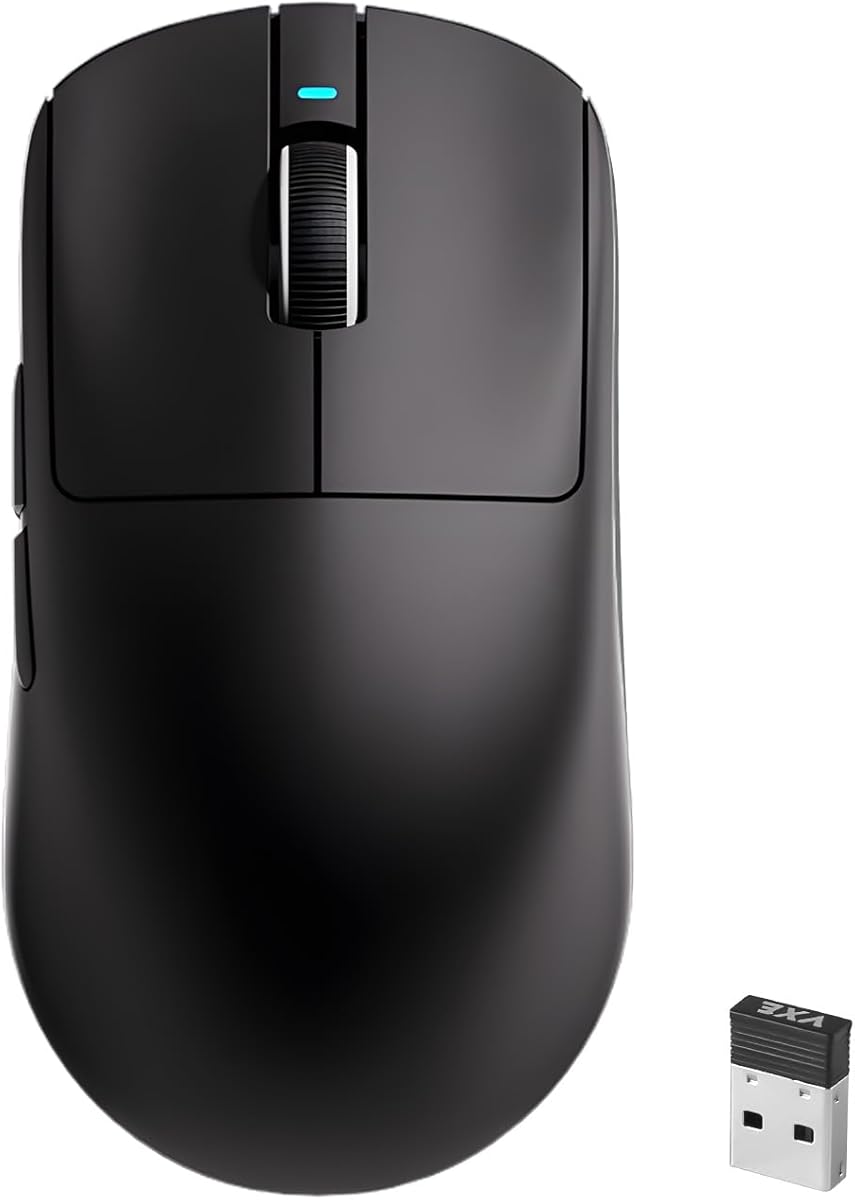
The Redragon M923 PRO offers a wireless experience that rivals more expensive models. It holds a 4.6 rating due to its versatility and robust feature set. Users benefit from Bluetooth and 2.4GHz connectivity options for various devices.
We may earn a commission when you buy through this link, at no additional cost to you.
Its 24K DPI sensor provides exceptional tracking precision for both gaming and productivity. The eight programmable buttons support complex macros and quick commands. The ergonomic shape ensures comfort while the RGB lighting adds a stylish aesthetic.
Some users may find the battery life shorter than top tier wireless mice. The weight is slightly higher than ultra lightweight esports models but remains manageable. These points are minor given the overall value and feature richness.
Ideal for users seeking wireless freedom without high costs. The M923 PRO excels in flexibility and performance making it a strong contender in the budget segment. It is a reliable choice for versatile use cases.
Switch seamlessly between Bluetooth and 2.4GHz wireless. This ensures compatibility with multiple devices without needing dongles.
The 24K DPI sensor supports smooth tracking on diverse surfaces. Precision is maintained even during fast movements.
We may earn a commission when you buy through this link, at no additional cost to you.
The Razer Viper V3 Pro is the ultimate tool for competitive gamers needing precision. Rated 4.6, it features a 54g lightweight chassis designed with esports pros. Its focus on speed and accuracy makes it a standout in 2026.
We may earn a commission when you buy through this link, at no additional cost to you.
Key strengths include the Focus Pro 35K optical sensor which tracks flawlessly on glass surfaces. The 8000 Hz polling rate ensures minimal input delay. Optical switches offer durability up to 90 million clicks without double click issues.
The high cost may deter budget shoppers. Limited side buttons might not suit MMO gamers but are perfect for FPS titles. These limitations align with its specialized design for speed and performance.
Best suited for serious competitors seeking top tier performance. The Viper V3 Pro delivers unmatched responsiveness and reliability. It justifies its price with cutting edge technology and build quality.
Developed with top pros for optimal flicks and control. The lightweight frame reduces strain during intense matches.
8000 Hz polling rate provides smoother and faster responses. This reduces lag for competitive gameplay.
We may earn a commission when you buy through this link, at no additional cost to you.
The ATK R1 SE+ brings high-end features to an accessible price range. With a 4.6 rating it offers tri-mode connectivity and a light 55g body. This model appeals to users wanting performance without premium costs.
We may earn a commission when you buy through this link, at no additional cost to you.
Key strengths include the PAW3395SE sensor which ensures accurate tracking. Web-driven software simplifies customization without bulky drivers. The ergonomic design supports various grip styles reducing fatigue during long sessions.
Web-driven settings might be inconvenient without internet access. Build quality is solid but not as premium as top brands. These are minor issues given the feature set and price.
Ideal for users seeking versatility and customization. The R1 SE+ balances performance and convenience well. It is a strong choice for hybrid work and gaming needs.
Adjust settings through a browser interface for simplicity. This avoids installing heavy software drivers.
At 55g the mouse allows quick and effortless movements. This reduces wrist strain during extended use.
We may earn a commission when you buy through this link, at no additional cost to you.
The Redragon M910-K introduces a dedicated fire button for rapid actions. Rated 4.5, it combines this feature with ergonomic comfort and RGB lighting. This makes it a unique choice for competitive gaming scenarios.
We may earn a commission when you buy through this link, at no additional cost to you.
Key strengths include the fire button which simulates triple clicks instantly. Nine programmable buttons offer extensive macro capabilities. The ergonomic contour fits comfortably in most hand sizes reducing strain.
Wired connectivity limits flexibility compared to wireless models. Software is functional but lacks advanced UI polish. These trade-offs are balanced by the unique fire button functionality.
Best for gamers needing rapid input speeds without software delays. The M910-K delivers specialized features at a fair price. It stands out for users prioritizing specific gameplay advantages.
The fire button allows rapid sequential clicks in one press. This is useful for fast paced games.
Five user profiles allow quick scenario switching. This simplifies setups for different games or tasks.
We may earn a commission when you buy through this link, at no additional cost to you.
The MOJO Pro Performance Silent Gaming Mouse is designed for noise sensitive environments. With a 4.0 rating it offers silent buttons and ergonomic comfort. This makes it ideal for late night sessions or shared spaces.
We may earn a commission when you buy through this link, at no additional cost to you.
Key strengths include silent buttons that eliminate clicking noise. The sniper key offers precise aiming for shooters. Nine programmable buttons support complex macro tasks and workflows.
Weight is higher than typical gaming mice which might affect speed. Software compatibility can be tricky on newer systems. These issues are acceptable for users prioritizing silence.
Best for users in shared or quiet environments. The MOJO Pro delivers on its silence promise. It is a practical choice for those valuing discretion during use.
Clicks remain silent without affecting responsiveness. This prevents distractions in shared spaces.
Temporary lower DPI for accurate aiming. This improves precision during critical moments.
We may earn a commission when you buy through this link, at no additional cost to you.
The Redragon M913 Impact Elite features twelve side buttons for MMO gamers. Rated 4.4, it offers dual connectivity modes and extensive customization. This mouse is tailored for complex game mechanics requiring many inputs.
We may earn a commission when you buy through this link, at no additional cost to you.
Key strengths include the large button layout allowing easy access to skills. The 16 programmable buttons enhance productivity beyond gaming. Battery life supports long sessions without frequent charging.
Size may not fit smaller hands comfortably. Software learning curve is steeper than simple models. These trade-offs are minor given the specialized feature set.
Best for MMO players needing maximum key accessibility. The M913 delivers extensive customization and versatility. It is a top pick for dedicated MMO users.
Twelve side buttons offer easy access to abilities. This streamlines complex gameplay mechanics.
Switch between wireless and wired effortlessly. This ensures stability during critical moments.
We may earn a commission when you buy through this link, at no additional cost to you.
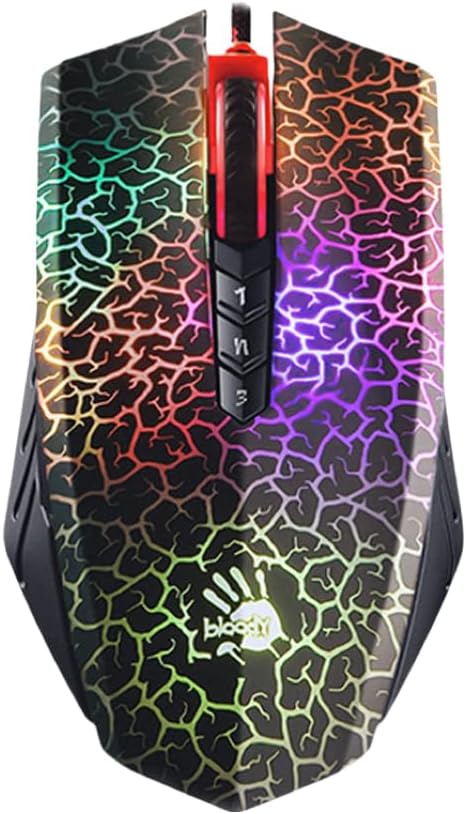
The Bloody A70 II features Light Strike optical switches for rapid response. Rated 4.5, it focuses on durability and speed. This mouse is built for users who prioritize longevity and performance.
We may earn a commission when you buy through this link, at no additional cost to you.
Key strengths include optical switches with 0.2ms response time. The X Glide Armor enhances smooth gliding. Its robust build ensures reliability over millions of clicks.
Design aesthetics may feel outdated compared to modern RGB models. Software is functional but lacks modern features. These issues are secondary to its performance focus.
Best for users seeking reliable high performance tools. The A70 II stands up to intense use. It is a practical choice for durability focused buyers.
Optical triggers eliminate debounce delay for speed. This ensures instant response to inputs.
Built to withstand millions of clicks without failure. This ensures long-term reliability.
We may earn a commission when you buy through this link, at no additional cost to you.
The Logitech G PRO X2 SUPERSTRIKE is engineered for elite competitors. With a 4.6 rating it features unique haptic feedback and rapid clicks. This mouse sets a new standard for high-end gaming peripherals.
We may earn a commission when you buy through this link, at no additional cost to you.
Key strengths include the Haptic Inductive Trigger System for real-time feedback. The HERO 2 sensor ensures unmatched accuracy. Thin-wall construction keeps it lightweight and responsive.
High cost limits accessibility for most buyers. Compatibility primarily targets PC gamers. These constraints are justified by its advanced features.
Best for serious competitors needing every advantage. The PRO X2 delivers innovation and precision. It is a top pick for those prioritizing performance.
Real-time tactile feedback enhances immersion. This helps users feel actions directly.
30ms faster clicks than previous models. This provides a competitive edge.
We may earn a commission when you buy through this link, at no additional cost to you.
The Razer Basilisk V3 features iconic ergonomic design favored by many. Rated 4.6, it combines comfort with extensive customization. This mouse is ideal for users valuing ergonomics and visual style.
We may earn a commission when you buy through this link, at no additional cost to you.
Key strengths include the thumb rest and HyperScroll tilt wheel. 11 programmable buttons support diverse tasks. Chroma RGB lighting reacts dynamically with games for immersion.
Wired only limits mobility for wireless seekers. Weight may be too high for competitive gamers. These trade-offs are acceptable for users prioritizing comfort.
Best for ergonomic users needing customization. The Basilisk V3 balances comfort and features. It is a top choice for style and function.
Designed to support the hand naturally. This reduces strain during long use.
Switch between free-spin and tactile modes. This offers speed or precision as needed.
We may earn a commission when you buy through this link, at no additional cost to you.
Selecting the ideal drag click mouse involves evaluating several critical factors that impact performance and comfort.
The sensor is the heart of any gaming mouse. Look for high DPI ranges and accurate tracking on various surfaces. Optical sensors generally offer better longevity than mechanical ones.
Prioritize models with reliable optical sensors to ensure smooth tracking.
Comfort is vital for extended sessions. Choose a shape that supports your grip style naturally. A good ergonomic design reduces hand strain.
Test the shape if possible to confirm it fits your hand.
Decide between wired and wireless options based on your needs. Wireless offers freedom while wired ensures zero latency. Consider battery life for wireless models.
Choose connectivity that aligns with your usage scenarios.
More buttons allow for macro customization. Ensure the software supports your needs easily. Extra buttons can boost productivity significantly.
Select a layout that matches your workflow.
Durability matters for long-term value. Look for mice with high click cycle ratings. Quality materials prevent premature wear.
Opt for robust construction to ensure longevity.
Lighter mice allow faster movements. Heavier ones provide stability. Choose based on your preference and game type.
Balance weight with your comfort needs.
Software enables customization and macro editing. Ensure it is intuitive and supports your OS. Regular updates improve functionality.
Verify software quality before purchasing.
Set a realistic budget that meets needs without overspending. Many affordable options offer high performance. Balance cost with features.
Compare models within your price range.
Start by installing the manufacturer software to configure DPI and buttons. Adjust settings based on your specific tasks. Ensure firmware is updated for best performance.
Keep your mouse clean by wiping surfaces gently. Use a smooth mouse pad for optimal glide. Avoid dragging on rough textures to prevent wear.
For wireless models, charge fully before use. Disconnect when not needed to save battery. Store in a dry place to protect components.
A drag click mouse is designed to register multiple clicks rapidly when dragged. This technique enhances productivity and gaming speed. It is popular among competitive gamers and users needing quick inputs.
Wireless mice offer freedom from cables but may have slight latency. Wired mice ensure stability. Choose based on your preference for flexibility versus raw speed.
Use a soft dry cloth to wipe surfaces. Avoid liquid cleaners on buttons or sensors. Regular cleaning maintains performance and extends lifespan.
Using drag clicks may impact switch durability over time. Check warranty terms before using advanced techniques. Normal use typically remains covered by manufacturer policies.
DPI needs vary by screen size and task. Higher DPI suits high resolution displays. Adjust settings to find your comfortable precision level.
Yes many models support both gaming and work. Customizable buttons boost productivity. Choose an ergonomic shape for all day comfort.
We explored ten top drag click mice each offering unique strengths. From budget friendly to premium models there is something for everyone. Consider your primary needs before deciding.
Prioritize sensor accuracy and ergonomics for lasting satisfaction. Features like wireless connectivity and button customization add value. Match choices to your specific use case.
Always check current availability and pricing before purchase. Products change regularly. Verify details to ensure you get the best deal.