
Nulea M501 Wireless Trackball Mouse Ergonomic Thumb Control
4.4Editor score
Rechargeable built-in battery
Connects to three devices
Adjustable DPI levels
Discover the top ergonomic trackball mice for comfort and precision. This guide compares ten leading models to help you find the perfect device for your
Finding the right ergonomic trackball mouse can transform your daily workflow by reducing strain and improving precision. These devices offer a unique way to navigate your computer without moving your wrist or arm excessively.
We evaluated ten top-rated models based on comfort, connectivity, battery life, and overall performance. Our comparison focuses on how well each mouse supports natural hand positions and reduces muscle fatigue during long sessions.
Each pick highlights specific strengths such as design, programmable features, or budget-friendly options. Keep in mind that availability and pricing may change over time so check current listings before purchasing.
4.4Editor score
4.5Editor score

4.4Editor score
The following table provides a side-by-side overview of the ten featured ergonomic trackball mice. Compare their key specifications to determine which model aligns best with your workspace requirements and comfort goals.




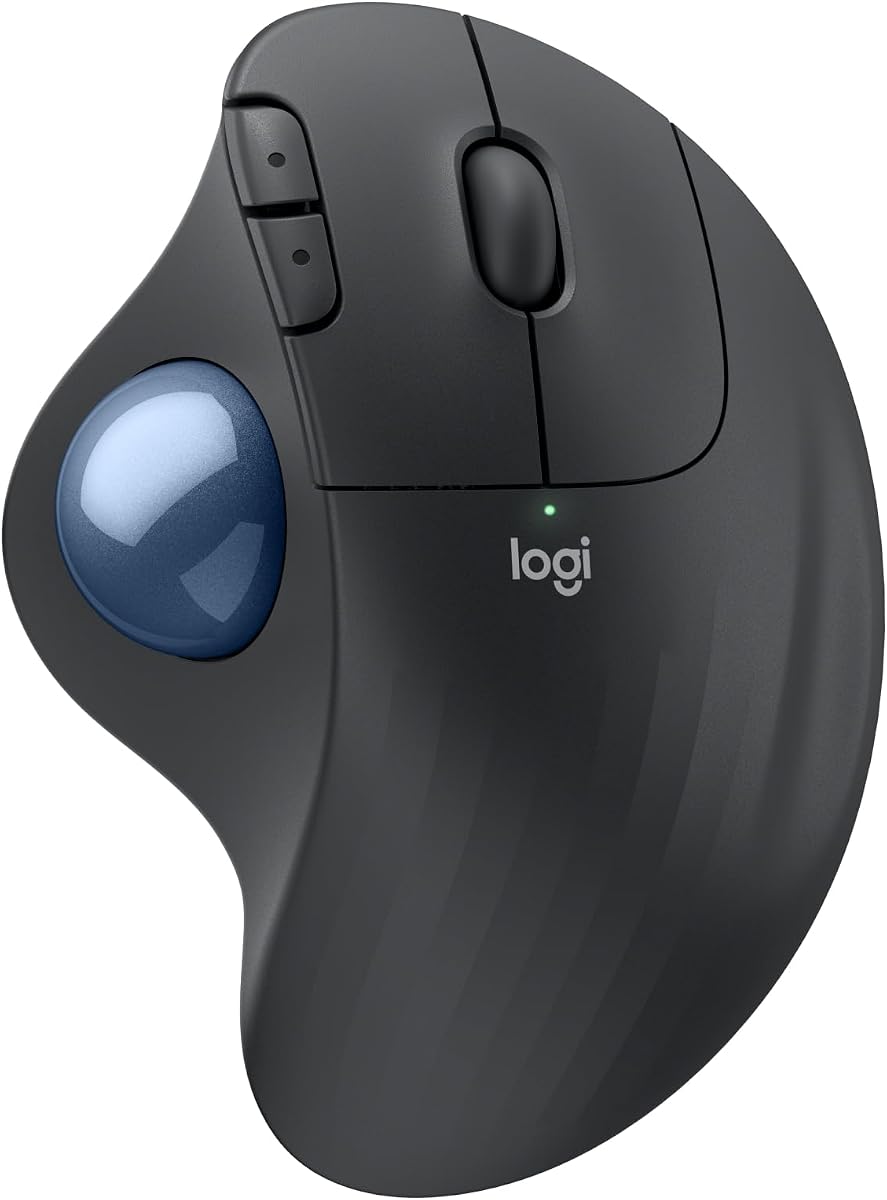
The Logitech Ergo M575S stands out as a top choice for anyone seeking comfort and precision. With a rating of 4.5 stars, users appreciate its refined design and reliable performance across various tasks.
We may earn a commission when you buy through this link, at no additional cost to you.
Its sculpted shape reduces muscle strain by 25% and realigns your forearm for better posture. The trackball allows smooth thumb control without moving your hand, ideal for tight spaces or long sessions.
While it offers customizable buttons via the Logi Options+ app, not all buttons are fully programmable. The lack of tilt adjustment limits customization compared to higher-end models but remains functional.
This mouse is perfect for professionals and home users needing all-day comfort. Pair it with the Wave Keys keyboard for a complete ergonomic setup that supports healthy working habits.
The ergonomic shape supports your hand and realigns your forearm into a better posture throughout the day, reducing fatigue during extended use.
Use the Logi Options+ app to customize buttons for time-saving shortcuts and Smart Actions that streamline your workflow efficiently.
We may earn a commission when you buy through this link, at no additional cost to you.
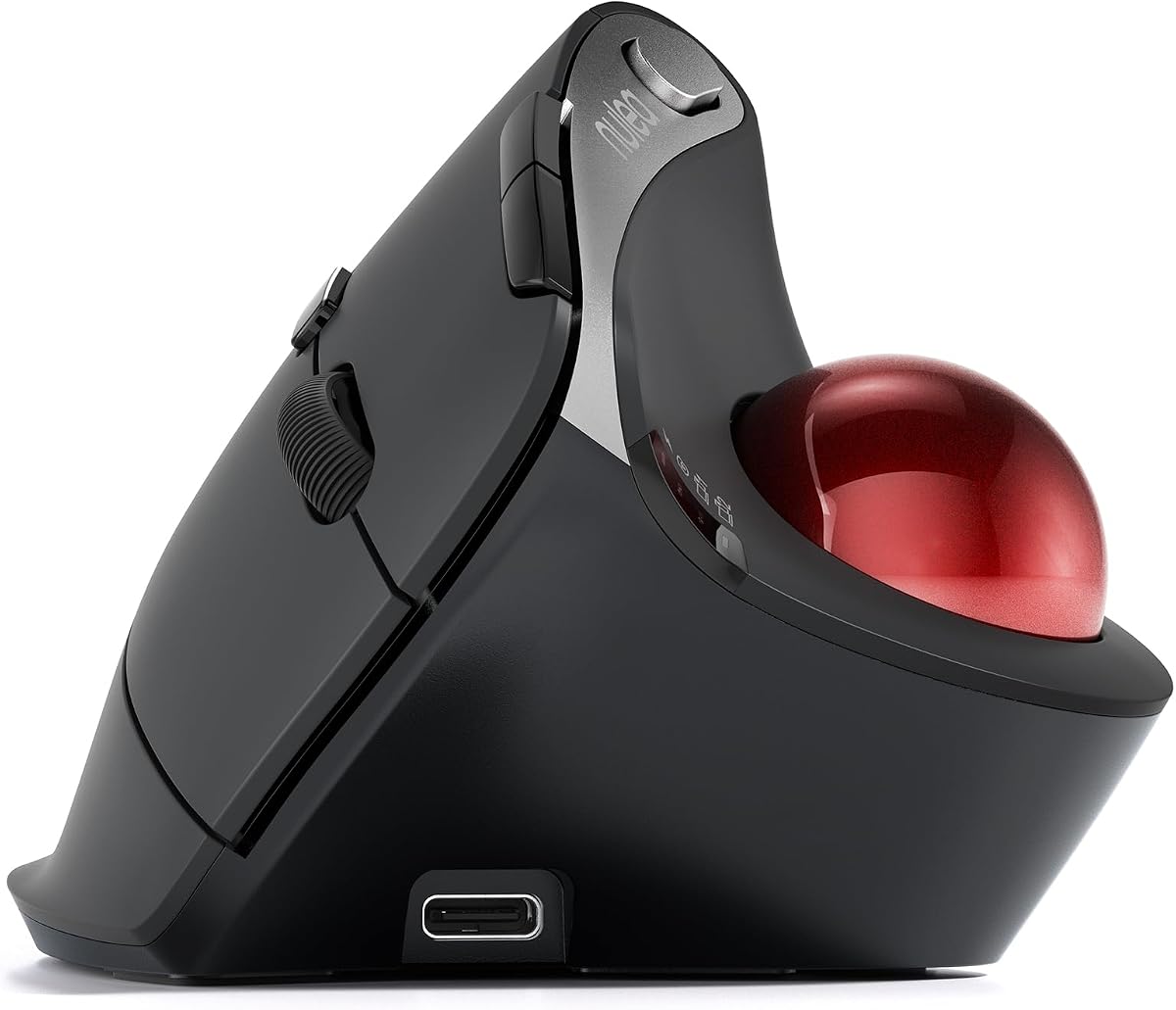
The Nulea M501 delivers solid performance at an accessible price. Rated 4.4 stars, it appeals to budget-conscious users who still want reliable comfort and wireless freedom.
We may earn a commission when you buy through this link, at no additional cost to you.
Its smooth thumb control and adjustable DPI allow precise cursor movement. The rechargeable battery eliminates the need for disposables, making it eco-friendly and convenient.
However, the buttons are not programmable which may limit advanced users. Battery life is shorter than premium models requiring more frequent charging.
Ideal for students or casual users, this mouse reduces wrist stress effectively. It works well on any surface including couch or bed for flexible work environments.
Connect up to three devices via Bluetooth or USB dongle and switch easily between them with a bottom button for seamless workflow.
Adjustable DPI levels and smooth trackball provide exceptional accuracy and control on almost any surface for better productivity.
We may earn a commission when you buy through this link, at no additional cost to you.
The MX Ergo S Advanced brings premium ergonomics to your desk. With a 4.4 rating, it is designed for users demanding top-tier comfort and productivity features.
We may earn a commission when you buy through this link, at no additional cost to you.
Its 20-degree tilt angle reduces muscle strain by 27% while soft rubber grip ensures comfort. Switch between speed and precision with a dedicated button.
The higher cost may not fit all budgets and USB-C cable is sold separate. Battery life is excellent but requires full charge for maximum days of use.
Best for professionals needing advanced control and posture support. Pair with Logitech keyboards for a fully integrated ergonomic workspace.
The tilt angle promotes better forearm posture reducing muscle strain by 27% and featuring an ergonomic design.
Enjoy up to 24 hours of use from a 1 minute charge or up to 120 days with a full charge via USB-C.
We may earn a commission when you buy through this link, at no additional cost to you.
This black variant of the M575S offers the same comfort in a sleek finish. Rated 4.6 stars, it appeals to those preferring dark aesthetics for their setup.
We may earn a commission when you buy through this link, at no additional cost to you.
It retains the ergonomic shape that reduces muscle strain and improves forearm posture. The thumb control keeps your hand relaxed while tracking precisely on any surface.
The only differences from the graphite version are color options. If you want black specifically this model delivers identical performance without extra cost.
A great pick for users who value style alongside function. Pair with matching peripherals for a cohesive look on your desk.
The ergonomic shape supports your hand and realigns your forearm into a better posture throughout the day.
Connect via Bluetooth or Logi Bolt USB receiver and enjoy up to 18 months of battery life.
We may earn a commission when you buy through this link, at no additional cost to you.
The TECKNET mouse offers a 16-degree vertical angle that reduces muscle strain by 50%. Rated 4.5 stars, it targets users seeking aggressive ergonomic improvements.
We may earn a commission when you buy through this link, at no additional cost to you.
Its large dimensions suit medium to large hands best. The 500mAh battery ensures long use and silent buttons keep workspaces quiet.
Users need 1 to 2 weeks to get used to the shape. It may feel bulky for small hands but excels at comfort over time.
A solid choice for those needing significant posture support. The silent design makes it great for shared or library environments.
Featuring a unique 16-degree vertical angle this mouse promotes better forearm posture and reduces muscle strain by up to 50%.
Built with a 500mAh battery that charges quickly in 15 minutes for a full day of use.
We may earn a commission when you buy through this link, at no additional cost to you.
Rated 4.7 stars the Nulea M506 stands out with its 54-degree vertical structure and easy-to-clean trackball. It ensures a natural wrist position for all-day use.
We may earn a commission when you buy through this link, at no additional cost to you.
The trackball is removable without tools allowing you to clear dust and dirt quickly. This maintains smooth rolling and precise cursor control over time.
Battery life reaches up to 21 days on a single charge. While buttons are limited, the ergonomic benefits make up for the simplicity.
Great for designers and office workers needing comfort and easy maintenance. The vertical layout reduces wrist burden significantly.
The 54-degree vertical structure keeps your wrists and forearms in natural relaxed positions with a contoured shell.
The trackball is removable for easy cleaning. Take it off quickly without tools to clear dust and dirt.
We may earn a commission when you buy through this link, at no additional cost to you.
This model offers a 65-degree vertical angle and an infinite scroll wheel for effortless navigation. Rated 4.3 stars, it fits long reading or browsing sessions.
We may earn a commission when you buy through this link, at no additional cost to you.
The scroll wheel switches between precise and fast modes based on speed. Every button is completely silent for quiet operation in shared spaces.
The scroll wheel may take time to master. It is not ideal for detailed work needing fixed increments but excels at general tasks.
Perfect for writers and readers prioritizing comfort and silence. Pair with a laptop for mobile ergonomic productivity.
The ergonomic vertical mouse features an advanced infinite scroll wheel that automatically switches between precise and fast modes based on scrolling speed.
Experience a completely noise-free operation from the trackball to every button and scroll wheel.
We may earn a commission when you buy through this link, at no additional cost to you.
The Nulea M506 variant includes a 21.7-degree tilt stand for better wrist positioning. Rated 4.4 stars, it offers comfort similar to pricier ergonomic models.
We may earn a commission when you buy through this link, at no additional cost to you.
The elevated tilt reduces strain while silent buttons keep noise low. Six buttons provide back forward and navigation options.
DPI adjustment is helpful but buttons remain non-programmable. The tilt stand is fixed so customization is limited to DPI only.
Ideal for users needing tilt benefits on a budget. Works well for office work and general navigation tasks.
The ergonomic wireless mouse comes with a 21.7-degree tilt stand for a more natural wrist position.
Experience a completely noise-free operation from the trackball to every button and scroll wheel.
We may earn a commission when you buy through this link, at no additional cost to you.
This business edition allows IT teams to deploy and monitor mice remotely. Rated 4.4 stars, it shares the M575S comfort but adds management tools.
We may earn a commission when you buy through this link, at no additional cost to you.
Logitech Sync enables remote updates and monitoring. The shape reduces muscle activity by 25% and keeps hand and arm relaxed.
Individual users may not use the business features. It remains a great choice for teams needing consistent ergonomic deployment.
Perfect for businesses prioritizing employee comfort and IT control. It scales well for offices of any size.
Ideal to deploy at scale for employees who want an ergonomic mouse for all day comfort and monitor with Logitech Sync.
The plastic parts in ERGO M575 Trackball include 52% post consumer recycled plastic.
We may earn a commission when you buy through this link, at no additional cost to you.
This variant highlights USB-C rechargeability and an encrypted dongle for secure connections. Rated 4.5 stars, it is built for advanced users needing reliability.
We may earn a commission when you buy through this link, at no additional cost to you.
Fast charging gives 24 hours from a 1-minute charge. The encrypted dongle ensures security for business or sensitive work.
Cable is sold separate and costs are higher. However performance and security justify the expense for power users.
Best for executives or IT pros needing security and comfort. Pair with a Logitech keyboard for a complete secure setup.
Enjoy up to 24 hours of use from a 1 min charge or up to 120 days with a full charge.
The included dongle provides an encrypted connection for enhanced security during use.
We may earn a commission when you buy through this link, at no additional cost to you.
Selecting the right ergonomic trackball mouse involves considering comfort, connectivity, features, and budget. Below are key factors to evaluate before purchasing.
Look for shapes that keep your wrist and forearm in a natural position. Vertical or tilted models reduce strain by keeping your hand relaxed during long use.
A good ergonomic design minimizes muscle activity and promotes better posture for daily comfort.
Thumb-controlled trackballs allow cursor movement without moving your hand. This reduces wrist and arm fatigue significantly.
Ensure the trackball rolls smoothly and is easy to clean for consistent performance.
Most models offer Bluetooth and USB receiver options. Check if the mouse supports multi-device switching for better workflow.
Wireless connectivity keeps your desk tidy and improves flexibility for mobile work.
Some mice use disposable batteries while others are rechargeable. Rechargeable models reduce waste and cost over time.
Choose a battery life that matches your usage patterns to avoid frequent interruptions.
Customizable buttons let you create shortcuts for common tasks. This boosts productivity and reduces repetitive clicks.
Verify if the software supports customization before purchasing to ensure you can tailor the device.
Adjustable DPI settings let you control cursor speed and precision. Higher DPI works better for large screens.
Multiple DPI levels ensure you can switch between detailed work and general navigation easily.
Quiet clicks are essential for shared offices or late-night work. Some models offer silent switches for all buttons.
Look for models explicitly marketed as silent or quiet to avoid distracting sounds.
Prices vary from budget to premium. Consider the features you need versus the cost to get the best value.
Check warranty terms to ensure you are covered for defects or performance issues.
Start by placing your palm on the ergonomic shape and using your thumb to roll the trackball. Let the ball do the work instead of your wrist for comfort.
Use the app to customize buttons if supported. Map common actions to buttons to speed up your workflow and reduce strain.
Clean the trackball regularly by removing it to clear dust and dirt. This ensures smooth rolling and precise cursor control over time.
An ergonomic trackball mouse is a pointing device that uses a thumb-operated ball for cursor control. It keeps your hand in a natural position to reduce wrist and arm strain during long work sessions.
By allowing you to move the cursor with your thumb while keeping your hand stationary, trackball mice eliminate repetitive arm and wrist motions. This minimizes muscle fatigue and promotes healthier posture.
Some models are designed for smaller hands but many ergonomic trackballs suit medium to large hands best. Check dimensions and reviews to ensure a comfortable fit for your hand size.
Yes, trackball mice do not require a flat surface to move since the cursor is controlled by rolling the ball. You can use them on desks, laps, or even while sitting on a couch.
Basic functions work without drivers, but advanced features like button customization often require the manufacturer's app. Install the software to unlock full programmability.
Remove the trackball from its cage using the release mechanism or by pressing gently. Clean the ball and housing to remove dust and dirt to ensure smooth operation.
Logitech and Nulea are top brands with highly rated models. Logitech offers premium options with tilt and advanced customization while Nulea provides affordable ergonomic alternatives.
Many modern trackball mice support multi-device switching via Bluetooth or USB receiver. Press a button to switch between computers or laptops seamlessly.
The Logitech Ergo M575S, Nulea M501, and MX Ergo S Advanced lead our list. Each offers unique features to meet different needs and budgets.
Prioritize ergonomics that fit your hand size and workspace. Look for quiet operation, programmable features, and solid battery life.
Check current pricing and availability before purchasing. Ergonomic mice can improve productivity and comfort so choose wisely for long-term satisfaction.