
cocopar Portable Monitor 16 Inch 2.5K QHD 144Hz
4.8Editor score
110% sRGB color gamut
Ultra-lightweight 1.5 lb design
Metal kickstand and VESA mount
Discover the top external monitors for MacBook Neo users in October 2026. We compare portable screens, connectivity, color accuracy, and value for professionals
Choosing the right external monitor for MacBook Neo can transform your workflow. Whether you need portability for travel or a high-resolution screen for creative work, the market offers diverse options to suit every budget and requirement effectively.
We analyzed ten top-rated portable monitors based on display quality, connectivity options, and build durability. Our comparison focuses on compatibility with USB-C workflows, color accuracy for creative tasks, and overall value for money in the current market landscape.
Each pick highlights specific strengths like resolution, refresh rate, and portability features. Prices and availability change frequently, so verify current details before purchasing. This guide helps you find the perfect screen companion for your MacBook Neo setup today.
4.8Editor score

4.8Editor score

4.3Editor score
This side-by-side comparison highlights key specifications across all ten selected monitors. We evaluate resolution, refresh rate, connectivity, and portability to help you make an informed decision based on your specific usage needs and budget constraints.




The VisionOwl Portable Monitor stands out as a top-tier choice for MacBook Neo users seeking high performance. With a 2.5K resolution and 144Hz refresh rate, it offers exceptional clarity and smoothness for both work and entertainment.
We may earn a commission when you buy through this link, at no additional cost to you.
Its 16:10 aspect ratio is specifically designed to match modern MacBooks, eliminating black bars during mirroring. The high brightness and color accuracy make it ideal for design work, while the included VESA mount adds flexibility.
While the price is higher than entry-level options, the premium panel and sturdy construction justify the investment. Users may find it slightly heavier than ultra-light models, but the durability compensates for the added weight.
If you prioritize screen real estate and refresh rate, this monitor is an excellent investment. It serves as a perfect secondary screen for coding, creative tasks, or gaming on the go with your MacBook Neo.
The 16:10 ratio ensures seamless full-screen mirroring with MacBook Neo, maximizing usable screen space without letterboxing or pillarboxing during presentation or work sessions.
With 144Hz refresh support, motion appears fluid and crisp, which is especially beneficial for fast-paced gaming or smooth scrolling through complex documents and timelines.
We may earn a commission when you buy through this link, at no additional cost to you.
The cocopar Portable Monitor is designed for professionals who demand premium build quality and color fidelity. Its 2.5K resolution combined with 110% sRGB coverage ensures vibrant and accurate visuals for creative workflows.
We may earn a commission when you buy through this link, at no additional cost to you.
The metal chassis offers durability without compromising weight, making it easy to carry in a backpack. The integrated kickstand is robust, allowing for stable positioning on various surfaces during work or travel.
While it carries a premium price, the included accessories and build quality make it a worthwhile choice. The weight is low, but the metal body might feel colder to touch compared to plastic alternatives.
This monitor is ideal for photographers, designers, or anyone needing reliable color reproduction. It balances portability with performance, making it a strong contender for MacBook Neo users seeking a high-end portable display.
The 110% sRGB coverage guarantees that colors appear true to life, which is critical for photo editing, graphic design, and content creation tasks where precision matters.
Crafted from a full metal chassis, this monitor offers better heat dissipation and physical protection, ensuring longevity even when used frequently in different environments.
We may earn a commission when you buy through this link, at no additional cost to you.
The MNN Portable Monitor offers exceptional value for budget-conscious buyers looking for a reliable external display. Its Full HD resolution and IPS panel provide clear visuals at a very competitive price point.
We may earn a commission when you buy through this link, at no additional cost to you.
Two Type-C ports simplify connections, allowing power and video transmission through a single cable. The smart cover doubles as a stand, adding convenience without extra cost or clutter in your travel bag.
While it lacks high refresh rates or advanced HDR features, it covers basic productivity needs effectively. Some users may notice lower brightness in bright environments, but this is expected at this price level.
This is an ideal choice for students or remote workers who need a second screen without breaking the bank. It works well with MacBook Neo for document editing, browsing, and general multitasking tasks.
Having two Type-C ports means you can connect power and display signal simultaneously with minimal cabling, streamlining setup time when moving between locations quickly.
The smart cover protects the screen from scratches when closed and converts into a stable stand, offering versatile use cases for both transport and workspace setup.
We may earn a commission when you buy through this link, at no additional cost to you.
The ASUS ZenScreen is renowned for its eye care features, making it suitable for long work sessions. It includes TÜV Rheinland-certified flicker-free and low blue light technologies to reduce strain.
We may earn a commission when you buy through this link, at no additional cost to you.
The anti-glare surface helps mitigate reflections, ensuring a clear view in various lighting conditions. With a robust 3-year warranty, ASUS stands behind the durability and reliability of this portable monitor.
Connectivity is straightforward but limited to USB Type-C and a hybrid signal solution. While it does not offer advanced gaming features, it excels in comfort and protection for daily productivity tasks.
If you spend hours in front of a screen, this model prioritizes your health and comfort. It is a solid choice for professionals who value warranty protection and eye comfort over high refresh rates.
Certified by TÜV Rheinland, the flicker-free and low blue light tech reduces eye fatigue significantly during extended reading or coding sessions on your MacBook Neo.
The anti-glare coating diffuses reflections, making it easier to view content clearly in bright rooms or near windows without annoying visual distractions.
We may earn a commission when you buy through this link, at no additional cost to you.
InnoView's monitor brings versatility with built-in speakers and a protective case. This setup allows for quick deployment without needing extra accessories, making it great for travel or meetings.
We may earn a commission when you buy through this link, at no additional cost to you.
The 15.6-inch Full HD screen provides ample space for multitasking. Its compatibility with a wide range of devices ensures it works smoothly with MacBook Neo and other peripherals you might own.
The included case offers physical protection, which is a thoughtful touch for frequent travelers. However, the built-in speakers lack the volume for large rooms, serving better for private listening.
This monitor is a balanced choice for general users needing audio and protection in one package. It simplifies your setup while delivering reliable visual performance for everyday work and media consumption.
With integrated speakers, you avoid carrying external audio gear for casual media playback or video calls, keeping your travel kit minimal and efficient.
The smart protective cover guards against scratches and impacts, ensuring your screen remains pristine even when packed tightly in a backpack with other gear.
We may earn a commission when you buy through this link, at no additional cost to you.
This InnoView model prioritizes portability with an ultra-slim profile. It fits easily into tight spaces and is perfect for those who need a second screen without adding bulk to their bag.
We may earn a commission when you buy through this link, at no additional cost to you.
The built-in stand allows for adjustable viewing angles, which helps maintain ergonomics in different environments. The included sleeve ensures safe transport, adding to its convenience for commuters.
While it offers a standard 1080P resolution, the contrast ratio is upgraded for better image quality. However, it lacks advanced gaming features, focusing more on efficient daily use and comfort.
If you want a lightweight monitor that slips into a backpack effortlessly, this is a strong candidate. It provides essential functionality without unnecessary extras, making it a practical tool for MacBook Neo users.
At just 0.25 inches thick, this monitor slips into bags easily, ensuring you can carry it alongside your MacBook without straining your shoulders or pocket space.
The built-in 90-degree adjustable stand lets you position the screen for optimal viewing height, reducing neck strain whether sitting at a desk or working on a table.
We may earn a commission when you buy through this link, at no additional cost to you.
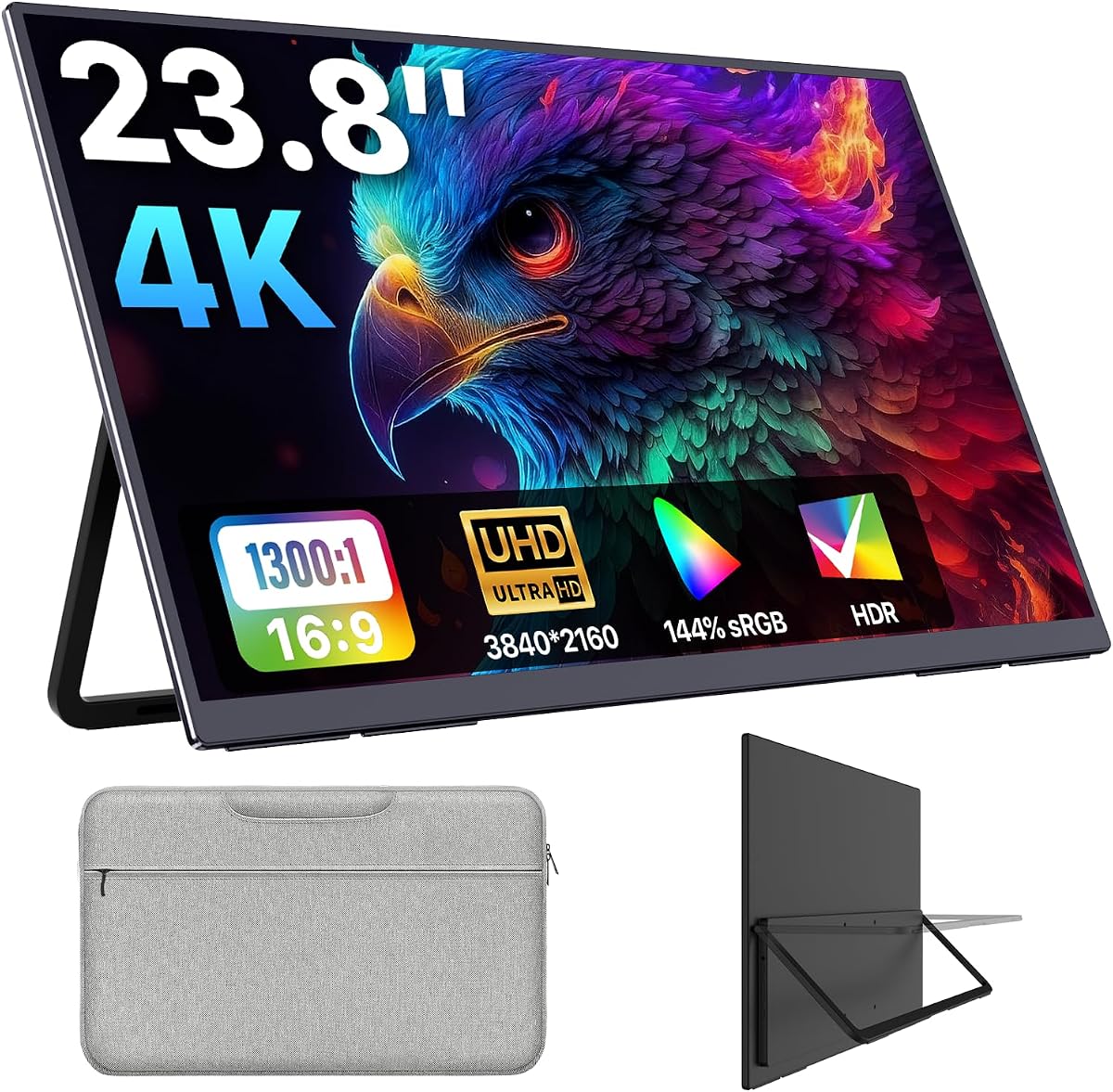
Upperizon offers a massive 23.8-inch 4K display, perfect for users needing substantial screen space. The resolution and color gamut deliver stunning detail, ideal for design work or multimedia consumption.
We may earn a commission when you buy through this link, at no additional cost to you.
The frameless design enhances immersion, making it great for watching videos or managing multiple windows simultaneously. It supports VESA mounts, adding flexibility for home office setups where portability is less critical.
While it is heavier than compact options, the visual benefits outweigh the weight for many users. You should ensure your power source can handle the higher power requirements for smooth operation without flicker.
This monitor is best for those who prioritize size and resolution over portability. It transforms your MacBook Neo into a workstation capable of professional-grade tasks with expansive visual clarity.
A 23.8-inch screen provides ample room for multitasking, allowing side-by-side windows for coding, research, and communication without constant switching.
With 144% sRGB and 8-bit+FRC technology, colors are vibrant and accurate, ensuring your creative projects look exactly as intended on screen.
We may earn a commission when you buy through this link, at no additional cost to you.
KEFEYA focuses on efficiency with a dual screen setup that expands your workspace. It allows multiple windows to be open simultaneously, boosting productivity without complex configurations.
We may earn a commission when you buy through this link, at no additional cost to you.
The ability to rotate 180 degrees means you can adjust the view based on your preference or task. It connects via USB-C or HDMI, ensuring compatibility with MacBook Neo and various operating systems.
Note that when using HDMI, an extra USB cable is needed for power. While brightness is adequate indoors, it may struggle in very bright conditions. Still, it offers solid value for productivity.
This extender is perfect for professionals who need to multitask actively. It provides a simple way to add a second screen without bulky hardware, keeping your setup clean and efficient.
With support for multiple open windows, this extender allows you to keep apps accessible without constant switching, significantly reducing workflow interruptions.
The 180-degree rotation capability gives you flexibility to share your screen with colleagues or adjust the angle for comfortable viewing from different positions.
We may earn a commission when you buy through this link, at no additional cost to you.
The kksmart monitor balances size and weight, offering a larger 18.5-inch screen without excessive heft. It features a frameless design that enhances the viewing experience and modern aesthetics.
We may earn a commission when you buy through this link, at no additional cost to you.
A 100Hz refresh rate ensures smooth motion, making it suitable for gaming and general use. The built-in stand is stable, and the speaker system provides adequate audio for media consumption without external devices.
While it does not reach 4K resolution, the 1080P clarity is excellent for its size. The VESA compatibility allows for additional mounting options, adding versatility to your workspace setup.
This is a great option for those wanting more screen space without sacrificing portability. It works seamlessly with MacBook Neo for presentations, media streaming, and daily tasks on the go.
The four-side frameless design creates an immersive viewing area that makes the screen appear larger and more modern, enhancing focus during work or entertainment.
Weighing just 2.24 pounds, it offers a substantial 18.5-inch display that remains easy to carry, making it ideal for users needing extra space on business trips.
We may earn a commission when you buy through this link, at no additional cost to you.
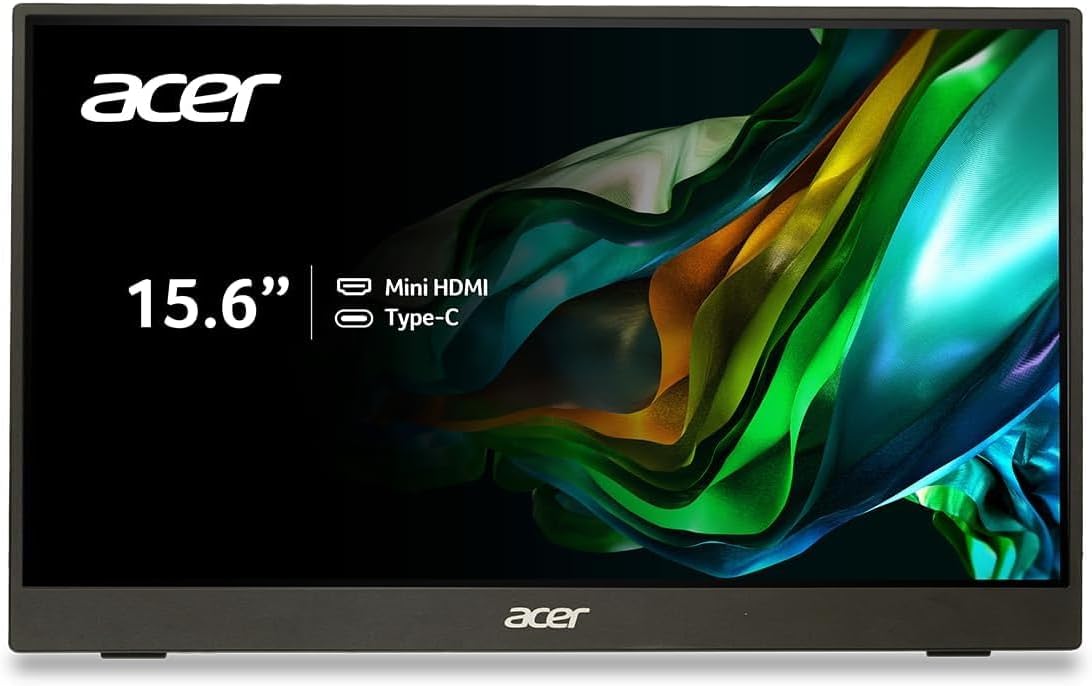
Acer's PM161Q delivers reliable performance at a competitive price. Its slim design and Full HD resolution make it a practical choice for users seeking an upgrade without high costs.
We may earn a commission when you buy through this link, at no additional cost to you.
The AMD FreeSync technology helps reduce screen tearing, improving visual smoothness during video playback or light gaming. With a 4ms response time, it maintains clarity during movement.
While it lacks advanced features like HDR, the ergonomic tilt supports comfortable viewing angles. It serves as a solid secondary screen for general office tasks and everyday computing needs.
If you need a straightforward monitor for work or casual use, this model offers great value. It pairs well with MacBook Neo, providing expanded workspace for emails, documents, and browsing.
AMD FreeSync syncs the display refresh rate with your GPU, preventing visual tearing and ensuring smoother visuals during media consumption or gaming sessions.
A 4ms response time minimizes motion blur, making transitions crisp and clear, which is beneficial for fast-paced content or scrolling.
We may earn a commission when you buy through this link, at no additional cost to you.
Selecting the right external monitor involves evaluating several factors to ensure compatibility and performance.
Resolution determines clarity and detail, with options ranging from 1080P to 4K. Larger screens offer more workspace but increase port weight. Choose a size that balances workspace needs with travel convenience.
For MacBook Neo users, a 15 to 16-inch screen often provides a good balance. 1080P is sufficient for general tasks, while 2K or 4K is better for creative work needing pixel-perfect detail.
Refresh rate affects how smooth motion appears. Standard office work works fine at 60Hz, but gamers or high-motion video editors benefit from 120Hz or 144Hz displays.
Check your use case. If you prioritize smooth scrolling or fast-paced gaming, higher refresh rates are worth the extra investment. For document work, standard rates are adequate.
Designers and photographers need accurate color reproduction. Look for monitors with high sRGB or Adobe RGB coverage. IPS panels generally offer better color consistency than TN panels.
Ensure the monitor supports wide color gamuts if you edit photos or videos. Good color accuracy ensures your work looks correct on other devices and in print.
USB-C is preferred for MacBook Neo because it supports video and power over one cable. HDMI is a backup option but requires a separate power source. Check your MacBook's ports to match the monitor.
Ideally, choose a monitor with full USB-C support for plug-and-play setup. This reduces cable clutter and simplifies travel setup significantly.
If you travel frequently, weight and thickness matter. Metal builds are durable but heavier. Plastic or composite materials are lighter but may feel less premium. Consider the included carrying case.
Look for sturdy kickstands or VESA mounts. A reliable stand ensures the monitor stays stable, whether on a desk or during a meeting.
Extended screen time can strain eyes. Look for monitors with anti-glare coatings and flicker-free technology. Some models include low blue light modes to reduce visual fatigue.
Eye care features are important for long work hours. They help maintain comfort during extended sessions without compromising on screen clarity or performance.
Prices vary widely based on features. Budget options offer basic functionality, while premium models include better panels and accessories. Consider the warranty length as a value indicator.
A longer warranty gives peace of mind against defects. Investing slightly more in a reputable brand often leads to better customer support and product longevity.
Built-in speakers are convenient for travel, though they rarely match external audio systems. If you listen to media often, check speaker quality and volume before purchasing.
Monitors with decent audio can save you from carrying external speakers. For casual listening, integrated speakers are often sufficient and simplify your setup.
Connect the monitor using a high-quality USB-C cable to ensure stable power and signal transmission. If your MacBook Neo lacks sufficient power ports, use a powered hub or connect an external adapter.
Adjust the brightness and color settings to match your ambient lighting environment. Use system settings to reduce eye strain by enabling night shift modes or customizing contrast levels.
Store the monitor in a protective sleeve when traveling to prevent scratches. Clean the screen with a soft microfiber cloth and avoid harsh chemicals to preserve the anti-glare coating.
If the monitor has a USB-C port that supports video output, you may not need an adapter. However, if your MacBook has limited ports, a hub or adapter might be required to connect both power and video signal.
Yes, you can plug both devices into the same power outlet. However, ensure the USB-C cable supports power pass-through if you want to charge the MacBook through the monitor.
Not all USB-C cables support video data. You need a full-featured USB-C cable for both power and signal. Using a low-quality cable may result in flickering or connection issues.
Most portable monitors can be rotated to portrait mode physically. Check your macOS display settings to enable vertical orientation for coding or reading tasks.
Yes, portable monitors with high refresh rates like 120Hz or 144Hz are suitable for gaming. Lower refresh models work but may not deliver smooth motion for fast-paced titles.
Most modern portable monitors are plug-and-play with macOS. You may need to adjust display settings like scaling or resolution manually for the best visual experience.
We highlighted top options like VisionOwl for high refresh rates and MNN for budget-friendly performance. Each model offers unique strengths depending on your specific needs for productivity or entertainment.
Prioritize what matters most to you, whether it is resolution, portability, or eye care. A monitor that matches your workflow and travel habits will provide the most value over time.
Check current pricing and availability before purchasing since offers may change frequently. Ensure your accessories match the connectivity requirements for the best setup experience.