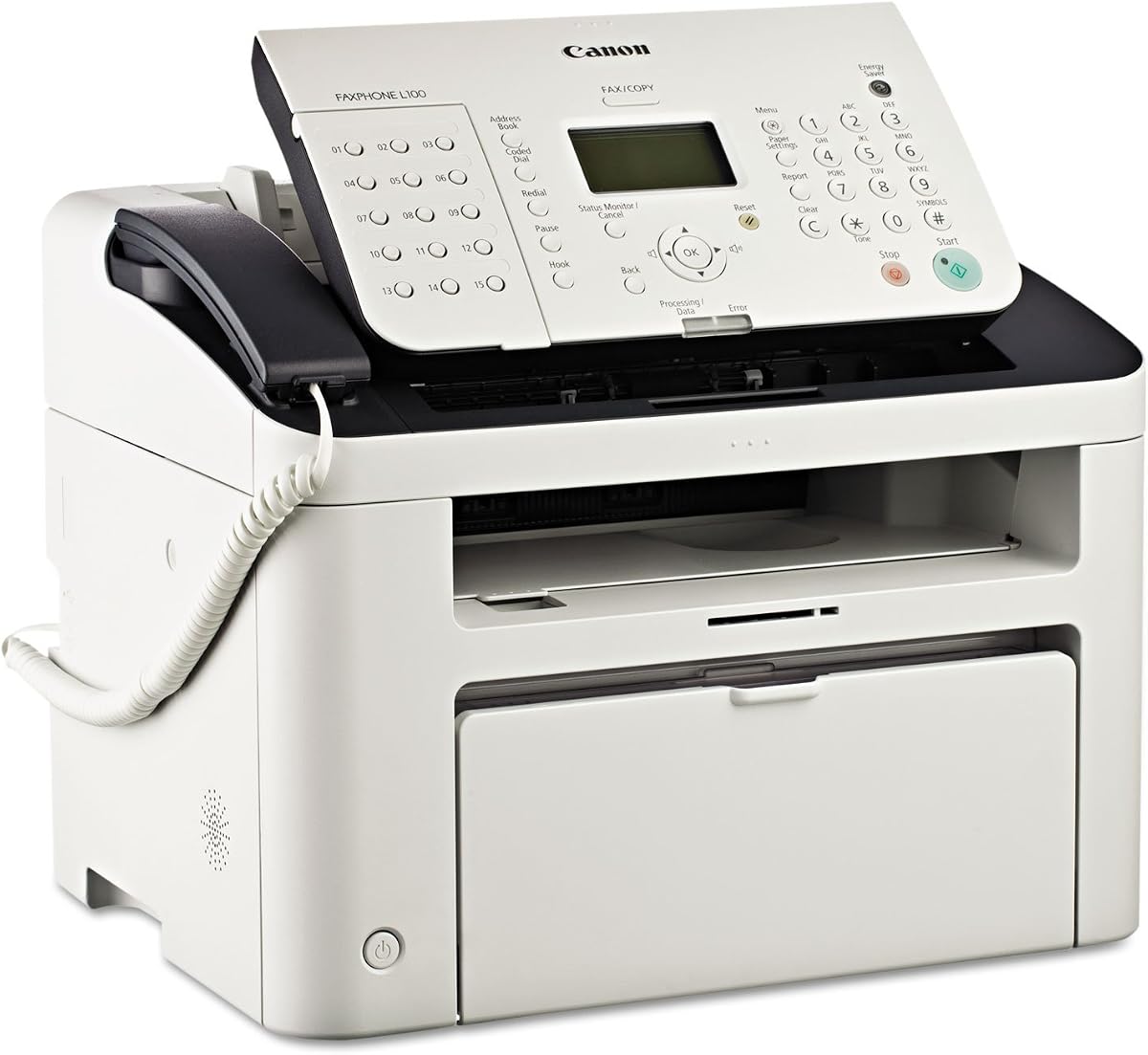
Canon FAXPHONE L100
4.1Editor score
Cost effective laser fax solution
19 pages per minute printing speed
Energy saver mode reduces power use
Fax machines with phone capabilities remain essential for businesses requiring secure document transmission. These devices combine traditional calling features with reliable faxing to streamline office workflows efficiently.
We evaluated ten top-rated models based on performance, features, and user feedback. Our analysis highlights key specifications like memory capacity, modem speed, and paper handling to guide your decision.
Each selection includes detailed pros and cons to help you weigh trade-offs. Prices fluctuate regularly so verify current listings before purchasing to ensure you get the best value available today.
4.1Editor score
4.2Editor score

4.0Editor score
As an Amazon Associate we earn from qualifying purchases.
The following table provides a side-by-side overview of all ten selected models. Review the specifications to identify the machine that best fits your specific fax and telephone requirements.


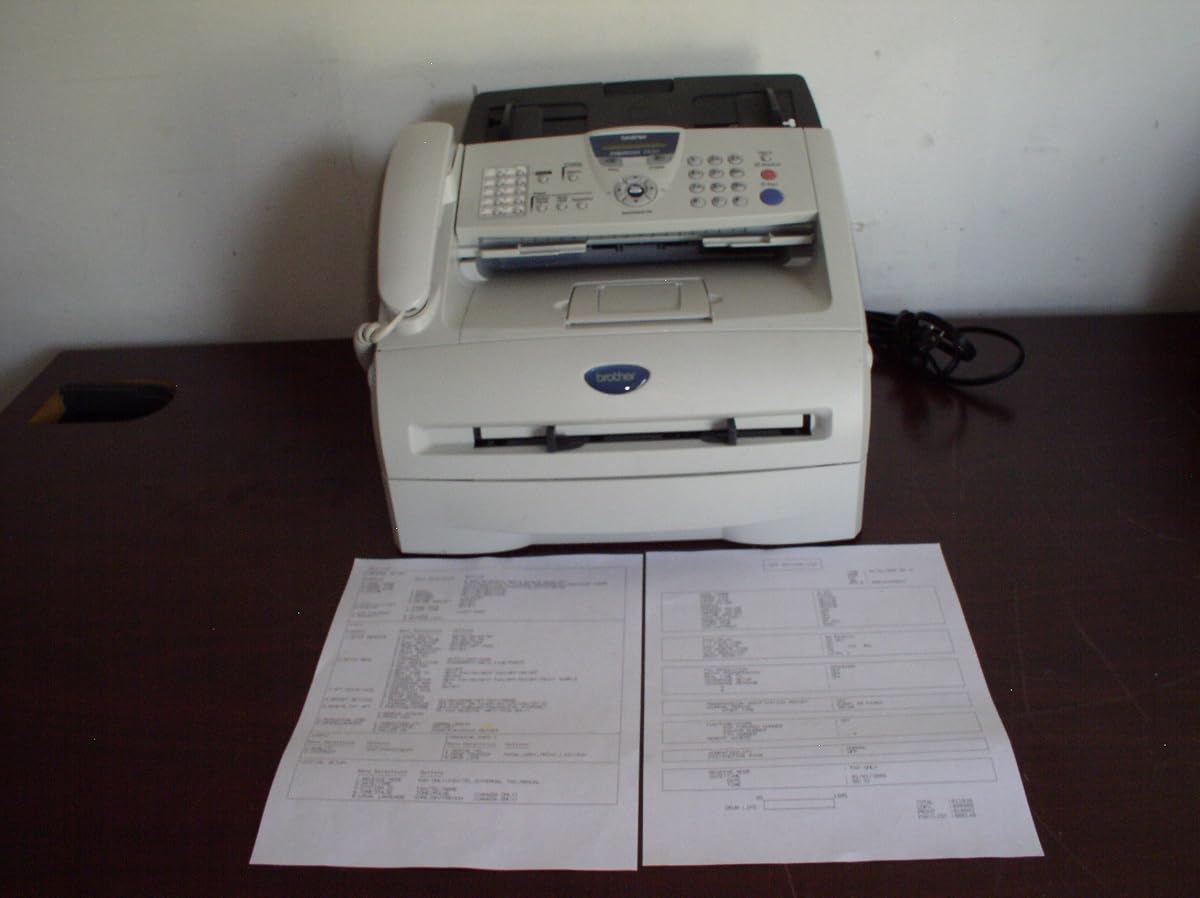
This laser fax machine stands out for its robust memory and speed. With a 4.2 rating it is a trusted choice for offices needing dependable communication tools daily.
We may earn a commission when you buy through this link, at no additional cost to you.
The 8 MB memory allows storage of up to 500 pages which is excellent for batch processing. Its 14.4 Kbps modem ensures quick transmission reducing downtime during busy periods.
While it lacks color scanning the monochrome output is sharp and professional. The trade-off is acceptable given the focus on speed and reliability for standard business documents.
Businesses needing a durable fax and phone unit should choose this model. It balances performance features and cost effectively making it a top recommendation for most users.
The large memory capacity allows you to queue jobs without paper jams or interruptions.
Included handset supports regular calls making it a true dual function device.
We may earn a commission when you buy through this link, at no additional cost to you.
The Canon L100 offers exceptional speed for its price category. With a 4.1 rating it delivers fast printing and solid fax capabilities for small teams or home offices.
We may earn a commission when you buy through this link, at no additional cost to you.
Its 19 pages per minute speed ensures documents are processed quickly. The memory capacity supports storing multiple faxes reducing manual intervention during high volume tasks.
Users note the toner yields around 2100 pages which is average. While the build is lightweight the performance justifies the choice for budget conscious buyers.
Small businesses prioritizing speed over heavy duty features will appreciate this unit. It provides essential fax and phone functions without unnecessary complexity or high costs.
Print up to 19 pages per minute to keep your workflow moving efficiently.
Energy saver mode reduces power consumption when the device is idle.
We may earn a commission when you buy through this link, at no additional cost to you.
This paperless solution redefines traditional faxing with digital convenience. Rated 4.0 it allows sending from mobile devices and computers without physical hardware clutter.
We may earn a commission when you buy through this link, at no additional cost to you.
You can drag and drop files to send faxes in three steps. Incoming faxes are auto saved as PDFs and forwarded via email ensuring secure digital storage.
The lack of a physical handset means reliance on VoIP or phone apps. This trade-off suits modern offices prioritizing eco friendly operations and digital workflow integration.
Tech savvy users who want to eliminate paper waste should choose this device. It bridges the gap between traditional fax and modern digital communication standards effectively.
Eliminate paper waste and toner costs with digital fax sending and receiving.
Send and receive faxes from smartphones ensuring constant connectivity.
We may earn a commission when you buy through this link, at no additional cost to you.
The Brother FAX-575 remains a staple for personal office use. With a 4.1 rating it provides straightforward faxing copying and telephone functions for basic needs.
We may earn a commission when you buy through this link, at no additional cost to you.
Its 9600 BPS modem transmits pages in about 15 seconds. The memory holds up to 25 pages allowing batch sending without holding the document in the feeder.
While it lacks high speed printing the copy resolution is sharp for documents. The older design may lack modern connectivity but it is robust for basic faxing.
Home offices needing a simple all-in-one unit will find this suitable. It avoids complex setups while delivering reliable performance for essential communication tasks.
User friendly interface makes setting up faxes quick and easy.
Fast modem speeds reduce wait times during document sending.
We may earn a commission when you buy through this link, at no additional cost to you.
This renewed option offers the same features as the new model at a lower cost. It is ideal for buyers seeking value without sacrificing core functionality.
We may earn a commission when you buy through this link, at no additional cost to you.
The performance metrics match the new unit including speed and memory. Users can expect reliable faxing and copying for standard office tasks.
Some users report minor cosmetic wear or shorter warranties. However for budget conscious buyers the performance remains consistent with the original specifications.
Small businesses looking to minimize upfront costs should consider this option. It provides essential fax and phone functions while preserving capital for other needs.
Get the same performance as a new unit for significantly less money.
Includes all standard fax and phone features expected from the brand.
We may earn a commission when you buy through this link, at no additional cost to you.
The MFC7240 serves as a versatile office tool combining printing scanning and faxing. With a 4.2 rating it delivers speed and quality for diverse document tasks.
We may earn a commission when you buy through this link, at no additional cost to you.
Its 21 pages per minute speed ensures efficient processing. The compact design fits easily into small spaces without sacrificing paper capacity or functionality.
Users note the USB connectivity limits network sharing options. While scanning resolution is high the lack of a built-in phone handset is a key consideration.
Workspaces needing a multi function device with small footprints should choose this. It balances speed and quality effectively for routine office communication.
Print copy and fax in one device to save space and time.
Int interpolated scanning resolution captures fine details accurately.
We may earn a commission when you buy through this link, at no additional cost to you.
This Panasonic model offers basic plain paper faxing and phone features. However a lower rating suggests users may face limitations compared to newer competitors.
We may earn a commission when you buy through this link, at no additional cost to you.
Caller ID and answering machine interfaces are standard features. The 9.6 Kpbs modem is slower than modern alternatives which may impact efficiency.
The warranty exchange program adds value for peace of mind. Despite the functional features the slower speed and mixed reviews are notable trade-offs.
Users seeking basic plain paper faxing on a strict budget may consider this. Be aware of the speed limitations before committing to this specific model.
Identify incoming calls easily with compatible caller ID features.
Connect seamlessly with existing answering systems for convenience.
We may earn a commission when you buy through this link, at no additional cost to you.
The PPF-2800 delivers consistent plain paper faxing with solid memory features. With a 3.6 rating it meets basic needs for routine fax tasks.
We may earn a commission when you buy through this link, at no additional cost to you.
Its 10 pages per minute speed is moderate but sufficient for light use. The 108 station auto dialing allows quick access to frequent contacts.
Users find the copy capacity up to 99 copies useful for batches. While not the fastest model it provides reliable performance for standard office needs.
Businesses requiring simple faxing with auto dialing will find this useful. It offers straightforward functionality without complex setup requirements.
Store up to 108 contacts for quick one touch dialing.
Make up to 99 copies in a single batch easily.
We may earn a commission when you buy through this link, at no additional cost to you.
This model holds the highest rating in this selection at 4.4. It is designed for business environments needing reliable laser fax performance.
We may earn a commission when you buy through this link, at no additional cost to you.
Super G3 technology ensures clear and fast transmission. The laser printing delivers professional quality documents suitable for client communications.
While it is an older model the durability remains strong. Users value its dependability and speed for high volume faxing needs.
Organizations prioritizing consistent performance and reliability should choose this unit. It provides a solid foundation for business communication requirements.
Super G3 technology ensures fast clear fax data transmission.
Laser printing delivers crisp clean text for business documents.
We may earn a commission when you buy through this link, at no additional cost to you.
The L80 combines laser printing with fax capabilities for standard office tasks. With a 3.6 rating it offers specific strengths like modem speed and handset inclusion.
We may earn a commission when you buy through this link, at no additional cost to you.
Its 33.6 Kbps modem ensures fast transmission rates for documents. The included telephone handset provides direct calling capability without extra hardware.
Print speed is limited to 6 pages per minute which is slow. This trade-off is acceptable for fax focused use cases but may limit general printing.
Users needing a basic laser fax with phone features will find it suitable. Verify current availability as models may vary by region or seller.
33.6 Kbps modem ensures quick fax transmission times.
Telephone handset included standard for easy voice calls.
We may earn a commission when you buy through this link, at no additional cost to you.
Selecting the right fax machine involves evaluating speed, memory, and connectivity to match your workflow needs.
Transmission speed is measured in bits per second or pages per minute. Higher speeds reduce wait times during sending receiving. Look for models with at least 14.4 Kbps modems or modern equivalents.
Prioritize faster transmission to maintain productivity during peak hours.
Memory allows you to store faxes before printing or sending. Models with larger memory can handle batches without constant intervention. Check for at least 512 KB or higher depending on volume.
Sufficient memory prevents interruptions during large document processing tasks.
Paper capacity impacts how often you must reload trays. Auto document feeders streamline multi page sending. Aim for at least 50 sheets input and a 20 page feeder.
Larger paper capacity reduces downtime and maintenance efforts.
Modern units often include USB or Ethernet. Some models allow sending from PCs or mobile devices. Ensure the device supports your preferred connection method for integration.
Choose connectivity that matches your existing office network infrastructure.
Resolution affects the clarity of printed documents. Laser models typically offer 600 dpi or higher. Higher dpi ensures text and images are legible for professional use.
Select higher resolution for crisp clear output on documents.
Look for caller ID and answering machine interfaces if voice calls are frequent. Handsets should be ergonomic. Dialing memory allows quick access to contacts.
Integrated phone features simplify managing both voice and fax tasks.
Energy saver modes reduce power consumption during idle times. Look for ratings like Energy Star. Efficient models save costs and reduce environmental impact over time.
Choose energy efficient models to lower long term operating costs.
A standard warranty covers parts and labor. Exchange programs may be available for certain brands. Verify support duration and terms before purchasing to ensure security.
Check warranty terms to ensure adequate protection against defects.
Connect the phone line securely to the correct port and ensure it is active. Configure the date and time settings to stamp outgoing documents accurately for records.
Load paper into the tray according to manufacturer instructions. Keep the glass scanner clean with a lint free cloth to avoid smudges or streaks on faxes.
Update firmware regularly to maintain optimal performance. Replace toner or thermal paper before it runs out to prevent interrupted transmission jobs during important moments.
Many models work on a single line shared with voice calls. However dedicated lines prevent busy signals during fax transmission. Check specifications to ensure compatibility with your current setup.
Traditional models require a standard analog line. Modern alternatives allow internet faxing via apps. Verify the device type before purchase to ensure you have the necessary infrastructure.
With regular maintenance these units last five to ten years. Usage frequency and environment affect longevity. Proper care like cleaning and timely paper changes extends operation life.
Press the status button or menu option labeled memory or reports. The display will show stored jobs. Clear them by printing or deleting as needed for space.
Some older units use thermal paper while newer ones prefer plain paper. Plain paper offers better longevity and image quality. Check the model type before buying to ensure paper compatibility.
This feature lets you save frequently used numbers for quick access. It simplifies sending to common contacts. Check the capacity limit to see how many numbers you can store.
Our top picks like the Brother IntelliFax 2820 offer strong performance for general use. Consider memory speed and connectivity to match your specific office requirements effectively.
Prioritize models with reliable warranties and support features. A balanced choice ensures you get value without compromising essential communication functions daily.
Remember to check current pricing and availability before buying. Features may vary by region so confirm specifications on the product page for accuracy.