
LG 24U411A-B
4.6Editor score
120Hz refresh rate
HDR10 support
Slim stand base
Reader Mode included
Frameless computer monitors offer a sleek modern aesthetic that minimizes distractions while maximizing screen real estate. These displays feature ultra thin bezels that create an immersive viewing experience perfect for multitasking and creative work.
We evaluated ten leading models based on display quality, refresh rates, connectivity options, and eye care technologies. Each product was analyzed for its ability to deliver seamless visuals and ergonomic comfort for daily use.
Each pick highlights unique strengths tailored to different needs whether you prioritize gaming performance color accuracy or budget value. Please note that prices and availability change frequently so check current listings before purchasing.
4.6Editor score

4.4Editor score

4.2Editor score
As an Amazon Associate we earn from qualifying purchases.
The following comparison table outlines key specifications for each monitor to help you quickly identify the model that best fits your specific workflow and budget requirements.


The ViewSonic VS2725-2K stands out as a top choice for professionals seeking a balance of resolution and refresh rate. Its 27 inch QHD display delivers crisp visuals suitable for detailed work and casual gaming alike.
We may earn a commission when you buy through this link, at no additional cost to you.
This monitor features an IPS panel that ensures consistent colors from wide viewing angles. The 100Hz refresh rate paired with VESA Adaptive Sync minimizes tearing making it ideal for media consumption and light gaming.
While it lacks USB-C connectivity and extensive ergonomic adjustments the price point offers significant value. The three-year warranty provides peace of mind for long-term investment in a quality display.
Anyone looking for a reliable frameless monitor for productivity and entertainment should consider this model. It strikes a strong balance between performance features and affordability in the current market.
The ultra-thin bezels allow for nearly seamless dual monitor configurations reducing distractions and expanding your digital workspace effectively.
Integrated flicker-free technology and a blue light filter help reduce eye strain during long work sessions protecting your vision over time.
We may earn a commission when you buy through this link, at no additional cost to you.
The LG 24U411A-B offers exceptional value with its 120Hz refresh rate and Full HD resolution at a budget-friendly price. It is designed to deliver smooth visuals without breaking the bank for casual users.
We may earn a commission when you buy through this link, at no additional cost to you.
Its 120Hz performance and 1ms motion blur reduction make it surprisingly capable for gaming and fast-paced media. The three-side borderless design enhances the immersive experience while keeping the footprint compact.
Despite the low cost this monitor includes useful features like HDR10 and a Switch App for multitasking. The slim base adds a floating feel but may offer less stability than heavier stands.
Ideal for students or home office users seeking smooth visuals without premium costs. This monitor proves you do not need to spend heavily to get a fast modern display.
The 120Hz refresh rate ensures smooth transitions and reduced blur during gaming or scrolling making it ideal for fast-paced content.
The Switch App allows easy screen splitting and layout customization enhancing productivity across multiple windows and applications.
We may earn a commission when you buy through this link, at no additional cost to you.
The CRUA 27 inch 4K UHD monitor delivers stunning detail with its high resolution and professional-grade color accuracy. It is tailored for designers and creators who need precise visuals for their work.
We may earn a commission when you buy through this link, at no additional cost to you.
With 120% sRGB coverage and USB-C connectivity this monitor supports single-cable setups for laptops. The aluminum housing and height-adjustable stand add a premium feel to any workspace environment.
While it lacks a high refresh rate for gaming the clarity and color fidelity are unmatched at this price tier. Eye care features ensure comfort during long creative sessions without fatigue.
Creative professionals and power users will appreciate the sharpness and versatility of this display. It is a top choice for those prioritizing resolution and color performance over speed.
The IPS panel delivers 120% sRGB coverage ensuring accurate colors essential for graphic design and video editing workflows.
USB-C connectivity simplifies cable management by supporting power and data transfer through a single cable connection.
We may earn a commission when you buy through this link, at no additional cost to you.
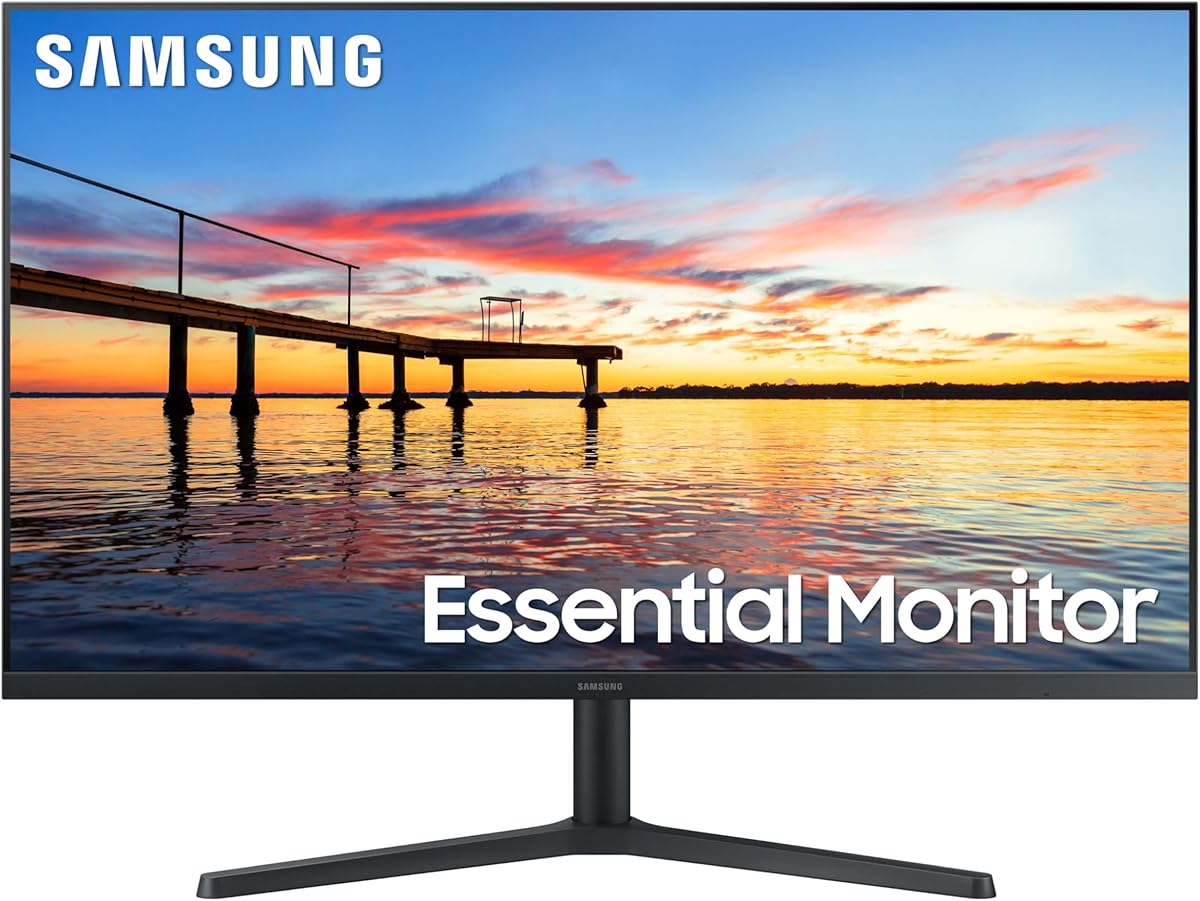
Samsung's 32 inch monitor offers a spacious viewing area that enhances productivity with its wide screen real estate. It is perfect for users who need to see more content at once without dual setups.
We may earn a commission when you buy through this link, at no additional cost to you.
The borderless design ensures that when combined with other monitors the view remains virtually gapless. AMD FreeSync technology keeps motion smooth making it suitable for both work and entertainment.
While the refresh rate is modest the large size provides a comfortable working environment for spreadsheets and documents. Eye saver modes reduce strain allowing for extended use without discomfort.
This monitor is ideal for those seeking a single large display to replace multiple smaller screens. It delivers a clean modern look that fits well in home and professional offices.
The 32 inch size provides ample space for multitasking reducing the need to constantly switch between windows.
Advanced eye comfort technology minimizes blue light and flicker protecting your eyes during long daily usage.
We may earn a commission when you buy through this link, at no additional cost to you.
The ViewSonic VA2256-MHD is a compact solution ideal for tight desks and students. Its 22 inch IPS panel delivers consistent colors despite the small footprint making it efficient for focused work.
We may earn a commission when you buy through this link, at no additional cost to you.
ViewMode presets allow quick adjustments for different tasks whether reading or browsing. The frameless design helps it blend into any setup while maintaining a professional aesthetic.
This monitor lacks high refresh rates but excels in comfort and usability for general tasks. Daisy chain connectivity makes it easy to expand your workspace without extra cables.
Perfect for budget-conscious users needing a reliable secondary or primary display. It balances size performance and comfort effectively for light computing needs.
Presets optimize brightness and contrast for specific tasks improving readability and reducing strain automatically.
The compact size is perfect for smaller workspaces or dorm rooms where desk space is at a premium.
We may earn a commission when you buy through this link, at no additional cost to you.
ASUS brings a compliant option for government procurement with this 120Hz frameless monitor. It offers high performance and wide color coverage making it suitable for enterprise environments requiring specific standards.
We may earn a commission when you buy through this link, at no additional cost to you.
The ergonomic stand supports tilt swivel and pivot adjustments which is rare at this price point. A one-month Adobe Creative Cloud subscription adds extra value for creative professionals using this device.
While TAA compliance targets enterprise buyers the features appeal to general users seeking a smooth screen. The wide color gamut ensures vibrant visuals for media and design tasks alike.
Organizations and individuals needing compliance and performance will find this model highly suitable. It delivers premium features without the enterprise price tag.
Trade Agreements Act compliance ensures this monitor meets strict procurement standards for government and enterprise purchasing.
Height tilt swivel and pivot adjustments allow you to position the screen for maximum comfort and productivity.
We may earn a commission when you buy through this link, at no additional cost to you.
This 34 inch ultrawide monitor replaces dual screens with a single immersive panel. The 21:9 aspect ratio allows you to view multiple documents side by side without window clutter.
We may earn a commission when you buy through this link, at no additional cost to you.
HDR10 support enhances contrast while PIP and PBP features let you monitor multiple sources simultaneously. An ambient light sensor adjusts brightness automatically to reduce eye strain in varying conditions.
The borderless design ensures a sleek look when placed in a multi-monitor array. While it requires significant desk space the productivity gains justify the investment for power users.
Ideal for analysts and multitaskers needing to view vast data or spreadsheets efficiently. This model offers a premium viewing experience with minimal distractions.
PIP and PBP allow you to view two inputs at once which is great for comparing data or monitoring two apps.
The ambient light sensor ensures comfortable viewing by adjusting brightness based on your room lighting conditions.
We may earn a commission when you buy through this link, at no additional cost to you.
The BenQ GW2491 achieves the highest rating in this guide due to its exceptional eye care features. It is designed specifically for readers and writers who spend long hours staring at screens.
We may earn a commission when you buy through this link, at no additional cost to you.
ePaper mode mimics e-ink for reduced strain while TUV certification verifies safety standards. The 100Hz refresh rate ensures smooth motion making it better than many static office monitors.
Although connectivity options are standard the focus on comfort makes it stand out. The frameless design enhances focus on the content rather than the physical bezels.
Best for heavy readers and students who prioritize eye health over gaming performance. This model sets a benchmark for comfortable extended viewing sessions.
This mode simulates paper to reduce glare and strain making reading documents more comfortable for long periods.
TUV certification ensures that the eye care technologies meet rigorous standards for safety and effectiveness.
We may earn a commission when you buy through this link, at no additional cost to you.
Dell brings a stylish home office solution with its Ash White finish and premium build quality. The 144Hz refresh rate and 1ms response time ensure smooth visuals even during video calls or gaming.
We may earn a commission when you buy through this link, at no additional cost to you.
Integrated speakers save desk space while maintaining decent audio quality for calls. The stand offers full height tilt pivot and swivel adjustments ensuring ergonomic comfort for any user.
Eye comfort features are certified to reduce strain during long workdays. This monitor combines aesthetics with function making it a versatile addition to any modern workspace.
Perfect for professionals wanting a sleek monitor that supports both productivity and light entertainment. Its premium design complements contemporary office setups beautifully.
Built-in 3W speakers reduce cable clutter and provide clear sound for conferences without needing external hardware.
Height tilt pivot and swivel adjustments allow precise positioning to reduce neck strain and improve posture.
We may earn a commission when you buy through this link, at no additional cost to you.
The Dell 27 Plus QHD elevates productivity with its sharp resolution and high refresh rate. It is designed for users who want crisp details and smooth motion in a premium frameless design.
We may earn a commission when you buy through this link, at no additional cost to you.
Like its smaller sibling it features built-in speakers and full ergonomic adjustments. The Ash White finish gives it a modern look that stands out in any office setting.
The high refresh rate supports smoother scrolling and lighter gaming tasks. While it requires a capable graphics card the visual clarity is worth the upgrade for creatives.
Best for power users seeking a premium monitor with top-tier specs and design. It combines high performance with elegant aesthetics for a standout workspace upgrade.
The QHD resolution delivers more pixels for sharper text and images ideal for detailed creative work.
High refresh rates and AMD FreeSync ensure smooth transitions even when juggling multiple open applications.
We may earn a commission when you buy through this link, at no additional cost to you.
Selecting the right frameless computer monitor requires understanding key features that impact performance and comfort. This guide breaks down the essential factors to help you make an informed decision.
Monitor size ranges from 22 inches to 34 inches each affecting desk space and workspace utility. Resolution determines clarity where Full HD is standard but QHD and 4K offer sharper text and details for creative work.
Choose a size that fits your desk comfortably and resolution that matches your primary tasks.
Refresh rates like 75Hz 100Hz or 144Hz determine how smoothly motion appears on screen. Faster rates reduce motion blur and tearing which is vital for gaming and video editing.
Prioritize higher refresh rates if you consume fast-paced media or play competitive games.
IPS panels provide consistent colors and wide viewing angles which are essential for multi-monitor setups. VA or TN panels may offer faster response times but often lack color accuracy.
Select IPS for tasks requiring color precision and consistent viewing from different positions.
Modern monitors offer HDMI DisplayPort and USB-C ports for versatile connections. USB-C allows single cable setups for laptops while DisplayPort supports higher refresh rates and resolutions.
Check your devices ports to ensure the monitor supports your required connection type.
Adjustable stands allow tilt swivel and height changes which reduce neck strain during long work sessions. Some models include VESA mounts for flexible arm positioning if the stand is limited.
Look for full adjustability to maintain healthy posture and viewing comfort throughout the day.
Flicker-free technology and blue light filters are essential for reducing eye fatigue during extended use. Certifications like TUV confirm these features meet industry safety standards.
Prioritize monitors with these features if you work long hours daily to protect your vision.
Slim bezels improve aesthetics and reduce visual distraction in multi-monitor configurations. Build materials like aluminum enhance durability and modern look compared to standard plastic.
Select a design that complements your workspace while ensuring sturdy construction for longevity.
Prices vary widely depending on size resolution and special features. Consider warranty length such as three-year coverage to protect your investment against defects.
Balance your needs with affordability ensuring you get essential features without overspending.
Begin by positioning your monitor at eye level to prevent neck strain and ensure proper posture. Adjust the tilt slightly downwards for optimal viewing angles during daily tasks.
Use the on-screen menu to calibrate brightness and color settings based on your room lighting. Enable eye care modes like blue light filters to minimize strain during night work.
Clean the screen regularly with a soft microfiber cloth to avoid scratches on the frameless glass. Keep cables organized to prevent tripping and maintain the clean aesthetic of the setup.
A frameless computer monitor features ultra-thin bezels that create a seamless viewing experience. This design reduces distractions and enhances immersion making it ideal for multi-monitor setups.
While not essential a higher refresh rate like 100Hz or 144Hz makes scrolling and cursor movement smoother. This reduces eye strain and improves overall responsiveness during long work hours.
Yes frameless monitors are designed to minimize gaps between screens making them perfect for dual setups. Look for displays with daisy chain capabilities to reduce cable clutter further.
IPS panels offer superior color accuracy and wider viewing angles which are crucial for frameless displays. This ensures consistent colors even when viewed from different angles.
Use a soft microfiber cloth to wipe the screen gently without applying too much pressure. Avoid using harsh chemicals that could damage the coating on the frameless bezels.
USB-C ports allow single cable connectivity for power and data which simplifies laptop setups. This reduces desk clutter and enables faster data transfer for peripherals.
Some models include built-in speakers which provide convenient audio for video calls. However external speakers may still be necessary for immersive media playback.
Yes models with high refresh rates and low response times are excellent for gaming. Look for AMD FreeSync support to eliminate tearing during gameplay.
These top picks cover a range of needs from budget-friendly options to high-resolution professional displays. Whether you need speed color accuracy or a spacious ultrawide there is a model here for you.
Focus on the features that matter most to your workflow such as eye care or connectivity options. A well-chosen monitor can significantly boost your productivity and comfort.
Remember to check current pricing and availability as these values fluctuate frequently. Investing in the right display is a long-term benefit for your workspace setup.