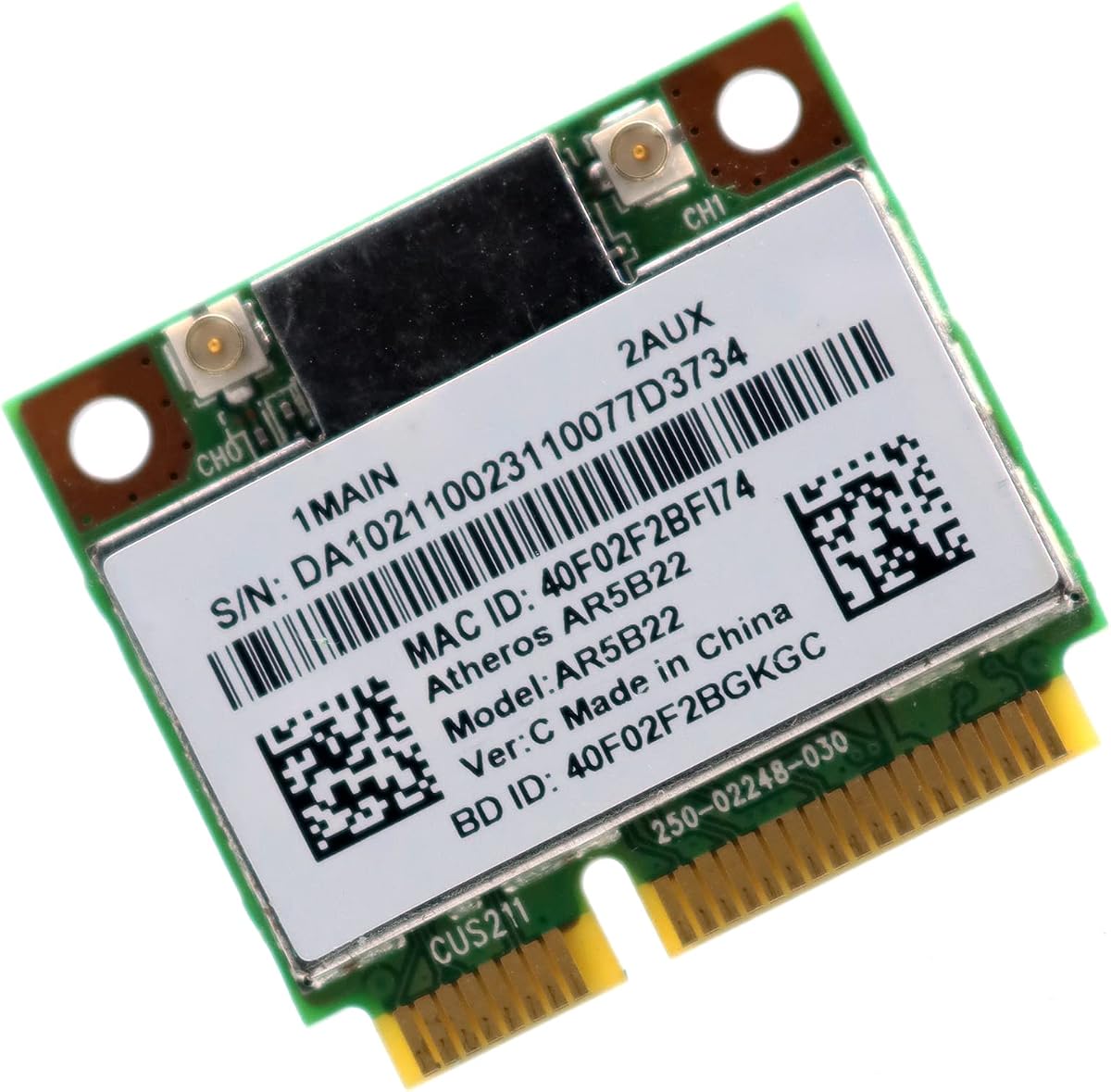
Deal4GO AR5B22 Half Mini PCie Card
4.7Editor score
Dual band 2.4GHz and 5GHz support
Bluetooth 4.0 integrated connectivity
Compatible with multiple laptop brands
This guide compares the top half mini PCIe WiFi Bluetooth cards for laptop upgrades, covering performance, compatibility, and features for reliable wireless
Upgrading your laptop wireless capabilities often requires a reliable half mini PCIe WiFi Bluetooth card. These components provide essential dual band connectivity and seamless peripheral pairing for older systems lacking modern wireless standards.
We evaluated ten market options based on speed, stability, and ease of installation. Each product was assessed for compatibility with common laptop brands and support for current operating systems to ensure a smooth upgrade experience.
Our selection highlights specific strengths like budget value or advanced WiFi 6 support. Note that availability and stock levels vary by region and vendor so always verify current options before making your final purchase decision.
4.7Editor score
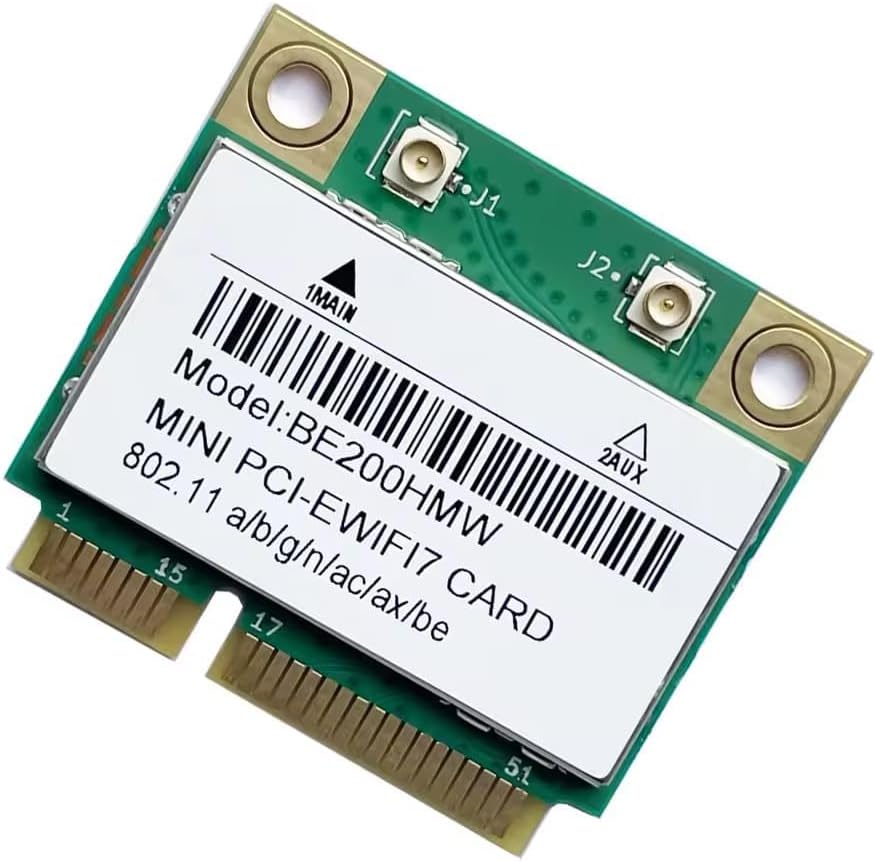
4.6Editor score

4.5Editor score
This side-by-side comparison outlines the key specifications and capabilities of each selected half mini PCIe card to help you identify the best match for your specific hardware needs.



The Wireless BE200 offers exceptional speed for legacy hardware with up to 5.8 Gbps Wi-Fi capability and Bluetooth 5.4 support. It stands out as a top choice for upgrading outdated laptops to modern standards efficiently.
We may earn a commission when you buy through this link, at no additional cost to you.
Its high-speed performance ensures smooth 4K streaming and lag-free gaming. The advanced Bluetooth version enables low-energy connections for various peripherals like mice and headphones without draining battery life.
While it delivers impressive performance, note that antennas are not included. You will need existing antenna connectors on your laptop to use this card effectively without purchasing additional hardware separately.
This card is ideal for users with compatible Half Mini PCIe slots who need a significant speed boost. It provides a reliable path to modern connectivity for older systems still in active use.
Bluetooth 5.4 provides extended range and lower power consumption for all your wireless accessories.
Support for WPA3 encryption ensures your wireless network remains protected from modern security threats.
We may earn a commission when you buy through this link, at no additional cost to you.
This Wi-Fi 6E card provides tri-band speeds up to 5400Mbps with Bluetooth 5.3. It offers exceptional performance for demanding tasks like competitive gaming and large file transfers on compatible hardware.
We may earn a commission when you buy through this link, at no additional cost to you.
The Intel AX210 chipset ensures stable connectivity and low latency. Tri-band support means dedicated 6GHz channels for devices that can use them reducing congestion on the 2.4GHz and 5GHz bands.
Installation requires manual driver downloads from Intel or EDUP websites. Users must also verify their laptop BIOS does not block third-party wireless cards before attempting installation.
Ideal for power users needing the fastest possible speeds from a Half Mini PCIe interface. The added 6GHz band future-proofs your connection against increasing network congestion.
Utilizing the 6GHz band reduces interference significantly for faster throughput in crowded networks.
Bluetooth 5.3 enhances connection stability and power efficiency for connected peripherals.
We may earn a commission when you buy through this link, at no additional cost to you.
This adapter offers dual band Wi-Fi and Bluetooth 4.0 at a highly competitive price. It supports legacy operating systems like XP while still providing essential 5GHz speeds for modern tasks.
We may earn a commission when you buy through this link, at no additional cost to you.
The card features 2T2R configuration with IPEX MHF4 connectors. It delivers up to 300Mbps on both bands ensuring decent performance for general web browsing and media consumption.
Users should note it does not support 802.11ac. If your laptop BIOS restricts third-party cards you may need to modify the whitelist to enable this card fully.
Perfect for budget conscious buyers needing basic dual band functionality. It is a solid choice for extending the life of older hardware without breaking the bank.
Compatibility extends to older Windows versions making it versatile for various system configurations.
Delivering dual band features at a fraction of the cost of newer models.
We may earn a commission when you buy through this link, at no additional cost to you.
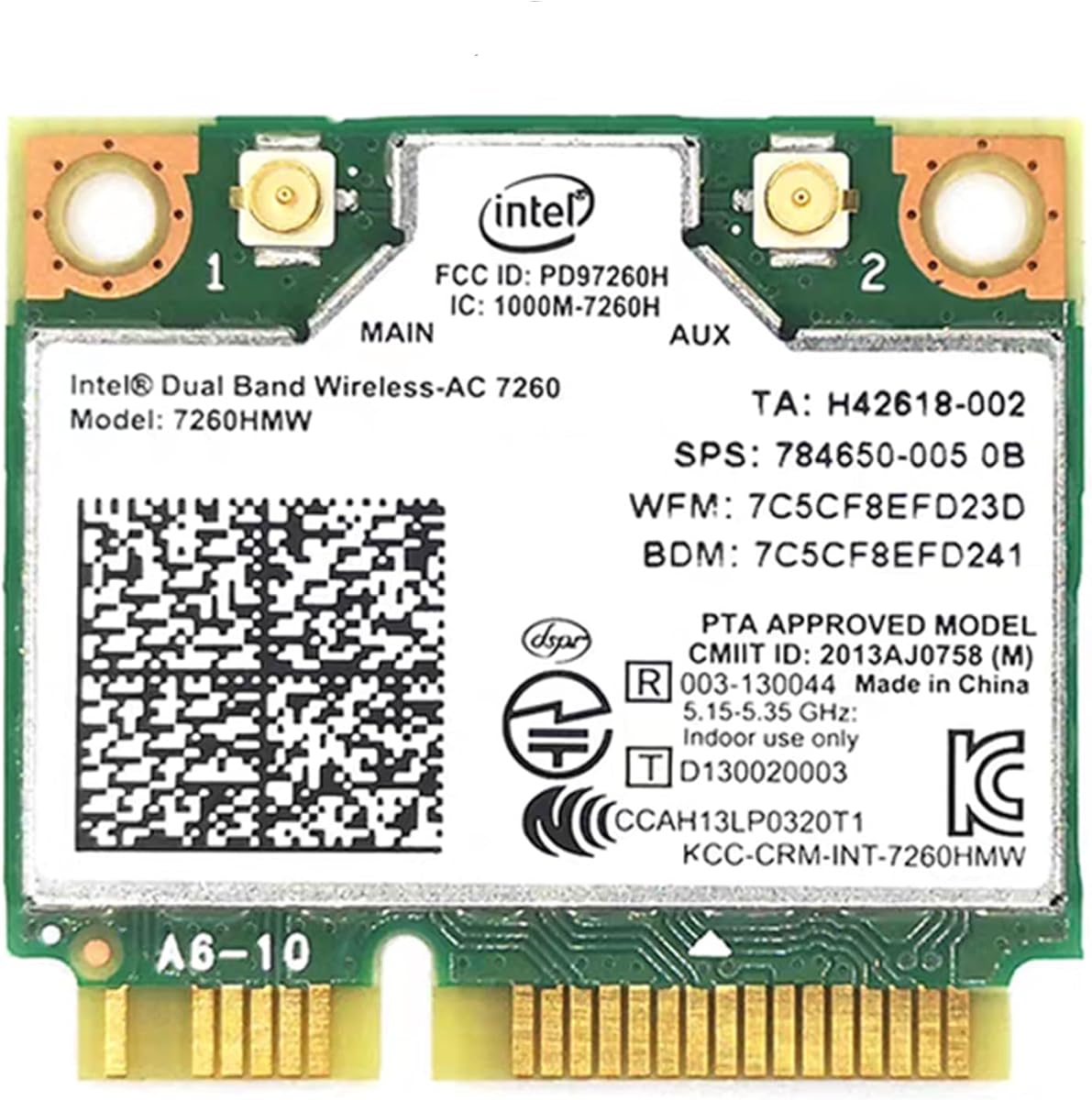
This card utilizes the Intel 7260.HMW chip for dual band AC connectivity. It delivers faster speeds than legacy N standards and includes Bluetooth functionality for peripheral connections.
We may earn a commission when you buy through this link, at no additional cost to you.
Users must ensure their motherboard enables USB bus support for the Bluetooth portion to function correctly. Without this hardware support Bluetooth devices will not be detected by the OS.
Linux compatibility is supported for kernel versions 4.2.0 and newer. This makes it a viable option for open-source enthusiasts looking to upgrade wireless capabilities on older hardware.
A solid choice if you confirm motherboard compatibility beforehand. It balances performance and price effectively for those needing AC speeds in a half mini format.
Works well with Linux systems running modern kernel versions for versatile usage.
We may earn a commission when you buy through this link, at no additional cost to you.
This Mini PCIe card brings AC dual band performance to laptops with standard slots. It offers reliable connectivity with support for Bluetooth 4.0 for basic peripheral pairing needs.
We may earn a commission when you buy through this link, at no additional cost to you.
Designed for easy installation in compatible laptops with available mini PCIe slots. The compact form factor ensures it fits neatly inside chassis without requiring major modifications.
Performance covers streaming and gaming tasks efficiently within its speed limits. It is a practical upgrade for older laptops needing to support modern Wi-Fi routers.
Suitable for users needing a straightforward replacement for failed wireless cards. It provides consistent performance for everyday computing without the complexity of newer standards.
Designed specifically for laptops with available mini PCIe slots for a straightforward upgrade process.
We may earn a commission when you buy through this link, at no additional cost to you.
This original Intel card provides robust dual band AC wireless performance. It is a trusted choice for users who prefer branded components over generic alternatives for stability.
We may earn a commission when you buy through this link, at no additional cost to you.
As a genuine Intel product it often offers better driver support and integration with Intel management tools. This can lead to smoother installation and ongoing maintenance for users.
The half mini card format ensures compatibility with older laptop chassis. It remains relevant for systems that have lost their original wireless module and need replacement.
Ideal for users prioritizing brand trust over absolute speed. While not the fastest available it delivers consistent performance for daily tasks.
Genuine Intel components often provide more reliable driver support and system integration.
We may earn a commission when you buy through this link, at no additional cost to you.
This card is designed for HP laptops offering N standard speeds and Bluetooth connectivity. It serves as a direct replacement for older units failing in HP systems.
We may earn a commission when you buy through this link, at no additional cost to you.
Support for Bluetooth allows for mouse and keyboard pairing without extra dongles. It restores basic wireless functionality to devices that may have lost it due to hardware failure.
Performance is sufficient for basic web browsing and email tasks. While it lacks AC speeds it provides a budget friendly solution for restoring connectivity.
Recommended specifically for HP laptop owners needing a direct OEM-style replacement. It ensures compatibility with systems expecting specific Intel wireless configurations.
Designed specifically to replace original wireless units in HP laptop configurations effectively.
We may earn a commission when you buy through this link, at no additional cost to you.
This card delivers tri-band speeds up to 5400Mbps using the 6GHz band for minimal latency. It supports Bluetooth 5.3 for efficient peripheral connection without needing external dongles.
We may earn a commission when you buy through this link, at no additional cost to you.
The 6GHz band provides exclusive channels reducing interference significantly for demanding tasks like competitive gaming. Users must ensure their router supports Wi-Fi 6E to utilize this feature fully.
Windows 10 or 11 64-bit is required for driver support. Older operating systems are not compatible so plan your OS upgrade alongside the hardware if needed.
Perfect for users with modern routers needing maximum speed from legacy hardware. It bridges the gap between old laptops and current wireless standards.
Dedicated 6GHz channels provide exclusive bandwidth for faster throughput without interference.
We may earn a commission when you buy through this link, at no additional cost to you.
This BroadCom card offers dual frequency support with Bluetooth 4.0 at an affordable price point. It is highly rated for compatibility with multiple older HP and Compaq laptop models.
We may earn a commission when you buy through this link, at no additional cost to you.
Support for Windows 2000 up to 10 makes it versatile for various system configurations. It ensures legacy systems can still connect to modern Wi-Fi networks reliably.
Installation requires checking your laptop BIOS whitelist to ensure third-party cards are allowed. Most HP models work well with this adapter for restoring wireless functionality.
Recommended for users of older HP devices needing a reliable replacement. It delivers consistent performance for general web browsing and media streaming.
Compatibility extends back to Windows 2000 ensuring use on very old systems.
We may earn a commission when you buy through this link, at no additional cost to you.
This card offers Wi-Fi 6 speeds up to 2.4Gbps via 160MHz channels. It includes Bluetooth 5.2 for efficient peripheral pairing with reduced power consumption.
We may earn a commission when you buy through this link, at no additional cost to you.
OFDMA and MU-MIMO technologies allow multiple devices to connect without slowing performance. This makes it suitable for households with many connected devices needing stable internet.
Drivers must be downloaded manually from the manufacturer website. Ensure your laptop BIOS allows third-party cards before purchase since Lenovo systems may block them.
Ideal for users seeking modern speeds at a competitive price. It offers significant improvements over legacy N or AC standards for daily productivity.
OFDMA technology optimizes data transmission for multiple users simultaneously without slowdowns.
We may earn a commission when you buy through this link, at no additional cost to you.
Selecting the right wireless card requires checking interface compatibility and feature needs before buying. This guide breaks down the critical factors to consider for a successful upgrade.
Half Mini PCIe cards are distinct from M.2 and CNVi slots. Verify your laptop has a specific Mini PCIe slot before purchasing. Some newer laptops use M.2 sockets which cannot accept these cards.
Check your laptop service manual to confirm the slot type. Mismatched interfaces will prevent installation regardless of driver availability.
Cards range from older N standards to newer AC and Wi-Fi 6. Wi-Fi 6 provides better speed in congested environments. AC offers a balance of speed and availability.
Choose a standard matching your router capabilities. Using Wi-Fi 6 card with an N router limits performance to N speeds.
Newer cards often require Windows 10 or 11 64-bit. Older cards may support legacy systems like Windows 7 or XP. Linux users should verify kernel support before buying.
Check driver availability for your specific OS. Ensure the card works with your current system version without requiring complex manual configurations.
Most cards include Bluetooth functionality but require USB bus connection. Some motherboards block Bluetooth USB connections. Verify your laptop supports the required USB bus for Bluetooth to work.
Bluetooth version matters for power efficiency and range. Bluetooth 5.0 and above offer better performance than older 4.0 versions.
Some manufacturers like Lenovo and HP restrict third-party wireless cards via BIOS whitelists. These systems may not boot with unsupported hardware. Check community forums for whitelist hacks.
If you own a restricted brand consider using a supported brand card. Generic cards often work better with Dell or Acer laptops.
Cards use IPEX MHF4 connectors for antennas. Verify your existing antennas match this connector type. Mismatched connectors may require adapters or soldering.
Some cards do not include antennas. Ensure you have compatible antennas available to connect the card properly.
Consider your usage needs like 4K streaming or gaming. Higher bandwidth requirements need AC or Wi-Fi 6 standards. Lower needs may be satisfied with N standards.
Evaluate your internet plan speed. A faster card won't improve speeds beyond your ISP limit.
Some cards require manual driver downloads from manufacturer sites. Others support plug and play. Check if you have internet access before installation to download drivers.
Prepare download drivers beforehand using another device. This avoids connectivity issues during the installation process.
Install the card by shutting down the laptop and removing the battery. Locate the Mini PCIe slot inside the chassis and insert the card securely. Connect antenna cables carefully to the correct connectors.
Power on the system and install drivers from the manufacturer website. Verify the device manager shows the new adapter without errors. Configure your wireless settings to connect to your preferred network.
Keep the drivers updated regularly for optimal performance and security. Avoid placing the laptop near sources of interference like microwaves. Clean the internal components periodically to prevent dust buildup.
Most Dell and Acer laptops support third-party cards without restrictions. However Lenovo and HP systems often use BIOS whitelists to block unsupported cards. Check your specific model online before purchasing to avoid compatibility issues.
Yes but you need a card that supports Wi-Fi 6 for full compatibility. Older AC cards will work but operate at slower speeds. Check the card specifications for 802.11ax support.
No half mini PCIe cards are physically incompatible with M.2 slots. They use different connectors and mounting brackets. Ensure your laptop has a Mini PCIe slot before buying.
If your motherboard blocks Bluetooth USB bus connections the Bluetooth feature will not work. The Wi-Fi portion will still function normally. You will need to use a separate USB dongle for Bluetooth.
Download the driver package on another computer with internet access. Transfer the files using a USB drive to the target laptop. Install the drivers manually to enable network connectivity.
The card may not be seated properly or drivers may be missing. Check the physical connections and ensure the device appears in device manager. Update or reinstall drivers to resolve recognition issues.
We highlighted top options across budget and performance categories to suit various laptop configurations. The Wireless BE200 stands out for speed while the Deal4GO AR5B22 offers budget value.
Prioritize compatibility checks before purchasing to ensure a smooth installation. Verify your slot type and brand restrictions to avoid hardware rejection. Select a standard matching your router for best results.
Keep in mind that prices and availability change frequently. Always check current product listings for the latest pricing and stock levels before finalizing your purchase decision.