
Philips 24 Inch Computer Monitor
4.6Editor score
Full HD 1920×1080 resolution
100Hz refresh rate for smooth visuals
VESA mount compatible design
Finding the right display is essential for productivity and entertainment. An HDMI LED monitor offers crisp visuals and reliable connectivity for various tasks. You need a screen that balances performance quality and comfort for daily use.
We evaluated leading models based on refresh rates color accuracy and eye care features. Each product was reviewed for build quality connectivity options and overall value. Our list covers diverse needs from budget friendly to premium choices.
Every pick highlights key strengths and ideal use cases for buyers. Check the detailed specs to match your specific setup requirements. Prices may change so verify current offers before making your final decision today.
4.6Editor score
4.6Editor score

4.6Editor score
As an Amazon Associate we earn from qualifying purchases.
This side-by-side comparison lists all ten reviewed models with their core specifications. It helps you quickly identify which monitor matches your resolution refresh rate and connectivity needs without digging through long descriptions.




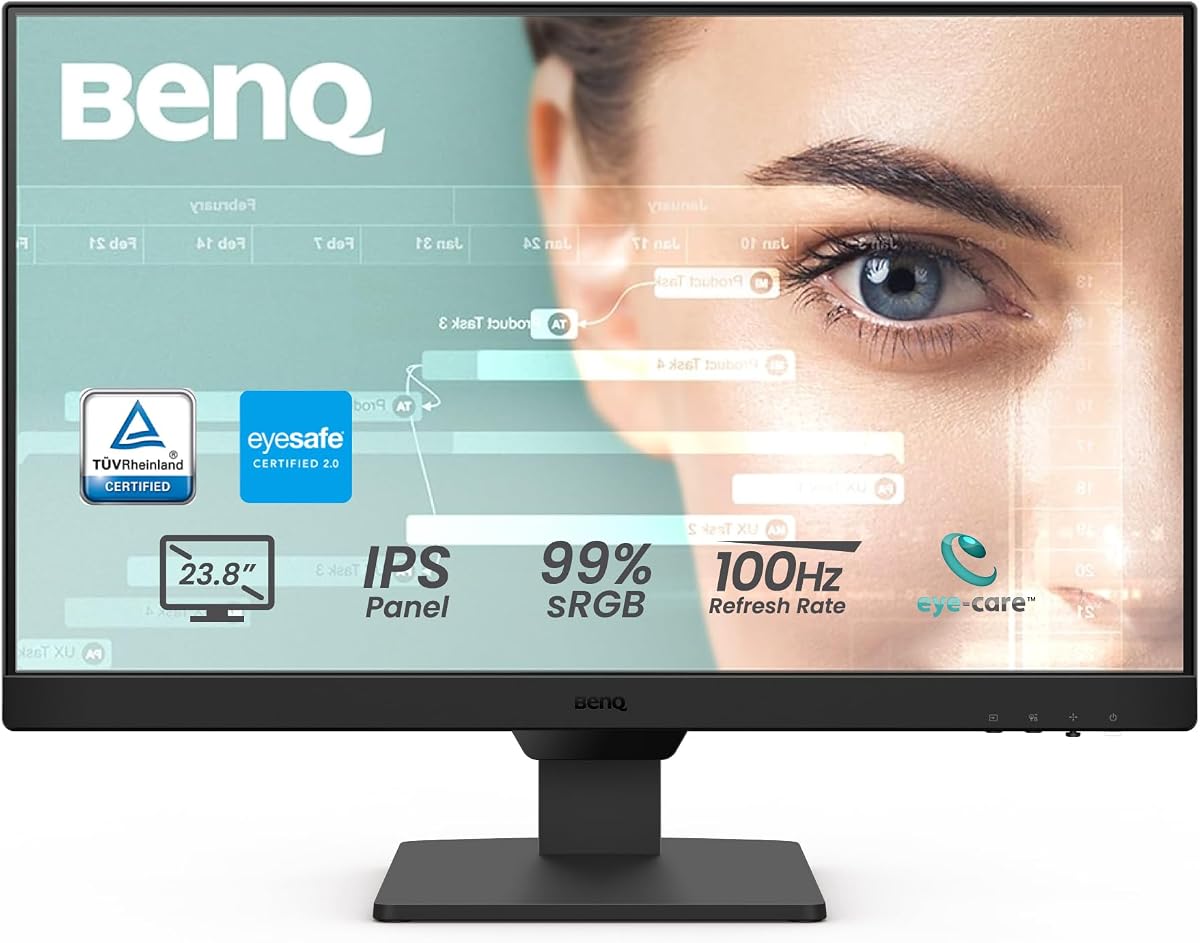
The BenQ GW2490 stands out as a top choice for users seeking balance. It holds a strong 4.6 rating and delivers professional-grade visuals with IPS technology. Its standout qualities include eye care tech and smooth motion handling.
We may earn a commission when you buy through this link, at no additional cost to you.
Key strengths involve its 99% sRGB color gamut which ensures lifelike images. The 100Hz refresh rate reduces lag for immersive gaming and scrolling. Adaptive Brightness helps maintain comfort during long work sessions.
Trade-offs include basic audio and a fixed height stand. These are acceptable given the price and visual performance. Most users will not miss advanced ergonomics for casual setups.
Buyers needing reliable color and speed should pick this monitor. It suits office workers and casual gamers well. Final recommendation is high for its versatile feature set.
The 99% sRGB coverage ensures images and videos display with accurate true-to-life colors for design tasks.
Low Blue Light Plus filters harmful radiation while keeping vivid colors to reduce strain during extended use.
We may earn a commission when you buy through this link, at no additional cost to you.
The Dell 24 Plus Monitor delivers premium features for demanding users. It holds a 4.6 rating and excels with a 144Hz refresh rate and full ergonomic adjustability. Integrated speakers add value for media consumption.
We may earn a commission when you buy through this link, at no additional cost to you.
Strengths include the 1ms Moving Picture Response Time for fluid motion. The TÜV certified display reduces blue light while keeping colors vivid. Dell Display Manager software optimizes workspace efficiency effectively.
Trade-offs involve a higher cost and a white finish that attracts dust. These are minor compared to the premium ergonomics and speed. It fits setups needing full adjustment flexibility.
Buyers wanting top tier adjustability and speed should choose this model. It suits professionals and gamers alike. Final recommendation is strong for its comprehensive feature set.
Adjust height tilt pivot and swivel to suit your preference throughout the day for maximum comfort.
Dual 3W speakers deliver a wider frequency range without needing external audio devices.
We may earn a commission when you buy through this link, at no additional cost to you.
The Philips 24 Inch Computer Monitor offers excellent value for budget conscious buyers. It holds a 4.6 rating and features a VA panel for deep blacks and high contrast. Its 100Hz refresh rate ensures smooth visuals.
We may earn a commission when you buy through this link, at no additional cost to you.
Strengths include crisp Full HD resolution and EasyRead mode for documents. The nearly bezel free design enhances multi-monitor setups. It is a solid choice for office productivity.
Trade-offs involve narrower viewing angles than IPS and a simple stand. These are acceptable given the price and clarity. Most single user setups won't notice the angle limits.
Buyers needing a cost effective reliable display should pick this. It suits general users and students well. Final recommendation is high for its balance of features and cost.
The VA panel produces brighter whites and deeper blacks for true-to-life gradients and visuals.
EasyRead mode provides a paper-like experience for viewing lengthy documents comfortably.
We may earn a commission when you buy through this link, at no additional cost to you.
The LG 24U411A-B delivers smooth motion and vivid colors. It holds a 4.6 rating and features IPS technology with HDR10 support. Its 120Hz refresh rate reduces stutter and motion blur for fluid visuals.
We may earn a commission when you buy through this link, at no additional cost to you.
Strengths include Borderless design for clean looks and Dynamic Action Sync for fast reactions. The Reader Mode lowers blue light for comfortable extended reading. It suits gaming and media well.
Trade-offs involve a fixed height stand and no USB hub. These are minor compared to the motion performance. Most users prioritize speed over extra ports.
Buyers wanting smooth motion and modern design should pick this. It fits gamers and creatives. Final recommendation is strong for its responsive features.
Dynamic Action Sync minimizes input lag for faster reactions to every move or shot.
Black Stabilizer brightens dark scenes helping gamers spot enemies hiding in shadows.
We may earn a commission when you buy through this link, at no additional cost to you.
The Sceptre 24-inch Prime Monitor offers solid performance for daily tasks. It holds a 4.6 rating and includes built-in speakers. Its 100Hz refresh rate and 99% sRGB color gamut deliver clear visuals.
We may earn a commission when you buy through this link, at no additional cost to you.
Strengths include diverse connectivity with two HDMI ports and a VGA port. FPS and RTS game modes enhance gaming setups. Blue Light Shift reduces eye strain effectively.
Trade-offs involve a basic stand and average contrast. These are acceptable for the price. Most users won't need advanced ergonomics.
Buyers seeking reliable features and value should pick this. It suits home offices and casual gamers. Final recommendation is good for its balanced specs.
With 99% sRGB this monitor offers wider color gamut than conventional monitors for deeper colors.
FPS and RTS are custom display settings built for an enhanced gaming experience.
We may earn a commission when you buy through this link, at no additional cost to you.
The Dell 24 Monitor SE2426H offers fluid motion with high refresh rates. It holds a 4.7 rating and features a 144Hz refresh rate. Its 1ms MPRT response time delivers smooth tear-free motion.
We may earn a commission when you buy through this link, at no additional cost to you.
Strengths include TÜV 3-star eye comfort certification to reduce blue light. IPS technology ensures consistent colors across 178-degree angles. Ultra-thin bezels maximize viewing experience.
Trade-offs involve tilt-only stand and lack of speakers. These are acceptable for a focus on visuals. Most setups use external audio anyway.
Buyers prioritizing motion clarity and comfort should pick this. It suits productivity and gaming. Final recommendation is strong for its speed.
Get consistent views across wide 178-degree viewing angles with IPS technology.
TÜV Rheinland 3-star eye comfort certification reduces harmful blue light while preserving color.
We may earn a commission when you buy through this link, at no additional cost to you.
The Sceptre E275W-19203R offers a larger 27-inch display for immersive viewing. It holds a 4.5 rating and features a 100Hz refresh rate. Built-in speakers deliver office level audio for calls.
We may earn a commission when you buy through this link, at no additional cost to you.
Strengths include 99% sRGB color accuracy for accurate images. The tiltable display helps find a comfortable spot. Multiple ports support diverse connectivity.
Trade-offs involve 1080p resolution on a bigger screen. This is acceptable for general use. Most users won't need high pixel density.
Buyers wanting a bigger screen and audio should pick this. It suits entertainment and work. Final recommendation is good for its size.
Enjoy a larger 27-inch display with Full HD resolution for more screen real estate.
Tiltable display allows you to find a sweet spot that bridges clarity and comfort.
We may earn a commission when you buy through this link, at no additional cost to you.
The BenQ BL2490 delivers clear viewing with anti-glare technology. It holds a 5.0 rating and features a 100Hz refresh rate. Anti-glare coating reduces reflections for comfortable viewing.
We may earn a commission when you buy through this link, at no additional cost to you.
Strengths include 1300:1 contrast for deep blacks. Tilt adjustments help find the ideal angle. HDMI and DisplayPort support flexible setups.
Trade-offs involve average response time and basic stand. These are acceptable for the price. Most tasks don't need ultra-low latency.
Buyers wanting clear viewing and anti-glare should pick this. It suits office environments. Final recommendation is strong for clarity.
Anti-glare coating helps reduce reflections and improves visibility in bright environments.
Features HDMI and DisplayPort to connect various devices with increased flexibility.
We may earn a commission when you buy through this link, at no additional cost to you.
The Acer 21.5in FHD offers a compact size for small spaces. It holds a 4.6 rating and features a 100Hz refresh rate. ZeroFrame bezel-less design enhances multi-monitor setups.
We may earn a commission when you buy through this link, at no additional cost to you.
Strengths include Adaptive-Sync for tear-free video playback. Fast 1ms response time sharpens gameplay visuals. Crisp colors make movies look dramatic.
Trade-offs involve smaller screen size limiting multitasking. This is acceptable for compact desks. Most users will appreciate the space savings.
Buyers needing space efficient reliable monitor should pick this. It suits students and home offices. Final recommendation is good for compact needs.
ZeroFrame design lets you place multiple monitors next to each other for uninterrupted view.
Matches refresh rate of monitor with graphics card for smooth tear-free gaming and video.
We may earn a commission when you buy through this link, at no additional cost to you.
The Dell P2425H delivers premium ergonomics for demanding setups. It holds a 4.6 rating and features full height tilt swivel adjustments. 1500:1 contrast ratio ensures vibrant visuals.
We may earn a commission when you buy through this link, at no additional cost to you.
Strengths include full ergonomic adjustability to suit preferences throughout the day. VESA mount compatibility adds flexibility. Solid build quality ensures reliability.
Trade-offs involve higher price and lack of speakers. These are acceptable for professionals. Most workstations use external audio.
Buyers needing full adjustability and premium build should pick this. It suits corporate offices. Final recommendation is strong for ergonomics.
Adjust height tilt swivel to suit your preference throughout the day.
The 1500:1 contrast ratio delivers clear deep black and vibrant color.
We may earn a commission when you buy through this link, at no additional cost to you.
Choosing the right monitor involves evaluating display technology refresh rates and ergonomics. These factors impact clarity motion fluidity and comfort for daily use.
Refresh rate measures how many times per second the screen updates. Higher rates like 100Hz or 144Hz reduce motion blur and screen tearing during gaming or video playback. For fast-paced tasks seek at least 100Hz. Standard 60Hz works for basic office work.
Prioritize 100Hz or higher for smooth motion in gaming and media.
Panel types include IPS VA and TN. IPS offers wide viewing angles and color accuracy. VA provides deeper contrast and blacks. TN has faster response but poor angles. For color work choose IPS or high sRGB coverage. For movies VA contrast helps.
Select IPS for angles or VA for contrast depending on your priorities.
Eye care features like low blue light and flicker-free technology reduce strain during long sessions. TÜV certified displays ensure verified comfort. Look for these if you work for many hours daily. It preserves eye health without losing color quality.
Choose monitors with low blue light certifications for extended daily use.
Ensure the monitor has enough HDMI ports for your devices. Multiple HDMI connections support consoles and PCs simultaneously. DisplayPort offers higher bandwidth for high refresh rates. Check for audio jacks if you lack speakers.
Count your devices to confirm sufficient HDMI ports and DisplayPort support.
Adjustable stands allow you to set comfortable viewing angles. Height tilt pivot and swivel reduce neck strain. Fixed stands are cheaper but limit positioning. For all-day use choose models with full adjustability.
Prioritize stands with height and tilt adjustments for long-term comfort.
Resolution determines image clarity. Full HD 1920×1080 works well for 24-inch screens. Larger screens may benefit from higher resolution. Balance size with workspace. A 27-inch screen needs more desk space than 24-inch.
Match screen size to your desk and use 1080p for 24-inch screens.
Some monitors include built-in speakers for basic audio needs. They save desk space but offer limited quality. External speakers provide better sound. Decide if audio integration is vital to your workflow.
Pick models with speakers only if external audio is not an option.
Slim bezels and modern finishes enhance aesthetics. Sturdy builds ensure longevity. VESA mount compatibility allows wall mounting. Choose designs fitting your decor style and functional needs.
Look for slim bezels and VESA mounts for flexible setup options.
Connect your device using an HDMI cable to the monitor input port. Ensure the cable is securely plugged into both ends. Turn on the monitor and PC to establish the signal.
Access the on-screen menu to adjust brightness and color settings. Use eye care modes for reducing strain. Enable adaptive brightness if available for ambient light changes.
Clean the screen with a soft microfiber cloth. Avoid chemical cleaners directly on the display. Keep the area dust-free for better heat dissipation and performance.
Yes, HDMI LED monitors use modern technology for clearer images and efficiency. They consume less power and offer better color than older CCFL models. Most modern PCs and consoles support HDMI natively.
A standard 60Hz works for basic office tasks like browsing and typing. For smoother scrolling and gaming 100Hz or higher is better. The extra fluidity reduces eye fatigue during long sessions.
IPS offers wider viewing angles and better color accuracy. VA panels deliver higher contrast and deeper blacks. Choose IPS for multi-user setups or color critical tasks.
Most models support VESA mounting for wall installation. Check the specific specs for hole pattern like 100mm x 100mm. This allows flexible placement beyond standard desk stands.
Built-in speakers provide basic audio for calls and media. They save desk space but lack richness. For high quality sound use external speakers or headphones.
Low Blue Light filters harmful blue radiation to reduce eye strain. It maintains color quality while protecting eye health. Ideal for users working late into the night.
Standard HDMI cables usually support 100Hz at 1080p. Older cables may limit refresh rates. Check cable specs if experiencing signal issues or flicker.
Our top picks include the BenQ GW2490 Dell 24 Plus and Philips 24 Inch. These models balance speed color accuracy and eye care for most users.
Prioritize refresh rate and panel type based on your main tasks. Gamers need 100Hz plus while designers want high sRGB coverage.
Always check current pricing and stock status before buying. Specifications may vary by region so confirm details for your area.