
HDMI 2.0 Repeater 4K 60Hz
4.6Editor score
No external power required
Supports 4K 60Hz
Compact metal housing design
This guide compares the top HDMI Signal Amplifier Boosters for home theater and gaming. Find the right booster to extend HDMI signals up to 200 feet without
HDMI signals weaken over distance, causing flickering or dropouts. A quality amplifier booster restores strength for reliable 4K or 8K video transmission across long cable runs in modern setups.
We evaluated ten active repeaters based on bandwidth support, transmission distance, power requirements, and user ratings. Each model offers distinct features for gamers, AV enthusiasts, and office presenters.
Each pick highlights key specs, pros, and cons to help you choose. Note that Amazon prices and stock change frequently, so verify current details before purchasing your next HDMI extender today.
4.6Editor score

4.9Editor score

4.5Editor score
Compare side-by-side specs for all ten selected amplifiers. This table shows maximum distances, supported resolutions, power needs, and key features to help you select the right model for your setup.




This active HDMI repeater delivers impressive range and resolution support for modern displays. It claims to extend signals up to 50 meters while maintaining 8K quality, making it ideal for large home theaters.
We may earn a commission when you buy through this link, at no additional cost to you.
The built-in amplification chip effectively combats signal loss and flickering. Users note stable transmission with HDR and 4:4:4 color sampling when paired with high-quality HDMI 2.1 cables.
However, achieving full 8K performance demands certified Ultra High Speed cables on both sides. The USB-C power port is useful for long runs but may require an extra adapter.
Buyers seeking 8K reach with gaming consoles like PS5 will find this booster reliable. Ensure your setup uses the correct cable standards to avoid compatibility issues.
Supports 4K@240Hz for high frame rate gaming on compatible monitors.
HDCP 2.3 compliance ensures smooth playback of protected 8K content.
We may earn a commission when you buy through this link, at no additional cost to you.
This compact repeater offers a simple way to extend HDMI signals without extra power cables. It handles 4K at 60Hz reliably for devices like PS4, laptops, and DVD players.
We may earn a commission when you buy through this link, at no additional cost to you.
Users appreciate the tiny design that fits easily behind wall-mounted TVs. It reshapes the signal to maintain stability up to 30 meters under typical conditions.
While effective for shorter distances, it may struggle with weaker source outputs over long cables. Ensure both cables meet 4K 60Hz requirements for best results.
Budget-conscious buyers needing 4K extension will find this unit practical. Its passive nature makes it one of the easiest amplifiers to install quickly.
Small dimensions allow discreet installation behind tight AV cabinets.
No extra power supply means fewer cables to route.
We may earn a commission when you buy through this link, at no additional cost to you.
This booster targets long cable runs with support up to 60 meters. It maintains 4K 60Hz video clarity using advanced signal processing and a robust metal casing.
We may earn a commission when you buy through this link, at no additional cost to you.
The metal case helps manage heat during extended use. A backup power cord ensures stability when connecting high-power devices like PS4 or older graphics cards.
While versatile, performance depends on cable quality and source strength. Users report reliable data center and presentation setups when used as directed.
Installers needing to extend signals across large rooms should consider this model. Its durability and range make it suitable for professional environments.
Metal casing protects internal circuits during daily office use.
Backup power option ensures stability for high-draw sources.
We may earn a commission when you buy through this link, at no additional cost to you.
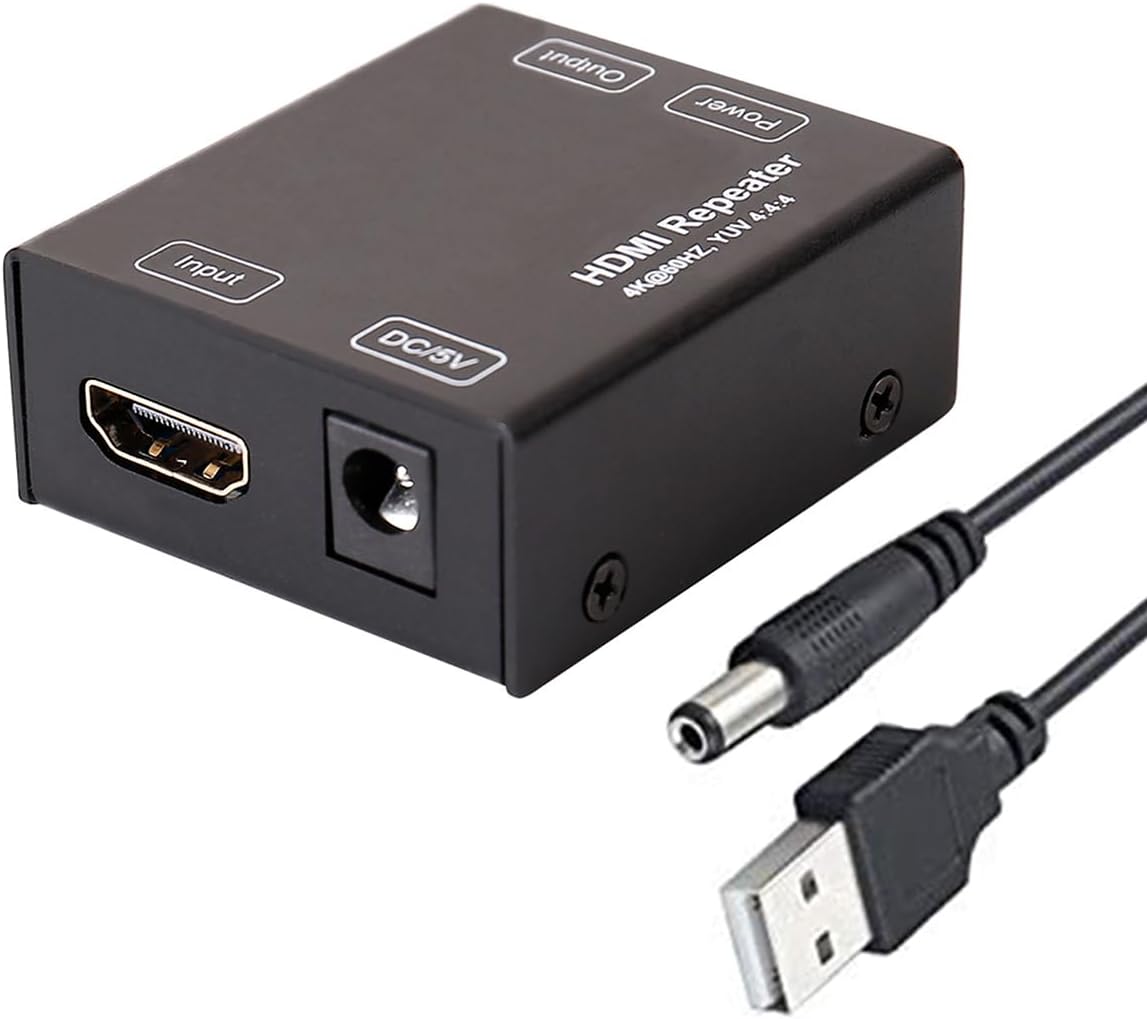
This amplifier supports HDR and 4K 60Hz resolutions with vivid color depth. Users praise its ability to maintain signal stability over long distances with proper cables.
We may earn a commission when you buy through this link, at no additional cost to you.
The metal housing protects against impact and heat buildup. Positioning the repeater closer to the source improves stability on longer runs over 20 meters.
Note that the included USB cable needs a separate 5V adapter for stable power. This can be an oversight for some buyers expecting an included adapter.
Those needing HDR support and long runs will appreciate the range. Ensure you have a compatible power adapter for consistent operation.
YUV 4:4:4 color sampling ensures rich visuals for media.
Sturdy casing protects the repeater from physical damage.
We may earn a commission when you buy through this link, at no additional cost to you.
This repeater targets next-gen consoles with robust 8K support. It includes an ETL-certified adapter to prevent flickering and black screens during gaming.
We may earn a commission when you buy through this link, at no additional cost to you.
Users note it works well with PS5 and Xbox Series X. The metal housing keeps it compact and protects internal components during long use.
Performance hinges on using standard 24AWG HDMI 2.1 cables. Without them, 8K transmission may fail over long distances.
Gamers needing reliable 8K signals will find it worth the investment. The included adapter adds convenience for consistent performance.
Optimized for PS5 and Xbox Series X/S signal paths.
ETL adapter ensures consistent voltage for active circuitry.
We may earn a commission when you buy through this link, at no additional cost to you.
This booster supports VRR and ALLM for smoother gameplay and reduced input lag. It maintains 8K 60Hz performance up to 20 meters with proper setup.
We may earn a commission when you buy through this link, at no additional cost to you.
The slim design fits discreetly behind TVs without obstructing ports. It supports deep color and uncompressed audio formats like LPCM 7.1.
Stability improves with USB-C power for extended runs. Users should choose standard AWG24 cables to avoid transmission errors.
Gamers prioritizing lag reduction will value the VRR feature. Its slim build makes it ideal for clean setups.
VRR support eliminates screen tearing during intense games.
12bit per channel color ensures accurate image details.
We may earn a commission when you buy through this link, at no additional cost to you.
This booster works well with VR headsets and various AV sources. It maintains 4K 60Hz quality while supporting multiple audio formats like DTS-HD.
We may earn a commission when you buy through this link, at no additional cost to you.
The aluminum case provides cooling and durability. Users report stable signal boost over 82 feet at 4K resolution with certified cables.
High-power devices like PS4 may require backup power. Ensure HDMI 2.0 cables are used to avoid loss or delays.
VR users needing to extend headset cables will find it useful. Its audio support adds value for home theater systems.
Designed to work seamlessly with VR headset displays.
Supports 7.1 surround sound without compression.
We may earn a commission when you buy through this link, at no additional cost to you.
This unit extends HDMI signals up to 200 feet with solid construction. Gold-plated connectors ensure long-term connection stability in high-use environments.
We may earn a commission when you buy through this link, at no additional cost to you.
Users report reliable performance with Blu-ray players and computers. It handles 4K 60Hz and 3D content without visible delay or cutouts.
High-power devices like PS4 may struggle without external power. Ensure proper cable quality to avoid signal loss at max range.
Installers needing extreme reach will find this reliable. The warranty adds confidence for professional installations.
Handles up to 200 feet for large venue setups.
Gold plating resists corrosion over long-term use.
We may earn a commission when you buy through this link, at no additional cost to you.
This booster adjusts to HDMI 1.3 or 2.0 modes automatically. It supports weak sources like Oculus Rift by using optional USB-C power.
We may earn a commission when you buy through this link, at no additional cost to you.
Users appreciate its tiny footprint behind wall-mounted displays. It maintains 4K 60Hz stability up to 100 feet with correct cable types.
Fiber optic cables are not supported. Ensure HDMI 2.0 cables are used to avoid compatibility issues.
Owners of laptops or older graphics cards will value the power option. Its auto-adjusting modes simplify setup.
USB-C port boosts stability for low-power source devices.
Switches modes automatically to match signal types.
We may earn a commission when you buy through this link, at no additional cost to you.
This booster offers professional-grade performance with strong support. It maintains 8K 60Hz and 4K 120Hz with minimal loss for long runs.
We may earn a commission when you buy through this link, at no additional cost to you.
Users praise its reliability and lifetime support team. DSC and HDR10 ensure smooth high-bandwidth content playback on modern screens.
It requires USB-C power for stability. While more expensive, its quality justifies the cost for critical setups.
Prosumers needing guaranteed signal integrity should choose this. Its support and warranty add long-term value.
Lifetime technical support ensures help when issues arise.
48Gbps handles 8K HDR and VRR seamlessly.
We may earn a commission when you buy through this link, at no additional cost to you.
Selecting the right booster requires matching specs to your display and source needs. Consider distance, resolution, power, and compatibility to ensure stable transmission.
Check if the booster supports your target resolution like 8K or 4K at 60Hz. Higher bandwidths like 48Gbps handle modern formats like VRR and HDR10 better than older 18Gbps models.
Confirm the booster's rated range matches your cable length. Distances vary by resolution; 8K needs shorter runs than 1080P, so ensure specs align with your setup distance.
Active boosters need external power for stability. Passive ones save cables but may fail with weak sources like gaming consoles, so check power port options for reliability.
Ensure the amplifier works with your source and display devices. Look for HDMI 2.1 and HDCP 2.3 support to avoid handshake issues with consoles like PS5.
Use certified HDMI cables that meet the booster's standards. Poor quality cables limit performance regardless of amplifier specs, causing flickering or loss at range.
Look for manufacturers offering warranties and tech support. Good support helps troubleshoot setup issues and ensures reliability over time.
Metal housings dissipate heat better than plastic. This ensures long-term stability especially when used in enclosed spaces or hot environments.
Check if audio formats like DTS-HD or LPCM 7.1 pass through. This ensures your surround sound system receives correct audio alongside the video signal.
Connect the booster between your source device and display using certified HDMI cables. Place the booster closer to the source for better stability on longer runs.
If the booster includes a power port, use a 5V adapter to ensure consistent performance especially with consoles like PS5. Weak power can cause signal dropouts.
Avoid blocking ventilation on metal housings to prevent overheating. Test the setup at max range before permanent installation to confirm stable transmission.
Most active boosters require external power for stability especially with weak sources like consoles. Passive units work for shorter runs but may flicker on longer cables. Check your device specs.
Most standard repeaters do not support fiber optic HDMI cables. Use high-quality copper cables that match the booster standards like HDMI 2.0 or 2.1 for best results.
A booster helps if cables are too long but won't fix source issues. If the display remains black, check cable connections and power before assuming the booster is the problem.
Only if your display and source support 8K otherwise a 4K booster suffices. Ensure your cables are certified for 8K to avoid compatibility issues with future devices.
Distances vary by resolution; 1080P can reach 200 feet while 8K drops to 50 feet. Always check the specific model specs for maximum extension limits.
Many models support 3D transmission as noted in specs. Ensure your source and display also support 3D for successful playback without distortion.
We reviewed ten amplifiers ranging from budget 4K units to premium 8K solutions. The J-Tech Digital 8K repeater stands out for next-gen support while the HDMI 2.0 repeater offers great value.
Prioritize resolution support and power needs for your setup. Ensure you use certified cables and test runs before permanent installation to avoid signal issues.
Prices and stock change frequently so verify details before purchasing. With the right booster you can enjoy stable high-quality video over any distance.