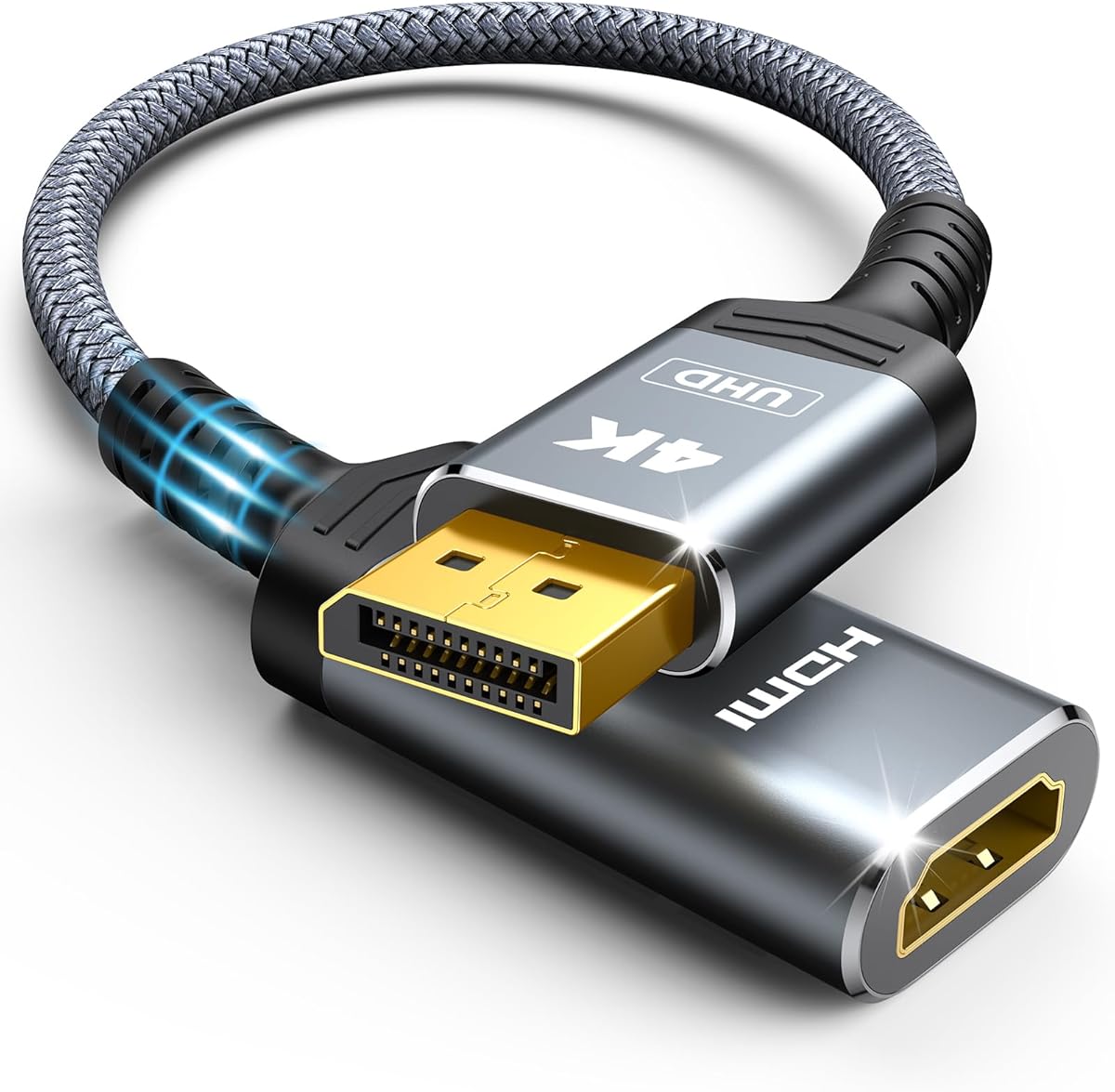
Highwings 4K DisplayPort to HDMI Adapter
4.6Editor score
Passive DP to HDMI adapter
Durable nylon braided design
Affordable price point
This guide compares the top HDMI to Displayport Converter models for performance, compatibility, and reliability to help you choose the right adapter for your
Finding the right HDMI to Displayport Converter can be challenging given the variety of active and passive options available today. A good adapter ensures stable video transmission, supports high resolutions like 4K, and maintains audio sync without flickering or signal loss.
We evaluated ten top-rated converters based on build quality, resolution support, directionality, and user feedback. Our analysis focuses on which models deliver reliable performance for gaming, workstations, and home theater setups while avoiding common compatibility pitfalls.
Each pick highlights key strengths and limitations so you can match the adapter to your specific source and display. Keep in mind that pricing and availability change frequently, so verify current details before making your final purchase decision.
4.6Editor score

4.4Editor score

4.8Editor score
The following table provides a side-by-side comparison of all ten selected HDMI to Displayport Converter models. Each entry lists key specifications, performance capabilities, and compatibility notes to help you quickly identify the best fit for your needs.



The Highwings adapter delivers strong value with reliable 4K video output and solid build quality for a budget-friendly price. It supports up to 4K@30Hz and includes features like gold-plated ports and strain relief for longevity.
We may earn a commission when you buy through this link, at no additional cost to you.
Its passive design simplifies setup for DP-source devices like desktops and laptops. Users appreciate the durable nylon braiding and secure signal transmission, making it a great choice for presentations or home office setups.
Be aware that this adapter only works from DisplayPort sources to HDMI displays. It requires support for DisplayPort Alternate Mode and does not support 4K@60Hz refresh rates which may limit high-end gaming performance.
Ideal for users seeking an affordable and sturdy solution for standard HD or 4K@30Hz needs. If your setup supports the required mode and you don't need higher refresh rates, this adapter offers excellent performance.
The adapter features military-grade tensile nylon and 24K gold-plated ports to ensure long-lasting durability and reliable signal transmission over extended use.
Ensure your laptop or PC supports DisplayPort Alternate Mode since this passive adapter cannot work with devices like game consoles or Fire TV sticks.
We may earn a commission when you buy through this link, at no additional cost to you.
The BENFEI adapter offers a compact and reliable way to connect DisplayPort devices to HDMI displays. Its passive design supports 4K@30Hz with gold-plated connectors that resist corrosion and ensure stable performance.
We may earn a commission when you buy through this link, at no additional cost to you.
Users highlight the secure connection provided by the DisplayPort latches which prevent accidental disconnections during presentations. The lightweight form factor makes it easy to slip into a laptop bag for travel or office use.
While it provides excellent stability for standard resolutions it does not support HDMI to DP conversion or higher refresh rates. Power is drawn from the source device which works well for most but may not suffice for all monitors.
Choose this adapter if you need a trustworthy and portable solution for connecting laptops or desktops to larger screens. Its combination of build quality and simplicity makes it a solid pick for everyday use.
The DisplayPort connector features integrated latches that lock in place for a secure connection preventing accidental dislodging during use.
BENFEI provides an unconditional 18-month warranty with friendly customer service to help resolve any product issues promptly.
We may earn a commission when you buy through this link, at no additional cost to you.
The Cable Matters adapter fills a critical gap by allowing HDMI sources to connect to DisplayPort monitors. Its active design supports 4K@30Hz and includes a USB cable to ensure stable performance with low-power devices.
We may earn a commission when you buy through this link, at no additional cost to you.
This model is ideal for extending your desktop from a laptop or console to a DP monitor. The gold-plated connectors and sturdy housing provide durability while the included power cable minimizes signal flickering.
It does not support high refresh rates like 4K@60Hz or VRR which limits gaming use cases. Also expect a higher price than passive adapters since active conversion chips require additional engineering and components.
Select this adapter if you need to connect an HDMI device like a PC or gaming console to a DisplayPort screen. Its reliable performance and included power make it a versatile choice for professional setups.
A USB power cable is included to stabilize signal transmission especially when connecting to low-power HDMI output devices.
Works well with laptops and desktops that have HDMI outputs needing to connect to DisplayPort monitors for office or home setups.
We may earn a commission when you buy through this link, at no additional cost to you.
This HDMI to DisplayPort adapter delivers outstanding refresh rates up to 4K@60Hz and 2K@144Hz making it ideal for gamers and high-performance setups. It includes a USB power cable to ensure stable transmission from HDMI sources.
We may earn a commission when you buy through this link, at no additional cost to you.
The adapter supports a wide range of devices including Xbox and PlayStation consoles for connecting to DP monitors. Users appreciate the plug and play functionality and the lag-free viewing experience it provides.
It does not work with VR headsets or KVM switches and requires USB power for consistent performance. The cost is higher than passive options but justified by the superior refresh rate support.
Choose this adapter for gaming setups where high refresh rates are critical. Its ability to convert HDMI signals to DP while maintaining smooth motion makes it a standout choice for enthusiasts.
Supports refresh rates up to 144Hz at 2K resolution enabling smooth gameplay and responsive visuals for competitive gaming.
Compatible with major game consoles like Xbox and PlayStation allowing seamless connection to DisplayPort monitors.
We may earn a commission when you buy through this link, at no additional cost to you.
The Moread adapter stands out for its five-year warranty and durable construction. It supports 4K@30Hz video with clear audio pass-thru and includes latches to prevent accidental disconnections.
We may earn a commission when you buy through this link, at no additional cost to you.
Users value the reinforced ABS housing and strain relief features that protect the connector during frequent use. The adapter works well with most PCs and laptops that support DisplayPort Alternate Mode.
It is a passive device so it cannot convert HDMI sources to DisplayPort displays. Also be aware that high-resolution transmissions may generate heat which is normal but worth noting for ventilation.
This adapter is perfect for users prioritizing long-term protection and build quality. With its solid design and extensive warranty coverage it offers peace of mind for everyday connectivity needs.
Moread offers an unconditional five-year warranty ensuring long-term satisfaction with friendly and accessible customer service.
The DisplayPort connector includes latches that lock in place requiring a button press to release for secure connections.
We may earn a commission when you buy through this link, at no additional cost to you.
This adapter supports 4K@60Hz video and features a sleek aluminum housing that dissipates heat effectively. It uses multi-layer copper shielding to minimize signal loss and ensure audio clarity across devices.
We may earn a commission when you buy through this link, at no additional cost to you.
The wide compatibility includes consoles like PS5 and Xbox as well as PCs and laptops. Users appreciate the plug and play setup and the clear video quality provided by the gold-plated connectors.
It does not support 1440P@144Hz which may be a limitation for some high-end gaming needs. The aluminum design is durable but care should be taken when connecting to sensitive devices.
Ideal for those needing high refresh rate performance with a variety of HDMI sources. Its combination of build quality and multi-device support makes it a versatile tool for modern setups.
Multi-layer copper shielding and aluminum housing reduce EMI to ensure stable and clear video transmission.
Compatible with a broad range of devices including gaming consoles and laptops that support HDMI output.
We may earn a commission when you buy through this link, at no additional cost to you.
UGREEN offers two adapters in one package providing great value for households or offices with multiple setups. Each unit supports 4K@30Hz and features an aluminum case that improves heat dissipation.
We may earn a commission when you buy through this link, at no additional cost to you.
The adapters are compact and lightweight making them easy to transport or store. Users appreciate the no-buckle design and the reliable signal transmission they deliver for standard display needs.
They work only from DisplayPort sources to HDMI displays requiring support for Alternate Mode. The pack size makes it convenient to have backups or multiple adapters for different rooms.
This 2-pack is ideal for users needing multiple affordable adapters for home or office use. The balance of quality and value makes it a smart choice for general connectivity.
Receiving two adapters provides excellent value allowing you to equip multiple workspaces without buying separate units.
The aluminum casing improves heat dissipation ensuring safe operation during prolonged use.
We may earn a commission when you buy through this link, at no additional cost to you.
This UGREEN adapter features a braided sheath and aluminum housing for superior durability. It supports 1080P@120Hz and 4K@30Hz video with clear audio sync for an immersive experience.
We may earn a commission when you buy through this link, at no additional cost to you.
The cable includes strain relief and EMI shielding to prevent signal loss. Users praise its compact design and the high-quality construction that withstands daily use and bending.
It only works from DP sources to HDMI displays and has a shorter cable length of 0.66 feet. The premium build justifies the cost for those seeking reliability and longevity.
Choose this adapter if you prioritize build quality and clear transmission. Its robust design makes it a premium choice for users who want a dependable connection.
A braided sheath and aluminum housing ensure durability and heat dissipation for long-term reliable performance.
32AWG tinned copper conductors with aluminum foil and braided shielding minimize EMI for stable video transmission.
We may earn a commission when you buy through this link, at no additional cost to you.
This BENFEI adapter supports high refresh rates up to 4K@60Hz and 165Hz making it ideal for gaming and dynamic visuals. It uses active conversion to transmit signals from HDMI sources to DP monitors.
We may earn a commission when you buy through this link, at no additional cost to you.
The braided nylon cable and aluminum casing provide durability and heat resistance. Users note the stable performance and clear digital audio support with up to eight channels.
It requires USB power for consistent results and does not work with VR headsets. The adapter excels in office and entertainment setups where refresh rates and stability matter most.
Select this adapter if you need high refresh rate support from an HDMI source. Its combination of build quality and performance makes it a strong contender for advanced users.
Supports 8-channel digital audio with sampling rates up to 192kHz for immersive sound experiences.
Includes a USB power cable to ensure sufficient voltage for the chipset preventing signal instability.
We may earn a commission when you buy through this link, at no additional cost to you.
This BENFEI adapter connects HDMI devices like game consoles to DisplayPort monitors with support for 4K@60Hz. It is compact and portable making it easy to take on the go.
We may earn a commission when you buy through this link, at no additional cost to you.
Users appreciate the reliable signal transmission and compatibility with devices like PS4 and Xbox. The aluminum casing ensures heat insulation while the active chip enables stable conversions.
It requires a USB power connection to function properly which can be a minor inconvenience. While it does not support VR headsets it works well for gaming and office setups.
Choose this adapter for connecting consoles or PCs to DP monitors with high refresh rates. Its compatibility and performance make it a solid pick for home entertainment and gaming.
The lightweight design allows you to tuck the adapter into your bag for presentations or travel easily.
Meets HDCP standards ensuring secure transmission for protected content and media.
We may earn a commission when you buy through this link, at no additional cost to you.
Selecting the right converter requires understanding your source and display ports along with your performance needs. This guide outlines key factors to consider before making a purchase.
Converters come in two types: DisplayPort to HDMI and HDMI to DisplayPort. Most are uni-directional meaning they only work one way. Ensure you choose a model that matches your source output and display input.
Passive adapters work for DP to HDMI conversions using built-in chips while active adapters are needed for HDMI to DP to convert the signal properly.
Look for adapters that support your desired resolution and refresh rate. Some models support 4K at 30Hz while others go up to 60Hz or higher which is crucial for gaming.
Verify compatibility with your monitor's capabilities to avoid mismatched settings that may cause flickering or dropped frames.
Active adapters often require external power to function correctly. Some models include a USB cable while others rely on the source device. If your device does not supply enough power you may need an external source.
Always check if a power cable is included and whether your setup can support the adapter's power needs for stable transmission.
Materials like aluminum alloy and nylon braiding improve durability and heat resistance. Gold-plated connectors resist corrosion and ensure stable signal transfer over time.
Consider strain relief features and connector locking mechanisms that prevent accidental disconnection during regular use.
Not all adapters work with every device. Some require DisplayPort Alternate Mode while others support game consoles like Xbox or PlayStation. Check compatibility lists to avoid incompatibility issues.
Ensure your laptop or desktop supports the specific conversion mode required by the adapter for proper output.
Audio transmission is built into most adapters but verify supported channels and formats. Some models support multi-channel digital audio which is essential for home theater setups.
Look for adapters that mention audio sync and compression specs to ensure clear sound along with video.
A good warranty indicates confidence in product quality. Many brands offer one to five-year coverage which can save costs if issues arise later.
Check for accessible customer service options and return policies before purchasing to ensure support if needed.
Compact and lightweight adapters are easier to carry for travel or presentations. Some models are smaller than others and may block adjacent ports depending on their shape.
Choose a design that fits your port usage needs and does not interfere with other connectors on your device.
To set up your adapter plug it into the source device first and then connect the appropriate cable to your monitor. Ensure the correct ports are matched for the direction you need.
If your adapter requires power connect the USB cable to a USB port or power source before powering on your display. This ensures stable performance especially with high-resolution outputs.
Care for your adapter by avoiding sharp bends and keeping ports clean. Store it in a protective case when not in use to prevent dust or physical damage to the connectors.
Yes but only if the adapter is designed for HDMI sources. Many adapters are uni-directional and only work from DP to HDMI. Check that the model supports HDMI input for consoles like Xbox or PlayStation.
This could be due to unsupported resolution or missing power. Ensure your source supports the resolution required and that power cables are connected if needed. Also confirm your adapter matches your source port direction.
Most modern adapters are plug and play and do not require drivers. They work by using built-in chips to convert signals. However always check the product documentation for any specific software needs.
Only some models support 4K at 60Hz. Many passive adapters support only 30Hz. Look for specifications that confirm 4K@60Hz support if you need higher refresh rates.
Not all adapters need extra power. Passive ones often draw enough power from the source but active ones usually require a USB cable for stability. Always check the product requirements before setup.
It is a feature in some laptops and devices that allows native video output over USB-C or DisplayPort. Without it some passive adapters may not function correctly with your device.
No daisy chaining adapters is not recommended and may cause signal issues. Connect your source directly to the adapter and then to your display for best results and reliability.
Compatibility depends on the model. Macs often require USB-C to HDMI. Use adapters that support Alternate Mode and confirm they are listed as compatible with your Mac device in the product details.
The HDMI to Displayport Converter market offers a range of options for both DP source and HDMI source needs. Our top picks include models that balance performance durability and value for different setups.
Prioritize directionality and resolution support first to ensure compatibility. Also consider build quality and warranty to avoid long-term issues with your connections.
Always verify current pricing and specifications before buying since adapters change frequently. With the right choice you can enjoy smooth high-quality video and audio transmission between devices.