
Ring Indoor Cam (newest model) — Home or business security in 1080p HD video, White
4.7Editor score
Manual privacy cover
Color night vision
Alexa integration
This guide compares the top indoor wireless IP cameras for security and monitoring, evaluating video quality, smart features, storage options, and ease of use.
Modern homes require reliable security solutions that blend seamlessly into daily life. Indoor wireless IP cameras offer a versatile way to monitor spaces without complex wiring. They provide real-time video feeds, smart alerts, and two-way audio to keep you connected.
We evaluated ten leading models based on video resolution, night vision performance, and smart detection capabilities. Our analysis focuses on user-friendly apps, privacy features, and storage flexibility. Each product was assessed for its ability to deliver clear imagery and reliable connectivity.
Each pick highlights specific strengths like 4K clarity or local storage options. You will find detailed insights into motion tracking, audio quality, and integration with smart home ecosystems. Prices and availability change frequently, so verify current details before purchasing.
4.7Editor score
4.6Editor score

4.4Editor score
The following table offers a side-by-side look at key specifications and features across all ten models. It highlights resolution, field of view, storage methods, and unique capabilities to help you narrow down choices quickly.



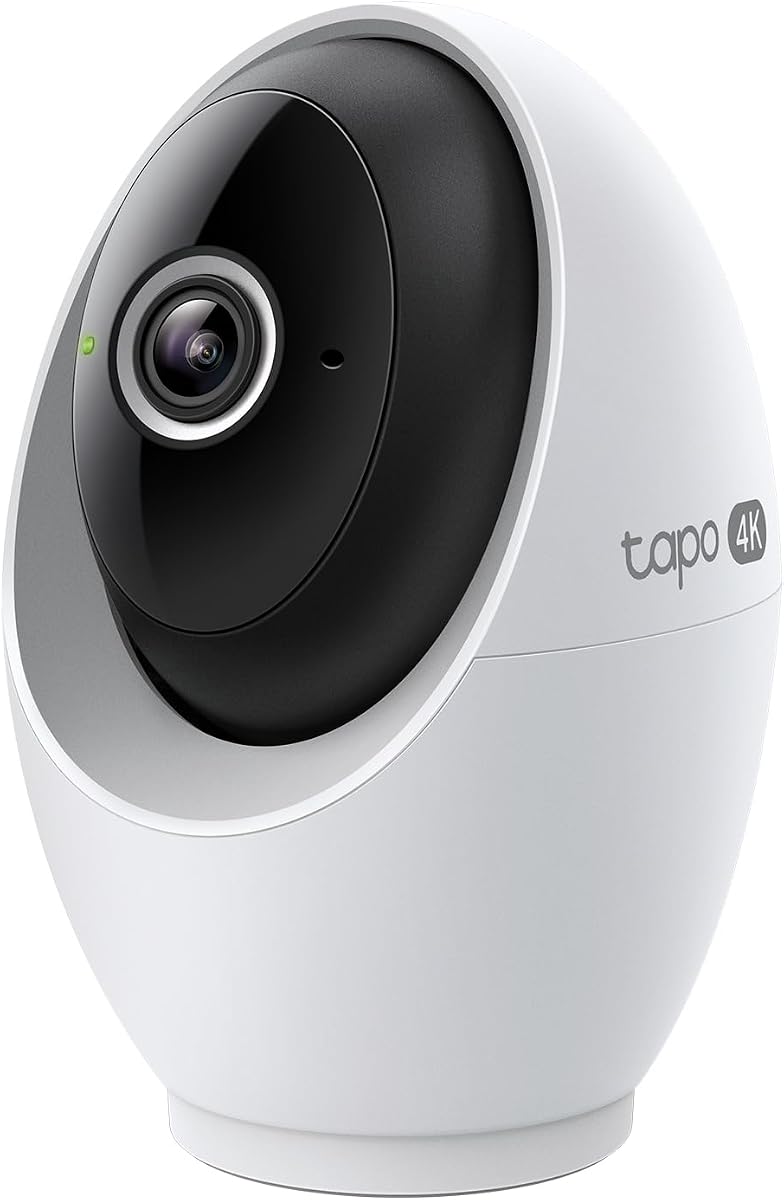
The Tapo C260 stands out as the premier choice for indoor wireless IP cameras due to its stunning 4K resolution and comprehensive feature set. Users appreciate the ability to capture fine details with clarity. Its design balances advanced technology with practical ease of use.
We may earn a commission when you buy through this link, at no additional cost to you.
This camera excels with on-device AI detection that keeps sensitive data private while delivering fast alerts. The 360-degree pan and tilt ensure no corner is left unmonitored. You can zoom digitally without losing much detail, making it ideal for tracking activity across a room.
While it requires a wired connection for power, this ensures stable performance without battery anxiety. The starlight sensor provides vivid night images even in near darkness. Privacy zones allow you to block specific areas like bathrooms, respecting household boundaries effectively.
Anyone seeking high-quality monitoring without recurring fees will find this model compelling. It serves well for baby monitoring or general security. The combination of resolution and local storage makes it a top recommendation for modern homes.
The 4K sensor captures license plates and small objects clearly. This level of detail is rare in indoor units.
AI distinguishes between people and pets reducing false alerts significantly. You only get notified when it matters.
We may earn a commission when you buy through this link, at no additional cost to you.
The Ring Indoor Cam offers a straightforward solution for those prioritizing ease of use and privacy controls. Its manual cover provides a tangible sense of security when not in use. The HD video quality is sufficient for daily monitoring tasks.
We may earn a commission when you buy through this link, at no additional cost to you.
Color night vision is a standout feature at this price point, allowing you to see true colors in low light. This helps in identifying objects or people better than standard infrared. Integration with Alexa makes voice viewing convenient for Echo Show users.
The primary trade-off is the reliance on a subscription for saved video history. Without it, you mainly get real-time alerts. However, for live viewing and basic alerts, it performs reliably. Setup takes minutes without technical hurdles.
Ideal for renters or those already in the Ring ecosystem. It balances affordability with essential features effectively. If you value physical privacy switches, this is a leading option.
The swivel cover mechanically disables camera and mic instantly. This offers peace of mind when at home.
Alexa announcements alert you to motion without opening an app. Stream video directly to Echo devices.
We may earn a commission when you buy through this link, at no additional cost to you.
The eufy S350 introduces a dual-lens system that allows simultaneous wide and telephoto views. This innovation sets it apart from standard single-lens models. It provides unmatched clarity for verifying details like facial features or small objects.
We may earn a commission when you buy through this link, at no additional cost to you.
With 8x hybrid zoom, you can inspect areas deeply without losing sharpness. The AI detects specific sounds like crying or barking accurately. Local storage ensures footage remains on your device unless you opt for cloud services.
While the price is higher, the absence of required subscriptions offsets long-term costs. The physical privacy mode adds another layer of trust. Users seeking high-tech features without monthly fees will find this compelling.
Best for households needing detailed monitoring like elder care or child safety. The precision of the zoom and dual views offers a premium experience. It is a robust choice for tech-savvy users.
One lens captures the room while another focuses on detail. See both context and specific action at once.
Recognizes cries and barks distinctly to reduce noise. You know exactly what triggered the notification.
We may earn a commission when you buy through this link, at no additional cost to you.
Amcrest delivers high performance with 4MP resolution at 30 frames per second. This smoothness is crucial for tracking fast movement indoors. It supports professional surveillance software for advanced users needing deep control.
We may earn a commission when you buy through this link, at no additional cost to you.
The camera works with various NAS systems and local storage options. This ensures you retain full control over your data. Encryption standards are robust, protecting your feed from unauthorized access effectively.
The setup process may be slightly more involved than consumer brands. You might need to navigate multiple settings for optimal performance. However, the reliability and detail justify the extra effort.
Recommended for tech enthusiasts or business use where data control is paramount. The high frame rate and encryption make it a secure option. It bridges the gap between consumer and professional gear.
Compatible with Blue Iris and other pro software. Record multiple cameras with full control.
SSL connections and local storage reduce cloud risks. Your footage stays private by default.
We may earn a commission when you buy through this link, at no additional cost to you.
The eufy E30 provides clear 4K footage with a useful spotlight feature for night. This allows color night vision without blinding lights. It supports HomeKit, making it ideal for Apple users seeking seamless integration.
We may earn a commission when you buy through this link, at no additional cost to you.
Navigation is intuitive with panoramic view modes. You can tap areas to focus instantly without scrolling. The tracking keeps moving subjects centered, ensuring no action is missed in a room.
The reliance on a HomeBase for some advanced features may be a hurdle for some users. However, local storage on SD cards works independently. The balance of ecosystem compatibility and performance is strong.
Perfect for those invested in the Apple ecosystem or wanting color night vision. The spotlight adds an extra layer of deterrence. It is a reliable choice for general home monitoring.
Works with Apple HomeKit for secure access. View feeds on Apple TV or iPhone easily.
Spotlight turns on automatically in low light. You see true colors even in darkness.
We may earn a commission when you buy through this link, at no additional cost to you.
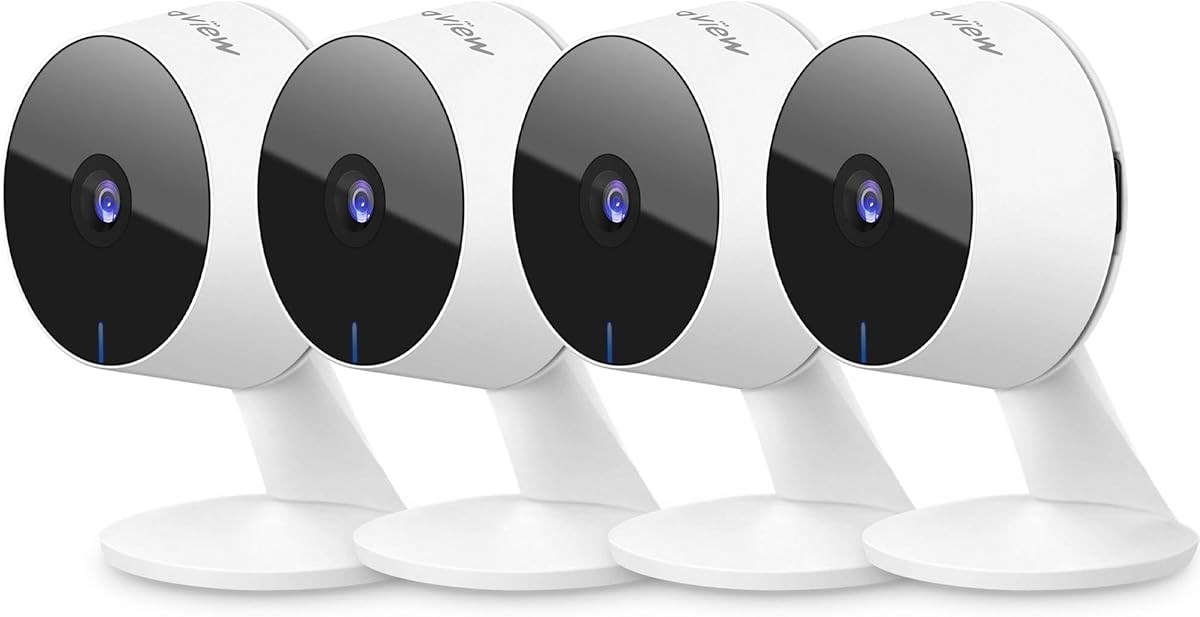
This four-pack bundle offers an affordable way to cover multiple rooms simultaneously. It is perfect for large homes needing comprehensive surveillance. The setup is streamlined to handle multiple devices quickly.
We may earn a commission when you buy through this link, at no additional cost to you.
Features include push notifications for crying or motion. The 40-foot night vision ensures visibility in large rooms. You can interact with pets or family via the two-way audio system.
While the resolution is standard 1080p, it suffices for general monitoring. The siren can deter intruders if needed. The value proposition of four units is hard to beat for entry-level users.
Ideal for families needing multiple points of view. It simplifies managing several feeds. If budget is the priority, this is a strong starting point.
Cover kitchen, nursery, and hallway with one app. Monitor entire household efficiently.
Alert sounds can scare off unwanted visitors. A simple but effective security feature.
We may earn a commission when you buy through this link, at no additional cost to you.
The Tapo C120 is a versatile option that works indoors and outdoors. Its compact size and magnetic base make installation incredibly easy. You can place it on a fridge or railing without tools.
We may earn a commission when you buy through this link, at no additional cost to you.
2K resolution provides better clarity than standard HD. The starlight sensor delivers colorful night video. This is useful for identifying objects or pets clearly in dim conditions.
While marketed for both environments, it shines indoors where weatherproofing adds durability. The flexible mounting options allow for creative angles. It fits into many spaces unobtrusively.
Best for renters or those seeking easy mounting solutions. The magnetic base simplifies setup. If you need reliable monitoring without drilling holes, this is a great pick.
Magnetic base allows instant positioning on metal surfaces. Move it without leaving marks.
Captures full color even in low light. Identify details that infrared misses.
We may earn a commission when you buy through this link, at no additional cost to you.
LaView offers a solid four-camera kit with web browser access. This allows viewing without a mobile device. It supports multiple user accounts, making sharing access easy for families.
We may earn a commission when you buy through this link, at no additional cost to you.
The cameras connect via 2.4GHz Wi-Fi. They provide 33 feet of night vision. Motion alerts are quick, ensuring you stay informed of changes in your home.
While the app is straightforward, it lacks some advanced features. However, for basic monitoring, it works well. The cloud trial gives a taste of storage without immediate fees.
Suitable for those needing multiple cameras on a budget. Web access adds convenience for desktop users. It balances cost with essential monitoring capabilities.
Watch feeds directly from a laptop. No app needed for quick checks.
Invite up to 20 users to view cameras. Great for caregivers or roommates.
We may earn a commission when you buy through this link, at no additional cost to you.
The youkey S320 is designed for renters who want zero installation hassles. Its magnetic mount and battery power mean you can move it anywhere. The 2K video ensures decent detail for most tasks.
We may earn a commission when you buy through this link, at no additional cost to you.
With built-in storage, you avoid buying SD cards. PIR wake-up conserves energy by recording only when humans or pets move. Privacy is easy via an app toggle.
The main limit is storage capacity compared to larger cards. You may need to download clips regularly. Charging is simple via the base. It is a practical choice for flexibility.
Best for renters or temporary monitoring needs. The lack of wires makes setup trivial. If you want a movable camera, this fits the bill.
No outlets or cables restrict placement. Move it room to room easily.
No extra SD card needed for basic clips. Saves time and money.
We may earn a commission when you buy through this link, at no additional cost to you.
Amcrest ProHD delivers reliable HD video at an accessible price. The pan and tilt functions let you scan rooms remotely. It connects easily to standard 2.4GHz networks.
We may earn a commission when you buy through this link, at no additional cost to you.
Features include two-way audio for real-time communication. You can store clips locally on SD cards. The night vision provides 32 feet of coverage for indoor use.
While it lacks 5GHz support, the connection remains stable for most setups. It serves as a solid baseline camera for basic needs. It is cost-effective for entry-level users.
Recommended for those needing pan tilt without premium costs. It covers essential functions well. A dependable choice for basic security.
Adjust view from your phone easily. Cover multiple angles without moving the camera.
Record directly to SD card. Keep footage offline without subscription.
We may earn a commission when you buy through this link, at no additional cost to you.
Selecting the right indoor wireless IP camera involves evaluating several technical and practical factors. This guide outlines key considerations to help you make an informed decision for your home security needs.
Video resolution determines how clear your footage is. Higher resolutions like 4K capture fine details better than 1080p. If you need to identify faces or objects clearly, prioritize higher megapixel counts.
Higher resolutions provide better clarity for identification tasks.
Night vision allows monitoring in darkness. Look for cameras with color night vision or infrared with sufficient range. Some models use spotlights to maintain color, while others use IR filters.
Choose models with good low-light performance for 24/7 monitoring.
A wider field of view covers more ground. Pan/tilt models allow remote adjustment of the camera angle. This is useful for scanning large rooms without mounting multiple units.
Pan/tilt features provide flexibility in monitoring large areas.
AI features distinguish between people, pets, and vehicles. This reduces false alerts caused by shadows or moving curtains. Advanced models can even detect sounds like crying.
Smart detection minimizes unnecessary alerts significantly.
Storage can be local via SD cards or cloud-based. Local storage avoids monthly fees and keeps data private. Cloud storage offers remote access and redundancy but often requires subscriptions.
Local storage is budget-friendly and privacy-focused.
Wire-free models run on batteries but need recharging. Wired models offer continuous power but require outlets. Consider your placement needs and whether you want portability.
Battery models offer portability while wired models ensure constant operation.
Physical privacy covers or app toggles let you disable cameras manually. This is essential for bedrooms or private spaces. Look for models with mechanical shutters for physical assurance.
Physical shutters provide tangible privacy control.
Integration with Alexa, Google, or HomeKit adds convenience. You can view feeds on smart displays or use voice commands. Ensure compatibility with your existing ecosystem.
Integration simplifies viewing and control with voice commands.
To start, mount the camera securely using the provided brackets or magnetic base. Ensure it connects to a stable Wi-Fi network for uninterrupted streaming. Adjust the angle to cover key areas like entryways or playrooms.
Regularly update the firmware through the app to maintain security and performance. Check SD card health if using local storage to avoid data loss. Clean the lens with a soft cloth to prevent dust from blurring images.
Test night vision by viewing the camera in darkness to confirm clarity. Adjust motion zones to focus on active areas and reduce false alerts. Share access carefully with family members to keep monitoring private.
Yes, many models support local SD card storage without subscriptions. You can view live feeds and save clips locally for free. Some features like cloud history may require fees, but core functions often work without.
Local recording on SD cards usually continues during internet outages. However, remote viewing and alerts will stop until connection is restored. Always check if the model supports offline storage modes.
Use strong, unique passwords and enable two-factor authentication if available. Keep firmware updated to patch vulnerabilities. Avoid public Wi-Fi for the camera connection to prevent unauthorized access.
2.4GHz offers better range and wall penetration, suitable for cameras. 5GHz is faster but has shorter range. Most cameras work on 2.4GHz as it covers most home layouts better.
Yes, they provide reliable audio and video monitoring. Look for models with two-way audio and quiet operation. Ensure no small parts are within reach if placed on furniture.
Battery life varies by usage but typically lasts months on a single charge. Motion-triggered recording helps extend battery. Charging takes a few hours depending on the model capacity.
We have reviewed ten top models ranging from budget bundles to premium dual-lens systems. Each offers distinct advantages depending on resolution, storage, and smart features needed. Choose based on your specific privacy and monitoring priorities.
Focus on resolution clarity and storage methods when selecting. If you value privacy, local storage and physical shutters are essential. For convenience, smart integration and easy setup matter most.
Prices and features change frequently so verify current details before buying. Check for current discounts and software updates. This ensures you get the best value for your security investment today.