
Kingston NV1 2TB
4.7Editor score
Ideal for laptops and small PCs
Up to 2100MB/s read speeds
Available up to 2TB capacity
This guide compares the best Kingston Internal NVME SSD options for gaming and work, evaluating speed capacity reliability and value to help you choose the
Finding the right storage solution is crucial for modern computing needs. Whether you are building a gaming rig or upgrading a workstation, internal NVME drives offer unmatched speed and efficiency. Kingston has established itself as a reliable provider in this space, offering various models to suit different budgets and performance requirements.
We have carefully selected and analyzed ten top models from the Kingston lineup along with a key competitor to provide a comprehensive overview. Our comparison focuses on real-world performance metrics, build quality, compatibility across different form factors, and overall value proposition. This ensures you get a clear picture of what each drive brings to your system.
Each pick in this list highlights specific strengths such as raw throughput, thermal management, or compatibility with handheld devices. We aim to help you navigate the options without overwhelming you with technical jargon. Please note that product availability and pricing can change frequently, so verify current details before making a purchase decision.
4.7Editor score

4.7Editor score
4.7Editor score
The following table provides a side-by-side comparison of all selected products to help you quickly identify key differences in specs and features.



The Kingston NV3 1TB stands out as a top contender for users seeking a balance of speed and efficiency. With a high rating from verified buyers, this drive delivers Gen 4×4 NVMe performance that is ideal for modern applications. Its ability to reach up to 6000MB/s read speeds ensures that boot times and file transfers are incredibly fast.
We may earn a commission when you buy through this link, at no additional cost to you.
Key strengths of this model include its low power consumption which is beneficial for laptops and energy conscious builds. The inclusion of Acronis cloning software simplifies the upgrade process significantly allowing users to migrate their operating system effortlessly. This makes it a practical choice for those looking to refresh their hardware without losing existing data configurations.
Honest trade-offs involve the lack of an included heatsink on some configurations which might be a consideration for high thermal environments. While the drive is efficient, active cooling or a separate heatsink may be required for sustained heavy workloads to maintain peak performance. However, for most general users and gamers these trade-offs are acceptable given the overall package.
This drive is highly recommended for anyone building a new system or upgrading an existing one who needs reliable fast storage. It suits gamers content creators and professionals who require quick access to large files without breaking the bank. We recommend it as a solid choice for a primary system drive or secondary storage pool.
Sequential read speeds reaching 6000MB/s mean you spend less time waiting for files to load and more time working.
The bundled Acronis software removes the hassle of finding third party tools when moving your OS to the new drive.
We may earn a commission when you buy through this link, at no additional cost to you.
The Kingston Fury Renegade 1TB is designed for enthusiasts who demand the highest performance available in the Gen 4 lineup. Boasting speeds up to 7300MB/s it pushes the boundaries of what is possible with current consumer interfaces. The presence of a heatsink out of the box ensures thermal stability which is critical for sustained gaming sessions.
We may earn a commission when you buy through this link, at no additional cost to you.
One of its most notable strengths is its readiness for the PlayStation 5 console. This compatibility makes it a seamless upgrade path for console gamers looking to expand their storage without compatibility issues. The slim form factor allows it to fit easily into tight spaces whether in a desktop or a console expansion slot.
While the performance is exceptional the price is higher than standard NVMe drives which might not be necessary for all users. Additionally ensuring your motherboard supports PCIe Gen 4 is essential to fully utilize the speed capabilities of this drive. For those with compatible hardware the investment pays off in reduced load times and smoother performance.
We recommend this drive for hardcore gamers and power users who want top-tier responsiveness for demanding applications. It is an excellent choice for PS5 owners needing extra storage that performs on par with the internal drive. If budget is not a primary constraint this model delivers premium value for high performance builds.
Certified for PS5 expansion this drive meets the strict requirements needed for console gaming performance and stability.
The included heatsink helps keep temperatures in check preventing thermal throttling during long gaming marathons.
We may earn a commission when you buy through this link, at no additional cost to you.
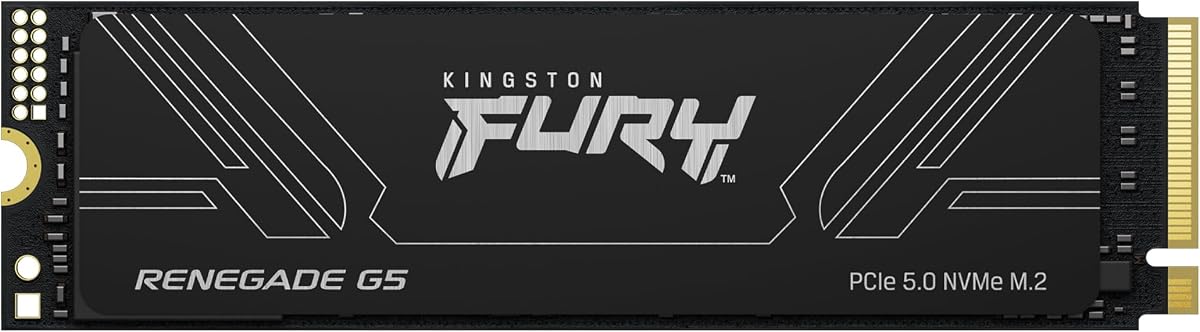
The Kingston FURY Renegade G5 represents the cutting edge of storage technology with PCIe 5.0 capabilities. It offers read speeds up to 14800MB/s which is nearly double the speed of previous generations. This level of performance is tailored for power users and professionals who work with massive datasets or require ultra-fast load times.
We may earn a commission when you buy through this link, at no additional cost to you.
Its advanced thermal design is crucial given the heat generated by such high-speed operations. The use of a SM2508 controller with low-power DDR4 cache ensures stable power and reliable performance even under heavy loads. This makes it a robust choice for content creation and high-performance computing tasks.
The primary consideration for this drive is the requirement for a motherboard with Gen 5 support which is still becoming more common. The premium price tag also reflects its position as an early adopter product intended for those who need the absolute fastest speeds available. For general gaming it might be overkill compared to Gen 4 options.
We recommend this drive for professionals and enthusiasts who need the absolute fastest storage available for their workstation. It is ideal for editing 8K video or working with large 3D assets where transfer speed directly impacts productivity. If you have a compatible system this drive will future-proof your storage setup for years to come.
Designed for content creators this drive handles heavy workloads with ease thanks to its advanced controller architecture.
With PCIe 5.0 support this drive ensures your system is ready for the next wave of software and hardware demands.
We may earn a commission when you buy through this link, at no additional cost to you.
The Kingston NV3 1TB in the 2230 form factor is specifically designed for users who need performance in a compact space. With the to 6000MB/s read speeds it brings high-end NVMe capabilities to devices that have physical size constraints. This makes it perfect for handheld gaming consoles and small form factor PCs where space is at a premium.
We may earn a commission when you buy through this link, at no additional cost to you.
Its key strength lies in its ability to deliver Gen 4×4 performance without requiring a large 2280 drive. This efficiency allows for upgrades in devices that previously used slower storage. The low power design further ensures that battery life on portable devices is not significantly compromised by the storage upgrade.
The trade-off is often a higher cost per terabyte compared to standard 2280 drives due to the specialized form factor. Additionally the availability of 2230 drives might be slightly more limited in some regions. However for those needing this specific size the performance benefits outweigh the minor drawbacks.
We recommend this drive for owners of modern handheld consoles looking to expand their library without sacrificing speed. It is also a great option for mini PC builds where thermal and physical space are critical factors. If you need reliable fast storage in a tiny package this model is the right choice.
Enjoy high-speed gaming on the go with a drive designed specifically for the compact requirements of handhelds.
The smaller footprint allows it to fit in tight slots where larger drives simply cannot be installed.
We may earn a commission when you buy through this link, at no additional cost to you.
While not a Kingston drive the Samsung SSD 990 PRO is included for comparison as a top competitor in the Gen 4 market. It offers speeds up to 7450MB/s and delivers exceptional random read/write performance. For users considering alternatives this drive sets a high bar for what a consumer SSD can achieve in terms of efficiency.
We may earn a commission when you buy through this link, at no additional cost to you.
Key strengths include the power efficiency which improves performance per watt significantly compared to previous models. The nickel-coated controller provides effective thermal control ensuring the drive runs cool even under sustained loads. Samsung Magician software offers a user-friendly way to monitor drive health and update firmware easily.
The main drawback is that it is not a Kingston product which might matter for those seeking a specific brand loyalty or warranty terms. It also carries a premium price that might be hard to justify if similar performance is available from other manufacturers. However the performance is undeniable and consistent.
We recommend this drive for users who prioritize proven reliability and top-tier performance regardless of the brand name. It is suitable for those who want the best possible Gen 4 speeds and efficient thermal management. If you need a high-performance drive and Samsung fits your ecosystem this is a strong candidate.
Enjoy higher performance per watt which helps keep energy bills down and system temps lower during operation.
The software suite makes it simple to check drive health and ensure your system is running optimally.
We may earn a commission when you buy through this link, at no additional cost to you.
The Kingston 128GB Gaming M.2 2230 is an entry-level option for those who need small fast storage. It is ideal for specific use cases like expanding a Stream Deck or adding a small boot drive to a compact PC. The 2230 form factor makes it versatile for devices with limited internal space.
We may earn a commission when you buy through this link, at no additional cost to you.
Its key strength is compatibility with niche devices like the Stream Deck where storage expansion is not always standard. The low capacity makes it affordable for users who just need a place for a few essential applications or files. It ensures your basic computing needs without taking up much physical room.
The trade-off is the limited capacity which means it cannot serve as a primary drive for modern games or large applications. Users will likely need to manage storage carefully or rely on external solutions for bulk data. However for auxiliary storage roles this limitation is often acceptable given the price.
We recommend this drive for users needing a specific small storage expansion for creative hardware or niche laptops. It is also useful for those wanting a secondary OS drive in a mini PC. If you have a small slot available and need reliable storage this model fits the bill well.
The tiny size allows it to be used in devices where standard drives simply cannot physically fit.
Specifically compatible with tools like the Stream Deck making it a unique solution for content creators.
We may earn a commission when you buy through this link, at no additional cost to you.
The Kingston KC2500 250GB focuses on security and reliability for users who prioritize data protection. It supports hardware-based encryption which is crucial for businesses and professionals handling sensitive information. The self-encrypting drive capability ensures that data remains secure even if the physical drive is removed.
We may earn a commission when you buy through this link, at no additional cost to you.
Key strengths include the support for TCG Opal 2.0 security management and Microsoft eDrive support for BitLocker. This makes it compatible with enterprise security requirements and helps protect valuable data from unauthorized access. The 96-layer 3D TLC NAND ensures high endurance and reliable operation over time.
The main trade-off is the use of PCIe 3.0 speeds which are lower than modern Gen 4 options. This might not be suitable for users who need maximum throughput for large file transfers. However for tasks where security is more critical than speed this drive offers a robust solution.
We recommend this drive for corporate users or security conscious individuals who need encrypted storage. It is ideal for systems where data protection is a priority alongside standard storage needs. If you need a drive that complies with security standards this model is a solid choice.
Built-in encryption capabilities ensure your data stays safe without impacting overall system performance.
Support for TCG Opal makes it suitable for professional environments with strict data protection policies.
We may earn a commission when you buy through this link, at no additional cost to you.
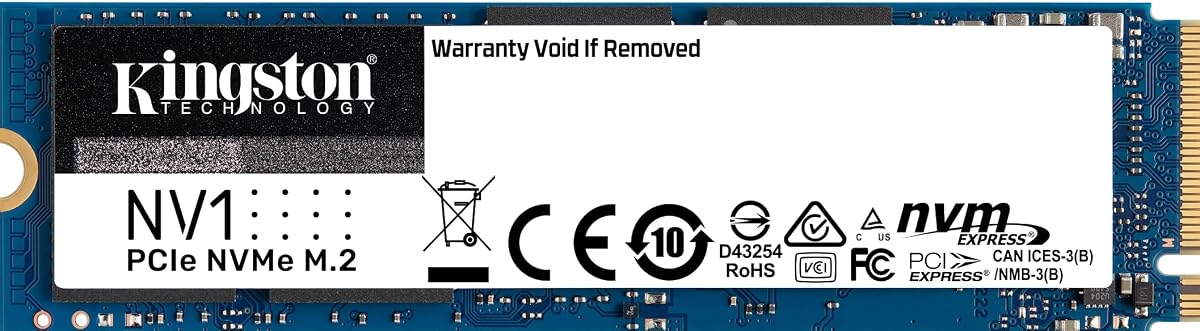
The Kingston NV1 2TB is an excellent choice for users who need large capacity without a high cost. With read speeds up to 2100MB/s it offers reliable performance for daily tasks and general storage. This model is particularly strong for those who want to store a lot of media files or documents.
We may earn a commission when you buy through this link, at no additional cost to you.
Its strengths include being ideal for laptops and small form factor PCs where space is limited. The 2TB capacity means you can keep a substantial amount of data locally without worrying about running out of space quickly. It provides a balanced option for secondary storage or archival purposes.
The trade-off is the lower speed compared to Gen 4 drives which might be noticeable in heavy workloads. It is not designed for high-end gaming but rather for dependable data storage. For users prioritizing capacity over raw speed this makes it a practical and affordable solution.
We recommend this drive for users who need a large reliable secondary drive for backups or media storage. It is also great for laptop upgrades where physical space and budget are key constraints. If you need a lot of storage space without breaking the bank this model delivers value.
With 2TB available you can store large libraries of files and programs without constant management.
The slim form factor ensures it fits easily into most modern laptop upgrade slots.
We may earn a commission when you buy through this link, at no additional cost to you.
The Kingston NV1 500G is a compact solution designed for users needing a reliable boot drive or secondary storage. With a 500GB capacity it is suitable for operating systems and essential applications. The speed is adequate for most daily computing tasks ensuring a responsive experience.
We may earn a commission when you buy through this link, at no additional cost to you.
Key strengths are its suitability for laptops and small form factor PCs where reliability and size matter. The drive offers a straightforward upgrade path for older systems that still use SATA. It provides a significant speed boost over traditional hard drives at an accessible price point.
The trade-off is the capacity which may not be enough for modern games that often require large amounts of space. Users might need to rely on cloud storage or external drives for media and larger titles. For basic usage however the performance and size are well matched to the capacity.
We recommend this drive for users looking to upgrade an older laptop or PC with a simple reliable SSD. It is also suitable for those who need a small OS drive for a secondary machine. If you want a hassle-free upgrade this model offers a good balance of features.
Even at modest speeds the NVMe interface ensures a faster boot and launch experience compared to SATA drives.
Fits standard M.2 slots making it easy to install in a wide variety of modern computers.
We may earn a commission when you buy through this link, at no additional cost to you.
The Kingston 1TB KC3000 offers impressive performance with read speeds up to 7000MB/s. It is built for users who need fast data access and reliable operation for demanding tasks. The quality assurance measures ensure that the drive meets high standards for performance and consistency.
We may earn a commission when you buy through this link, at no additional cost to you.
Its strengths include the ability to handle heavy workloads without slowing down. This makes it a good option for professional applications where time is a critical factor. The high rating from users suggests that it performs consistently well in real world scenarios.
The trade-off is that it is limited to a 1TB capacity which may not be sufficient for large media libraries. The performance level also implies a higher cost which might not be necessary for casual users. However for those who need speed this drive delivers on its promises.
We recommend this drive for professionals and power users who require reliable high-speed storage. It is ideal for workstations or laptops where performance is a priority. If you need a drive that balances speed and reliability this model is worth considering.
The drive is optimized for tasks that require rapid data access to maintain workflow efficiency.
Manufactured to strict standards ensuring consistent performance and reliability across all units.
We may earn a commission when you buy through this link, at no additional cost to you.
Selecting the right storage involves understanding your specific needs for speed capacity and form factor.
The interface determines the maximum speed you can achieve. PCIe 4.0 offers significantly faster speeds than 3.0 which is vital for modern gaming. Check your motherboard compatibility before purchasing a Gen 4 drive to ensure you get the advertised performance.
Choose Gen 4 for gaming and professional workloads where speed matters. For basic use Gen 3 is often sufficient.
Most desktops use the 2280 size but laptops and handhelds may require 2230. Verify the physical slot size in your device to ensure the drive fits properly. Installing a drive that is too large can physically damage the system or prevent the cover from closing.
Match the form factor to your device specs to avoid compatibility issues during installation.
Modern applications and games require significant space. Aim for at least 500GB for general use and 1TB or more for gaming. Larger capacities often reduce the cost per terabyte making them a better long-term investment.
Buy more capacity than you think you need today to avoid running out of space later.
High speed drives generate heat which can lead to throttling without proper cooling. Models with built-in heatsinks help maintain performance during long sessions. If your case lacks airflow consider a drive with an external heatsink for better stability.
Prioritize thermal solutions if you plan to use the drive for continuous heavy workloads.
Endurance measures how much data the drive can write over its life. For general users standard endurance is usually enough but professionals may need higher ratings. This metric ensures the drive lasts as long as you need it to under heavy usage.
Check the TBW value if you write large amounts of data regularly to ensure longevity.
Manufacturers often include software to manage drive health and cloning. Tools like Acronis simplify the migration process when upgrading. Having access to diagnostic tools helps you monitor the drive status effectively over time.
Look for bundled software that provides easy migration and health monitoring features.
A good warranty provides peace of mind against manufacturing defects. Most quality drives come with a five-year limited warranty covering hardware failures. This support ensures you can resolve issues without significant financial loss if problems arise.
Verify the warranty terms to ensure adequate coverage for your investment and usage needs.
Prices vary widely based on capacity and performance tier. Determine your budget first and prioritize features that match your use case. Sometimes a slightly slower drive offers better value if you do not need maximum throughput.
Balance cost with features to get the best value for your specific scenario.
Install the drive securely into the M.2 slot on your motherboard ensuring it is held down by the standoff screw. This prevents the drive from shifting or disconnecting during transport or heavy use. Proper mounting is the first step in ensuring a stable and safe connection.
Update your motherboard drivers to ensure optimal compatibility with NVMe protocols. This helps the system recognize the drive fully and allows for features like fast boot. Keeping firmware updated also fixes bugs and improves performance over time.
Regularly check your drive health using manufacturer tools to monitor for potential issues. If your case has poor airflow consider adding a fan to keep temperatures down. Consistent care extends the life of the drive and maintains its speed.
NVMe stands for Non-Volatile Memory Express which is a protocol designed for fast access to storage. It allows drives to communicate directly with the processor reducing latency significantly. This results in much faster data transfer speeds compared to older SATA based drives.
For most gamers PCIe 4.0 is sufficient and offers excellent performance. PCIe 5.0 provides faster speeds but these are not fully utilized in current games yet. You might consider it if you are building a high-end system for professional creative work.
If your motherboard does not have a built-in heatsink adding one is recommended for long gaming sessions. This prevents the drive from overheating and slowing down due to thermal throttling. Check your system specs to see if you need to buy one separately.
Yes you can use a smaller 2230 drive in a standard 2280 slot. You may need a standoff adapter to secure the drive in place properly. This flexibility allows you to use compatible storage across different device types easily.
Most Kingston NVME SSDs come with a five-year warranty which covers typical consumer usage. With proper care the drive can last well beyond the warranty period without issues. Regular health checks ensure you are aware of the drive status over time.
Not all laptops support NVMe drives as some older models only have SATA slots. You must verify that your laptop has an M.2 slot that supports NVMe before purchasing. This compatibility check prevents buying a drive that cannot be installed in your system.
The drive will likely need to be formatted to a file system like NTFS before use. Your computer usually prompts you to do this automatically during the first setup. This process prepares the drive for storing files and operating systems correctly.
Many models come with bundled software like Acronis to help migrate data easily. This allows you to copy your operating system and files to the new drive. Check the product details to confirm if cloning software is included with your specific model.
We have reviewed the top options including the NV3 for value and the Renegade G5 for raw power. Each model offers distinct strengths suitable for different needs like gaming or professional work. Your choice depends on your budget and the specific hardware you are upgrading.
Prioritize the interface speed and form factor to ensure the drive fits your system. For most users the NV3 offers a balanced performance that fits many scenarios well. If you need maximum speed for work consider the higher end models available.
Remember to check current prices and availability before making your final decision. Storage technology moves quickly and options can change based on market demand. This guide remains a reference to help you make an informed choice for your needs.