
KNAON Bluetooth Thermal Shipping Label Printer
4.4Editor score
Bluetooth and USB connectivity
180 mm/s print speed
Works with major platforms
Compare the top 10 label printer for Pirate Ship models for shipping efficiency, connectivity, and print quality in this detailed expert guide.
Finding the right label printer for Pirate Ship can transform your shipping workflow. A good model offers fast thermal printing, reliable Bluetooth or USB connectivity, and seamless integration with major platforms like Etsy and Amazon.
We compared ten top-rated thermal printers based on print speed, resolution, compatibility, and ease of use. Our analysis focuses on real-world performance for small businesses needing crisp barcodes and efficient label handling.
Each pick highlights key features, pros, cons, and ideal use cases. Prices and availability change frequently, so verify details on the product page before purchasing to ensure you get the best value for your needs.
4.4Editor score

4.3Editor score

4.6Editor score
This side-by-side comparison highlights the key specifications and capabilities of each thermal printer to help you decide which model fits your shipping volume and budget requirements.






The Nelko Bluetooth Thermal Shipping Label Printer stands out as a top choice for small businesses needing reliable performance without complex hardware. It holds a strong rating and delivers clear, crisp prints ideal for shipping manifests.
We may earn a commission when you buy through this link, at no additional cost to you.
Its direct thermal technology means you never need to buy ink or toner, saving money over time. The printer supports both fanfold and roll labels, offering flexibility for different workflow preferences. With Bluetooth and USB options, it connects seamlessly to your computer or mobile devices.
While it works well for most users, Mac users should note that Bluetooth connectivity requires the app rather than direct system pairing. Additionally, you must save logistics labels as PDFs before uploading them to the editor app for printing.
If you run an online store on Etsy or Amazon and need a dependable printer that handles high volumes efficiently, the Nelko model is an excellent investment. Its balance of speed, connectivity, and ease of use makes it a safe pick.
Works with major shipping platforms including Amazon, eBay, Shopify, and USPS for smooth label management.
Achieves up to 150 mm/s printing speed to keep your shipping schedule on track during busy periods.
We may earn a commission when you buy through this link, at no additional cost to you.
This Thermal Shipping Label Printer offers an impressive balance of performance and affordability. It is designed specifically for small businesses that need consistent quality without breaking the bank. The unit comes with starter labels to get you printing right away.
We may earn a commission when you buy through this link, at no additional cost to you.
The FlashLabel Pro app provides over 1,800 customizable templates and 300 fonts, making it easy to design labels offline. This is particularly useful if you work in areas with unstable internet. The printer handles standard 4×6 shipping labels and other sizes up to 4.3 inches wide.
Keep in mind that it prints in black and white only, which is standard for shipping labels but limits creative branding options. Also, all Bluetooth connections must go through the app, so direct pairing is not supported.
For startups or side businesses looking to minimize upfront costs while maintaining professional shipping standards, this printer is a smart choice. Its energy-efficient design and included accessories make it a complete package.
Eliminates ink costs with direct thermal printing to reduce ongoing maintenance expenses significantly.
Features overheat protection and a matte finish to ensure stable long-term performance on any desk.
We may earn a commission when you buy through this link, at no additional cost to you.
The Rollo USB Shipping Label Printer is built for heavy-duty environments where reliability is paramount. It consistently receives high ratings for its ability to handle continuous printing without overheating or jamming. This model is ideal for high-volume sellers.
We may earn a commission when you buy through this link, at no additional cost to you.
With a print speed of one 4×6 label per second, you can process orders rapidly. The Rollo Ship app offers exclusive shipping rates and integrates with your ecommerce platform. The printer also functions as a custom label maker for barcodes and product tags.
The main trade-off is the USB-only connection, which limits wireless flexibility. It also carries a higher price tag compared to entry-level models. However, the durability and professional output justify the investment for serious merchants.
If you need a printer that can keep up with daily shipping demands and deliver consistent results, the Rollo is the best premium option. It is a long-term tool designed for business growth and efficiency.
Engineered for high-speed continuous operation to minimize downtime during peak shipping seasons.
Creates various custom labels including QR codes and thank you stickers beyond standard shipping needs.
We may earn a commission when you buy through this link, at no additional cost to you.
JADENS offers a thermal printer that emphasizes ease of use and reliable wireless performance. The Japanese high-tech thermal print head ensures sharp text and barcodes that scan easily. It is a solid option for users who want to move freely around their workspace.
We may earn a commission when you buy through this link, at no additional cost to you.
The printer works with most major shipping platforms like ShipStation and eBay. You can set it up in about a minute using the provided videos and drivers. The ability to switch between fanfold and roll labels adds versatility to your setup.
However, mobile users must use the JADENS app for Bluetooth printing, and you need to press the feed button to calibrate label sizes when changing rolls. These are minor inconveniences given the overall performance.
For small business owners who need a balance of connectivity and quality, the JADENS printer is a strong contender. Its reliable support and straightforward design make it a practical choice for daily shipping tasks.
Includes detailed instruction videos and drivers for fast installation and immediate printing capability.
Uses Japanese thermal technology to deliver clean, mess-free printing without toner or ink.
We may earn a commission when you buy through this link, at no additional cost to you.
The KNAON Bluetooth Thermal Shipping Label Printer delivers impressive speed and features at an accessible price. With up to 180 mm/s printing, it outpaces many competitors in its class. The included USB drive with drivers simplifies setup for Windows and Mac users.
We may earn a commission when you buy through this link, at no additional cost to you.
The FlashLabel Pro app offers over 3,000 templates and 5,000 icons, giving you extensive DIY options. It integrates well with platforms like Shopify and Amazon. The compact design fits easily on small desks without sacrificing performance.
Like many models, it requires saving logistics labels as PDFs before importing them to the app. This extra step is standard for this category but worth noting if you prefer direct integration. The printer is compatible with ChromeOS as well.
If you need a fast, stylish printer that offers lots of design tools, the KNAON is a top value pick. It is well-suited for entrepreneurs who want flexibility and speed without a high upfront cost.
Access thousands of templates and icons to create professional labels for various uses.
Handles high volume tasks quickly with a top speed of 180 mm/s to save time.
We may earn a commission when you buy through this link, at no additional cost to you.
The Rongta Bluetooth Shipping Label Printer is designed for simplicity and portability. Its compact build makes it easy to store in tight spaces or pack for travel. It automatically detects label sizes, which saves time on manual adjustments.
We may earn a commission when you buy through this link, at no additional cost to you.
The printer supports a wide range of label widths, from 0.98 to 4.37 inches. This makes it versatile for everything from QR codes to standard shipping labels. Setup is straightforward with drivers available on the official website.
While it is a great budget option, it has a slightly lower average rating compared to premium models. The features are basic but functional. If you need something simple for occasional shipping, it does the job well.
For those who prioritize small footprint and easy handling, the Rongta is a practical choice. It is an ideal solution for mobile sellers or small shops with limited desk space.
Automatic detection eliminates manual calibration steps for a smoother user experience.
Dimensions allow it to fit neatly on small desks or in drawers when not in use.
We may earn a commission when you buy through this link, at no additional cost to you.
The Westinghouse Thermal Shipping Label Printer is built for reliable performance in business environments. It operates at 6 inches per second and uses thermal technology to ensure clear, sharp prints. The printer includes starter labels and accessories for immediate use.
We may earn a commission when you buy through this link, at no additional cost to you.
It supports ZPL software, which is ideal for businesses needing advanced control over print formats. While it lacks Bluetooth, it does offer Ethernet capability under certain network conditions. The design is sturdy and meant for daily use.
If you prefer a stable wired connection over wireless options, this printer is a good fit. However, mobile users who need Bluetooth will not find it here. The focus is on consistency and durability for office settings.
For established small businesses that need a dependable desktop printer, the Westinghouse model delivers. Its commercial-grade construction ensures it can handle regular workloads without compromising on quality.
203 DPI resolution guarantees readable text and graphics for efficient package sorting.
Designed to withstand daily shipping demands in personal and commercial environments.
We may earn a commission when you buy through this link, at no additional cost to you.
MUNBYN stands out for its customization capabilities and specialty label support. It comes with access to 3,500 elements and 2,000 templates, allowing you to create branded shipping labels easily. The web-based Munbyn Editor simplifies design for desktop users.
We may earn a commission when you buy through this link, at no additional cost to you.
This printer supports specialty series like glitter and rainbow labels for creative projects. It works with major shipping platforms and offers a simple three-step setup process. Trusted by many entrepreneurs, it is designed for diverse needs.
Note that it is not compatible with UPS thermal paper, so using genuine MUNBYN labels is recommended for optimal results. The Bluetooth connection is straightforward via the app, ensuring a seamless workflow for mobile devices.
If branding and unique label styles are important to you, the MUNBYN is a versatile choice. It balances practical shipping needs with creative options for business identity.
Access specialty designs like glitter and rainbow labels to enhance brand presentation.
Use the Google Chrome editor to design labels without downloading extra software.
We may earn a commission when you buy through this link, at no additional cost to you.
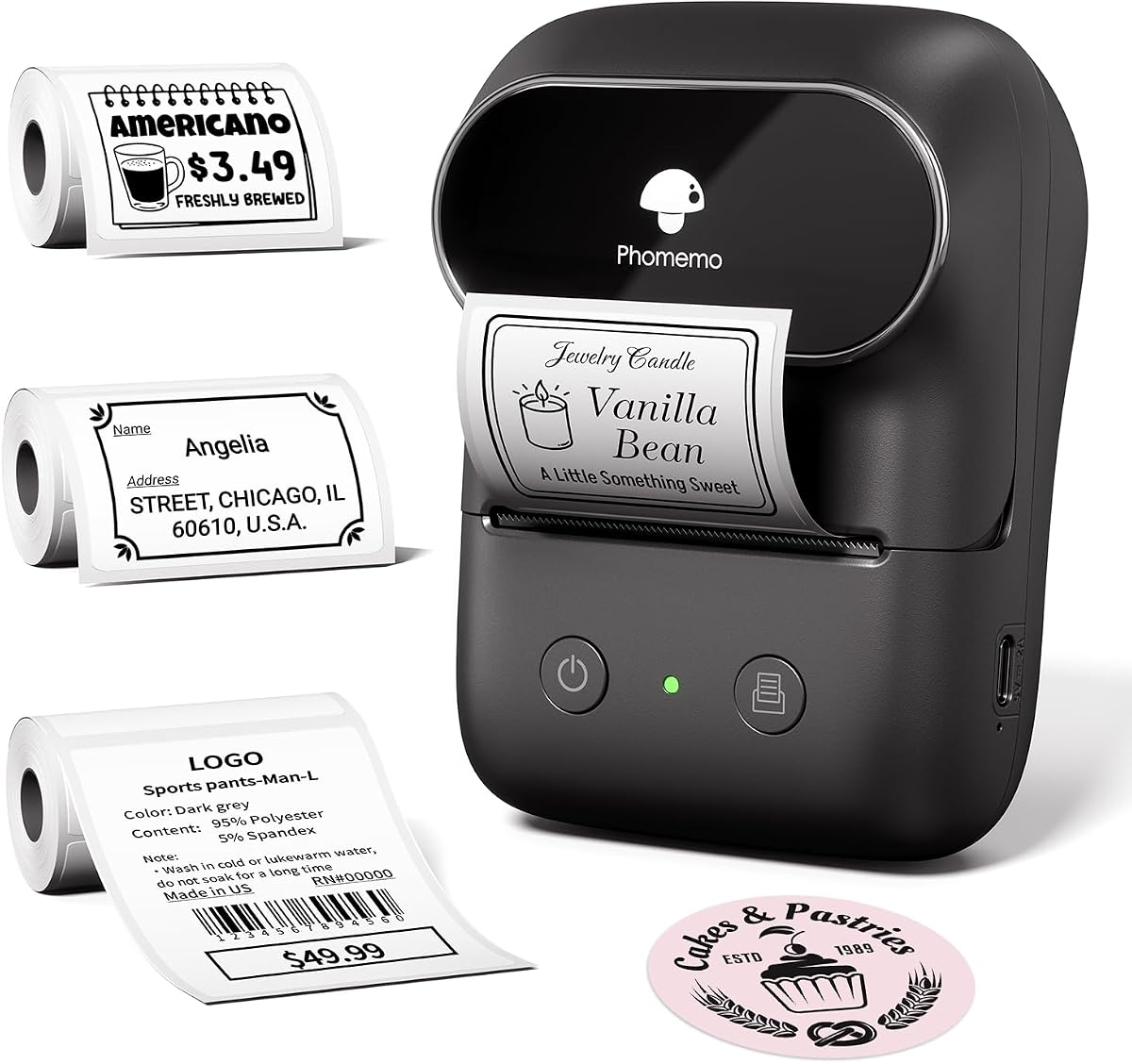
The Phomemo Bluetooth Thermal Shipping Label Printer emphasizes user support and print quality. It offers responsive technical support via phone, email, and live chat. This makes it a good choice for users who value assistance after purchase.
We may earn a commission when you buy through this link, at no additional cost to you.
Using the Labelife app, you can connect easily and print labels for various platforms like eBay and Amazon. The printer handles labels from 1 to 4.6 inches wide. Its thermal technology ensures labels resist fading over time.
All devices must use the app for Bluetooth connection, so direct pairing is not an option. However, the straightforward steps make this easy to manage. The green design is also a stylish addition to any workspace.
For those who want reliable support and consistent results, the Phomemo printer is a safe bet. It is well-suited for both home and commercial use with clear, professional output.
Access phone and chat support for quick resolutions to any technical issues.
Labels are engineered to resist fading and smudging for professional readability.
We may earn a commission when you buy through this link, at no additional cost to you.
The Phomemo Thermal Label Maker is ideal for small labels rather than large shipping packages. It weighs only 184 grams and runs on a rechargeable battery for portable use. The Print Master app offers extensive templates and fonts for creative projects.
We may earn a commission when you buy through this link, at no additional cost to you.
It supports labels from 3/4 to 2 inches wide, perfect for organization or small tags. Features like voice input and OCR recognition make it easy to create custom labels quickly. The battery lasts for thousands of prints.
This model is not designed for standard 4×6 shipping labels, so it serves a niche purpose. It is excellent for home offices or small businesses needing product info tags. The compact size allows for easy storage.
If you need a portable solution for small labels and organization, the Phomemo maker is a great option. Its battery power and lightweight build make it convenient for on-the-go labeling tasks.
1200mAh battery enables up to 6,000 prints per charge for uninterrupted use.
Use voice input or OCR to create text labels hands-free and efficiently.
We may earn a commission when you buy through this link, at no additional cost to you.
Selecting the right thermal printer involves considering connectivity, print quality, and platform compatibility to ensure your shipping operations run smoothly.
Most modern thermal printers offer both USB and Bluetooth connections. USB is reliable for desktop use, while Bluetooth allows mobile printing. Check if your operating system supports direct Bluetooth pairing or requires a specific app.
Ensure the printer connects easily to your current devices to avoid setup headaches.
Resolution is measured in DPI; 203 DPI is standard for clear barcodes and text. Higher DPI helps prevent scanning errors at carrier facilities. Look for models that maintain clarity at high speeds.
Choose a printer with at least 203 DPI for professional shipping results.
Your printer should work with your ecommerce platform and shipping software. Most support major platforms like Shopify, Amazon, and eBay via apps. Verify that the app supports PDF import if your workflow requires it.
Confirm compatibility with your specific shipping tools before purchasing.
Speed impacts how quickly you can ship orders. Models range from 100 to 180 mm/s. Faster speeds reduce wait times during busy periods and increase daily output capacity significantly.
Select a speed that matches your daily order volume to maintain efficiency.
Printers usually support fanfold or roll labels. Some offer both. Fanfolds are great for high volume as they sit flat on desks. Rolls are more compact and portable for small spaces.
Choose a media type that fits your workspace and volume needs best.
Thermal printers eliminate ink costs. However, you must buy compatible thermal labels. Some brands sell proprietary labels that can be pricier. Compare label costs to estimate long-term expenses accurately.
Factor in label prices when calculating total cost of ownership.
For daily use, a durable commercial grade build is essential. Plastic units may crack under stress. Look for models with overheat protection and sturdy materials that can withstand constant use.
Invest in a robust printer if you plan to print hundreds of labels daily.
Good after-sales service is vital if issues arise. Check if the brand offers drivers, video tutorials, and responsive support. Some provide warranties that cover technical defects.
Prioritize brands with strong documentation and support channels for peace of mind.
Start by downloading the drivers or apps specified in the user manual. Connect the printer via USB or pair via Bluetooth. Ensure the firmware is up to date to avoid compatibility issues with new software versions.
Insert your labels correctly according to the printer's guides. Fanfolds slide in smoothly while rolls require aligning the edges. Calibrate the sensor to recognize label gaps for proper feed alignment.
Keep the printhead clean with a soft cloth if prints get streaky. Store labels in a cool dry place to avoid fading. Turn off the printer when not in use to extend its lifespan and save power.
No, thermal printers use direct thermal technology which applies heat to special labels. This eliminates the need for ink or toner, saving money and reducing maintenance significantly.
Yes, most models support Bluetooth or Wi-Fi via specific apps. Download the required app like FlashLabel Pro or the brand's official app to connect and print from your phone.
Ensure you are using thermal labels, not standard paper. Also check that the driver settings match the label size. If the sensor is dirty, print quality may suffer, so clean the printhead.
Most support macOS, but Bluetooth pairing sometimes requires a specific app rather than direct system pairing. USB connections generally work fine across all supported Mac versions.
Roll labels are wound on a core and take up less space. Fanfold labels come in a flat stack. Fans are easier to use for high volume as they feed smoothly without rolling.
Commercial grade units can last years with regular use. Consumer models vary. Proper maintenance like cleaning the printhead and avoiding overheating helps extend the device's operational life.
Standard thermal printers print in black and white. Some specialty models support colored thermal paper, but shipping labels typically need clear black and white barcodes for scanning efficiency.
Thermal printers are faster, ink-free, and use durable labels. They reduce errors in barcodes and save time compared to printing on adhesive paper or cutting sheets.
We reviewed ten top thermal printers ranging from budget-friendly options to commercial grade units. Each model offers unique strengths like fast speeds or app-based design tools to suit different workflows.
Prioritize connectivity and print quality if you handle high volumes. For smaller sellers, budget options with reliable apps can save money while still meeting all shipping requirements effectively.
Always check current prices and availability before buying to ensure you get the best deal. Shipping needs evolve so choosing a flexible printer helps you adapt to future changes.