
Dell Precision 3581 Workstation
Core i7-13800H CPU
Nvidia RTX A500 GPU
32GB DDR5 RAM
Choosing the right laptop for CAD work requires balancing raw power with portability. Professionals need machines that can handle complex 3D models and simulations without lag.
We compared ten top-rated workstations based on processor speed, graphics capabilities, and display accuracy. Our list covers options for every budget and workflow requirement.
Each pick highlights key strengths and ideal use cases for your projects. Note that product availability and pricing may change frequently over time.

4.4Editor score

5.0Editor score
As an Amazon Associate we earn from qualifying purchases.
This side-by-side comparison highlights the key specifications of each workstation to help you find the perfect fit for your professional needs.




This flagship workstation delivers top-tier performance for architects and engineers working on complex 3D models. With a rating of 4.4 stars, it stands out for its reliability and robust build quality.
We may earn a commission when you buy through this link, at no additional cost to you.
Powered by the Intel Core i9-13950HX processor, it handles multitasking with ease. The 32GB DDR5 CAMM RAM ensures fast data access and smooth operation across demanding CAD applications.
While it lacks a dedicated discrete GPU in this specific configuration, the integrated graphics are efficient for general tasks. The display supports multiple external monitors for extended workspace setups.
Ideal for professionals who need desktop replacement power in a portable chassis. This model is a strong recommendation for users prioritizing raw CPU performance and system stability.
Built for design and architecture workflows with ISV certifications ensuring compatibility with professional software.
Supports up to three external monitors via HDMI and Thunderbolt ports for flexible multi-screen productivity.
We may earn a commission when you buy through this link, at no additional cost to you.
This configuration balances cost and performance by including a dedicated NVIDIA GPU. It is an excellent choice for professionals needing hardware acceleration without flagship processor costs.
We may earn a commission when you buy through this link, at no additional cost to you.
The Intel Core i5-13600HX provides solid efficiency for general workflows. The RTX 1000 Ada GPU ensures smooth rendering for design and architectural visualization tasks.
While the processor is mid-range, the system remains stable under load. It supports up to four external monitors which is rare for this price point.
Best for architects and engineers looking for a balance between portability and graphics power. It offers significant value for those needing dedicated GPU performance on a budget.
The RTX 1000 Ada GPU delivers stability required for design and professional workflows.
Connect up to four external monitors for flexible and productive multi-screen setups.
We may earn a commission when you buy through this link, at no additional cost to you.
This mobile workstation builds on a legacy of pro-level performance in a sleek design. It stands out with massive 64GB RAM and next-gen Wi-Fi 7 connectivity.
We may earn a commission when you buy through this link, at no additional cost to you.
The Intel Core Ultra 7 processor paired with the RTX 500 Ada GPU handles rendering and AI workloads efficiently. The touchscreen display offers versatile interaction for designers.
It supports up to 8K external monitors for those needing extreme resolution. HP Wolf Pro Security adds enterprise-grade protection for sensitive project data.
Ideal for data analysts and architects needing high memory and connectivity. It is a premium choice for users prioritizing cutting-edge features and expandability.
64GB DDR5 RAM ensures seamless multitasking and ultra-fast data access for large files.
Wi-Fi 7 and Thunderbolt 4 offer ultra-fast wireless performance and rapid data transfers.
We may earn a commission when you buy through this link, at no additional cost to you.
This renewed option offers a balance of power and savings for budget-conscious professionals. It features a 13th generation Intel processor with 14 cores for exceptional multitasking.
We may earn a commission when you buy through this link, at no additional cost to you.
The RTX A500 graphics card with 4GB dedicated RAM is suitable for gaming and professional editing. It includes 32GB DDR5 memory running at high speeds for smooth performance.
Buying renewed allows access to flagship specs at a lower price point. It comes with on-site warranty services which is crucial for professional continuity.
Best for users needing solid workstation power without the premium cost. It is a practical choice for students or firms looking to equip teams affordably.
The 14 core processor allows for running multiple applications smoothly at once.
32GB DDR5 RAM ensures fast startup and quick data transfers for large files.
We may earn a commission when you buy through this link, at no additional cost to you.
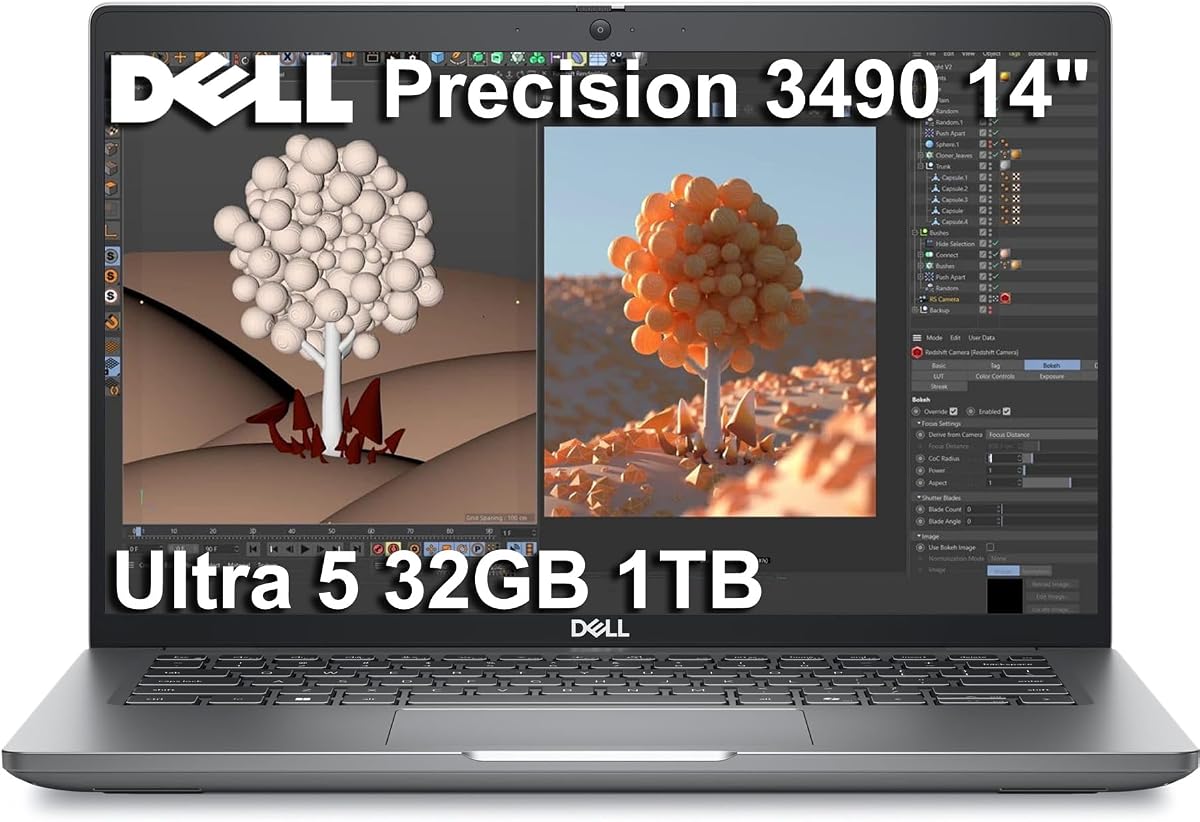
This laptop marries performance with portability for professionals on the move. Weighing just 3.09 lbs, it is significantly lighter than traditional workstations.
We may earn a commission when you buy through this link, at no additional cost to you.
Powered by the Intel Core Ultra 5 135H processor, it delivers seamless multitasking and AI-assisted productivity. The 32GB RAM ensures smooth operation for daily tasks.
The display supports up to three external monitors for desktop-class productivity when docked. It includes AI Copilot for streamlined workflows and intelligent assistance.
Ideal for architects needing a lightweight machine for travel and site visits. It strikes a perfect balance between robustness and mobility for on-the-go work.
Hits the sweet balance of delivering robust power without the excessive heft of larger models.
AI Copilot and assistance boost workflow efficiency across business and creative tasks.
We may earn a commission when you buy through this link, at no additional cost to you.
This flagship model showcases high-end workstation design with powerful scalable capabilities. The 17.3 inch display offers ample space for detailed design work.
We may earn a commission when you buy through this link, at no additional cost to you.
The RTX 4000 Ada GPU with 12GB memory delivers stability for high-end rendering. The processor supports up to five GHz for superior efficiency and speed.
Brightness of 500 nits ensures visibility in bright environments. It connects up to four external monitors for expansive workspace configurations.
Best for professionals prioritizing screen real estate and raw graphical power. It is the ultimate desktop replacement for intensive 3D and simulation tasks.
The 17.3 inch FHD display delivers sharp vivid visuals for professional work.
The RTX 4000 Ada 12GB GPU meets the performance needs of design professionals.
We may earn a commission when you buy through this link, at no additional cost to you.
This top-tier 7680 model features the NVIDIA RTX 2000 Ada GPU for robust performance. It is designed for professionals in engineering and architecture.
We may earn a commission when you buy through this link, at no additional cost to you.
The i7-13850HX processor ensures superior efficiency and speed. 32GB DDR5 CAMM RAM overcomes traditional performance limits for smoother workflows.
The display allows connection to four external monitors at 4K resolution. While the NTSC coverage is standard it supports extensive productivity setups.
Ideal for those needing solid GPU performance without the cost of flagship models. It is a strong option for CAD work and video editing.
The NVIDIA RTX 2000 Ada 8GB GPU delivers stability for design workflows.
DDR5 CAMM RAM reduces Z height and routing traces for better performance.
We may earn a commission when you buy through this link, at no additional cost to you.
This configuration offers a massive 128GB of DDR5 memory for extreme multitasking. It is powered by the 13th Gen i9-13950HX processor with 24 cores.
We may earn a commission when you buy through this link, at no additional cost to you.
The RTX 4000 ADA GPU with 12GB GDDR6 ensures high performance for rendering. The display features 500-nits brightness and 99% DCI-P3 color accuracy.
This machine is built for data scientists and developers handling massive datasets. It runs Windows 11 Pro for enterprise security and management features.
Best for users who need maximum memory capacity for virtualization and complex computations. It is the ultimate choice for professional heavy-lifting.
128GB DDR5 RAM allows for seamless multitasking of hundreds of applications.
24 Core processor ensures superior efficiency and speed for demanding workloads.
We may earn a commission when you buy through this link, at no additional cost to you.
This 7680 model features intelligent design for data science leveraging AI for performance. It comes with 64GB DDR5 RAM for smooth multitasking.
We may earn a commission when you buy through this link, at no additional cost to you.
The i7-13850HX processor delivers superior efficiency for complex computations. The RTX 2000 Ada 8GB GPU ensures stability for engineering and architecture tasks.
It supports up to four external monitors for extensive productivity. The keyboard includes a dedicated numeric keypad for convenient number entry.
Ideal for data analysts and developers handling complex computations. It offers enterprise-grade security and reliability for on-site work environments.
Intelligent design leverages AI to optimize system performance for key applications.
Fast wireless connectivity ensures compatibility with a wide range of peripherals.
We may earn a commission when you buy through this link, at no additional cost to you.
This ThinkPad combines a larger 16-inch display with a more portable design than heavier workstations. It is perfect for software engineers and analysts.
We may earn a commission when you buy through this link, at no additional cost to you.
The Intel Core Ultra 7 255H processor ensures seamless multitasking and superior performance. The display features narrow borders and 400nits brightness.
It supports Wi-Fi 7 and Bluetooth 5.4 for fast and reliable wireless performance. ISV certifications ensure compatibility with professional applications like SolidWorks.
Best for users needing workstation capability without the bulk of traditional laptops. It is a reliable choice for everyday productivity and creative work.
Combines larger workspace with a portable design for demanding work environments.
The 16-inch display maximizes screen real estate and reduces eye strain.
We may earn a commission when you buy through this link, at no additional cost to you.
Selecting a CAD laptop involves balancing processor power, graphics capability, and portability for your specific workflow needs.
CAD applications rely heavily on multi-core performance for rendering and simulation. Look for processors like Intel Core i7 or i9 with high clock speeds.
Prioritize CPUs with at least 12 cores for smooth handling of complex models and multitasking.
Dedicated GPUs significantly improve rendering times for 3D designs. NVIDIA RTX series cards are standard for professional workloads.
Ensure the GPU has sufficient dedicated memory, ideally 6GB or more for detailed visualizations.
At least 32GB of DDR5 RAM is recommended for handling large files and running multiple applications.
Fast NVMe SSDs reduce load times and ensure efficient data access for daily tasks.
High resolution and color accuracy are critical for precision work. Aim for Full HD or WUXGA panels with anti-glare coatings.
Consider screen size based on portability needs; 16 inches offers a good balance for most users.
If you travel frequently, consider mobile workstations under 4 lbs. Lighter models may sacrifice some thermal performance.
Balance the need for mobility with the requirement for sustained performance during intensive tasks.
Ensure the laptop has Thunderbolt 4 and USB-C ports for connecting multiple external monitors.
Fast Wi-Fi connectivity is essential for cloud collaboration and remote work environments.
ISV certification guarantees that professional software like AutoCAD and SolidWorks runs reliably.
Choose machines certified for your specific applications to avoid compatibility issues and bugs.
Look for MIL-STD testing to ensure the device can withstand physical stress and environmental factors.
Features like fingerprint readers and enterprise-grade security protect sensitive project data effectively.
Keep your workspace free of clutter and dust to prevent overheating during long rendering sessions. Regularly clean the vents with compressed air to maintain airflow.
Install software updates promptly to benefit from performance patches and security fixes. Avoid installing unnecessary apps to keep system resources dedicated to your work.
Use a cooling pad for sustained heavy loads and store the laptop in a protective case when traveling. Backup your projects to cloud storage or external drives regularly.
Ideally you should aim for at least 32GB of RAM to handle complex projects smoothly. While 16GB might work for basic sketches it can bottleneck during rendering. Professionals using large 3D models benefit significantly from 64GB or more.
MacBooks work well with some CAD apps but many professional tools like SolidWorks are Windows only. If you rely on industry-standard software check compatibility first. Windows workstations generally offer broader hardware support.
Yes a dedicated GPU accelerates rendering and improves viewport performance in 3D applications. Integrated graphics may suffice for 2D drafting but will struggle with complex 3D work. Look for NVIDIA RTX cards for best results.
A 15 to 17-inch display provides enough screen real estate for toolbars and detailed views. Larger screens reduce eye strain during long work sessions. However ensure the laptop remains portable enough for your needs.
ISV certification ensures professional software runs without bugs and performance issues. It guarantees compatibility with specific hardware configurations. This saves time and prevents frustration during critical projects.
Lower screen brightness and close unnecessary background apps to save power. Use performance modes efficiently when plugged in. Consider using external power sources like docking stations when possible.
NVMe SSDs provide the fastest read and write speeds for large design files. Avoid using traditional hard drives as primary storage for active work. At least 1TB is recommended for ample project space.
Most modern workstations support multiple monitors via HDMI and USB-C ports. Ensure the GPU can handle the combined resolution load. Use docking stations for easier cable management and stability.
These top picks provide reliable options for professionals seeking performance and mobility. Each model caters to specific needs from entry-level to high-end workstation requirements.
Prioritize CPU speed and GPU capabilities for rendering tasks while considering portability for field work. The right balance depends on your specific application requirements.
Remember to check current pricing and availability before purchasing to ensure you get the best deal available.